
README
🖤 BLACK TOOLS
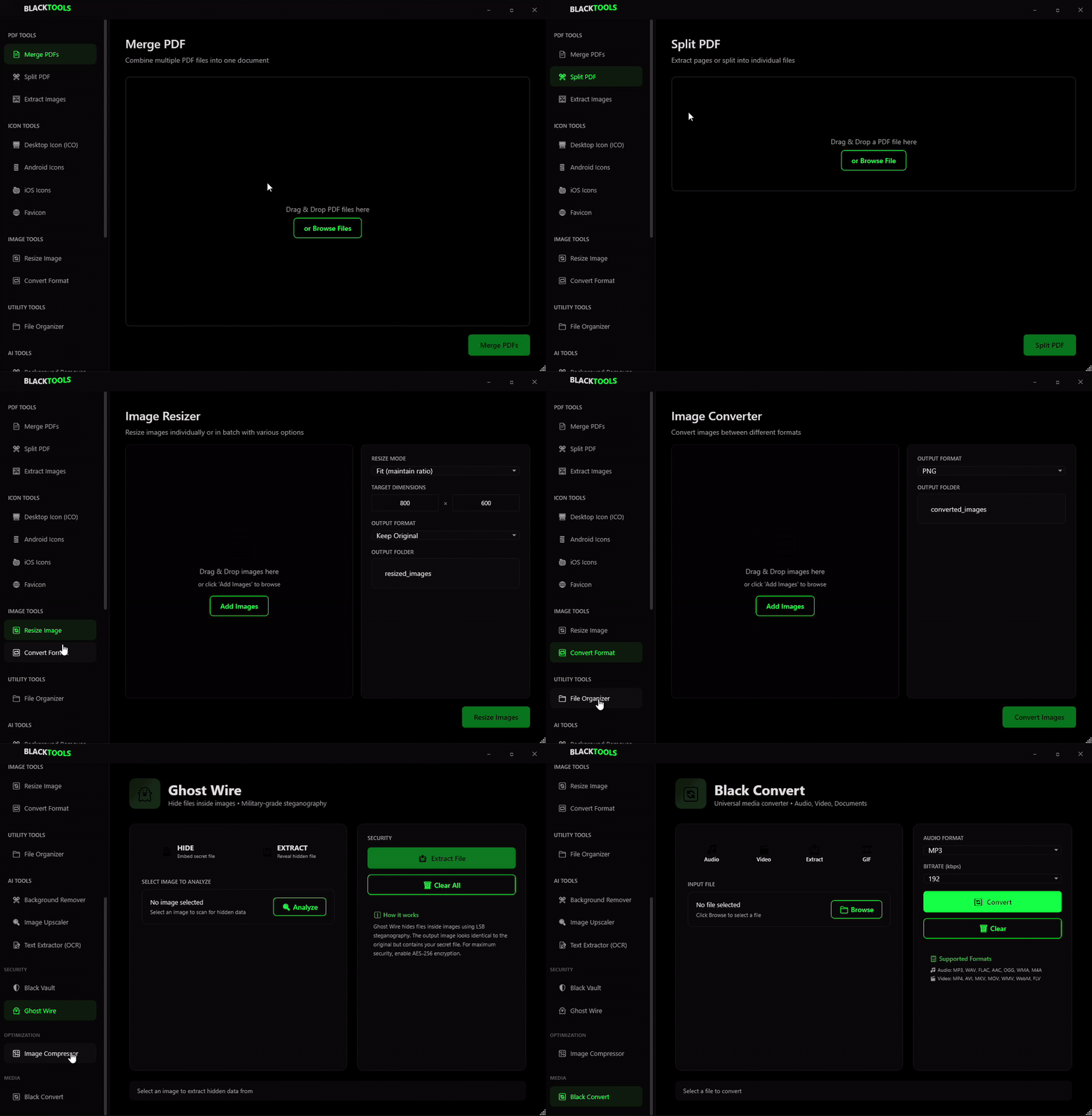
A premium, high-performance workstation for media processing, security, and optimization. Built with a sleek black-and-green aesthetic, Black Tools provides a unified interface for professional tasks.



🚀 Features
🔄 Black Convert (Media Tools)
- Universal Converter: Convert between all popular audio and video formats (MP3, MP4, MKV, FLAC, etc.).
- Audio Extraction: Rip high-quality audio from any video file.
- GIF Studio: Create optimized high-quality GIFs from video segments with palette control.
- Images to PDF: Batch convert and reorder images into a single professional PDF document.
- Intelligent FFmpeg Management: Automatic download and setup of FFmpeg binaries.
👻 Ghost Wire (Security)
- Military-Grade Steganography: Hide secret files inside ordinary images using LSB technology.
- AES-256 Encryption: Encrypt hidden data with industrial-strength security.
- Detection System: Built-in scanner to reveal and extract hidden data from carrier images.
🖼️ Image Intelligence
- Black Vectorizer: Convert raster images (PNG, JPG) into scalable SVG vectors. Perfect for logos and icons.
- Optimizer: Compress images without losing perceptible quality.
- Format Converter: Batch convert images between PNG, JPG, WebP, and more.
- Background Remover: (Planned) AI-powered background removal.
🛠️ Built With
- .NET 9 / WPF: Modern desktop framework.
- Xabe.FFmpeg: High-performance media processing engine.
- CommunityToolkit.Mvvm: Robust architecture.
- Custom Design System: Dark mode glassmorphism and premium UI components.
📥 Installation
- Download the latest release.
- Run
BlackTools.exe. - The app will prompt you to download or link FFmpeg for media features.
Manual FFmpeg Setup (Optional)
If you prefer a manual setup, place ffmpeg.exe and ffprobe.exe in:
%LOCALAPPDATA%\BlackTools\FFmpeg\
📸 Screenshots
📄 License
This project is licensed under the MIT License - see the LICENSE file for details.
Developed with 🖤 for Power Users.
Similar repos


README
🖤 BLACK TOOLS
A premium, high-performance workstation for media processing, security, and optimization. Built with a sleek black-and-green aesthetic, Black Tools provides a unified interface for professional tasks.
🚀 Features
🔄 Black Convert (Media Tools)
- Universal Converter: Convert between all popular audio and video formats (MP3, MP4, MKV, FLAC, etc.).
- Audio Extraction: Rip high-quality audio from any video file.
- GIF Studio: Create optimized high-quality GIFs from video segments with palette control.
- Images to PDF: Batch convert and reorder images into a single professional PDF document.
- Intelligent FFmpeg Management: Automatic download and setup of FFmpeg binaries.
👻 Ghost Wire (Security)
- Military-Grade Steganography: Hide secret files inside ordinary images using LSB technology.
- AES-256 Encryption: Encrypt hidden data with industrial-strength security.
- Detection System: Built-in scanner to reveal and extract hidden data from carrier images.
🖼️ Image Intelligence
- Black Vectorizer: Convert raster images (PNG, JPG) into scalable SVG vectors. Perfect for logos and icons.
- Optimizer: Compress images without losing perceptible quality.
- Format Converter: Batch convert images between PNG, JPG, WebP, and more.
- Background Remover: (Planned) AI-powered background removal.
🛠️ Built With
- .NET 9 / WPF: Modern desktop framework.
- Xabe.FFmpeg: High-performance media processing engine.
- CommunityToolkit.Mvvm: Robust architecture.
- Custom Design System: Dark mode glassmorphism and premium UI components.
📥 Installation
- Download the latest release.
- Run
BlackTools.exe. - The app will prompt you to download or link FFmpeg for media features.
Manual FFmpeg Setup (Optional)
If you prefer a manual setup, place ffmpeg.exe and ffprobe.exe in:
%LOCALAPPDATA%\BlackTools\FFmpeg\
📸 Screenshots
📄 License
This project is licensed under the MIT License - see the LICENSE file for details.
Developed with 🖤 for Power Users.