abdullahalmogamsi/Arabic-Dialects-Image-Generation-Project

Python

0

17 commits

updated Dec 5, 2024

See the code

README

Dialect-Aware Text-to-Image Generation Using Diffusion Models

By: Faisal Alsamida, Mohammed Alsulami, Ahmed Aljabri and Abdullah Almughamisi

KAUST Logo

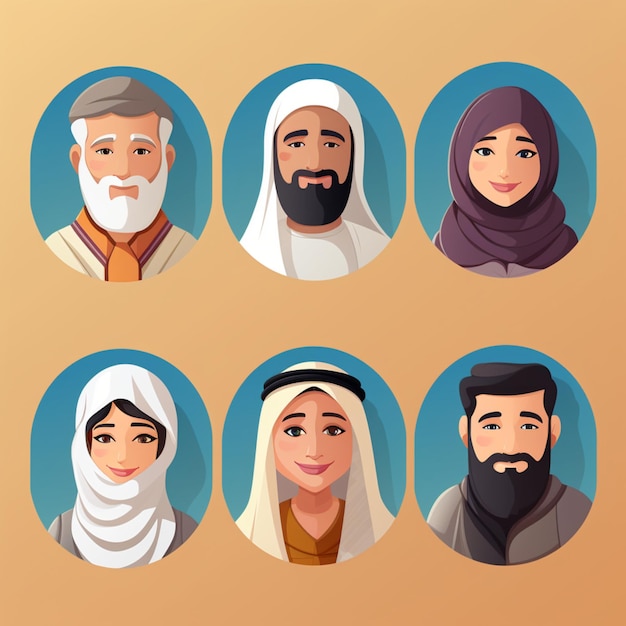
Arabic Culture Icon

Overview

This project is an interactive interface for generating images based on prompts in various Arabic dialects. It uses state-of-the-art text transformation and image generation models to produce high-quality and contextually relevant images. The interface allows users to experiment with different combinations of text transformation and image generation techniques.

Features

  • Image Generation Models:

    • Alt Diffusion
    • Stable Diffusion
    • Flux
  • Text Transformation Models:

    • Model 1: PRAli22/arat5-arabic-dialects-translation
    • Model 2: Murhaf/AraT5-MSAizer
    • Model 3: nadsoft/Faseeh-v0.1-beta
    • Gemini (MSA and English)
  • Interactive UI: Built with Gradio, the interface supports prompt inputs, dropdown selections for models, and displays generated images with and without text transformations.

How It Works

  1. Enter a prompt in any Arabic dialect.
  2. Select an image generation model from the dropdown.
  3. Optionally, choose a text transformation model to refine your input prompt.
  4. Generate images and view:
    • Images generated without transformation.
    • Images generated after applying the selected transformation.

Installation

Requirements

  • Python 3.8+
  • Gradio
  • Hugging Face Transformers
  • PyTorch
  • Diffusers

Setup Instructions

  1. Clone the repository:
    git clone https://github.com/your_username/arabic-dialects-image-generation.git
    cd arabic-dialects-image-generation


  2. Install the required libraries:
    pip install -r requirements.txt
    
    
  3. Login to Hugging Face to access the models:
    huggingface-cli login
    
    
  4. Download the necessary models:
  • Alt Diffusion: BAAI/AltDiffusion-m9
  • Stable Diffusion: stabilityai/stable-diffusion-3.5-medium
  • Flux: black-forest-labs/FLUX.1-schnell

Features

1. Image Generation

  • Supports three different image generation models:
    • Alt Diffusion
    • Stable Diffusion
    • Flux
  • Automatically generates images without text transformation for comparison.

2. Text Transformation

  • Allows transformation of Arabic dialects to Modern Standard Arabic (MSA) or English.
  • Five transformation models are supported:
    • Model 1 (AraT5 - Dialects to MSA)
    • Model 2 (Murhaf/AraT5-MSAizer)
    • Model 3 (nadsoft/Faseeh-v0.1-beta)
    • Gemini MSA (Arabic dialect to MSA)
    • Gemini English (Arabic dialect to English)

3. Interactive Interface

  • User-friendly Gradio interface:
    • Dropdowns for selecting models.
    • Sliders for controlling the number of generated images.
    • Textbox for displaying transformed prompts.

4. Modular Design

  • Easily extendable for new models or transformations.

How It Works

Workflow

  1. Input: Enter a prompt in Arabic dialect.
  2. Transformation:
    • If selected, the text is transformed using the chosen model.
  3. Image Generation:
    • The prompt (original or transformed) is passed to the selected image generation model.
  4. Output:
    • Images are displayed for both original and transformed prompts.
    • The transformed text is shown for comparison.

Models Overview

Text Transformation Models

Model IDDescriptionPurpose
PRAli22/arat5-arabic-dialects-translationAraT5 for dialects to Modern Standard Arabic (MSA)Model 1
Murhaf/AraT5-MSAizerAraT5 for refining MSA textModel 2
nadsoft/Faseeh-v0.1-betaFaseeh for MSA generationModel 3
Gemini MSAGoogle Gemini for dialects to MSA translationGemini MSA
Gemini EnglishGoogle Gemini for dialects to English translationGemini English

Image Generation Models

Model IDDescription
BAAI/AltDiffusion-m9Multilingual image generation with Alt Diffusion
stabilityai/stable-diffusion-3.5-mediumHigh-quality, stable image generation
black-forest-labs/FLUX.1-schnellFast, creative image generation with Flux

Testing the Models

Prompts for Testing Arabic Dialects

Saudi Dialect

  • "ولد لابس لبس اليوم الوطني ويلعب كورة."
  • "رجال يشرب قهوة في الصحراء."

Egyptian Dialect

  • "شاب لابس بدلة وبيتكلم في التليفون."
  • "بنت بتلعب قدام البحر."

Khaleeji Dialect

  • ياهل يركض في الحديقة مع كلبه."
  • "بنيه تطبخ في مطبخ جديد."

Moroccan Dialect

  • "راجل قاعد على الشط كيشوف الغروب."
  • "ولد شايل كتاب وكيقرا تحت الشجرة."

Performance Evaluation

The system evaluates generated images using:

  • FID (Frechet Inception Distance): Measures image quality and diversity.
  • IS (Inception Score): Evaluates image realism and variation.
  • CLIP Score: Measures alignment between generated images and input prompts.

Sample Results

Input Prompt

"ولد صغير ماسك لعبة في يده."


## Examples

### Input Prompt
```text
"بنت لابسة جاكيت أزرق"

Output

  • Without Text Transformation:
  • With Text Transformation (Gemini English):

Try it !!

Contributing

We welcome contributions! If you'd like to improve the project:

  1. Fork the repository.
  2. Create a new branch:
    git checkout -b feature/your-feature
    
  3. Commit your changes:
    git commit -m 'Add a new feature'
    
  4. Push to the branch:
    git push origin feature/your-feature
    
  5. Open a pull request.

License

This project is licensed under the MIT License. See the LICENSE file for details.

Acknowledgments

  • KAUST for supporting the project.
  • Gradio for the interactive UI.
  • Hugging Face for the text transformation and image generation models.

abdullahalmogamsi/Arabic-Dialects-Image-Generation-Project

Python

0

17 commits

updated Dec 5, 2024
See the code

README

Dialect-Aware Text-to-Image Generation Using Diffusion Models

By: Faisal Alsamida, Mohammed Alsulami, Ahmed Aljabri and Abdullah Almughamisi

KAUST Logo

Arabic Culture Icon

Overview

This project is an interactive interface for generating images based on prompts in various Arabic dialects. It uses state-of-the-art text transformation and image generation models to produce high-quality and contextually relevant images. The interface allows users to experiment with different combinations of text transformation and image generation techniques.

Features

  • Image Generation Models:

    • Alt Diffusion
    • Stable Diffusion
    • Flux
  • Text Transformation Models:

    • Model 1: PRAli22/arat5-arabic-dialects-translation
    • Model 2: Murhaf/AraT5-MSAizer
    • Model 3: nadsoft/Faseeh-v0.1-beta
    • Gemini (MSA and English)
  • Interactive UI: Built with Gradio, the interface supports prompt inputs, dropdown selections for models, and displays generated images with and without text transformations.

How It Works

  1. Enter a prompt in any Arabic dialect.
  2. Select an image generation model from the dropdown.
  3. Optionally, choose a text transformation model to refine your input prompt.
  4. Generate images and view:
    • Images generated without transformation.
    • Images generated after applying the selected transformation.

Installation

Requirements

  • Python 3.8+
  • Gradio
  • Hugging Face Transformers
  • PyTorch
  • Diffusers

Setup Instructions

  1. Clone the repository:
    git clone https://github.com/your_username/arabic-dialects-image-generation.git
    cd arabic-dialects-image-generation


  2. Install the required libraries:
    pip install -r requirements.txt
    
    
  3. Login to Hugging Face to access the models:
    huggingface-cli login
    
    
  4. Download the necessary models:
  • Alt Diffusion: BAAI/AltDiffusion-m9
  • Stable Diffusion: stabilityai/stable-diffusion-3.5-medium
  • Flux: black-forest-labs/FLUX.1-schnell

Features

1. Image Generation

  • Supports three different image generation models:
    • Alt Diffusion
    • Stable Diffusion
    • Flux
  • Automatically generates images without text transformation for comparison.

2. Text Transformation

  • Allows transformation of Arabic dialects to Modern Standard Arabic (MSA) or English.
  • Five transformation models are supported:
    • Model 1 (AraT5 - Dialects to MSA)
    • Model 2 (Murhaf/AraT5-MSAizer)
    • Model 3 (nadsoft/Faseeh-v0.1-beta)
    • Gemini MSA (Arabic dialect to MSA)
    • Gemini English (Arabic dialect to English)

3. Interactive Interface

  • User-friendly Gradio interface:
    • Dropdowns for selecting models.
    • Sliders for controlling the number of generated images.
    • Textbox for displaying transformed prompts.

4. Modular Design

  • Easily extendable for new models or transformations.

How It Works

Workflow

  1. Input: Enter a prompt in Arabic dialect.
  2. Transformation:
    • If selected, the text is transformed using the chosen model.
  3. Image Generation:
    • The prompt (original or transformed) is passed to the selected image generation model.
  4. Output:
    • Images are displayed for both original and transformed prompts.
    • The transformed text is shown for comparison.

Models Overview

Text Transformation Models

Model IDDescriptionPurpose
PRAli22/arat5-arabic-dialects-translationAraT5 for dialects to Modern Standard Arabic (MSA)Model 1
Murhaf/AraT5-MSAizerAraT5 for refining MSA textModel 2
nadsoft/Faseeh-v0.1-betaFaseeh for MSA generationModel 3
Gemini MSAGoogle Gemini for dialects to MSA translationGemini MSA
Gemini EnglishGoogle Gemini for dialects to English translationGemini English

Image Generation Models

Model IDDescription
BAAI/AltDiffusion-m9Multilingual image generation with Alt Diffusion
stabilityai/stable-diffusion-3.5-mediumHigh-quality, stable image generation
black-forest-labs/FLUX.1-schnellFast, creative image generation with Flux

Testing the Models

Prompts for Testing Arabic Dialects

Saudi Dialect

  • "ولد لابس لبس اليوم الوطني ويلعب كورة."
  • "رجال يشرب قهوة في الصحراء."

Egyptian Dialect

  • "شاب لابس بدلة وبيتكلم في التليفون."
  • "بنت بتلعب قدام البحر."

Khaleeji Dialect

  • ياهل يركض في الحديقة مع كلبه."
  • "بنيه تطبخ في مطبخ جديد."

Moroccan Dialect

  • "راجل قاعد على الشط كيشوف الغروب."
  • "ولد شايل كتاب وكيقرا تحت الشجرة."

Performance Evaluation

The system evaluates generated images using:

  • FID (Frechet Inception Distance): Measures image quality and diversity.
  • IS (Inception Score): Evaluates image realism and variation.
  • CLIP Score: Measures alignment between generated images and input prompts.

Sample Results

Input Prompt

"ولد صغير ماسك لعبة في يده."


## Examples

### Input Prompt
```text
"بنت لابسة جاكيت أزرق"

Output

  • Without Text Transformation:
  • With Text Transformation (Gemini English):

Try it !!

Contributing

We welcome contributions! If you'd like to improve the project:

  1. Fork the repository.
  2. Create a new branch:
    git checkout -b feature/your-feature
    
  3. Commit your changes:
    git commit -m 'Add a new feature'
    
  4. Push to the branch:
    git push origin feature/your-feature
    
  5. Open a pull request.

License

This project is licensed under the MIT License. See the LICENSE file for details.

Acknowledgments

  • KAUST for supporting the project.
  • Gradio for the interactive UI.
  • Hugging Face for the text transformation and image generation models.