abdelrahman-safwat-dev/ImageCaptionGP

Jupyter Notebook

0

2 commits

updated Jan 1, 2026

See the code

README

Multilingual Image Captioning System

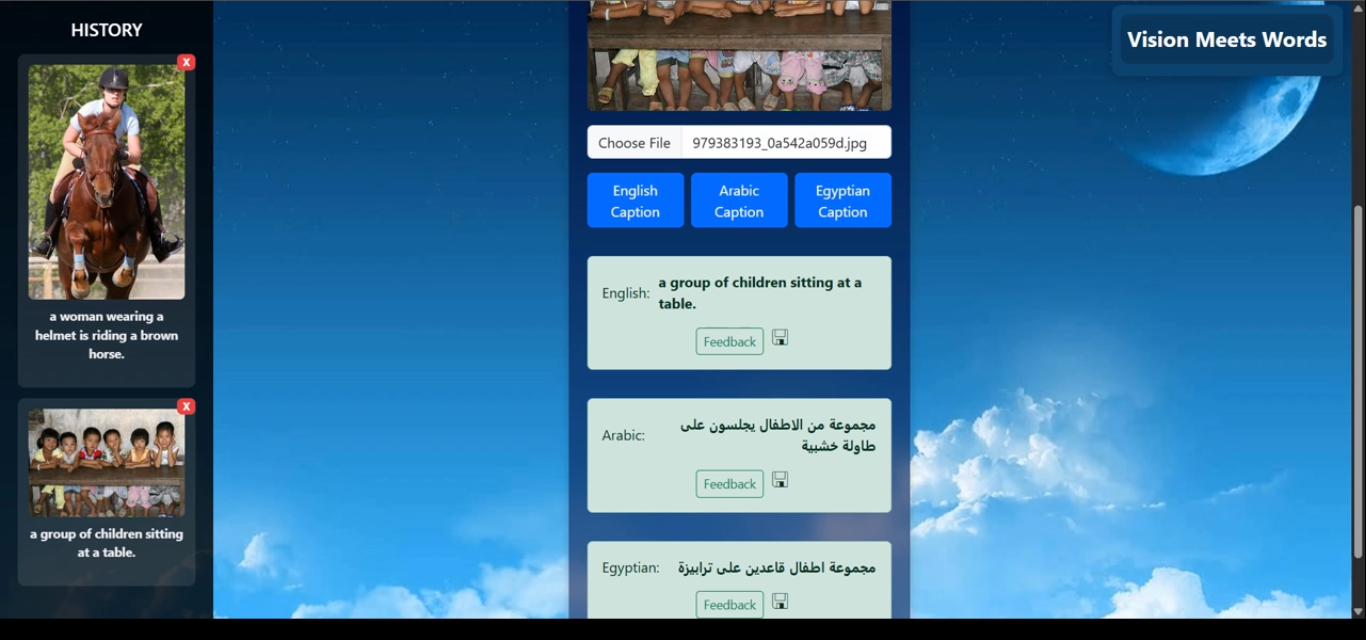
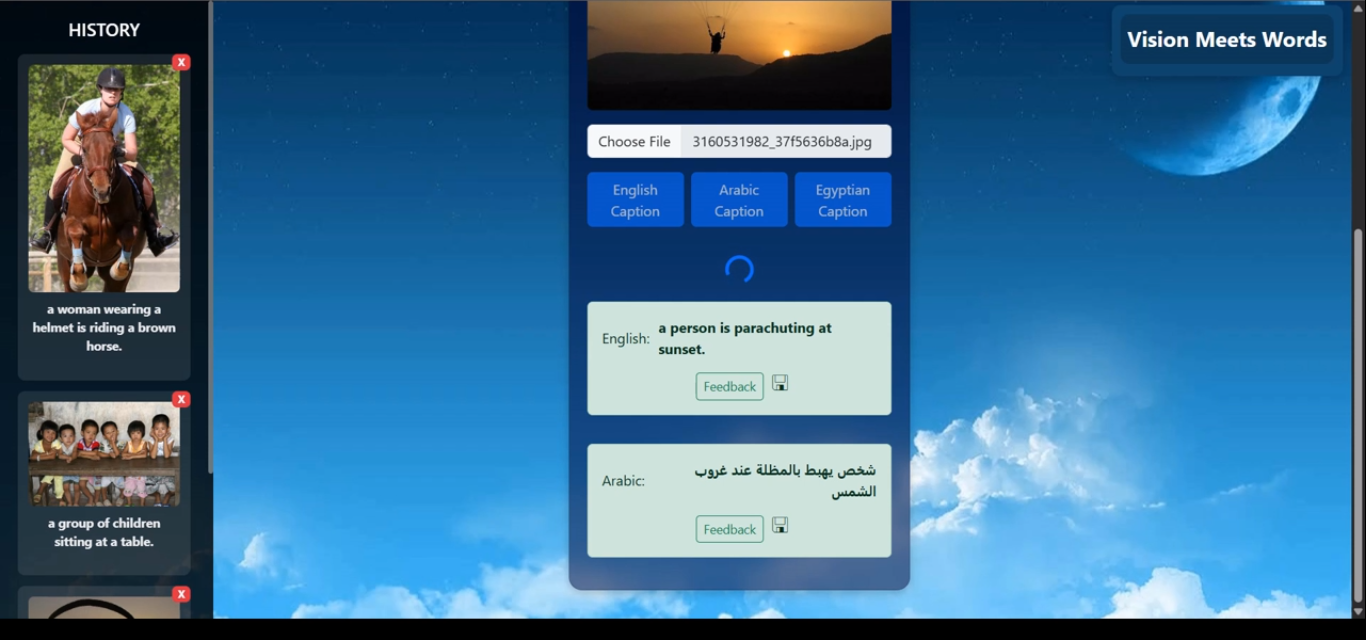
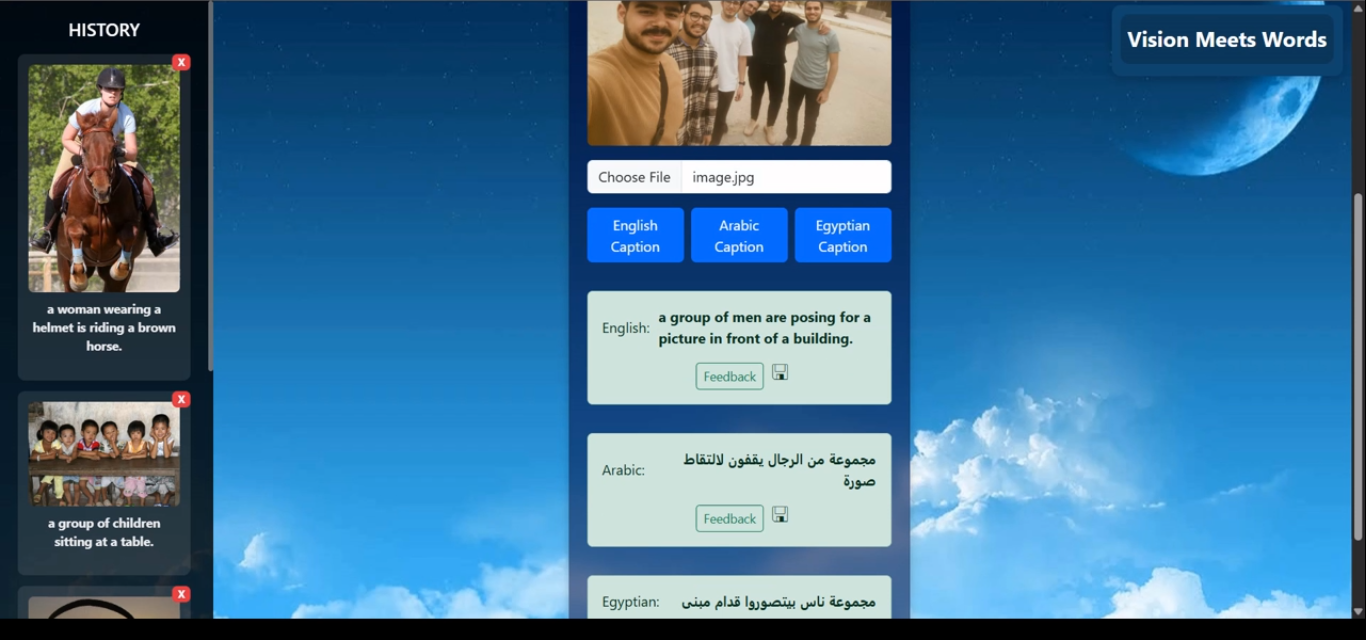
This graduation project brings together deep learning research and practical application to tackle the challenge of image captioning. The work explored both fine-tuning state-of-the-art models and implementing architectures from scratch, enabling caption generation in English, Modern Standard Arabic, and Egyptian Arabic. To showcase and evaluate these models, the team built an interactive web platform where users can upload images, generate and listen to captions, provide feedback, and browse previously generated captions.

🚀 Features

  • Multilingual captions (English, Arabic, Egyptian Arabic)
  • Backend–inference integration with locally deployed ML models
  • User authentication & caption history
  • Image upload, caption download, and feedback system
  • Mini test feature: preview an image and choose the correct caption
  • Read-aloud functionality for generated captions

🏗️ Architecture

  • Backend: ASP.NET Core + MySQL (Entity Framework)
    • Main entry point: software/Backend/Poky.api/Program.cs
    • Provides APIs for authentication, image handling, and caption retrieval
    • Initially connected to HuggingFace models
    • Later integrated locally deployed models via FastAPI
  • Frontend: React (Vite)
    • Main entry point: software/Frontend/src/main.jsx
    • Provides user interface for image upload, login, feedback, and history
  • Inference Service: FastAPI
    • Main entry point: software/ModelAPI/Local.py
    • Hosts trained ML models for caption generation
  • Research Component: Multiple deep learning architectures were implemented and evaluated (CNN-LSTM, CNN-Transformer, BLIP, ViT-GPT2, GIT)

⚙️ Tech Stack

  • ASP.NET Core
  • MySQL + Entity Framework
  • FastAPI
  • React (Vite)
  • PyTorch & HuggingFace Transformers

📊 Research Contribution

  • Motivation: Many image captioning systems exist for English, but limited support exists for Arabic and dialects. Manual captioning is inconsistent and time-consuming.
  • Objective: Build a multilingual image captioning system with strong performance across English, Modern Standard Arabic, and Egyptian Arabic.
  • Models: Explored CNN-based and transformer-based approaches, including CNN-LSTM, CNN-Transformer, BLIP, GIT, and ViT-GPT2.
  • Datasets: Used Flickr8K, Flickr30K, Arabic Flickr8K, and a custom-prepared Egyptian Arabic dataset (~8,000 translated captions).
  • Evaluation: Metrics included BLEU, METEOR, and ROUGE.
  • Gap Identified: Arabic captioning lags behind due to lack of large-scale diverse datasets; project introduced the first Egyptian Arabic captioning dataset, improving benchmarks.

🔬 Results

  • Achieved competitive performance on English and Arabic captioning tasks.
  • Improved Egyptian Arabic captioning by leveraging BLIP with LoRA fine-tuning.
  • Outperformed prior benchmarks in Arabic/Egyptian captioning by a significant margin.

🔮 Future Work

  • Model Improvement: Explore BLIP-2, MiniGPT-4, LLaVA for reasoning-based captioning.
  • Dataset Expansion: Collect richer, more diverse Arabic/Egyptian data (social media, specialized domains).
  • Multilingual Capabilities: Extend to more languages, handle code-switching (Arabic + English mixes).
  • Cross-domain Generalization: Apply captioning to domains like medical, historical, or fashion images.

⚙️ Setup & Installation

Prerequisites

1. Backend (ASP.NET Core)

cd software/Backend/Poky.api
# Update appsettings.json with your MySQL connection string
dotnet ef database update
dotnet run

API will run on http://localhost:5000

2. Inference Service (FastAPI)

cd software/ModelAPI
pip install -r requirements.txt
uvicorn Local:app --reload --host 0.0.0.0 --port 8000

Service will run on http://localhost:8000

3. Frontend (React + Vite)

cd software/Frontend
npm install
npm run dev

Frontend will run on http://localhost:5173
4. Access

  • Open the frontend in your browser
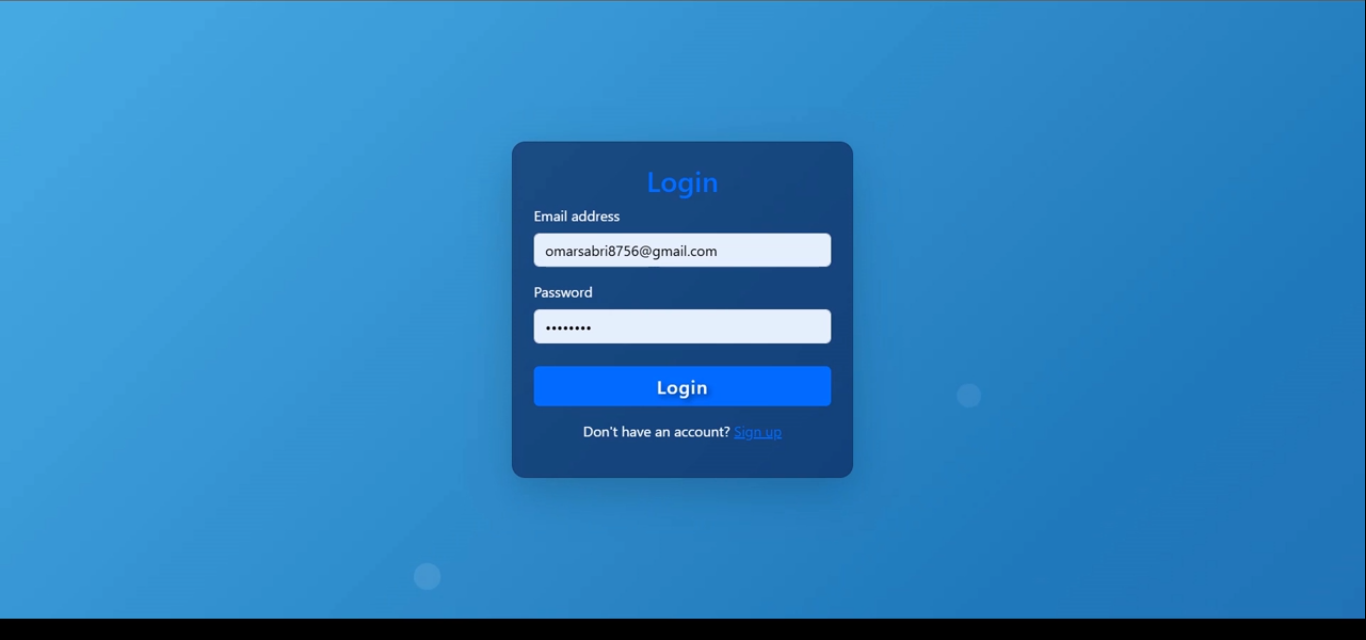
  • Register/login
  • Upload an image and generate captions
  • View/download captions and provide feedback

📸 Screenshots

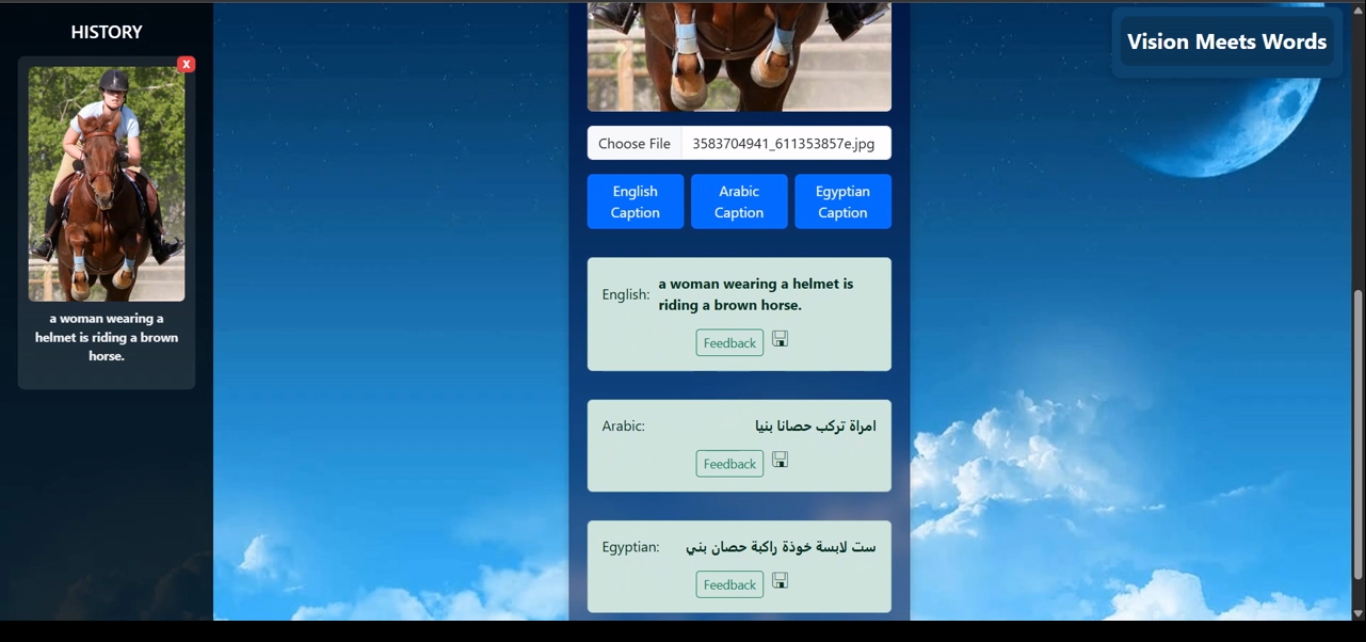
Login Page A woman riding a horse Kids sitting on a table Parachut Meet the team

👥 Team

Developed by a team of 6 under the supervision of Prof. Amr S. Ghoneim.


abdelrahman-safwat-dev/ImageCaptionGP

Jupyter Notebook

0

2 commits

updated Jan 1, 2026

See the code

README

Multilingual Image Captioning System

This graduation project brings together deep learning research and practical application to tackle the challenge of image captioning. The work explored both fine-tuning state-of-the-art models and implementing architectures from scratch, enabling caption generation in English, Modern Standard Arabic, and Egyptian Arabic. To showcase and evaluate these models, the team built an interactive web platform where users can upload images, generate and listen to captions, provide feedback, and browse previously generated captions.

🚀 Features

  • Multilingual captions (English, Arabic, Egyptian Arabic)
  • Backend–inference integration with locally deployed ML models
  • User authentication & caption history
  • Image upload, caption download, and feedback system
  • Mini test feature: preview an image and choose the correct caption
  • Read-aloud functionality for generated captions

🏗️ Architecture

  • Backend: ASP.NET Core + MySQL (Entity Framework)
    • Main entry point: software/Backend/Poky.api/Program.cs
    • Provides APIs for authentication, image handling, and caption retrieval
    • Initially connected to HuggingFace models
    • Later integrated locally deployed models via FastAPI
  • Frontend: React (Vite)
    • Main entry point: software/Frontend/src/main.jsx
    • Provides user interface for image upload, login, feedback, and history
  • Inference Service: FastAPI
    • Main entry point: software/ModelAPI/Local.py
    • Hosts trained ML models for caption generation
  • Research Component: Multiple deep learning architectures were implemented and evaluated (CNN-LSTM, CNN-Transformer, BLIP, ViT-GPT2, GIT)

⚙️ Tech Stack

  • ASP.NET Core
  • MySQL + Entity Framework
  • FastAPI
  • React (Vite)
  • PyTorch & HuggingFace Transformers

📊 Research Contribution

  • Motivation: Many image captioning systems exist for English, but limited support exists for Arabic and dialects. Manual captioning is inconsistent and time-consuming.
  • Objective: Build a multilingual image captioning system with strong performance across English, Modern Standard Arabic, and Egyptian Arabic.
  • Models: Explored CNN-based and transformer-based approaches, including CNN-LSTM, CNN-Transformer, BLIP, GIT, and ViT-GPT2.
  • Datasets: Used Flickr8K, Flickr30K, Arabic Flickr8K, and a custom-prepared Egyptian Arabic dataset (~8,000 translated captions).
  • Evaluation: Metrics included BLEU, METEOR, and ROUGE.
  • Gap Identified: Arabic captioning lags behind due to lack of large-scale diverse datasets; project introduced the first Egyptian Arabic captioning dataset, improving benchmarks.

🔬 Results

  • Achieved competitive performance on English and Arabic captioning tasks.
  • Improved Egyptian Arabic captioning by leveraging BLIP with LoRA fine-tuning.
  • Outperformed prior benchmarks in Arabic/Egyptian captioning by a significant margin.

🔮 Future Work

  • Model Improvement: Explore BLIP-2, MiniGPT-4, LLaVA for reasoning-based captioning.
  • Dataset Expansion: Collect richer, more diverse Arabic/Egyptian data (social media, specialized domains).
  • Multilingual Capabilities: Extend to more languages, handle code-switching (Arabic + English mixes).
  • Cross-domain Generalization: Apply captioning to domains like medical, historical, or fashion images.

⚙️ Setup & Installation

Prerequisites

1. Backend (ASP.NET Core)

cd software/Backend/Poky.api
# Update appsettings.json with your MySQL connection string
dotnet ef database update
dotnet run

API will run on http://localhost:5000

2. Inference Service (FastAPI)

cd software/ModelAPI
pip install -r requirements.txt
uvicorn Local:app --reload --host 0.0.0.0 --port 8000

Service will run on http://localhost:8000

3. Frontend (React + Vite)

cd software/Frontend
npm install
npm run dev

Frontend will run on http://localhost:5173
4. Access

  • Open the frontend in your browser
  • Register/login
  • Upload an image and generate captions
  • View/download captions and provide feedback

📸 Screenshots

Login Page A woman riding a horse Kids sitting on a table Parachut Meet the team

👥 Team

Developed by a team of 6 under the supervision of Prof. Amr S. Ghoneim.