Real-time microphone plugin host for Windows: run a VST2/VST3 plugin chain on your mic and route the result into a virtual audio cable. Make your voice sound better. Profiles, bundled plugins, tray.
Rust
1
0 commits
updated Oct 19, 2026
Run real VST2/VST3 plugins on your microphone. Free and open source.
Pick your mic → add your plugins → press START. Discord, Zoom, OBS and Teams hear the processed voice, because the audio comes out of a virtual cable instead of your raw microphone.



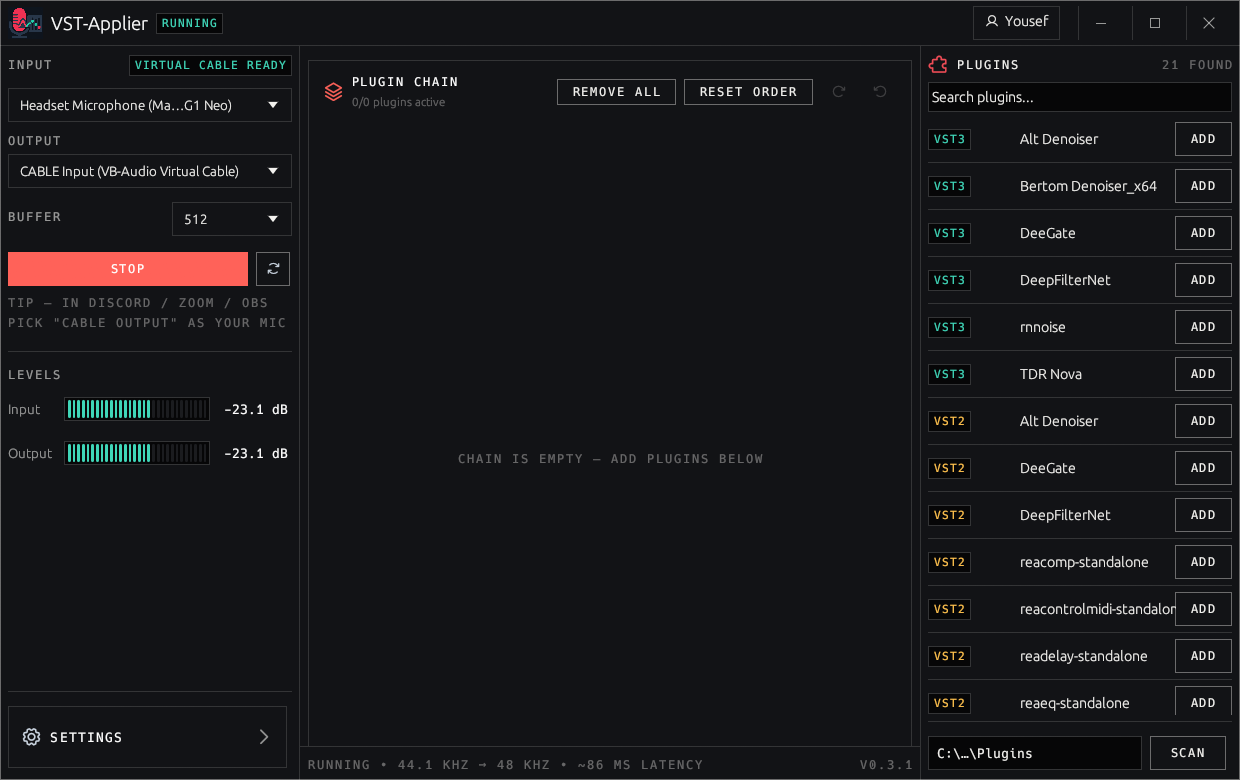
Every "pro mic" voice you hear on a stream or podcast is a chain of plugins — a gate, a compressor, an EQ, a de-esser, a noise suppressor. Getting that normally means running a DAW, fighting ASIO loopback, or paying a monthly fee for a voice changer with a fixed effect library.
VST-Applier is the small missing program: it hosts your VST plugins (the same ones you'd use in a DAW) on your microphone in real time and pumps the result into a virtual audio cable. No DAW. No subscription. No re-buying effects you already own.
| VST-Applier | Voicemod | VoiceMeeter | Equalizer APO | DAW + loopback | |
|---|---|---|---|---|---|
| Runs arbitrary VST2/VST3 plugins | ✅ | closed effect library | ✅ (Potato) | ✅ via VST wrapper | ✅ |
| GUI chain: add / reorder / bypass live | ✅ | — | mixer strips | config file | ✅ |
| Remembers every plugin's knobs | ✅ auto-saved | server-side | ✅ | ✅ | ✅ |
| Free, no account, no telemetry | ✅ MIT | freemium | ✅ donationware | ✅ | depends |
| Focused "mic chain" app, not a full mixer | ✅ | ✅ | ❌ | ❌ | ❌ |
To be fair: if you want a full virtual mixing desk with buses and per-app routing, use VoiceMeeter Potato — it is excellent at that. VST-Applier is deliberately narrower: one microphone, one plugin chain, one output, nothing to configure.
Requires Windows 10 or 11 (x64). No account, no signup, nothing to configure.
VST-Applier-Setup-vX.Y.Z.exe
and run it. The wizard bundles the two native host DLLs and the plugin pack, and can install the
VB-CABLE virtual audio driver for you (recommended — it is skipped if you already have it; needs one reboot).CABLE Input (VB-Audio Virtual Cable).CABLE Output (VB-Audio Virtual Cable).A portable zip (VST-Applier-vX.Y.Z-win64.zip) is attached to every release as well — it is the same payload
the in-app updater uses.
Windows SmartScreen will warn you on first run. The installer is not code-signed (certificates cost money and this is a free project), so Windows reports an unrecognised app — click More info → Run anyway. The full source is in this repository and every release is built from it.
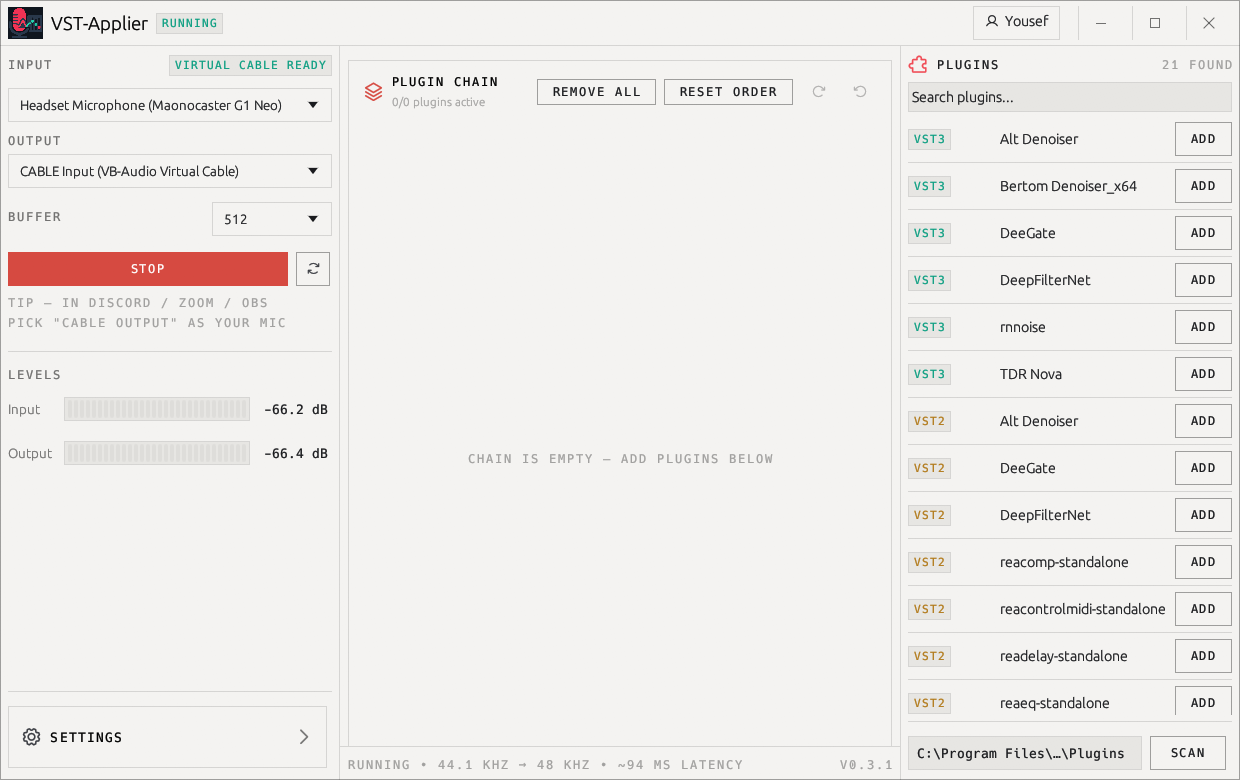
| Dark (default) | Light |
|---|---|
|  |
mic ──► WASAPI capture ──► mono ──► VST2/VST3 chain (48 kHz) ──► resample ──► VB-CABLE ──► Discord/Zoom/OBS
Vst2HostNative.dll / Vst3HostNative.dll.Does this count as a voice changer / will it get me banned? It is a microphone processor. It does not inject into games, hook processes, or touch anti-cheat. It presents itself to your apps as a normal audio device.
Is it really free? Yes — MIT licensed, no account, no telemetry, no "pro" tier. Bundled plugins keep their own licenses.
Can I use plugins I already own? Yes. Point the plugin folder chip at your VST folder and hit SCAN. Anything that works in a DAW should host here.
Why not just use Voicemod? Voicemod gives you its effect library on a subscription. This gives you any VST you want, forever, for free.
Why not just use a DAW? You can — if you enjoy ASIO loopback, aggregate devices, and keeping a DAW open forever. This is one window and a START button.
Latency is too high / it crackles. Crackles mean the buffer is too small for your CPU; latency too high means it is too big. Move the buffer slider and watch the measured readout in the status bar.
Does it work with OBS / Discord / Zoom / Teams / Google Meet? Yes — any app that lets you pick an input device. That is the whole point of routing through a virtual cable.
%APPDATA%\VstApplier\pending\install.log.Requirements: Rust stable (MSVC toolchain) with cargo — that's it. Everything, including the two VST host
DLLs, builds from this workspace; there is no C/C++ source in the repo.
cargo build --release
# -> target\release\vst-applier.exe
#    target\release\Vst2HostNative.dll
#    target\release\Vst3HostNative.dll
| Path | What it is |
|---|---|
src/ | egui desktop UI, tray, updater, single-instance, theming |
crates/audio-engine/ | WASAPI route: capture → chain → resample → cable, lock-free ring |
crates/vst-host-sys/ | FFI bindings to the host DLLs, state blobs, plugin calls |
crates/vst2-host-dll/ | the VST2 host DLL — 100% Rust cdylib (Vst2HostNative.dll) |
crates/vst3-host-dll/ | the VST3 host DLL — 100% Rust cdylib (Vst3HostNative.dll) |
crates/app-state/ | profiles, settings, session persistence, plugin scanning |
installer/ | Inno Setup script + staged payload for the setup |
examples/ (crate subdirs) | self-check binaries: chain hot-add, plugin verification, profile roundtrip |
cargo run -p audio-engine --example chain_hot_add   # live chain edits on a running route
cargo run -p app-state    --example profile_roundtrip
cargo test -p vst2-host-dll -p vst3-host-dll        # SEH guard: faults and panics are caught
__try/__except stub compiled at build time) that lets the host DLLs report a faulting plugin as an
error instead of crashing — the same protection the former C++ host implemented by hand.The original C# implementation (WinForms app + earlier native hosts) lives on the
csharp-legacy branch and in the v0.1–v0.3 tags.
MIT — see LICENSE.
If this saved you a subscription, a star helps the next person find it.
Real-time microphone plugin host for Windows: run a VST2/VST3 plugin chain on your mic and route the result into a virtual audio cable. Make your voice sound better. Profiles, bundled plugins, tray.
Rust
1
0 commits
updated Oct 19, 2026
Run real VST2/VST3 plugins on your microphone. Free and open source.
Pick your mic → add your plugins → press START. Discord, Zoom, OBS and Teams hear the processed voice, because the audio comes out of a virtual cable instead of your raw microphone.
Every "pro mic" voice you hear on a stream or podcast is a chain of plugins — a gate, a compressor, an EQ, a de-esser, a noise suppressor. Getting that normally means running a DAW, fighting ASIO loopback, or paying a monthly fee for a voice changer with a fixed effect library.
VST-Applier is the small missing program: it hosts your VST plugins (the same ones you'd use in a DAW) on your microphone in real time and pumps the result into a virtual audio cable. No DAW. No subscription. No re-buying effects you already own.
| VST-Applier | Voicemod | VoiceMeeter | Equalizer APO | DAW + loopback | |
|---|---|---|---|---|---|
| Runs arbitrary VST2/VST3 plugins | ✅ | closed effect library | ✅ (Potato) | ✅ via VST wrapper | ✅ |
| GUI chain: add / reorder / bypass live | ✅ | — | mixer strips | config file | ✅ |
| Remembers every plugin's knobs | ✅ auto-saved | server-side | ✅ | ✅ | ✅ |
| Free, no account, no telemetry | ✅ MIT | freemium | ✅ donationware | ✅ | depends |
| Focused "mic chain" app, not a full mixer | ✅ | ✅ | ❌ | ❌ | ❌ |
To be fair: if you want a full virtual mixing desk with buses and per-app routing, use VoiceMeeter Potato — it is excellent at that. VST-Applier is deliberately narrower: one microphone, one plugin chain, one output, nothing to configure.
Requires Windows 10 or 11 (x64). No account, no signup, nothing to configure.
VST-Applier-Setup-vX.Y.Z.exe
and run it. The wizard bundles the two native host DLLs and the plugin pack, and can install the
VB-CABLE virtual audio driver for you (recommended — it is skipped if you already have it; needs one reboot).CABLE Input (VB-Audio Virtual Cable).CABLE Output (VB-Audio Virtual Cable).A portable zip (VST-Applier-vX.Y.Z-win64.zip) is attached to every release as well — it is the same payload
the in-app updater uses.
Windows SmartScreen will warn you on first run. The installer is not code-signed (certificates cost money and this is a free project), so Windows reports an unrecognised app — click More info → Run anyway. The full source is in this repository and every release is built from it.
| Dark (default) | Light |
|---|---|
| |
mic ──► WASAPI capture ──► mono ──► VST2/VST3 chain (48 kHz) ──► resample ──► VB-CABLE ──► Discord/Zoom/OBS
Vst2HostNative.dll / Vst3HostNative.dll.Does this count as a voice changer / will it get me banned? It is a microphone processor. It does not inject into games, hook processes, or touch anti-cheat. It presents itself to your apps as a normal audio device.
Is it really free? Yes — MIT licensed, no account, no telemetry, no "pro" tier. Bundled plugins keep their own licenses.
Can I use plugins I already own? Yes. Point the plugin folder chip at your VST folder and hit SCAN. Anything that works in a DAW should host here.
Why not just use Voicemod? Voicemod gives you its effect library on a subscription. This gives you any VST you want, forever, for free.
Why not just use a DAW? You can — if you enjoy ASIO loopback, aggregate devices, and keeping a DAW open forever. This is one window and a START button.
Latency is too high / it crackles. Crackles mean the buffer is too small for your CPU; latency too high means it is too big. Move the buffer slider and watch the measured readout in the status bar.
Does it work with OBS / Discord / Zoom / Teams / Google Meet? Yes — any app that lets you pick an input device. That is the whole point of routing through a virtual cable.
%APPDATA%\VstApplier\pending\install.log.Requirements: Rust stable (MSVC toolchain) with cargo — that's it. Everything, including the two VST host
DLLs, builds from this workspace; there is no C/C++ source in the repo.
cargo build --release
# -> target\release\vst-applier.exe
#    target\release\Vst2HostNative.dll
#    target\release\Vst3HostNative.dll
| Path | What it is |
|---|---|
src/ | egui desktop UI, tray, updater, single-instance, theming |
crates/audio-engine/ | WASAPI route: capture → chain → resample → cable, lock-free ring |
crates/vst-host-sys/ | FFI bindings to the host DLLs, state blobs, plugin calls |
crates/vst2-host-dll/ | the VST2 host DLL — 100% Rust cdylib (Vst2HostNative.dll) |
crates/vst3-host-dll/ | the VST3 host DLL — 100% Rust cdylib (Vst3HostNative.dll) |
crates/app-state/ | profiles, settings, session persistence, plugin scanning |
installer/ | Inno Setup script + staged payload for the setup |
examples/ (crate subdirs) | self-check binaries: chain hot-add, plugin verification, profile roundtrip |
cargo run -p audio-engine --example chain_hot_add   # live chain edits on a running route
cargo run -p app-state    --example profile_roundtrip
cargo test -p vst2-host-dll -p vst3-host-dll        # SEH guard: faults and panics are caught
__try/__except stub compiled at build time) that lets the host DLLs report a faulting plugin as an
error instead of crashing — the same protection the former C++ host implemented by hand.The original C# implementation (WinForms app + earlier native hosts) lives on the
csharp-legacy branch and in the v0.1–v0.3 tags.
MIT — see LICENSE.
If this saved you a subscription, a star helps the next person find it.



