TianDongL/DiffPipeForge

Built on diffusion pipe, DiffPipeForge is a tool with an elegant UI

Python

14

104 commits

updated Aug 10, 2026
See the code

README

DiffPipe Forge (Diffusion Pipe Forge)

English | 简体中文

DiffPipe Forge

DiffPipe Forge is a premium, high-performance GUI designed for training state-of-the-art diffusion models. Built with Electron and React, it provides a seamless and visually stunning experience for researchers and AI enthusiasts to fine-tune their models with precision and ease.

[!NOTE] Attribution: This project is a GUI wrapper for the original diffusion-pipe project by tdrussell. We have focused on providing the user interface and user experience, while the core training logic is powered by the excellent work of the original author.
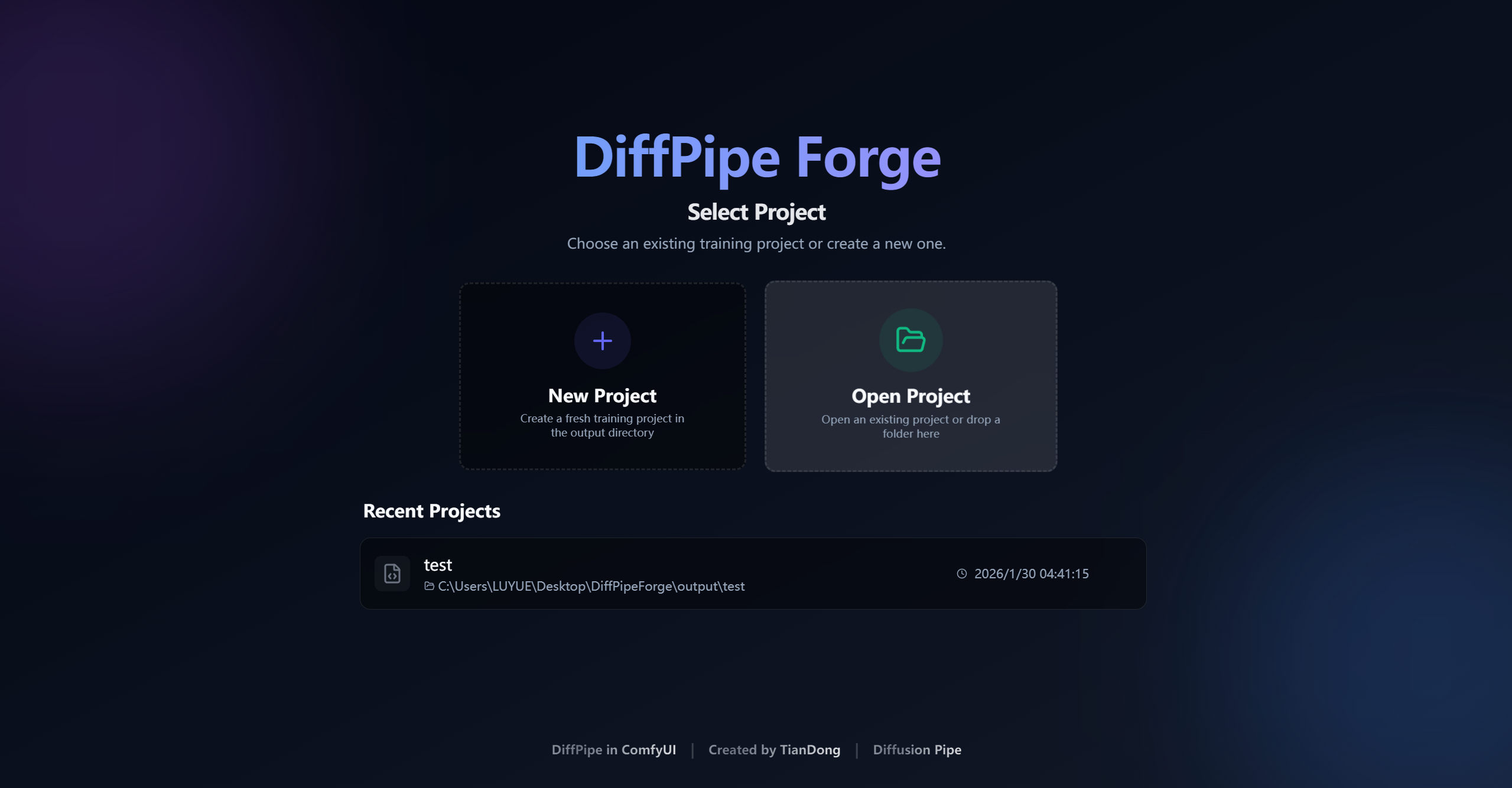
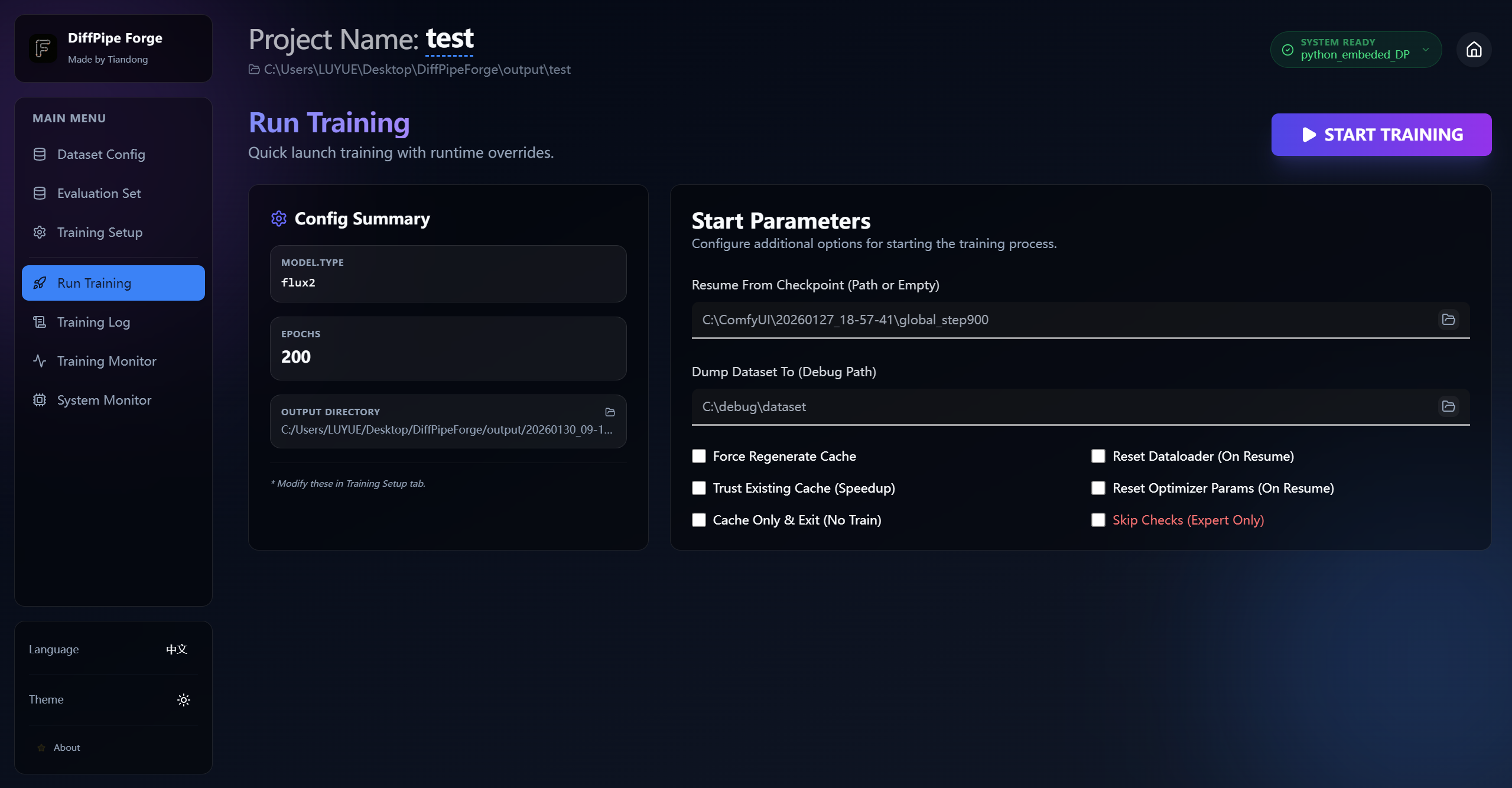
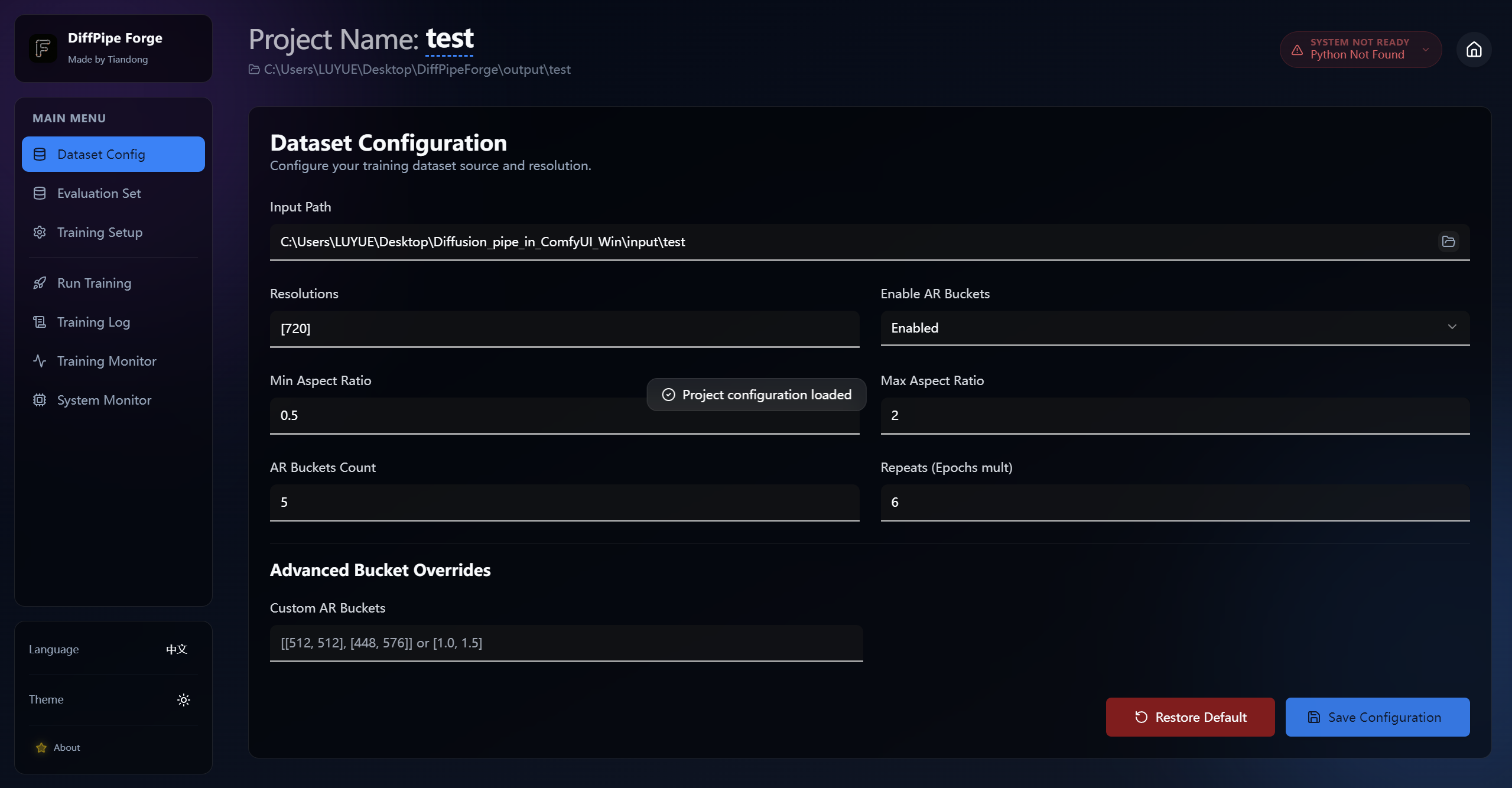
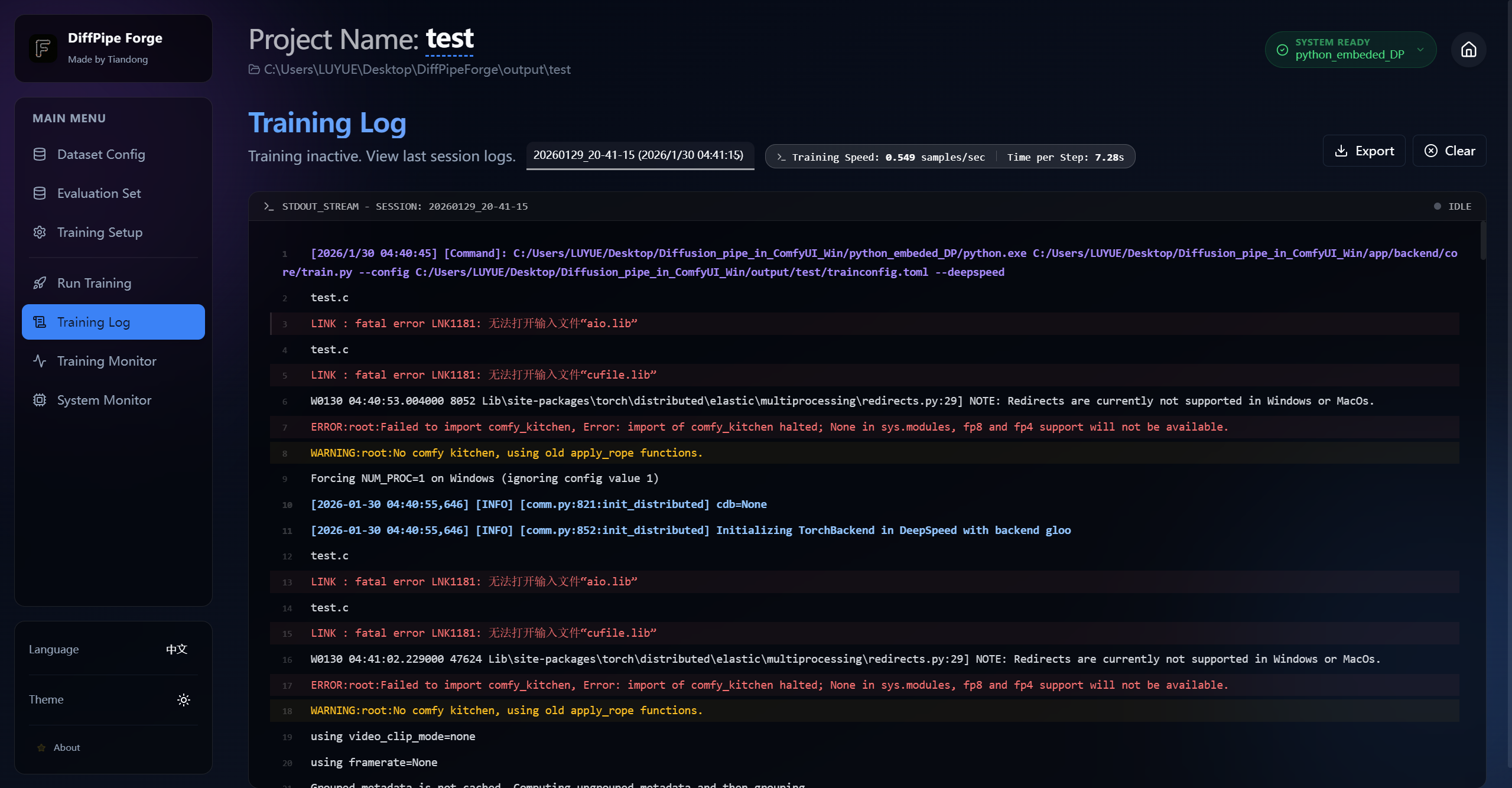
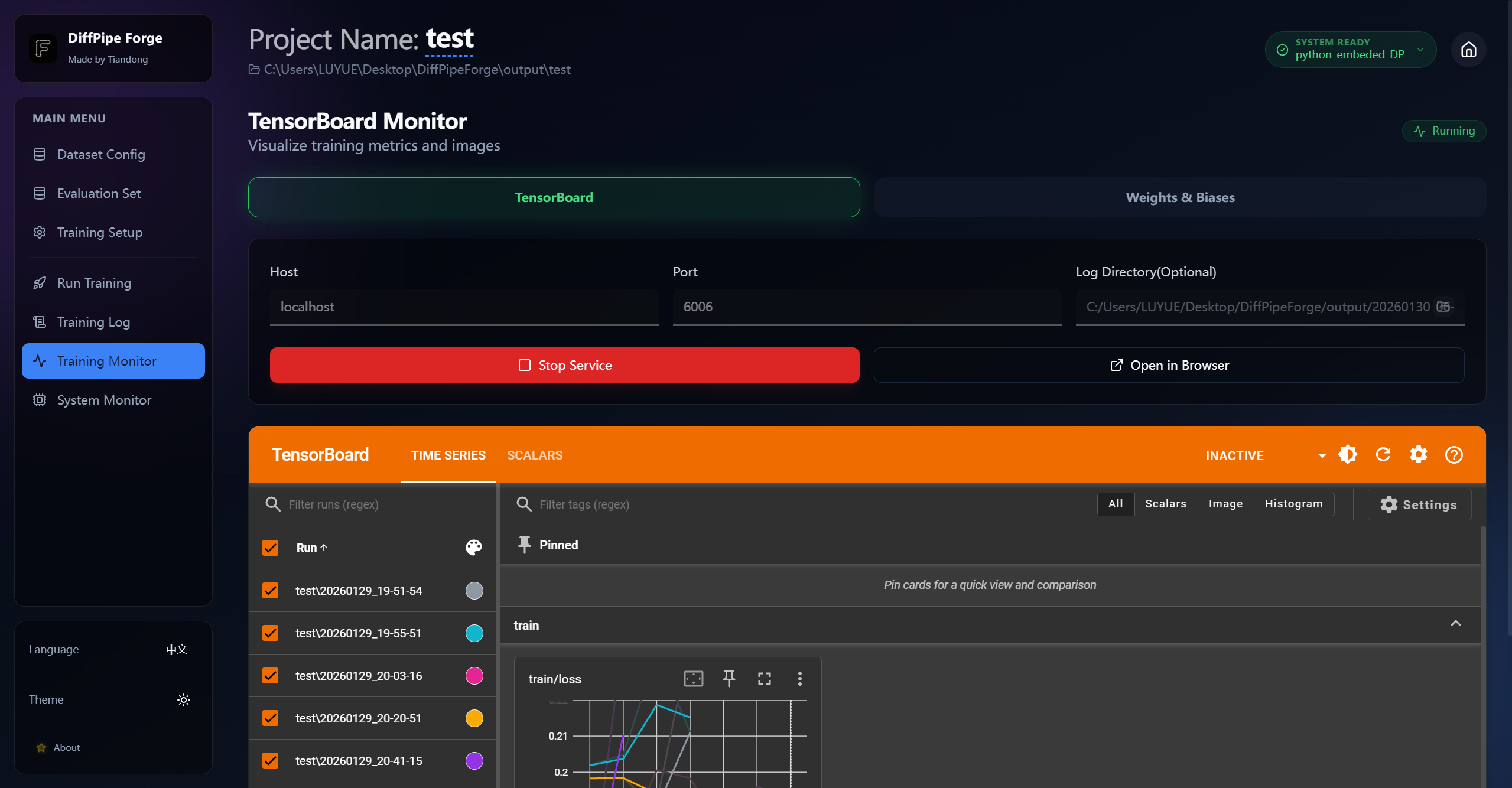
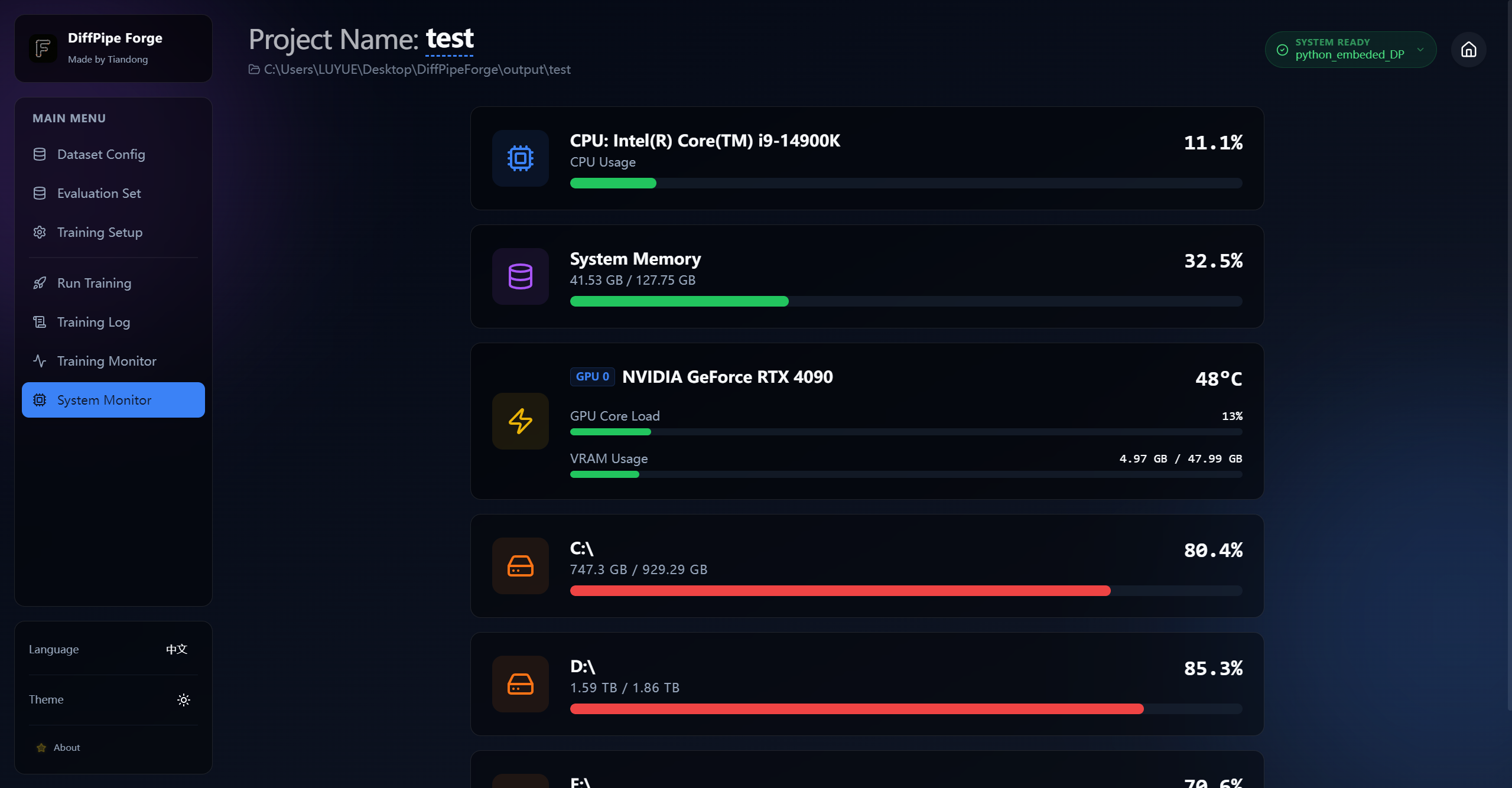
📸 Preview


✨ Key Features

  • 🚀 Extensive Model Support: support for a wide range of architectures including:
    • Video Models: LTX-Video, Hunyuan Video (1.0 & 1.5), Wan (2.1 & 2.2), Cosmos, MiniMax H3.
    • Image Models: Flux (Dev/Schnell), SDXL, Lumina 2.0, SD3/3.5, Qwen-Image, Flux 2(dev/klein)
    • Specialized Models: Chroma, HiDream, OmniGen2, AuraFlow, Z-Image.
  • 📊 Advanced Dataset Management:
    • Flexible support for both image and video datasets.
    • Built-in resolution and aspect ratio bucketing (AR Buckets).
    • Multi-path dataset configuration with repeat counts.
  • 🛠️ Professional Training Tools:
    • Support for LoRA and Full Fine-Tuning (FFT).
    • VRAM Optimizations: Block swapping, activation checkpointing, and 8-bit optimizers for training on consumer hardware (e.g., 24GB GPUs).
    • Multiple optimizer support: AdamW, AdamW8bitKahan, Prodigy, and more.
  • 👁️ Real-time Monitoring:
    • Integrated TensorBoard viewer.
    • Weights & Biases (WandB) integration.
    • Dedicated Live Training Log page with export capabilities.
  • 🎨 Premium Experience:
    • Modern Glassmorphism design system.
    • Full support for Dark Mode and Light Mode.
    • Multi-language support (English & Chinese).

[!IMPORTANT] After upgrading from an older build, regenerate latent caches for Z-Image, Flux 2, and Ernie-Image. Latent scaling now happens during caching, so old caches are incompatible. MiniMax H3 now supports audio training and CFG-augmented training that preserves guidance distillation; use CFG augmentation or a training adapter, never both. Supported quantized ComfyUI checkpoints can be trained directly with LoRA.

🛠️ Project Structure

DiffPipeForge/
├── app/                # Main application code (Electron/React)
├── train_config/       # Default directory for configuration files
├── output/             # Training outputs (checkpoints, logs, configs)
├── start.bat           # Windows entry point
├── start.sh            # Linux entry point
└── requirements.txt    # Python dependencies

🚀 Getting Started

Prerequisites

Python Environment: Ensure you have a Python 3.10+ environment installed.

    git clone --recurse-submodules https://github.com/TianDongL/DiffPipeForge.git

Dependencies:

    pip install torch==2.7.1 torchvision==0.22.1 torchaudio==2.7.1 --index-url https://download.pytorch.org/whl/cu128
    pip install -r requirements.txt

Launching the App

Windows

Simply run the start.bat file in the project root:

./start.bat

Linux

Run the start.sh script in the project root:

chmod +x start.sh
./start.sh

Your First Training Session

  1. Select/Create Project: Launch the app and create a new project or open an existing folder.
  2. Configure Dataset: Point to your image or video folders and set your desired resolutions.
  3. Setup Model: Choose your architecture (e.g., Flux or Wan) and provide the model paths.
  4. Optimizer & Training: Adjust your learning rates and batch sizes.
  5. Start Training: Click the "Start Training" button and monitor your progress in the "Training Log" or "Monitor" tabs.

📖 Documentation

For detailed configuration examples and model-specific notes, please refer to:

TianDongL/DiffPipeForge

Built on diffusion pipe, DiffPipeForge is a tool with an elegant UI

Python

14

104 commits

updated Aug 10, 2026

See the code

README

DiffPipe Forge (Diffusion Pipe Forge)

English | 简体中文

DiffPipe Forge

DiffPipe Forge is a premium, high-performance GUI designed for training state-of-the-art diffusion models. Built with Electron and React, it provides a seamless and visually stunning experience for researchers and AI enthusiasts to fine-tune their models with precision and ease.

[!NOTE] Attribution: This project is a GUI wrapper for the original diffusion-pipe project by tdrussell. We have focused on providing the user interface and user experience, while the core training logic is powered by the excellent work of the original author.
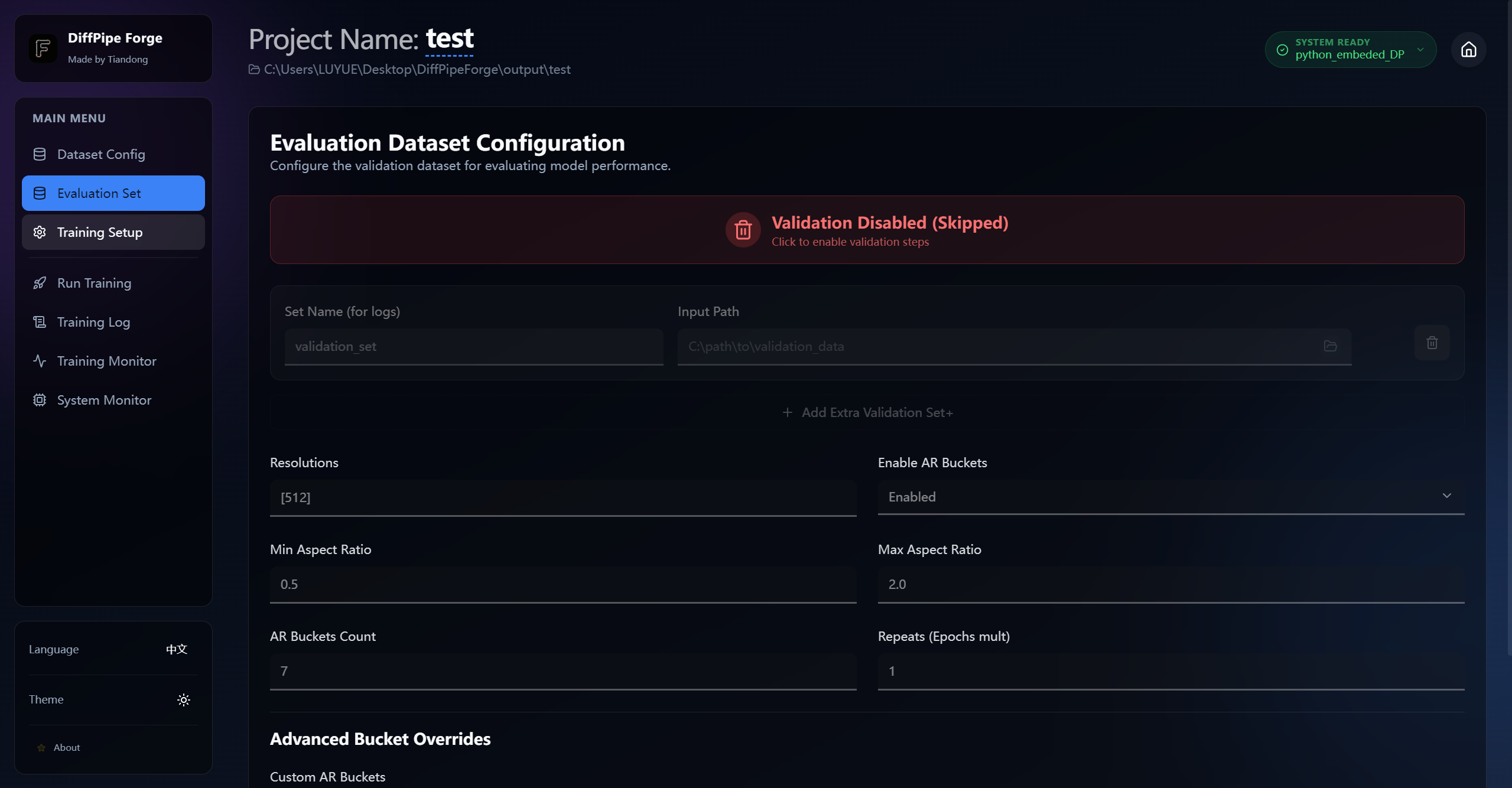
📸 Preview


✨ Key Features

  • 🚀 Extensive Model Support: support for a wide range of architectures including:
    • Video Models: LTX-Video, Hunyuan Video (1.0 & 1.5), Wan (2.1 & 2.2), Cosmos, MiniMax H3.
    • Image Models: Flux (Dev/Schnell), SDXL, Lumina 2.0, SD3/3.5, Qwen-Image, Flux 2(dev/klein)
    • Specialized Models: Chroma, HiDream, OmniGen2, AuraFlow, Z-Image.
  • 📊 Advanced Dataset Management:
    • Flexible support for both image and video datasets.
    • Built-in resolution and aspect ratio bucketing (AR Buckets).
    • Multi-path dataset configuration with repeat counts.
  • 🛠️ Professional Training Tools:
    • Support for LoRA and Full Fine-Tuning (FFT).
    • VRAM Optimizations: Block swapping, activation checkpointing, and 8-bit optimizers for training on consumer hardware (e.g., 24GB GPUs).
    • Multiple optimizer support: AdamW, AdamW8bitKahan, Prodigy, and more.
  • 👁️ Real-time Monitoring:
    • Integrated TensorBoard viewer.
    • Weights & Biases (WandB) integration.
    • Dedicated Live Training Log page with export capabilities.
  • 🎨 Premium Experience:
    • Modern Glassmorphism design system.
    • Full support for Dark Mode and Light Mode.
    • Multi-language support (English & Chinese).

[!IMPORTANT] After upgrading from an older build, regenerate latent caches for Z-Image, Flux 2, and Ernie-Image. Latent scaling now happens during caching, so old caches are incompatible. MiniMax H3 now supports audio training and CFG-augmented training that preserves guidance distillation; use CFG augmentation or a training adapter, never both. Supported quantized ComfyUI checkpoints can be trained directly with LoRA.

🛠️ Project Structure

DiffPipeForge/
├── app/                # Main application code (Electron/React)
├── train_config/       # Default directory for configuration files
├── output/             # Training outputs (checkpoints, logs, configs)
├── start.bat           # Windows entry point
├── start.sh            # Linux entry point
└── requirements.txt    # Python dependencies

🚀 Getting Started

Prerequisites

Python Environment: Ensure you have a Python 3.10+ environment installed.

    git clone --recurse-submodules https://github.com/TianDongL/DiffPipeForge.git

Dependencies:

    pip install torch==2.7.1 torchvision==0.22.1 torchaudio==2.7.1 --index-url https://download.pytorch.org/whl/cu128
    pip install -r requirements.txt

Launching the App

Windows

Simply run the start.bat file in the project root:

./start.bat

Linux

Run the start.sh script in the project root:

chmod +x start.sh
./start.sh

Your First Training Session

  1. Select/Create Project: Launch the app and create a new project or open an existing folder.
  2. Configure Dataset: Point to your image or video folders and set your desired resolutions.
  3. Setup Model: Choose your architecture (e.g., Flux or Wan) and provide the model paths.
  4. Optimizer & Training: Adjust your learning rates and batch sizes.
  5. Start Training: Click the "Start Training" button and monitor your progress in the "Training Log" or "Monitor" tabs.

📖 Documentation

For detailed configuration examples and model-specific notes, please refer to: