
Type LaTeX anywhere and get real characters: \alpha becomes α as you type. For macOS, Windows and Chrome, and quiet in your TeX editor.
See the codeSee what people are saying
README
Type LaTeX anywhere. Get real characters.


https://github.com/user-attachments/assets/7ef23e5e-e6aa-4d46-bef0-994f63926a17
You can't paste LaTeX into a chat, an email or a comment box. LaTeX Squiggly
lets you type it anyway. Type \alpha, press space, and the letters you just
typed become α, right where you typed them. The result is ordinary Unicode
text, so it survives copying and pasting into anything.
It runs as a menu bar app on macOS, a tray app on Windows and a Chrome extension. Try it in your browser before installing anything.
| You type | You get |
|---|---|
\alpha \Rightarrow \leq \in | α ⇒ ≤ ∈ |
$x^2$ $a_1$ | x² a₁ |
\int_0^1 \sum_{i=1}^{n} | ∫₀¹ ∑ᵢ₌₁ⁿ |
\frac{1}{2} \frac{10}{17} | ½ ¹⁰⁄₁₇ |
\mathbb{R} | ℝ |
\frac{x+1}{2} | (x+1)∕2, with a note that it had to be written on one line |
\vec{v} | left as typed, with a note saying why |
202 symbols, plus superscripts, subscripts, fractions, roots and binomials. When something has no exact Unicode form, it says so instead of guessing, and it never leaves a half-converted result.
Maths that plain text cannot hold, like a stacked fraction or a matrix, can be turned into an image instead: the Mac app, the Windows app and the Chrome extension have a renderer that copies your LaTeX as a PNG, ready to paste. The guide walks through each.
Screenshots
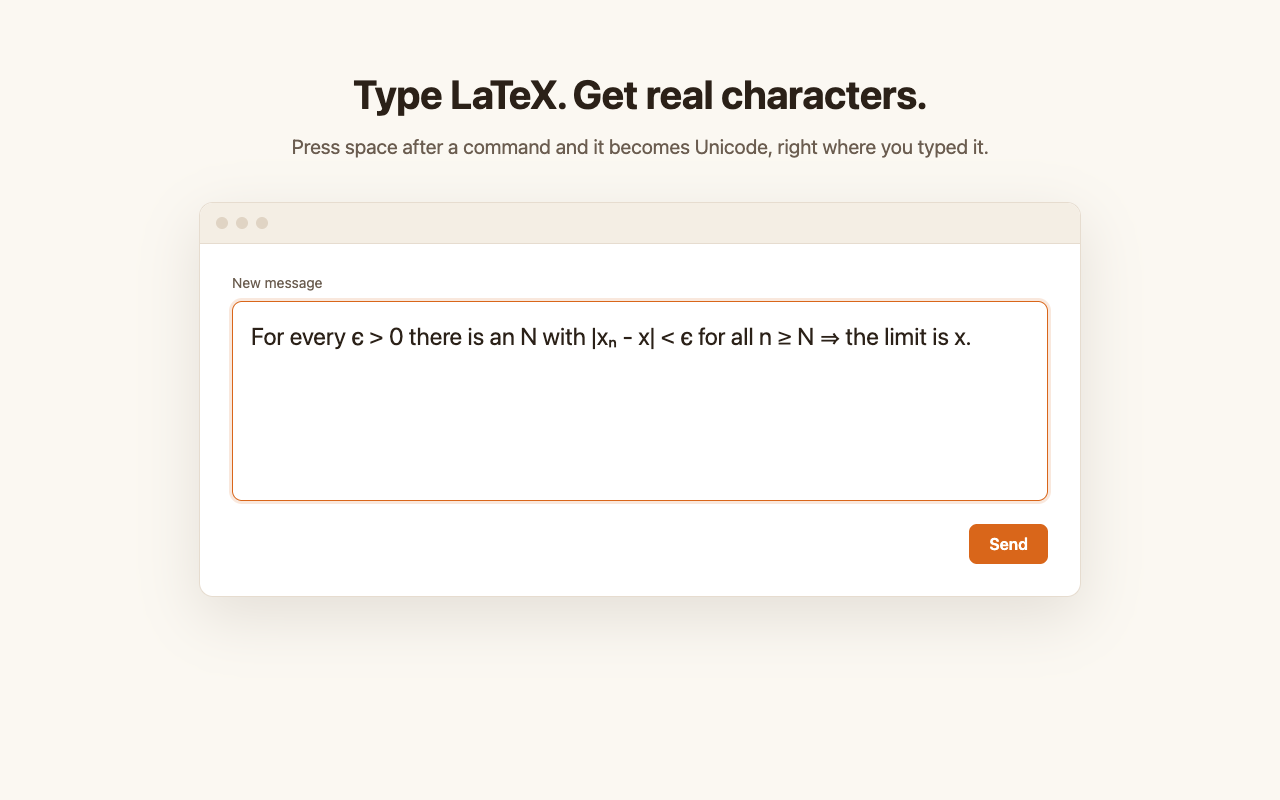
Commands become real characters as you type, in any text box.
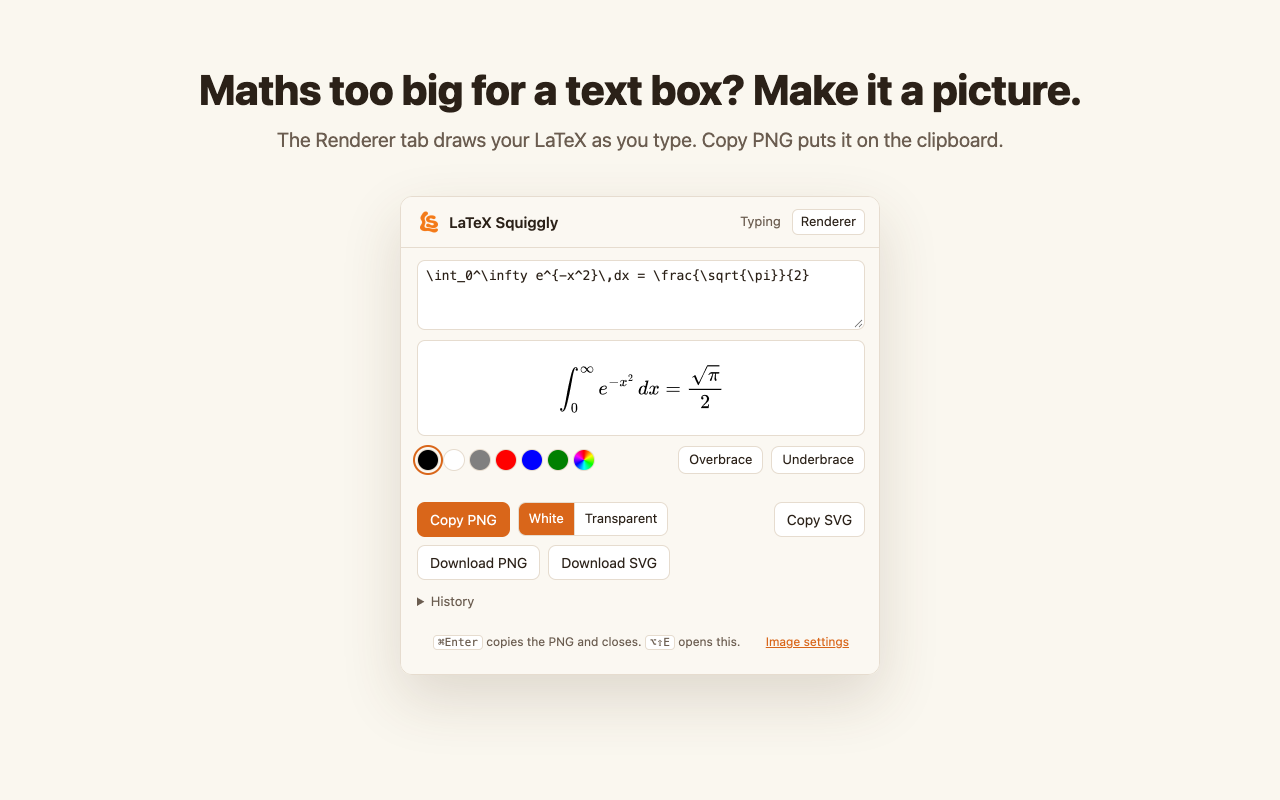
The renderer turns bigger maths into an image, in the Chrome extension and the Mac app.
More screenshots
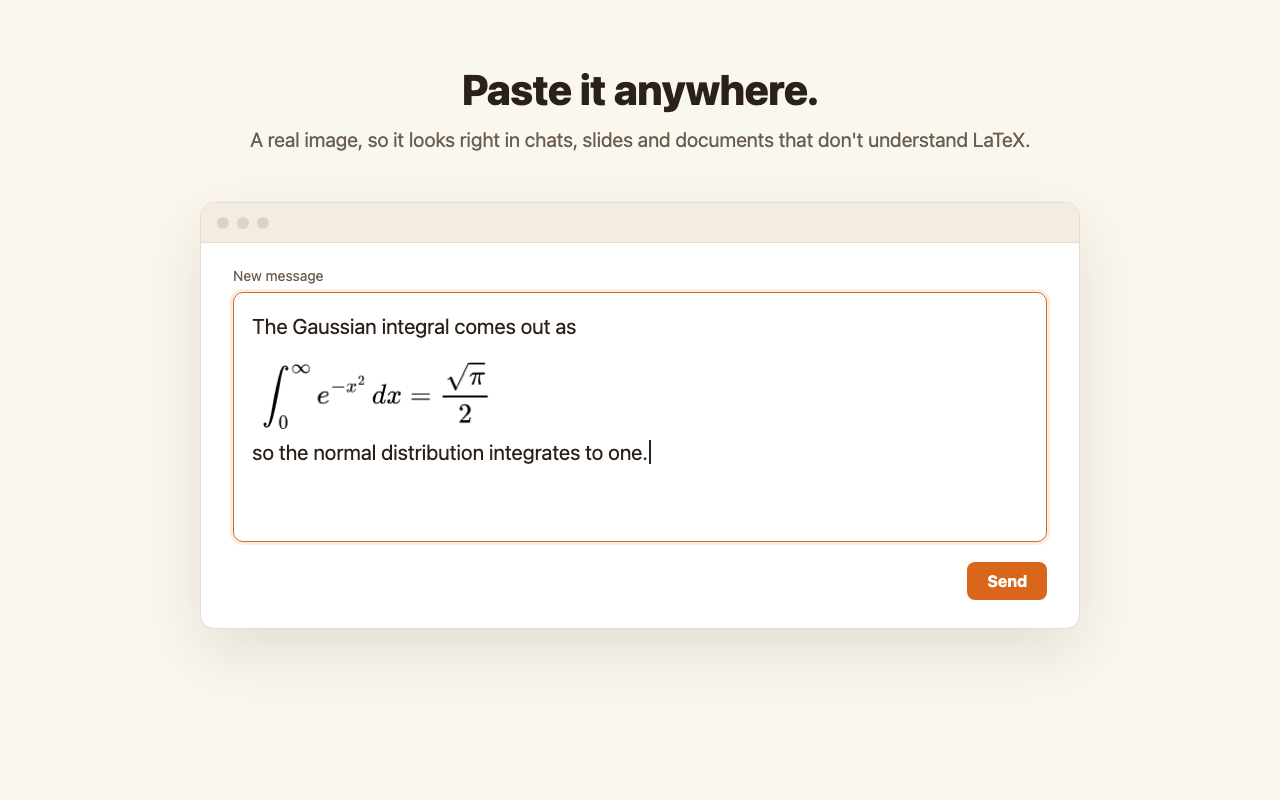
The copied PNG pastes anywhere, even where LaTeX is not understood.
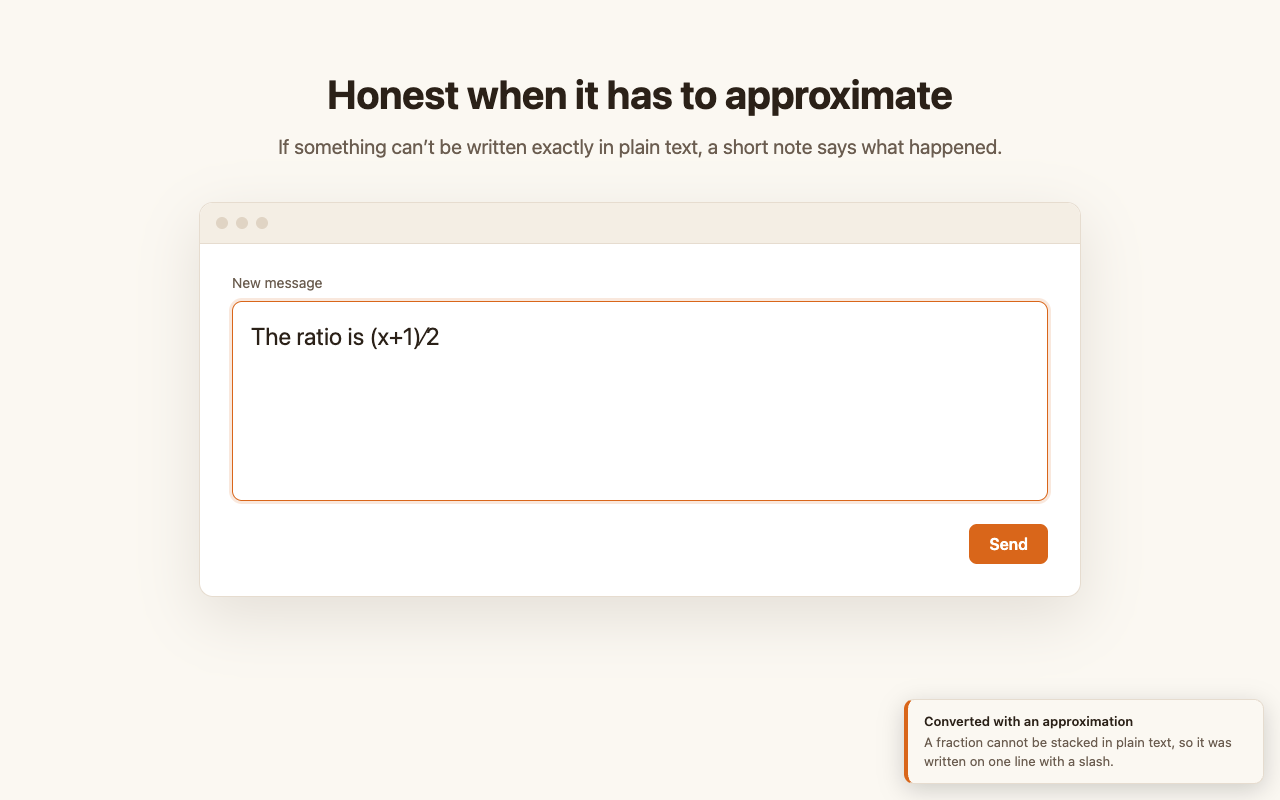
When plain text can only approximate something, a short note says what happened.
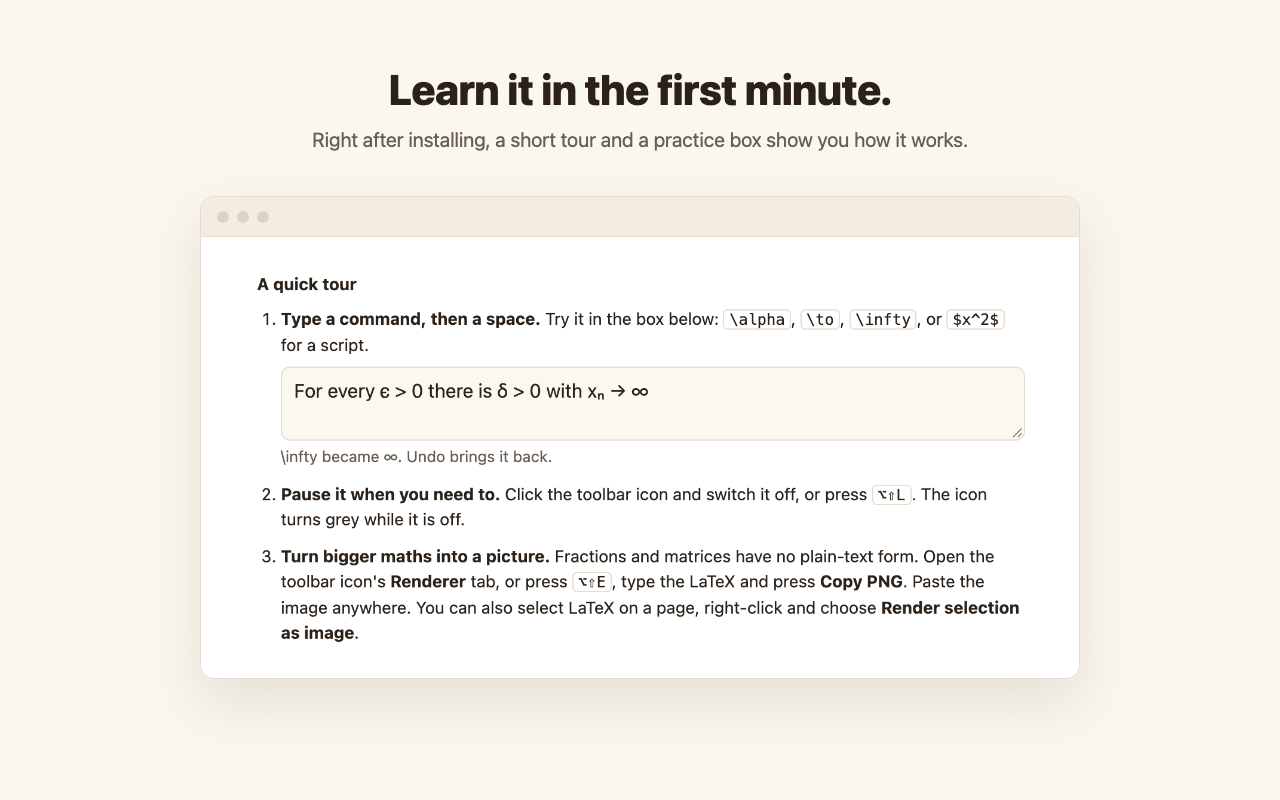
The Chrome extension's welcome page has a short tour and a practice box.
Install
| Platform | How |
|---|---|
| macOS 13+ | Download the .dmg from the latest release and drag the app to Applications, or build it from source. |
| Windows 10+ (beta) | Download the .exe from the releases and double-click it. No installer, no admin rights. See windows/. |
| Chrome | Add it from the Chrome Web Store. Works in Edge, Brave and other Chromium browsers too. |
Neither desktop app is signed with a paid certificate, so macOS and Windows each show a warning the first time. The platform guides above say exactly what you will see and what to click.
Where it stays quiet
In a .tex file or on Overleaf, \alpha has to stay \alpha. So LaTeX
Squiggly does nothing in TeX editors, code editors and terminals, or on
Overleaf and other LaTeX websites, and you can add any app or site to that
list. It also stays silent on ordinary typing that happens to contain a
backslash, like C:\Users\.
Privacy
To recognise a command, LaTeX Squiggly keeps the last few characters you typed, in memory only, and forgets them whenever you click, press an arrow key or switch apps. Nothing you type is stored or sent anywhere, and no part of it makes a network request. The source is here so you can check. See the privacy policy.
Documentation
- The guide: how to use it on each platform, for people using it rather than working on it.
- How the platforms fit together: one Swift engine, with the Windows and Chrome versions generated from it and checked against it over 2,030 fragments.
- The engine: what converts, and why it decides what it does.
- The Mac app, the Windows app and the Chrome extension.
- Changelog.
Contributing
Bug reports and symbol requests are welcome as
issues.
CONTRIBUTING.md explains how the repository is organised and
how to make a change; scripts/check-all.sh runs every check before you push.
Licence
MIT. The only third-party code is MathJax 3.2.2, under the Apache
License 2.0, bundled in chrome/renderer/mathjax/ for the renderer. The symbol
table was not copied from unicode-math or the W3C entity tables:
scripts/generate-swift-tables.py pairs each command with a Unicode character
name and resolves it against the Unicode database when it runs.
Similar repos


Languages
Swift
33.9%
C#
23.3%
JavaScript
20.1%
Python
7.8%
HTML
7.0%
CSS
3.4%
Shell
3.0%
PowerShell
1.5%
Type LaTeX anywhere and get real characters: \alpha becomes α as you type. For macOS, Windows and Chrome, and quiet in your TeX editor.
See the codeSee what people are saying
README
Type LaTeX anywhere. Get real characters.
https://github.com/user-attachments/assets/7ef23e5e-e6aa-4d46-bef0-994f63926a17
You can't paste LaTeX into a chat, an email or a comment box. LaTeX Squiggly
lets you type it anyway. Type \alpha, press space, and the letters you just
typed become α, right where you typed them. The result is ordinary Unicode
text, so it survives copying and pasting into anything.
It runs as a menu bar app on macOS, a tray app on Windows and a Chrome extension. Try it in your browser before installing anything.
| You type | You get |
|---|---|
\alpha \Rightarrow \leq \in | α ⇒ ≤ ∈ |
$x^2$ $a_1$ | x² a₁ |
\int_0^1 \sum_{i=1}^{n} | ∫₀¹ ∑ᵢ₌₁ⁿ |
\frac{1}{2} \frac{10}{17} | ½ ¹⁰⁄₁₇ |
\mathbb{R} | ℝ |
\frac{x+1}{2} | (x+1)∕2, with a note that it had to be written on one line |
\vec{v} | left as typed, with a note saying why |
202 symbols, plus superscripts, subscripts, fractions, roots and binomials. When something has no exact Unicode form, it says so instead of guessing, and it never leaves a half-converted result.
Maths that plain text cannot hold, like a stacked fraction or a matrix, can be turned into an image instead: the Mac app, the Windows app and the Chrome extension have a renderer that copies your LaTeX as a PNG, ready to paste. The guide walks through each.
Screenshots
Commands become real characters as you type, in any text box.
The renderer turns bigger maths into an image, in the Chrome extension and the Mac app.
More screenshots
The copied PNG pastes anywhere, even where LaTeX is not understood.
When plain text can only approximate something, a short note says what happened.
The Chrome extension's welcome page has a short tour and a practice box.
Install
| Platform | How |
|---|---|
| macOS 13+ | Download the .dmg from the latest release and drag the app to Applications, or build it from source. |
| Windows 10+ (beta) | Download the .exe from the releases and double-click it. No installer, no admin rights. See windows/. |
| Chrome | Add it from the Chrome Web Store. Works in Edge, Brave and other Chromium browsers too. |
Neither desktop app is signed with a paid certificate, so macOS and Windows each show a warning the first time. The platform guides above say exactly what you will see and what to click.
Where it stays quiet
In a .tex file or on Overleaf, \alpha has to stay \alpha. So LaTeX
Squiggly does nothing in TeX editors, code editors and terminals, or on
Overleaf and other LaTeX websites, and you can add any app or site to that
list. It also stays silent on ordinary typing that happens to contain a
backslash, like C:\Users\.
Privacy
To recognise a command, LaTeX Squiggly keeps the last few characters you typed, in memory only, and forgets them whenever you click, press an arrow key or switch apps. Nothing you type is stored or sent anywhere, and no part of it makes a network request. The source is here so you can check. See the privacy policy.
Documentation
- The guide: how to use it on each platform, for people using it rather than working on it.
- How the platforms fit together: one Swift engine, with the Windows and Chrome versions generated from it and checked against it over 2,030 fragments.
- The engine: what converts, and why it decides what it does.
- The Mac app, the Windows app and the Chrome extension.
- Changelog.
Contributing
Bug reports and symbol requests are welcome as
issues.
CONTRIBUTING.md explains how the repository is organised and
how to make a change; scripts/check-all.sh runs every check before you push.
Licence
MIT. The only third-party code is MathJax 3.2.2, under the Apache
License 2.0, bundled in chrome/renderer/mathjax/ for the renderer. The symbol
table was not copied from unicode-math or the W3C entity tables:
scripts/generate-swift-tables.py pairs each command with a Unicode character
name and resolves it against the Unicode database when it runs.
Similar repos
Languages
Swift
33.9%
C#
23.3%
JavaScript
20.1%
Python
7.8%
HTML
7.0%
CSS
3.4%
Shell
3.0%
PowerShell
1.5%