
powerful multi-purpose fuzzy searcher
See the codeREADME
Matchmaker 

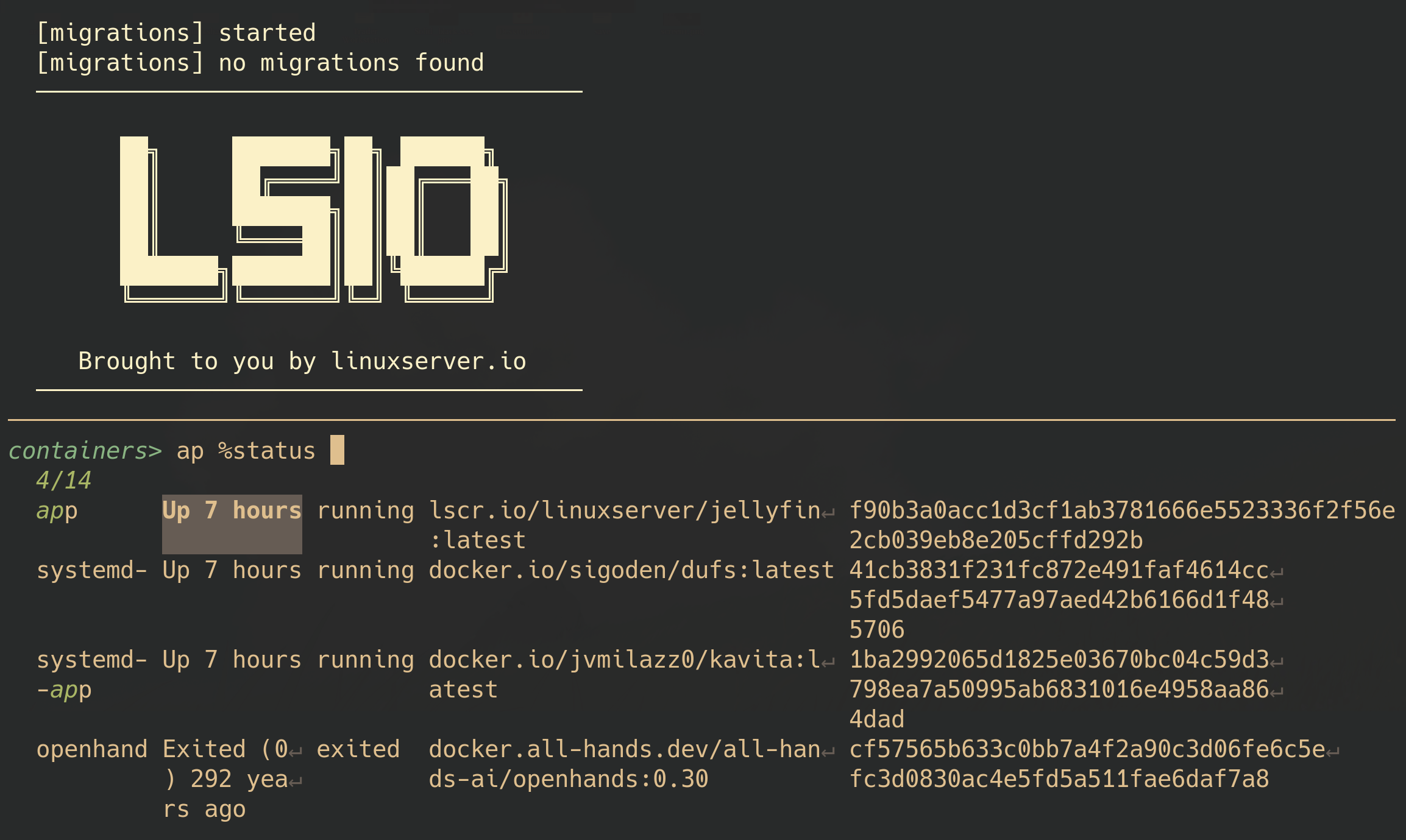
Matchmaker is fast, configurable and intuitive fuzzy searcher. It is useful for browsing and building workflows around any list or kind of data you can wrangle into a tabular format.
It takes inspiration from fzf in features and design, but reimagines the user experience. Built from the ground up in Rust, it brings a fully robust, modern and elegant search experience to the console.

Features
- Matching with nucleo.
- Fully configurable via a type-checked toml file. 1
- A minimal yet powerful syntax for overriding the configuration on the command line.
- Interactive preview supports color, scrolling, wrapping, multiple layouts, and even maximizing.
- Most of the familiar actions from fzf, as well as several new ones2.
- Mouse (location aware) scrolling! Drag to resize! Horizontal scrolling!
- Grapheme-width correct input wrapping!
- Really good, the best text wrapping and width sizing.
- Split input lines into multiple columns, that you can individually filter on (
%col query3), hide, and highlight and sort.4 - Split input lines by regex capture groups.
- Split input lines by following CSV/TSV rules5.
- Aggressive UI caching minimizes cpu resources consumed for rendering.
- Define
Execute/Preview/Print/Acceptactions with templates which safely inject the current item(s) (yes, columns are supported here too). - All the dynamic UI support you could hope for: preview offsets, styled status lines, responsive header tables, wrapped footers, active and inactive column colors, stacked columns, programmable status and header bars, multiple preview layouts6... even overlays! (in the library).
- Bind keys to multiple actions, bind actions to mouse triggers, bind actions to event triggers, bind keys to rebind keys, bind keys to modify the configuration, bind keys to run a shell script and use its output to execute actions and bind more keys, bind keys to set the header, footer, status, input, bind semantic triggers to actions, bind keys to semantic triggers, bind keys to -- wait nope thats about it.
- Comprehensive logging in case you need to debug applications.
- oh yeah, and
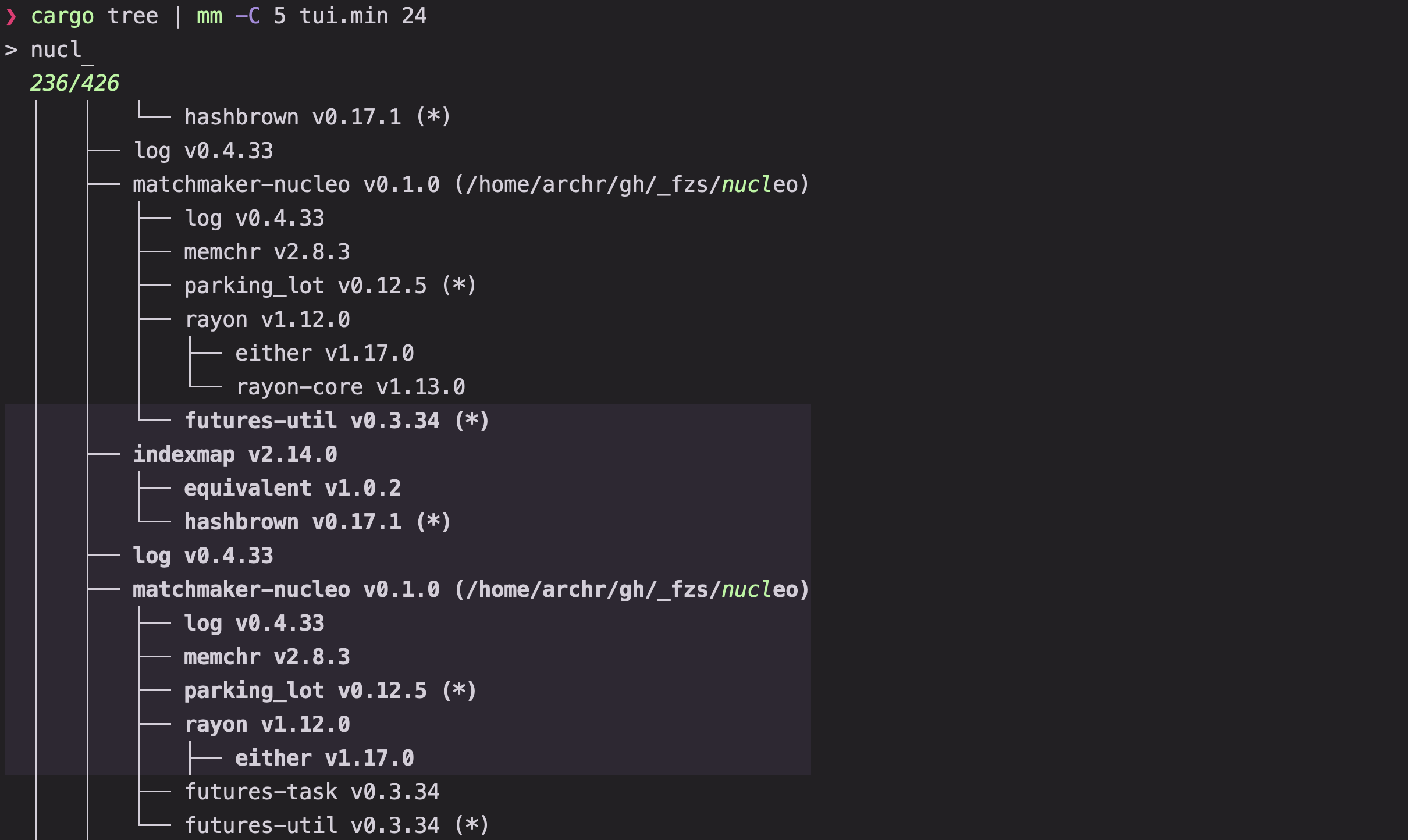
mm --last-keygives you the last key that was pressed in a previous run of the program.7 -C(context) flag!- a panoply of amazing presets which manifest as dashing TUIs to boost your productivity.
- Available as a rust library to use in your own code!
On the way:
- Matching with frizbee, a faster, typo-resistant matching algorithm.
Installation
curl -fsSL https://raw.githubusercontent.com/Squirreljetpack/matchmaker/main/install.sh | sh
powershell -ExecutionPolicy Bypass -c "irm https://github.com/Squirreljetpack/matchmaker/releases/latest/download/matchmaker-cli-installer.ps1 | iex"
Homebrew
brew install Squirreljetpack/tap/matchmaker
AUR
yay -S matchmaker-bin
npm
npm install -g @squirreljetpack/matchmaker
Cargo
cargo install matchmaker-cli

Pass it some items:
find . | mm
[!TIP] The default input and preview commands detect
fd,batandeza(otherwise falling back tolsandcat). Install them for a better experience!
Configuration
To start configuration, write the default configuration to a file:
mm --dump-config
The default locations are in order:
$MATCHMAKER_CONFIG_DIR(If set and the directory exists).~/.config/matchmaker/config.toml(If the folder exists already).{PLATFORM_SPECIFIC_CONFIG_DIRECTORY}/matchmaker(Generally the same as above when on linux)
Matchmaker options are hierarchical, although most categories live at the top level:
[preview]
show = true
wrap = true
header_lines = 3 # sticky the top 3 lines

# Full specification of (the default values of) a single layout. Multiple layouts can be specified.
# Previews (and columns!) can also be adjusted on the fly (by dragging or by keys).
[[preview.layout]]
command = ""
side = "right"
percentage = 60
min = 30
max = 120
The structure of the config file is defined here8, and the full specification lives here9. You can also view your current config using mm --dump-config | cat or a quick reference using mm --doc options.
Options can be overridden on the command line, where abbreviations are supported:
mm p.l "cmd=echo {},p=50,max=20" cmd "ls" o "{=}"

# 1. Start mm with the following overrides:
# 2. List the contents of the current directory by executing `ls`
# 3. Show the current item name in the preview pane
# 4. Set a preferred percentage of 50 and a max width of 20 for the preview pane
# 5. Output the result without single quotes
For quick reference, mm --doc provides fairly readable and comprehensive guides to various topics. The rendered markdown is also available here.
Keybindings
Actions can be defined in your config.toml or on the command line.
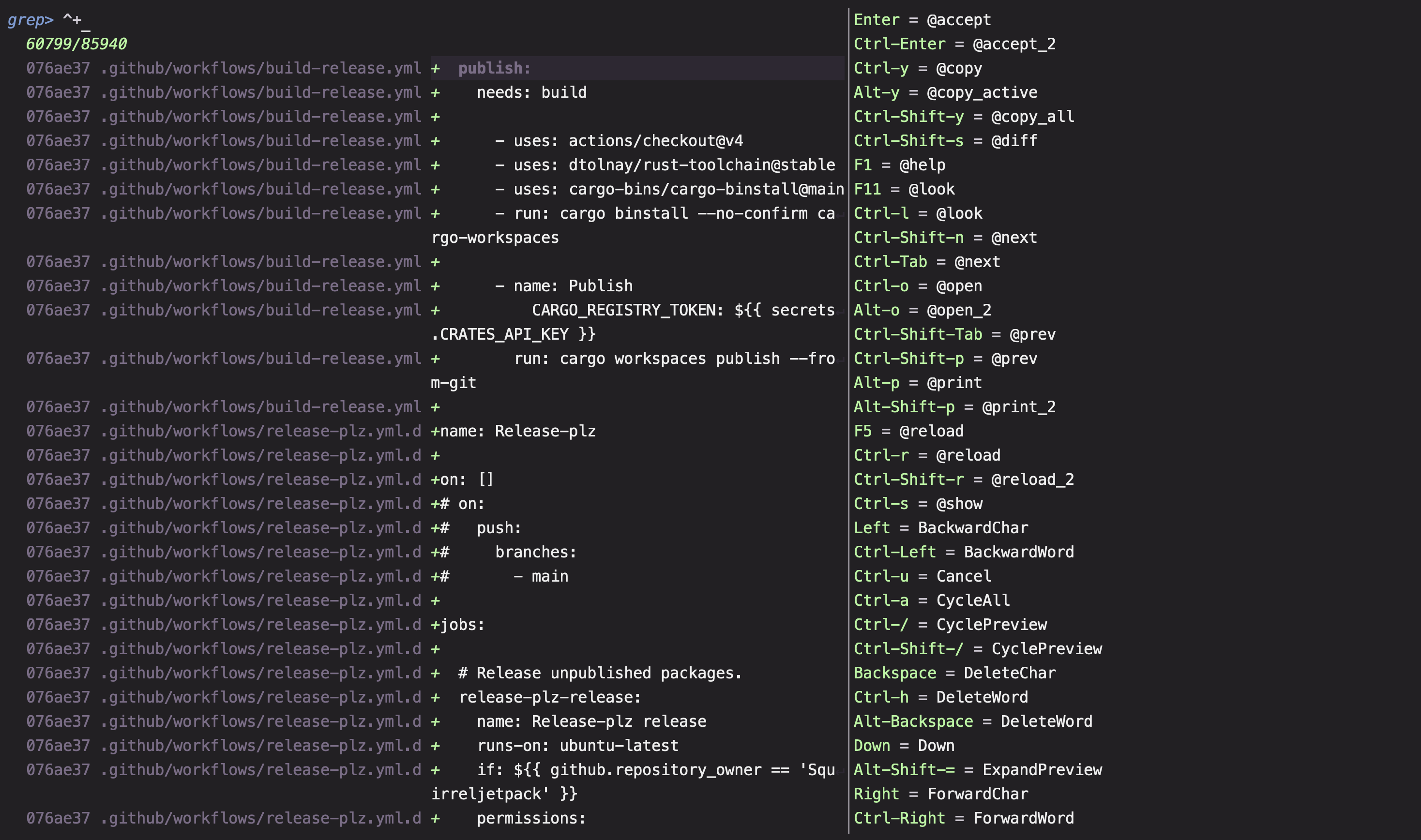
The list of currently supported actions can be found here and here or from mm --doc binds.
To get the names of keys, type mm --test-keys.
In addition to keys, actions can also be bound to Events and Crossterm events (check your default config for details).
Execute
A subset of actions handle various execution flows that are useful to for making mini-apps such as Execute (run then return), ExecuteOrConfirm (await user input after erroring out), Become (transform into the process directly), ExecuteAsync (chain actions in the background), ExecuteThen (chain conditional background actions), Copy (copy the output of the command to your clipboard -- by default, this uses the osc52 protocol so that copying through ssh works).
By default, their payloads are passed to your current shell (i.e. Execute(eval $EDITOR)), though this too, can be overridden, so you can write your scripts in any language. In presets, payloads can even be specified as files using @path/to/file. Relative paths are resolved with respect to the folder containing the preset. Templates in the payloads are injected with values from the current picker state such as selected items, current active cell, and positional arguments passed to the cli.
With the default build, matchmaker also supports lua scripts: files with .lua extension, and scripts prefixed with #!lua are executed directly using the internal lua runtime.
Examples
Examples can be found here (toml files), and here (library use).
Currently, the first includes an example for interactively performing a full text search with ripgrep:
- Toggle between ripgrep and mm with
ctrl-r - The displayed preview autoscrolls to matched line:
?to toggle. Enteropens the file in your editor (or when piped, printsfile:line:col).- Previous queries in each mode are stashed and restored upon switching.
ctrl-.to cycle between columns.

# Try it yourself
mkdir -p ~/.config/matchmaker/presets
curl -L https://raw.githubusercontent.com/Squirreljetpack/matchmaker/main/matchmaker-cli/assets/presets/rg.toml -o ~/.config/matchmaker/presets/rg.toml
mm --config ~/.config/matchmaker/presets/rg.toml
Presets
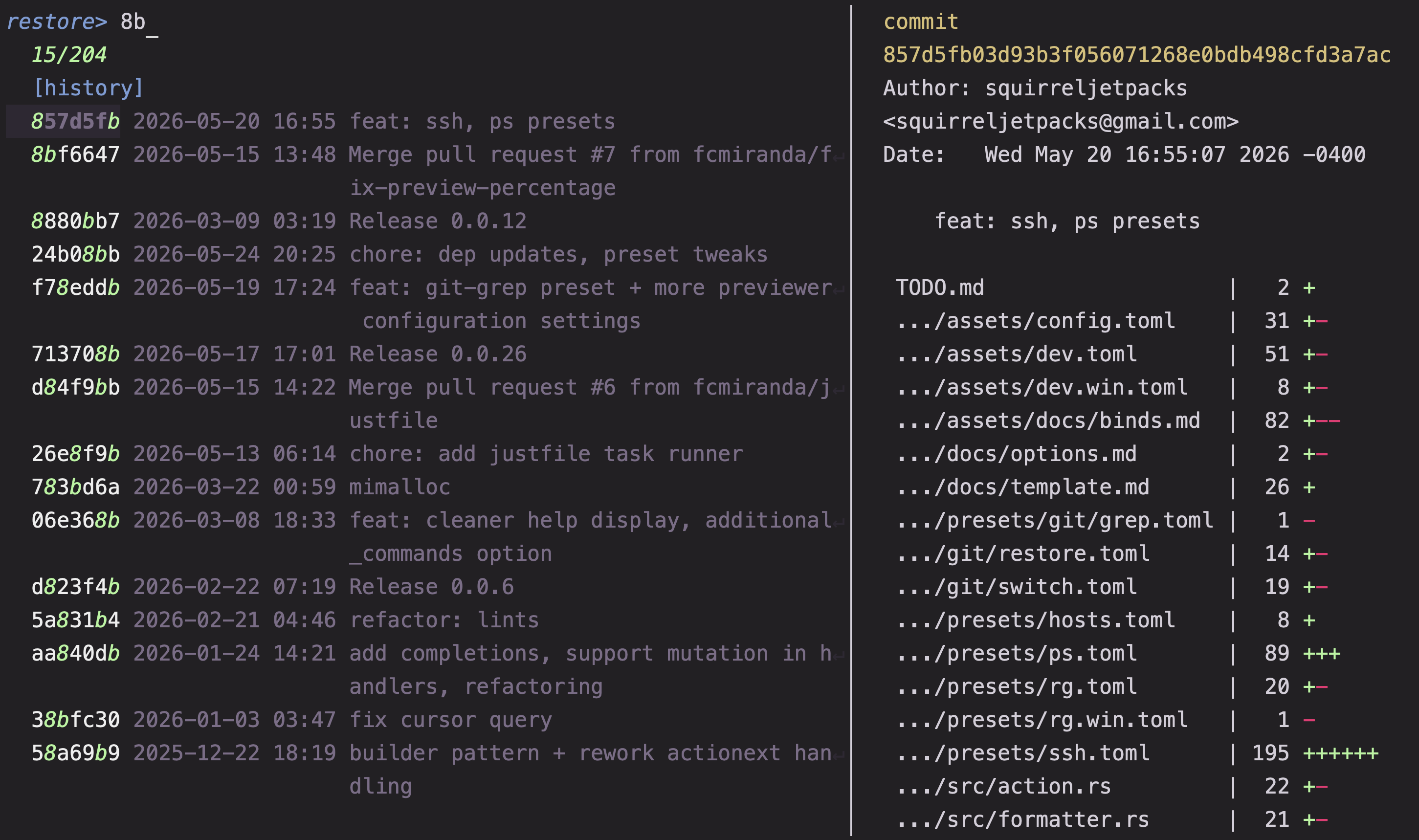
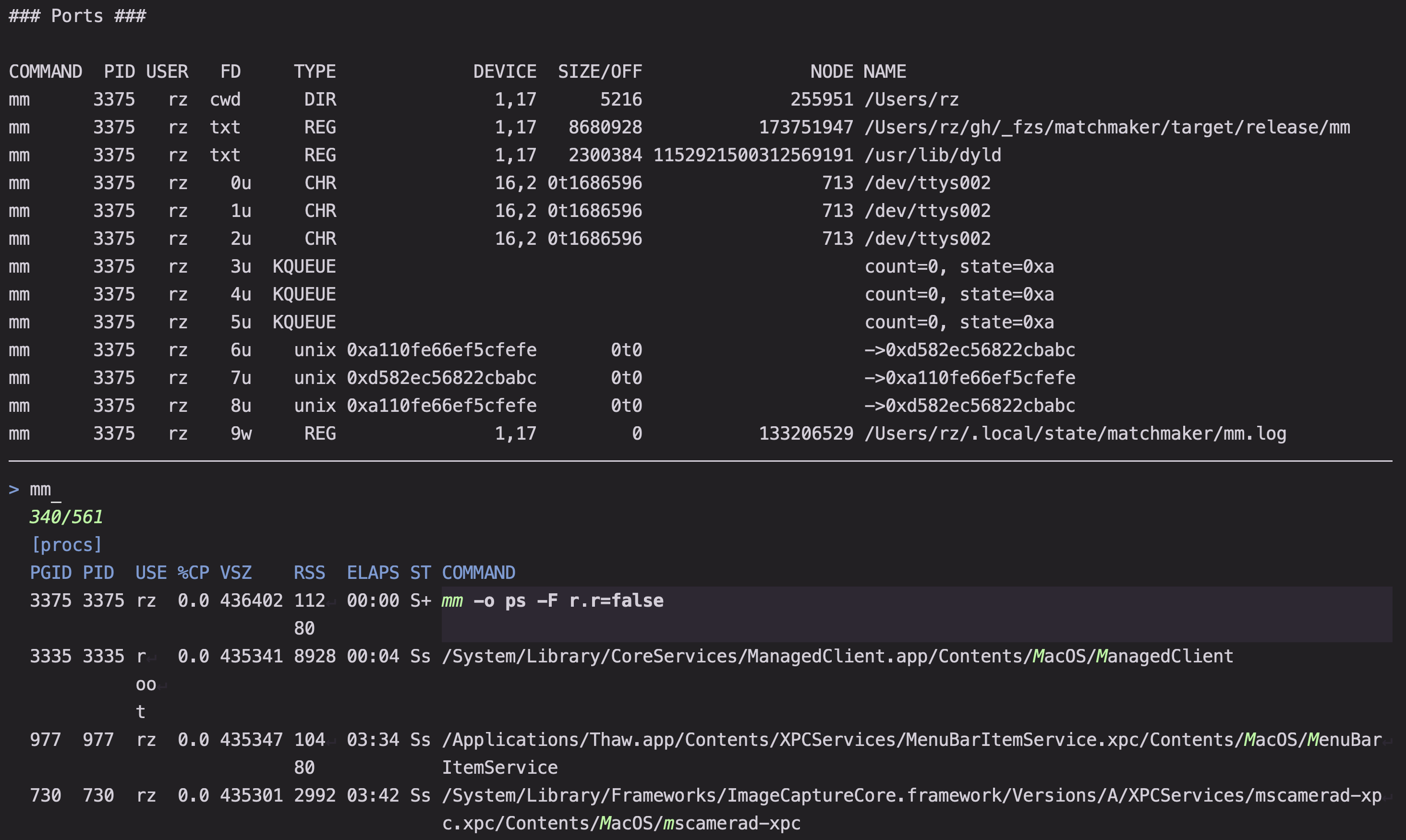
Matchmaker is really good for creating workflows. It's like a swiss army knife for building and sharing great TUIs -- check out the collection10!
# download a preset (collection)
mm --download git

# invoke a preset (browse/restore by ref)
mm -o git/restore

# You can also run the first example this way:
mm --download rg.toml
mm -o rg

Comparison with fzf
To users of fzf, getting started with mm should be conceptually straightforward because matchmaker is almost fully feature-compatible with fzf. You can continue using familiar actions, like execute, and they will function the same way.11
For example, opening a selected file in your editor:
- In
fzf:
fzf --bind "ctrl-o:execute($EDITOR {+})"
- In
mm:
mm b.ctrl-o="Execute($EDITOR {+})" # 'execute' also works, as action names are case-insensitive
[!NOTE] Note that templates can be named in matchmaker, but they only replace valid keys.
Here is a second demonstration, taken from zoxide.
- In
fzf:
fzf \
  --bind=ctrl-z:ignore,btab:up,tab:down \
  --exact \
  --no-sort \
  --cycle \
  --keep-right \
  --border=sharp \
  --height=45% \
  --info=inline \
  --layout=reverse \
  --tabstop=1 \
  --exit-0
- In
mm:
mm \
  binds.Shift-BackTab=Up \
  binds.BackTab=Up \
  binds.Tab=Down \
  matcher.sort_threshold=0 \
  results.scroll_wrap=true \
  results.wrap=false \
  results.autoscroll.end=true \
  results.autoscroll.context=0 \
  ui.border.type=Plain \
  tui.percentage=45 \
  results.reverse=true \
  exit.abort_empty=true

# Notes:
# - matcher.sort_threshold is not available on the cargo version and requires the installer.
# - results.autoscroll.context=0 is a setting which does not appear in fzf but which is 4 by default in mm.
- In
mmusing aliases (and omitting defaults):
mm m.sort=0 ui.b.type=Plain tui.p=45 \
r.r= r.w=false r.a.e= r.a.c=0 \
b.Shift-BackTab=Up b.BackTab=Up b.Tab=Down
Matchmaker aims to achieve feature-parity with fzf (though not necessarily by the same means). If there's any specific feature that you'd like to see, open an issue!
Library
Matchmaker can also be used as a library.
cargo add matchmaker-lib
Example
Here is how to use Matchmaker to select from a list of strings.
use matchmaker::nucleo::{Indexed, Worker};
use matchmaker::{MatchError, Matchmaker, Result, Selector};

#[tokio::main]
async fn main() -> Result<()> {
    let items = vec!["item1", "item2", "item3"];

    let worker = Worker::new_single_column();
    worker.append(items);
    let selector = Selector::new(Indexed::identifier);
    let mm = Matchmaker::new(worker, selector);

    match mm.pick_default().await {
        Ok(v) => {
            println!("{}", v[0]);
        }
        Err(err) => match err {
            MatchError::Abort(1) => {
                eprintln!("cancelled");
            }
            _ => {
                eprintln!("Error: {err}");
            }
        },
    }

    Ok(())
}
For more information, check out the examples and Architecture.md
Credits + See also
- junegunn/fzf
- helix-editor/nucleo
- ratatui
- minus
- Canop/crokey
- skim-rs/skim
- autobib/nucleo-picker
- alexpasmantier/television
- helix-editor/helix
Footnotes
-
The benefits of a structured, hierarchical, global baseline configuration are many, including but not limited to the fact that toml strings make it much easier to bind keys to complex shell scripts. ↩
-
Custom exit codes, select all (
CycleSelections), PageUp/Down, Show Help, Cycle columns (NextColumn), Multiple input commands (ReloadNext), etc. ... ↩ -
https://github.com/Squirreljetpack/matchmaker/blob/main/matchmaker-cli/assets/docs/other.md ↩
-
If no column names are configured, the autogenerated column names are sequential: 1, 2, 3... ↩
-
See, run with
mm --download csv.toml, multi-line values not supported. ↩ -
I like this so much i had to mention it twice ↩
-
This is useful for when you want to write a shell script that dispatches different actions on the output of matchmaker based on the key that was pressed. ↩
-
Note that the flatten attribute on the render field means that the subfields of RenderConfig should be specified at the top level of the toml (i.e. your toml should specify
[results]instead of[render.results]). ↩ -
Contributions welcome! ↩
-
More on comparisons: https://github.com/Squirreljetpack/matchmaker/issues/1 ↩
Contributors


Similar repos


Languages
Rust
89.3%
Python
5.1%
Shell
2.5%
Swift
2.1%
powerful multi-purpose fuzzy searcher
See the codeREADME
Matchmaker
Matchmaker is fast, configurable and intuitive fuzzy searcher. It is useful for browsing and building workflows around any list or kind of data you can wrangle into a tabular format.
It takes inspiration from fzf in features and design, but reimagines the user experience. Built from the ground up in Rust, it brings a fully robust, modern and elegant search experience to the console.
Features
- Matching with nucleo.
- Fully configurable via a type-checked toml file. 1
- A minimal yet powerful syntax for overriding the configuration on the command line.
- Interactive preview supports color, scrolling, wrapping, multiple layouts, and even maximizing.
- Most of the familiar actions from fzf, as well as several new ones2.
- Mouse (location aware) scrolling! Drag to resize! Horizontal scrolling!
- Grapheme-width correct input wrapping!
- Really good, the best text wrapping and width sizing.
- Split input lines into multiple columns, that you can individually filter on (
%col query3), hide, and highlight and sort.4 - Split input lines by regex capture groups.
- Split input lines by following CSV/TSV rules5.
- Aggressive UI caching minimizes cpu resources consumed for rendering.
- Define
Execute/Preview/Print/Acceptactions with templates which safely inject the current item(s) (yes, columns are supported here too). - All the dynamic UI support you could hope for: preview offsets, styled status lines, responsive header tables, wrapped footers, active and inactive column colors, stacked columns, programmable status and header bars, multiple preview layouts6... even overlays! (in the library).
- Bind keys to multiple actions, bind actions to mouse triggers, bind actions to event triggers, bind keys to rebind keys, bind keys to modify the configuration, bind keys to run a shell script and use its output to execute actions and bind more keys, bind keys to set the header, footer, status, input, bind semantic triggers to actions, bind keys to semantic triggers, bind keys to -- wait nope thats about it.
- Comprehensive logging in case you need to debug applications.
- oh yeah, and
mm --last-keygives you the last key that was pressed in a previous run of the program.7 -C(context) flag!- a panoply of amazing presets which manifest as dashing TUIs to boost your productivity.
- Available as a rust library to use in your own code!
On the way:
- Matching with frizbee, a faster, typo-resistant matching algorithm.
Installation
curl -fsSL https://raw.githubusercontent.com/Squirreljetpack/matchmaker/main/install.sh | sh
powershell -ExecutionPolicy Bypass -c "irm https://github.com/Squirreljetpack/matchmaker/releases/latest/download/matchmaker-cli-installer.ps1 | iex"
Homebrew
brew install Squirreljetpack/tap/matchmaker
AUR
yay -S matchmaker-bin
npm
npm install -g @squirreljetpack/matchmaker
Cargo
cargo install matchmaker-cli
Pass it some items:
find . | mm
[!TIP] The default input and preview commands detect
fd,batandeza(otherwise falling back tolsandcat). Install them for a better experience!
Configuration
To start configuration, write the default configuration to a file:
mm --dump-config
The default locations are in order:
$MATCHMAKER_CONFIG_DIR(If set and the directory exists).~/.config/matchmaker/config.toml(If the folder exists already).{PLATFORM_SPECIFIC_CONFIG_DIRECTORY}/matchmaker(Generally the same as above when on linux)
Matchmaker options are hierarchical, although most categories live at the top level:
[preview]
show = true
wrap = true
header_lines = 3 # sticky the top 3 lines

# Full specification of (the default values of) a single layout. Multiple layouts can be specified.
# Previews (and columns!) can also be adjusted on the fly (by dragging or by keys).
[[preview.layout]]
command = ""
side = "right"
percentage = 60
min = 30
max = 120
The structure of the config file is defined here8, and the full specification lives here9. You can also view your current config using mm --dump-config | cat or a quick reference using mm --doc options.
Options can be overridden on the command line, where abbreviations are supported:
mm p.l "cmd=echo {},p=50,max=20" cmd "ls" o "{=}"

# 1. Start mm with the following overrides:
# 2. List the contents of the current directory by executing `ls`
# 3. Show the current item name in the preview pane
# 4. Set a preferred percentage of 50 and a max width of 20 for the preview pane
# 5. Output the result without single quotes
For quick reference, mm --doc provides fairly readable and comprehensive guides to various topics. The rendered markdown is also available here.
Keybindings
Actions can be defined in your config.toml or on the command line.
The list of currently supported actions can be found here and here or from mm --doc binds.
To get the names of keys, type mm --test-keys.
In addition to keys, actions can also be bound to Events and Crossterm events (check your default config for details).
Execute
A subset of actions handle various execution flows that are useful to for making mini-apps such as Execute (run then return), ExecuteOrConfirm (await user input after erroring out), Become (transform into the process directly), ExecuteAsync (chain actions in the background), ExecuteThen (chain conditional background actions), Copy (copy the output of the command to your clipboard -- by default, this uses the osc52 protocol so that copying through ssh works).
By default, their payloads are passed to your current shell (i.e. Execute(eval $EDITOR)), though this too, can be overridden, so you can write your scripts in any language. In presets, payloads can even be specified as files using @path/to/file. Relative paths are resolved with respect to the folder containing the preset. Templates in the payloads are injected with values from the current picker state such as selected items, current active cell, and positional arguments passed to the cli.
With the default build, matchmaker also supports lua scripts: files with .lua extension, and scripts prefixed with #!lua are executed directly using the internal lua runtime.
Examples
Examples can be found here (toml files), and here (library use).
Currently, the first includes an example for interactively performing a full text search with ripgrep:
- Toggle between ripgrep and mm with
ctrl-r - The displayed preview autoscrolls to matched line:
?to toggle. Enteropens the file in your editor (or when piped, printsfile:line:col).- Previous queries in each mode are stashed and restored upon switching.
ctrl-.to cycle between columns.
# Try it yourself
mkdir -p ~/.config/matchmaker/presets
curl -L https://raw.githubusercontent.com/Squirreljetpack/matchmaker/main/matchmaker-cli/assets/presets/rg.toml -o ~/.config/matchmaker/presets/rg.toml
mm --config ~/.config/matchmaker/presets/rg.toml
Presets
Matchmaker is really good for creating workflows. It's like a swiss army knife for building and sharing great TUIs -- check out the collection10!
# download a preset (collection)
mm --download git

# invoke a preset (browse/restore by ref)
mm -o git/restore

# You can also run the first example this way:
mm --download rg.toml
mm -o rg
Comparison with fzf
To users of fzf, getting started with mm should be conceptually straightforward because matchmaker is almost fully feature-compatible with fzf. You can continue using familiar actions, like execute, and they will function the same way.11
For example, opening a selected file in your editor:
- In
fzf:
fzf --bind "ctrl-o:execute($EDITOR {+})"
- In
mm:
mm b.ctrl-o="Execute($EDITOR {+})" # 'execute' also works, as action names are case-insensitive
[!NOTE] Note that templates can be named in matchmaker, but they only replace valid keys.
Here is a second demonstration, taken from zoxide.
- In
fzf:
fzf \
  --bind=ctrl-z:ignore,btab:up,tab:down \
  --exact \
  --no-sort \
  --cycle \
  --keep-right \
  --border=sharp \
  --height=45% \
  --info=inline \
  --layout=reverse \
  --tabstop=1 \
  --exit-0
- In
mm:
mm \
  binds.Shift-BackTab=Up \
  binds.BackTab=Up \
  binds.Tab=Down \
  matcher.sort_threshold=0 \
  results.scroll_wrap=true \
  results.wrap=false \
  results.autoscroll.end=true \
  results.autoscroll.context=0 \
  ui.border.type=Plain \
  tui.percentage=45 \
  results.reverse=true \
  exit.abort_empty=true

# Notes:
# - matcher.sort_threshold is not available on the cargo version and requires the installer.
# - results.autoscroll.context=0 is a setting which does not appear in fzf but which is 4 by default in mm.
- In
mmusing aliases (and omitting defaults):
mm m.sort=0 ui.b.type=Plain tui.p=45 \
r.r= r.w=false r.a.e= r.a.c=0 \
b.Shift-BackTab=Up b.BackTab=Up b.Tab=Down
Matchmaker aims to achieve feature-parity with fzf (though not necessarily by the same means). If there's any specific feature that you'd like to see, open an issue!
Library
Matchmaker can also be used as a library.
cargo add matchmaker-lib
Example
Here is how to use Matchmaker to select from a list of strings.
use matchmaker::nucleo::{Indexed, Worker};
use matchmaker::{MatchError, Matchmaker, Result, Selector};

#[tokio::main]
async fn main() -> Result<()> {
    let items = vec!["item1", "item2", "item3"];

    let worker = Worker::new_single_column();
    worker.append(items);
    let selector = Selector::new(Indexed::identifier);
    let mm = Matchmaker::new(worker, selector);

    match mm.pick_default().await {
        Ok(v) => {
            println!("{}", v[0]);
        }
        Err(err) => match err {
            MatchError::Abort(1) => {
                eprintln!("cancelled");
            }
            _ => {
                eprintln!("Error: {err}");
            }
        },
    }

    Ok(())
}
For more information, check out the examples and Architecture.md
Credits + See also
- junegunn/fzf
- helix-editor/nucleo
- ratatui
- minus
- Canop/crokey
- skim-rs/skim
- autobib/nucleo-picker
- alexpasmantier/television
- helix-editor/helix
Footnotes
-
The benefits of a structured, hierarchical, global baseline configuration are many, including but not limited to the fact that toml strings make it much easier to bind keys to complex shell scripts. ↩
-
Custom exit codes, select all (
CycleSelections), PageUp/Down, Show Help, Cycle columns (NextColumn), Multiple input commands (ReloadNext), etc. ... ↩ -
https://github.com/Squirreljetpack/matchmaker/blob/main/matchmaker-cli/assets/docs/other.md ↩
-
If no column names are configured, the autogenerated column names are sequential: 1, 2, 3... ↩
-
See, run with
mm --download csv.toml, multi-line values not supported. ↩ -
I like this so much i had to mention it twice ↩
-
This is useful for when you want to write a shell script that dispatches different actions on the output of matchmaker based on the key that was pressed. ↩
-
Note that the flatten attribute on the render field means that the subfields of RenderConfig should be specified at the top level of the toml (i.e. your toml should specify
[results]instead of[render.results]). ↩ -
Contributions welcome! ↩
-
More on comparisons: https://github.com/Squirreljetpack/matchmaker/issues/1 ↩
Similar repos
Contributors
Languages
Rust
89.3%
Python
5.1%
Shell
2.5%
Swift
2.1%