revolutionary new technology that turns any image into obama
Rust
2,168
69 commits
updated Feb 2, 2026
revolutionary new technology that turns any image into obama
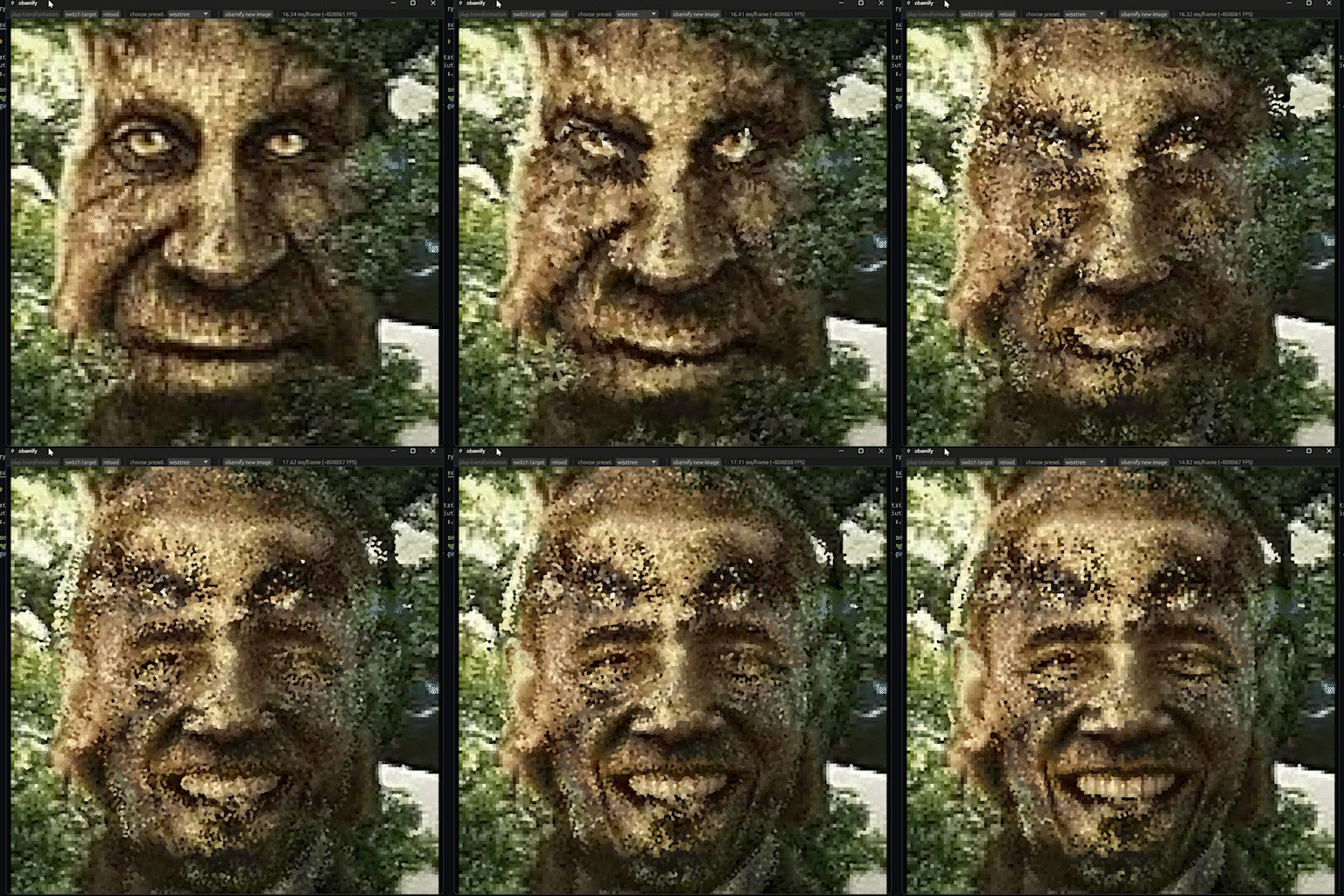
Use the ui at the top of the window to control the animation, choose between saved transformations, and generate new ones. You can change the source image and target image, and choose how they are cropped to a square (tip: if both the images are faces, try making the eyes overlap). You can also change these advanced settings:
| Setting | Description |
|---|---|
| resolution | How many cells the images will be divided into. Higher resolution will capture more high frequency details. |
| proximity importance | How much the algorithm changes the original image to make it look like the target image. Increase this if you want a more subtle transformation. |
| algorithm | The algorithm used to calculate the assignment of each pixel. Optimal will find the mathematically optimal solution, but is extremely slow for high resolutions. |
Install the latest version in releases. Unzip and run the .exe file inside! Note for macOS users: Run 'xattr -C <path/to/app.app>' in your terminal to remove the damaged app warning.
cargo run --release in the project folderrustup target add wasm32-unknown-unknowncargo install --locked trunktrunk serve --release --openPlease open an issue or a pull request if you have any suggestions or find any bugs :)
magic
(top 24 of 31)
331 followers · starred Nov 2025
262 followers · starred Sep 2025
3,247 followers · starred Nov 2025
144 followers · starred Nov 2025
revolutionary new technology that turns any image into obama
Rust
2,168
69 commits
updated Feb 2, 2026
revolutionary new technology that turns any image into obama
Use the ui at the top of the window to control the animation, choose between saved transformations, and generate new ones. You can change the source image and target image, and choose how they are cropped to a square (tip: if both the images are faces, try making the eyes overlap). You can also change these advanced settings:
| Setting | Description |
|---|---|
| resolution | How many cells the images will be divided into. Higher resolution will capture more high frequency details. |
| proximity importance | How much the algorithm changes the original image to make it look like the target image. Increase this if you want a more subtle transformation. |
| algorithm | The algorithm used to calculate the assignment of each pixel. Optimal will find the mathematically optimal solution, but is extremely slow for high resolutions. |
Install the latest version in releases. Unzip and run the .exe file inside! Note for macOS users: Run 'xattr -C <path/to/app.app>' in your terminal to remove the damaged app warning.
cargo run --release in the project folderrustup target add wasm32-unknown-unknowncargo install --locked trunktrunk serve --release --openPlease open an issue or a pull request if you have any suggestions or find any bugs :)
magic
(top 24 of 31)
331 followers · starred Nov 2025
262 followers · starred Sep 2025
3,247 followers · starred Nov 2025
144 followers · starred Nov 2025