A tool to snap pixels to a perfect grid. Designed to fix messy and inconsistent pixel art generated by AI.
See the code

A tool to snap pixels to a perfect grid. Designed to fix messy and inconsistent pixel art generated by AI.
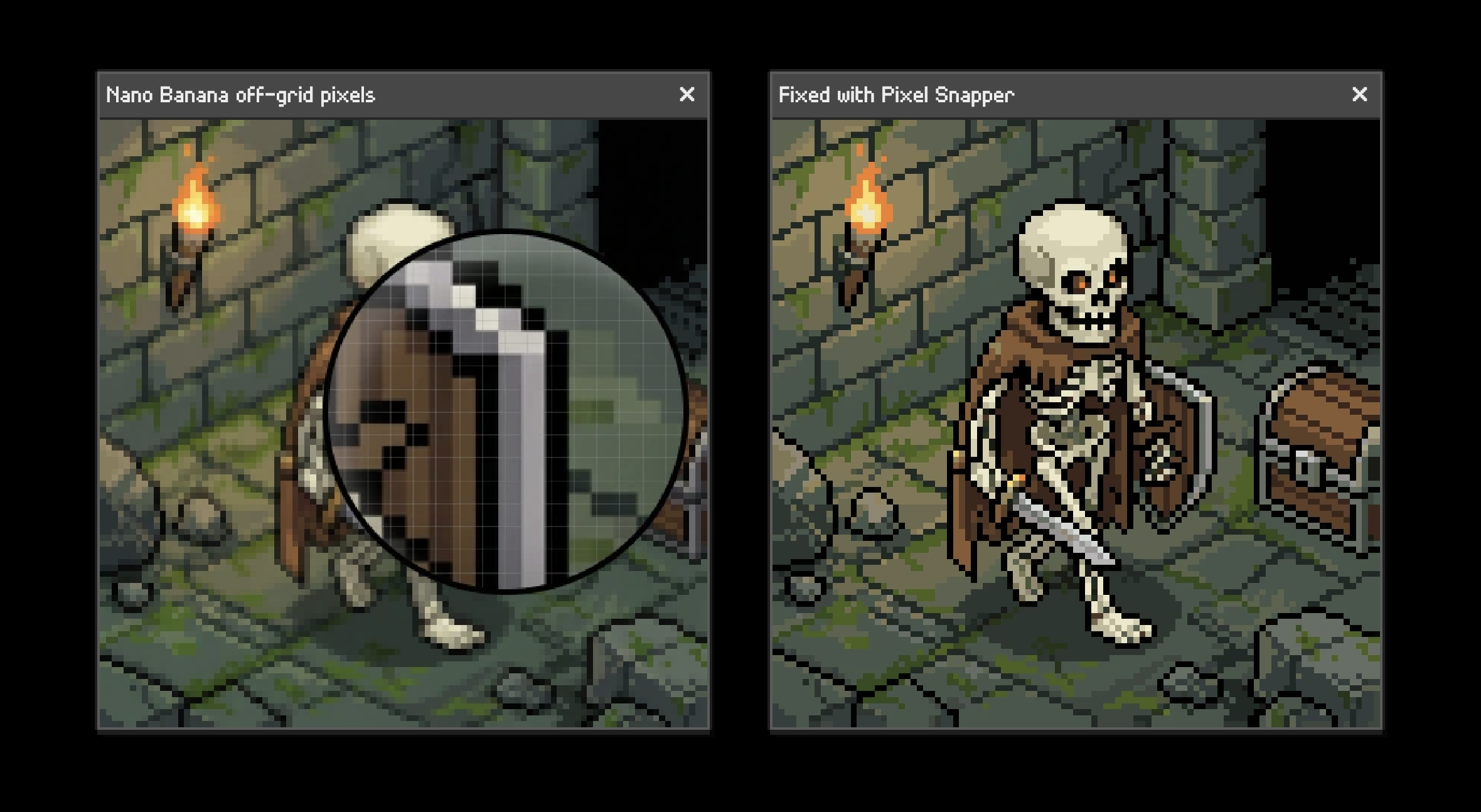
Current AI image models can't understand grid-based pixel art.
With Pixel Snapper:
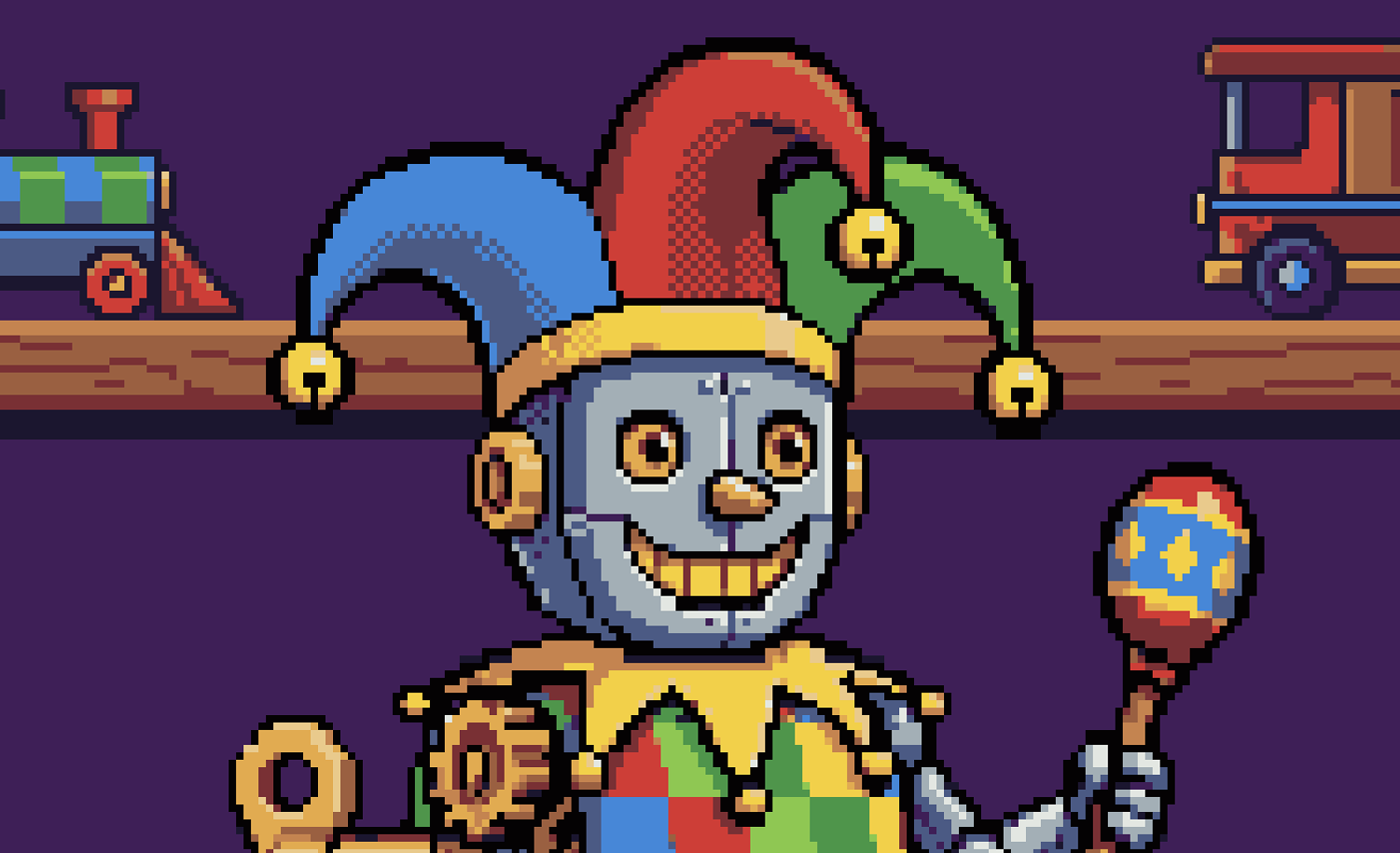
Pixel Snapper preserves as much details as possible like dithering.
brew install Hugo-Dz/tap/spritefusion-pixel-snapper
Installation with Cargo requires Rust. Once installed, the CLI runs as a standalone native binary.
cargo install spritefusion-pixel-snapper
spritefusion-pixel-snapper <INPUT> <OUTPUT> [COLOR_COUNT] [OPTIONS]
<INPUT>: A PNG/JPEG image, or a directory for batch processing.<OUTPUT>: An output PNG, or a different output directory for a batch.[COLOR_COUNT]: Number of palette colors. Defaults to 16.--pixel-size <PIXELS>: Overrides the auto-detected pixel size. The value must be between 1 and half the smallest image dimension.--palette <HEX,...>: Constrains the output to comma-separated six-digit hex colors.Examples:
# Quantize the image to a 16-color palette
spritefusion-pixel-snapper input.png output.png 16

# Process a directory as a batch
spritefusion-pixel-snapper sprites/batch_inputs sprites/batch_outputs 16

# Override the auto-detected pixel size
spritefusion-pixel-snapper input.png output.png --pixel-size 8
spritefusion-pixel-snapper sprites/batch_inputs sprites/batch_outputs 16 --pixel-size 8

# Use a fixed color palette
spritefusion-pixel-snapper input.png output.png --palette "0d2b45,203c56,544e68,8d697a,d08159,ffaa5e,ffd4a3,ffecd6"
spritefusion-pixel-snapper sprites/batch_inputs sprites/batch_outputs --palette "0d2b45,203c56,544e68,8d697a"
Run spritefusion-pixel-snapper --help to see every option.
git clone https://github.com/Hugo-Dz/spritefusion-pixel-snapper.git
cd spritefusion-pixel-snapper
cargo build --release
The binary will be available at target/release/spritefusion-pixel-snapper.
git clone https://github.com/Hugo-Dz/spritefusion-pixel-snapper.git
cd spritefusion-pixel-snapper
Build the WASM module:
wasm-pack build --target web --out-dir pkg --release
Then use the WASM module in your project:
import init, { process_image } from "./pkg/spritefusion_pixel_snapper.js";

await init();

// process_image(inputBytes, kColors?, pixelSizeOverride?, paletteHex?)
const outputBytes = process_image(inputBytes, 16);

// With a custom palette
const recoloredBytes = process_image(inputBytes, null, null, "0f0f1b,ffecd6,ff4d6d,29adff");
Pass null for any optional argument you want to leave on its default behavior.
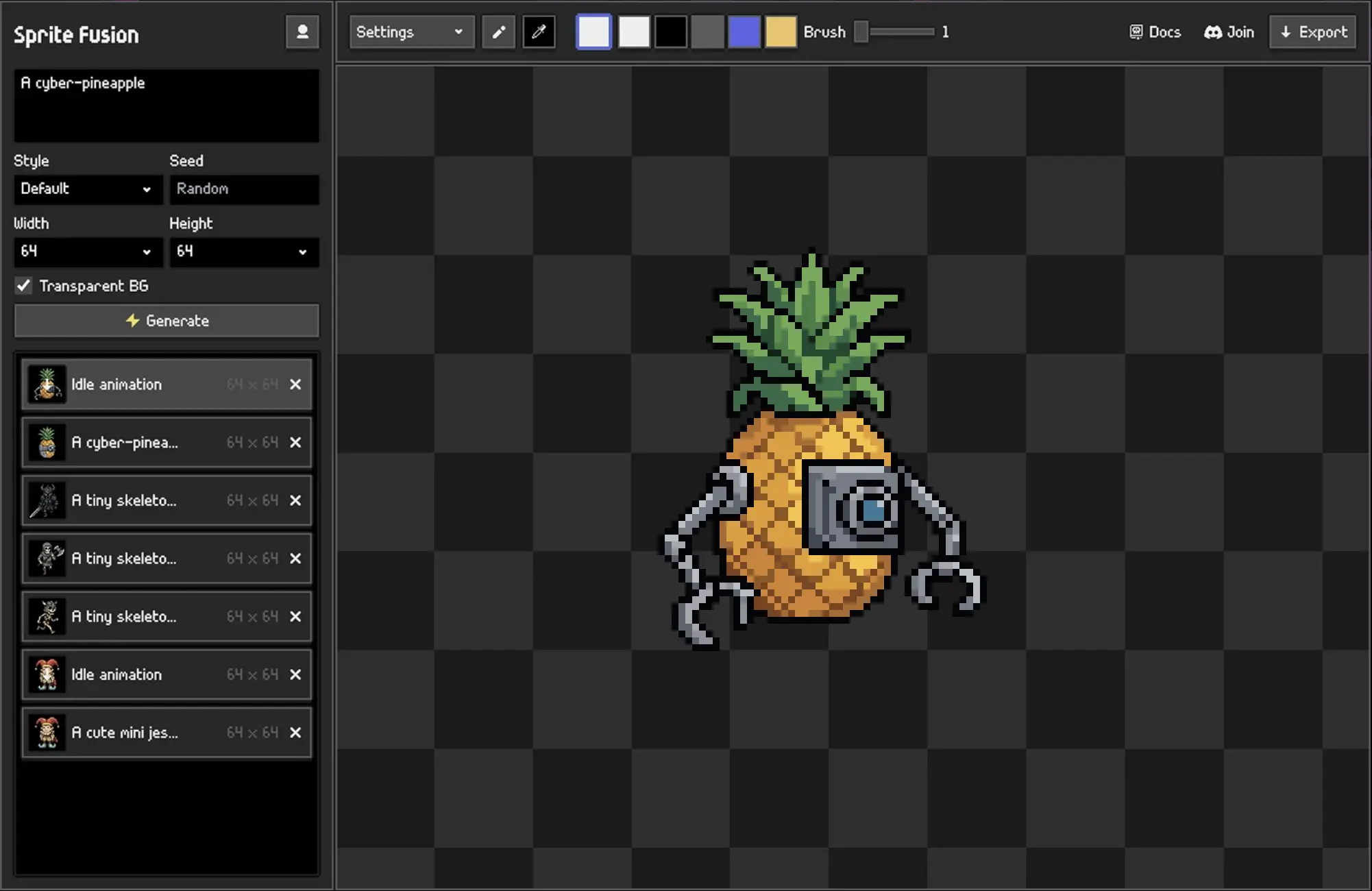
Pixel Snapper is a Sprite Fusion project. Sprite Fusion is a tool to generate TRUE pixel art sprites and animations for game development.
MIT License Hugo Duprez
(top 24 of 49)
1,422 followers · starred Dec 2025
892 followers · starred Mar 2026
808 followers · starred Nov 2025
739 followers · starred Dec 2025
A tool to snap pixels to a perfect grid. Designed to fix messy and inconsistent pixel art generated by AI.
See the code
A tool to snap pixels to a perfect grid. Designed to fix messy and inconsistent pixel art generated by AI.
Current AI image models can't understand grid-based pixel art.
With Pixel Snapper:
Pixel Snapper preserves as much details as possible like dithering.
brew install Hugo-Dz/tap/spritefusion-pixel-snapper
Installation with Cargo requires Rust. Once installed, the CLI runs as a standalone native binary.
cargo install spritefusion-pixel-snapper
spritefusion-pixel-snapper <INPUT> <OUTPUT> [COLOR_COUNT] [OPTIONS]
<INPUT>: A PNG/JPEG image, or a directory for batch processing.<OUTPUT>: An output PNG, or a different output directory for a batch.[COLOR_COUNT]: Number of palette colors. Defaults to 16.--pixel-size <PIXELS>: Overrides the auto-detected pixel size. The value must be between 1 and half the smallest image dimension.--palette <HEX,...>: Constrains the output to comma-separated six-digit hex colors.Examples:
# Quantize the image to a 16-color palette
spritefusion-pixel-snapper input.png output.png 16

# Process a directory as a batch
spritefusion-pixel-snapper sprites/batch_inputs sprites/batch_outputs 16

# Override the auto-detected pixel size
spritefusion-pixel-snapper input.png output.png --pixel-size 8
spritefusion-pixel-snapper sprites/batch_inputs sprites/batch_outputs 16 --pixel-size 8

# Use a fixed color palette
spritefusion-pixel-snapper input.png output.png --palette "0d2b45,203c56,544e68,8d697a,d08159,ffaa5e,ffd4a3,ffecd6"
spritefusion-pixel-snapper sprites/batch_inputs sprites/batch_outputs --palette "0d2b45,203c56,544e68,8d697a"
Run spritefusion-pixel-snapper --help to see every option.
git clone https://github.com/Hugo-Dz/spritefusion-pixel-snapper.git
cd spritefusion-pixel-snapper
cargo build --release
The binary will be available at target/release/spritefusion-pixel-snapper.
git clone https://github.com/Hugo-Dz/spritefusion-pixel-snapper.git
cd spritefusion-pixel-snapper
Build the WASM module:
wasm-pack build --target web --out-dir pkg --release
Then use the WASM module in your project:
import init, { process_image } from "./pkg/spritefusion_pixel_snapper.js";

await init();

// process_image(inputBytes, kColors?, pixelSizeOverride?, paletteHex?)
const outputBytes = process_image(inputBytes, 16);

// With a custom palette
const recoloredBytes = process_image(inputBytes, null, null, "0f0f1b,ffecd6,ff4d6d,29adff");
Pass null for any optional argument you want to leave on its default behavior.
Pixel Snapper is a Sprite Fusion project. Sprite Fusion is a tool to generate TRUE pixel art sprites and animations for game development.
MIT License Hugo Duprez
(top 24 of 49)
1,422 followers · starred Dec 2025
892 followers · starred Mar 2026
808 followers · starred Nov 2025
739 followers · starred Dec 2025