Free, open source app that turns your iPhone or Android phone into a trackpad, keyboard, media remote and Stream Deck style button deck for your Mac or Windows PC. Over Wi-Fi, no account, no cloud.
See the code
Your iPhone as a Mac trackpad, keyboard and remote
Glasspad is a free, open source (MIT) app that turns an iPhone into a trackpad, keyboard, media remote and button deck for a Mac, over Wi-Fi, with no account.


Install · Website · Guide · Video · Changelog
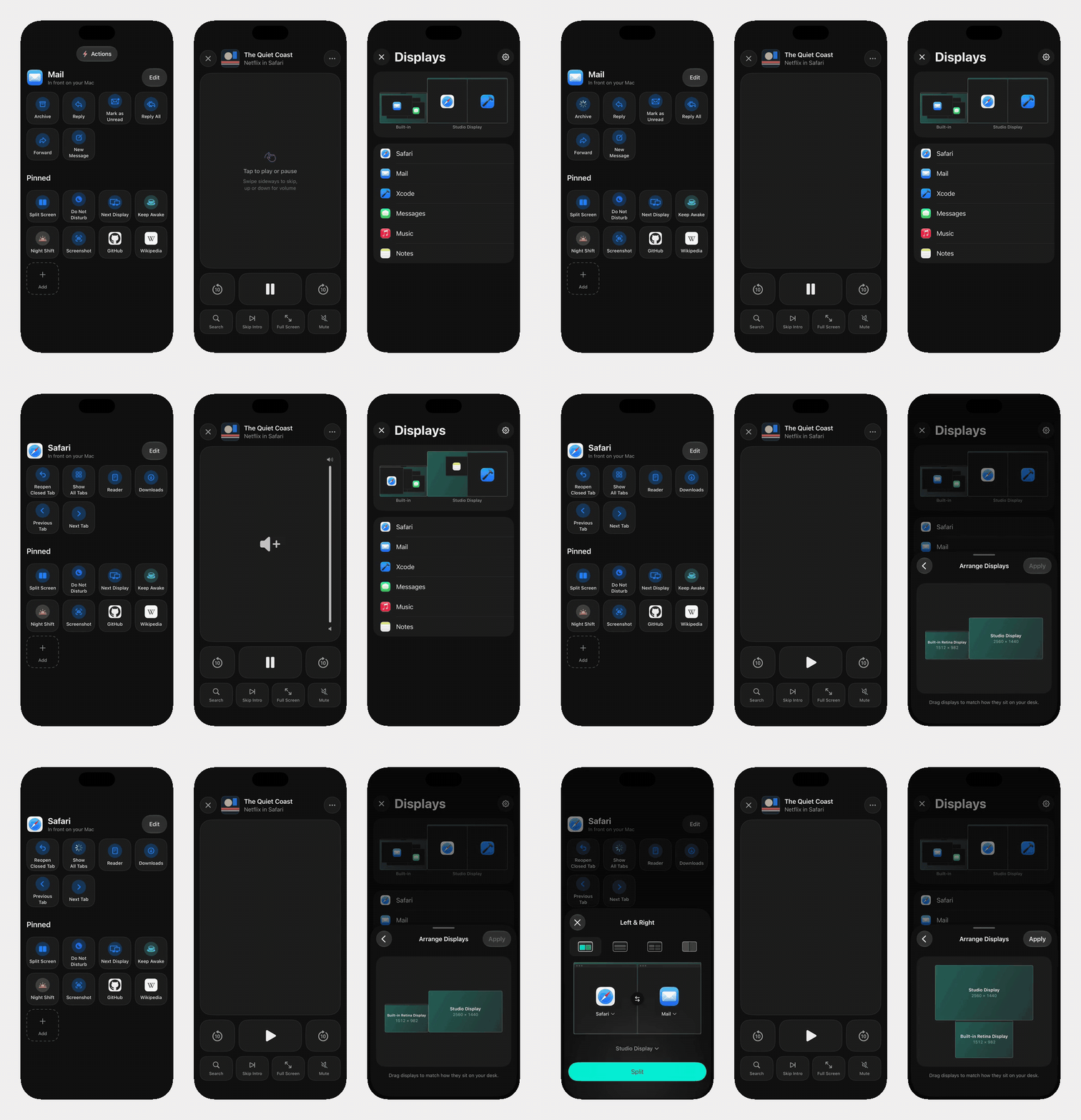
Actions follow the app in front · Remote for Netflix and YouTube · Displays and windows
A real recording of the iPhone app in the iOS Simulator, using the app's sample Mac data.
curl -fsSL https://raw.githubusercontent.com/Soham109/glasspad/main/install.sh | bash
Then click Glasspad in the Mac menu bar, choose Pair Your iPhone…, scan the code, then click Allow on your Mac.
To build a fixed release instead of the newest code:
curl --proto '=https' --tlsv1.2 -fsSL https://raw.githubusercontent.com/Soham109/glasspad/main/install.sh | GLASSPAD_REF=v0.3.0 bash
11 modes: Trackpad, Keyboard, Media, Dock, Actions, Pinned, Macros, Clipboard, Present, Remote and Displays.
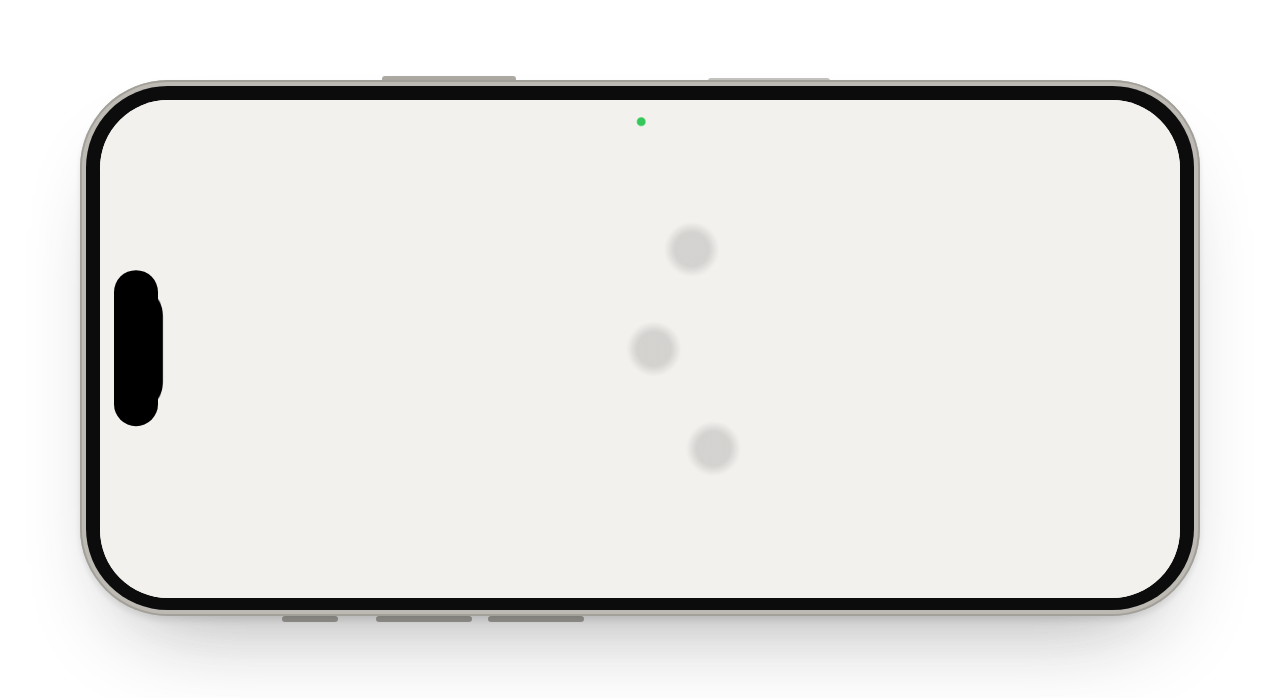 Trackpad Move, click, scroll, pinch and swipe between Spaces, with a tap you can feel on every click. | 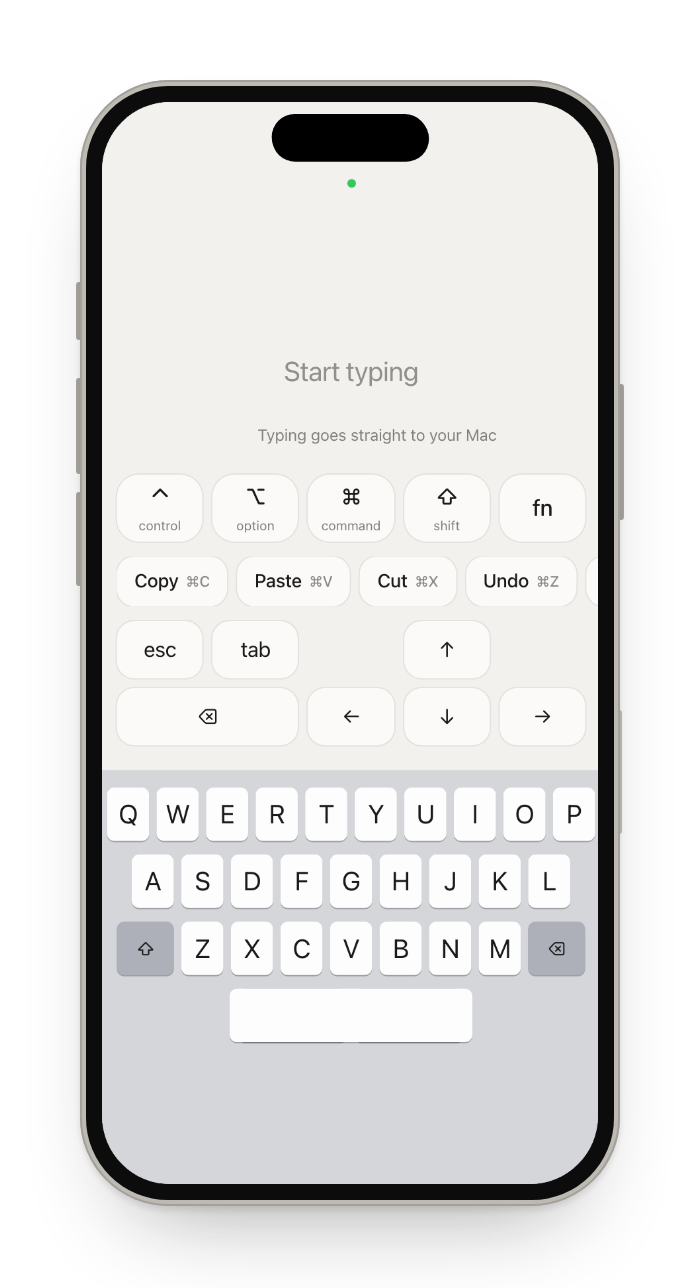 Keyboard Type or dictate, with modifier keys, shortcuts, arrows and F1 to F12. | 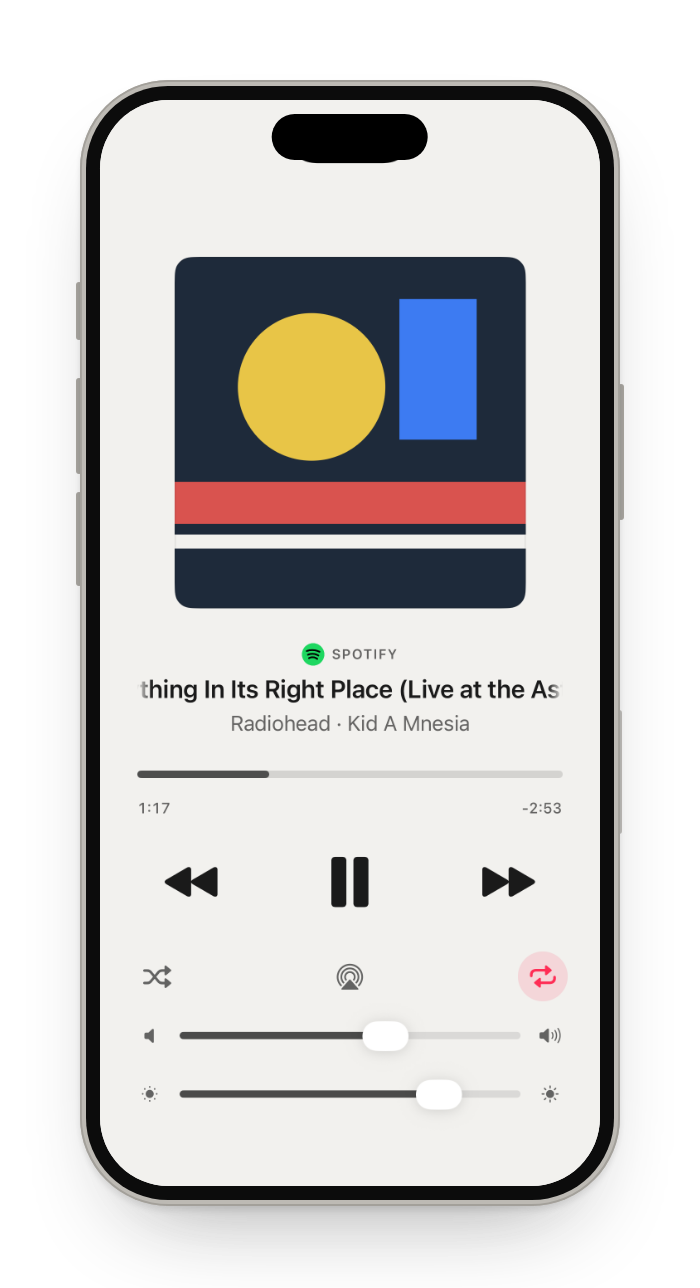 Media What is playing in Spotify, Music, Podcasts or a browser, with artwork, scrubbing, volume and brightness. |
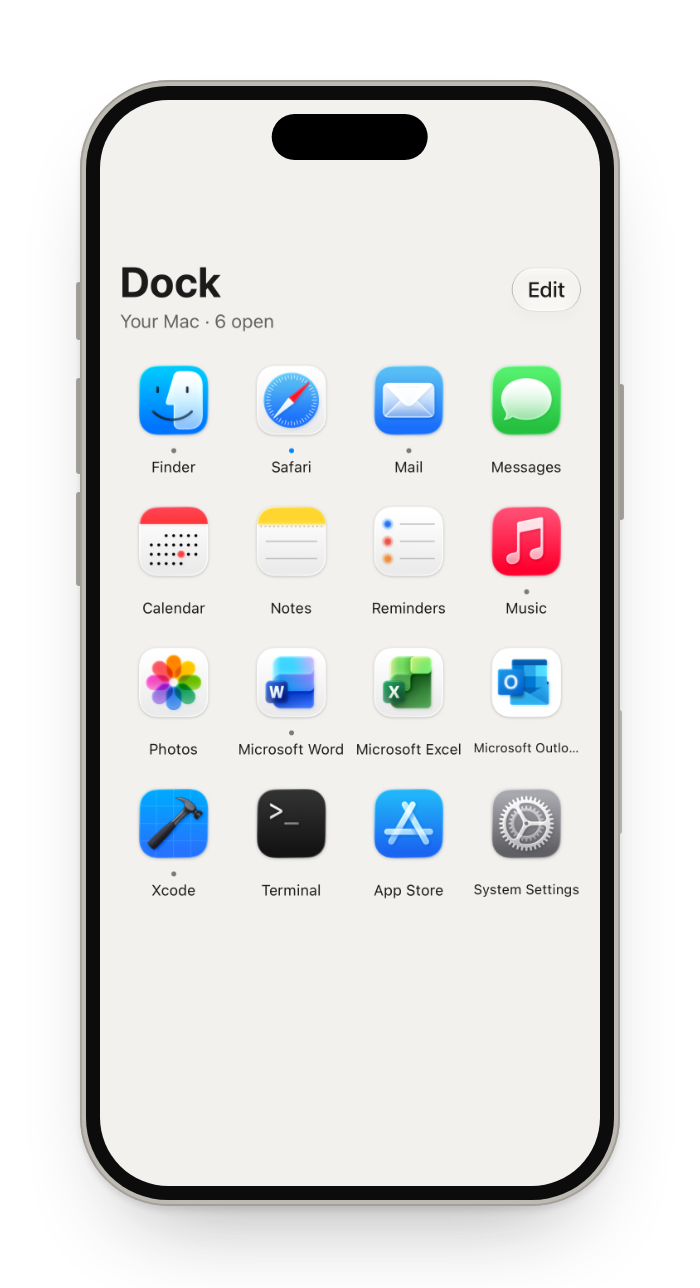 Dock Your Mac's Dock: tap to open, hold to hide or quit. | 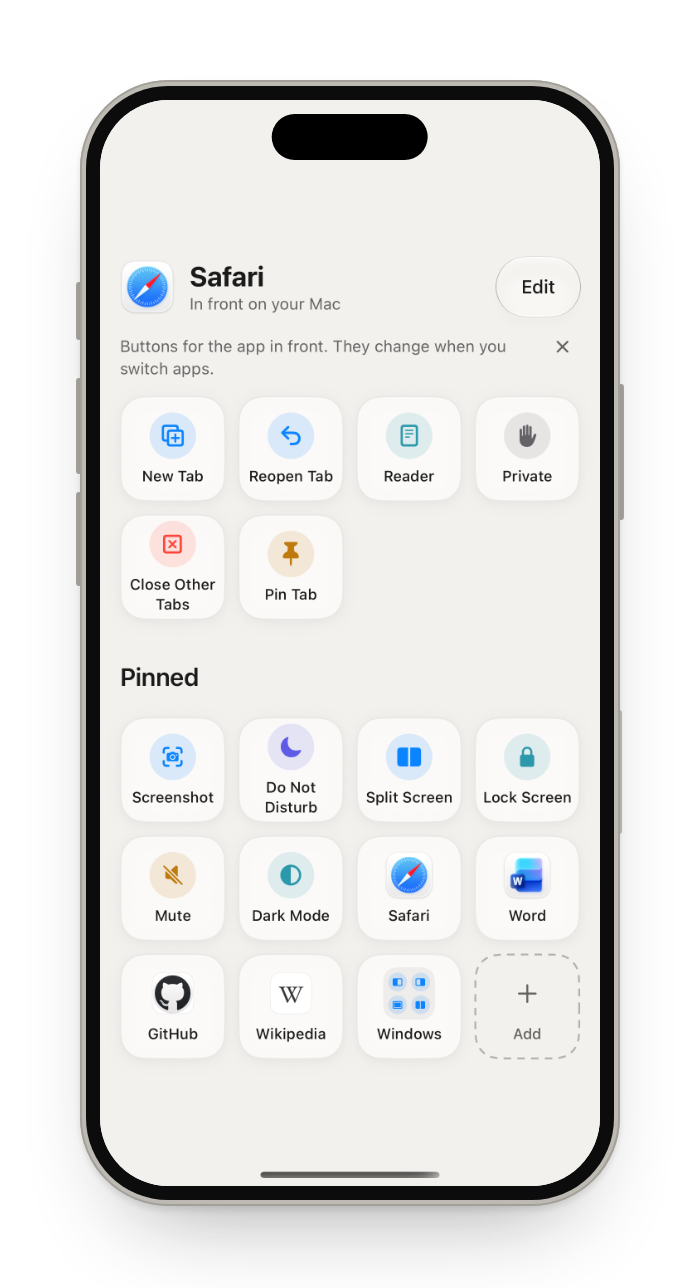 Actions Buttons that follow the app in front, for more than 70 apps. | 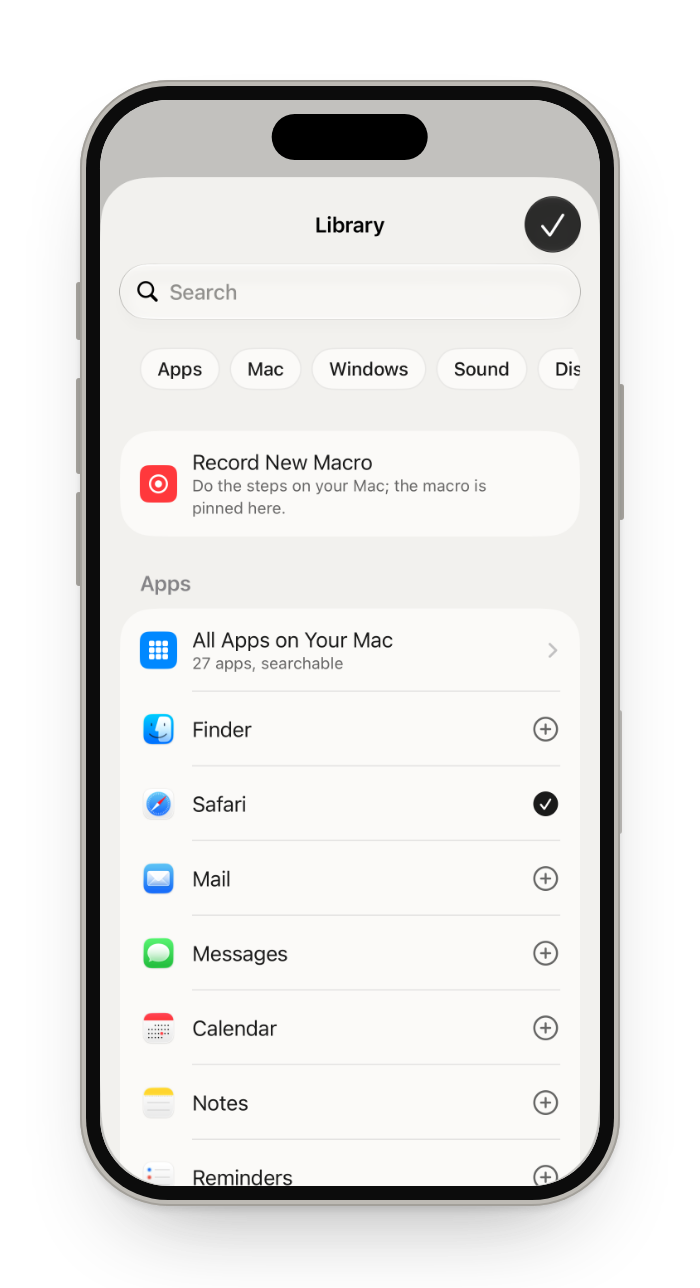 Pinned Your own buttons: apps, websites, shortcuts, window tiling and Mac controls, in folders. |
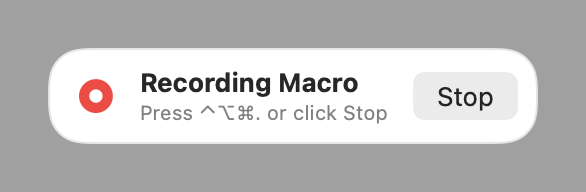 Macros Record steps on your Mac once, replay them with a tap. | 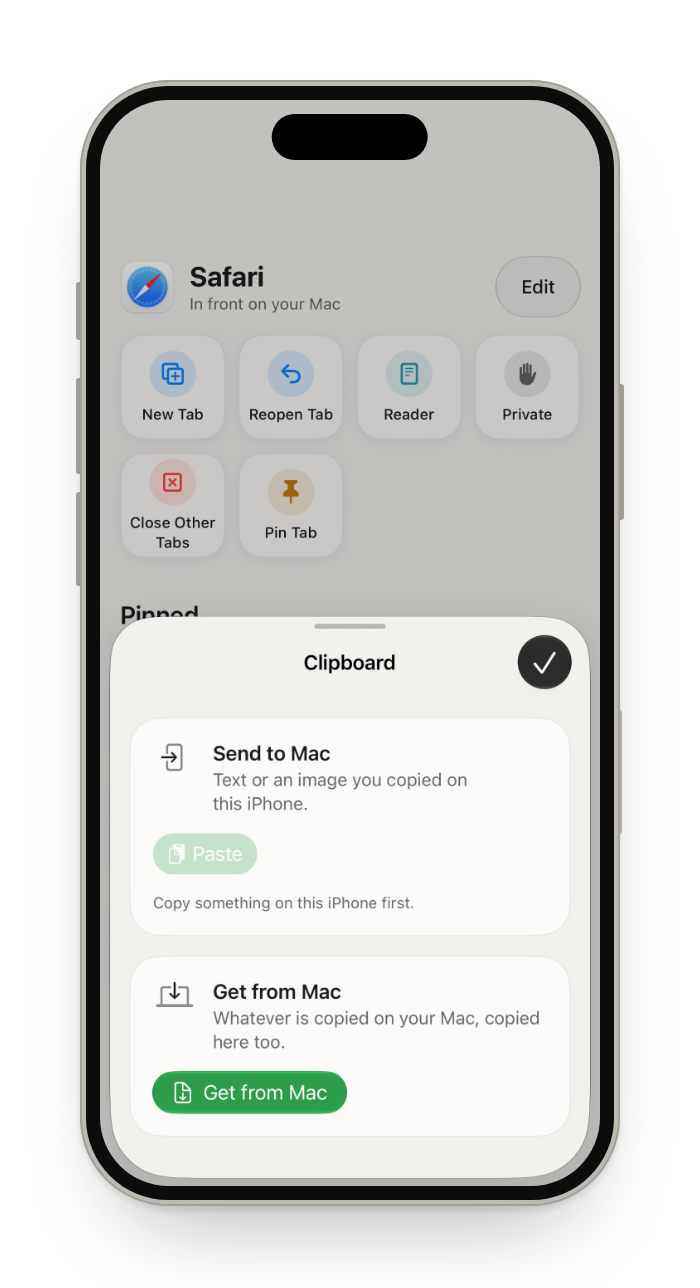 Clipboard Text and images, both ways. | 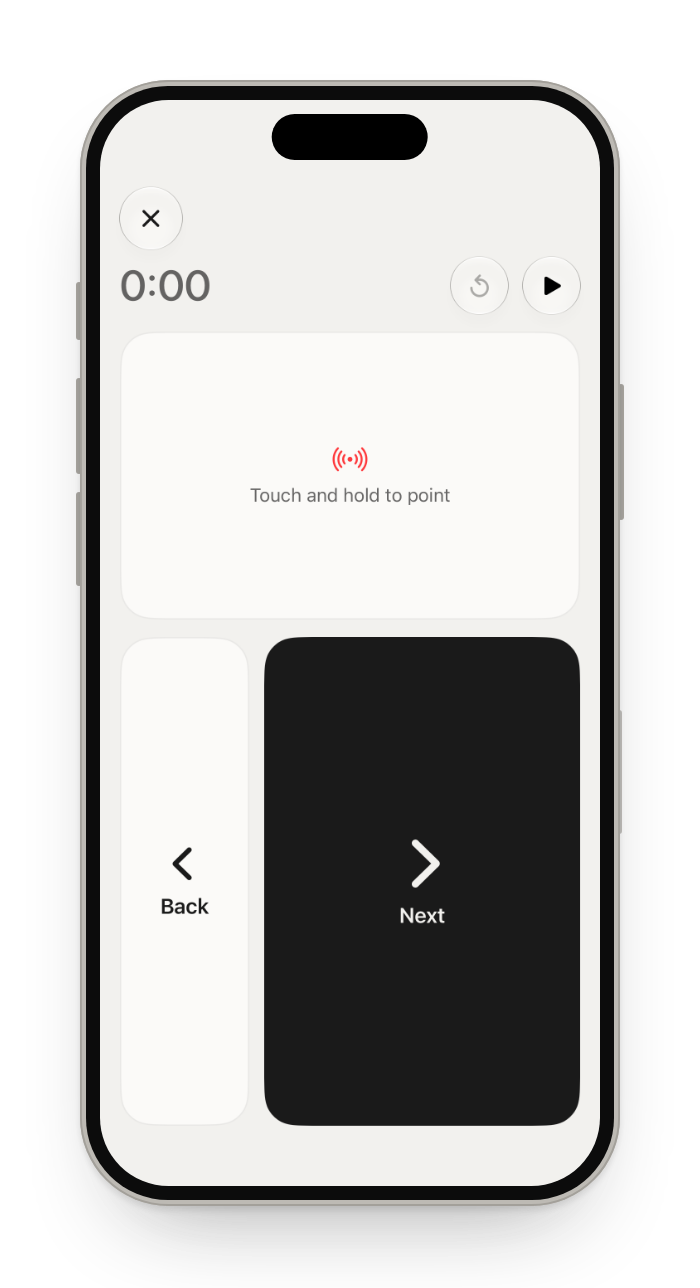 Present Next and Back, a timer, and a laser you steer with one finger. |
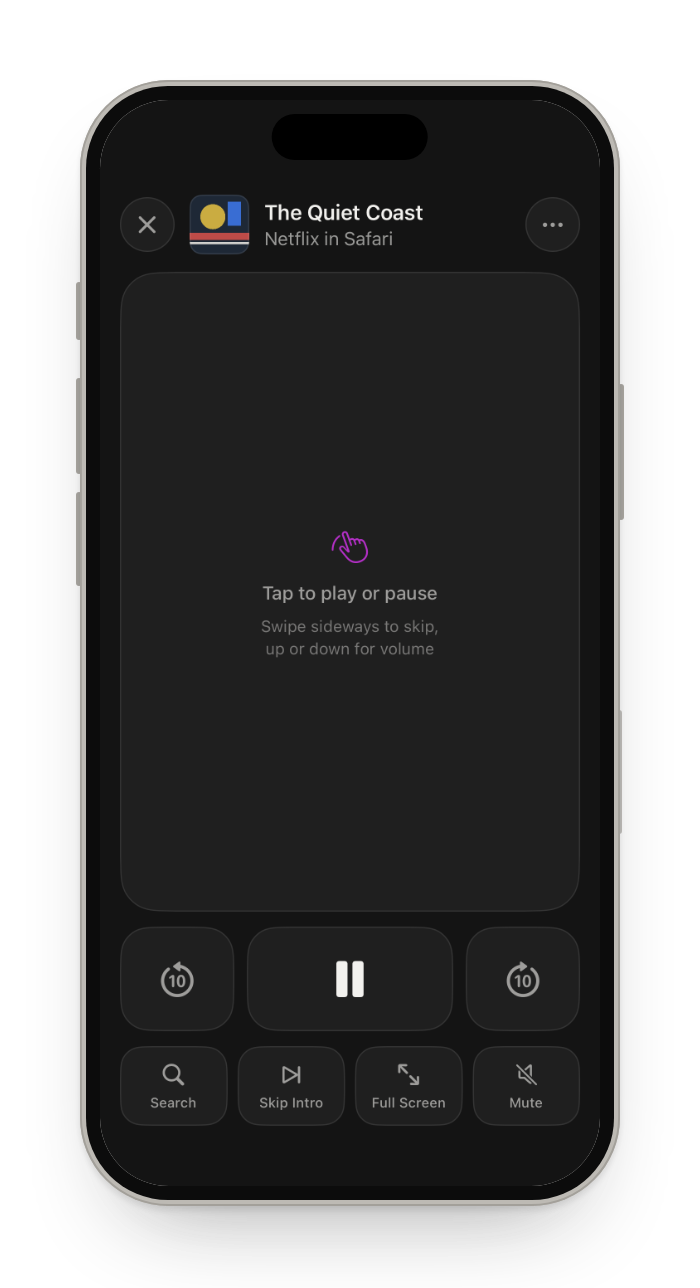 Remote A touch pad like the Siri Remote that follows 11 players, from Netflix to VLC. | 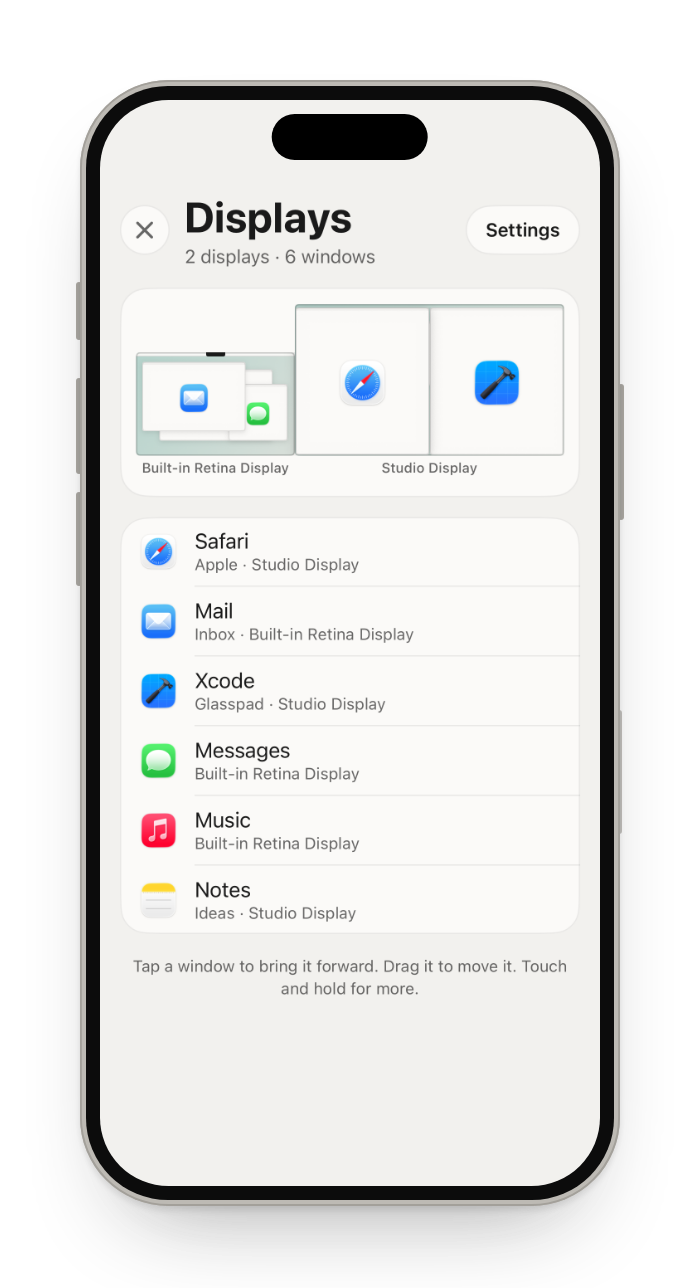 Displays Every display and its windows: move, tile, and set brightness, resolution and Night Shift. | 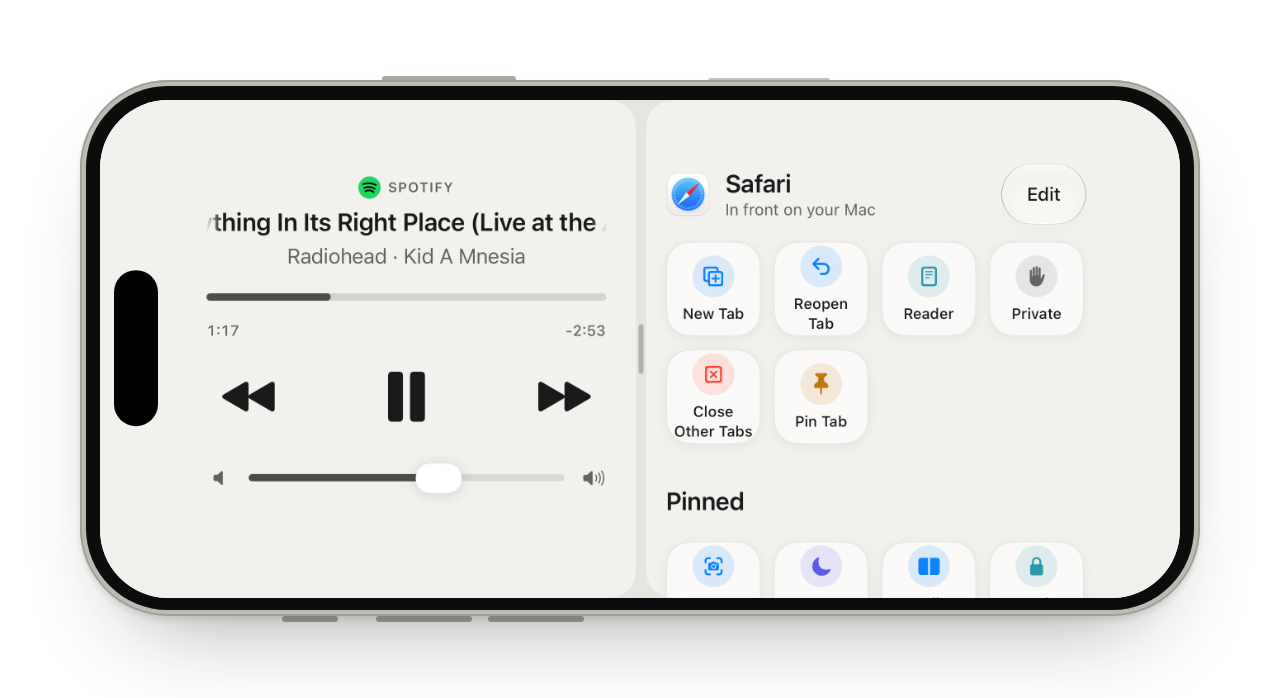 Layouts Up to three modes on one screen. |
Also included
| Split Screen | Left and Right, Top and Bottom, Quarters or Full Screen, from the phone. |
| StandBy | A clock beside Now Playing or your calendar while the iPhone charges. |
| Without opening the app | A Control Center control and a Lock Screen widget open the trackpad. Remote, Media and Present keys on the Lock Screen. Siri and Shortcuts open a mode, play or pause, or run a button or macro. |
| Connection | Reconnects by itself and says why the Mac is away (asleep, locked, Glasspad off). Wake Mac wakes a Mac with Wake for network access on. On Wi-Fi that keeps devices apart, it tries a direct Wi-Fi link. |
| More than one Mac | Pair Another Mac in Settings, then tap to switch. |
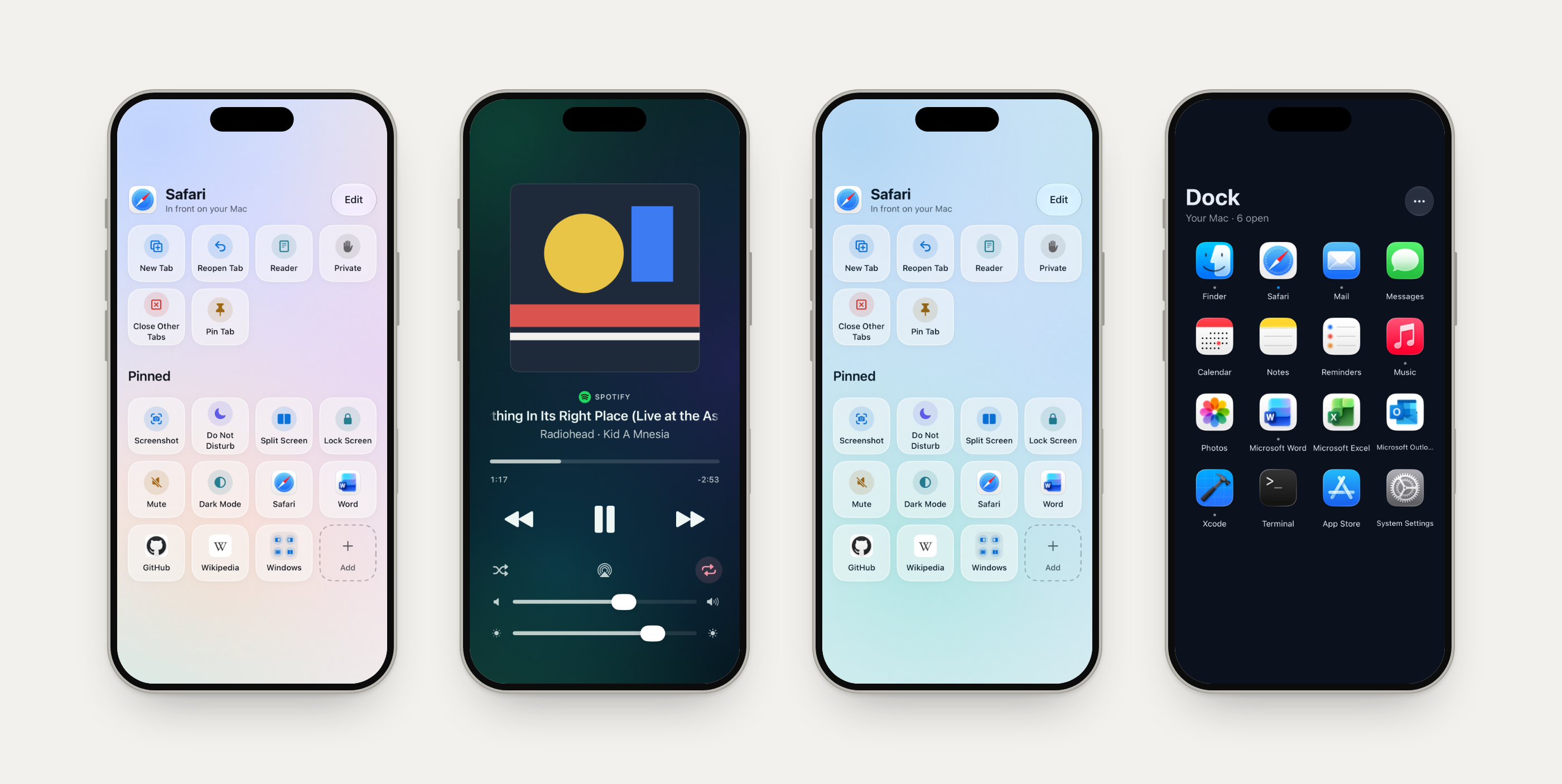
39 themes, from plain to glass to a photo of yours.
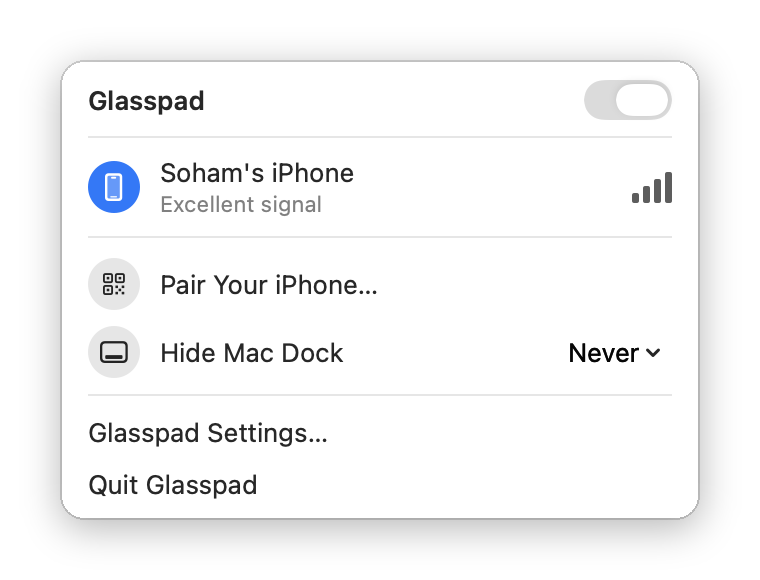
Drawn by the Mac app's own snapshot tests, with test data.
Details in SECURITY.md and ARCHITECTURE.md.
| Glasspad | Stream Deck Mobile | Remote Mouse | Universal Control | |
|---|---|---|---|---|
| Price | Free, everything | 6 keys free, Pro paid | Free with ads, Pro paid | Free, in macOS |
| Open source | Yes, MIT | No | No | No |
| Uses an iPhone | Yes | Yes | Yes | No (Mac and iPad) |
| Mac trackpad gestures | Yes, with haptics | No | Touchpad | Shares the Mac's own |
| App-aware buttons | 70+ apps | Profiles | No | No |
| Works with | Mac only | Mac, Windows | Mac, Windows, Linux | Mac, iPad |
| Install | Terminal, builds with Xcode | App Store | App Store | Built in |
Side by side pages: Stream Deck Mobile · Remote Mouse · Mobile Mouse · Coast · Universal Control
Glasspad is a free, open source (MIT) app that turns an iPhone into a trackpad, keyboard, media remote and button deck for a Mac, over Wi-Fi, with no account. It has 11 modes: Trackpad, Keyboard, Media, Dock, Actions, Pinned, Macros, Clipboard, Present, Remote and Displays.
Yes. No ads, accounts, subscriptions or in-app purchases. The code is public under the MIT license, so no feature in it can be moved behind a paywall later. Installing needs only a free Apple ID.
The App Store needs Apple's paid developer program ($99 a year). Building from source with a free Apple ID keeps Glasspad free. The guide walks through each step.
Apple lets a free Apple ID install apps on your own iPhone, but they stop opening after 7 days. The Mac app renews the iPhone app over Wi-Fi before that, and Mac Settings > iPhone shows the last renewal.
Paired by QR code, encrypted, no account. A new iPhone works only after you click Allow on the Mac. Your iPhone and Mac talk only over your Wi-Fi; Website buttons fetch their site's logo and the Mac may fetch album art. Details in SECURITY.md.
Yes. macOS has no built-in way, so you need an app on both devices. Trackpad mode moves the pointer, clicks, scrolls and uses the Mac's own gestures for Spaces and Mission Control. More
For many uses, yes: Pinned buttons, per-app Actions, Shortcuts and Macros. A Stream Deck has physical keys you can press without looking and a large plugin library. Glasspad has neither. More
No. Glasspad is an iPhone app and a Mac app, and needs both.
See Troubleshooting on the install page, then open an issue.
More answers in the guide.
git clone https://github.com/Soham109/glasspad.git
cd glasspad
xcodegen generate
open Glasspad.xcodeproj
Run the Glasspad Mac scheme, then Glasspad iOS on your iPhone with your Apple ID under Signing. Run the tests with scripts/test.sh.
Developer docs: docs/README.md (every developer guide) · ARCHITECTURE.md (how the code fits together) · CONTRIBUTING.md (how to send a change)
Bug reports, ideas and pull requests are welcome. Start with CONTRIBUTING.md, or pick an issue labeled good first issue.
MIT, copyright 2026 Soham Aggarwal.
Apps/Mac/Helpers/NowPlayingHelper.m) follows the approach of mediaremote-adapter by Jonas van den Berg and contributors (BSD 3-Clause).Free, open source app that turns your iPhone or Android phone into a trackpad, keyboard, media remote and Stream Deck style button deck for your Mac or Windows PC. Over Wi-Fi, no account, no cloud.
See the code
Your iPhone as a Mac trackpad, keyboard and remote
Glasspad is a free, open source (MIT) app that turns an iPhone into a trackpad, keyboard, media remote and button deck for a Mac, over Wi-Fi, with no account.
Install · Website · Guide · Video · Changelog
Actions follow the app in front · Remote for Netflix and YouTube · Displays and windows
A real recording of the iPhone app in the iOS Simulator, using the app's sample Mac data.
curl -fsSL https://raw.githubusercontent.com/Soham109/glasspad/main/install.sh | bash
Then click Glasspad in the Mac menu bar, choose Pair Your iPhone…, scan the code, then click Allow on your Mac.
To build a fixed release instead of the newest code:
curl --proto '=https' --tlsv1.2 -fsSL https://raw.githubusercontent.com/Soham109/glasspad/main/install.sh | GLASSPAD_REF=v0.3.0 bash
11 modes: Trackpad, Keyboard, Media, Dock, Actions, Pinned, Macros, Clipboard, Present, Remote and Displays.
Trackpad Move, click, scroll, pinch and swipe between Spaces, with a tap you can feel on every click. | Keyboard Type or dictate, with modifier keys, shortcuts, arrows and F1 to F12. | Media What is playing in Spotify, Music, Podcasts or a browser, with artwork, scrubbing, volume and brightness. |
Dock Your Mac's Dock: tap to open, hold to hide or quit. | Actions Buttons that follow the app in front, for more than 70 apps. | Pinned Your own buttons: apps, websites, shortcuts, window tiling and Mac controls, in folders. |
Macros Record steps on your Mac once, replay them with a tap. | Clipboard Text and images, both ways. | Present Next and Back, a timer, and a laser you steer with one finger. |
Remote A touch pad like the Siri Remote that follows 11 players, from Netflix to VLC. | Displays Every display and its windows: move, tile, and set brightness, resolution and Night Shift. | Layouts Up to three modes on one screen. |
Also included
| Split Screen | Left and Right, Top and Bottom, Quarters or Full Screen, from the phone. |
| StandBy | A clock beside Now Playing or your calendar while the iPhone charges. |
| Without opening the app | A Control Center control and a Lock Screen widget open the trackpad. Remote, Media and Present keys on the Lock Screen. Siri and Shortcuts open a mode, play or pause, or run a button or macro. |
| Connection | Reconnects by itself and says why the Mac is away (asleep, locked, Glasspad off). Wake Mac wakes a Mac with Wake for network access on. On Wi-Fi that keeps devices apart, it tries a direct Wi-Fi link. |
| More than one Mac | Pair Another Mac in Settings, then tap to switch. |
39 themes, from plain to glass to a photo of yours.
Drawn by the Mac app's own snapshot tests, with test data.
Details in SECURITY.md and ARCHITECTURE.md.
| Glasspad | Stream Deck Mobile | Remote Mouse | Universal Control | |
|---|---|---|---|---|
| Price | Free, everything | 6 keys free, Pro paid | Free with ads, Pro paid | Free, in macOS |
| Open source | Yes, MIT | No | No | No |
| Uses an iPhone | Yes | Yes | Yes | No (Mac and iPad) |
| Mac trackpad gestures | Yes, with haptics | No | Touchpad | Shares the Mac's own |
| App-aware buttons | 70+ apps | Profiles | No | No |
| Works with | Mac only | Mac, Windows | Mac, Windows, Linux | Mac, iPad |
| Install | Terminal, builds with Xcode | App Store | App Store | Built in |
Side by side pages: Stream Deck Mobile · Remote Mouse · Mobile Mouse · Coast · Universal Control
Glasspad is a free, open source (MIT) app that turns an iPhone into a trackpad, keyboard, media remote and button deck for a Mac, over Wi-Fi, with no account. It has 11 modes: Trackpad, Keyboard, Media, Dock, Actions, Pinned, Macros, Clipboard, Present, Remote and Displays.
Yes. No ads, accounts, subscriptions or in-app purchases. The code is public under the MIT license, so no feature in it can be moved behind a paywall later. Installing needs only a free Apple ID.
The App Store needs Apple's paid developer program ($99 a year). Building from source with a free Apple ID keeps Glasspad free. The guide walks through each step.
Apple lets a free Apple ID install apps on your own iPhone, but they stop opening after 7 days. The Mac app renews the iPhone app over Wi-Fi before that, and Mac Settings > iPhone shows the last renewal.
Paired by QR code, encrypted, no account. A new iPhone works only after you click Allow on the Mac. Your iPhone and Mac talk only over your Wi-Fi; Website buttons fetch their site's logo and the Mac may fetch album art. Details in SECURITY.md.
Yes. macOS has no built-in way, so you need an app on both devices. Trackpad mode moves the pointer, clicks, scrolls and uses the Mac's own gestures for Spaces and Mission Control. More
For many uses, yes: Pinned buttons, per-app Actions, Shortcuts and Macros. A Stream Deck has physical keys you can press without looking and a large plugin library. Glasspad has neither. More
No. Glasspad is an iPhone app and a Mac app, and needs both.
See Troubleshooting on the install page, then open an issue.
More answers in the guide.
git clone https://github.com/Soham109/glasspad.git
cd glasspad
xcodegen generate
open Glasspad.xcodeproj
Run the Glasspad Mac scheme, then Glasspad iOS on your iPhone with your Apple ID under Signing. Run the tests with scripts/test.sh.
Developer docs: docs/README.md (every developer guide) · ARCHITECTURE.md (how the code fits together) · CONTRIBUTING.md (how to send a change)
Bug reports, ideas and pull requests are welcome. Start with CONTRIBUTING.md, or pick an issue labeled good first issue.
MIT, copyright 2026 Soham Aggarwal.
Apps/Mac/Helpers/NowPlayingHelper.m) follows the approach of mediaremote-adapter by Jonas van den Berg and contributors (BSD 3-Clause).


