A self-hosted non-invasive single-binary photo gallery with a focus on speed and simplicity.
See the code

A self-hosted non-invasive single-binary photo gallery with a focus on speed and simplicity.
Demo ·
Quick Start ·
Docs


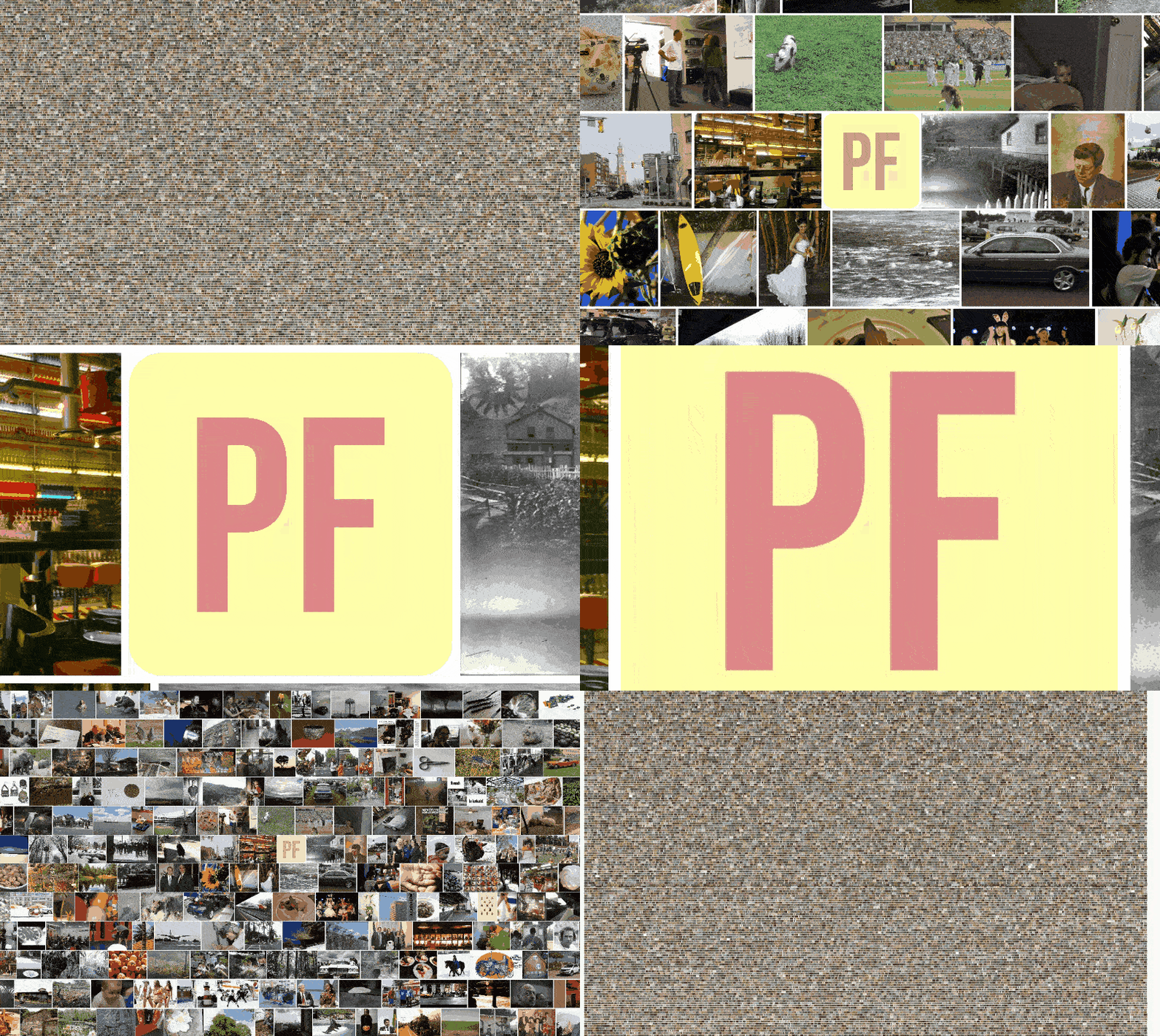
Zoom to logo within a sample of 43k images from open-images-dataset, i7-5820K 6-Core CPU, NVMe SSD
Photofield is a photo viewer built to mainly push the limits of what is possible in terms of the number of photos visible at the same time and at the speed at which they are displayed. The goal is to be as fast or faster than Google Photos on commodity hardware while displaying more photos at the same time. It is non-invasive and can be used either completely standalone or complementing other photo gallery software.
Seamless zoomable interface. Every view is zoomable if you ever need to see just a little more detail.
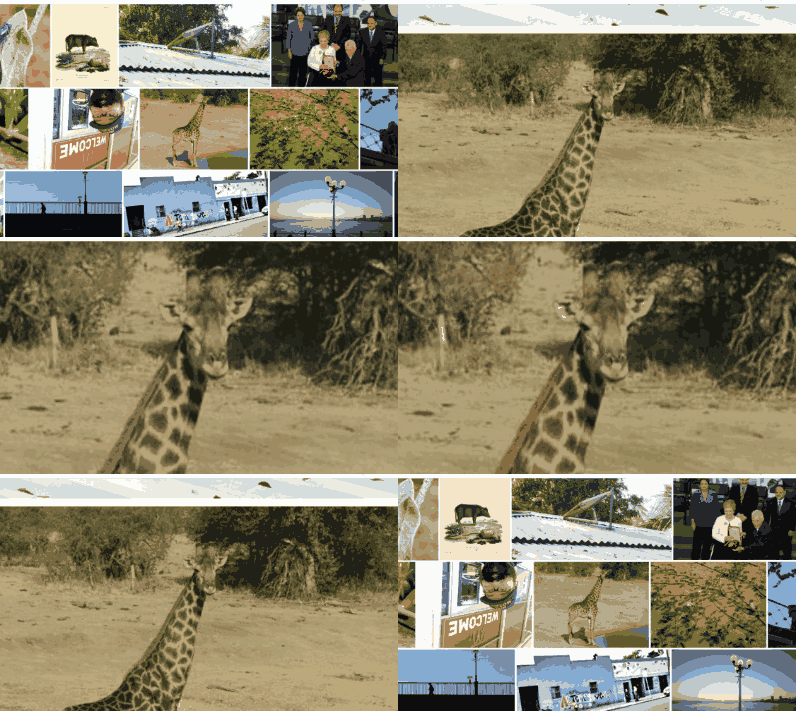
Progressive multi-resolution loading. The whole layout is progressively loaded from a low-res preview to a full quality photo.

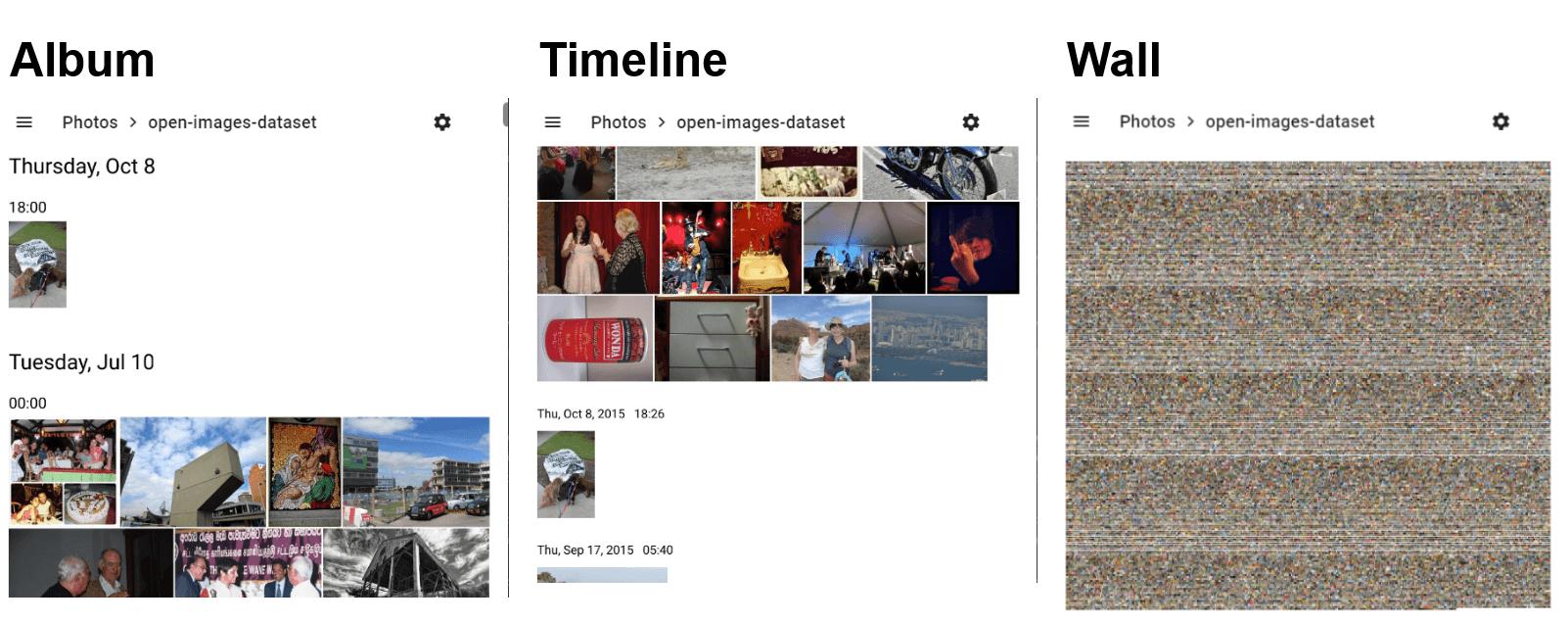
Different layouts. Collections of photos can be displayed with different
layouts.
Semantic search using photofield-ai. If enabled, you can search
for photo contents using words like "beach sunset", "a couple kissing", or
"cat eyes". 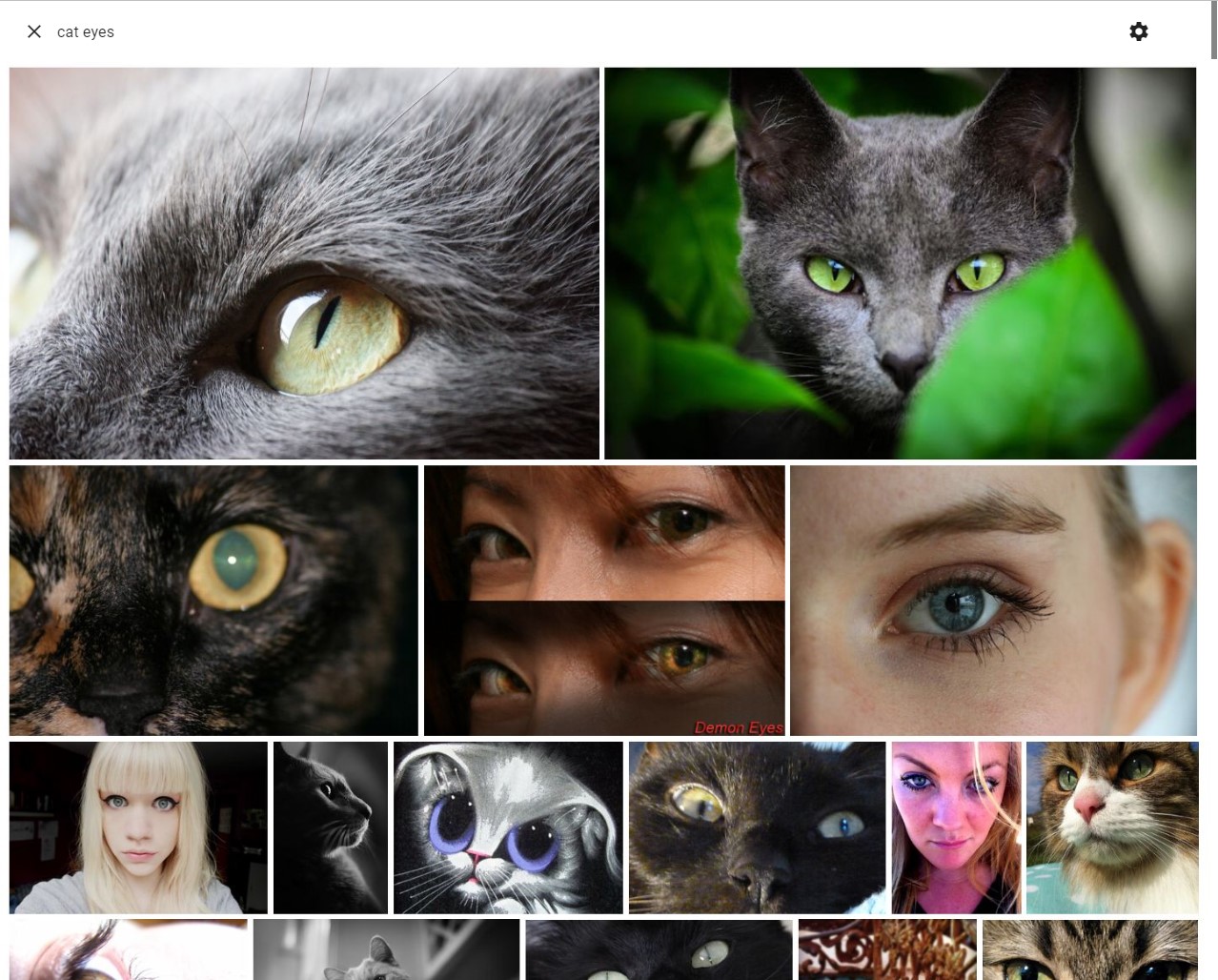
Tagging (alpha). You can tag and search photos with arbitrary tags. If enabled, tags are stored in the cache database and can be used to filter photos.
Face detection (alpha). Detect and display individual faces in your photos using photofield-ai. The Faces layout shows detected face crops, and you can search by face ID.
Reverse geolocation. Local, embedded reverse geolocation of ~50 thousand places via tinygpkg with negligible overhead supported in the Timeline and Flex layouts.
Flexible media/thumbnail system. Stores small thumbnails using SQLite, uses FFmpeg for on-the-fly format conversion, extracts embedded thumbnails from JPEG files, re-uses Synology Moments / Photo Station thumbnails, and uses djpeg (libjpeg-turbo) to efficiently decode lower resolutions.
Single file binary. The server is a single static binary with optional dependencies for easy and flexible deployment (Docker images also available).
Read-only file system based collections. The original files are not touched. You are encouraged to even mount your photos as read-only to ensure this. The file system is the source of truth, everything else is just a more or less stale cache.
Fast indexing. Thanks to godirwalk, file indexing practically runs at the speed of the file system 1000-10000 files/sec on fast SSD and hot cache. EXIF metadata and prominent color are extracted as separate follow-up operations and run at up to ~200 files/sec and ~1000 files/sec on a fast system.
Video support. Videos are supported along with multiple resolutions (if as pre-generated by e.g. Synology Moments), however on-the-fly transcoding is not supported.
See the documentation for more information.
Make sure you create an empty data directory in the working directory and that
you put some photos in a photos directory.
docker run -p 8080:8080 -v "$PWD/data:/app/data" -v "$PWD/photos:/app/photos:ro" ghcr.io/smilyorg/photofield
The cache database will be persisted to the data dir and the app should be
accessible at http://localhost:8080. It should show the photos collection by
default. For further configuration, create a configuration.yaml in the
data dir.
docker-compose.yaml exampleThis example binds the usual Synology Moments photo directories and assumes
a certain path structure, modify to your needs graciously. It also assumes you
have configured the /photo and /user directories as collections in
the configuration.yaml.
version: '3.3'
services:

  photofield:
    image: ghcr.io/smilyorg/photofield:latest
    ports:
      - 8080:8080
    volumes:
      - /volume1/docker/photofield/data:/app/data
      - /volume1/photo/:/photo:ro
      - /volume1/homes/ExampleUser/Drive/Moments:/exampleuser:ro
./photofield or double-click on photofield.exe to start the server.configuration.yaml in the working dir to configure the appPHOTOFIELD_ADDRESS=:1200 – listen on a different port (default :8080)PHOTOFIELD_DATA_DIR=/path/to/data – change the directory where configuration.yaml and the cache databases are storedYou can configure the app via configuration.yaml.
The location of the file depends on the installation method, see Getting Started.
The following is a minimal configuration.yaml example, see defaults.yaml
for all options.
collections:
  # Normal Album-type collection
  - name: Vacation Photos
    dirs:
      - /photo/vacation-photos

  # Timeline collection (similar to Google Photos)
  - name: My Timeline
    layout: timeline
    dirs:
      - /photo/myphotos
      - /exampleuser

  # Create collections from sub-directories based on their name
  - expand_subdirs: true
    expand_sort: desc
    dirs:
      - /photo
Scoop (Windows): scoop install go-task exiftool watchexec
git clone https://github.com/smilyorg/photofield.git
go get
cd ui
npm install
Run both the API server and the UI server in separate terminals. They are set
up to work with each other by default with the API server running at port 8080
and the UI server on port 5173.
task is Task as defined in the prerequisites.
task watch the source files and auto-reload the server using watchexectask run the servertask ui to start a hot-reloading development serverui folder
cd ui
npm run dev
Pull requests are welcome. For major changes, please open an issue first to discuss what you would like to change.
Distributed under the MIT License. See LICENSE for more information.
623 followers · starred Sep 2022
229 followers · starred Aug 2023
130 followers · starred Feb 2024
320 followers · starred May 2025
A self-hosted non-invasive single-binary photo gallery with a focus on speed and simplicity.
See the code
A self-hosted non-invasive single-binary photo gallery with a focus on speed and simplicity.
Demo ·
Quick Start ·
Docs
Zoom to logo within a sample of 43k images from open-images-dataset, i7-5820K 6-Core CPU, NVMe SSD
Photofield is a photo viewer built to mainly push the limits of what is possible in terms of the number of photos visible at the same time and at the speed at which they are displayed. The goal is to be as fast or faster than Google Photos on commodity hardware while displaying more photos at the same time. It is non-invasive and can be used either completely standalone or complementing other photo gallery software.
Seamless zoomable interface. Every view is zoomable if you ever need to see just a little more detail.
Progressive multi-resolution loading. The whole layout is progressively loaded from a low-res preview to a full quality photo.
Different layouts. Collections of photos can be displayed with different
layouts.
Semantic search using photofield-ai. If enabled, you can search
for photo contents using words like "beach sunset", "a couple kissing", or
"cat eyes".
Tagging (alpha). You can tag and search photos with arbitrary tags. If enabled, tags are stored in the cache database and can be used to filter photos.
Face detection (alpha). Detect and display individual faces in your photos using photofield-ai. The Faces layout shows detected face crops, and you can search by face ID.
Reverse geolocation. Local, embedded reverse geolocation of ~50 thousand places via tinygpkg with negligible overhead supported in the Timeline and Flex layouts.
Flexible media/thumbnail system. Stores small thumbnails using SQLite, uses FFmpeg for on-the-fly format conversion, extracts embedded thumbnails from JPEG files, re-uses Synology Moments / Photo Station thumbnails, and uses djpeg (libjpeg-turbo) to efficiently decode lower resolutions.
Single file binary. The server is a single static binary with optional dependencies for easy and flexible deployment (Docker images also available).
Read-only file system based collections. The original files are not touched. You are encouraged to even mount your photos as read-only to ensure this. The file system is the source of truth, everything else is just a more or less stale cache.
Fast indexing. Thanks to godirwalk, file indexing practically runs at the speed of the file system 1000-10000 files/sec on fast SSD and hot cache. EXIF metadata and prominent color are extracted as separate follow-up operations and run at up to ~200 files/sec and ~1000 files/sec on a fast system.
Video support. Videos are supported along with multiple resolutions (if as pre-generated by e.g. Synology Moments), however on-the-fly transcoding is not supported.
See the documentation for more information.
Make sure you create an empty data directory in the working directory and that
you put some photos in a photos directory.
docker run -p 8080:8080 -v "$PWD/data:/app/data" -v "$PWD/photos:/app/photos:ro" ghcr.io/smilyorg/photofield
The cache database will be persisted to the data dir and the app should be
accessible at http://localhost:8080. It should show the photos collection by
default. For further configuration, create a configuration.yaml in the
data dir.
docker-compose.yaml exampleThis example binds the usual Synology Moments photo directories and assumes
a certain path structure, modify to your needs graciously. It also assumes you
have configured the /photo and /user directories as collections in
the configuration.yaml.
version: '3.3'
services:

  photofield:
    image: ghcr.io/smilyorg/photofield:latest
    ports:
      - 8080:8080
    volumes:
      - /volume1/docker/photofield/data:/app/data
      - /volume1/photo/:/photo:ro
      - /volume1/homes/ExampleUser/Drive/Moments:/exampleuser:ro
./photofield or double-click on photofield.exe to start the server.configuration.yaml in the working dir to configure the appPHOTOFIELD_ADDRESS=:1200 – listen on a different port (default :8080)PHOTOFIELD_DATA_DIR=/path/to/data – change the directory where configuration.yaml and the cache databases are storedYou can configure the app via configuration.yaml.
The location of the file depends on the installation method, see Getting Started.
The following is a minimal configuration.yaml example, see defaults.yaml
for all options.
collections:
  # Normal Album-type collection
  - name: Vacation Photos
    dirs:
      - /photo/vacation-photos

  # Timeline collection (similar to Google Photos)
  - name: My Timeline
    layout: timeline
    dirs:
      - /photo/myphotos
      - /exampleuser

  # Create collections from sub-directories based on their name
  - expand_subdirs: true
    expand_sort: desc
    dirs:
      - /photo
Scoop (Windows): scoop install go-task exiftool watchexec
git clone https://github.com/smilyorg/photofield.git
go get
cd ui
npm install
Run both the API server and the UI server in separate terminals. They are set
up to work with each other by default with the API server running at port 8080
and the UI server on port 5173.
task is Task as defined in the prerequisites.
task watch the source files and auto-reload the server using watchexectask run the servertask ui to start a hot-reloading development serverui folder
cd ui
npm run dev
Pull requests are welcome. For major changes, please open an issue first to discuss what you would like to change.
Distributed under the MIT License. See LICENSE for more information.
623 followers · starred Sep 2022
229 followers · starred Aug 2023
130 followers · starred Feb 2024
320 followers · starred May 2025