Wedge: a file shelf on the edge of your screen, for Windows
See the code
A file shelf on the edge of your screen
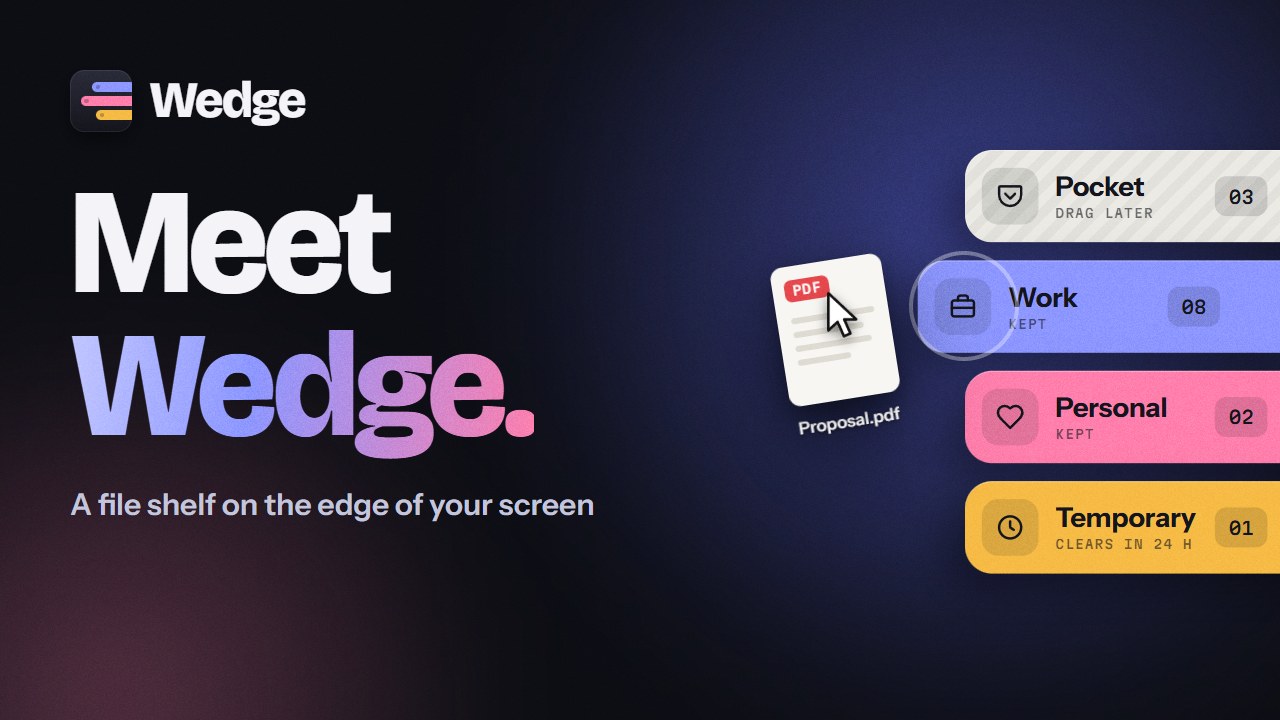
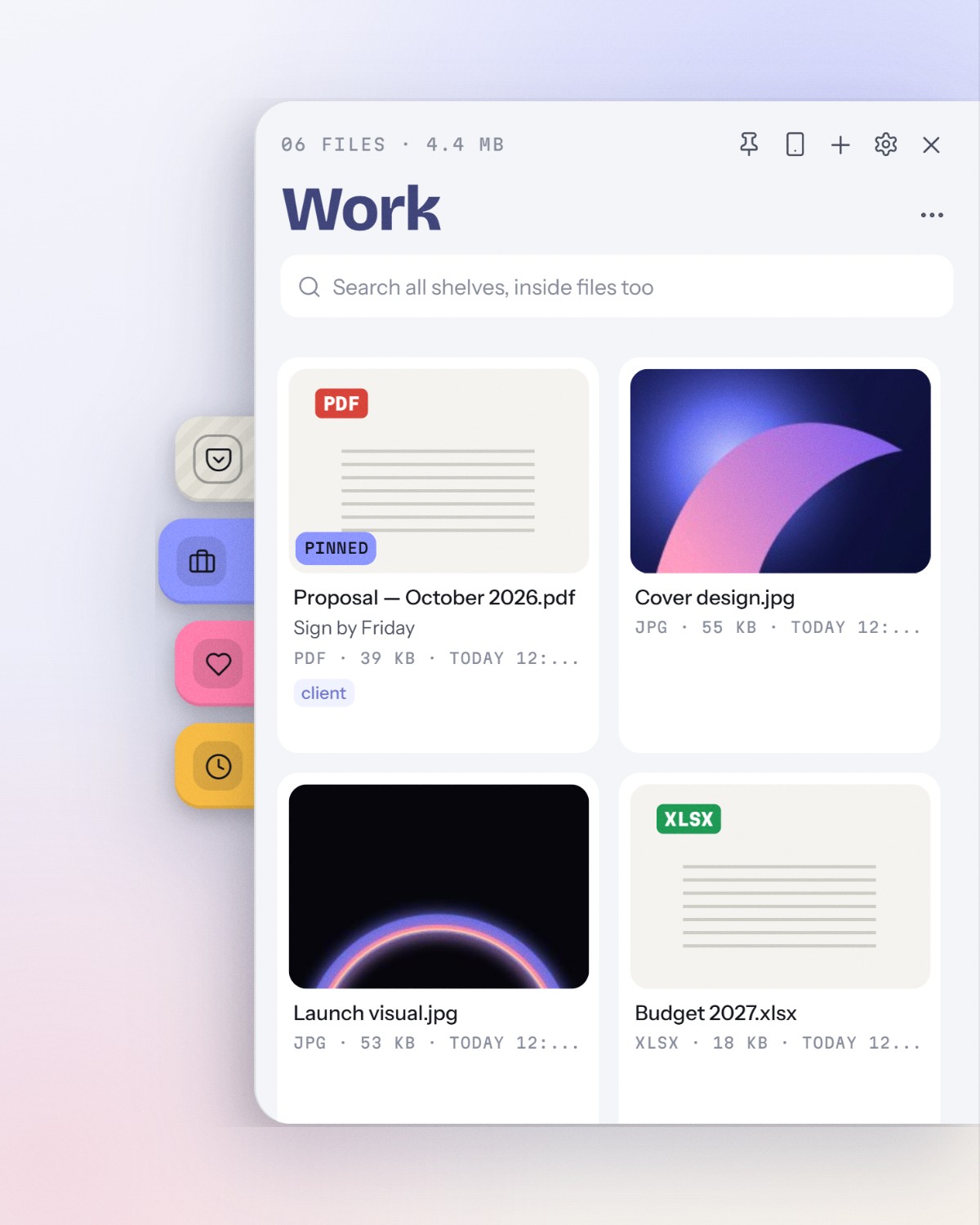
Wedge files into the side of your screen while you work, and drag them out when you need them.








Wedge was called Stash. Same app, new name and logo with 2.0. Stash 1.x updates to Wedge by itself and keeps every shelf and setting.
Windows has no good place to park files while you work, so they pile up on the desktop or get lost in Downloads.
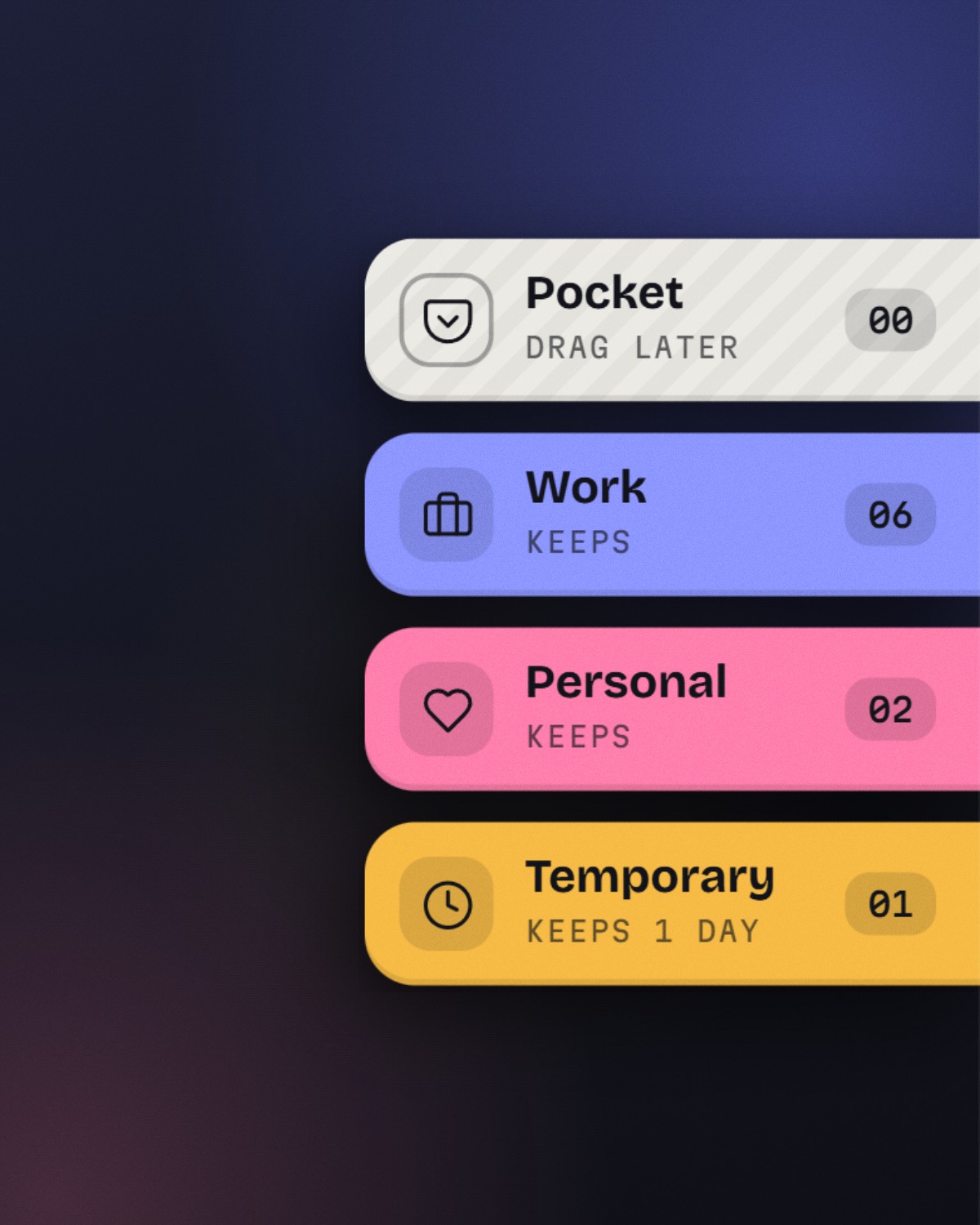
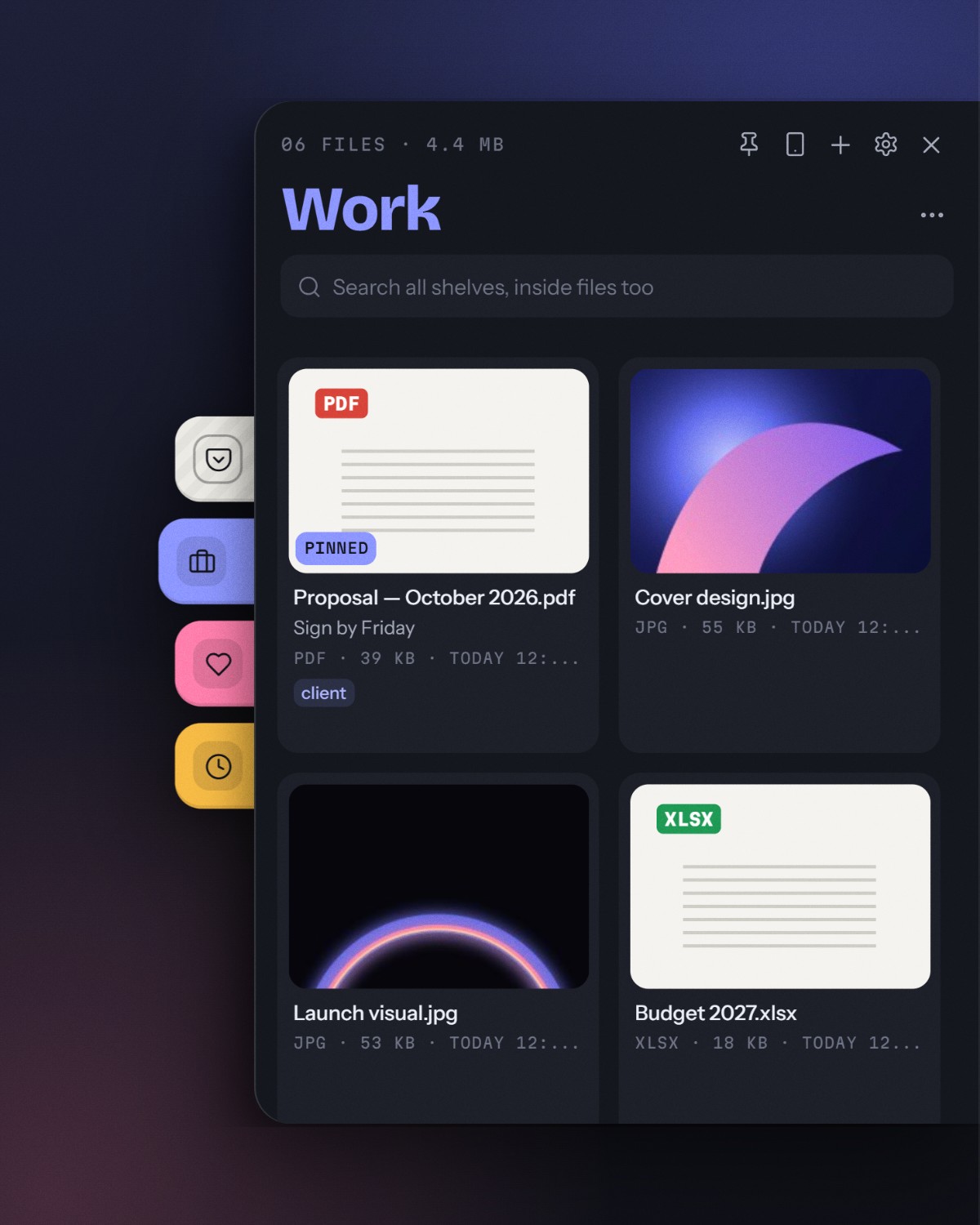
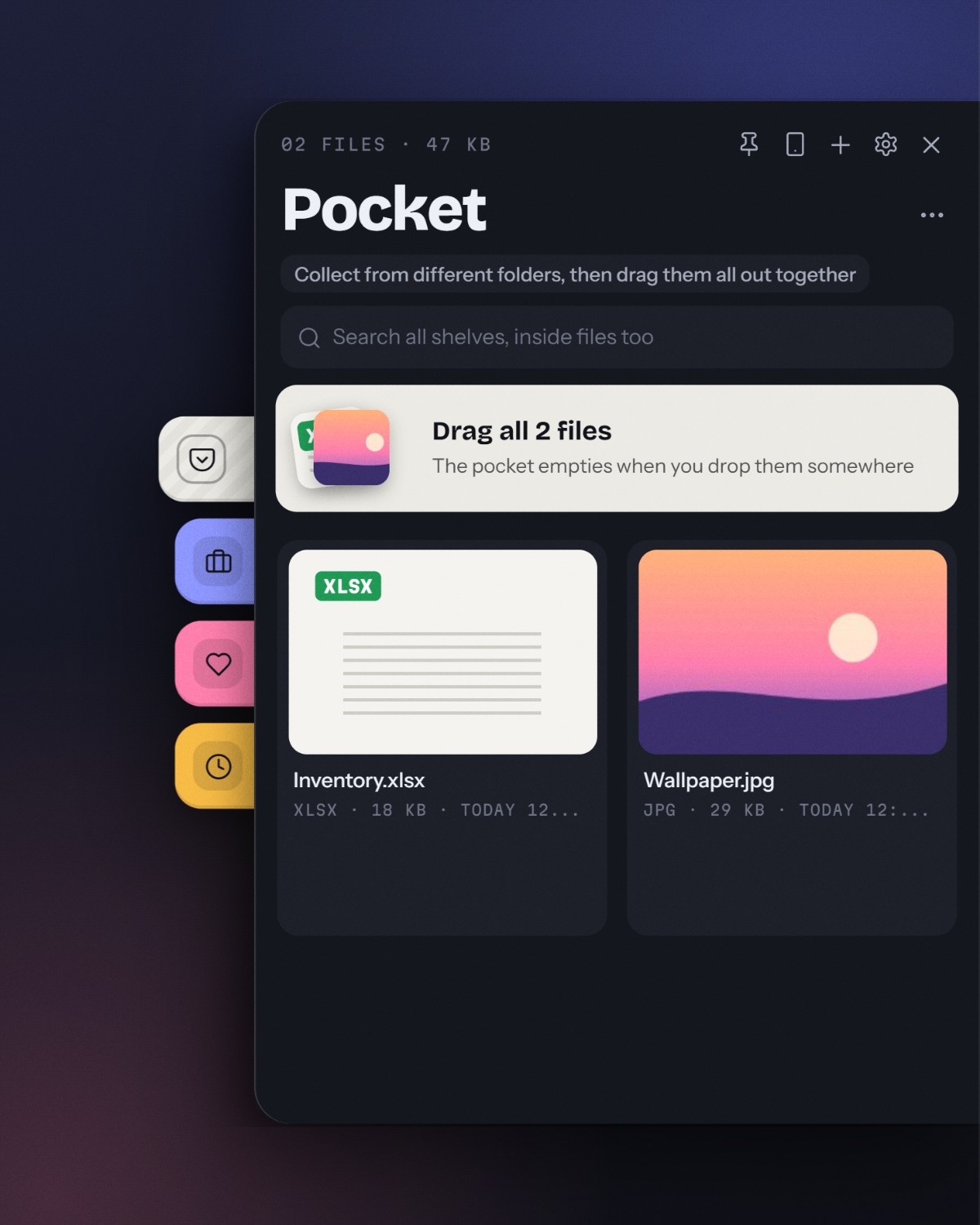
Wedge keeps your shelves on the edge of the screen. Start dragging a file anywhere and colored shelf tabs slide out; drop it on one. Click a tab and that shelf opens like a drawer, ready to drag files back into any app. Wedge only remembers where your files are: they stay where they are on disk.
It is small and quiet: a 5 MB installer, the WebView2 engine that comes with Windows, and no CPU use while it waits at the edge.
Collect from anywhere
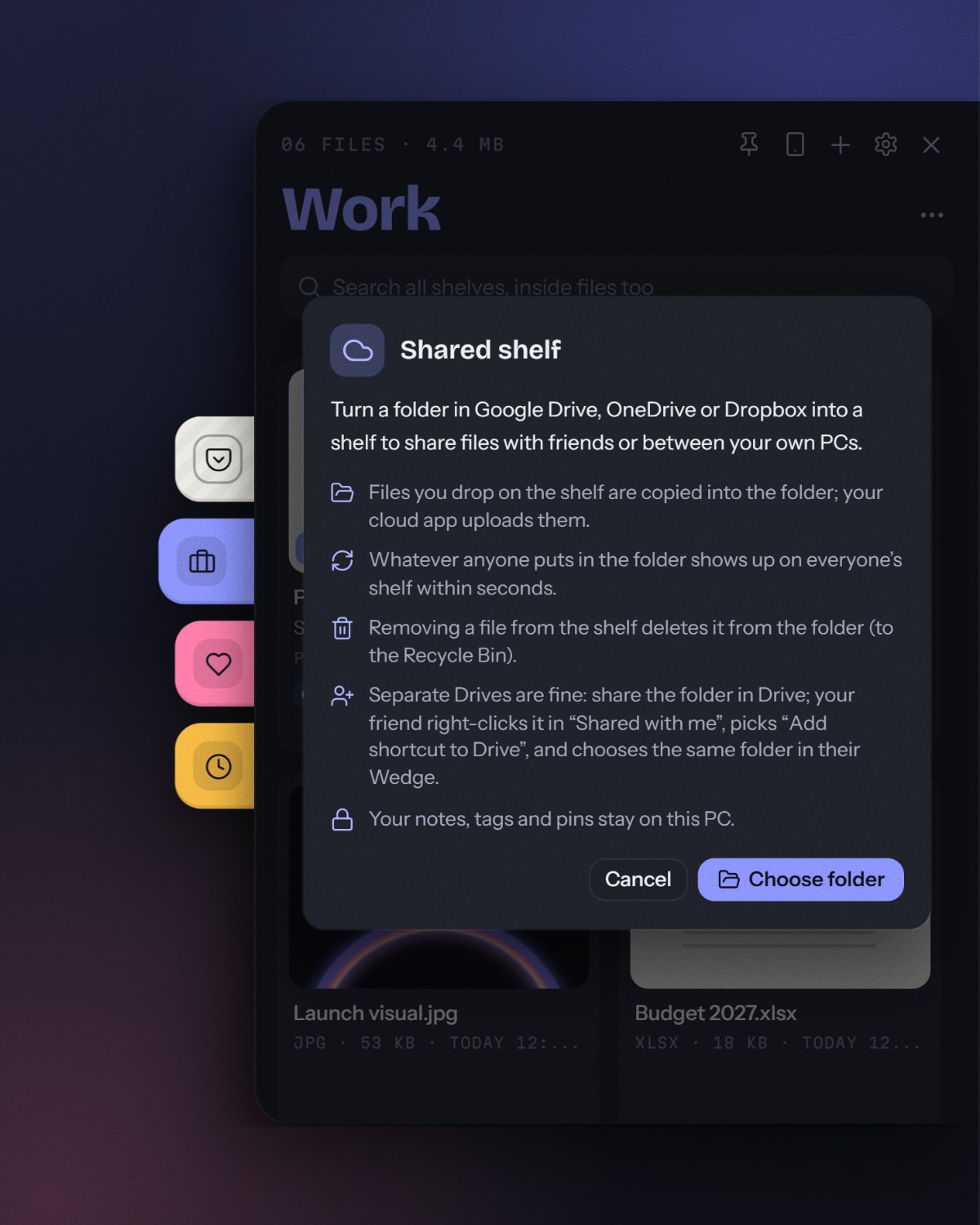
Share
Find and use
Plus
Ctrl+Shift+Space (customizable)
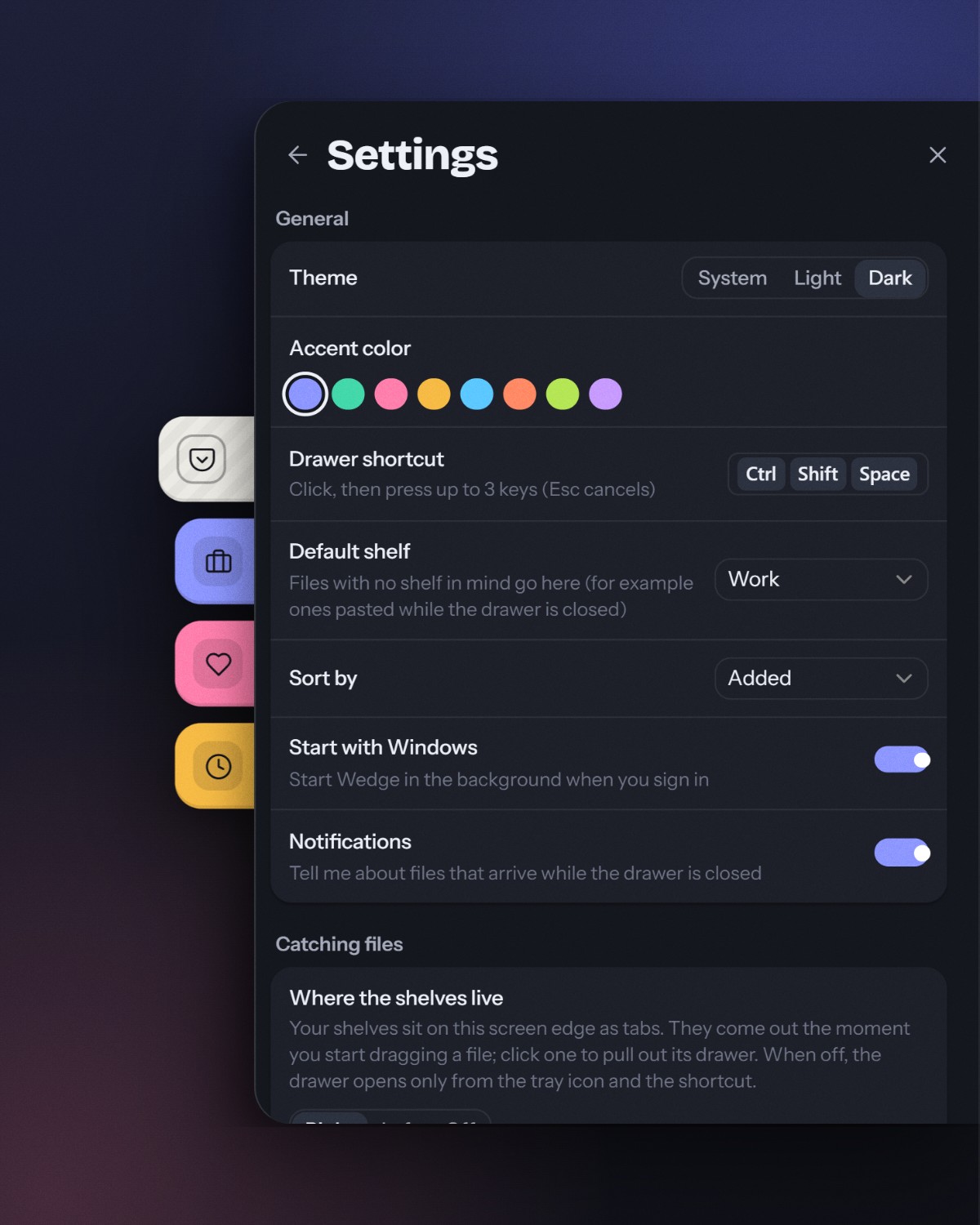
Wedge_<version>_x64-setup.exe)Ctrl+Shift+SpaceComing from Stash? Installing Wedge replaces Stash 1.x, and your shelves and settings move from %APPDATA%\Stash to %APPDATA%\Wedge on the first start.
A Microsoft Store release is being prepared (checklist).
Requires Windows 10/11, Node.js 22 (.nvmrc), Rust and the Visual Studio C++ Build Tools (Tauri prerequisites).
npm ci
npm run dev
| Command | What it does |
|---|---|
npm run dev | Run the app with hot reload |
npm run build | Release build and installer (src-tauri/target/release/bundle/nsis/) |
npm run build:msix | Microsoft Store package (MSIX); see docs/microsoft-store.md |
npm test | Frontend unit tests (Vitest) |
npm run test:rust | Backend unit tests (cargo test) |
npm run build:e2e then npm run test:e2e | End-to-end tests against the real app (Playwright over WebView2) |
npm run test:perf | Performance numbers: start-up, idle cost, edge latency, animation frames, a 1,000-file shelf |
npm run icons | Make every app icon from assets/brand/*.svg |
npm run typecheck | TypeScript check |
npm run lint | ESLint and Clippy |
See CONTRIBUTING.md for tests and conventions.
┌─────────────────────────────────────────┐
│                 Windows                 │
│  Tray · Global hotkey · Shell / files   │
└───────────────────┬─────────────────────┘
                    │
┌───────────────────▼─────────────────────┐
│           Rust backend (Tauri)          │
│  Edge window · Drag watch · Widgets     │
│  SQLite (rusqlite) · validated commands │
└───────────────────┬─────────────────────┘
                    │ invoke / events
┌───────────────────▼─────────────────────┐
│     React tabs and drawer (WebView2)    │
│  window.stash API · shelves · settings  │
└─────────────────────────────────────────┘
Inside the code the app still goes by its old name in places (window.stash, useStashStore, STASH_* variables); only what people see was renamed.
assets/brand/     Logo and tray glyph (SVG sources for every icon)
src/
  renderer/       React UI (edge tabs, drawer, widgets); lib/api.ts bridges to Rust
  shared/         Types and translations (locales/)
src-tauri/
  src/            Rust backend: commands, database, edge window, drag watch, shared shelves, updater
  windows/        Installer hooks (upgrade from Stash 1.x, clean uninstall)
  tauri.conf.json App, window, bundle and updater configuration
tests/
  unit/           Vitest
  e2e/            Playwright, driving the real wedge.exe
scripts/          Release and icon helpers
Installed copies check GitHub Releases for updates on launch and from the tray or Settings. Users can opt into beta versions in Settings.
Releases are built by GitHub Actions, not on a developer machine: push a version tag and the Release workflow tests, builds and uploads the installer to a draft release for review. Rollouts can be staged with the Rollout workflow. See CONTRIBUTING.md.
Issues and pull requests are welcome. See CONTRIBUTING.md for setup, checks and conventions, and SECURITY.md to report a vulnerability privately.
MIT © Regncreative
Wedge: a file shelf on the edge of your screen, for Windows
See the code
A file shelf on the edge of your screen
Wedge files into the side of your screen while you work, and drag them out when you need them.
Wedge was called Stash. Same app, new name and logo with 2.0. Stash 1.x updates to Wedge by itself and keeps every shelf and setting.
Windows has no good place to park files while you work, so they pile up on the desktop or get lost in Downloads.
Wedge keeps your shelves on the edge of the screen. Start dragging a file anywhere and colored shelf tabs slide out; drop it on one. Click a tab and that shelf opens like a drawer, ready to drag files back into any app. Wedge only remembers where your files are: they stay where they are on disk.
It is small and quiet: a 5 MB installer, the WebView2 engine that comes with Windows, and no CPU use while it waits at the edge.
Collect from anywhere
Share
Find and use
Plus
Ctrl+Shift+Space (customizable)
Wedge_<version>_x64-setup.exe)Ctrl+Shift+SpaceComing from Stash? Installing Wedge replaces Stash 1.x, and your shelves and settings move from %APPDATA%\Stash to %APPDATA%\Wedge on the first start.
A Microsoft Store release is being prepared (checklist).
Requires Windows 10/11, Node.js 22 (.nvmrc), Rust and the Visual Studio C++ Build Tools (Tauri prerequisites).
npm ci
npm run dev
| Command | What it does |
|---|---|
npm run dev | Run the app with hot reload |
npm run build | Release build and installer (src-tauri/target/release/bundle/nsis/) |
npm run build:msix | Microsoft Store package (MSIX); see docs/microsoft-store.md |
npm test | Frontend unit tests (Vitest) |
npm run test:rust | Backend unit tests (cargo test) |
npm run build:e2e then npm run test:e2e | End-to-end tests against the real app (Playwright over WebView2) |
npm run test:perf | Performance numbers: start-up, idle cost, edge latency, animation frames, a 1,000-file shelf |
npm run icons | Make every app icon from assets/brand/*.svg |
npm run typecheck | TypeScript check |
npm run lint | ESLint and Clippy |
See CONTRIBUTING.md for tests and conventions.
┌─────────────────────────────────────────┐
│                 Windows                 │
│  Tray · Global hotkey · Shell / files   │
└───────────────────┬─────────────────────┘
                    │
┌───────────────────▼─────────────────────┐
│           Rust backend (Tauri)          │
│  Edge window · Drag watch · Widgets     │
│  SQLite (rusqlite) · validated commands │
└───────────────────┬─────────────────────┘
                    │ invoke / events
┌───────────────────▼─────────────────────┐
│     React tabs and drawer (WebView2)    │
│  window.stash API · shelves · settings  │
└─────────────────────────────────────────┘
Inside the code the app still goes by its old name in places (window.stash, useStashStore, STASH_* variables); only what people see was renamed.
assets/brand/     Logo and tray glyph (SVG sources for every icon)
src/
  renderer/       React UI (edge tabs, drawer, widgets); lib/api.ts bridges to Rust
  shared/         Types and translations (locales/)
src-tauri/
  src/            Rust backend: commands, database, edge window, drag watch, shared shelves, updater
  windows/        Installer hooks (upgrade from Stash 1.x, clean uninstall)
  tauri.conf.json App, window, bundle and updater configuration
tests/
  unit/           Vitest
  e2e/            Playwright, driving the real wedge.exe
scripts/          Release and icon helpers
Installed copies check GitHub Releases for updates on launch and from the tray or Settings. Users can opt into beta versions in Settings.
Releases are built by GitHub Actions, not on a developer machine: push a version tag and the Release workflow tests, builds and uploads the installer to a draft release for review. Rollouts can be staged with the Rollout workflow. See CONTRIBUTING.md.
Issues and pull requests are welcome. See CONTRIBUTING.md for setup, checks and conventions, and SECURITY.md to report a vulnerability privately.
MIT © Regncreative