A fast, interactive CLI for finding and redacting secrets in your codebase.
See the code



ensor is a fast, interactive CLI tool for detecting and redacting secrets from your codebase and managing environment variable configurations — ensuring leaked API keys, tokens, and credentials never make it into a commit, screenshot, or public release.
By default, ensor extracts discovered secrets into a .env file and substitutes them with customizable placeholders across your project, but also includes a versatile converter for .env, JSON, YAML, and TOML.
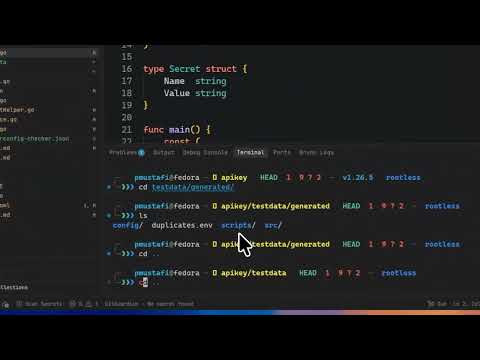
.env, JSON, YAML, TOML, and more.env and .git/* are ignored by defaultWatch ensor in action:
brew trust --cask pratyay360/tap/ensor
brew install pratyay360/tap/ensor
mise use github:pratyay360/ensor@latest
curl -sSL https://raw.githubusercontent.com/Pratyay360/ensor/main/install.sh | sh
curl -sf http://goblin.run/github.com/pratyay360/ensor | PREFIX=~/.local/bin sh
go install github.com/Pratyay360/ensor@latest
scoop bucket add pratyay360 https://github.com/pratyay360/scoop-bucket
scoop install pratyay360/ensor
winget install pratyay360.ensor
Download ready-to-run binaries or .deb, .rpm, and .apk packages from the
Releases page for Linux, macOS, Windows, and FreeBSD.
Scan the current directory:
ensor
That's it. ensor walks all the files and directories in your project and redacts the secrets from them.
By default, ensor skips scanning any file or directory that starts with a trailing dot, like .env, .env.json, or .git/* — so your actual secret files stay untouched.
Run
ensor --helpto see all available options.
ensor convert converts between any format of env files. Convert .env, YAML, TOML, JSON, and more — interchangeably.
ensor in action

ensor convert

Contributions are always welcome! Feel free to open an issue or submit a pull request.
Licensed under the Apache-2.0 license.
Special thanks to these amazing open-source projects:
A fast, interactive CLI for finding and redacting secrets in your codebase.
See the code
ensor is a fast, interactive CLI tool for detecting and redacting secrets from your codebase and managing environment variable configurations — ensuring leaked API keys, tokens, and credentials never make it into a commit, screenshot, or public release.
By default, ensor extracts discovered secrets into a .env file and substitutes them with customizable placeholders across your project, but also includes a versatile converter for .env, JSON, YAML, and TOML.
.env, JSON, YAML, TOML, and more.env and .git/* are ignored by defaultWatch ensor in action:
brew trust --cask pratyay360/tap/ensor
brew install pratyay360/tap/ensor
mise use github:pratyay360/ensor@latest
curl -sSL https://raw.githubusercontent.com/Pratyay360/ensor/main/install.sh | sh
curl -sf http://goblin.run/github.com/pratyay360/ensor | PREFIX=~/.local/bin sh
go install github.com/Pratyay360/ensor@latest
scoop bucket add pratyay360 https://github.com/pratyay360/scoop-bucket
scoop install pratyay360/ensor
winget install pratyay360.ensor
Download ready-to-run binaries or .deb, .rpm, and .apk packages from the
Releases page for Linux, macOS, Windows, and FreeBSD.
Scan the current directory:
ensor
That's it. ensor walks all the files and directories in your project and redacts the secrets from them.
By default, ensor skips scanning any file or directory that starts with a trailing dot, like .env, .env.json, or .git/* — so your actual secret files stay untouched.
Run
ensor --helpto see all available options.
ensor convert converts between any format of env files. Convert .env, YAML, TOML, JSON, and more — interchangeably.
ensor in action
ensor convert
Contributions are always welcome! Feel free to open an issue or submit a pull request.
Licensed under the Apache-2.0 license.
Special thanks to these amazing open-source projects:



