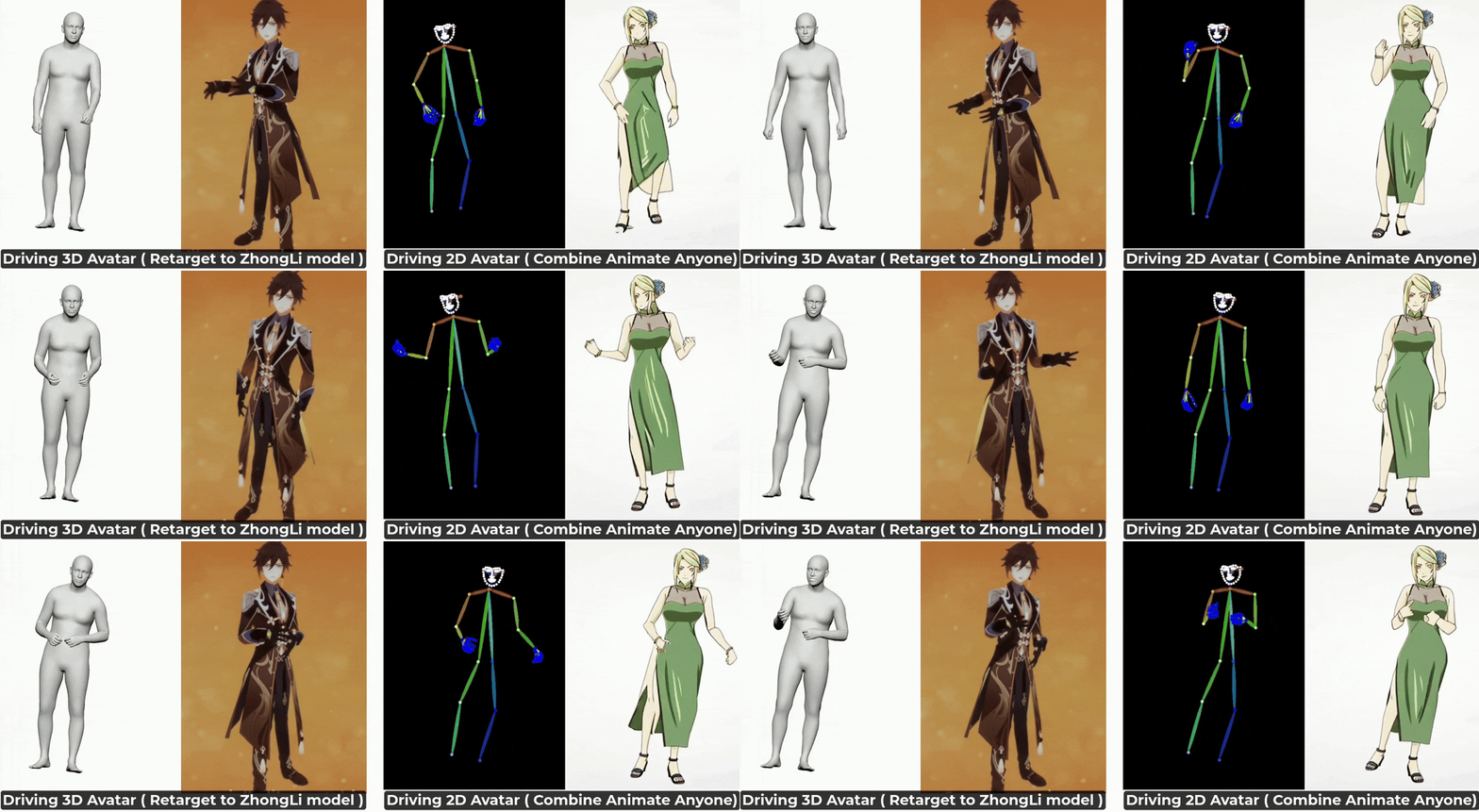
Welcome volunteers to contribute and collaborate on related topics. Feel free to submit the pull requests! Currently this repo is mainly maintained by [email protected] in freetime since 2022.
| Model | Paper | Inputs | Outputs** | Language (Train) | Full Body FGD | Weights |
|---|---|---|---|---|---|---|
| DisCo | ACMMM 2022 | Audio | Upper + Hands | English (Speaker 2) | 2.233 | Link |
| CaMN | ECCV 2022 | Audio | Upper + Hands | English (Speaker 2) | 2.120 | Link |
| EMAGE | CVPR 2024 | Audio | Full Body + Face | English (Speaker 2) | 0.615 | Link |
** Outputs are in SMPLX and FLAME parameters.
Upload your audio and directly download the results from our Hugging Face Space.
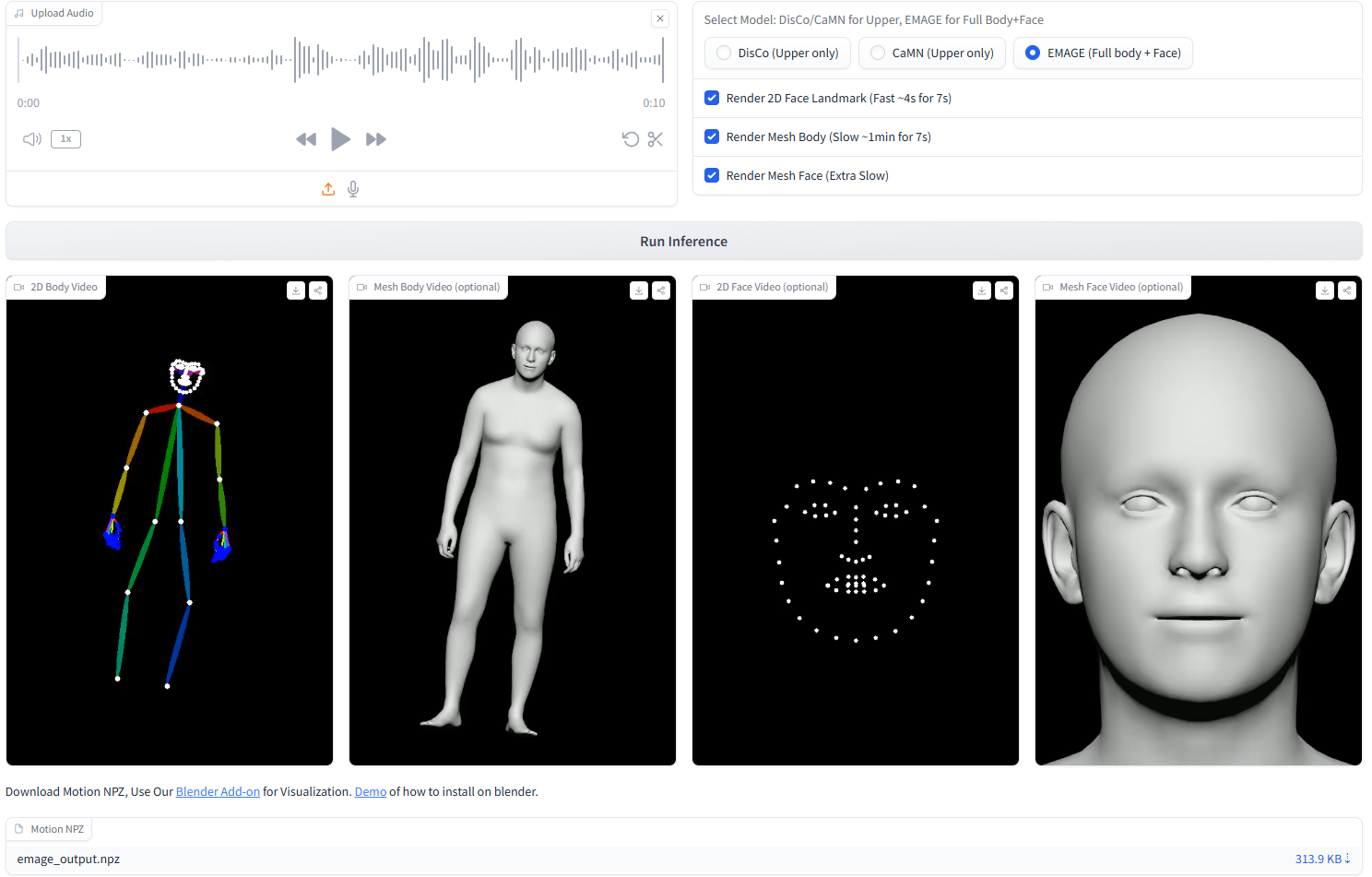
Clone the repository and set up locally.
Demo of how to set up is available on Colab.
git clone https://github.com/PantoMatrix/PantoMatrix.git
cd PantoMatrix/

bash setup.sh
source /content/py39/bin/activate

python test_camn_audio.py --visualization
# if you have trouble in install pytroch3d
# use --nopytorch3d, this will not render the 2D openpose style video
python test_camn_audio.py --visualization --nopytorch3d

# try differnet models with your data, put your audio in --audio_folder
# DisCo (ACMMM2022), upper body motion, with data resampling and rhythm content disentanglement.
python test_disco_audio.py --visualization --audio_folder ./examples/audio --save_folder ./examples/motion
# BEAT (ECCV2022), upper body motion, with body2hands decoder
python test_camn_audio.py --visualization --audio_folder ./examples/audio --save_folder ./examples/motion
# EMAGE (CVPR2024), full body  + face animation
python test_emage_audio.py --visualization --audio_folder ./examples/audio --save_folder ./examples/motion
# copy the ./models folder iin your project folder
from .model.camn_audio import CaMNAudioModel

model = CaMNAudioModel.from_pretrained("H-Liu1997/huggingface-model/camn_audio")
model.cuda().eval()

import librosa
import numpy as np
import torch
# copy the ./emage_utils folder in your project folder
from emage_utils import beat_format_save

audio_np, sr = librosa.load("/audio_path.wav", sr=model.cfg.audio_sr)
audio = torch.from_numpy(audio_np).float().cuda().unsqueeze(0)

motion_pred = model(audio)["motion_axis_angle"]
motion_pred_np = motion_pred.cpu().numpy()
beat_format_save(motion_pred_np, "/result_motion.npz")
When you run the test scripts,
there is an parameter --visualization to automatic enable visualizaion.
Besides, you could also try visualiztion by the below.
Render the output using Blender by download the blender addon
# render a npz file to a mesh video
from emage_utils import fast_render
fast_render.render_one_sequence_no_gt("/result_motion.npz", "/audio_path.wav", "/result_video.mp4", remove_global=True)
| DisCo (Mesh) | CaMN (Mesh) | EMAGE (Mesh) |
 | 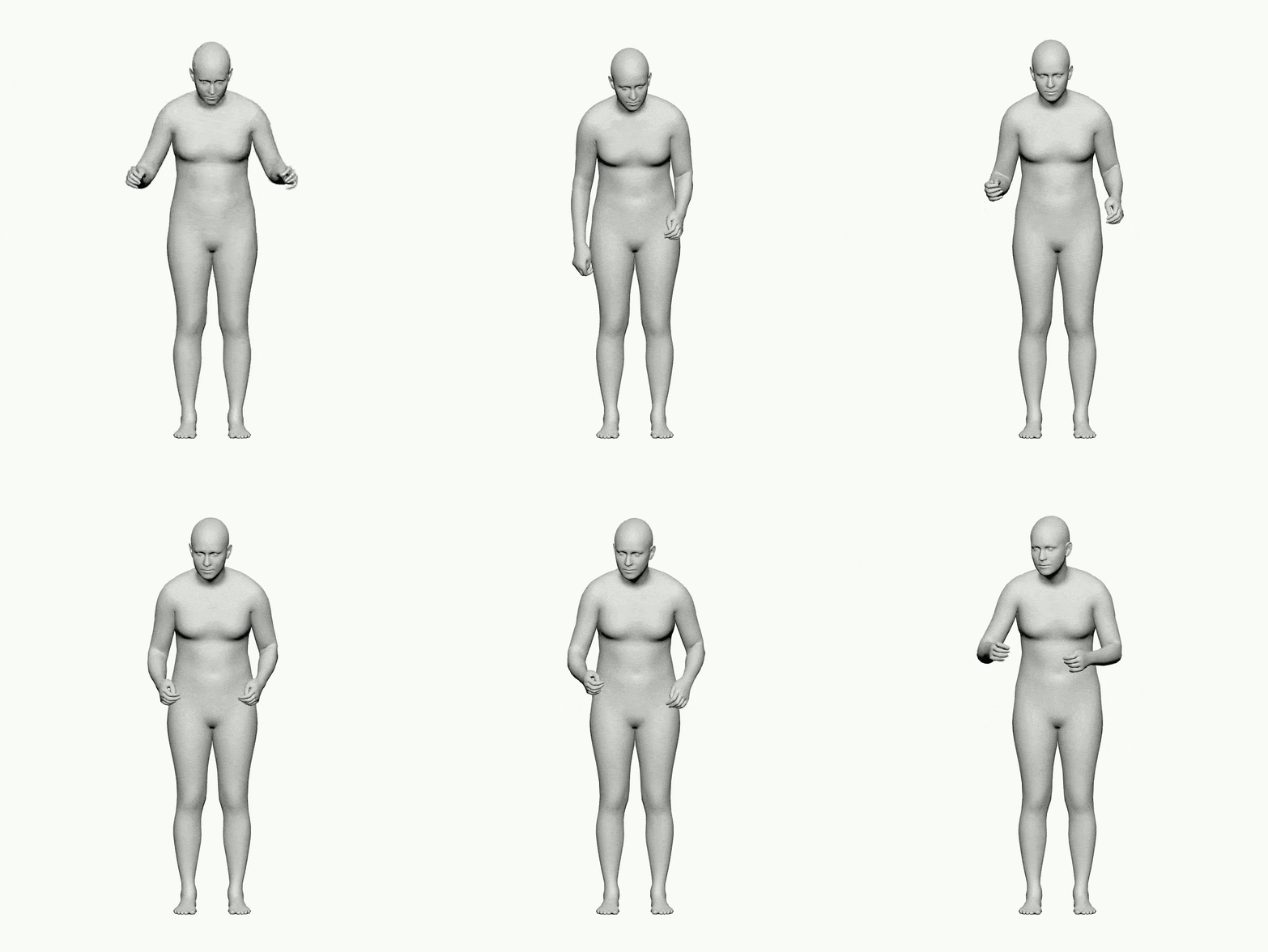 |  |
from trochvision.io import write_video
from emage_utils.format_transfer import render2d
from emage_utils import fast_render


motion_dict = np.load(npz_path, allow_pickle=True)
# face
v2d_face = render2d(motion_dict, (512, 512), face_only=True, remove_global=True)
write_video(npz_path.replace(".npz", "_2dface.mp4"), v2d_face.permute(0, 2, 3, 1), fps=30)
fast_render.add_audio_to_video(npz_path.replace(".npz", "_2dface.mp4"), audio_path, npz_path.replace(".npz", "_2dface_audio.mp4"))

# body
v2d_body = render2d(motion_dict, (720, 480), face_only=False, remove_global=True)
write_video(npz_path.replace(".npz", "_2dbody.mp4"), v2d_body.permute(0, 2, 3, 1), fps=30)
fast_render.add_audio_to_video(npz_path.replace(".npz", "_2dbody.mp4"), audio_path, npz_path.replace(".npz", "_2dbody_audio.mp4"))
| DisCo (2D Pose) | CaMN (2D Pose) | EMAGE (2D Pose) | EMAGE-Face (2D Pose) |
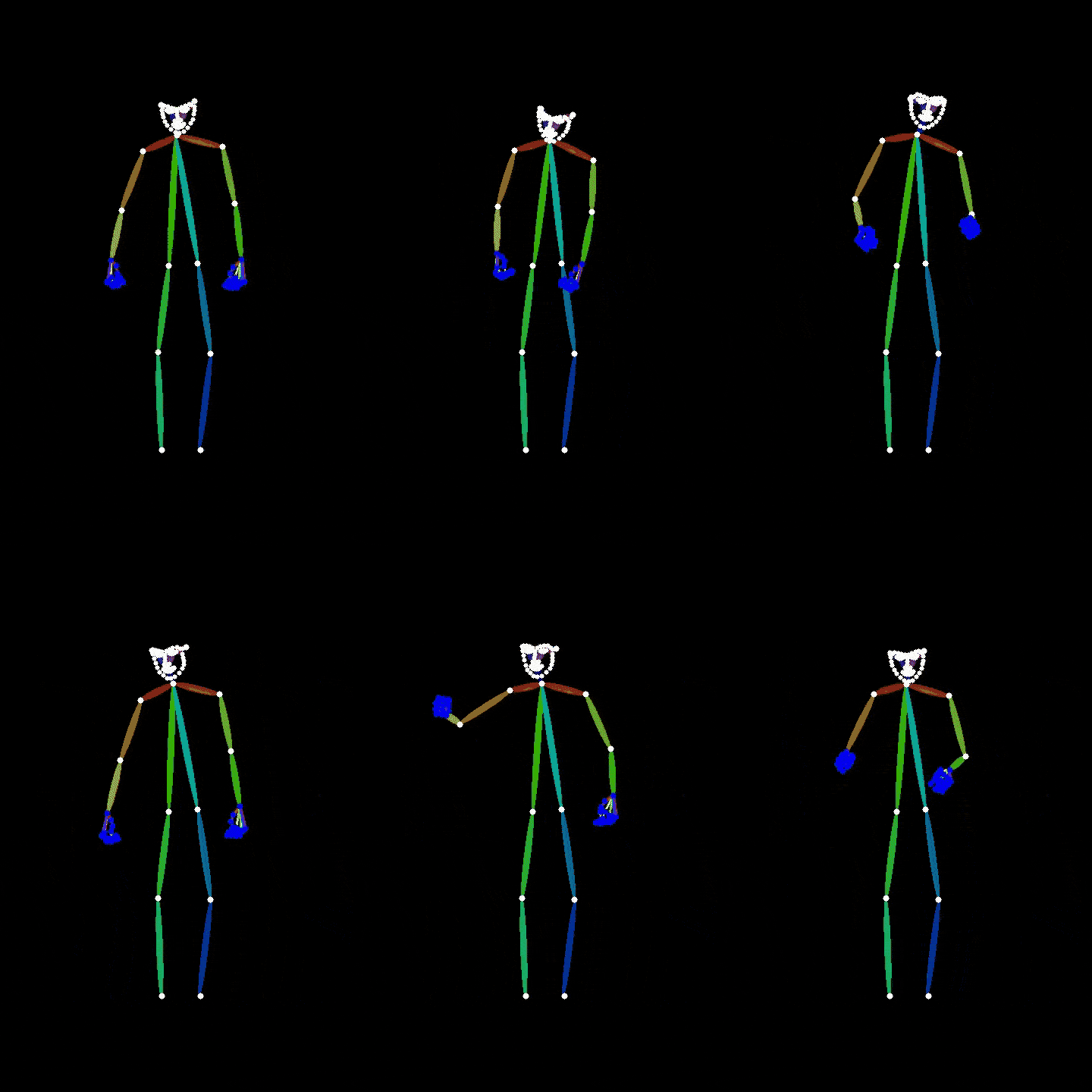 | 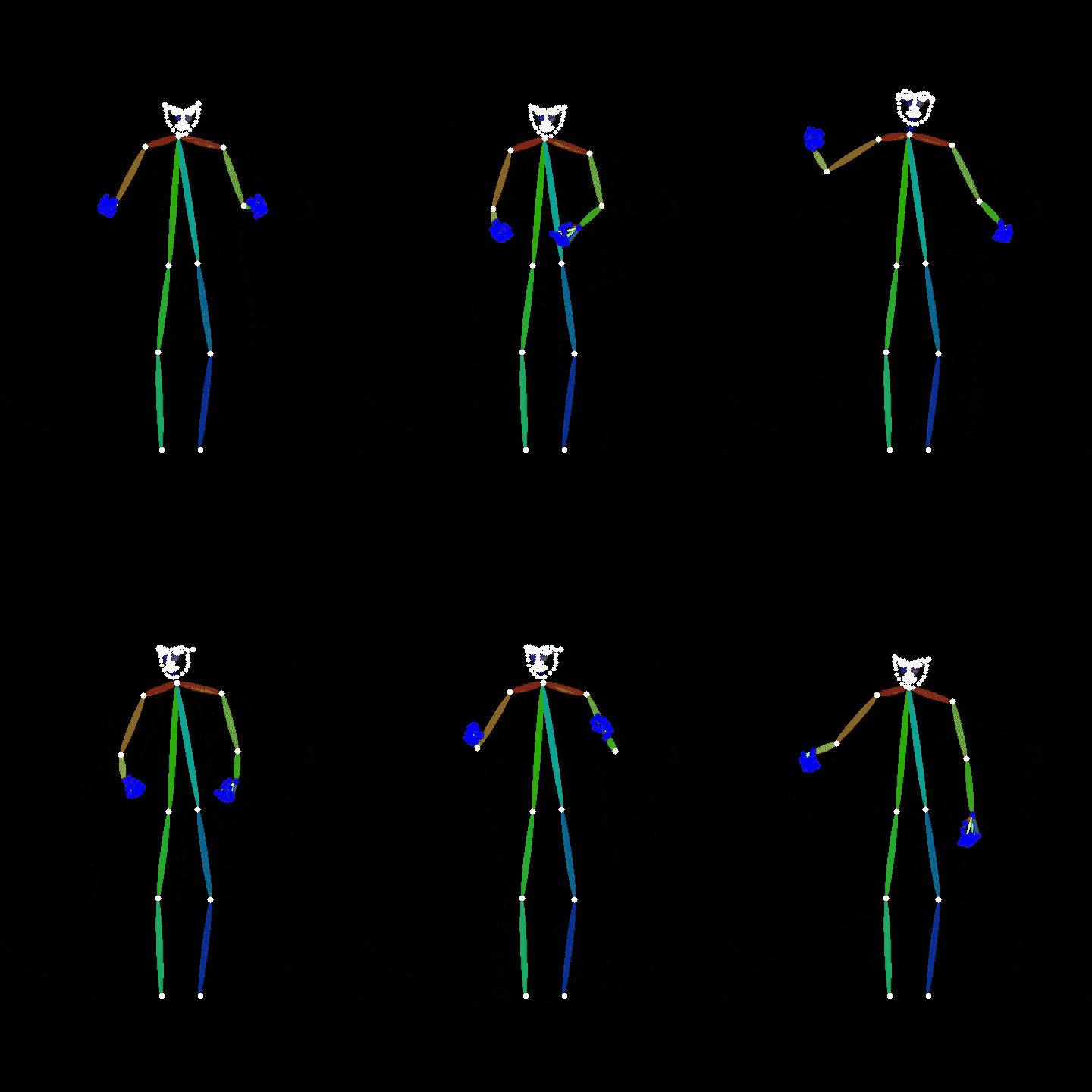 | 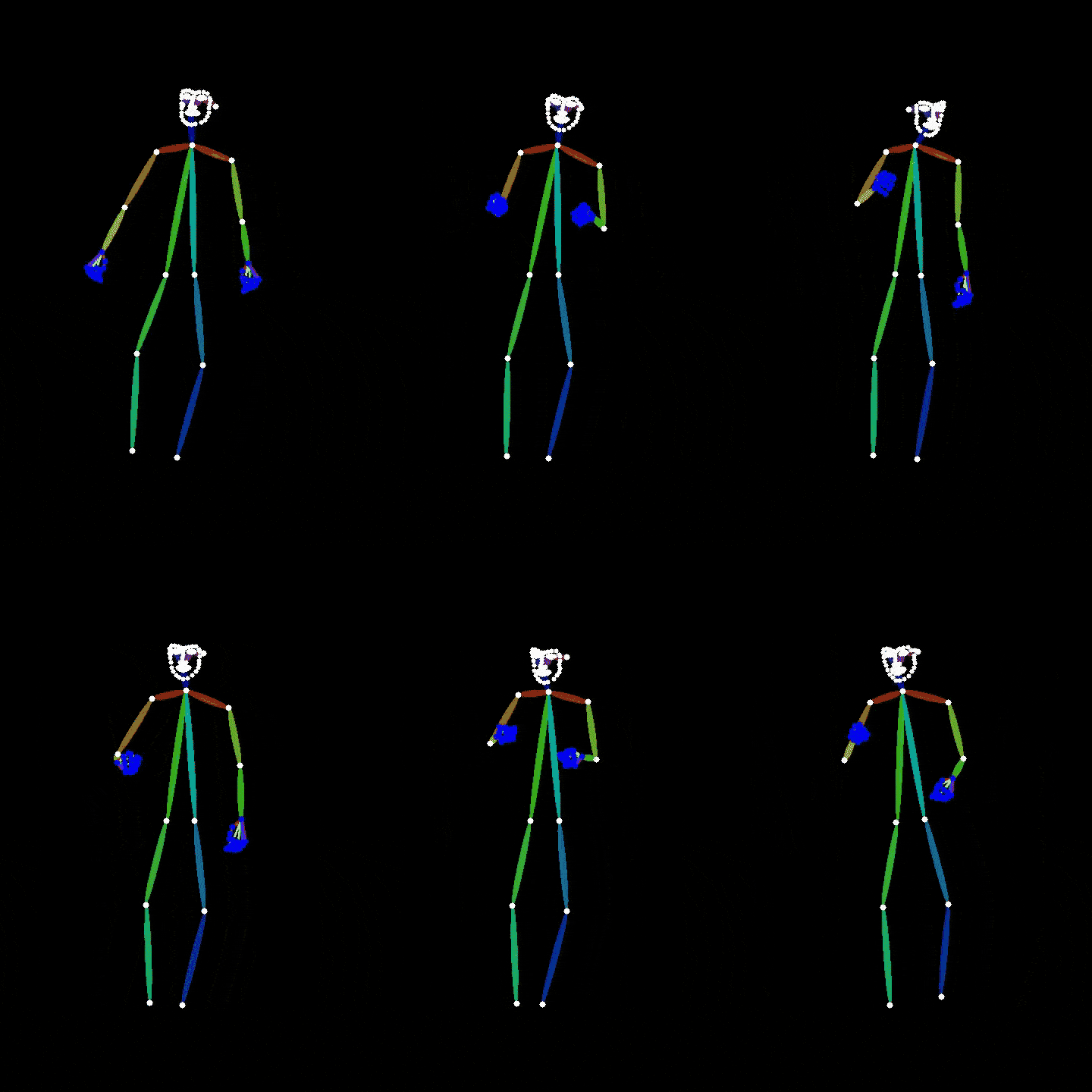 | 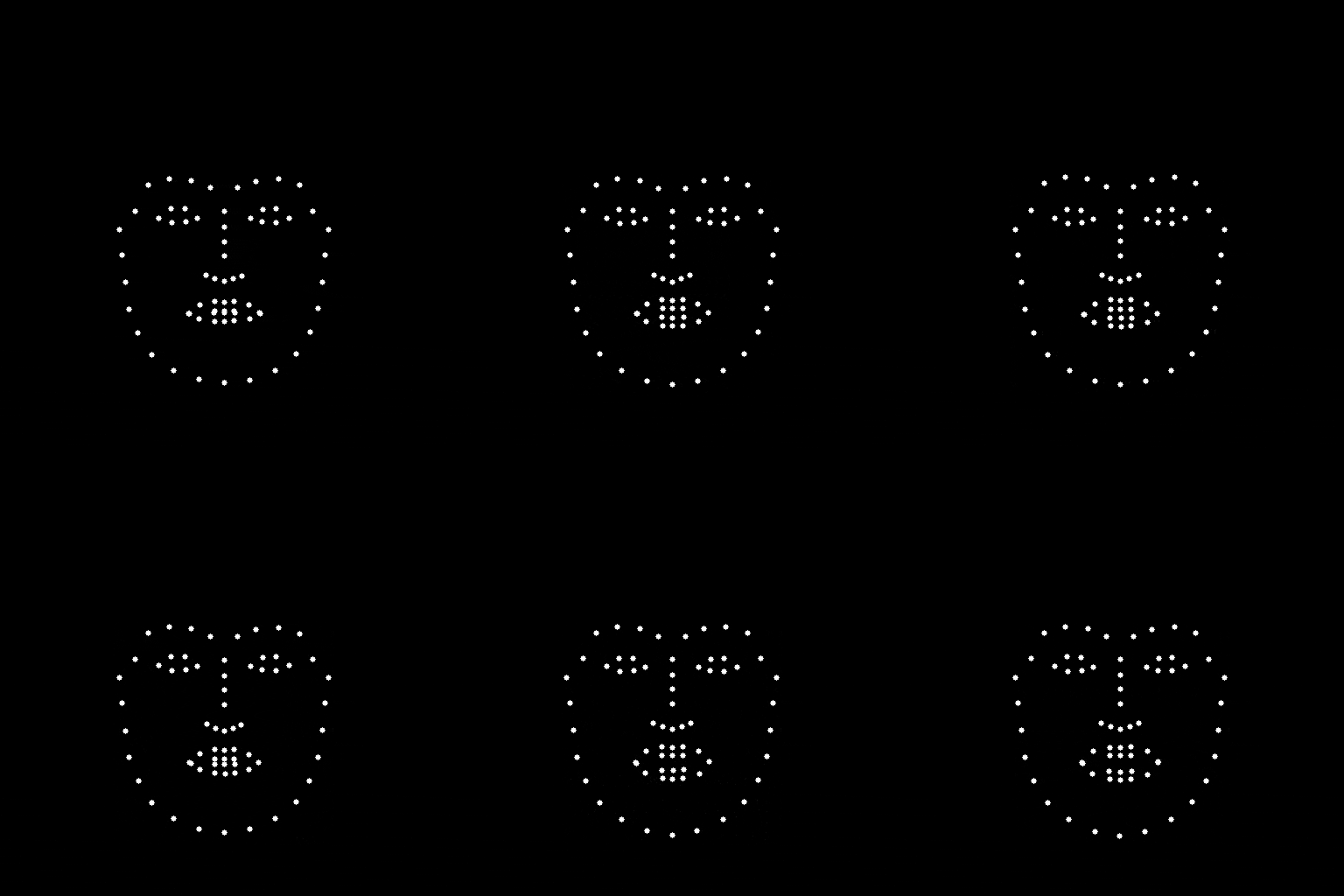 |
For academic users, the evaluation code is organized into an evaluation API.
# copy the ./emage_evaltools folder into your folder
from emage_evaltools.metric import FGD, BC, L1Div, LVDFace, MSEFace

# init
fgd_evaluator = FGD(download_path="./emage_evaltools/")
bc_evaluator = BC(download_path="./emage_evaltools/", sigma=0.3, order=7)
l1div_evaluator= L1div()
lvd_evaluator = LVDFace()
mse_evaluator = MSEFace()

# Example usage
for motion_pred in all_motion_pred:
    # bc and l1 require position representation
    motion_position_pred = get_motion_rep_numpy(motion_pred, device=device, betas=betas)["position"] # t*55*3
    motion_position_pred = motion_position_pred.reshape(t, -1)
    # ignore the start and end 2s, this may for beat dataset only
    audio_beat = bc_evaluator.load_audio(test_file["audio_path"], t_start=2 * 16000, t_end=int((t-60)/30*16000))
    motion_beat = bc_evaluator.load_motion(motion_position_pred, t_start=60, t_end=t-60, pose_fps=30, without_file=True)
    bc_evaluator.compute(audio_beat, motion_beat, length=t-120, pose_fps=30)

    l1_evaluator.compute(motion_position_pred)

    face_position_pred = get_motion_rep_numpy(motion_pred, device=device, expressions=expressions_pred, expression_only=True, betas=betas)["vertices"] # t -1
    face_position_gt = get_motion_rep_numpy(motion_gt, device=device, expressions=expressions_gt, expression_only=True, betas=betas)["vertices"]
    lvd_evaluator.compute(face_position_pred, face_position_gt)
    mse_evaluator.compute(face_position_pred, face_position_gt)

    # fgd requires rotation 6d representaiton
    motion_gt = torch.from_numpy(motion_gt).to(device).unsqueeze(0)
    motion_pred = torch.from_numpy(motion_pred).to(device).unsqueeze(0)
    motion_gt = rc.axis_angle_to_rotation_6d(motion_gt.reshape(1, t, 55, 3)).reshape(1, t, 55*6)
    motion_pred = rc.axis_angle_to_rotation_6d(motion_pred.reshape(1, t, 55, 3)).reshape(1, t, 55*6)
    fgd_evaluator.update(motion_pred.float(), motion_gt.float())

metrics = {}
metrics["fgd"] = fgd_evaluator.compute()
metrics["bc"] = bc_evaluator.avg()
metrics["l1"] = l1_evaluator.avg()
metrics["lvd"] = lvd_evaluator.avg()
metrics["mse"] = mse_evaluator.avg()
Hyperparameters may vary depending on the dataset.
For example, for the BEAT dataset, we use (0.3, 7); for the TalkShow dataset, we use (0.5, 7). You may adjust based on your data.
This new codebase only have the audio-only version model for better real-world applications.
For reproducing audio+text results in the paper, please check and reference the previous codebase below.
| Model | Inputs (Paper) | Old Codebase | Input (Current Codebase) |
|---|---|---|---|
| DisCo | Audio + Text | link | Audio |
| CaMN | Audio + Text + Emotion + Facial | link | Audio |
| EMAGE | Audio + Text | link | Audio |
Environment setup, skip if you already setup the inference.
# if you didn't run test, run the below four commands.
# git clone https://github.com/PantoMatrix/PantoMatrix.git
# cd PantoMatrix/
# bash setup.sh
# source /content/py39/bin/activate

# Download the BEAT2
sudo apt-get update
sudo apt-get install git-lfs
git lfs install
git clone https://huggingface.co/datasets/H-Liu1997/BEAT2
Your folder should like follows for the correct path
/your_root/
|-- PantoMatrix
   |-- BEAT2
   `-- train_emage_audio.py
# Preprocessing Extract the foot contact data
python ./datasets/foot_contact.py

# (todo) train the vqvae

# train the audio2motion model
torchrun --nproc_per_node 1 --nnodes 1 train_emage_audio.py --config ./configs/emage_audio.yaml --evaluation
Use these flags as needed:
--evaluation: Calculate the test metric.--wandb: Activate logging to WandB.--visualization: Render test results (slow; disable for efficiency).--test: Test mode; load last checkpoint and evaluate.--debug: Debug mode; iterate one data point for fast testing.torchrun --nproc_per_node 1 --nnodes 1 train_camn_audio.py --config ./configs/camn_audio.yaml --evaluation
# (optional) Extract the cluster information
# python ./datasets/clustering.py

# train audio2motion
torchrun --nproc_per_node 1 --nnodes 1 train_disco_audio.py --config ./configs/disco_audio.yaml --evaluation
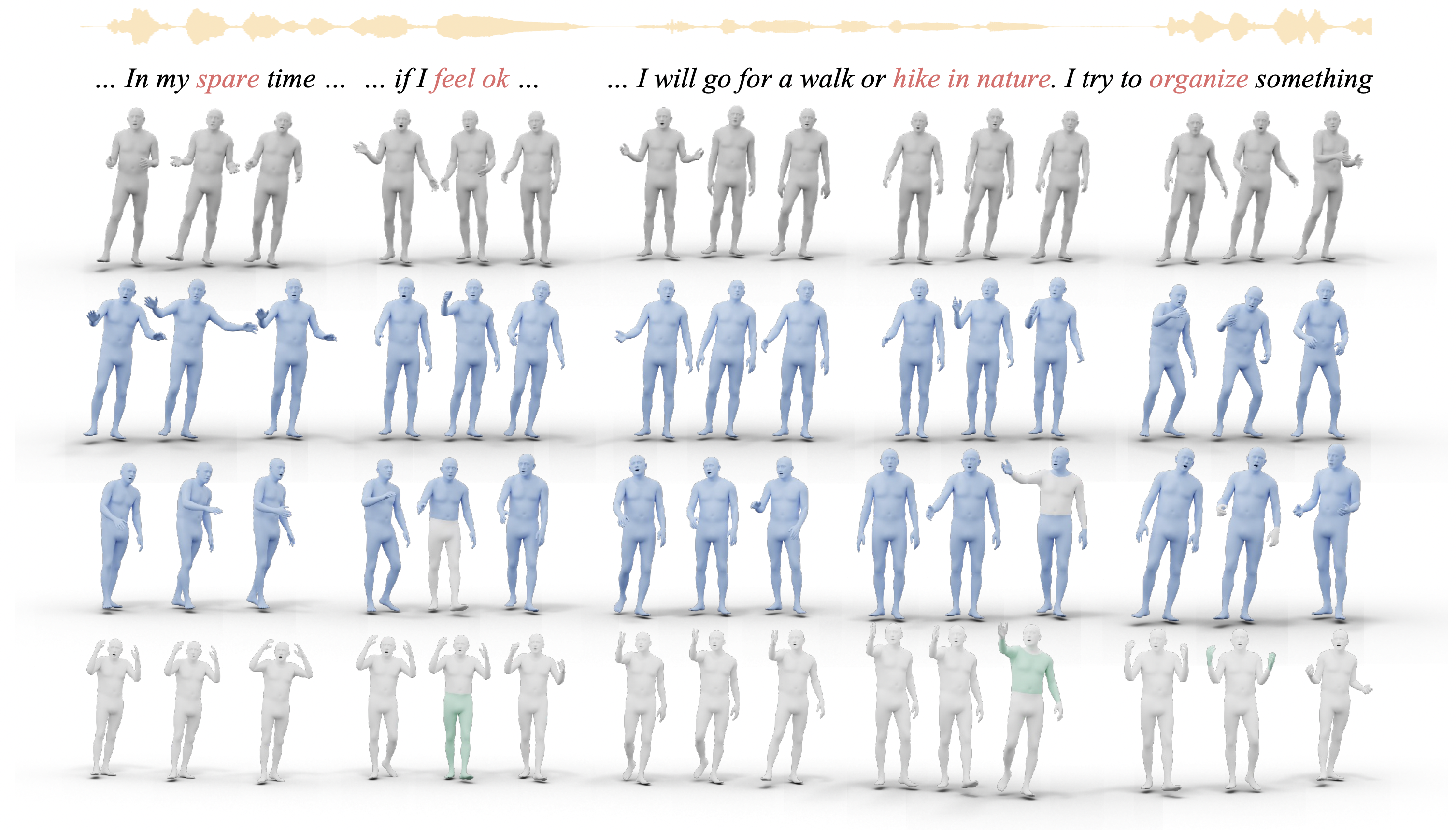
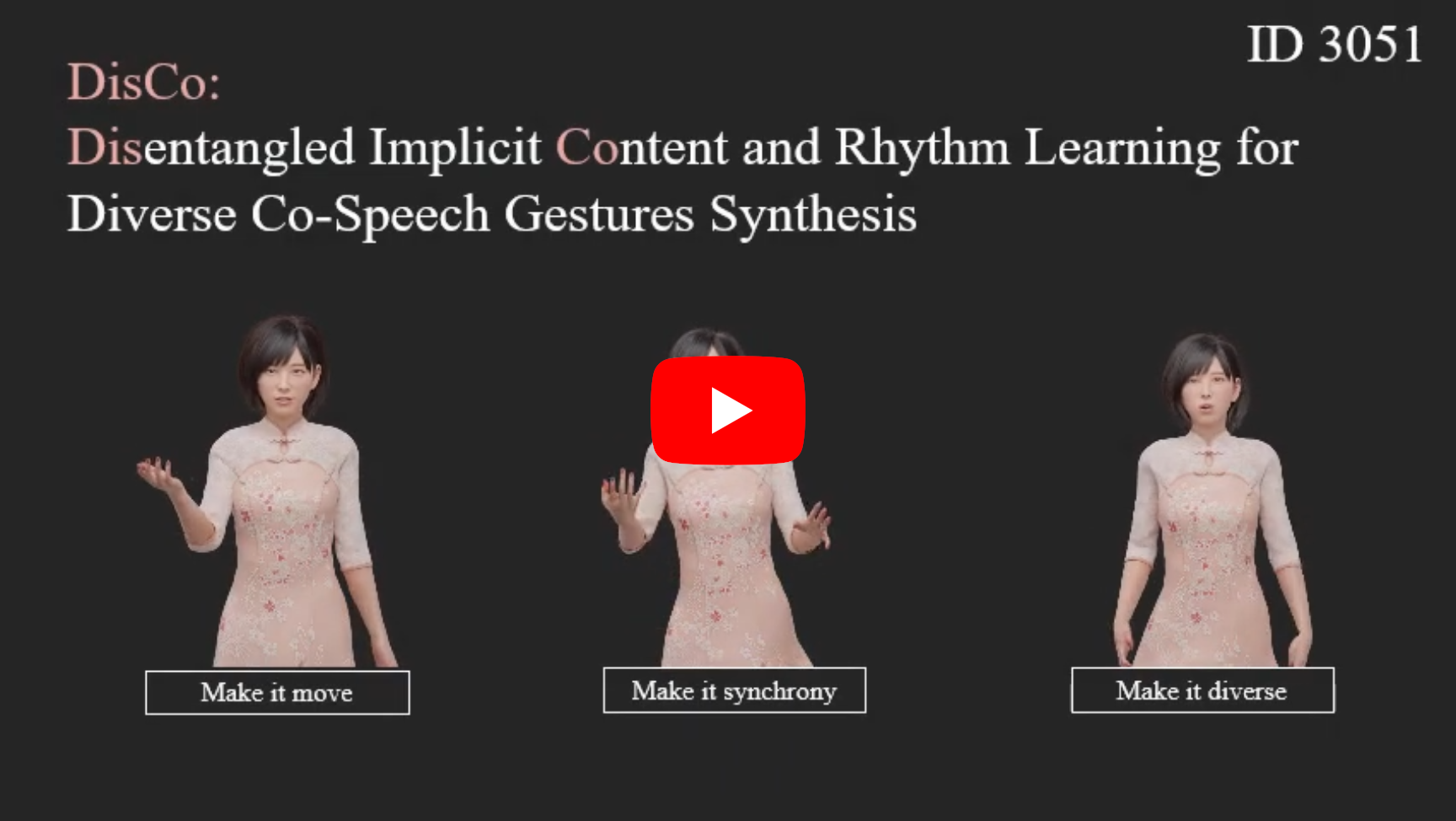
- Project Page - Paper - Video - Code - Demo - Dataset - Blender Add-On -

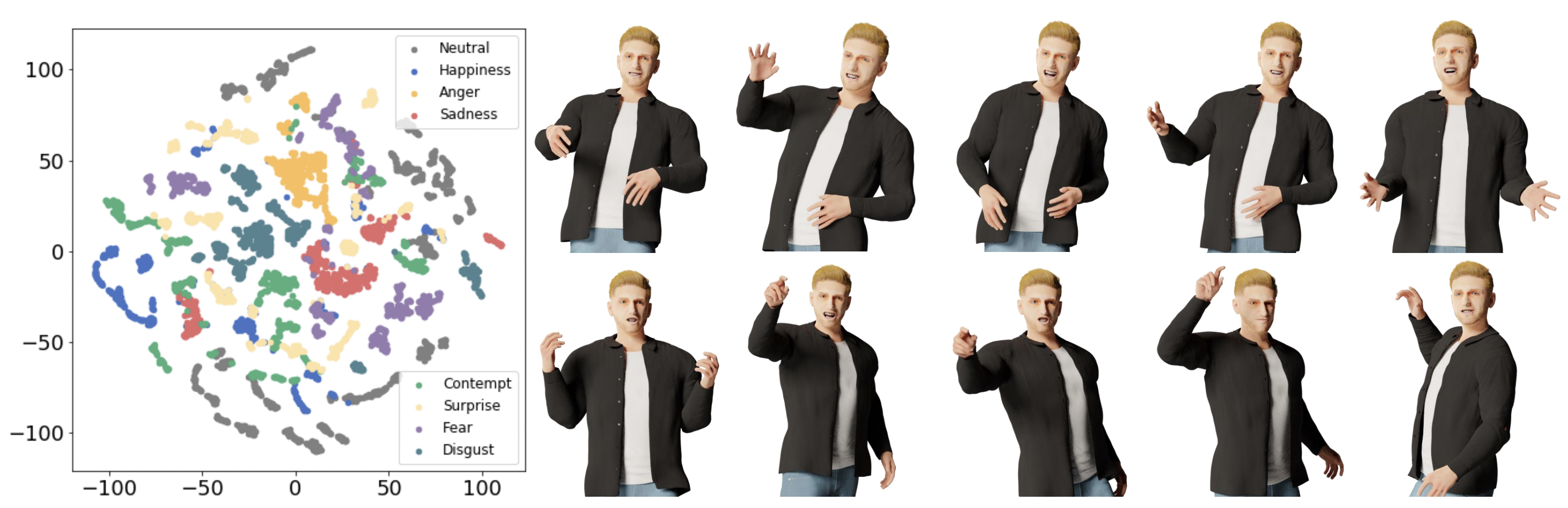
- Project Page - Paper - Video - Code - Colab Demo - Dataset - Benchmark -
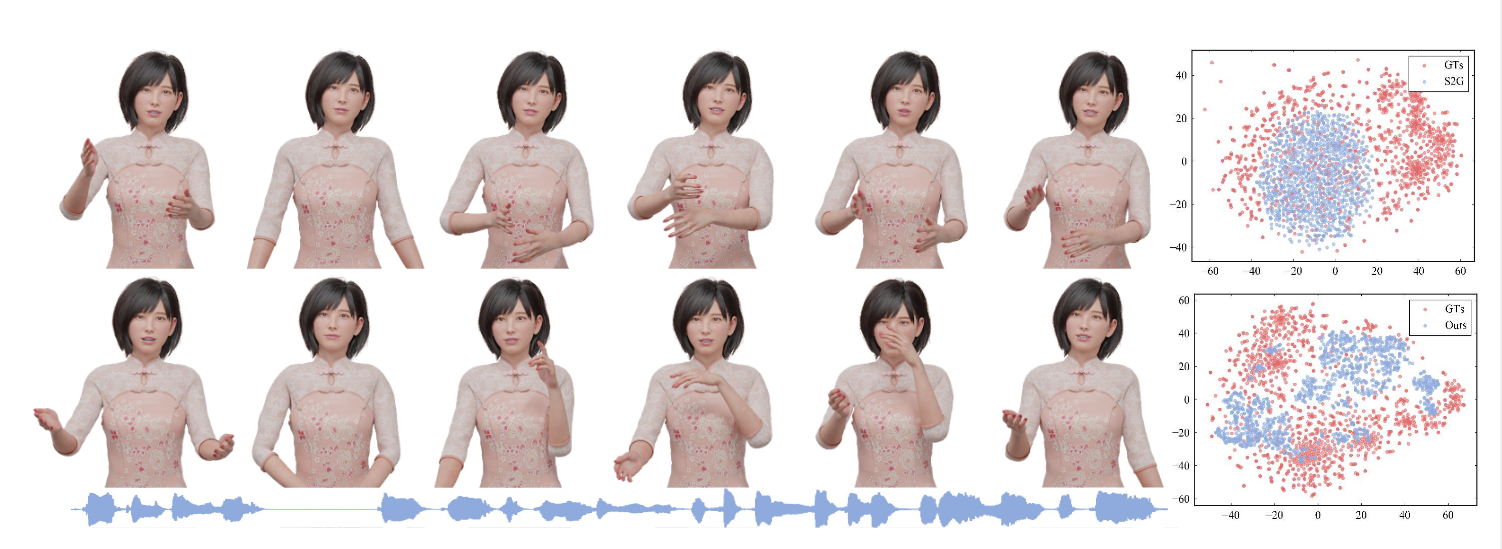
- Project Page - Paper - Video - Code -
Welcome volunteers to contribute and collaborate on related topics. Feel free to submit the pull requests! Currently this repo is mainly maintained by [email protected] in freetime since 2022.
| Model | Paper | Inputs | Outputs** | Language (Train) | Full Body FGD | Weights |
|---|---|---|---|---|---|---|
| DisCo | ACMMM 2022 | Audio | Upper + Hands | English (Speaker 2) | 2.233 | Link |
| CaMN | ECCV 2022 | Audio | Upper + Hands | English (Speaker 2) | 2.120 | Link |
| EMAGE | CVPR 2024 | Audio | Full Body + Face | English (Speaker 2) | 0.615 | Link |
** Outputs are in SMPLX and FLAME parameters.
Upload your audio and directly download the results from our Hugging Face Space.
Clone the repository and set up locally.
Demo of how to set up is available on Colab.
git clone https://github.com/PantoMatrix/PantoMatrix.git
cd PantoMatrix/

bash setup.sh
source /content/py39/bin/activate

python test_camn_audio.py --visualization
# if you have trouble in install pytroch3d
# use --nopytorch3d, this will not render the 2D openpose style video
python test_camn_audio.py --visualization --nopytorch3d

# try differnet models with your data, put your audio in --audio_folder
# DisCo (ACMMM2022), upper body motion, with data resampling and rhythm content disentanglement.
python test_disco_audio.py --visualization --audio_folder ./examples/audio --save_folder ./examples/motion
# BEAT (ECCV2022), upper body motion, with body2hands decoder
python test_camn_audio.py --visualization --audio_folder ./examples/audio --save_folder ./examples/motion
# EMAGE (CVPR2024), full body  + face animation
python test_emage_audio.py --visualization --audio_folder ./examples/audio --save_folder ./examples/motion
# copy the ./models folder iin your project folder
from .model.camn_audio import CaMNAudioModel

model = CaMNAudioModel.from_pretrained("H-Liu1997/huggingface-model/camn_audio")
model.cuda().eval()

import librosa
import numpy as np
import torch
# copy the ./emage_utils folder in your project folder
from emage_utils import beat_format_save

audio_np, sr = librosa.load("/audio_path.wav", sr=model.cfg.audio_sr)
audio = torch.from_numpy(audio_np).float().cuda().unsqueeze(0)

motion_pred = model(audio)["motion_axis_angle"]
motion_pred_np = motion_pred.cpu().numpy()
beat_format_save(motion_pred_np, "/result_motion.npz")
When you run the test scripts,
there is an parameter --visualization to automatic enable visualizaion.
Besides, you could also try visualiztion by the below.
Render the output using Blender by download the blender addon
# render a npz file to a mesh video
from emage_utils import fast_render
fast_render.render_one_sequence_no_gt("/result_motion.npz", "/audio_path.wav", "/result_video.mp4", remove_global=True)
| DisCo (Mesh) | CaMN (Mesh) | EMAGE (Mesh) |
| | |
from trochvision.io import write_video
from emage_utils.format_transfer import render2d
from emage_utils import fast_render


motion_dict = np.load(npz_path, allow_pickle=True)
# face
v2d_face = render2d(motion_dict, (512, 512), face_only=True, remove_global=True)
write_video(npz_path.replace(".npz", "_2dface.mp4"), v2d_face.permute(0, 2, 3, 1), fps=30)
fast_render.add_audio_to_video(npz_path.replace(".npz", "_2dface.mp4"), audio_path, npz_path.replace(".npz", "_2dface_audio.mp4"))

# body
v2d_body = render2d(motion_dict, (720, 480), face_only=False, remove_global=True)
write_video(npz_path.replace(".npz", "_2dbody.mp4"), v2d_body.permute(0, 2, 3, 1), fps=30)
fast_render.add_audio_to_video(npz_path.replace(".npz", "_2dbody.mp4"), audio_path, npz_path.replace(".npz", "_2dbody_audio.mp4"))
| DisCo (2D Pose) | CaMN (2D Pose) | EMAGE (2D Pose) | EMAGE-Face (2D Pose) |
| | | |
For academic users, the evaluation code is organized into an evaluation API.
# copy the ./emage_evaltools folder into your folder
from emage_evaltools.metric import FGD, BC, L1Div, LVDFace, MSEFace

# init
fgd_evaluator = FGD(download_path="./emage_evaltools/")
bc_evaluator = BC(download_path="./emage_evaltools/", sigma=0.3, order=7)
l1div_evaluator= L1div()
lvd_evaluator = LVDFace()
mse_evaluator = MSEFace()

# Example usage
for motion_pred in all_motion_pred:
    # bc and l1 require position representation
    motion_position_pred = get_motion_rep_numpy(motion_pred, device=device, betas=betas)["position"] # t*55*3
    motion_position_pred = motion_position_pred.reshape(t, -1)
    # ignore the start and end 2s, this may for beat dataset only
    audio_beat = bc_evaluator.load_audio(test_file["audio_path"], t_start=2 * 16000, t_end=int((t-60)/30*16000))
    motion_beat = bc_evaluator.load_motion(motion_position_pred, t_start=60, t_end=t-60, pose_fps=30, without_file=True)
    bc_evaluator.compute(audio_beat, motion_beat, length=t-120, pose_fps=30)

    l1_evaluator.compute(motion_position_pred)

    face_position_pred = get_motion_rep_numpy(motion_pred, device=device, expressions=expressions_pred, expression_only=True, betas=betas)["vertices"] # t -1
    face_position_gt = get_motion_rep_numpy(motion_gt, device=device, expressions=expressions_gt, expression_only=True, betas=betas)["vertices"]
    lvd_evaluator.compute(face_position_pred, face_position_gt)
    mse_evaluator.compute(face_position_pred, face_position_gt)

    # fgd requires rotation 6d representaiton
    motion_gt = torch.from_numpy(motion_gt).to(device).unsqueeze(0)
    motion_pred = torch.from_numpy(motion_pred).to(device).unsqueeze(0)
    motion_gt = rc.axis_angle_to_rotation_6d(motion_gt.reshape(1, t, 55, 3)).reshape(1, t, 55*6)
    motion_pred = rc.axis_angle_to_rotation_6d(motion_pred.reshape(1, t, 55, 3)).reshape(1, t, 55*6)
    fgd_evaluator.update(motion_pred.float(), motion_gt.float())

metrics = {}
metrics["fgd"] = fgd_evaluator.compute()
metrics["bc"] = bc_evaluator.avg()
metrics["l1"] = l1_evaluator.avg()
metrics["lvd"] = lvd_evaluator.avg()
metrics["mse"] = mse_evaluator.avg()
Hyperparameters may vary depending on the dataset.
For example, for the BEAT dataset, we use (0.3, 7); for the TalkShow dataset, we use (0.5, 7). You may adjust based on your data.
This new codebase only have the audio-only version model for better real-world applications.
For reproducing audio+text results in the paper, please check and reference the previous codebase below.
| Model | Inputs (Paper) | Old Codebase | Input (Current Codebase) |
|---|---|---|---|
| DisCo | Audio + Text | link | Audio |
| CaMN | Audio + Text + Emotion + Facial | link | Audio |
| EMAGE | Audio + Text | link | Audio |
Environment setup, skip if you already setup the inference.
# if you didn't run test, run the below four commands.
# git clone https://github.com/PantoMatrix/PantoMatrix.git
# cd PantoMatrix/
# bash setup.sh
# source /content/py39/bin/activate

# Download the BEAT2
sudo apt-get update
sudo apt-get install git-lfs
git lfs install
git clone https://huggingface.co/datasets/H-Liu1997/BEAT2
Your folder should like follows for the correct path
/your_root/
|-- PantoMatrix
   |-- BEAT2
   `-- train_emage_audio.py
# Preprocessing Extract the foot contact data
python ./datasets/foot_contact.py

# (todo) train the vqvae

# train the audio2motion model
torchrun --nproc_per_node 1 --nnodes 1 train_emage_audio.py --config ./configs/emage_audio.yaml --evaluation
Use these flags as needed:
--evaluation: Calculate the test metric.--wandb: Activate logging to WandB.--visualization: Render test results (slow; disable for efficiency).--test: Test mode; load last checkpoint and evaluate.--debug: Debug mode; iterate one data point for fast testing.torchrun --nproc_per_node 1 --nnodes 1 train_camn_audio.py --config ./configs/camn_audio.yaml --evaluation
# (optional) Extract the cluster information
# python ./datasets/clustering.py

# train audio2motion
torchrun --nproc_per_node 1 --nnodes 1 train_disco_audio.py --config ./configs/disco_audio.yaml --evaluation
- Project Page - Paper - Video - Code - Demo - Dataset - Blender Add-On -
- Project Page - Paper - Video - Code - Colab Demo - Dataset - Benchmark -
- Project Page - Paper - Video - Code -