Synchronize games from other platforms into your Steam library
Rust
1,904
546 commits
updated Oct 12, 2026
BoilR automatically adds (almost) all your games to your Steam library (including image art).
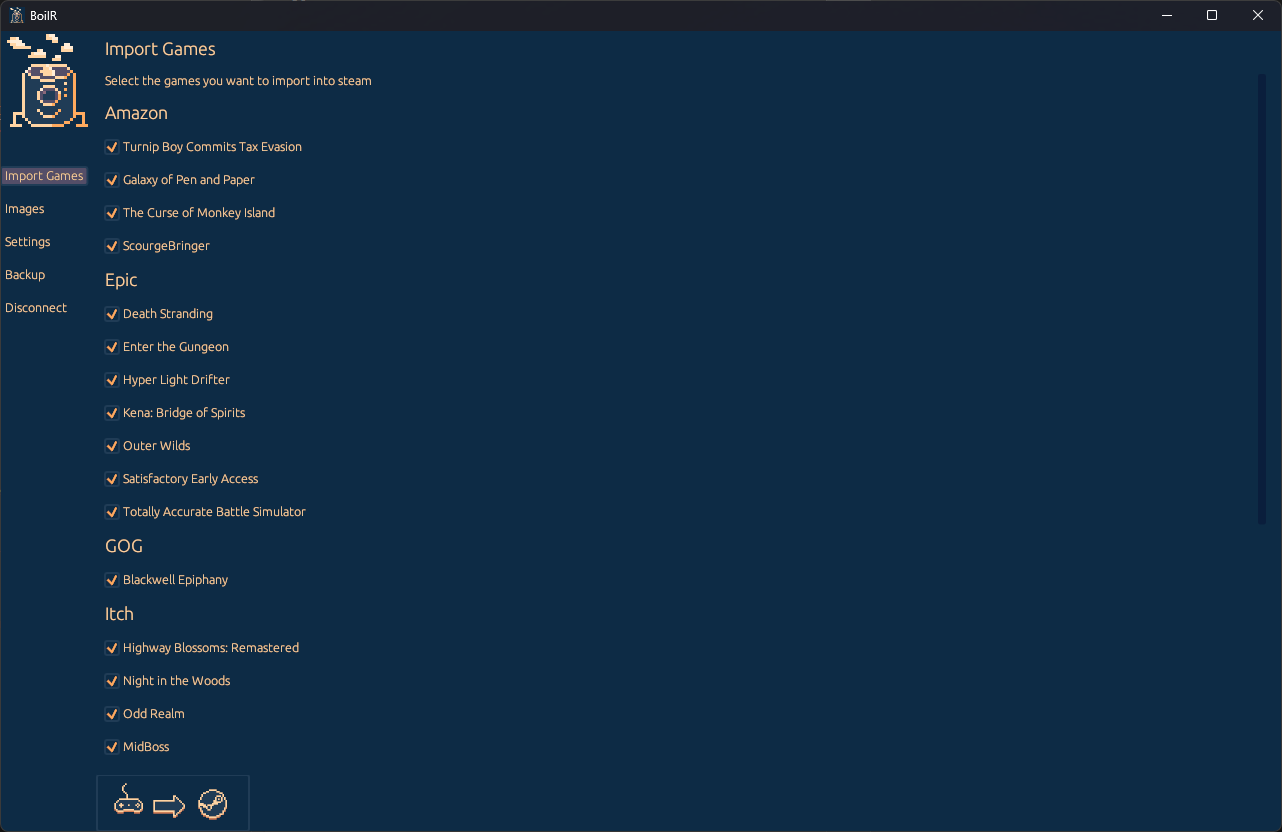
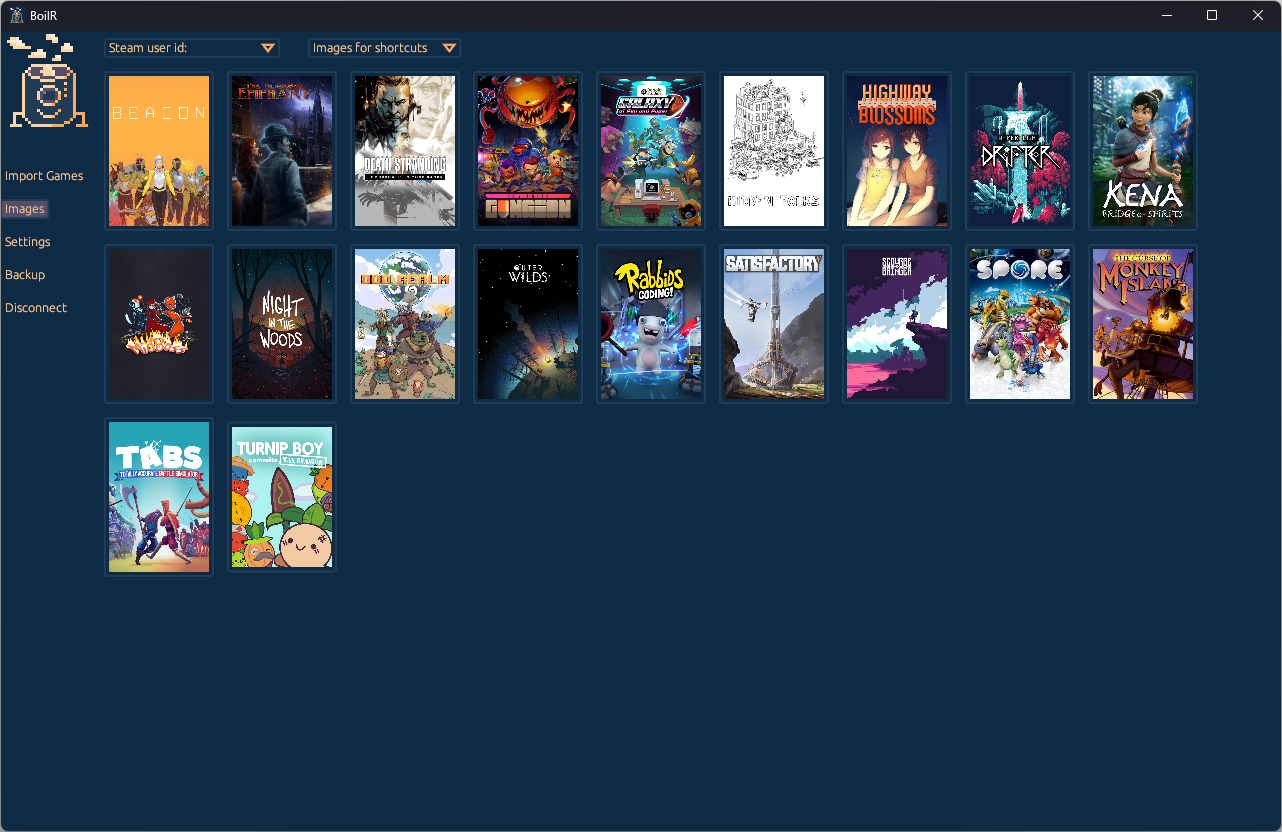
It uses the Steam 3rd party shortcuts feature and does not require you to set up anything. The goal is that you do not have to leave your Steam library to launch games from other launchers/stores, so that you can find all the games that you have available. Optionally, you can set up BoilR to automatically download artwork from SteamGridDB.
If you are on Linux (or a Steam Deck) you can install BoilR from flathub. Be aware that the flatpak version has some limitations compared to the native version. There is also an AUR package
BoilR 2.0 has a new interface, built to work well on the Steam Deck (including touch in Game Mode). It is available as a beta on Flathub for Linux and Steam Deck.
Add the Flathub beta repository and install the beta:
flatpak remote-add --if-not-exists --user flathub-beta https://flathub.org/beta-repo/flathub-beta.flatpakrepo
flatpak install --user flathub-beta io.github.philipk.boilr
The beta installs next to the stable version. To choose which one opens from your app menu:
flatpak make-current io.github.philipk.boilr beta    # use the beta
flatpak make-current io.github.philipk.boilr stable  # go back to the stable version
To remove the beta again: flatpak uninstall io.github.philipk.boilr//beta.
Please report anything that does not work in the beta as an issue, and mention that you are using the beta.
BoilR can import games from many platforms, but there are limitations:
| Platforms | Windows | Linux (executable) | Linux (flatpak) |
|---|---|---|---|
| Epic Games Store | Yes | Yes, install through proton | Yes, install through proton |
| Itch.io (Windows Games) | Yes | No | No |
| Itch.io (Linux Games) | No | Yes | Yes |
| Origin/EA Desktop | Yes | Yes, install through proton | Yes, install through proton |
| GOG | Yes | No (Use Heroic or MiniGalaxy) | No (Use Heroic or MiniGalaxy) |
| Ubisoft Connect | Yes | Yes | Yes |
| Lutris (Flatpak) | No | Yes | Yes (make sure Lutris is shut down first) |
| Lutris (Non-Flatpak) | No | Yes | Yes |
| Legendary | No | Yes | Yes |
| Rare | No | Yes | Yes |
| Heroic Launcher | No | Yes | Yes |
| Amazon Games | Yes | No | No |
| Flatpaks | No | Yes | Yes |
| Bottles | No | Yes | Yes |
| MiniGalaxy | No | Yes | Yes |
| Playnite | Yes | No | No |
| Game Pass | Yes | No | No |
If you are running Linux (this includes Steam Deck) and are running into problems check tips for Linux section
Most people will not have to configure anything, just open BoilR and click Import Games, but it is possible to configure a lot, see the configuration section
In previous releases there was both a CLI and UI version of BoilR, now there is only a UI version.
But you can add the commandline argument --no-ui and then the UI version will act like the old CLI version.
This saves some CO2 from not having to build 2 versions of BoilR for each platform, and it also makes development easier.
You can rename a shortcut from BoilR by double clicking it from the import list and picking a new name. If you want to revert back to the original name, just clear the name and click rename.
In general, the native (downloaded form the releases page) version of BoilR is the more reliable one. If you experience bugs or errors please try the native version and see if that fixes your problem.
If Steam is installed as a Flatpak (com.valvesoftware.Steam, the default on many Linux distributions) and games from Flatpak Lutris, Bottles, Heroic or other Flatpak apps won't start from Steam, run this once in a terminal and restart Steam:
flatpak override --user --talk-name=org.freedesktop.Flatpak com.valvesoftware.Steam
Flatpak Steam can't start other Flatpak apps from its sandbox, so BoilR's shortcuts launch them through flatpak-spawn --host, and this command allows Steam to do that. It lets Steam start programs outside its sandbox. See Tips for Linux for details.
If you are a coder, you are very welcome! You can fork this repo and then create a pull request.
To check formats and errors of code before running the code:
cargo fmt

cargo check
To run BoilR just write:
cargo run
If you are not a developer (or you don't like to code in Rust) do spread the work and create issues/discussions for anything.
Check that there is not already an issue for it here If not, create a new issue and I will have a look at it (remember to write which OS you are using).
Check out the discussions and feel free to create new discussions for your idea.
Nope, please don't, donate it to your favorite charity instead, and if you don't have one of those may I suggest something like GiveWell.
This project is dual license MIT or Apache 2.0 , it is up to you. In short, you can do what you want with this project, but if in doubt read the license files.
This tool turns things into Steam, therefore boiler, And it is written in Rust, so therefore: BoilR
454 followers · starred Oct 2021
65 followers · starred Apr 2022
284 followers · starred Apr 2026
148 followers · starred Jan 2026
Synchronize games from other platforms into your Steam library
Rust
1,904
546 commits
updated Oct 12, 2026
BoilR automatically adds (almost) all your games to your Steam library (including image art).
It uses the Steam 3rd party shortcuts feature and does not require you to set up anything. The goal is that you do not have to leave your Steam library to launch games from other launchers/stores, so that you can find all the games that you have available. Optionally, you can set up BoilR to automatically download artwork from SteamGridDB.
If you are on Linux (or a Steam Deck) you can install BoilR from flathub. Be aware that the flatpak version has some limitations compared to the native version. There is also an AUR package
BoilR 2.0 has a new interface, built to work well on the Steam Deck (including touch in Game Mode). It is available as a beta on Flathub for Linux and Steam Deck.
Add the Flathub beta repository and install the beta:
flatpak remote-add --if-not-exists --user flathub-beta https://flathub.org/beta-repo/flathub-beta.flatpakrepo
flatpak install --user flathub-beta io.github.philipk.boilr
The beta installs next to the stable version. To choose which one opens from your app menu:
flatpak make-current io.github.philipk.boilr beta    # use the beta
flatpak make-current io.github.philipk.boilr stable  # go back to the stable version
To remove the beta again: flatpak uninstall io.github.philipk.boilr//beta.
Please report anything that does not work in the beta as an issue, and mention that you are using the beta.
BoilR can import games from many platforms, but there are limitations:
| Platforms | Windows | Linux (executable) | Linux (flatpak) |
|---|---|---|---|
| Epic Games Store | Yes | Yes, install through proton | Yes, install through proton |
| Itch.io (Windows Games) | Yes | No | No |
| Itch.io (Linux Games) | No | Yes | Yes |
| Origin/EA Desktop | Yes | Yes, install through proton | Yes, install through proton |
| GOG | Yes | No (Use Heroic or MiniGalaxy) | No (Use Heroic or MiniGalaxy) |
| Ubisoft Connect | Yes | Yes | Yes |
| Lutris (Flatpak) | No | Yes | Yes (make sure Lutris is shut down first) |
| Lutris (Non-Flatpak) | No | Yes | Yes |
| Legendary | No | Yes | Yes |
| Rare | No | Yes | Yes |
| Heroic Launcher | No | Yes | Yes |
| Amazon Games | Yes | No | No |
| Flatpaks | No | Yes | Yes |
| Bottles | No | Yes | Yes |
| MiniGalaxy | No | Yes | Yes |
| Playnite | Yes | No | No |
| Game Pass | Yes | No | No |
If you are running Linux (this includes Steam Deck) and are running into problems check tips for Linux section
Most people will not have to configure anything, just open BoilR and click Import Games, but it is possible to configure a lot, see the configuration section
In previous releases there was both a CLI and UI version of BoilR, now there is only a UI version.
But you can add the commandline argument --no-ui and then the UI version will act like the old CLI version.
This saves some CO2 from not having to build 2 versions of BoilR for each platform, and it also makes development easier.
You can rename a shortcut from BoilR by double clicking it from the import list and picking a new name. If you want to revert back to the original name, just clear the name and click rename.
In general, the native (downloaded form the releases page) version of BoilR is the more reliable one. If you experience bugs or errors please try the native version and see if that fixes your problem.
If Steam is installed as a Flatpak (com.valvesoftware.Steam, the default on many Linux distributions) and games from Flatpak Lutris, Bottles, Heroic or other Flatpak apps won't start from Steam, run this once in a terminal and restart Steam:
flatpak override --user --talk-name=org.freedesktop.Flatpak com.valvesoftware.Steam
Flatpak Steam can't start other Flatpak apps from its sandbox, so BoilR's shortcuts launch them through flatpak-spawn --host, and this command allows Steam to do that. It lets Steam start programs outside its sandbox. See Tips for Linux for details.
If you are a coder, you are very welcome! You can fork this repo and then create a pull request.
To check formats and errors of code before running the code:
cargo fmt

cargo check
To run BoilR just write:
cargo run
If you are not a developer (or you don't like to code in Rust) do spread the work and create issues/discussions for anything.
Check that there is not already an issue for it here If not, create a new issue and I will have a look at it (remember to write which OS you are using).
Check out the discussions and feel free to create new discussions for your idea.
Nope, please don't, donate it to your favorite charity instead, and if you don't have one of those may I suggest something like GiveWell.
This project is dual license MIT or Apache 2.0 , it is up to you. In short, you can do what you want with this project, but if in doubt read the license files.
This tool turns things into Steam, therefore boiler, And it is written in Rust, so therefore: BoilR
454 followers · starred Oct 2021
65 followers · starred Apr 2022
284 followers · starred Apr 2026
148 followers · starred Jan 2026