
See what people are saying
README
Laravel-MDM
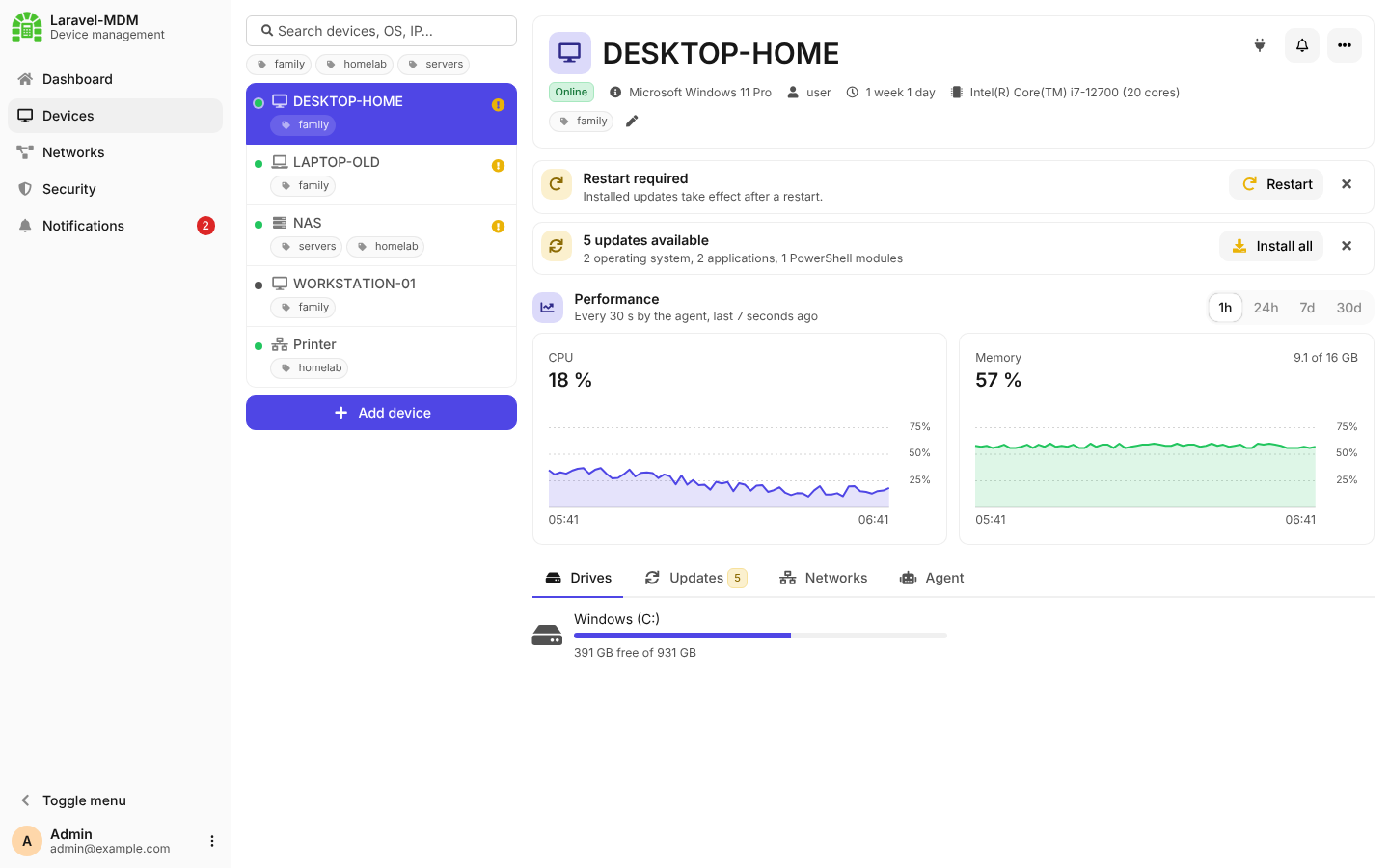
A simple, self-hosted portal for keeping an eye on your Windows and Linux (Debian / Ubuntu) computers: free disk space, pending updates, services, Docker containers, disk health and more. A lightweight PowerShell agent on each device reports to the portal and takes commands from it.
Quick start
# docker-compose.yml
services:
  mdm:
    image: ghcr.io/panoptipulse/laravel-mdm-server:latest
    container_name: mdm
    ports:
      - "8000:8000"
    volumes:
      - storage:/var/www/storage
    restart: unless-stopped

volumes:
  storage:
docker compose up -d
Open http://<server>:8000, create the first account (it becomes the system admin) and click
Add device. No .env and no database server are needed: SQLite, keys and logs live in the
storage volume. For access from outside your network, put it behind a TLS proxy
(see Server).
Add a device
Add device in the portal shows a ready-made command for Windows PowerShell and for PowerShell 7 (Windows, Debian / Ubuntu). Run it as Administrator / root and the device appears in the portal. Details: Installing the agent.
What it does
- Monitoring: CPU and RAM history, drives, networks, battery, services, Docker, S.M.A.R.T.
- Updates: Windows Update, winget, apt, flatpak, snap and PowerShell modules, installed from the portal.
- Commands: restart, turn off, Wake-on-LAN, delivered instantly over a WebSocket.
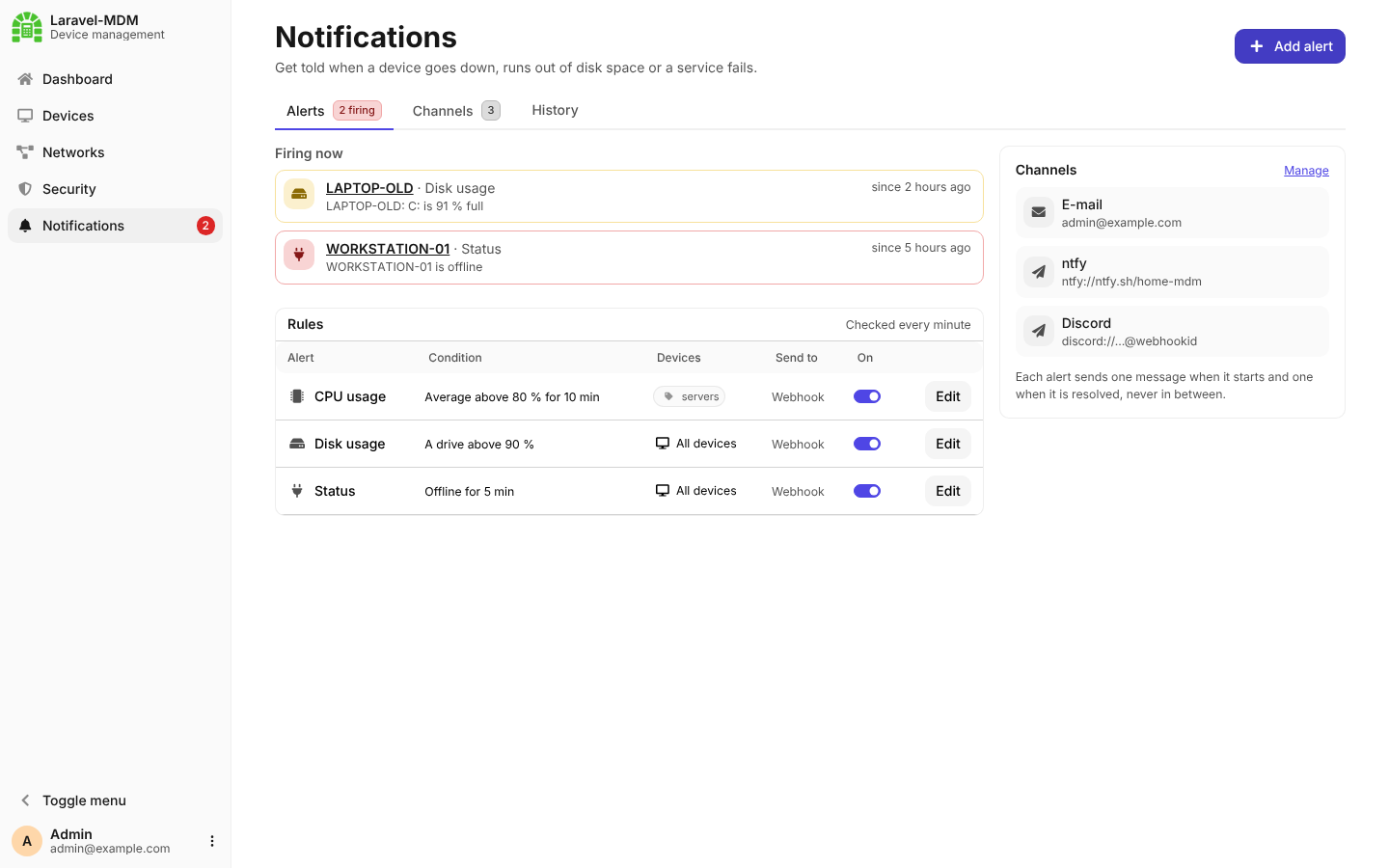
- Alerts: per device and rule, sent to ntfy, Discord, Telegram, e-mail and more.
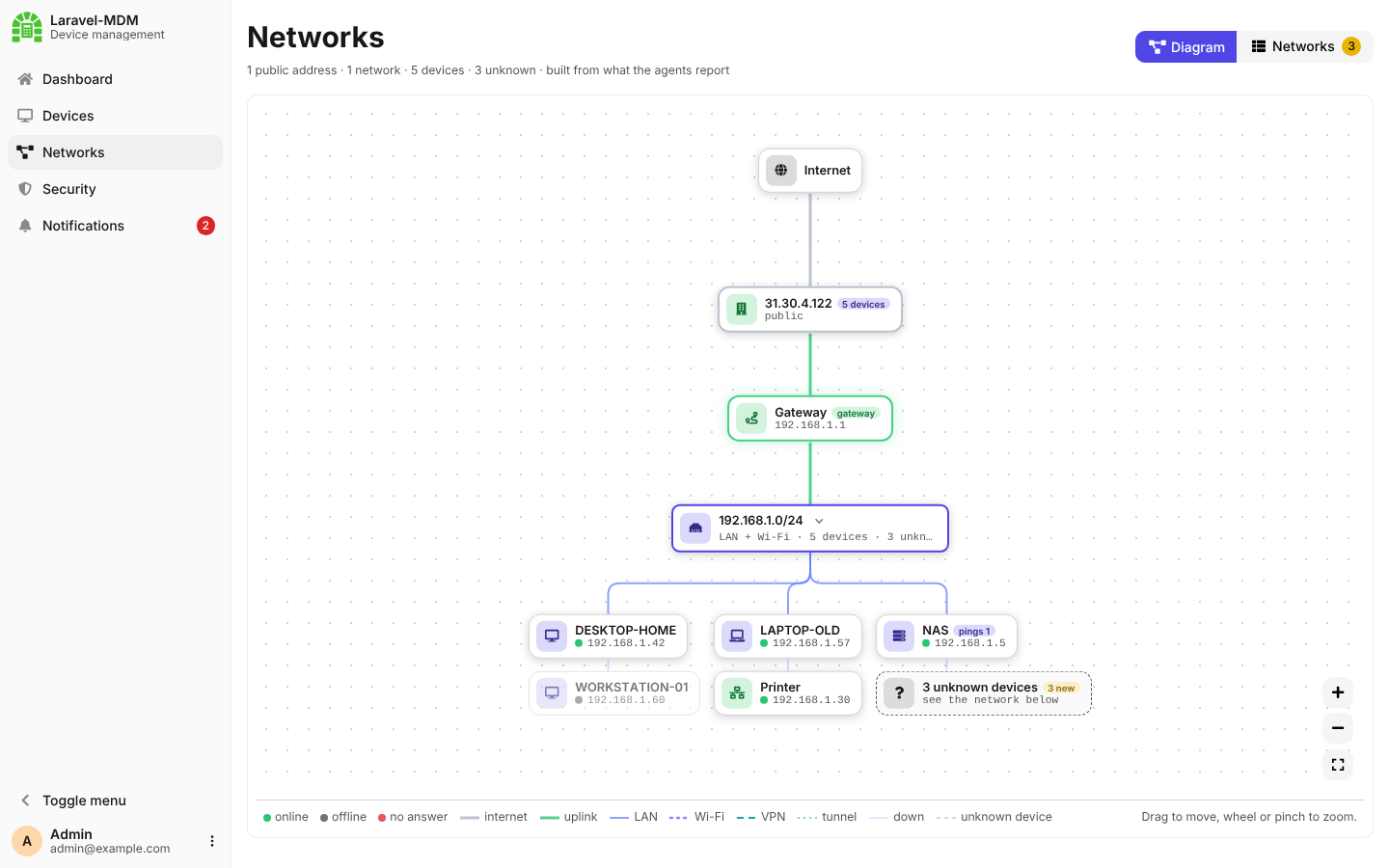
- Also: ping-only devices, a network map, remediation scripts, a security scanner, dashboards.
Documentation
| Topic | |
|---|---|
| Server | Setup, Docker, MySQL, real-time WebSocket, PWA |
| Installing the agent | Install, parameters, config.json, checking, uninstalling |
| Agent | How it works, feature matrix, signed communication |
| Alerts and notifications | Smart alerts, agent errors, rules, notification channels |
| Devices | Tags, Wake-on-LAN, ping-only devices |
| Networks | Network map and discovery of unknown devices |
| Remediation scripts | Detection and remediation in PowerShell |
| Security scanner | Inventory, logs, parsers and detection rules |
| Dashboard | Configurable dashboards and widgets |
Screenshots
| Networks | Notifications |
|---|---|
 |  |
Repository structure
| Path | Content |
|---|---|
src/laravel | Server application (Laravel) |
src/powershell | Agent (Windows, Debian / Ubuntu) |
src/docker | Container image and its configuration |
docker-compose.yml, docker-compose.mysql.yml | Running the image |
Similar repos


See what people are saying
README
Laravel-MDM
A simple, self-hosted portal for keeping an eye on your Windows and Linux (Debian / Ubuntu) computers: free disk space, pending updates, services, Docker containers, disk health and more. A lightweight PowerShell agent on each device reports to the portal and takes commands from it.
Quick start
# docker-compose.yml
services:
  mdm:
    image: ghcr.io/panoptipulse/laravel-mdm-server:latest
    container_name: mdm
    ports:
      - "8000:8000"
    volumes:
      - storage:/var/www/storage
    restart: unless-stopped

volumes:
  storage:
docker compose up -d
Open http://<server>:8000, create the first account (it becomes the system admin) and click
Add device. No .env and no database server are needed: SQLite, keys and logs live in the
storage volume. For access from outside your network, put it behind a TLS proxy
(see Server).
Add a device
Add device in the portal shows a ready-made command for Windows PowerShell and for PowerShell 7 (Windows, Debian / Ubuntu). Run it as Administrator / root and the device appears in the portal. Details: Installing the agent.
What it does
- Monitoring: CPU and RAM history, drives, networks, battery, services, Docker, S.M.A.R.T.
- Updates: Windows Update, winget, apt, flatpak, snap and PowerShell modules, installed from the portal.
- Commands: restart, turn off, Wake-on-LAN, delivered instantly over a WebSocket.
- Alerts: per device and rule, sent to ntfy, Discord, Telegram, e-mail and more.
- Also: ping-only devices, a network map, remediation scripts, a security scanner, dashboards.
Documentation
| Topic | |
|---|---|
| Server | Setup, Docker, MySQL, real-time WebSocket, PWA |
| Installing the agent | Install, parameters, config.json, checking, uninstalling |
| Agent | How it works, feature matrix, signed communication |
| Alerts and notifications | Smart alerts, agent errors, rules, notification channels |
| Devices | Tags, Wake-on-LAN, ping-only devices |
| Networks | Network map and discovery of unknown devices |
| Remediation scripts | Detection and remediation in PowerShell |
| Security scanner | Inventory, logs, parsers and detection rules |
| Dashboard | Configurable dashboards and widgets |
Screenshots
| Networks | Notifications |
|---|---|
| |
Repository structure
| Path | Content |
|---|---|
src/laravel | Server application (Laravel) |
src/powershell | Agent (Windows, Debian / Ubuntu) |
src/docker | Container image and its configuration |
docker-compose.yml, docker-compose.mysql.yml | Running the image |