OSS Legal AI Platform
See the code
Mike (MikeOSS) is an open-source legal AI platform for document review, drafting, and legal research.
It combines a Next.js frontend, an Express backend, Supabase Auth/Postgres, and Cloudflare R2-compatible object storage.
Website: mikeoss.com
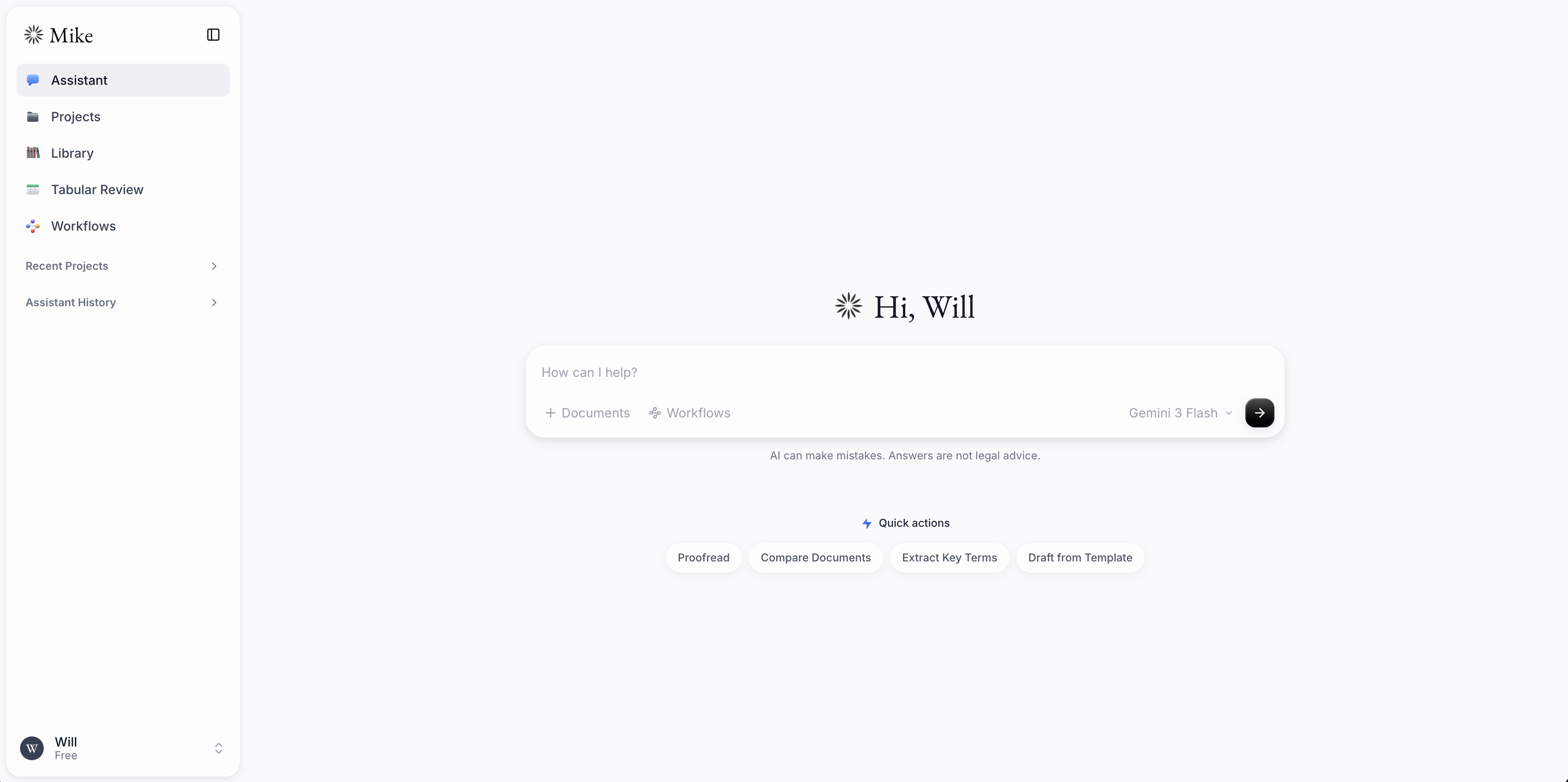
The included Docker Compose stack runs Mike, Supabase, RustFS object storage, and local email capture without requiring managed infrastructure.
Copy the local environment templates:
cp .env.example .env
cp backend/.env.example backend/.env
In backend/.env, set DOWNLOAD_SIGNING_SECRET and
USER_API_KEYS_ENCRYPTION_SECRET to separate values generated with:
openssl rand -hex 32
Add an Anthropic, Gemini, or OpenAI API key to backend/.env, unless you
plan to use Ollama exclusively.
Start the stack:
docker compose up --build
Open http://localhost:3000 and create an account.
The bundled credentials and infrastructure are intended for local development only. See Local development for service endpoints, authentication behavior, Ollama setup, and first-run guidance.
Mike sends scrubbed error reports (no document content, user identities, or
request data) to the project's Sentry by default. Set SENTRY_DISABLED=true to
opt out, or set SENTRY_DSN to use your own. See the
observability guide for the exact policy, per-runtime
variables, and the Sentry data audit.
| Path | Purpose |
|---|---|
frontend/ | Next.js web application |
backend/ | Express API, document processing, and database access |
word-addin/ | Microsoft Word task-pane add-in (beta) |
backend/schema.sql | Complete schema for fresh databases |
backend/migrations/ | Dated migrations for existing deployments |
docker-compose.yml | Local application and infrastructure stack |
docs/ | Development, deployment, testing, and feature guides |
Mike's system assistant and tabular-review workflows are maintained in the
Open-Legal-Products/mike-workflows
repository. See Contributing for how they are
packaged and synchronized with this application.
Mike is available under the GNU Affero General Public License v3.0. Bundled public contract templates retain their publishers' separate licenses and notices.
Gmail and Calendar are separate, optional connections in Settings → Connectors. Google SSO never connects them automatically. Choose any permitted Google account for each service, including a different account from your Mike login. Read access is the default; write permissions require a separate consent flow, and every send/edit/delete proposal requires explicit approval of its exact contents. See setup, technical approach, limits, and manual acceptance tests.
(top 24 of 49)
227 followers · starred May 2026
975 followers · starred May 2026
975 followers · starred May 2026
11,399 followers · starred May 2026
OSS Legal AI Platform
See the code
Mike (MikeOSS) is an open-source legal AI platform for document review, drafting, and legal research.
It combines a Next.js frontend, an Express backend, Supabase Auth/Postgres, and Cloudflare R2-compatible object storage.
Website: mikeoss.com
The included Docker Compose stack runs Mike, Supabase, RustFS object storage, and local email capture without requiring managed infrastructure.
Copy the local environment templates:
cp .env.example .env
cp backend/.env.example backend/.env
In backend/.env, set DOWNLOAD_SIGNING_SECRET and
USER_API_KEYS_ENCRYPTION_SECRET to separate values generated with:
openssl rand -hex 32
Add an Anthropic, Gemini, or OpenAI API key to backend/.env, unless you
plan to use Ollama exclusively.
Start the stack:
docker compose up --build
Open http://localhost:3000 and create an account.
The bundled credentials and infrastructure are intended for local development only. See Local development for service endpoints, authentication behavior, Ollama setup, and first-run guidance.
Mike sends scrubbed error reports (no document content, user identities, or
request data) to the project's Sentry by default. Set SENTRY_DISABLED=true to
opt out, or set SENTRY_DSN to use your own. See the
observability guide for the exact policy, per-runtime
variables, and the Sentry data audit.
| Path | Purpose |
|---|---|
frontend/ | Next.js web application |
backend/ | Express API, document processing, and database access |
word-addin/ | Microsoft Word task-pane add-in (beta) |
backend/schema.sql | Complete schema for fresh databases |
backend/migrations/ | Dated migrations for existing deployments |
docker-compose.yml | Local application and infrastructure stack |
docs/ | Development, deployment, testing, and feature guides |
Mike's system assistant and tabular-review workflows are maintained in the
Open-Legal-Products/mike-workflows
repository. See Contributing for how they are
packaged and synchronized with this application.
Mike is available under the GNU Affero General Public License v3.0. Bundled public contract templates retain their publishers' separate licenses and notices.
Gmail and Calendar are separate, optional connections in Settings → Connectors. Google SSO never connects them automatically. Choose any permitted Google account for each service, including a different account from your Mike login. Read access is the default; write permissions require a separate consent flow, and every send/edit/delete proposal requires explicit approval of its exact contents. See setup, technical approach, limits, and manual acceptance tests.
(top 24 of 49)
227 followers · starred May 2026
975 followers · starred May 2026
975 followers · starred May 2026
11,399 followers · starred May 2026