
an unofficial sts2 mobile launcher that support mods,optimized mobile control
Java
408
241 commits
updated Sep 28, 2026
README
Slay the Spire 2 Android Launcher
An unofficial, open-source mobile compatibility layer and launcher environment for Slay the Spire 2, based on the Godot/Mono runtime.



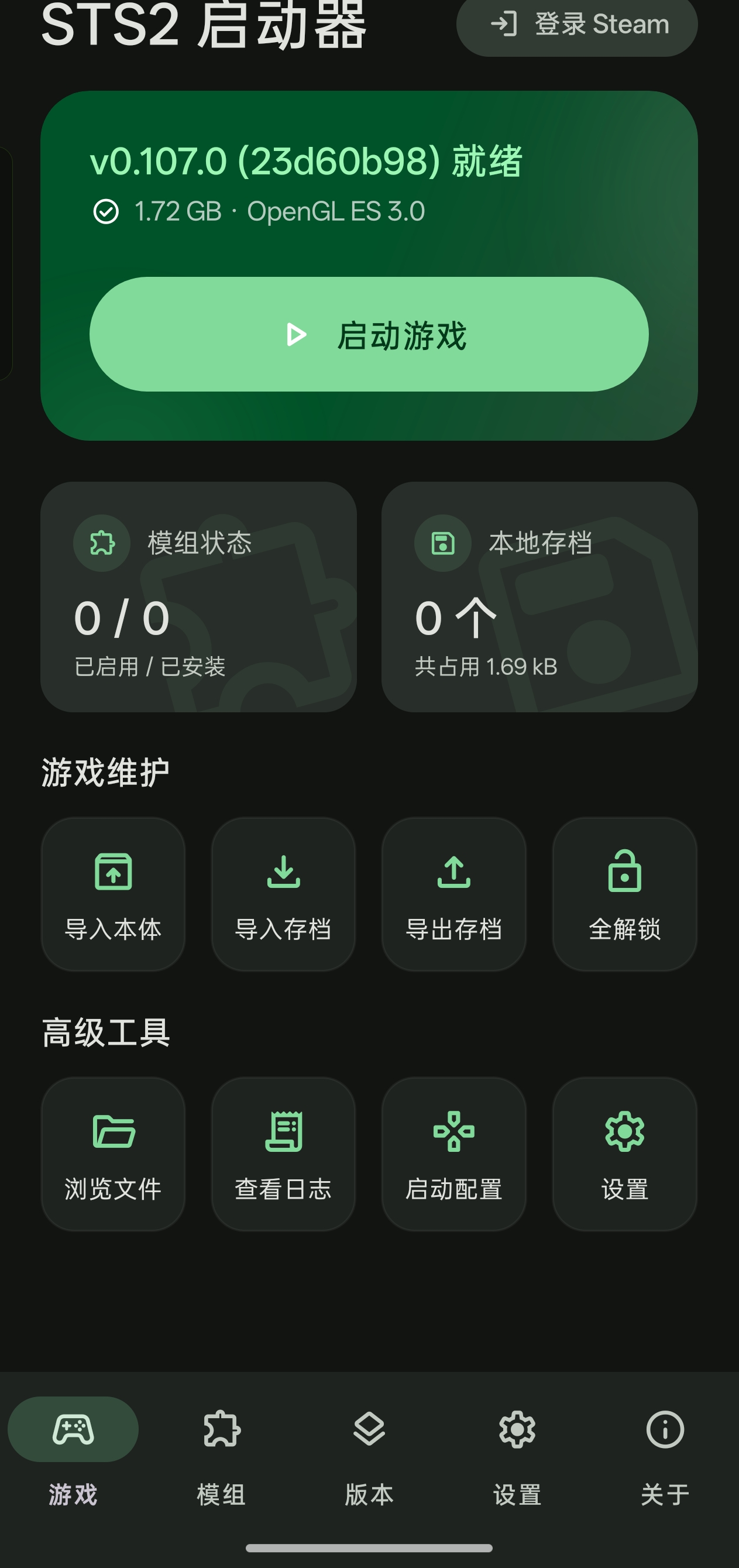
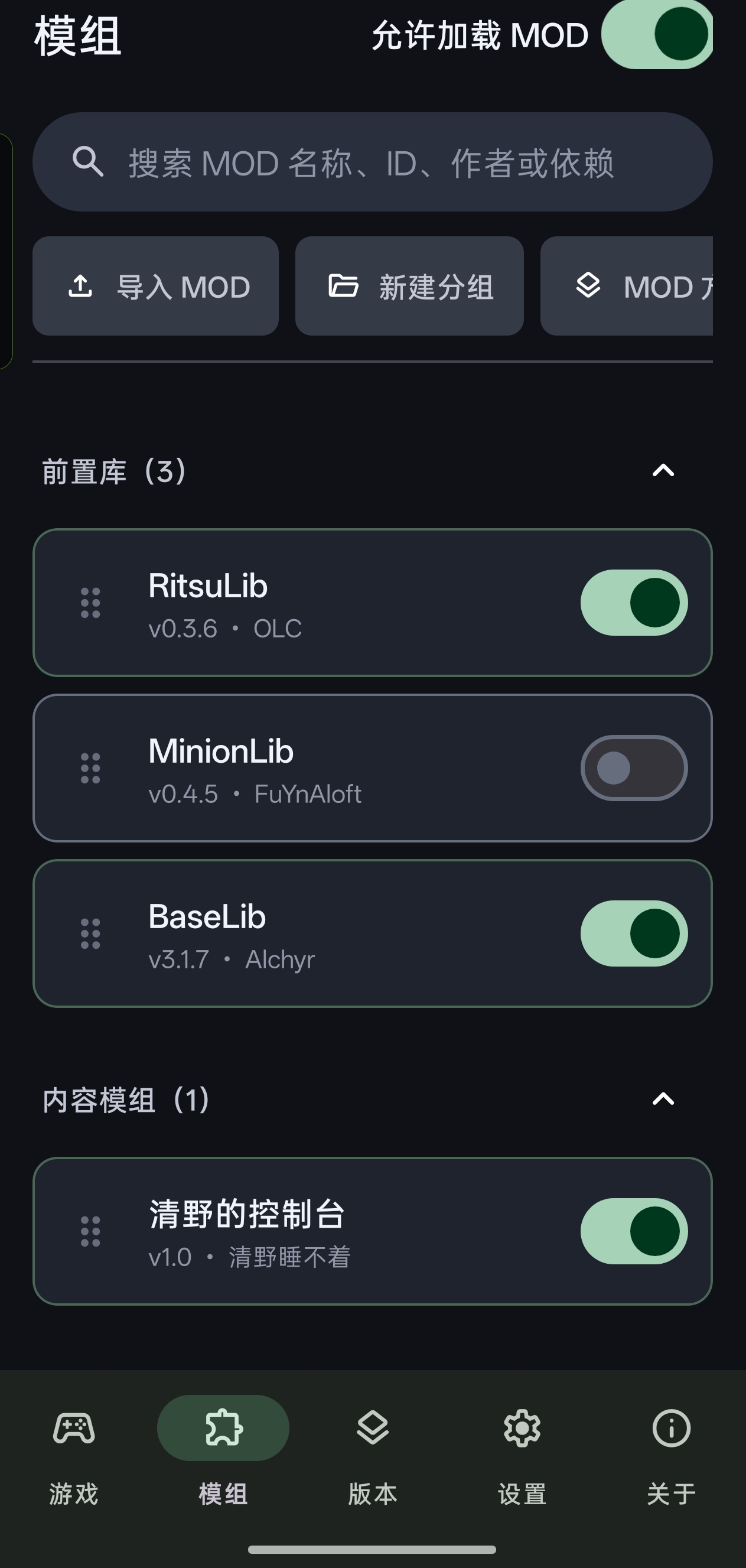
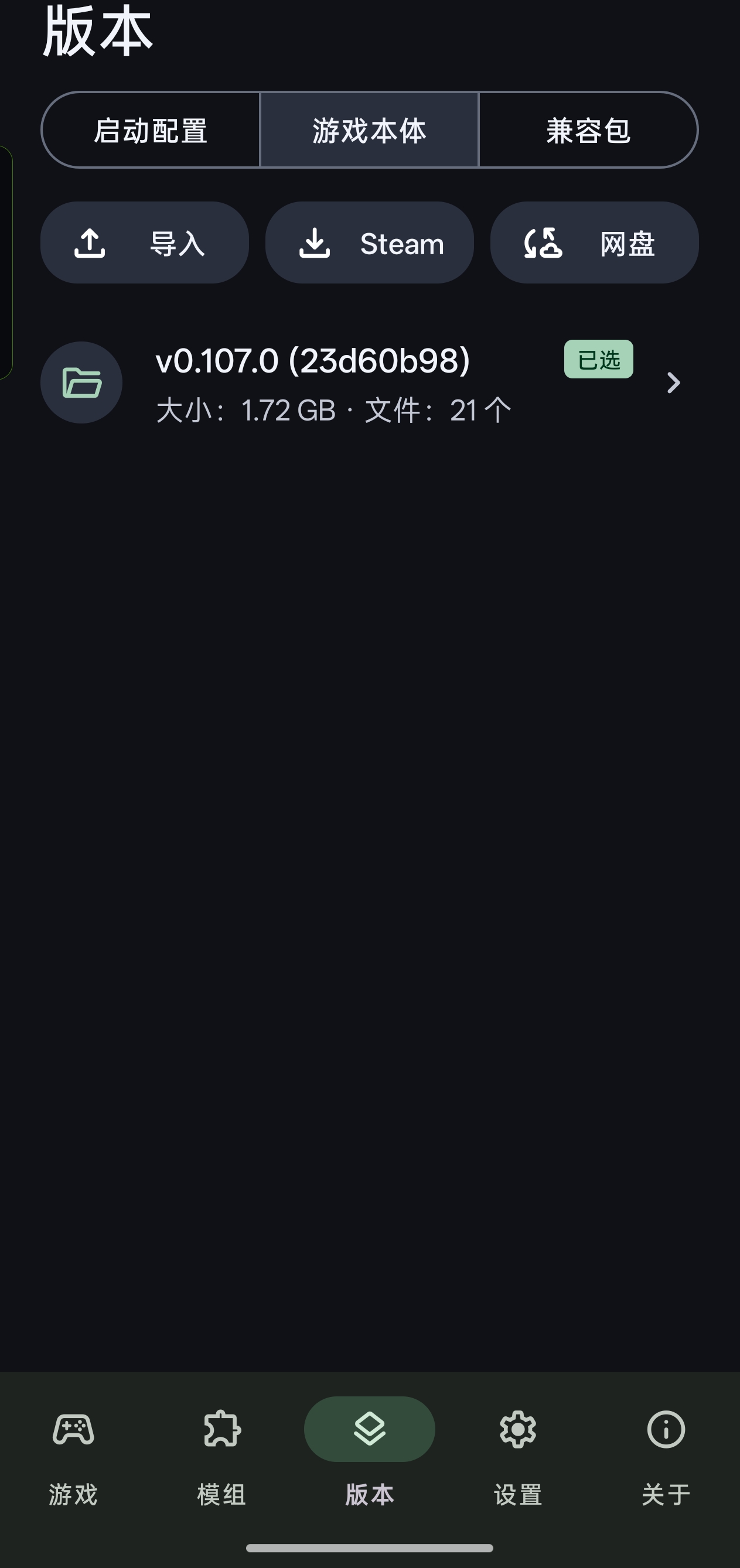
Screenshots
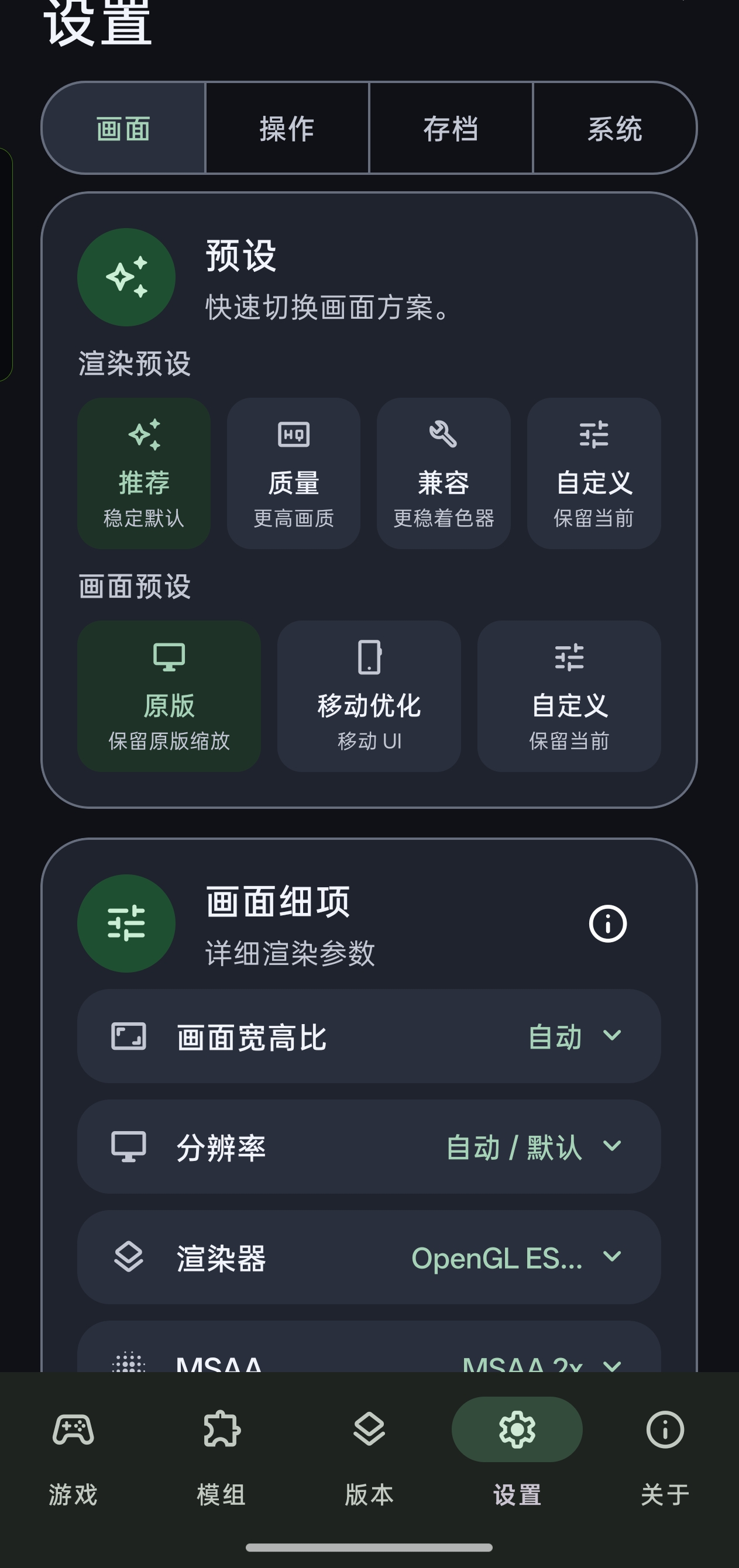
About the Project
This project is an experimental, unofficial Android port and launcher framework for Slay the Spire 2. It DOES NOT contain any base game files. Instead, it provides an Android shell that allows players to import and run their legally owned PC game files on mobile devices, featuring support for Mod loading, Steam Workshop browsing/direct ID or URL opening/download tracking with anonymous public browsing and WorkshopOnAndroid-compatible access fallback, local save snapshots, Steam Cloud and WebDAV save synchronization, and launcher update checks from the About page. When an update is found, the launcher can open either the GitHub release page or the Bilibili dynamic feed.
The core architecture consists of three layers:
- Android Launcher Shell (
android/): Handles game data importing, Steam login and game downloading, Steam Workshop public browsing, direct ID/URL opening, and download tracking with default compatible-access routing for networks where Steam Community/API or SteamPipe CDN direct connections time out, local save snapshots, Steam Cloud/WebDAV save syncing, and local file/MOD management. Once everything is ready, it boots up the Godot game process. - Android Compatibility Pack (
port-mod/submodule): Acts as a low-level hook (based on Harmony), loaded at the very beginning of the game boot process. It intercepts and fixes various PC-to-Android incompatibilities (e.g., input adaptation, path redirection, PC-specific shader replacement, Mod loader bridging). - Base Game (Provided by User): Supplied by the user either by importing the PC version's
SlayTheSpire2.zipor by legally downloading it via the SteamPipe API after logging into their Steam account within the app.
The Steam game-download page's Custom card supports either a branch name or an exact ManifestID. Manifest mode can read the current manifests of visible Steam branches or accept a manually entered ManifestID for the Windows depot (2868841); the list is not a historical catalog. Downloads still require an account that owns the game and Steam authorization. Unavailable snapshots do not fall back to another version, and downloading an older build does not guarantee Android compatibility. Use an isolated launch profile for old saves/MODs. See the Steam download flow.
Custom player counts above four remain experimental. The full compatibility pack now dynamically creates treasure relic holders and rest-site character slots, including safe fifth-player focus and distinct treasure award/fight hand placement; this fixes the five-player chest flow that previously stopped after rock-paper-scissors. Other vanilla screens may still contain four-player assumptions, so the configurable capacity is not a guarantee that every player count is supported end to end.
On Android, the full compatibility pack restores the multiplayer reaction button that is missing from the imported PC scene. It remains available after entering a multiplayer lobby, including the character/ready screen and visible wait overlays, not only after the run has started. Touch and drag from the floating button to choose one of the original reaction-wheel wedges, then release to send it through the payload's existing reaction synchronizer. The wheel is centered on the button in viewport coordinates, and its selection animation keeps a stable neutral position for every wedge after responsive Canvas/UI resizing, so pointing around a full circle no longer shifts the wheel toward the lower-right. On release, the viewport center is converted back to the reaction container's control space before the original local animation and network normalization run, keeping the sent reaction visible under scaled Canvas layouts. The Extra Settings → System switch Show multiplayer emoji button controls the button at runtime and defaults to enabled.
The full compatibility pack also supplies the game's locale-font fallback to Godot popup windows, including OptionButton dropdown items and separators. Some Samsung firmware does not reliably select CJK fonts for these separate popup windows; the fix preserves their existing fonts and does not bundle duplicate game fonts.
Legal Disclaimer
- Unofficial Project: This is an open-source technical research project created by the player community. It is not affiliated with Mega Crit, Slay the Spire 2, or the Godot Engine, nor does it represent their views.
- No Game Assets Provided: This repository ABSOLUTELY DOES NOT contain or distribute any copyrighted commercial game assets (including but not limited to audio, images, PCK files, core logic DLLs, etc.).
- Legal Use: Please comply with relevant software licenses, platform rules, and local laws. You must legally own a PC copy of Slay the Spire 2 to use this tool to run the game on your own device.
- No Pirated APK Distribution: Do not use standalone APKs bundled with commercial game assets for public release or commercial monetization.
Credits & References
The creation of this project relies heavily on the explorations of the open-source community. Special thanks to the following projects for their inspiration and code references:
- StS2-Launcher_Mod_Manager Provided underlying concepts for stripping the Godot/Mono runtime, Android compatibility patch load orders, and design references for some build scripts.
- SlayTheAmethystModded
An unofficial mobile launcher for STS1. The reverse-engineered integration and source code for
steam-protocol,steam-content(SteamPipe game downloads), and Steam Cloud saves in this project are primarily ported/adapted from it. The default-off Settings → Controls → Floating mouse button also follows its draggable circular mouse-button design, with independently implemented input handling and artwork. Tap once to arm one right-click; tap again before touching the game to lock right-click mode; tap again to unlock. See runtime controls. - WorkshopAndroidDownloader Android Steam Workshop downloader reference used for the launcher Workshop browsing, download, and update-tracking flow.
- Spire Supply Station / 尖塔补给站, by apricityx Optional anonymous Workshop download service. Enable Download with Spire Supply Station in Workshop settings (off by default); the About icon beside the switch provides acknowledgements, copyright information and external links. The native downloader does not send Steam login credentials to the service. Site-default content has no verified game branch; see Workshop download notes and the service terms.
- STS2-RitsuLib / BaseLib-StS2 Served as vital test baseline reference libraries for troubleshooting Android MOD compatibility.
- Google Material Symbols Provides the official rounded icon outlines used by the launcher UI, generated into Android vector drawables from the bundled font.
- Android desugar_jdk_libs
Provides Java 8+ library API compatibility (including
java.time) for Android 7.x devices. - Godot Engine / Godot.NET.Sdk Provides the engine and Android template. The test-only Godot.NET.Sdk 4.5.1 harness also exercises native resource preparation and shader lifecycle behavior using synthetic scenes, without commercial game data or additional APK dependencies.
- .NET / Mono / Ekyso StS2-Launcher The existing custom Android Mono runtime is retained. An opt-in experimental memory-total repair changes one SHA-pinned ARM64 instruction, without changing heap limits or the MOD itself. It is not a source rebuild or a complete Android memory-accounting fix; normal builds remain unchanged. See scope, test builds and rollback.
(For detailed third-party open-source licenses, including test-only Kotlin Test/JUnit, Robolectric (launcher data-safety regressions), and OkHttp MockWebServer dependencies that are not packaged into the APK, please see THIRD_PARTY_LICENSES.md)
Core Security Notes
For the safety of your device and accounts, please pay strict attention to the following when using and compiling this app:
- ADB &
DebuggableRisks: The current default release build configuration keepsdebuggable=true(to facilitate log capture in case of crashes). This means any computer or malicious software connected to your phone withADBpermissions can extract data from this app (including encrypted Steam credentials). NEVER grant ADB debugging permissions to untrusted computers or third-party app stores. - Steam Account Security:
- This app will NEVER upload your Steam account password to any third-party server. The password and the Steam Guard code entered for the current login remain in memory only; they are not written to disk, an Android service intent, or logs.
- After Steam accepts the initial credential request, the launcher temporarily stores only an encrypted, short-lived authentication transaction handle so an interrupted login can resume. The handle expires automatically and contains Steam routing/status data, not the password or one-time Guard code.
- The
Refresh Tokenis encrypted and stored locally via Android'sEncryptedSharedPreferences. - For Steam mobile confirmation, polling starts immediately. You can switch to the Steam app, approve the request, and return normally; keeping this launcher in a floating window or split screen is not required. A foreground authentication service keeps the transaction alive and reconnects to Steam CM when possible, while cancel or expiry removes the pending transaction.
- Strongly Recommended: Only log into Steam using an APK compiled by yourself from trusted source code or obtained from a highly trusted channel.
- Malicious MOD Risks: Mods for Slay the Spire 2 are essentially arbitrarily executed C# code. Malicious Mods can bypass the sandbox to directly read local files on your phone (including configurations containing your Steam Token). Before attempting to install unknown Mods from untrusted sources, make sure to log out of Steam in the app settings to prevent account theft.
How to Build (APK Packaging)
Note: For complete environment configuration and parameter details, please refer to
doc/build/building-and-packaging.md.
1. Prerequisites
- OS: Linux / macOS / WSL (Windows)
- Toolchain:
- JDK 17+
- Android SDK (API 35) & NDK
- .NET SDK (for compiling C# compat plugins)
- Python 3
2. Get the Source Code
Because it includes the compatibility pack submodule, please clone with the --recursive flag:
git clone --recursive https://github.com/ModinMobileSTS/Sts2MobileLauncher.git
cd Sts2MobileLauncher
3. Local Environment Setup
Copy the environment variable templates and modify the .env and local.properties files according to your actual local paths:
cp .env.example .env
cp local.properties.example local.properties
Note: The
.envfile must configureJAVA_HOME,ANDROID_HOME,DOTNET_BIN, and the original PC DLL reference paths used for compiling the compatibility pack (STS2_ORIGINAL_*_REFERENCE_DIR).
4. Sync Runtimes and Dependencies
Run the following script to extract large runtime artifacts (Godot templates, FMOD, etc.) to their designated locations (these files are git-ignored and must be generated locally):
tools/android/sync-runtime-from-references.sh
The Android FMOD engine and Godot bridge must match the PC game's 2.03.06 release. Place the matched arm64 native libraries beside the AAR in arm64/, or set STS2_FMOD_ANDROID_LIBS_DIR in .env. Sync rejects older or mixed binaries instead of repackaging the old reference runtime. See doc/build/building-and-packaging.md.
5. Compile Compatibility Packs (Compat Packs)
Compile and stage all bundled compatibility artifacts into APK assets:
tools/android/stage-bundled-compat-artifacts.sh
This stages the flattened schema-2 full compatibility family pack from port-mod/ and the generic offline-bootstrap/ fallback pack. The current v0.111.0 public-beta build has an independent target because it moves version, ModelDb-hash, and MOD validation into a transport-level handshake and requires version information when constructing host/client services. The older v0.110.x line keeps its stable shared target id for v0.110.0/v0.110.1, whose compat-facing API is equivalent; v0.109.0/v0.109.1 similarly share the stable v0.109.0 id. A target may declare sts2_dll_sha256 as either a legacy string or a list of API-compatible hashes. The offline bootstrap is only auto-matched when an imported game payload has no installed exact SHA/version compatibility pack. Its wildcard is a best-effort fallback rather than a compatibility guarantee: probe contract v2 resolves only understood runtime API shapes, marks success after real ModelDb initialization, and prevents a known-failed pack/version/payload-SHA tuple from being auto-selected again. Run offline-bootstrap/tools/test-offline-contract.sh to validate synthetic API changes and every locally configured original reference.
If the current launch profile has no usable compatibility pack, launching now opens a recommendation bottom sheet instead of only showing an error. It first recommends the best matching bundled or installed full target; only when no full target matches does it offer the generic offline fallback. The profile is changed only after the user chooses Use recommendation and continue, and the sheet can instead open compatibility pack management directly.
If you only need to rebuild the full port-mod family pack, use:
tools/android/stage-bundled-compat-packs.sh
Legacy per-version branch packs remain available for diagnostics:
COMPAT_PACK_BUILD_MODE=legacy tools/android/stage-bundled-compat-packs.sh
When bringing up a new game version, run the source-level port compatibility audit before editing targets or patches:
tools/port_mod_ast_audit.py \
  --old-source ../s2_original/s201101 \
  --new-source ../s2_original/s201110 \
  --port-mod port-mod/STS2AndroidPortCompat \
  --out .agent/reports/v111-port-mod-ast-audit
See doc/build/building-and-packaging.md for report details and status meanings.
6. Build the Importer APK
Run the build script. This will output an "Importer APK" that DOES NOT contain the base game (the recommended, legally compliant distribution method):
tools/package/build_importer_apk.sh
Upon successful build, the APK will be output to dist/sts2-re-importer.apk.
Android high-refresh support is part of the normal APK: the app declares the
Android game category so OEM game/GPU scheduling can recognize GodotApp, then
requests the highest compatible refresh rate only while the game is resumed,
focused, and backed by a valid render Surface. Requests are coalesced per
Activity lifecycle and cancelled when the game pauses or its Surface is
destroyed. For each valid Surface epoch, Android 12+ issues one
Surface.setFrameRate(..., CHANGE_FRAME_RATE_ALWAYS) vote together with the
matching exact Window display mode when Android exposes one; devices that
only expose an alternative refresh rate use a refresh-rate-only Window request
with the exact mode ID cleared. A bounded delayed verification follows, and the
path does not use SurfaceControl. This behavior can be
disabled from Extra Settings → System below Preload. A disabled-by-default
performance overlay can also be enabled from Extra Settings → System.
The fullscreen render-resolution preset is applied by the full compatibility
pack at game startup and can also be switched immediately from the in-game
Android settings page. The root Window keeps Godot CanvasItems scaling while
only its renderer-side target changes, so cards, controls, touch coordinates,
and other content retain the same relative layout. The effective target follows
the current CanvasItems aspect (for example, a 1280×720 preset becomes 1600×720
on a 2400×1080 attachment). Android Surface size and the high-refresh request are
left untouched; aspect-ratio, UI-scale, global-scale, and font-scale settings
continue to apply independently.
7. ADB Automation Debugging
For connected-device debugging, the repository includes an ADB harness that can install the APK, push a payload/compat pack/MOD into app-private storage, run launch preparation, start the game, and collect logs or Perfetto traces:
tools/debug/sts2-adb-debug.sh build-install
tools/debug/sts2-adb-debug.sh status --pull
tools/debug/sts2-adb-debug.sh launch --mode perf --preload aggressive --logcat-duration 45 --perfetto 45 --pull
See doc/build/adb-automation-debugging.md for targeted MOD/compat/preload scenarios.
More Documentation
If you want to contribute to development, understand how the compatibility packs work, or dive deeper into the architecture, please check the doc/ directory:
Similar repos


Languages
Java
70.9%
Kotlin
18.2%
Python
5.2%
Shell
3.0%
C#
2.6%
an unofficial sts2 mobile launcher that support mods,optimized mobile control
Java
408
241 commits
updated Sep 28, 2026
README
Slay the Spire 2 Android Launcher
An unofficial, open-source mobile compatibility layer and launcher environment for Slay the Spire 2, based on the Godot/Mono runtime.
Screenshots
About the Project
This project is an experimental, unofficial Android port and launcher framework for Slay the Spire 2. It DOES NOT contain any base game files. Instead, it provides an Android shell that allows players to import and run their legally owned PC game files on mobile devices, featuring support for Mod loading, Steam Workshop browsing/direct ID or URL opening/download tracking with anonymous public browsing and WorkshopOnAndroid-compatible access fallback, local save snapshots, Steam Cloud and WebDAV save synchronization, and launcher update checks from the About page. When an update is found, the launcher can open either the GitHub release page or the Bilibili dynamic feed.
The core architecture consists of three layers:
- Android Launcher Shell (
android/): Handles game data importing, Steam login and game downloading, Steam Workshop public browsing, direct ID/URL opening, and download tracking with default compatible-access routing for networks where Steam Community/API or SteamPipe CDN direct connections time out, local save snapshots, Steam Cloud/WebDAV save syncing, and local file/MOD management. Once everything is ready, it boots up the Godot game process. - Android Compatibility Pack (
port-mod/submodule): Acts as a low-level hook (based on Harmony), loaded at the very beginning of the game boot process. It intercepts and fixes various PC-to-Android incompatibilities (e.g., input adaptation, path redirection, PC-specific shader replacement, Mod loader bridging). - Base Game (Provided by User): Supplied by the user either by importing the PC version's
SlayTheSpire2.zipor by legally downloading it via the SteamPipe API after logging into their Steam account within the app.
The Steam game-download page's Custom card supports either a branch name or an exact ManifestID. Manifest mode can read the current manifests of visible Steam branches or accept a manually entered ManifestID for the Windows depot (2868841); the list is not a historical catalog. Downloads still require an account that owns the game and Steam authorization. Unavailable snapshots do not fall back to another version, and downloading an older build does not guarantee Android compatibility. Use an isolated launch profile for old saves/MODs. See the Steam download flow.
Custom player counts above four remain experimental. The full compatibility pack now dynamically creates treasure relic holders and rest-site character slots, including safe fifth-player focus and distinct treasure award/fight hand placement; this fixes the five-player chest flow that previously stopped after rock-paper-scissors. Other vanilla screens may still contain four-player assumptions, so the configurable capacity is not a guarantee that every player count is supported end to end.
On Android, the full compatibility pack restores the multiplayer reaction button that is missing from the imported PC scene. It remains available after entering a multiplayer lobby, including the character/ready screen and visible wait overlays, not only after the run has started. Touch and drag from the floating button to choose one of the original reaction-wheel wedges, then release to send it through the payload's existing reaction synchronizer. The wheel is centered on the button in viewport coordinates, and its selection animation keeps a stable neutral position for every wedge after responsive Canvas/UI resizing, so pointing around a full circle no longer shifts the wheel toward the lower-right. On release, the viewport center is converted back to the reaction container's control space before the original local animation and network normalization run, keeping the sent reaction visible under scaled Canvas layouts. The Extra Settings → System switch Show multiplayer emoji button controls the button at runtime and defaults to enabled.
The full compatibility pack also supplies the game's locale-font fallback to Godot popup windows, including OptionButton dropdown items and separators. Some Samsung firmware does not reliably select CJK fonts for these separate popup windows; the fix preserves their existing fonts and does not bundle duplicate game fonts.
Legal Disclaimer
- Unofficial Project: This is an open-source technical research project created by the player community. It is not affiliated with Mega Crit, Slay the Spire 2, or the Godot Engine, nor does it represent their views.
- No Game Assets Provided: This repository ABSOLUTELY DOES NOT contain or distribute any copyrighted commercial game assets (including but not limited to audio, images, PCK files, core logic DLLs, etc.).
- Legal Use: Please comply with relevant software licenses, platform rules, and local laws. You must legally own a PC copy of Slay the Spire 2 to use this tool to run the game on your own device.
- No Pirated APK Distribution: Do not use standalone APKs bundled with commercial game assets for public release or commercial monetization.
Credits & References
The creation of this project relies heavily on the explorations of the open-source community. Special thanks to the following projects for their inspiration and code references:
- StS2-Launcher_Mod_Manager Provided underlying concepts for stripping the Godot/Mono runtime, Android compatibility patch load orders, and design references for some build scripts.
- SlayTheAmethystModded
An unofficial mobile launcher for STS1. The reverse-engineered integration and source code for
steam-protocol,steam-content(SteamPipe game downloads), and Steam Cloud saves in this project are primarily ported/adapted from it. The default-off Settings → Controls → Floating mouse button also follows its draggable circular mouse-button design, with independently implemented input handling and artwork. Tap once to arm one right-click; tap again before touching the game to lock right-click mode; tap again to unlock. See runtime controls. - WorkshopAndroidDownloader Android Steam Workshop downloader reference used for the launcher Workshop browsing, download, and update-tracking flow.
- Spire Supply Station / 尖塔补给站, by apricityx Optional anonymous Workshop download service. Enable Download with Spire Supply Station in Workshop settings (off by default); the About icon beside the switch provides acknowledgements, copyright information and external links. The native downloader does not send Steam login credentials to the service. Site-default content has no verified game branch; see Workshop download notes and the service terms.
- STS2-RitsuLib / BaseLib-StS2 Served as vital test baseline reference libraries for troubleshooting Android MOD compatibility.
- Google Material Symbols Provides the official rounded icon outlines used by the launcher UI, generated into Android vector drawables from the bundled font.
- Android desugar_jdk_libs
Provides Java 8+ library API compatibility (including
java.time) for Android 7.x devices. - Godot Engine / Godot.NET.Sdk Provides the engine and Android template. The test-only Godot.NET.Sdk 4.5.1 harness also exercises native resource preparation and shader lifecycle behavior using synthetic scenes, without commercial game data or additional APK dependencies.
- .NET / Mono / Ekyso StS2-Launcher The existing custom Android Mono runtime is retained. An opt-in experimental memory-total repair changes one SHA-pinned ARM64 instruction, without changing heap limits or the MOD itself. It is not a source rebuild or a complete Android memory-accounting fix; normal builds remain unchanged. See scope, test builds and rollback.
(For detailed third-party open-source licenses, including test-only Kotlin Test/JUnit, Robolectric (launcher data-safety regressions), and OkHttp MockWebServer dependencies that are not packaged into the APK, please see THIRD_PARTY_LICENSES.md)
Core Security Notes
For the safety of your device and accounts, please pay strict attention to the following when using and compiling this app:
- ADB &
DebuggableRisks: The current default release build configuration keepsdebuggable=true(to facilitate log capture in case of crashes). This means any computer or malicious software connected to your phone withADBpermissions can extract data from this app (including encrypted Steam credentials). NEVER grant ADB debugging permissions to untrusted computers or third-party app stores. - Steam Account Security:
- This app will NEVER upload your Steam account password to any third-party server. The password and the Steam Guard code entered for the current login remain in memory only; they are not written to disk, an Android service intent, or logs.
- After Steam accepts the initial credential request, the launcher temporarily stores only an encrypted, short-lived authentication transaction handle so an interrupted login can resume. The handle expires automatically and contains Steam routing/status data, not the password or one-time Guard code.
- The
Refresh Tokenis encrypted and stored locally via Android'sEncryptedSharedPreferences. - For Steam mobile confirmation, polling starts immediately. You can switch to the Steam app, approve the request, and return normally; keeping this launcher in a floating window or split screen is not required. A foreground authentication service keeps the transaction alive and reconnects to Steam CM when possible, while cancel or expiry removes the pending transaction.
- Strongly Recommended: Only log into Steam using an APK compiled by yourself from trusted source code or obtained from a highly trusted channel.
- Malicious MOD Risks: Mods for Slay the Spire 2 are essentially arbitrarily executed C# code. Malicious Mods can bypass the sandbox to directly read local files on your phone (including configurations containing your Steam Token). Before attempting to install unknown Mods from untrusted sources, make sure to log out of Steam in the app settings to prevent account theft.
How to Build (APK Packaging)
Note: For complete environment configuration and parameter details, please refer to
doc/build/building-and-packaging.md.
1. Prerequisites
- OS: Linux / macOS / WSL (Windows)
- Toolchain:
- JDK 17+
- Android SDK (API 35) & NDK
- .NET SDK (for compiling C# compat plugins)
- Python 3
2. Get the Source Code
Because it includes the compatibility pack submodule, please clone with the --recursive flag:
git clone --recursive https://github.com/ModinMobileSTS/Sts2MobileLauncher.git
cd Sts2MobileLauncher
3. Local Environment Setup
Copy the environment variable templates and modify the .env and local.properties files according to your actual local paths:
cp .env.example .env
cp local.properties.example local.properties
Note: The
.envfile must configureJAVA_HOME,ANDROID_HOME,DOTNET_BIN, and the original PC DLL reference paths used for compiling the compatibility pack (STS2_ORIGINAL_*_REFERENCE_DIR).
4. Sync Runtimes and Dependencies
Run the following script to extract large runtime artifacts (Godot templates, FMOD, etc.) to their designated locations (these files are git-ignored and must be generated locally):
tools/android/sync-runtime-from-references.sh
The Android FMOD engine and Godot bridge must match the PC game's 2.03.06 release. Place the matched arm64 native libraries beside the AAR in arm64/, or set STS2_FMOD_ANDROID_LIBS_DIR in .env. Sync rejects older or mixed binaries instead of repackaging the old reference runtime. See doc/build/building-and-packaging.md.
5. Compile Compatibility Packs (Compat Packs)
Compile and stage all bundled compatibility artifacts into APK assets:
tools/android/stage-bundled-compat-artifacts.sh
This stages the flattened schema-2 full compatibility family pack from port-mod/ and the generic offline-bootstrap/ fallback pack. The current v0.111.0 public-beta build has an independent target because it moves version, ModelDb-hash, and MOD validation into a transport-level handshake and requires version information when constructing host/client services. The older v0.110.x line keeps its stable shared target id for v0.110.0/v0.110.1, whose compat-facing API is equivalent; v0.109.0/v0.109.1 similarly share the stable v0.109.0 id. A target may declare sts2_dll_sha256 as either a legacy string or a list of API-compatible hashes. The offline bootstrap is only auto-matched when an imported game payload has no installed exact SHA/version compatibility pack. Its wildcard is a best-effort fallback rather than a compatibility guarantee: probe contract v2 resolves only understood runtime API shapes, marks success after real ModelDb initialization, and prevents a known-failed pack/version/payload-SHA tuple from being auto-selected again. Run offline-bootstrap/tools/test-offline-contract.sh to validate synthetic API changes and every locally configured original reference.
If the current launch profile has no usable compatibility pack, launching now opens a recommendation bottom sheet instead of only showing an error. It first recommends the best matching bundled or installed full target; only when no full target matches does it offer the generic offline fallback. The profile is changed only after the user chooses Use recommendation and continue, and the sheet can instead open compatibility pack management directly.
If you only need to rebuild the full port-mod family pack, use:
tools/android/stage-bundled-compat-packs.sh
Legacy per-version branch packs remain available for diagnostics:
COMPAT_PACK_BUILD_MODE=legacy tools/android/stage-bundled-compat-packs.sh
When bringing up a new game version, run the source-level port compatibility audit before editing targets or patches:
tools/port_mod_ast_audit.py \
  --old-source ../s2_original/s201101 \
  --new-source ../s2_original/s201110 \
  --port-mod port-mod/STS2AndroidPortCompat \
  --out .agent/reports/v111-port-mod-ast-audit
See doc/build/building-and-packaging.md for report details and status meanings.
6. Build the Importer APK
Run the build script. This will output an "Importer APK" that DOES NOT contain the base game (the recommended, legally compliant distribution method):
tools/package/build_importer_apk.sh
Upon successful build, the APK will be output to dist/sts2-re-importer.apk.
Android high-refresh support is part of the normal APK: the app declares the
Android game category so OEM game/GPU scheduling can recognize GodotApp, then
requests the highest compatible refresh rate only while the game is resumed,
focused, and backed by a valid render Surface. Requests are coalesced per
Activity lifecycle and cancelled when the game pauses or its Surface is
destroyed. For each valid Surface epoch, Android 12+ issues one
Surface.setFrameRate(..., CHANGE_FRAME_RATE_ALWAYS) vote together with the
matching exact Window display mode when Android exposes one; devices that
only expose an alternative refresh rate use a refresh-rate-only Window request
with the exact mode ID cleared. A bounded delayed verification follows, and the
path does not use SurfaceControl. This behavior can be
disabled from Extra Settings → System below Preload. A disabled-by-default
performance overlay can also be enabled from Extra Settings → System.
The fullscreen render-resolution preset is applied by the full compatibility
pack at game startup and can also be switched immediately from the in-game
Android settings page. The root Window keeps Godot CanvasItems scaling while
only its renderer-side target changes, so cards, controls, touch coordinates,
and other content retain the same relative layout. The effective target follows
the current CanvasItems aspect (for example, a 1280×720 preset becomes 1600×720
on a 2400×1080 attachment). Android Surface size and the high-refresh request are
left untouched; aspect-ratio, UI-scale, global-scale, and font-scale settings
continue to apply independently.
7. ADB Automation Debugging
For connected-device debugging, the repository includes an ADB harness that can install the APK, push a payload/compat pack/MOD into app-private storage, run launch preparation, start the game, and collect logs or Perfetto traces:
tools/debug/sts2-adb-debug.sh build-install
tools/debug/sts2-adb-debug.sh status --pull
tools/debug/sts2-adb-debug.sh launch --mode perf --preload aggressive --logcat-duration 45 --perfetto 45 --pull
See doc/build/adb-automation-debugging.md for targeted MOD/compat/preload scenarios.
More Documentation
If you want to contribute to development, understand how the compatibility packs work, or dive deeper into the architecture, please check the doc/ directory:
Similar repos
Languages
Java
70.9%
Kotlin
18.2%
Python
5.2%
Shell
3.0%
C#
2.6%