WhatsApp, Discord, Teams, Outlook, OneDrive and Brightspace in one window with tabs. Made for Linux.
See the code
WhatsApp, Discord, Teams, Outlook, Brightspace and any website in one window — made for Linux.
Light, keyboard-friendly and built to keep you signed in.


🇬🇧 English · 🇳🇱 Nederlands
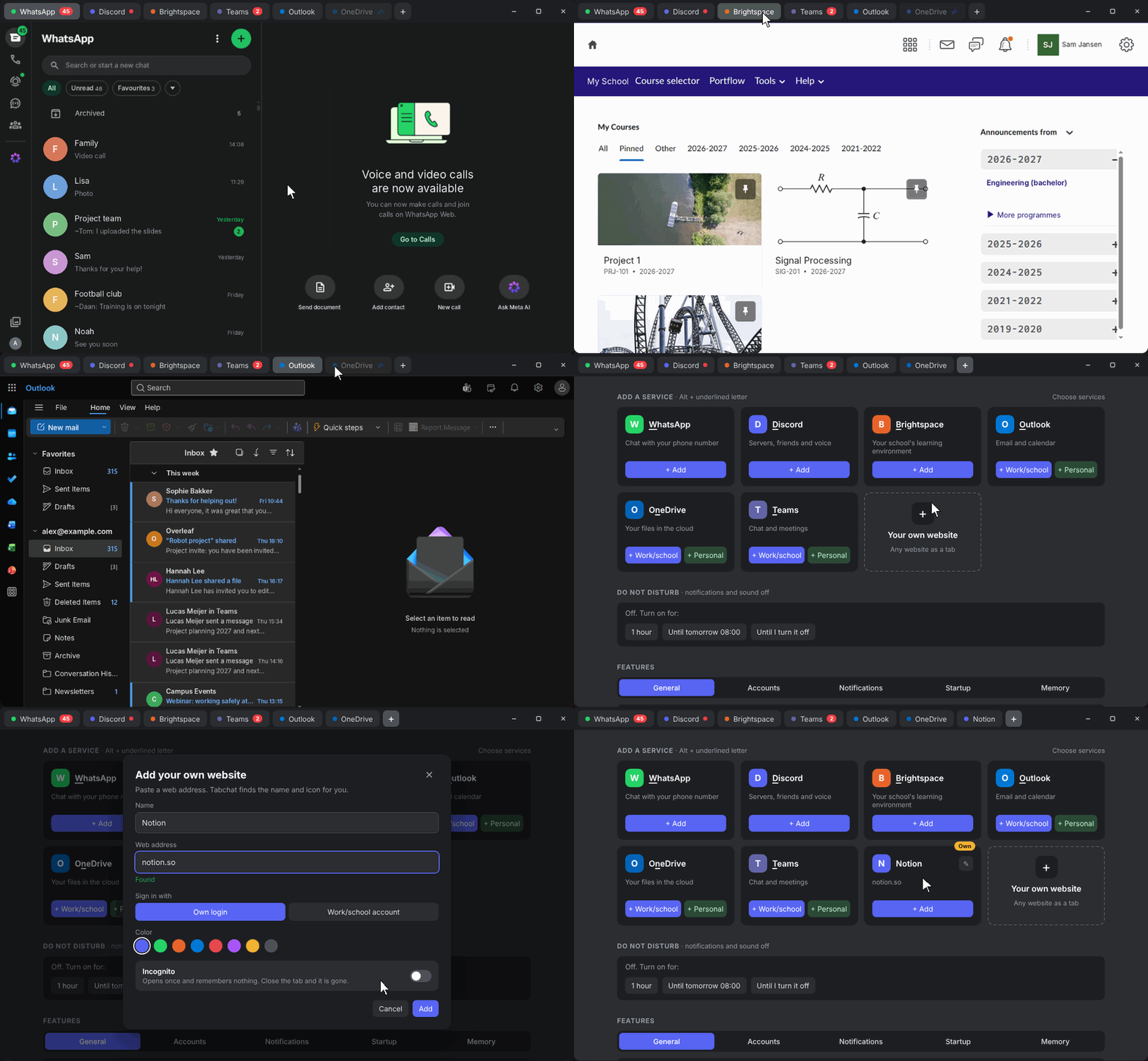
Most chat apps on Linux are separate Electron apps, each running its own copy of Chromium. With WhatsApp, Discord and Teams open, that easily adds up to 3–4 GB of memory.
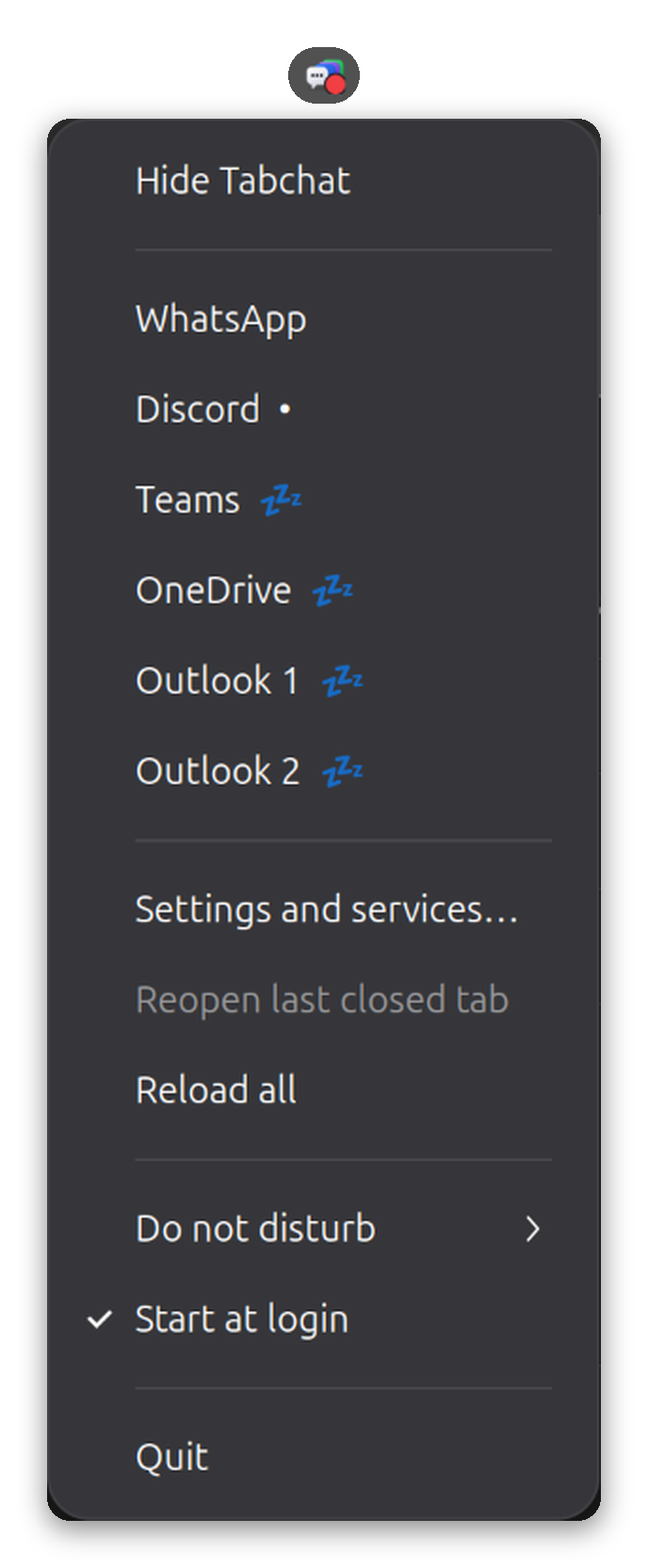
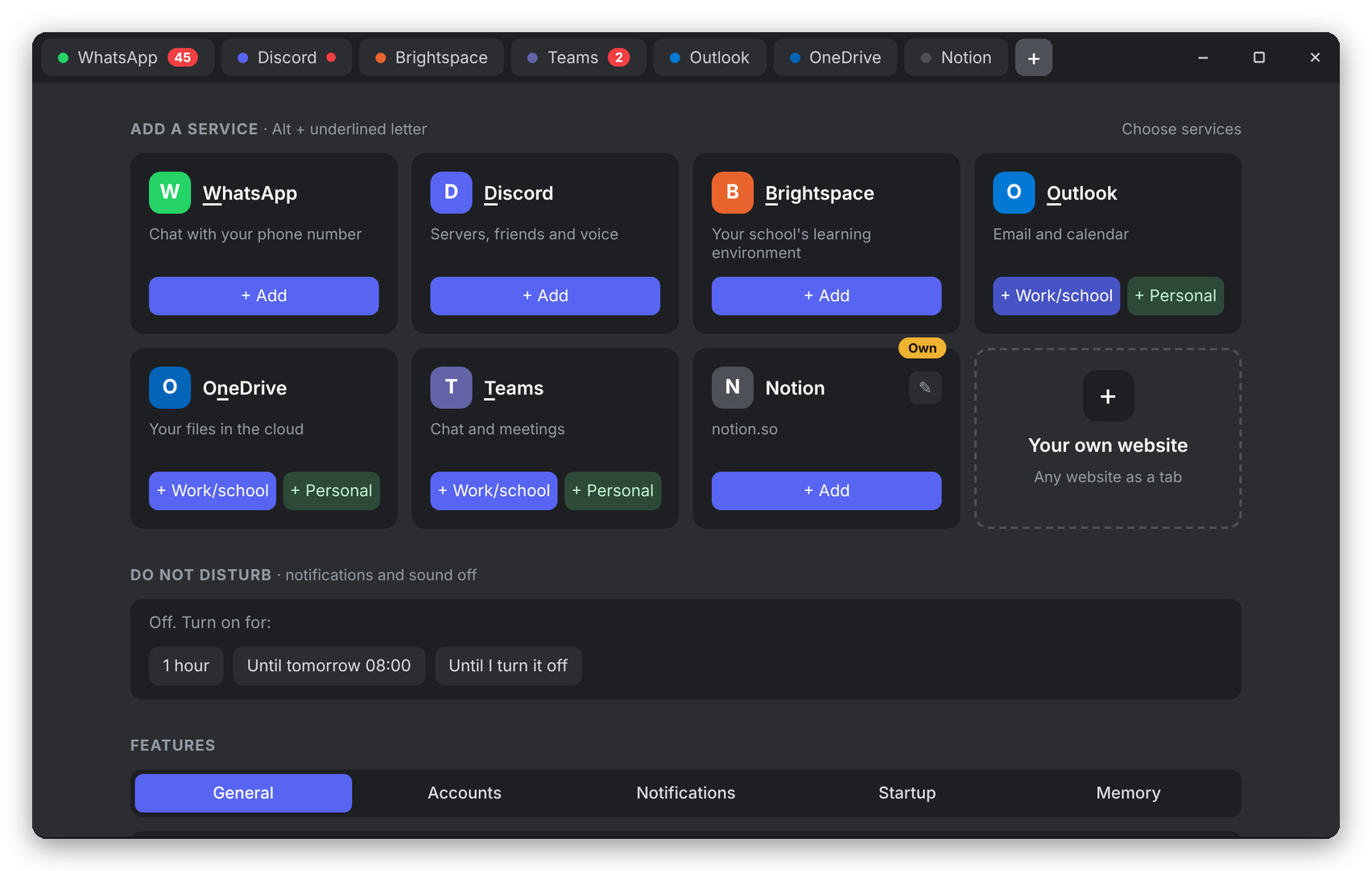
Tabchat puts them all in one window with tabs, sharing a single browser engine. On top of that it adds the things you miss in the web versions: a tray icon, unread counters, Do not disturb, keyboard shortcuts and a sleep mode for tabs you are not using.
Tabs
Never miss a message
Peace and quiet
Keyboard first
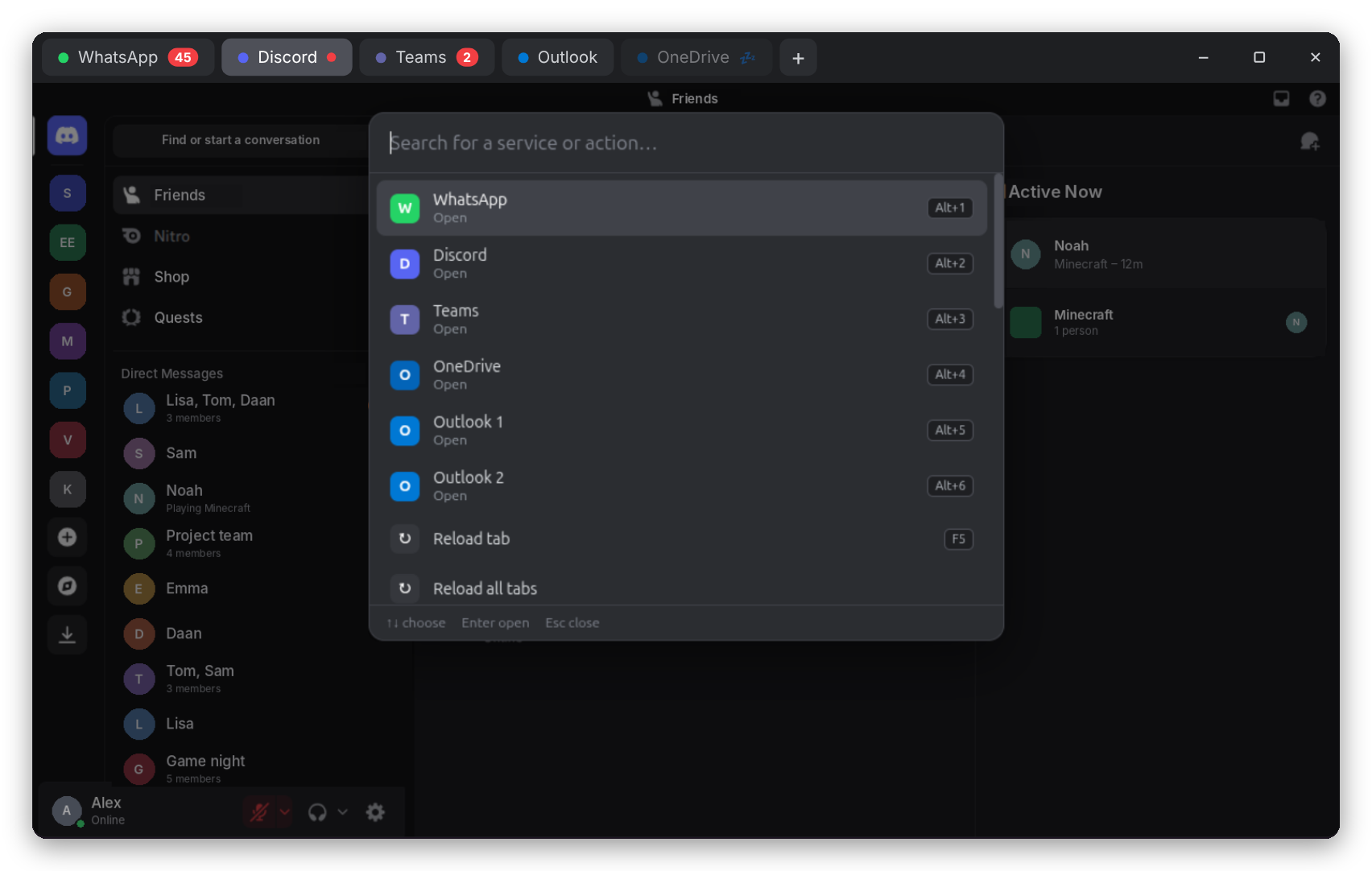
Ctrl+K quick search for every service and actionAlt+1…9, Ctrl+Tab, Ctrl+W, Ctrl+Shift+T and more — just like a browserThe rest
Download the latest version from the Releases page.
.deb)Double-click the downloaded file, or run:
sudo apt install ./tabchat_*_amd64.deb
Then open Tabchat from your app menu.
.AppImage)chmod +x Tabchat-*.AppImage
./Tabchat-*.AppImage
Tabchat checks for new versions by itself and downloads them in the background. When an update is ready, a green button appears in the tab bar — click it and Tabchat restarts on the new version. You can turn this off on the + screen.
Alt+T).Everything else — language, tab sleep, start at login, white tray icon — is on the same + screen.
| Shortcut | Action |
|---|---|
Ctrl+K | Quick search: find a service or action |
Alt+T | Open the + screen (services and settings) |
Alt+1 … Alt+8 | Go to that tab |
Alt+9 | Go to the last tab |
Ctrl+Tab / Ctrl+Shift+Tab | Next / previous tab |
Ctrl+W | Close tab (your sign-in is kept) |
Ctrl+Shift+T | Reopen closed tab |
Ctrl+Shift+PageUp / PageDown | Move tab left / right |
F5 | Reload |
Alt+M | Mute / unmute tab |
Alt+← / Alt+→ | Back / forward |
Ctrl + + / - / 0 | Zoom in / out / reset (saved per tab) |
F11 | Full screen |
Ctrl+Q | Really quit Tabchat |
On the + screen, Alt + the underlined letter adds a service (WhatsApp, Discord, Teams, Outlook, OneDrive, Brightspace).
~/.config/Tabchat.Is this an official app? No. Tabchat is an independent open-source project and is not affiliated with WhatsApp, Meta, Discord or Microsoft. It shows the official web versions of these services.
Why do I see Ubuntu's own picker when sharing my screen? On Wayland (the default on Ubuntu), apps are not allowed to look at your screen themselves; the system always asks. Tabchat detects this and skips its own picker. Sharing audio is not possible on Linux.
A sleeping tab did not show my new messages. That is expected: a sleeping tab is fully unloaded. Turn off May sleep for that tab on the + screen to keep it awake. WhatsApp, Discord and Teams stay awake by default.
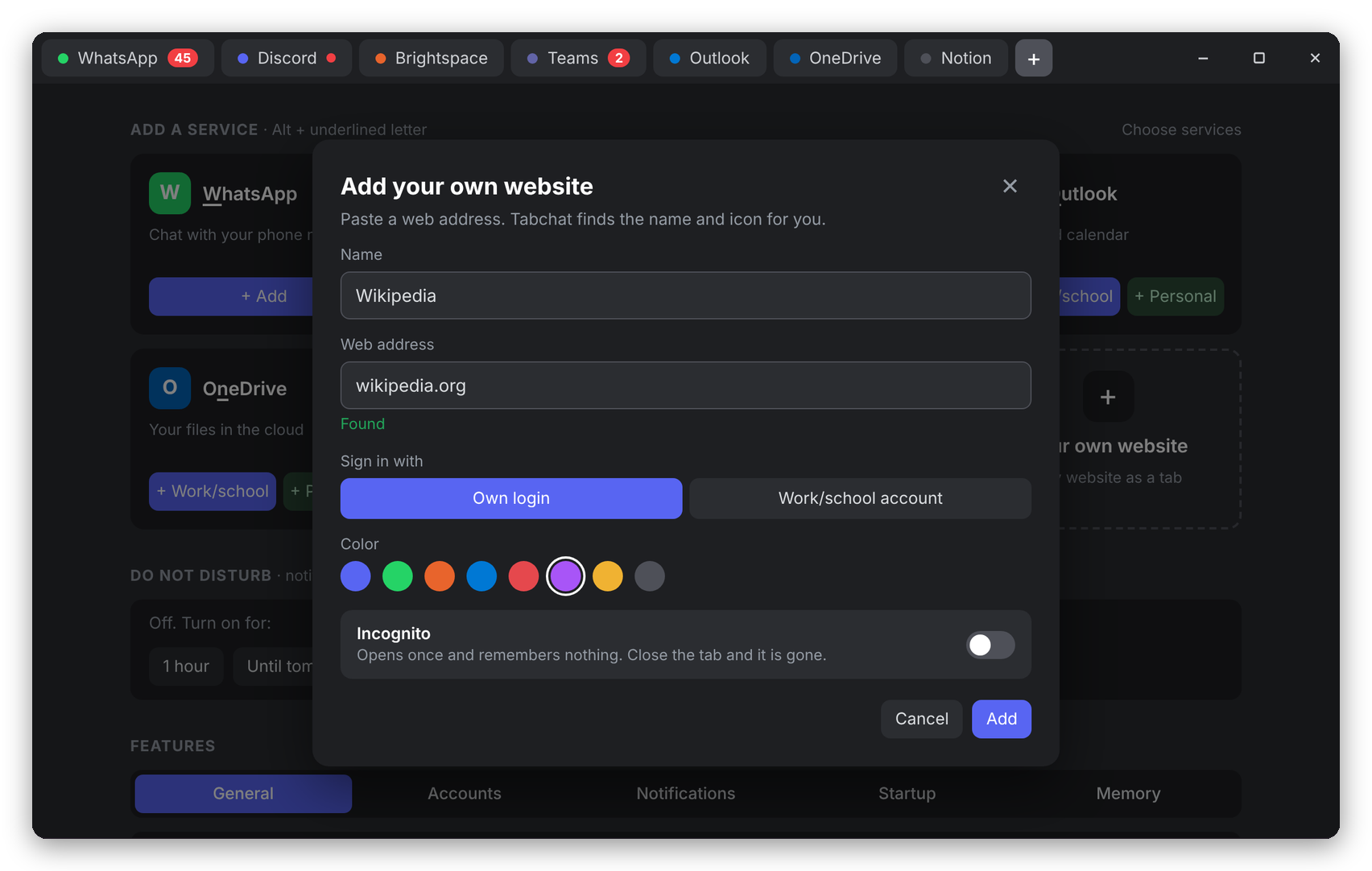
Can I add other websites? Yes: click Your own website on the + screen and paste the address. Google services (Gmail, Drive) usually block signing in from apps like Tabchat, so those may not work.
Something doesn't work. How do I report it?
Open an issue and attach the log files from ~/.config/tabchat/: tabchat.log (general) and updater.log (updates).
Requirements: Node.js 20 or newer.
git clone https://github.com/MMV2408/tabchat.git
cd tabchat
npm install
npm start          # run in development
npm run dist       # build .deb and .AppImage into dist/
src/
  main/              The app itself (Electron main process)
    index.js         Entry point
    window.js        Builds the window
    store.js         Shared runtime state
    config.js        Saves and loads settings (~/.config/Tabchat/config.json)
    catalog.js       List of services and their addresses
    views.js         Creates, shows and hides tabs; error screen
    actions.js       Everything you can do: add, close, zoom, …
    shortcuts.js     All keyboard shortcuts
    palette.js       Quick search (Ctrl+K)
    microsoft.js     Microsoft sign-in (shared login, staying signed in)
    unread.js        Unread counters
    dnd.js           Do not disturb
    sleep.js         Tab sleep
    tray.js          Tray icon and running in the background
    autostart.js     Start at login
    share.js         Screen sharing picker
    updater.js       Automatic updates
    i18n.js          All texts in English and Dutch
    ipc.js           Messages from the screens to the app
  preload/
    preload.js       Bridge between Tabchat's own screens and the app
    service.js       Runs inside each service tab (unread badge, Do not disturb)
  renderer/          Tabchat's own screens (HTML)
assets/              Logo and tray icons
| What | Where |
|---|---|
| A service | One line in CATALOG in src/main/catalog.js, plus a description in i18n.js |
| A setting | DEFAULT_SETTINGS in config.js, FEATURES in home.html, texts in i18n.js |
| A shortcut | shortcuts.js and the list in home.html |
| A language | A new block in i18n.js and an option in home.html |
version in package.json.npm run dist.deb, .AppImage and latest-linux.yml (needed for automatic updates):gh release create v1.2.3 dist/tabchat_1.2.3_amd64.deb dist/Tabchat-1.2.3.AppImage dist/latest-linux.yml \
--title "Tabchat 1.2.3" --generate-notes
Ideas and bug reports are welcome in Issues.
Tabchat is free and stays free. If it saves you time, you can support development via GitHub Sponsors. Starring the repo or reporting bugs helps too!
MIT © Mike Vijverberg
WhatsApp, Discord, Microsoft Teams, Outlook and OneDrive are trademarks of their respective owners. Tabchat is not affiliated with or endorsed by them.
WhatsApp, Discord, Teams, Outlook, OneDrive and Brightspace in one window with tabs. Made for Linux.
See the code
WhatsApp, Discord, Teams, Outlook, Brightspace and any website in one window — made for Linux.
Light, keyboard-friendly and built to keep you signed in.
🇬🇧 English · 🇳🇱 Nederlands
Most chat apps on Linux are separate Electron apps, each running its own copy of Chromium. With WhatsApp, Discord and Teams open, that easily adds up to 3–4 GB of memory.
Tabchat puts them all in one window with tabs, sharing a single browser engine. On top of that it adds the things you miss in the web versions: a tray icon, unread counters, Do not disturb, keyboard shortcuts and a sleep mode for tabs you are not using.
Tabs
Never miss a message
Peace and quiet
Keyboard first
Ctrl+K quick search for every service and actionAlt+1…9, Ctrl+Tab, Ctrl+W, Ctrl+Shift+T and more — just like a browserThe rest
Download the latest version from the Releases page.
.deb)Double-click the downloaded file, or run:
sudo apt install ./tabchat_*_amd64.deb
Then open Tabchat from your app menu.
.AppImage)chmod +x Tabchat-*.AppImage
./Tabchat-*.AppImage
Tabchat checks for new versions by itself and downloads them in the background. When an update is ready, a green button appears in the tab bar — click it and Tabchat restarts on the new version. You can turn this off on the + screen.
Alt+T).Everything else — language, tab sleep, start at login, white tray icon — is on the same + screen.
| Shortcut | Action |
|---|---|
Ctrl+K | Quick search: find a service or action |
Alt+T | Open the + screen (services and settings) |
Alt+1 … Alt+8 | Go to that tab |
Alt+9 | Go to the last tab |
Ctrl+Tab / Ctrl+Shift+Tab | Next / previous tab |
Ctrl+W | Close tab (your sign-in is kept) |
Ctrl+Shift+T | Reopen closed tab |
Ctrl+Shift+PageUp / PageDown | Move tab left / right |
F5 | Reload |
Alt+M | Mute / unmute tab |
Alt+← / Alt+→ | Back / forward |
Ctrl + + / - / 0 | Zoom in / out / reset (saved per tab) |
F11 | Full screen |
Ctrl+Q | Really quit Tabchat |
On the + screen, Alt + the underlined letter adds a service (WhatsApp, Discord, Teams, Outlook, OneDrive, Brightspace).
~/.config/Tabchat.Is this an official app? No. Tabchat is an independent open-source project and is not affiliated with WhatsApp, Meta, Discord or Microsoft. It shows the official web versions of these services.
Why do I see Ubuntu's own picker when sharing my screen? On Wayland (the default on Ubuntu), apps are not allowed to look at your screen themselves; the system always asks. Tabchat detects this and skips its own picker. Sharing audio is not possible on Linux.
A sleeping tab did not show my new messages. That is expected: a sleeping tab is fully unloaded. Turn off May sleep for that tab on the + screen to keep it awake. WhatsApp, Discord and Teams stay awake by default.
Can I add other websites? Yes: click Your own website on the + screen and paste the address. Google services (Gmail, Drive) usually block signing in from apps like Tabchat, so those may not work.
Something doesn't work. How do I report it?
Open an issue and attach the log files from ~/.config/tabchat/: tabchat.log (general) and updater.log (updates).
Requirements: Node.js 20 or newer.
git clone https://github.com/MMV2408/tabchat.git
cd tabchat
npm install
npm start          # run in development
npm run dist       # build .deb and .AppImage into dist/
src/
  main/              The app itself (Electron main process)
    index.js         Entry point
    window.js        Builds the window
    store.js         Shared runtime state
    config.js        Saves and loads settings (~/.config/Tabchat/config.json)
    catalog.js       List of services and their addresses
    views.js         Creates, shows and hides tabs; error screen
    actions.js       Everything you can do: add, close, zoom, …
    shortcuts.js     All keyboard shortcuts
    palette.js       Quick search (Ctrl+K)
    microsoft.js     Microsoft sign-in (shared login, staying signed in)
    unread.js        Unread counters
    dnd.js           Do not disturb
    sleep.js         Tab sleep
    tray.js          Tray icon and running in the background
    autostart.js     Start at login
    share.js         Screen sharing picker
    updater.js       Automatic updates
    i18n.js          All texts in English and Dutch
    ipc.js           Messages from the screens to the app
  preload/
    preload.js       Bridge between Tabchat's own screens and the app
    service.js       Runs inside each service tab (unread badge, Do not disturb)
  renderer/          Tabchat's own screens (HTML)
assets/              Logo and tray icons
| What | Where |
|---|---|
| A service | One line in CATALOG in src/main/catalog.js, plus a description in i18n.js |
| A setting | DEFAULT_SETTINGS in config.js, FEATURES in home.html, texts in i18n.js |
| A shortcut | shortcuts.js and the list in home.html |
| A language | A new block in i18n.js and an option in home.html |
version in package.json.npm run dist.deb, .AppImage and latest-linux.yml (needed for automatic updates):gh release create v1.2.3 dist/tabchat_1.2.3_amd64.deb dist/Tabchat-1.2.3.AppImage dist/latest-linux.yml \
--title "Tabchat 1.2.3" --generate-notes
Ideas and bug reports are welcome in Issues.
Tabchat is free and stays free. If it saves you time, you can support development via GitHub Sponsors. Starring the repo or reporting bugs helps too!
MIT © Mike Vijverberg
WhatsApp, Discord, Microsoft Teams, Outlook and OneDrive are trademarks of their respective owners. Tabchat is not affiliated with or endorsed by them.



