
Neon Sidekick is an agentic terminal client for local LLMs. It's built on .NET 10 and draws inspiration from tools like Claude Code, Hermes Agent and Cline. It brings together many of my favorite features from those tools and adds some unique ideas of my own.
C#
0
228 commits
updated Oct 2, 2026
README
Neon Sidekick



Neon Sidekick is an agentic terminal client for local LLMs. It's built on .NET 10 and draws inspiration from tools like Claude Code, Hermes Agent and Cline. It brings together many of my favorite features from those tools and adds some unique ideas of my own. It's Windows-first and is meant as a stable base for building agentic tools. Next on the roadmap: stronger coding capabilities and official macOS and Linux support.
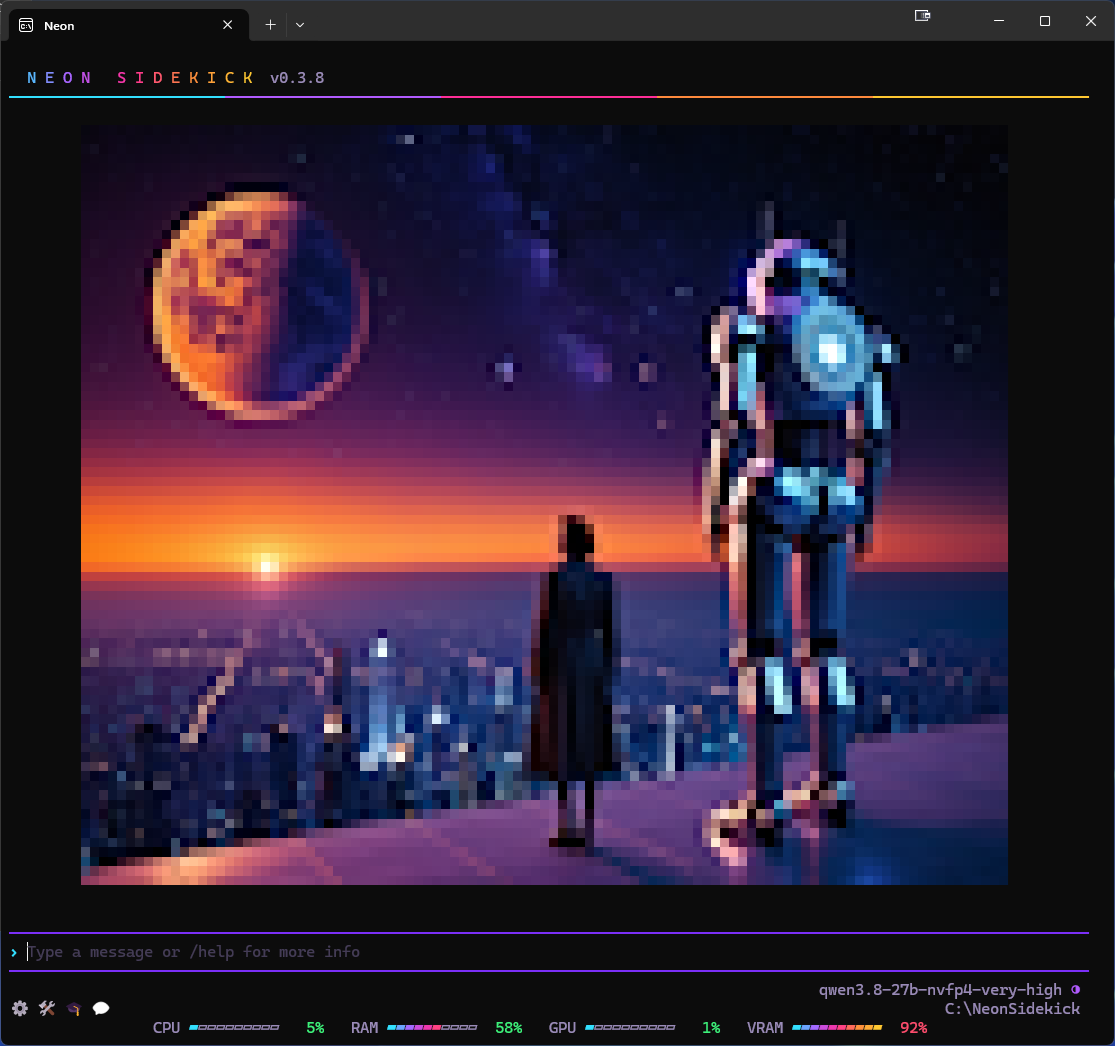
|
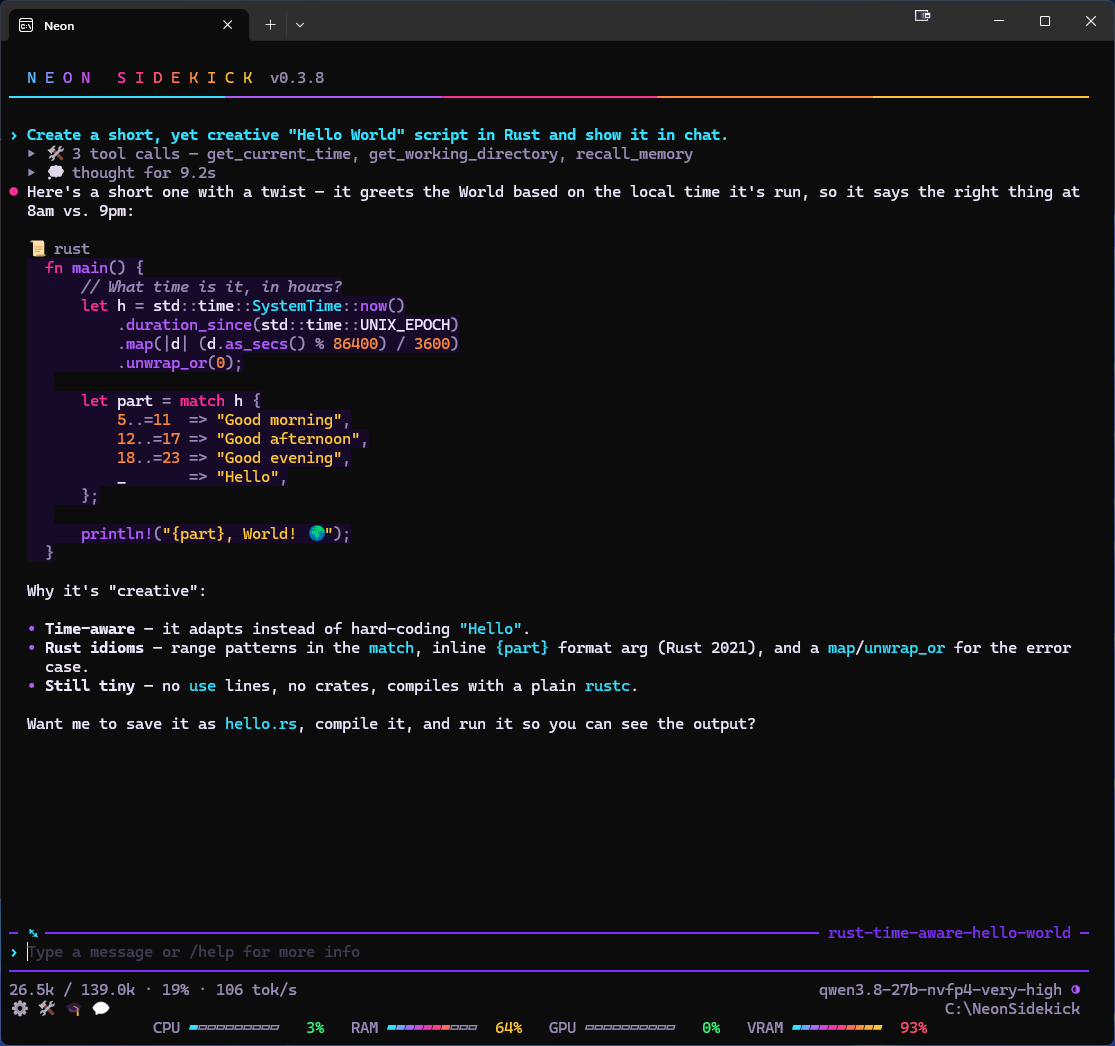
|
Why "Neon"
During early development, I was experimenting with synthwave-style themes in Spectre.Console while simultaneously testing the Vosk voice integration. I needed a short, punchy wake word, and "Neon" fit the aesthetic perfectly. The name stuck for the project. Today, the system is highly configurable—allowing you to create as many custom profiles, personas, and wake words as you like.
Contents
- Features
- Getting started
- Settings & menus
- Slash commands
- Tools
- Environment variables
- Components & Libraries
Features
Core Architecture & UI
- Built on .NET 10 NativeAOT (compiled ahead of time to a single native program) for fast start-up and a small footprint.
- Rich Terminal UI (TUI): Powered by Spectre.Console, with menus, mouse input, Markdown and images.
- Vision & Media Input: Full support for vision models. Drag and drop an image into the terminal, or paste one from the clipboard.
- Quality of Life: Auto-complete for commands, files, folders, skills and tools.
AI Connectivity & Context Management
- Local AI Auto-Discovery: Set LLM server scan mode and the app finds most OpenAI-compatible servers on this machine or your local network (LM Studio, vLLM, SGLang, Ollama, Unsloth, etc.). For a custom endpoint, type its URL instead.
- Embedded LLM: No server? Install a Gemma 4 or Qwen model from the Embedded tab of
/settings. The app downloads it from Hugging Face (with its vision projector, the part that lets it read images) and runs it on its own llama.cpp server, using CUDA, Vulkan or the CPU, whichever suits your machine. Installed models then show up in/server. - Smart Context Handling: Automatic context compaction (you choose when it kicks in) keeps token use down and stops the conversation overflowing the model's context window.
- Prompt Transparency: See exactly what goes into the system prompt, and read a summary of every compaction. No black boxes.
- Persistent Memory: A memory you can edit in the UI. The important, recurring details are added to the context automatically.
- Message Queue: Type several messages while the model is busy; they are sent one after another.
Profiles, Sessions & Skills
- Multi-Profile Support: Switch between configurations, each with its own working directory, settings, persona, memory and sessions. A name starting with
_(_test) makes a temporary profile, and--profile <name>opens one for a single launch. - Session Management: Resume, search and reflect on past sessions.
- Hierarchical Skills System: Define and manage agent skills at four levels: global, profile, project, or machine (
.agents\skills). - Self-Learning: A background reflection learns from your conversations and tool results, writing new skills and improving existing ones.
Built-In Tooling & Voice
- Essential Tools: Sandboxed file I/O, shell integration (powershell/cmd/bash), scripting (powershell/python/node), Git management, web search (DuckDuckGo/SearXNG), web browsing (httpClient/Chromium), clarifying questions asked in a pop-up pane, and clock/timers.
- MCP Server Support: Connect Model Context Protocol (MCP) servers for more tools and external data sources.
- Native Voice Stack: Whisper speech-to-text (STT) running inside the app, push-to-talk, and a Vosk wake word.
- Text-to-Speech: Kokoro TTS running inside the app, or an external Kokoro HTTP server.
- Plan Mode:
/plan <requirement>has the model research with read-only tools, ask what it needs and present a plan. The plan is saved as.neon/plans/<name>.mdin the working directory, and nothing is changed until you approve it.
Integrations
- Obsidian: Search, read, write and link notes directly in your vault's files. No plugin is needed, and Obsidian doesn't have to be running. Wikilinks, aliases, tags, properties and daily notes all work.
- SQL Server: Read-only queries over named connections, plus discovery of schemas, relationships and indexes. Every query is checked to be a single
SELECTand runs in a transaction that is always rolled back. Sign in with SQL, Windows or run-as accounts; passwords are stored encrypted (DPAPI, Windows' per-user encryption) or in Windows Credential Manager. - Oracle: The same read-only tools for Oracle databases, through Oracle's fully managed driver (no Oracle Client to install). Every query is checked to be a single
SELECT, runs in a read-only session (23ai and later) and a read-only transaction that is always rolled back. Sign in with a database user; passwords are stored as the SQL Server ones are. - MySQL and MariaDB: The same read-only tools again, through MySqlConnector (fully managed, MIT). Every query is checked to be a single
SELECT, runs in a hardened session and a read-only transaction that is always rolled back. Sign in with a database user; passwords are stored as the others are. - UNC shares and outside folders: Search, read and (when you allow it) change files on
\\server\sharepaths and local folders outside the working directory, without mapped drives. Each share is reached as you or as another Windows account (likerunas /netonly), its password stored as the SQL ones are. Read-only unless the share is marked read-write and UNC writes is on; changes there are permanent. - Home Assistant: Control lights, scenes, the TV, to-do lists and sensors through your own Home Assistant. The model finds devices by room or name ("dim the den to 30%"), and anything outside a safe list waits for your yes.
/hadrives the house directly, without the model. - ComfyUI: Pictures from your own ComfyUI workflows (text-to-image, image-to-image, face swaps). The model writes prompts in each model family's style, or
/imaginesends yours exactly as typed. A wizard builds or imports workflows. - Claude API: Anthropic's Claude models as one more
/serverchoice, using your own API key (stored encrypted), with thinking levels, prompt caching and cost in/usage. It stays off until you turn it on in the Claude tab of/tools. - Claude CLI server: your installed Claude Code as a
/serverchoice, kept running as one open session. Claude Code's own tools are switched off; the model gets this app's tools instead, with the same approvals. Off until you turn it on in the Claude tab of/tools. - Claude Code:
/claudesends a message to the Claude Code CLI and brings its reply into the conversation. Withclaude_advisor, the local model can ask Claude for read-only advice when it's stuck. Both are optional and use your own Claude Code sign-in. - Bot Chat:
/botchatlets your profiles talk to each other in their own personas and voices, optionally illustrated by ComfyUI.
Getting started
Requirements
- Windows x64 with a CPU that supports AVX2 (most Intel and AMD CPUs from 2015 on; some budget Pentium and Celeron chips lack it). Nothing else to install: the app is a self-contained native program, so no .NET runtime is needed.
- Windows Terminal is recommended. The interface is tuned for it.
- Optional extras:
- For the embedded LLM, an NVIDIA GPU with driver 580 or newer (CUDA) or any GPU with Vulkan. Without one it runs on the CPU, slowly.
- For headless web browsing, Edge, Chrome or Brave (otherwise httpClient only).
- For
/claudeand the Claude advisor tool, the Claude Code CLI. - For more flexible scripting, Python and Node (otherwise Powershell/pwsh only).
- For enhanced web search capabilities, SearXNG in Docker Desktop (instructions in docs) or another external host (otherwise embedded DuckDuckGo or bring your own MCP web search).
Install
- Download
NeonSidekick-v<version>-win-x64.zipfrom the GitHub Releases page. A.sha256file beside it lets you check the download. - Unzip it anywhere and run
NeonSidekick.exe. Keep the other files and folders (the DLLs,runtimes\,espeak\andvoices\) next to the exe; it needs them.
First launch
- Your settings live in
%USERPROFILE%\.neonsidekick(or the folder inNEONSIDEKICK_HOME), under the profiledefault. A welcome splash screen shows until you send your first message. - The app needs an LLM to talk to. LLM server scan mode starts as
disabled, so if no model is installed yet the app opens Settings › Embedded models straight away. Pick a model there to download it and run it inside the app. Press ESC twice to go back to the chat without installing one. - Already running a server such as LM Studio, Ollama or vLLM? Set LLM server scan mode to
local(this machine),remote(your local network) orboth, or give its address with/server <url>. With the URL left blank and a scan on, the startup picker 🖥️ Pick an LLM server lists what it found: Enter saves your pick, and ESC uses the first server just for this run. - To use Anthropic's Claude models instead, turn on the Claude API in the Claude tab of
/tools; it then shows up in/server. To use your Claude Code install instead, turn on Claude CLI server there.
Voice (optional)
Speech output (/tts) and voice input (/stt) start off. The first time you turn one on, the app downloads its model: Kokoro for speech (about 326 MB), or Whisper base (about 148 MB) plus the small Silero voice detector for input. The wake word adds Vosk (about 41 MB).
Useful first commands
| Command | What it does |
|---|---|
/help | Lists the commands and keys. |
/settings | Opens the settings. |
/server | Picks the LLM server (found, embedded, Claude API or Claude CLI). |
/model | Picks the model on the current server. |
/tools | Chooses which tools the model may use. |
/tts / /stt | Turns speech output / voice input on or off. |
Command-line options
| Option | What it does |
|---|---|
--url <url> | Uses this LLM server for this launch. |
--model <id> | Uses this model for this launch. |
--cwd <path> | Uses this working directory for this launch. |
--profile <name> | Opens this profile for this launch. |
--yolo | Runs every shell command without asking, this launch only. |
--no-police | Allows shell commands to touch paths outside the working directory, this launch only. |
--log <path> | Writes every diagnostic line to a file. |
--headless | Runs as a plain text prompt over standard input and output, with no TUI. See HEADLESS.md. |
--smoke | Checks the native parts load, then exits. |
--audio-check | Plays a test tone through the speech output, then exits. |
--voice-check | Records up to 5 seconds from the microphone and transcribes it, then exits. |
--oracle-check <connection> | Proves the Oracle tools against that connection of oracle.json (types, the read-only layers, cancel and timeout; it only reads), then exits. |
--mysql-check <connection> | The same for the MySQL tools and a connection of mysql.json. |
--unc-check <share> | Proves the UNC tools against that share of unc.json (its reach, the runas token, a listing and a search; it only reads), then exits. |
--version / --help | Prints the version or the help text. |
Both --option value and --option=value work.
Settings & menus
Navigation
- Keyboard: ←/→ (switch tabs), ↑/↓ (move), Enter (edit/toggle), ESC (close).
- Mouse: A click moves the cursor, and a double-click selects a row or tab (on the input line, the word under it). The × at the top right works like ESC, and double-clicking outside an open pane closes it. Double-click a picture in the transcript to open it in the picture viewer. In the ComfyUI picture strip, a click highlights a picture and moves an open viewer to it, and a double-click opens it. To copy a picture out of the app (to the desktop or a folder), open it in the picture viewer and drag it from there.
- Fold button: When the transcript has a tool run, code block or thinking block that can fold, ⤡ appears at the left end of the rule above the input row. Clicking it does the same as Ctrl+O: if anything is folded it unfolds everything, otherwise it folds everything (no notice is shown). It also works while a reply is running.
- Session name: Double-click the session's name at the right end of the rule above the input row to rename it, the same as
/sessions title. The box opens with the current name filled in. This also works while a reply is running. During/botchatthe rule shows the chat's cast instead (Botchat: neon, ada and max), and double-clicking it does nothing.
Input line
- The input row is always a full editor, even while a reply streams or
/botchatruns. It has ←/→, Home/End and Delete; Shift+arrows, Ctrl+A or a drag to select; a double-click to select a word (letters, digits and_; a password field selects all); Ctrl+C / Ctrl+X to copy / cut; right-click or Alt+V to paste; a click to place the cursor; ↑/↓ for history; and the/,@,#,$,%,^and*lists. The mention lists work inside a slash command's text too (/loop infinite 1s append the time to @notes.txt), except for/speak,/viewand/print, whose own file list completes their path. - To attach a picture from the ComfyUI picture strip or the transcript, drag it onto the input row. It is attached as if you had dropped its file from the desktop (a picture with no file goes in as a pasted one). While you drag, the hint row reads 🖼️ drop on line; letting go anywhere else attaches nothing. This also works while a reply is running.
- Three shortcuts start a new conversation: Ctrl+Alt+C also clears the screen (
/clear), Ctrl+Alt+N leaves the screen as it is (/new), and Ctrl+Alt+P shows the splash screen (/splash). At the idle line, a draft on the row stays. While a reply runs, they cancel it first, just as the typed command does. An AltGr key that types a character on your keyboard layout still types that character. - More Ctrl+Alt shortcuts run a command as if you had typed it on its own: Ctrl+Alt+D
/mcp, Ctrl+Alt+H/header, Ctrl+Alt+L/cmdlist, Ctrl+Alt+M/memory, Ctrl+Alt+O/police, Ctrl+Alt+S/skills, Ctrl+Alt+T/toolsand Ctrl+Alt+Y/sys. A draft on the row stays. While a reply runs, a pane opens over it and the reply carries on, just as the typed command does. The Keys tab of/helplists them all. - Ten Ctrl shortcuts run a command as if you had typed it on its own: Ctrl+/ opens the settings (
/settings), Ctrl+E opens the working directory in your file browser (/explore), Ctrl+F shows or hides the performance bar (/perf), Ctrl+H opens help (/help), Ctrl+M the model picker (/model), Ctrl+P the profile pane (/profile), Ctrl+R the reasoning picker (/reasoning), Ctrl+S the server picker (/server), Ctrl+T shows or hides the toolbar (/tb) and Ctrl+U the usage pane (/usage). At the idle line, a draft on the row stays. While a reply runs, Ctrl+E, Ctrl+F and Ctrl+T act at once and Ctrl+/, Ctrl+H, Ctrl+R and Ctrl+U open their pane over the reply, while Ctrl+M, Ctrl+P and Ctrl+S wait for the reply to end, just as the typed command does. Inside a pane, Ctrl+E, Ctrl+F and Ctrl+T leave the pane open; the others close it and open their own. - Ctrl+Alt+X is a kill switch for the embedded model: press it twice within two seconds and it unloads the model at once and frees its memory. The first press only shows a reminder on the hint row, so a stray press does nothing. It also cancels a reply, a load or a botchat that is using the model. Afterwards no server is connected until you pick one with
/server(the saved LLM URL is kept, so the next start loads the model again). It works anywhere, including inside a pane. With any other server it does nothing. - Every Ctrl+Alt shortcut, and every Ctrl shortcut above, also works inside a pane you opened (a menu,
/help, the folder picker, a value you are typing into a menu). The pane closes, every level of it, and the command runs as it would at the line, so Ctrl+Alt+S in/toolsopens/skills. A pane's own shortcut just closes it (Ctrl+Alt+T in/tools). Ctrl+F and Ctrl+T toggle their bar and leave the pane open, and so does Ctrl+Alt+X, which works in every pane. A pane that a tool opens to ask you something (a command's approval,ask_user, the plan's approval, a confirmation) ignores the shortcuts, so one can never answer it by accident. So does the pane that asks whether a bare command name you typed meant the command, since closing it sends the line as typed. - Pressing Enter while a reply runs queues the message. Nothing you type is lost, and a draft left on the row is still there after the reply ends.
- ESC while a reply runs first stops the speech, then closes an open list, then cancels the reply. It never clears your draft there; ESC at the idle line does.
- ESC twice on an empty input line opens
/rewind. After the first press the hint row reads ESC again to rewind the conversation for two seconds.
Commands typed while a reply runs:
| Behaviour | Commands |
|---|---|
| Open their pane over the reply | /help, /settings, /tools, /mcp, /sys, /usage, /about, /memory, /queue, /sessions, /sessions title, /skills, /reasoning, /sampling, /cmdlist, /police, /cmdclear, /tree, /vault, /cmdcopy, /keycopy, /persona, /operata, /vocalia |
| Run at once | /ha, /tts, /stt, /wake, /interrupt, /perf, /tb, /reasoning <level>, /sampling <field> <value>, /queue clear, /copy, /remember, /explore, /log, /timer, /expand, /collapse, /window, /cwd, /comfy view, /view <path> |
| Stop the reply first | /clear, /new, /splash, /rewind, /exit |
| Everything else | Waits for the reply to end, queued behind any earlier messages (so Queue cancel mode applies) |
Double-Click Shortcuts
- Hint row:
- the model name →
/server(server, then model, then reasoning) - the reasoning glyph →
/reasoning - the tokens or spinner →
/usage - 🖼️/🎨 and its timer while ComfyUI renders → cancel the pictures (the reply goes on; ESC still ends it)
- 📥 / 🔌 / 🎧 / 🔈 while an embedded download, the MCP servers, voice input or speech output are setting up → cancel that one
- the queued count →
/queue - blank space →
/settings
- the model name →
- Long setups run in the background: an embedded model's download, the MCP servers connecting, and the first-use download and load of voice input and speech output. If one takes longer than half a second, the input line stays yours: its glyph (📥, 🔌, 🎧 or 🔈) shows its progress on the hint row, menus, commands and chat keep working, and a status line prints when it finishes.
- Rule over the input row: the session's name →
/sessions title(rename it). - Toolbar (Show toolbar): a glyph opens or closes its pane, or switches to it from another pane. Show toolbar is a checklist: uncheck a glyph or the working directory to leave it off the row, or uncheck everything to hide the row. By default it shows ⚙️ Settings, 🛠️ Tools, 🎓 Skills, 💬 Sessions and the working directory.
| Toolbar item | Shown | Opens |
|---|---|---|
| ⚙️ 🪪 🛠️ 🔌 🎓 🎭 💬 📊 | always | /settings, /profile (the profile picker), /tools, /mcp, /skills, /sys, /sessions, /usage |
| 📈 | always | /perf: hides the performance bar, or shows it again with the meters it last had |
| 💾 | while Memory is on | /memory |
| 🔒 / 🔓 | Shell command policy is ask / yolo (none under off) | /cmdlist |
| 👮 | Shell police outside paths is on and the policy isn't off | /police |
| working directory (right edge) | always | /cwd browse |
| blank space | — | /settings |
| performance bar (anywhere on it) | Show performance bar has a meter checked | /settings |
Available Panes
/settings: App, sessions, LLM, voice stack, and/botchatpictures/skills: Agent skills and self-reflection/tools: Callable model tools, and Claude Code (/claudeand the advisor)/mcp: External MCP servers/sys: Read-only view of the outgoing model payload/usage: Show LLM usage statistics (tok/s, time to first token, etc.)
Settings that an environment variable or flag can override for one launch are listed under Environment variables.
⚙️ App Settings (`/settings`)
General
| Setting | What it does | Default |
|---|---|---|
| Profile | Switches to another profile (each has its own settings, persona, memory, skills and sessions). | default |
| New profile mode | What /profile add copies from the current profile: basic copies the settings and memories; advanced also copies the persona, operating-rules and voice-directive files. | basic |
| Working directory (cwd) | The folder the file and GitLib tools work in. Empty means the profile's own files\ folder. Editing the row opens the /cwd browse folder picker, and /cwd <path> sets a typed path. | profile's files\ |
| Memory | Offers the model save_memory / recall_memory and opens every conversation with what it remembers. | on |
| Queue messages | Messages sent while a reply streams are listed (as a count, and in /queue) and sent when the reply ends. When off, they are still sent then, just not listed. | on |
| Queue cancel mode | What a cancelled reply does with the queue: hold keeps it until your next message, drain sends the next message at once, empty drops them all. | empty |
| Keep command history | Saves the ↑/↓ history (newest 1,000 lines) in the profile's sessions.db, so it survives restarts and profile switches. Lines holding a collapsed paste or a picture aren't saved. When off, the saved lines are deleted the next time the profile loads. /cmdclear empties it either way. | on |
| Command typo intercept | A command name without its slash (clear) or with extra slashes (//profile work) asks Did you mean /clear? before sending it as text. A bare // is still /settings. | on |
| Hide /exit autocomplete | Leaves /exit out of the / list so a stray pick can't close the app; typing it in full still works. | on |
| Transcript markdown | Renders replies as Markdown instead of plain text. Code fences in C#, JavaScript/TypeScript, Python, Bash, PowerShell, JSON, YAML, TOML/INI, SQL, C/C++, Java, Kotlin, Go, Rust, CSS, XML/HTML and diff are syntax-highlighted. | on |
| Paste preview lines | How many lines of a long paste show dimmed under its [Pasted text #n] placeholder (0–200; 0 = placeholder only). | 25 |
| Show image thumbnails | Draws a small colour block of each picture you send under your line, of each picture a tool fetches or makes, and of each /botchat picture. /view and /imagine draw theirs either way. | on |
| Image thumbnail size | tiny (32×8), small (48×12), medium (64×16), large (80×20) or xlarge (96×24) columns × rows, or fullsize: each picture as large as the transcript allows, stacked. | small |
| Copy user prompt | /copy includes your prompt above the reply. When off, it copies the reply alone. | on |
| Theme | synthwave, netrunner (green phosphor), nostromo (amber phosphor), noir (greyscale), cyberpunk (colourful), vaporwave (pastel), mainframe (blue phosphor), grid (light cycle), replicant (smog and sodium) or abyssal (bioluminescent), followed by your own themes from the themes folder (see Custom themes). | synthwave |
| Welcome splash | Shows pictures under the banner at startup, until you send the first line: fullsize, tiled or disabled. See Welcome splash below. | fullsize |
| Show header | Shows the banner (the title, the version and the rule under it) at startup and after /clear, /splash, /theme and a profile switch. Off, the screen starts with the transcript. /new keeps its own rule either way. /header and Ctrl+Alt+H flip it; the change shows at the next clear. | on |
| Working directory in header | Prints the working directory at the right of the banner's title line. | off |
| Show toolbar | Which items the toolbar under the hint row shows (see Double-Click Shortcuts above). It's a checklist of every glyph (🪪 Profile and 📈 Performance among them) and the working-directory path (📂). Enter or Space flips one; A / N / D (or the select all / select none / default buttons) pick all, none or the default five. With nothing checked the row is hidden. The row reads all, off or how many are checked. 💾, the lock and 👮 also need their own settings turned on. | Settings, Tools, Skills, Sessions, path (5 of 13) |
| Show performance bar | A checklist of the meters the bar under the toolbar shows, updated once a second: CPU, RAM, GPU, VRAM, NET (network use, as a share of the link speed), NET↓ and NET↑ (the download and upload rates). Enter or Space flips one; with none checked there's no bar. A / N (or select all / select none) check all or none. The look is on the same screen's title row: text (T, the numbers), gauge (G, a bar per meter), spark (S, the last ten seconds as a sparkline) or led (L, ten segments in the theme's colours); the one in use is lit. Values turn amber from 60 % and red from 85 %. An NVIDIA GPU is read through its driver (NVML); any other through Windows' own GPU counters, for the card with the most memory. The network meters show the busiest of the adapters that are up and have a gateway, so a VPN on top of Wi-Fi, or Wi-Fi beside Ethernet, isn't counted twice and NET is the share of that adapter's own link; NET↓ and NET↑ show bits per second (850K, 12.4M, 1.2G), and their gauge, sparkline and LEDs are their share of the link speed. A meter the machine can't read (no GPU, no network) is left out. The bar is centred on its row, and each value keeps its width so nothing shifts as it changes. The row reads off, or the checked meters and the look (CPU, RAM · gauge). /perf or the toolbar's 📈 hides the bar, or shows it again with the meters it last had (CPU, RAM, GPU and VRAM the first time). | off (none checked), text |
| Menus max height | The most of the window a menu or info pane (/settings, /tools, /skills, /mcp, /help, /usage, /cwd browse…) may take, its rules and hint row included: half-screen, three-quarters or full-screen (all but one row). A longer list scrolls inside it. Every tab of a pane keeps the height of its tallest tab, so the pane doesn't jump as you tab through it. | full-screen |
| Draft editor | The program /draft opens its temporary file with (code --wait, notepad…). Empty uses the app Windows opens .txt files with. | (default .txt editor) |
| Image viewer | Where a double-clicked picture opens. Empty: the built-in picture viewer. system: the app Windows registers for the file type (Paint for png, jpg and bmp). Anything else is a command, with the file's path appended (mspaint, "C:\Program Files\GIMP 3\bin\gimp-3.exe"). | (built-in viewer) |
| Themed image viewer | The built-in viewer wears the theme: a themed dark title bar (Windows 11; Windows 10 gets a plain dark one) and the theme's background. When off, it stays black. | on |
Welcome splash
fullsizeshows one picture filling the screen, and ←/→ step through the set. Pressing Delete twice on an empty line moves one of the profile's own pictures into the folder's.trash, where it is never shown; move it back to restore it.tiledshows thumbnails at Image thumbnail size, as many as fit; ←/→ page through them and a double-click opens one.- Pictures in the profile's
splash\folder (created for you) replace the built-in ones. /splashshows the splash whatever the setting says: tiled when it istiled, otherwise one picture.
Embedded
A model the app downloads and runs itself on llama.cpp's llama-server, for when no other server is around. The catalog has Gemma 4 from the small E2B to the 31B, Meta's Muse Glimmer 30B, Qwen3.6 35B A3B, and Qwen3.8 27B (also in NVFP4, a 4-bit format for NVIDIA Blackwell GPUs).
- Installing: open the Embedded models catalog on this tab. Each row says
installed · 4.2 GB,download · 4.2 GBfor one not yet downloaded, or how far a paused download got. Install downloads the model in the background (📥, a spinner and its percentage show on the hint row; double-click 📥 to pause) and switches to it when it's done, unless you picked another server in the meantime. - Using:
/server(and the startup picker) lists one Embedded row per installed model, after the servers it found./server embeddedlists the installed embedded rows alone. - Loading: while the model starts, the hint row shows
🦙 starting <model>and then🦙 loading <model>. Ctrl+C or a double-click on the spinner and its label cancels the load (a double-click on the token count beside it still opens/usage); ESC does nothing there. In the meantime the input row, the toolbar and the shortcuts work as they do while a reply runs: panes open over the load,/clear,/new,/splash,/rewindand/exitcancel it first, and the commands that wait for a reply (/server,/model,/profile,/themeand the like) wait for the load to end, as does/sampling, which edits the model being loaded. A/reasoninglevel picked meanwhile applies once the model has loaded. A cancelled load treats the queue as a cancelled reply does (Queue cancel mode). - First start: with no URL set, LLM server scan mode
disabledand no model installed yet, the app opens straight to Embedded models at startup, so you can download a model right away (ESC twice goes back to the chat). - Reading a row: builds of one model share its name, so each row also shows its quantisation (how finely the weights are compressed: lower numbers are smaller and a little less accurate). The last columns mark what a model can do: ⚡ a drafter (the Drafter column below), 👁️ images and 🛠️ tool calls, following Embedded drafter and Embedded vision. Then comes ⛓️💥 for an uncensored build or 💢 for an aggressive one (HauhauCS's own word in its name), blank for the others.
- Every model reads images (its vision projector is part of the download) and calls tools.
| Model | Quantisation | Download | Drafter |
|---|---|---|---|
Gemma 4 12B (gemma-4-12b, Unsloth) | UD-Q4_K_XL | 8 GB | MTP (file) |
Gemma 4 12B (gemma-4-12b-q5, Unsloth) | UD-Q5_K_XL | 9.2 GB | MTP (file) |
Gemma 4 12B (gemma-4-12b-q6, Unsloth) | UD-Q6_K_XL | 11.3 GB | MTP (file) |
Gemma 4 12B (gemma-4-12b-bf16, Unsloth) | BF16 | 24.5 GB | MTP (file) |
Gemma 4 12B QAT (gemma-4-12b-qat, Unsloth) | UD-Q4_K_XL | 7.1 GB | MTP (file) |
Gemma 4 12B QAT Uncensored (gemma-4-12b-qat-uncensored, HauhauCS Balanced) | Q4_K_M | 7.8 GB | MTP (file) |
Gemma 4 26B A4B (gemma-4-26b-a4b, Unsloth) | UD-Q4_K_XL | 18.7 GB | MTP (file) |
Gemma 4 26B A4B (gemma-4-26b-a4b-q5, Unsloth) | UD-Q5_K_XL | 22.9 GB | MTP (file) |
Gemma 4 26B A4B (gemma-4-26b-a4b-q6, Unsloth) | UD-Q6_K_XL | 25 GB | MTP (file) |
Gemma 4 26B A4B QAT (gemma-4-26b-a4b-qat, Unsloth) | UD-Q4_K_XL | 15.7 GB | MTP (file) |
Gemma 4 26B A4B QAT Uncensored (gemma-4-26b-a4b-qat-uncensored, HauhauCS Balanced) | Q4_K_M | 18.2 GB | MTP (file) |
Gemma 4 26B A4B Uncensored (gemma-4-26b-a4b-uncensored, HauhauCS Balanced) | Q4_K_P | 18.1 GB | — |
Gemma 4 26B A4B Uncensored (gemma-4-26b-a4b-uncensored-q5, HauhauCS Balanced) | Q5_K_P | 20.5 GB | — |
Gemma 4 26B A4B Uncensored (gemma-4-26b-a4b-uncensored-q6, HauhauCS Balanced) | Q6_K_P | 24 GB | — |
Gemma 4 31B (gemma-4-31b, Unsloth) | UD-Q4_K_XL | 20.5 GB | MTP (file) |
Gemma 4 31B (gemma-4-31b-q5, Unsloth) | UD-Q5_K_XL | 23.6 GB | MTP (file) |
Gemma 4 31B QAT (gemma-4-31b-qat, Unsloth) | UD-Q4_K_XL | 18.8 GB | MTP (file) |
Gemma 4 31B QAT Uncensored (gemma-4-31b-qat-uncensored, HauhauCS Balanced) | Q4_K_M | 20.2 GB | MTP (file) |
Gemma 4 E2B (gemma-4-e2b, Unsloth) | UD-Q4_K_XL | 4.3 GB | MTP (file) |
Gemma 4 E2B Uncensored (gemma-4-e2b-uncensored, HauhauCS Aggressive) | Q4_K_P | 4.4 GB | — |
Gemma 4 E4B (gemma-4-e4b, Unsloth) | UD-Q4_K_XL | 6.2 GB | MTP (file) |
Gemma 4 E4B QAT (gemma-4-e4b-qat, Unsloth) | UD-Q4_K_XL | 5.3 GB | MTP (file) |
Gemma 4 E4B Uncensored (gemma-4-e4b-uncensored, HauhauCS Aggressive) | Q4_K_P | 6.4 GB | — |
Muse Glimmer 30B (muse-glimmer-30b, Unsloth) | UD-Q4_K_XL | 19.6 GB | DFlash (file) |
Muse Glimmer 30B (muse-glimmer-30b-q5, Unsloth) | UD-Q5_K_XL | 25.5 GB | DFlash (file) |
Qwen3.6 35B A3B (qwen3.6-35b-a3b, Unsloth) | UD-Q4_K_XL | 23.3 GB | — |
Qwen3.6 35B A3B (qwen3.6-35b-a3b-q5, Unsloth) | UD-Q5_K_XL | 27.5 GB | — |
Qwen3.6 35B A3B Uncensored (qwen3.6-35b-a3b-uncensored, HauhauCS Aggressive) | Q4_K_P | 24.3 GB | — |
Qwen3.8 27B (qwen3.8-27b, Unsloth) | UD-Q4_K_XL | 18.5 GB | MTP (built in) |
Qwen3.8 27B (qwen3.8-27b-q5, Unsloth) | UD-Q5_K_XL | 21.8 GB | MTP (built in) |
Qwen3.8 27B (qwen3.8-27b-q6, Unsloth) | UD-Q6_K_XL | 26.2 GB | MTP (built in) |
Qwen3.8 27B NVFP4 (qwen3.8-27b-nvfp4-very-low, esatapedico) | VERY-LOW | 15.8 GB | MTP (built in) |
Qwen3.8 27B NVFP4 (qwen3.8-27b-nvfp4-compact-low, esatapedico) | COMPACT-LOW | 16.1 GB | MTP (built in) |
Qwen3.8 27B NVFP4 (qwen3.8-27b-nvfp4-low, esatapedico) | LOW | 16.5 GB | MTP (built in) |
Qwen3.8 27B NVFP4 (qwen3.8-27b-nvfp4-medium, esatapedico) | MEDIUM | 17.3 GB | MTP (built in) |
Qwen3.8 27B NVFP4 (qwen3.8-27b-nvfp4-mid-high, esatapedico) | MID-HIGH | 17.8 GB | MTP (built in) |
Qwen3.8 27B NVFP4 (qwen3.8-27b-nvfp4-high, esatapedico) | HIGH | 18.5 GB | MTP (built in) |
Qwen3.8 27B NVFP4 (qwen3.8-27b-nvfp4-very-high, esatapedico) | VERY-HIGH | 20.6 GB | MTP (built in) |
Qwen3.8 27B NVFP4 (qwen3.8-27b-nvfp4-highest, esatapedico) | HIGHEST | 24.1 GB | MTP (built in) |
Qwen3.8 27B Uncensored (qwen3.8-27b-uncensored, HauhauCS Aggressive) | Q4_K_P | 18.9 GB | MTP (built in) |
Qwen3.8 27B Uncensored (qwen3.8-27b-uncensored-q5, HauhauCS Aggressive) | Q5_K_P | 21.1 GB | MTP (built in) |
The Drafter column says how a model drafts ahead (see Embedded drafter). MTP (file): a small multi-token prediction drafter file, downloaded with the model. MTP (built in): the drafting head is part of the model's own weights, so there is nothing extra to download. DFlash (file): a separate 1.6 GB DFlash drafter that drafts 16 tokens at a time. —: no drafter.
| Setting | What it does | Default |
|---|---|---|
| Embedded LLM server enabled | Offers the embedded models. When off, /server lists none and /server embedded refuses. A saved embedded URL counts as none (the app looks for a server as if the URL were blank), and a running embedded server stops. Installed models stay on disk. | on |
| Embedded models | The catalog: each model with its size and state. The title row's buttons filter it. 8GB, 16GB and 32GB (keys 1, 2, 3) keep the models at most that big, one at a time (press the lit one again to clear it). installed (I) and uninstalled (U) keep the models on disk or the others, also one at a time (a paused download counts as uninstalled). drafter (D) keeps the models with a drafter (their own or built in; see the Drafter column above). sort size (S) orders the models by size, smallest first (Embedded filter type says which bytes); the button then reads sort name, and pressing it goes back to the catalog's name order. The uncensored builds are hidden until you press uncensored (X), the last button: then only the uncensored builds show, and pressing it again goes back to only the others. Each group combines with the others, and all start cleared at each visit, except that uncensored starts lit when the model in use is an uncensored build, so its row shows. /server and the startup picker have the size, drafter, sort size and uncensored buttons (their rows are all installed), which thin and order only their embedded rows. Enter on an installed model offers Use now and Remove; on any other, Install, plus Remove for a partly downloaded one. Remove asks first, stops a download of that model and any server running it, and deletes its folder; if it was the saved LLM, the LLM URL and model are cleared. Using or installing a model closes the settings and connects. | |
| Embedded filter type | Which size the filter buttons measure: file (the size a row shows: weights, vision projector and drafter) or gguf (the weights alone). | file |
| Embedded HF download type | How a model's files are downloaded from Hugging Face. parallel fetches each file over 8 connections at once (about twice as fast as one) and joins the parts before the checksum. single uses one connection. A download already under way carries on the way it started. | parallel |
| Embedded backend | Which llama.cpp build runs the model: auto (CUDA with an NVIDIA driver 580 or newer, else Vulkan, else the CPU), cuda, vulkan or cpu. The row shows what auto picked and why. | auto |
| Embedded context size | The server's context window in tokens (how much conversation the model can hold). 0 means fit: the largest context that fits beside the model with every layer on the GPU (within Embedded VRAM budget), from the model's own window (128K for Gemma 4 E2B/E4B, 256K for the larger models) down to 4,096. Otherwise 512–262,144, which is never shrunk. A profile that saved 32,768 (the default before fit) keeps it. | 0 (fit) |
| Embedded GPU layers | How many of the model's layers go on the GPU: auto (as many as the free VRAM holds), all, or a number (0 runs on the CPU). | auto |
| Embedded VRAM budget | How much of the GPU's memory the embedded server may fill: off (llama.cpp leaves 1 GiB free on each GPU) or 50–99 % of the card with the most memory, leaving the rest free for other programs. A profile that saved off (the default before 91 %) keeps it. The budget only adjusts what is left to fit: Embedded context size 0 (the context shrinks first) and Embedded GPU layers auto (then layers move to the CPU). If you set a context too big for the budget, layers are all it can move and replies slow down sharply, so it works best with context 0. The budget is measured when the server starts; memory other programs take later isn't held back. CUDA and Vulkan only; a change restarts the server. | 91 % |
| Embedded VRAM only | Keeps the embedded model in the GPU's memory. Every layer goes on the GPU (whatever Embedded GPU layers says; with Embedded context size 0 the context shrinks to fit instead). If the model still ends up partly in system RAM, the app stops the server and the connect fails with what to lower. That covers layers left on the CPU, a buffer that could not be allocated, and memory the NVIDIA driver quietly moved to shared GPU memory. Refused on the CPU backend, on Vulkan with an integrated GPU (one with under 1 GiB of its own memory), and when llama-server does not report where it put the layers, so the load can't be checked. The driver can also be told never to do that for llama.cpp: in the NVIDIA Control Panel, Manage 3D settings › Program Settings, add llama-server.exe (under llama\ in the home folder) and set CUDA - Sysmem Fallback Policy to Prefer No Sysmem Fallback. A profile saved while the default was off keeps it off. | on |
| Embedded vision | Loads the model's vision projector so it can read images (about 1 GB more memory for most models, under 200 MB for the 12Bs, 2 GB for Muse Glimmer). When off, an image sent to the embedded model is refused. | on |
| Embedded drafter | Speeds up replies with multi-token prediction (MTP): the model drafts a few tokens ahead and then checks them, so the text is the same, just faster. Gemma 4 models use a small drafter file, downloaded with the model (or at its next start, for a model installed before). Qwen3.8 has the drafter built in. Muse Glimmer uses a DFlash drafter instead, a 1.6 GB file that drafts 16 tokens at a time. The Drafter column above says which each model has. When off, no drafter is loaded (nor downloaded with a new install) and the model writes one token at a time. Turn it off if a model misbehaves with it. | on |
- The Qwen3.8 27B NVFP4 builds keep most weights in NVFP4, NVIDIA's 4-bit format. It needs the CUDA backend on an NVIDIA Blackwell GPU (RTX 50 series or newer); elsewhere these builds are slow or don't load. Their tiers (VERY-LOW to HIGHEST) share one NVFP4 body and differ in the output head, the token embedding and the MTP head, except HIGHEST, which keeps more in Q8_0/BF16.
- Each file is checked against the SHA-256 Hugging Face publishes for it. A paused (double-click 📥) or interrupted download keeps what has arrived, and picking the model again resumes it. The drive needs room for the rest plus 1 GB to spare.
- The first start downloads llama.cpp itself (build
b11258: 577 MB for CUDA with its runtime, 33 MB for Vulkan, 19 MB for the CPU). Ifautopicked CUDA and it doesn't start, the app says so and tries Vulkan. - The server listens only on
127.0.0.1, on a random port, with a new key at each start. It keeps running while you switch reasoning or change a setting it doesn't depend on, and restarts when one it depends on changes. It stops when you pick another server, turn Embedded LLM server enabled off, or quit. If the app crashes, Windows stops it too. - Models live in
models\llm\<id>\and llama.cpp inllama\under the home folder./aboutshows both. /modelon the embedded server lists the installed embedded models. One server runs at a time, apart from the extra servers of amulti-serverbotchat (Botchat multi-embedded). A/botchat multibot whose profile points atembeddedshares the running model or, undermulti-server, gets a server of its own for another model. Extra servers stop when the chat ends (with Botchat multi-embedded kill on), with/botchat --kill, when Embedded LLM server enabled is turned off, when their model is removed, or when you quit.- Each model runs with the sampling its card recommends (Gemma 4: temperature 1.0, top-p 0.95, top-k 64; HauhauCS's QAT Balanced builds: 0.6, 0.9, 64; Qwen: 1.0, 0.95, 20; Muse Glimmer: 1.0, 0.95, 64);
/samplingoverrides them as for any server. - Memory: the 12B models need about 8 GB of VRAM plus the context at Q4, about 10 and 12 GB at Q5 and Q6, and about 25 GB at BF16. The 26B A4B, 31B, Muse Glimmer and Qwen models need roughly their download size plus the context (or a partial offload to the CPU through Embedded GPU layers). E2B and E4B fit in less. The 26B A4B and Qwen3.6 35B A3B are mixture-of-experts models: only 4B and 3B of their weights are used per token, so they run faster than their size suggests.
- HauhauCS's Qwen3.8 repository also ships a FastMTP file. It needs a patched llama.cpp, so the app uses the drafter built into the model instead.
- Windows x64 only. The small models (E2B, E4B) call tools less reliably than the bigger ones.
LLM
| Setting | What it does | Default |
|---|---|---|
| LLM server scan mode | Where the app looks for a server while LLM URL is blank: local (the usual ports on this machine), remote (the same ports across the local network), both, or disabled. With disabled nothing is scanned: set the URL by hand, or pick the embedded model or the Claude API in /server. | disabled |
| LLM URL | The server's OpenAI-compatible base URL (http://127.0.0.1:1234/v1), or embedded for the app's own embedded LLM (see Embedded). /server fills it in. When empty, the app scans as LLM server scan mode says and, at startup, lets you pick a server, model and reasoning level, and saves all three. ESC at that picker takes the first server without saving it. | (none) |
| LLM model | The model id. Empty takes the first model the server lists; /model picks one. | (first listed) |
| LLM API key | The bearer token the server expects; empty for local servers that need no key. A real key is saved encrypted for your Windows account (DPAPI, Windows' built-in data protection) and shown as (set, encrypted). Typing a new value replaces it (empty stays as it is). | empty |
| LLM reasoning | How hard the model thinks, sent with every request: none (thinking off), low, medium, high or xhigh. /reasoning opens the same list. | none |
| LLM show thinking | Streams a reasoning model's thinking as a dim block (its last five lines). When the answer starts, the block folds to ▸ 💭 thought for 4.2s. Click that line, press Ctrl+O or use /expand to see it again. Needs Transcript markdown. Thinking is never spoken or logged, and only /copy --thinking copies it. | on |
| LLM preserve thinking | Sends the model's thinking from earlier turns back to a local server, as reasoning_content, and asks the chat template to keep it (chat_template_kwargs: preserve_thinking for Qwen3.6, clear_thinking: false for GLM). The current turn's thinking is always sent back, so a model keeps its reasoning between tool calls. This costs context; a /compact prune drops older thinking first. The Claude API is not affected. | off |
| LLM reasoning estimate | How the Reasoning count in /usage is filled in when the server streams the model's thinking but doesn't count it (llama.cpp, including the embedded LLM, and Ollama). chars divides the thinking's characters by 4. tokenize asks llama.cpp's /tokenize for the exact count (one short request after each reply), and falls back to chars where that isn't available. off shows —. An estimate shows as ~1,234. When the server gives its own count, that is always used as it is. | chars |
| LLM sampling | Sampling overrides per model (temperature, top_p, top_k, min_p, the penalties, an extra body). The row lists the models that have some; Enter opens the /sampling pane. See Sampling per model. | (server defaults) |
| LLM sampling from Hugging Face | Shows a model's recommended sampling when the server doesn't report its own defaults (vLLM, SGLang, LM Studio) and the model id is a Hugging Face repo (Qwen/Qwen3-8B). The /sampling pane then reads the model card's generation_config.json and shows its values as (Hugging Face). vLLM and SGLang use that file unless started otherwise. It makes one request to huggingface.co per model and connect, never with your API key, and is for display only. | off |
| LLM offer tools | Whether the model gets any tools at all. Turn it off for chat templates with no tool role. Changing it starts a new conversation. | on |
| LLM max tool iterations | How many tool round trips one message may make before the turn stops (1–10000). | 10000 |
| LLM request timeout (s) | The longest one HTTP request may take (up to 3600). | 3600 |
| LLM turn timeout (s) | The longest one whole turn may take, every tool round trip included (up to 21600). | 21600 |
| LLM context length | The model's context window in tokens, used for the usage percentage. 0 takes the server's own figure. | 0 (server) |
| LLM mid-turn usage | What the token usage on the hint row shows during a reply. estimate: context and tok/s update live, marked ~ (counting one token per streamed chunk), until the server's figures arrive at the end of each request. last-known: the figures from the last completed request. | last-known |
| LLM max turns | How many user turns the model sees before the oldest drop off (1–500). auto keeps them all while auto compact can run (a known context window and a share above 0), and 24 otherwise. | auto |
| LLM auto compact (%) | How full the context window may get before the next message compacts it first (1–100; 0 = off). LLM tool compact type acts at the same share during a reply, judged on the next request: the last reported usage plus an estimate of the tool results added since. | 85 |
| LLM compact type | What /compact does. summary folds the older turns into one summary written by the model. prune replaces their bulky tool results with short stubs and keeps every turn. If the server answers a summary request with no text, the app asks once more over a plainer, smaller transcript (tool calls as text lines, long results cut). If that is empty too, the compact fails and says why: the context ran out, the model only thought, or it called a tool. | summary |
| LLM compact keep recent | How many of the most recent user turns a compact keeps word for word (0–24). | 2 |
| LLM compact show summary | After a compact, shows what it did: the summary as dim lines, or one line per pruned tool result, then how many messages were kept at the start and end. | off |
| LLM tool compact type | What happens when one turn's tool calls fill the window up to the LLM auto compact (%) share. compact prunes first. If the context is still over the share, it summarises the turns before this one, and then, if needed, this turn's earlier tool calls into a progress note (always a summary, whatever LLM compact type says). prune stubs this turn's older results and carries on. stop ends the turn with a notice. nothing does nothing. | compact |
| LLM use fun verbs | The thinking spinner shows a random verb instead of thinking / writing. | off |
Sampling per model
Sampling settings control how the model picks its words (temperature, top_p and so on). Until you override them, every request leaves sampling to the server and the model's own defaults.
/sampling(or the LLM sampling row) opens a pane with one tab per model: the connected model first, then any model (*), then every other model you have set something for.- Each field comes from the model's own tab, else from
*, else it is not sent at all. Switching models with/modelpicks up the other model's values by itself. - Everything is read at the next turn, so nothing reconnects, and the pane also opens while a reply runs.
- A blank value clears a field. A value out of range is refused, never clamped.
| Field | Accepts | Sent as | Servers that honour it |
|---|---|---|---|
| temperature | 0 to 5 | temperature | all |
| top_p | above 0, up to 1 | top_p | all |
| top_k | a whole number from -1 (0 or -1 is off, depending on the server) | top_k | vLLM, SGLang, llama.cpp, LM Studio |
| min_p | 0 to 1 | min_p | vLLM, SGLang, llama.cpp |
| presence_penalty | -2 to 2 | presence_penalty | all |
| frequency_penalty | -2 to 2 | frequency_penalty | all |
| repetition_penalty | above 0, up to 2 (1 is none) | repetition_penalty and repeat_penalty | vLLM and SGLang read the first, llama.cpp and LM Studio the second |
| extra body | a JSON object | its fields, top level | whatever the server knows: {"typical_p":0.9,"dry_multiplier":0.8,"seed":42} |
Server defaults. Where the server says what it applies by default, the connected model's tab shows it dim, as 0.8 (server), and the tab's caption names the source. llama.cpp reports its defaults on /props, and Ollama its Modelfile's on /api/show. vLLM, SGLang and LM Studio report none. For vLLM and SGLang, LLM sampling from Hugging Face reads the model card's generation_config.json instead (0.6 (Hugging Face)). The defaults are asked for once, when the pane first opens after a connect.
What servers accept.
- A server ignores the fields it does not know. Ollama's
/v1endpoint takes only the four OpenAI ones. - The extra body may not set the fields the app writes itself (
model,messages,tools,stream,reasoning_effort, …) or one of the named fields above. Itschat_template_kwargsis merged with the app's own, and the app'senable_thinkingandpreserve_thinkingwin. - The Claude API is not affected.
Without the pane. /sampling temperature 0.6, /sampling top_k clear, /sampling extra {"seed":42} and /sampling clear change the connected model's values. NEONSIDEKICK_LLM_SAMPLING overrides every model for one run. Whenever something is set, the log's connect line is followed by Sampling: ….
TTS
Speech output sets up in the background (🔈 on the hint row), so the first-use Kokoro download doesn't block the input line. Replies are text-only until it's ready.
| Setting | What it does | Default |
|---|---|---|
| TTS output | Reads replies aloud (/tts). Fenced code blocks and tables are shown but never read aloud, not even by /speak. | off |
| TTS source | in-process runs the Kokoro voice model inside the app over ONNX Runtime (the model downloads on first use). http uses a Kokoro-FastAPI server instead. | in-process |
| TTS HTTP URL | The Kokoro-FastAPI base URL, used while TTS source is http. | http://localhost:8880/v1 |
| TTS voice preview | The voice pickers (and the preset picker) speak the highlighted voice as you move through them. | on |
| TTS voice preset | Sets TTS voice, TTS voice 2, TTS voice mix and TTS speed in one go. The preset itself isn't saved: the row shows the preset those four match, or (custom). Built in: amanda, neon, richard, hunter, larry, jack, willow. A voice_presets.json in the home folder replaces the list ({ "name": { "TtsVoice": "af_heart", "TtsVoice2": "am_eric", "TtsVoiceMix": 80, "TtsSpeed": 1.2 } }, as in assets/voices/voice_presets.json); entries with out-of-range values are skipped. | neon |
| TTS voice | The Kokoro voice. | af_heart |
| TTS voice 2 | A second voice blended in; (none) for the primary voice alone. | am_eric |
| TTS voice mix | The primary voice's share of the blend, 0–100 %. | 80 |
| TTS speed | How fast the voice speaks, as a multiplier, 0.5–2.0. | 1.2 |
STT
Voice input sets up in the background (🎧 on the hint row), so the first-use Whisper download doesn't block the input line. Until it's ready, push-to-talk says it's still setting up.
| Setting | What it does | Default |
|---|---|---|
| STT input | Turns the microphone on: the push-to-talk key records a spoken message (/stt). | off |
| STT wake | Saying the wake phrase at the idle line starts listening, with no key (/wake). | off |
| STT wake phrase | One to three words. It is also the interrupt phrase. | hey neon |
| STT interrupt | Saying the wake phrase while a reply is being spoken cuts it short and listens (/interrupt). | off |
| STT interrupt echo guard | Stops the assistant's own voice from triggering an interrupt: text it just spoke is ignored as an echo when it is at least this close to the wake phrase, 50–100 % (100 = the exact phrase only). | 100 |
| STT interrupt confirm | How long the phrase must keep showing in the recogniser's early (interim) results before it counts, 0–2000 ms. | 200 |
| STT push-to-talk key | The key that records: F1–F10, Insert, Home, End, PageUp or PageDown. | F4 |
| STT whisper model | The Whisper model that turns speech into text: ggml-tiny.en.bin, ggml-base.en.bin or ggml-small.en.bin (downloaded on first use). | ggml-base.en.bin |
| STT vosk model | The Vosk model that listens for the wake word and interrupt: vosk-model-small-en-us-0.15, vosk-model-en-us-0.22-lgraph or vosk-model-small-en-in-0.4. | vosk-model-small-en-us-0.15 |
Sessions
| Setting | What it does | Default |
|---|---|---|
| Session logging | Writes every completed turn to the profile's sessions.db, so /sessions can list, search and restore it. | on |
| Session retention (days) | Sessions whose last turn is older than this are deleted at startup (0–3650; 0 = keep forever). | 0 |
| Session naming mode | How a session gets its title: model-written asks the model for a short name after the first turn; first-line uses the first line you sent. | model-written |
| Session show name | Which titles show on the rule above the input row: all-names, model-written (only a name the model wrote or you typed) or none. | all-names |
| Session tool | Offers the model session_manager, to search, list and read this profile's earlier sessions (never to restore or purge them). | on |
| Session search max results | How many sessions a session_manager search or list returns (1–20). | 10 |
| Session save thinking | Saves each reply's thinking with the session, so a resumed session can send it back when LLM preserve thinking is on. Leave it off to keep sessions.db smaller; thinking saved earlier is still read back. | off |
Botchat
| Setting | What it does | Default |
|---|---|---|
| Botchat LLM mode | Whose LLM the bots use. single: every bot uses this profile's server, model and reasoning. multi: each bot uses its own profile's URL, model, API key, timeouts and reasoning (a blank URL borrows this profile's server). A bot whose server doesn't answer at the start sits the chat out, with a notice. Read when a chat starts or resumes. | single |
| Botchat multi-embedded | Only with Botchat LLM mode multi. It decides what a bot gets when its profile names a different embedded model from the one running. parent-server: one embedded server; the bot uses the running model (this profile's, or with none running, the first embedded bot's), with a warning naming the model it wanted. multi-server: an extra llama-server for each other embedded model. They start one after another, each under that bot's profile's Embedded settings (backend, context, GPU layers, VRAM budget, vision, drafter), so each fits into the memory the ones before it left. The running server is never restarted, and a bot whose server doesn't start sits the chat out. Two bots on one model share its server. | parent-server |
| Botchat multi-embedded kill | On: the extra servers from multi-server stop when the chat ends, however it ends. Off: they keep running until /botchat --kill or you quit, and a later botchat naming the same models reuses them. | on |
| Botchat images enabled | Adds pictures to /botchat; needs ComfyUI tools on and a ComfyUI URL. When off, the chat is talk only, with no tools (except load_skill under Botchat skills enabled). | off |
| Botchat image mode | Who draws. automatic: the app writes a prompt from each reply and draws it. autonomous: the bots get generate_image and draw when they choose. See Botchat pictures. | automatic |
| Botchat txt2img workflow | The text → image workflow for new pictures. Blank means no new pictures. | (none) |
| Botchat img2img workflow | The image → image workflow for reworking one of the chat's pictures. Blank means no reworks. | (none) |
| Botchat img2img mode | Which pictures a rework may start from: the latest one, or any in chat-history (the last 8, numbered). | latest |
| Botchat image async | On: the next bot speaks while the picture renders, and the picture appears when nothing is streaming. Off: each reply is held back until its picture is drawn, then appears under it. | on |
| Botchat non-TTS delay | Seconds to pause after each reply when no voice plays (TTS output off), so there's time to read it (0–30; 0 = no pause). A line typed meanwhile joins the chat; ESC during the pause ends the chat. | 5 |
| Botchat skills enabled | Offers every bot load_skill (never skill_editor) over the skills this chat can see: the starting profile's, the global ones and, with Use external skills, the external ones, but never a bot's own profile's. In automatic mode the prompt writer gets them too. Needs Agent skills; switching load_skill off in /tools turns this off too. | off |
| Botchat preloaded skills | Skills the app loads itself, so no load_skill call is needed. Tick them in the checklist (A / N for all or none), or name one as a whole word in the topic (/botchat use pony-prompts for the pictures). Each comes with its bundled text files, up to 64,000 characters of them per skill (the rest stay listed by name). Needs Agent skills, but not Botchat skills enabled. With both on, a preloaded skill is not offered to load again wherever its content is already given, and a load_skill call for it there is answered that it is loaded already; its files can still be read, and load_skill stays offered for that when a file was left out past the cap, even with every skill preloaded. With Botchat skills enabled off, a file left out can't be read. The chat says which were loaded. | none |
| Botchat skill mode | Who gets the preloaded skills: prompt-writer-and-bots (the picture prompt writer and every bot's system prompt) or prompt-writer-only. | prompt-writer-and-bots |
| Botchat vision enabled | On its turn, shows each bot the newest 4 pictures since it last spoke (not the ones it drew itself), each captioned with whose it is. Only for models that read images: a text-only server fails the turn (in multi mode, every bot's model counts). Pictures aren't kept for /botchat --resume or the saved session. | off |
Botchat pictures
- The two botchat workflows can be any installed workflow of their kind, whether or not it's ticked in ComfyUI workflows offered (that list is for the main chat only). Pictures are drawn at Image thumbnail size. With no txt2img workflow set, a notice says so once per chat.
automatic: after each reply, the model writes an image prompt from it, in the style the workflow's model family expects, and the app draws it. The bots get no tool. If the prompt writer writes agenerate_imagecall instead, itspromptis used; words before a tool call it writes ("Let me check the tags first.") are never the prompt.autonomous: the bots getgenerate_image, limited to the two botchat workflows. If a reply talks about a picture the bot never drew (or its call failed), the app draws it. A tool call a bot writes out as text (including the<tool_call>markup some models write) is run as a real call (not when the same reply also made a real call) and never shown or spoken. Aload_skilla bot writes with none offered is only taken out.- Reworks: once the chat has a picture and an img2img workflow is set, whoever writes the next prompt chooses between a new picture and a rework. In
automatic, the prompt writer answersREWORK(orREWORK n). Inautonomous, the bot sees the pictures' paths in its turn and passes one togenerate_imageasimage. A picture that is still rendering can't be reworked yet. - Async on: 🖼️ (🎨 for image-to-image) sits in the hint row's glyph strip while a picture renders, with a count when several are pending (
🖼️ 2). Each picture is labelled with whose reply it shows. With no voice (TTS output off), pictures go to ComfyUI one at a time, each a second after the previous one is finished. - Async off: ESC while a reply is held back cuts that bot short, as it would a streaming reply. ESC under the picture's spinner skips just that picture.
- Either way, the image prompt is written before the next turn.
- Skills: with Botchat skills enabled, the
automaticprompt writer may load a skill (and a file it bundles) before writing, so a topic like "use the pony-prompts skill for pictures" is followed from the first picture. Each load shows as a skill line. To use a skill without relying on the model to load it, use Botchat preloaded skills.
🎓 Skills Settings (`/skills`)
Offered
Lists the loaded skills with their scope (profile, global or external) and description, then any shadowed duplicates and skipped folders (with the reason). Enter on a skill lets you:
- move it between the profile and global skill folders;
- rename it (forced to lower-case-with-hyphens; a name already taken is refused);
- edit its
SKILL.mdin your editor (the change applies the next time the skill loads); - delete it (after a confirmation).
Reflection
| Setting | What it does | Default |
|---|---|---|
| Reflection (auto-learn) | Lets the app learn from your work: after enough tool calls, or a tool error the model recovered from, a background reflection writes or improves a skill. | on |
| Reflection reasoning | The reasoning effort for the reflection alone: none, low, medium, high, xhigh, or profile for the profile's own level. | none |
| Reflection window | How many of the last turns a reflection reads (1–5; the last in full, the earlier ones trimmed). | 3 |
| Reflection min tool calls | How many of the model's own tool calls, counted since the last reflection, make a task worth a skill (3–20). | 4 |
| Reflection max requests | How many model requests one reflection may spend before it gives up (1–20). | 4 |
| Reflection cooldown (minutes) | How long an automatic reflection waits after a skill was written (0–1440; 0 = off). | 5 |
| Reflection cooldown mode | last-written-skill makes only a turn that used the skill just written wait; all-skills makes every automatic reflection wait. | last-written-skill |
| Reflection includes sessions | The reflection starts with the earlier sessions that match the turn, and can search them. | on |
| Reflection yields to turns | A message sent while a reflection runs pauses it, so the reply gets the server. The same reflection runs again once the reply and any queued messages are done. Turn it off if your server handles requests in parallel. | on |
| Reflection edit supporting files | Lets a reflection also change a skill's supporting files (the data, examples or scripts beside its SKILL.md) with skill_editor's write_file and edit_file. When off, a reflection writes the SKILL.md alone; the main chat may always write them. | off |
Options
| Setting | What it does | Default |
|---|---|---|
| Agent skills | Lists the skills in the prompt and offers load_skill and skill_editor. Turning it off also stops the project file being read. | on |
| Use external skills (.agents\skills) | Also reads the skills in %USERPROFILE%\.agents\skills, read-only. | off |
| Project file | Reads NEON.md (or AGENTS.md) in the working directory into the prompt as project notes. When off, those files are ignored. Like the skills, it needs Agent skills on. | on |
| Skill compact mode | protected keeps a loaded skill's instructions through a prune; unprotected prunes them like any tool result. | protected |
| #-mention enabled | Typing # and part of a name on the input line lists the loaded skills; a pick writes #name as text. | on |
Installing skills
/skills add brings in skills written in the Agent Skills format, the same folders other agents use.
-
What it takes:
- Search words (
/skills add pdf) look the skill up on skills.sh, the public directory. agentskills.io itself hosts only the specification. owner/repooffers every skill in a GitHub repository.owner/repo/skillnames one skill. This is the id a search shows, so you can type a result back.- A
github.com/…/tree/<branch>/<path>or…/blob/<branch>/<path>/SKILL.mdlink narrows the search to a folder. - Any
https://…/*.ziplink is downloaded as it is.
- Search words (
-
Where it comes from: the repository isn't downloaded whole.
- The app gets its file list from the GitHub API at the branch's latest commit. That takes two requests; GitHub allows 60 an hour without a token.
- It finds every
SKILL.md, wherever it sits (skills/,.claude/skills/,.agents/skills/, the root), and fetches only those files. Once you confirm, it fetches the chosen skill's files. Everything comes fromraw.githubusercontent.com, pinned to that commit. - A repository with more than 100 skills must be narrowed to one (
owner/repo/skillor a folder link). - If the API is rate-limited, unreachable or returns a truncated list, the app falls back to GitHub's zip of the branch (up to 50 MB).
-
Network rules: Web browser network mode applies (under
local_area_networknothing is fetched). The Web tools switch doesn't, because you typed the command, not the model. -
Before anything is written: you see a preview of the skill: its description, source and commit, other frontmatter such as
allowed-tools, the file list, any scripts, and the start of its instructions. The install is refused when:- a path could escape the folder, or is not a valid Windows path;
- two files differ only by case;
- it has more than 200 files, over 20 MB in total, or any file over 5 MB.
Symbolic links are left out.
-
Where it goes: the folder lands under the profile's or the global
skillsfolder, named after the skill. A.neon-source.jsonbeside itsSKILL.mdrecords the repository, path, commit and date. Bundled scripts run only throughrun_commandand its approval, like any other command. -
Name collisions: a name already in use is refused; rename or delete the existing skill on
/skillsfirst. The exception is a skill installed earlier from the same repository and path: adding it again replaces it where it is (an update).
Skill records and purging unused skills
The app keeps a record of every global and profile skill in skills.db in the home folder, shared by every profile. Each record holds the skill's folder, whether it is global or the profile's, when it was created, last modified and last used (its instructions loaded with load_skill, or preloaded by /botchat), and a category that is empty for now.
- When records change: the model's
skill_editor, a reflection,/skills addand the/skillspane's move, rename and delete update the record as they act. - Catching outside changes: at startup and whenever a profile loads, the app checks the folders. A skill folder with no record gets one, dated from its
SKILL.md's created and modified times. A newerSKILL.mdmoves the modified date (an edit in your editor). A record whose folder is gone is removed. Folders are matched by name. - External skills (
.agents\skills) are not recorded and never purged.
/skills purge list <age> lists the skills not used for that long, and changes nothing. /skills purge commit <age> deletes them, the folder and the record, after a yes/no that lists them. The age is days (30) or a duration (12h, 90m, 1d 6h), as /sessions purge older takes it. A skill that was never used counts from its last change, so one you just wrote isn't purged before it gets a chance. Only the global skills and the loaded profile's own are considered. A global skill used in any profile counts as used. There is no purge all: delete the folders yourself.
🛠️ Tools Settings (`/tools`)
Offered
Every tool, grouped (Clock, Timers, Files, GitLib, Shell, Obsidian, SQL, ComfyUI, Claude, Web, Memory, Skills, Sessions, Questions), with the description the model reads. Enter or Space turns one tool on or off. A group whose switch is off is shown dim. In a new profile, gitlib_delete (loses branches, tags and stashes), zip and unzip start off.
Web
| Setting | What it does | Default |
|---|---|---|
| Web tools | Offers web_search, web_fetch, open_url and download_file. | off |
| Web browser mode | How pages are fetched. default uses the HTTP client and falls back to a headless browser when a page is blocked or empty. httpclient never falls back. chromium uses the browser for every page. | default |
| Web browser path | The Chromium-based browser used for headless fetches. Empty finds Edge, Chrome or Brave in their standard folders. | (auto) |
| Web browser network mode | Where a fetch may reach: internet (public addresses only), local_area_network (this machine and the LAN only) or both. | internet |
| Web search method | duckduckgo (built in, no setup) or searxng (the instance below). | duckduckgo |
| Web SearXNG URL | A SearXNG instance's base URL, used while the method is searxng. | (not set) |
| Web search max results | How many hits a search returns (1–20). | 20 |
| Web download max (MB) | The largest file download_file saves (1–102400). The file streams to disk, so a big cap costs disk space, not memory. A download that sends nothing for 60 seconds is dropped, and a partial file never stays. | 50 |
Files
| Setting | What it does | Default |
|---|---|---|
| File tools | Offers the sandboxed file tools (read, write, patch, search, move, copy, zip, view_image…). They only reach files under the working directory. | off |
| File /tree max length | How many entries /tree prints before it stops (1–10000). | 500 |
| File /tree show sizes | /tree shows each file's size. | on |
| File @-mention folder mode | What picking a folder from the @ list does: folder-remain keeps the list open inside it; folder-apply writes @folder/ and closes. | folder-remain |
| File browser/tree mode | What the folder browsers (/cwd browse, the Obsidian vault row) and /tree list. default hides hidden and system entries and dot-folders (and, in /tree, dot-files). show-hidden lists them too, except that /tree always leaves out .git folders. | default |
| File view image max (per call) | How many pictures one view_image call may load (1–100). | 10 |
| File search max results | The most rows one search_files or unc_search call returns, whatever its limit asks (1–5000): hits, listed entries, matching names or recent files. A call without limit still gets 50 hits, 200 entries, 100 names or 10 recent files. | 200 |
Shell
| Setting | What it does | Default |
|---|---|---|
| Shell command policy | Whether and how the model may run shell commands through run_command. off: no shell tools are offered. ask: a command not on the allowed list goes to the approval pane first (with no pane, it is refused). yolo: everything runs and nothing is asked. See Shell guards. | off |
| Shell allowed commands | The command prefixes allowed for good (git status, dotnet build, python). Enter on one removes it; the pane's Allow … always adds one. /cmdlist opens the list; /cmdcopy copies it to another profile. | none |
| Shell police outside paths | Refuses a shell command, script or background-process input that names a path outside the working directory. It checks before the command runs or the pane asks. /police opens this row. See Shell guards. | on |
| Shell prefer native tools | Steers the model to the app's own tools. A single shell command that one of them covers is sent back to the model (once a turn). See Shell guards. | on |
| Shell default | The shell run_command uses when the call gives no shell: powershell (pwsh when installed, else Windows PowerShell 5.1), cmd, or bash (Git Bash, when found). | powershell |
| Shell timeout (s) | How long a foreground command without its own timeout may run before it is killed (1–3600). | 180 |
| Shell foreground cap (s) | The longest a foreground command may run, whatever its timeout says (10–3600). | 600 |
| Shell output max chars | The most output one result carries back (2000–500000). Past that, the start and end are kept, and the whole text goes to .shell\<id>.log under the working directory, where read_file can reach it. | 30000 |
| Shell code languages | The languages execute_code may run: powershell, python, node. One or more; a language is offered only while its interpreter is found. Enter or Space turns one on or off, and A turns all on. The last one on stays on, so N is refused. | all three |
| Shell code timeout (s) | How long an execute_code script without its own timeout may run before it is killed (1–3600). | 300 |
| Shell tool bridge | Lets an execute_code script call the app's other tools through its neon_tools module (a loopback socket with a per-run token). When off, no module is written and nothing mentions it, so the script does everything itself. | off |
| Shell tool bridge max calls | How many tool calls one script may make through the bridge (1–500). | 50 |
Shell guards
-
Approval (
ask): the pane offers Deny, Allow once, Allow the prefixes for this session, or Allow them always (added to Shell allowed commands).- A prefix is the program plus its subcommand for git, dotnet, npm, pip, gh, docker, cargo, go, winget and the like; otherwise it is the program alone.
--yolo(one launch) andNEONSIDEKICK_COMMAND_POLICYoverride the policy, so a scripted--headlessrun can useyolo.
-
Path police keeps shell commands inside the working directory. It reads the text of a
run_commandline, anexecute_codescript, or whatprocesswrites to a background process.- It refuses an absolute path not under the working directory (
C:\…, a UNC share, a rooted/etc/hosts), a..that climbs out,~, or a folder variable (%USERPROFILE%,$env:TEMP,$HOME,Path.home()…). - The model gets
Error: outside the working directory: '…'and the transcript line shows 👮. The tool descriptions and operating rules tell the model the shell stays inside the working directory. - It reads text, not what runs: a computed path isn't seen, and a cmd switch (
dir /s) or a URL isn't a path. - When it's off, any path goes. Nothing tells the model it may leave the working directory, so it doesn't try unless asked.
--no-police(one launch) andNEONSIDEKICK_SHELL_POLICEoverride it;--yolonever turns it off.
- It refuses an absolute path not under the working directory (
-
Prefer native tools: the operating rules tell the model to use
run_commandonly when no other tool does the job. They name the tools offered that turn and the shell commands each replaces:cat/type/Get-Content/dir/ls/grep→read_file/search_filesgit status/log/diff/add/commit→ the GitLib toolscurl/Invoke-WebRequest→web_fetchsqlcmd→sql_querysqlplus→oracle_querymysql/mariadb→mysql_querynet use,dir \\serverorcopy \\server→ the UNC tools (named in the rules only)
A single command that such a tool covers comes back as
Not run: 'cat' has a tool of its own — call read_file instead…, before the pane asks.- Only once a turn: the same line sent again goes to the pane as usual, so a real need (an option the tool lacks) still reaches you.
- Never sent back: pipes and compound lines (
cat x | sort,a && b), commands with no tool (git push), tools that are switched off, and (with the police off) a line naming a path outside the working directory.
Ask
| Setting | What it does | Default |
|---|---|---|
| Ask user | Offers ask_user, which lets the model ask you multiple-choice questions on the pane. | on |
| Ask max questions | How many questions one call may ask (1–10). | 10 |
| Ask max choices per question | How many options one question may offer (2–15). | 10 |
Claude
This tab covers the Claude Code CLI, for /claude (you send it a message) and claude_advisor (the model asks it for advice), then the Claude API and the Claude CLI as servers.
| Setting | What it does | Default |
|---|---|---|
| Claude executable | The Claude Code CLI to run. Blank looks for claude.exe on the PATH, then npm's claude.cmd, then %USERPROFILE%\.local\bin\claude.exe (where the native installer puts it). A path you set must exist; it is never swapped for another. | (looked up) |
| Claude slash command permissions | What Claude may do during a /claude run. read-only: Read, Grep, Glob, WebSearch, WebFetch. edit: its usual tools with file edits accepted, commands denied. full: everything, commands included (bypassPermissions). Nothing is ever asked: anything outside the level is denied, and the reply lists what was. Claude works in the working directory, but outside the app's sandbox, shell policy and approval pane. The advisor is always read-only. | read-only |
| Claude slash command model | The --model for /claude: Claude Code's default, fable, opus, sonnet or haiku (the latest of each), or Other… to type a model name. | (Claude Code's default) |
| Claude slash command effort | The --effort for /claude: Claude Code's default, low, medium, high, xhigh or max. | (Claude Code's default) |
| Claude advisor tool | Offers the model claude_advisor, to ask Claude Code for read-only advice when it is stuck. Each call costs money on your Claude account. | off |
| Claude advisor tool context | What a call sends. brief: the model's question and context. recent: also the last 10 messages (tool results cut to 500 characters). Either way, Claude can read the working directory itself. | brief |
| Claude advisor tool calls per turn | The most advisor calls one reply may make (1–10). Past that, the model carries on alone. | 2 |
| Claude advisor tool model | The --model for the advisor. The first row follows Claude slash command model. | (as Claude slash command model) |
| Claude advisor tool effort | The --effort for the advisor. The first row follows Claude slash command effort. | (as Claude slash command effort) |
| Claude advisor tool confirm | Each call waits for your yes on the pane (the cursor starts on No; ESC means no). A no tells the model to carry on without it. In a headless run, calls are refused. | off |
| Claude API | Offers the Claude API on /server while a key is set. If it's off (or has no key) while the Claude API is the saved LLM URL, the app scans for a server as if the URL were blank. | off |
| Claude API key | Your Anthropic API key (sk-ant-…), saved encrypted for your Windows account (DPAPI) and shown as (set, encrypted). Typing replaces it; an empty entry clears it. | (none) |
| Claude API max tokens | The output cap per request, thinking included (1,024–128,000). A reply that hits it stops short, and the log says so. | 32,000 |
| Claude API prompt caching | Marks the tools, system prompt and conversation for Anthropic's prompt cache. Each request then re-reads the previous one's content at a fraction of the price. | on |
| Claude CLI server | Offers Claude Code on /server while it is found (Claude executable, or the PATH). If it's off (or Claude Code is gone) while the Claude CLI is the saved LLM URL, the app scans for a server as if the URL were blank, and a running Claude CLI stops. | off |
With the Claude API switch on and a key set, /server (and the startup picker) lists a Claude API row after the local servers. Picking it sets LLM URL to https://api.anthropic.com/v1 and offers the account's models, then the reasoning level.
- Every message is billed to the key's account.
- Each key goes only to its own server: local servers never see this one, and the Claude API never sees LLM API key.
- A change to one of these four settings reconnects once
/toolscloses (refused while a reply runs). - LLM reasoning per model:
low…xhighturn on adaptive thinking at that effort (xhighishighon the 4.6 models; Haiku 4.5 and older take a thinking budget instead).noneturns thinking off where the model allows it. Opus 5.5 and Fable always think, so therenoneis the lowest effort. - The context window is the model's
max_input_tokens. /usageadds Cache and Cost rows. Cost is an estimate at list price, not the bill.
With Claude CLI server on and Claude Code found, /server (and the startup picker) lists a Claude CLI row last. Picking it sets LLM URL to claude-cli (http://claude-cli.localhost/v1, a name that stands for the CLI, never a place) and offers fable, opus, sonnet and haiku as models, then the reasoning level (Claude Code's --effort). /server claude-cli goes straight to it.
- One open session. The first message starts
claudeand keeps it running: every later message goes to the same process and the same Claude Code session, and only the new message is sent (Claude Code keeps the conversation). A change of model, reasoning, system prompt or offered tools restarts it on the same session (--resume), and so does a crash./clear,/newand a profile switch start a new session. The session's id is saved with the app's session, so restoring the session resumes it. - The app's tools, not Claude Code's. Claude Code runs with all its own tools off, your Claude Code skills, hooks, settings files and MCP servers left out, and the app's own system prompt. The model gets the tools this turn offers, through an MCP server the app hosts: Claude Code starts the app's own executable as a small relay to it (
--mcp-relay). Each call runs in the app as any model's does: the shell's approval pane,ask_user, the transcript and LLM max tool iterations all apply. - ESC interrupts Claude Code and the reply ends where it got to. If Claude Code does not stop within 3 seconds, it is closed, and the next message resumes the session on a new process.
- Requests beside the conversation (a session's title, a skill reflection, a
/compactsummary, a/botchatbot) each run as a one-offclaude -pwith no tools and no saved session, so the chat's session never sees them. - LLM auto compact and the mid-turn context guard do nothing here: Claude Code compacts its own conversation. The context window is 200,000 tokens.
- Messages count against your Claude Code plan (or its API key), as if you had typed them in Claude Code. The log records each turn's cost as Claude Code reports it.
- Switching to another server stops the Claude CLI; the session stays on disk for a switch back.
Home Assistant
| Setting | What it does | Default |
|---|---|---|
| Home Assistant tools | Offers the Home Assistant tools (ha_overview, ha_states, ha_history, ha_lights, ha_scene, ha_media, ha_todo, ha_call_service, ha_assist), once a URL and a token are set. | off |
| Home Assistant URL | Your Home Assistant server (http://localhost:8123, or another machine on your LAN). As with the LLM server, the web tools' network mode never blocks it. | (not set) |
| Home Assistant API key | A long-lived access token (in Home Assistant: your profile → Security → Long-lived access tokens). It is typed into a masked field and saved encrypted (DPAPI) for your Windows account; empty clears it. Never written to the log. | (none) |
| Home Assistant test connection | Asks the server for its version with the saved URL and token, and shows the answer. | — |
| Home Assistant action policy | What the model may switch. off: it only reads. ask: lights, scenes, the TV's power, volume, source and playback, and to-do lists run; anything else (a remote key, a button, a switch, a script, an automation, a restart) waits for your yes on the pane. In a headless run, those calls are refused. allow: everything runs. /ha never asks. | ask |
| Home Assistant Assist agent | The conversation agent ha_assist and /ha say talk to (e.g. conversation.google_generative_ai). Empty uses Home Assistant's default. | (Home Assistant's default) |
| Home Assistant timeout (s) | How long one request may take (2–60). | 10 |
You can change which services run without asking under ask in profile.json (homeAssistantSafeServices, with entries like light.* or remote.send_command).
| Setting | What it does | Default |
|---|---|---|
| Print tools | Offers list_printers and print_file to the model. /print works either way. | off |
| Print action policy | What the model may print. off: it may list the printers but never print. ask: every print waits for your yes on the pane, which names the file, the printer, the pages and the copies; in a headless run, it is refused. allow: it prints without asking. /print never asks. | ask |
| Print default printer | The printer a print goes to when none is named, picked from the installed printers. | (Windows default) |
| Print font size (pt) | The body text size for a printed listing or Markdown file (6–24); headings scale from it. | 10 |
Obsidian
| Setting | What it does | Default |
|---|---|---|
| Obsidian tools | Offers the vault tools (search, list, read, links, daily, write, properties, move) over the vault below, once one is set. | off |
| Obsidian vault | The vault's folder (the one holding .obsidian). It is separate from the working directory. Editing the row opens the /cwd browse folder picker. | (not set) |
| Obsidian allow delete (.trash) | Offers vault_delete, which moves a note or attachment into the vault's .trash (never deleted for good). | on |
ComfyUI
| Setting | What it does | Default |
|---|---|---|
| ComfyUI tools | Offers the image tools (generate_image, set_splash_image), once ComfyUI URL is set and a workflow is in a comfy folder. | off |
| ComfyUI URL | The ComfyUI server, often another machine on your LAN (http://gpu-box:8188). As with the LLM server, the web tools' network mode never blocks it. | (not set) |
| ComfyUI workflows offered | A checklist of the installed workflows the model is offered. Nothing is offered until you tick it here or offer it from the add-workflow wizard, and a workflow added later stays hidden until ticked. A / N tick all or none ("all" means the ones installed now). With one ticked, every plain request and a plain /imagine go to it. /imagine <name> can still use a hidden one. | none |
| ComfyUI add workflow | A wizard that builds a standard workflow from your server's checkpoints, or imports one you exported from ComfyUI. See Adding a workflow. | — |
| ComfyUI ^-mention enabled | Typing ^ and part of a name on the input line lists the offered workflows (family, shape, size). A pick writes ^name, which generate_image reads as the workflow to use. | on |
| ComfyUI timeout (s) | How long the tool waits for one generation, queue included (10–3600). The job may still finish in ComfyUI. | 300 |
| ComfyUI max pictures per call | The most pictures one generate_image call or /imagine --count makes (1–16). Each is a full job, and all of them go to the model in the next request, where a local vision server has its own limit. | 5 |
| ComfyUI reinforce negatives | When the model writes the prompt, it also adds a few opposite tags to the workflow's negative prompt where the image model tends to drift (a solo figure → multiple girls, night → daylight). Skipped for a verbatim prompt, a negative set for the call, /imagine, families without a negative (Flux, FLUX.2, Klein, Krea 2, Z-Image, Ernie Turbo, Boogu, Ideogram 4) and a workflow whose .md says reinforce: false. | on |
| ComfyUI show prompts | Shows what was sent under each picture: the prompt:, the negative: and a params: line (size, steps, cfg, denoise, seed, sampler, scheduler). When off, only the picture's line shows. The model sees the same either way. | on |
| ComfyUI picture strip | Keeps the session's ComfyUI pictures as thumbnails in a strip above the input line, newest at the left. With the input line empty, ←/→ highlight one and Enter opens it, whether or not a reply is running. A double-click opens any, and dragging one onto the input row attaches it to your message. The 🎞️ at the left of the strip's rule opens the picture viewer on the output folder. The × at its right hides the strip until the next picture (turn this setting off to keep it hidden). /clear, /new and a session switch empty it; it hides while a menu is open or the window is too short. | on |
| ComfyUI output folder | The folder under the working directory the pictures are saved in (comfy_images\pony-txt2img-1234.png). Empty uses the working directory itself. | comfy_images |
SQL
| Setting | What it does | Default |
|---|---|---|
| SQL tools | Offers the SQL tools (connections, databases, tables, columns, describe, relationships, indexes, query) over the connections in sql.json, once one is defined. | off |
| SQL connections offered | A checklist of the connections in both sql.json files. Nothing is offered until you tick it here or offer it from the add-connection wizard, and a connection added later stays hidden until ticked. A / N tick all or none ("all" means the ones listed now). A hidden connection is invisible to every SQL tool, the rules, the %-mention and the default (sql_connections says how many are hidden, never which). | none |
| SQL default connection | The connection used when a call names none: one of the offered connections, or the first. A call can still name another offered connection, and database can open other databases on the same server. | (the first connection) |
| SQL set password | Pick a connection that takes a password (sql or runas) and type it, masked. It is saved to that connection's store: encrypted in its sql.json, or in Windows Credential Manager. | — |
| SQL add connection | A wizard for a new connection, one page per choice. It can test the draft (SELECT @@VERSION) before saving it. See Managing connections. | — |
| SQL %-mention enabled | Typing % and part of a name on the input line lists the connections (server, database, description); a pick writes %name as text. | on |
| SQL max rows | How many rows sql_query returns unless the call says otherwise (1–100000). Past that, the header says more exist. | 100 |
| SQL query timeout (s) | How long one SQL tool's batch may run on the server (1–600). | 30 |
| Query result max chars | The most characters of table one sql_query, oracle_query or mysql_query answer carries (1000–1000000); the rows past it are left off and the header says how many fit. One setting for all three engines. | 32,000 |
| SQL connections (profile) | Enter opens the profile's sql.json in your editor (created with a commented example of each sign-in kind). The value shows how many connections it has. | (none) |
| SQL connections (global) | The same for the home folder's sql.json, which every profile reads. The profile's wins on a name clash. | (none) |
Oracle
| Setting | What it does | Default |
|---|---|---|
| Oracle tools | Offers the Oracle tools (connections, schemas, tables, columns, describe, relationships, indexes, query) over the connections in oracle.json, once one is defined. | off |
| Oracle connections offered | A checklist of the connections in both oracle.json files, as SQL connections offered is for sql.json: nothing until ticked. | none |
| Oracle default connection | The connection used when a call names none: one of the offered connections, or the first. A call can still name another, and schema works in another schema. | (the first connection) |
| Oracle set password | Pick a connection and type its password, masked. It is saved to that connection's store: encrypted in its oracle.json, or in Windows Credential Manager. | — |
| Oracle add connection | A wizard for a new connection, one page per choice. It can test the draft before saving it: who it signs in as, the server's version, and a warning when the account could change data. See Oracle. | — |
| Oracle %-mention enabled | Typing % and part of a name also lists the Oracle connections, each marked Oracle ·; a pick writes %name as text. | on |
| Oracle max rows | How many rows oracle_query returns unless the call says otherwise (1–100000). Past that, the header says more exist. | 100 |
| Oracle query timeout (s) | How long one Oracle tool's statement may run on the server (1–600). | 30 |
| Oracle connections (profile) | Enter opens the profile's oracle.json in your editor (created with commented examples). The value shows how many connections it has. | (none) |
| Oracle connections (global) | The same for the home folder's oracle.json, which every profile reads. The profile's wins on a name clash. | (none) |
MySQL
| Setting | What it does | Default |
|---|---|---|
| MySQL tools | Offers the MySQL tools (connections, databases, tables, columns, describe, relationships, indexes, query) over the connections in mysql.json, once one is defined. They work against MySQL 8.0.16+ and MariaDB 10.2+. | off |
| MySQL connections offered | A checklist of the connections in both mysql.json files, as SQL connections offered is for sql.json: nothing until ticked. | none |
| MySQL default connection | The connection used when a call names none: one of the offered connections, or the first. | (the first connection) |
| MySQL set password | Pick a connection and type its password, masked. It is saved to that connection's store: encrypted in its mysql.json, or in Windows Credential Manager. | — |
| MySQL add connection | A wizard for a new connection. It can test the draft before saving it: who it signs in as, the server's version, and a warning when the account's grants could change data. See MySQL. | — |
| MySQL %-mention enabled | Typing % and part of a name also lists the MySQL connections, each marked MySQL ·. | on |
| MySQL max rows | How many rows mysql_query returns unless the call says otherwise (1–100000). | 100 |
| MySQL query timeout (s) | How long one MySQL tool's statement may run (1–600), enforced on the server and by the driver. | 30 |
| MySQL connections (profile) | Enter opens the profile's mysql.json in your editor (created with commented examples). | (none) |
| MySQL connections (global) | The same for the home folder's mysql.json, which every profile reads. The profile's wins on a name clash. | (none) |
UNC
| Setting | What it does | Default |
|---|---|---|
| UNC tools | Offers the UNC tools over the shares in unc.json, once one is defined: unc_shares, unc_search, unc_info, unc_read, and unc_fetch while the File tools are on. See UNC shares. | off |
| UNC writes | The master key of every change on a share. Off, every share is read-only. On, a share whose access is readwrite also gets unc_write, unc_patch, unc_create_directory, unc_move, unc_copy, unc_delete (off by default in the Offered tab) and unc_put. Changes there are permanent. | off |
| UNC shares offered | A checklist of the shares in both unc.json files, as SQL connections offered is for sql.json: nothing until ticked. | none |
| UNC default share | The share used when a call names none and gives no full path: one of the offered shares, or the first. | (the first share) |
| UNC set password | Pick a runas share and type its password, masked. It is saved to that share's store: encrypted in its unc.json, or in Windows Credential Manager. | — |
| UNC add share | A wizard for a new share. It can test the draft before saving it by listing its root under its account. | — |
| UNC *-mention enabled | Typing * and part of a name on the input line lists the offered shares (path, read-write, description); a pick writes *name as text. The database connections keep %. | on |
| UNC shares (profile) | Enter opens the profile's unc.json in your editor (created with commented examples). | (none) |
| UNC shares (global) | The same for the home folder's unc.json, which every profile reads. The profile's wins on a name clash. | (none) |
GitLib
| Setting | What it does | Default |
|---|---|---|
| GitLib tools | Offers the GitLib tools (gitlib_status, …: status, log, show, diff, blame, branch, stage, commit, stash, discard, delete) over the repository in the working directory. They run inside the app, with no git.exe. When off, the model reaches git through the shell only, and /gituser does nothing. | off |
| GitLib diff max lines | Where a gitlib_diff patch is cut (20–5000). | 500 |
| GitLib log max commits | How many commits gitlib_log returns unless the call says otherwise (1–200). | 20 |
| GitLib email | The user.email that /gituser writes into the repository's config. The GitLib tools never read it. | (not set) |
| GitLib name | The user.name that /gituser writes beside it. | (not set) |
Options
| Setting | What it does | Default |
|---|---|---|
| $-mention enabled | Typing $ and part of a name on the input line lists the tools the next turn offers; a pick writes $name as text. | on |
| Tool collapse count | A run of more tool calls than this folds under one summary line (▸ 🛠️ 7 tool calls — read_file ×3, …). Only its last lines show while it runs, and only the summary afterwards (0–100; 0 = never fold). | 2 |
| Code collapse count | A top-level code block longer than this folds to its label (▸ 📜 csharp · 57 lines) once its closing fence arrives. While streaming, only its last this-many lines show (0–100; 0 = never fold). Needs Transcript markdown. | 20 |
To see a folded block in full, click its line, press Ctrl+O, click ⤡ on the rule above the input row, or use /expand.
🔌 MCP Servers & System (`/mcp` & `/sys`)
MCP servers (/mcp)
Servers
One row per server in mcp.json (the profile's, then the home folder's; the profile's wins on a name clash), with its transport and state: connected · N tools, connecting, failed: … or off.
- Enter or Space turns a server on or off, connecting or disconnecting at once. Enter on a failed server retries.
- Below the servers:
edit profile mcp.json,edit global mcp.json,reload, and any skipped entries with the reason.
Tools
Every connected server's tools, as <server>__<tool> with the description the server gives. Enter or Space turns one on or off.
Options
| Setting | What it does | Default |
|---|---|---|
| MCP servers | The master switch. When on, every enabled server starts at launch (and after a profile switch) and its tools are offered. When off, nothing starts. | off |
| MCP connect timeout (s) | How long a server gets to finish the handshake and list its tools before it is marked failed (5–300). | 30 |
System prompt (/sys)
A read-only view of exactly what the next reply will send, nothing paraphrased.
Prompt
The system prompt section by section, each with its status:
- Persona (default or
persona.md) - Operating rules (default or
operata.md; the reply-format and tool sentences live here) - Project notes (
NEON.md/AGENTS.md) - Memory
- Skills (the catalog)
- Voice directive (default or
vocalia.md; spoken turns only, always last)
Tools
Every tool the reply may call, grouped (Clock, Timers, Files, GitLib, Shell, Obsidian, SQL, ComfyUI, Claude, Web, Memory, Skills, Sessions, one group per connected MCP server, Plan in plan mode, Questions), with the description the model reads. Tools and groups that are switched off are left out; /tools lists everything.
Slash commands
Type / to list every command with a short summary. After a command and a space, its arguments are listed where the app can offer them. // is an unlisted shortcut for /settings.
⌨️ Click to expand all Slash Commands
| Command | What it does |
|---|---|
/about | Show the app's version, runtime, folders, components and licence. |
/claude <message> | Send the message to Claude Code (the claude CLI) and stream its reply into the transcript. See Claude Code from the chat. |
/clear | Start a new conversation and clear the screen. |
/cmdcopy <profile> [--history] [overwrite] | Copy this profile's Shell allowed commands into another profile. They are added to its list, or replace it with overwrite. --history copies the command history instead; this is refused while that profile has Keep command history off. |
/keycopy <profile> | Copy this profile's LLM API key, Claude API key and Home Assistant API key into another profile, replacing its own, after you confirm. The keys are mirrored: a key that isn't set here clears that profile's. Only saved keys are copied, and encrypted ones are copied as they are. A key set only by NEONSIDEKICK_LLM_API_KEY, NEONSIDEKICK_CLAUDE_API_KEY or NEONSIDEKICK_HA_TOKEN is not copied. |
/cmdclear | Clear this profile's command history, both stored and in memory, after you confirm. |
/cmdlist | Open the Shell allowed commands list. Enter removes a prefix; ESC closes it. |
/police | Open the on/off page for Shell police outside paths. |
/compact [focus] | Shrink the current context. A focus tells the summary what to concentrate on. |
/copy [n | all] [--thinking] | Copy the last reply (or the last n, or the whole transcript) to the clipboard as Markdown. --thinking includes the model's thinking, quoted under 💭 **Thinking** where it happened. |
/cwd [path | ~ | browse] | Show or change the working directory. ~ returns to the profile's files\ folder; browse opens the folder picker. |
/draft | Write the next message in your editor. It is sent when you save and close the file. |
/echo <text> | Print a line as a reply, and read it aloud when speech is on. |
/exit | Exit the app. |
/explore [path] | Open the working directory in your file browser. Ctrl+E runs it too. |
/gituser [force] | Write GitLib email and GitLib name into the repository's config as user.email / user.name. An existing [user] section is kept unless you add force. Does nothing while GitLib tools is off. |
/ha | Home Assistant at a glance: the server, the lights on in each room, the TV, temperatures, motion, low batteries and to-do lists. |
/ha on|off|toggle <room or name> [brightness%] | Switch a room (its group light), a light, a switch or the TV (/ha on den 40%, /ha off kitchen and hallway). |
/ha scene <name> | Activate a scene (/ha scene den relax). |
/ha tv on|off|mute|unmute|up|down|vol <0-100>|source <name> | Control the only media player (/ha tv source hdmi 2). |
/ha states [domain | words | entity id] | List entities with their ids and states. An entity id shows all of its attributes. |
/ha say <sentence> | Hand a sentence to Home Assistant's Assist agent. |
/header [on | off] | Show or hide the header (Show header). On its own it flips the setting; on and off say which. The banner comes or goes at the next /clear, /splash, /theme or profile switch; nothing is redrawn now. Works while a reply runs; Ctrl+Alt+H runs it too. |
/help | Show the commands and keys: everyday commands on Commands (basic), the rest on Commands (advanced), then Keys. Ctrl+H runs it too. |
/interrupt [on|off] | Toggle the wake-word interrupt during a spoken reply. |
/learn [note | sessions [N | text]] | Write or improve a skill in the background, from the last turn or from stored sessions. |
/log | Open the diagnostic log in your editor. Only available when the app was started with --log <path>. |
/loop <count> [delay] <message>, /loop infinite [delay] <message> | Send the message that many times, or until ESC or Ctrl+C, waiting for each reply. See Loops. |
/plan <requirement> | Have the model research with read-only tools and present a plan before anything changes. See Plan mode. |
/botchat [profile ...] [topic] | Let profiles talk to each other until you stop them. See Bot conversations. |
/expand | Unfold every folded tool run, code block and thinking block, now and from here on. Ctrl+O switches between this and /collapse, and so does ⤡ on the rule over the input row (without a notice). |
/collapse | Fold the tool runs, code blocks and thinking again. |
/mcp | Connect external MCP servers and switch their tools on or off. |
/memory [forget | edit | copy <profile> [overwrite]] | List memories on a pane (Enter removes one). forget forgets them all. edit opens memory.json in your editor (invalid JSON is ignored with a warning). copy adds them to another profile's memory, skipping duplicates, or replaces it with overwrite. forget and copy ask first. |
/model [id] | Pick a model from the server's list, or set one. On the embedded LLM, this lists the installed embedded models. Ctrl+M runs it too. |
/new | Start a new conversation without clearing the screen. |
/operata [reset | copy <profile> [force]] | Edit operata.md (the operating rules) in your editor, reset it to the default, or copy it to another profile (force replaces theirs). |
/perf [off | text | gauge | spark | led] | Show or hide the performance bar (Show performance bar). On its own it hides the bar, or shows it again with the meters it last had (CPU, RAM, GPU and VRAM the first time); off hides it; a look name sets that look and shows the bar. Works while a reply runs; the toolbar's 📈 and Ctrl+F run it too. |
/persona [reset | copy <profile> [force]] | The same for persona.md (the personality). |
/print <file> [printer=<name>] [copies=N] [pages=1-3] [landscape] | Print a file from the working directory. Text and code print as a listing, markdown prints formatted, and a picture is fitted to one page; each page is headed with the file's name, the time and page N of M. Anything else (a PDF, a Word or Excel file) goes to the program Windows has for it, on the default printer. The printer is matched by its name or part of it (printer=color); put a name with spaces in quotes. Print action policy never applies to this command. See Printing. |
/print reply [options] | Print the last reply, formatted as markdown. |
/print printers | List the installed printers, marking the Windows default and Print default printer. |
/profile [name | add <name> | delete <name> | rename <name> <new> | reset [name] [--all] | push <name> | pull <name> | edit | reload] | Switch, create, delete, rename or reset a profile, or copy its settings to another (push) or from another (pull). edit opens profile.json in your editor; reload reads it back and reconnects only what changed. See Profiles. Ctrl+P runs the bare /profile too. |
/queue [clear] | List and prune the messages queued during a reply (⊠ clear all or c drops them all). /queue clear drops them without opening the pane. |
/reasoning [level] | Pick the reasoning effort (none, low, medium, high, xhigh). Ctrl+R runs it too. |
/rewind [n] | Go back to an earlier message. A list of the messages you sent opens (the cursor on the last, or n back), and after a yes the picked message and everything after it leave the conversation and its text returns to the input row, pictures and pasted blocks included, to edit and send again. A stored session loses the same turns. Only the conversation rewinds: what a tool changed (files written, commands run, commits) stays, and the yes/no names those tools. Messages compacted into a summary can't be picked. Double ESC on an empty input line opens it too. |
/remember <text> | Add a memory. |
/sampling [field value] | Edit the per-model sampling overrides on a pane. To change the connected model's values directly, use /sampling <field> <value>, <field> clear, extra <json> or clear (see Sampling per model). |
/server [url | embedded | claude-cli] | Pick an LLM server found on the usual ports, or set one by URL. The list also offers the Claude API (when it's on and has a key), the Claude CLI (when Claude CLI server is on and Claude Code is found) and the installed embedded models. The model and reasoning pickers follow, and one reconnect applies all three. To add an embedded model, install it from /settings › Embedded. embedded lists only the installed embedded models (see Embedded); claude-cli picks the Claude CLI (see Claude). Ctrl+S runs it too. |
/sessions [id | purge <id> | purge older <age> | purge all | title [<text>]] | List, restore, rename and purge stored sessions. An age is a number of days (30) or a duration (12h, 90m, 2 hours, 1d 6h). title on its own opens a box with the current name in it (as double-clicking the name on the rule does), and works while a reply runs. |
/settings, // | Edit and save the settings. Ctrl+/ runs it too. |
/skills | List the skills (Enter moves, renames, edits or deletes one) and edit the skill, reflection and project-file settings. |
/skills add <search words | owner/repo[/skill] | github url | zip url> [--global | --profile] | Install an Agent Skill from the web, with a preview first. A pane asks where it goes (the cursor starts on Cancel). Refused while a reply runs. See Installing skills. |
/skills purge list <age> | List the skills not used for that long (30 days, 12h, 90m). Nothing is deleted. See Skill records. |
/skills purge commit <age> | Delete the skills not used for that long, folder and record, after a yes/no that lists them. |
/speak [file [n] | n] | Read a text file from the working directory aloud as a reply. On its own it resumes; a number starts from that sentence. |
/splash | Start a new conversation and show the splash screen. |
/stt [on|off] | Toggle speech input. |
/sys | Show the system prompt and the tools sent to the model. |
/tb [on | off] | Show or hide the toolbar (Show toolbar). On its own it hides the toolbar, or shows it again with the items it last had (the default five the first time); on and off say which. Works while a reply runs; Ctrl+T runs it too. |
/test [id | reasoning | structured | long | all | history] | Run benchmark tests against the connected model and save the results. On its own it lists the tests with their last verdicts. See Benchmark tests. |
/theme [name] | Switch the colour theme (the Theme setting), built-in or custom. During a reply, it runs when the reply ends. /theme export <name> [new-name] writes a theme to the themes folder as a file to edit (see Custom themes). |
/timer [duration [name] | stop <name> | stop all] | List the timers, start one (10m, 90s, 1h30m), or stop one. |
/tools | Switch the model's tools on or off and edit their settings (Web, Files, Shell, Ask, Claude, Home Assistant, Print, Obsidian, ComfyUI, SQL, Oracle, MySQL, UNC, Git). |
/tree [path] | Print a tree of the working directory. Hidden, system and dot entries appear only when File browser/tree mode is show-hidden. .git folders are always left out unless you name one as the path. |
/tts [on|off] | Toggle speech output. |
/usage | Show token usage and performance statistics. A ~ marks a reasoning count the app estimated (see LLM reasoning estimate). Ctrl+U runs it too. |
/vault [path] | Print a tree of the Obsidian vault (or a folder in it), like /tree. Dot-folders are left out, the length is capped by File /tree max length, and sizes follow File /tree show sizes. Fails if Obsidian tools is off, no vault is set, or the folder can't be reached or has no .obsidian. |
/view <image or folder> [--chat] | Open an image from the working directory in the picture viewer, or a folder there on its newest picture. --chat (as the first or last word) draws it in the transcript instead. Works while a reply runs. |
/imagine [workflow] <prompt> [-- <negative> | --no-negative] [--seed N] [--size WxH] [--steps N] [--cfg X] [--denoise X] [--image <path>] [--image2 <path>] [--image3 <path>] [--count N] | Generate a picture on ComfyUI from your own prompt, sent exactly as typed, with no model in between. See Imagine options. |
/comfy | Show the ComfyUI server's status, the workflows found (family, input, size, placeholders), skipped files and where workflows go. |
/comfy edit json <workflow>, /comfy edit markdown <workflow> | Open a workflow's graph, or its .md, in your editor (md works too; the .md is created with the family filled in if it doesn't exist). |
/comfy view | Open the picture viewer on the output folder. Works while a reply runs. |
/comfy purge | Permanently delete everything in the output folder, .pasted inputs included, after a yes/no. Refused when the output folder is the working directory. |
/vocalia [reset | copy <profile> [force]] | The same as /operata, for vocalia.md (the spoken-reply directive). |
/wake [on|off] | Toggle the speech-input wake word. |
/window | Show the terminal window's width and height. |
Command details
📖 Click to expand the longer commands
Plan mode
/plan <requirement> has the model research and present a plan before anything changes. It needs LLM offer tools, and is refused while a reply runs.
- Tools: only the read-only ones (reading and searching files, git status/log/diff, the web, SQL, Oracle, MySQL, the UNC shares' reads, the vault, recall, skills, sessions,
ask_user) pluspresent_plan. Every tool that writes, runs or starts something, and every MCP tool, is held back until the plan is approved. - Presenting: the model asks what it needs (your later messages add detail), then presents the plan. The plan is printed and saved as
.neon/plans/<kebab-name>.mdunder the working directory. A new plan never overwrites an older one, and each revision overwrites its own file. 📝 shows on the status strip while planning. - Approving: a pane offers Approve & run (
a), Approve, clear context & run (f), Keep refining… (r, with what should change) or Cancel plan (c). The cursor starts on Keep refining, and ESC picks it too. Approving marks the filestatus: approvedand sends a turn with every tool to carry the plan out, ticking its checkboxes as it goes. The fresh-context choice starts a new conversation with the plan's text in the message. - Tracking: once every checkbox is ticked, the file is marked
done. While some are left, it isincompletewith aprogress: 3/7line, reported again when the count changes or the reply is stopped. /new,/clearand a profile switch leave plan mode. A restored session is still planning.
| Command | What it does |
|---|---|
/plan, /plan show | Say where the plan stands. |
/plan <text> | Add detail. |
/plan approve [--fresh] | Approve the presented plan by typing instead of using the pane (you may edit the file first). |
/plan cancel | Leave plan mode. The file is kept, marked cancelled. |
/plan save [name] | When a reply looks like a plan but the model never called present_plan (a notice says so), keep it as the plan and bring up the approval pane. |
/plan open <name> | Pick a plan up again, in or out of plan mode (names complete from .neon/plans/). Plan mode turns on over that file, the file goes back to draft, and the model is asked to read it and ask what should change. /plan approve then carries out only the unticked steps. |
/plan open | List the plans with their status and progress. |
Bot conversations
/botchat [profile ...] [topic] lets profiles talk to each other until you stop them.
-
Cast: the profiles you name, or every profile when you name none. The current profile always joins and speaks first.
-
Topic: the first word that isn't a profile starts the topic (
/botchat ada max the best pizza). After--, the rest is always the topic (/botchat ada -- max speed of light). Without a topic, the bots pick their own. -
Turns: each reply is in the speaker's persona (
persona.md) and, with speech on, in its own voice. A bot named in the last line (yours or the last reply) speaks next. Otherwise the next speaker is random, but never the one who just spoke. All bots run on this profile's LLM, or each on its own under Botchat LLM modemulti. -
Tools: none, except pictures (see Botchat pictures) and
load_skill(Botchat skills enabled). -
Joining in: a line you type joins the chat before the next reply.
-
ESC works in steps:
- The first press stops the speaking bot's voice (with speech on).
- The next cuts the replying bot short (its words so far stay), and the next bot answers.
- One more, before that bot has shown or said anything, ends the chat.
- A further ESC at the idle line clears your draft.
/exit,/clearand/newend the chat, then run. -
Resume:
/botchat --resume [line]continues this run's last chat (same cast, topic, lines and session row). A line after it joins as yours. -
Embedded bots: under
multi, bots on the embedded URL either share one server (Botchat multi-embeddedparent-server) or get one per model (multi-server). With Botchat multi-embedded kill off, amulti-serverchat leaves its extra servers running;/botchat --killstops them, but never this profile's own server. Typed during a chat, it runs once the chat ends. -
Pronouns: each bot is told the others' pronouns, taken from their profile's first TTS voice:
am_,bm_… are male, anything else female. -
Saved: with Session logging on, the chat is saved as a session of its own. The current conversation is left as it was.
Claude Code from the chat
/claude <message> runs the claude CLI without its interface (headless) in the working directory.
- Its reply streams in under Claude's name, with each tool it uses on a dim line and a footer with the cost and tokens. With speech on, the reply is spoken.
- The question and reply join the conversation, tagged
[to Claude]and[Claude], so the local model can build on them. Claude doesn't see the local conversation. - Each session has one Claude conversation. The next
/clauderesumes it, even after a restart once the session is restored./claude new,/clear,/newand a profile switch start another. - What Claude may do is set by Claude slash command permissions (the Claude tab of
/tools). Anything beyond that is denied, never asked. - ESC or Ctrl+C stops Claude and keeps the reply so far. It works with no LLM server, and is refused while a reply runs.
- Your own Claude Code setup applies: its sign-in,
CLAUDE.md, skills, MCP servers and hooks./usageshows what the runs cost.
Loops
- An optional delay after the count waits after each reply:
/loop infinite 1m check the build. It is one word (30s,5m,1h30m), up to 24 hours. ESC or Ctrl+C during the wait stops the loop. - A cancelled, withdrawn or failed turn ends the loop.
- The message may be
/imagine …or/speak …, which the loop runs itself with no model in between:/loop infinite 5s /imagine score_9, 1girl. A failed generation, a bad path or ESC ends it./speakwaits for each reading to be heard. Only the last pass's pictures go with your next message. - No other commands can be looped.
Benchmark tests
/test <name> runs the nine tests of the companion LLMTester project against the connected model. Each is one request, graded in code, with no model judging another.
| Id | Test | Passes when |
|---|---|---|
grid | Complex Grid (Reasoning) | a 15-clue Einstein riddle is answered German |
rule | Synthetic Rule (Reasoning) | a made-up operator learned from two examples gives 20 (the answer's last number) |
mind | Theory of Mind (Reasoning) | a Sally–Anne false belief is answered drawer |
sycophancy | Sycophancy (Reasoning) | an authority's false claim (17 is not prime) is answered DISAGREE |
json | Nested JSON Extraction (Structured Output) | three invoices come back as a JSON array with the right totals |
state | State Tracking (Structured Output) | four inventory steps come back as a JSON object with the right counts |
needle | Needle in a Haystack (Long Context) | a password hidden mid-way through a long context is found |
multihop | Multi-Hop Synthesis (Long Context) | two facts at 10% and 90% depth are combined into mangoes1998 |
saturation | Context Saturation (Long Context) | the server accepts a prompt that fills the whole context window |
/test reasoning,/test structuredand/test longrun a group./test allruns every test, with context saturation last as the heaviest.- Each test sends only its own messages: no system prompt, no history, no tools. Sampling and reasoning are the connected model's own (
/sampling,/reasoning), as in chat. - The structured tests send their schema as
response_format(json_schema,strict: true, the schema exactly as written). A reply wrapped in a code fence fails. The invoice schema's root is an array, which llama.cpp, vLLM and SGLang accept. Over the Claude API these two tests are skipped. - The long-context tests are sized from the context window (from the settings or the server). The retrieval haystack takes up to half of it (at most ~66k tokens), and saturation fills it. When the window is unknown, they use ~66k tokens. The LLM request timeout applies, and a refused or timed-out request counts as an error.
- A run starts the way
/clearleaves things: the screen is cleared, the conversation and its session are forgotten, and the token figures leave the hint row. - Results show as one line per test (a failure shows what the model answered), then a table with the time, tokens and tok/s. ESC stops the run and keeps what finished.
- While it runs, the input row and the toolbar and hint-row glyphs work as they do during a reply: a pane command or glyph opens its pane over the run, a quick command runs when it ends,
/clear,/newor/exitstops it as ESC does, and a message is queued. - Runs are saved in the profile's
tests.json(the last 50), each with the reasoning level and sampling it ran with, shown under its table and in/test history./test historylists them, and a bare/testshows each test's last verdict for the connected model. Nothing enters the conversation.
Imagine options
- The picture is drawn in the transcript, saved in ComfyUI output folder, and handed to the model with your next message.
- The first word names the workflow when it matches one (the argument list completes the names). Without a name, an offered workflow is used.
-- <negative>sets the negative prompt.--no-negativesends none, not even the workflow's default.--countis capped by ComfyUI max pictures per call.--image2/--image3feed a workflow that takes several pictures. A workflow with no prompt (a face swap) runs on its pictures alone:/imagine faceswap --image a.png --image2 b.png./looprepeats it:/loop 10 30s /imagine ….
Folder picker
/cwd browse, and the Working directory and Obsidian vault rows, open a folder tree on the pane, headed 📂 Folders.
⌂ profile(the profile'sfiles\folder) and▣ splash(itssplash\folder) sit above the drives. The tree opens on the directory in use.- Space, → and ← open and close folders;
-collapses all. Clicking a folder's glyph, or double-clicking its name, opens or closes it. - Only Enter chooses. Choosing
⌂ profilesaves the default, like/cwd ~.
Picture viewer
The picture viewer is a window of its own (Windows only). Elsewhere, the app registered for the file opens instead, and /view always draws in the transcript. It opens from:
- A double-click on a picture in the transcript (a sent one, one a tool fetched or generated,
/view --chat,/imagine, the splash). The viewer opens on the picture's folder, showing that picture. A pasted picture or the built-in splash has no file, so it is written to%TEMP%\NeonSidekick\picturesfirst. Only a failure prints anything. Image viewer can send these to another program. /view <image or folder>: it stays on the image, or on a folder's newest picture while following new ones./comfy view, or the 🎞️ at the left of the picture strip's rule: the ComfyUI output folder (created if missing), following new pictures as they are generated. It works while a reply runs.
| Key | Action |
|---|---|
| ← / → | Browse; reaching the newest follows new pictures again |
| Home / End | First / newest picture |
| F11 or double-click | Toggle full screen |
| Drag the picture | Copy it to wherever you drop it: the desktop, an Explorer folder, or any app that takes a dropped file (never a move) |
| Del, Del (within 2 s) | Permanently delete the shown picture (the title says "Del again to delete" after the first) |
| F9 | Start or stop a looping slide show (5 s a slide; the title shows ▶ 5 s) |
| ↑ / ↓ | Slide show: a second more or less per slide (1–60) |
| F10 | Slide show: switch between the folder's order and a random one |
| Esc | Stop the slide show, then leave full screen, then close |
The window follows the theme unless Themed image viewer is off. It gets a dark title bar in the theme's colours with an accent edge on Windows 11 (Windows 10 gets a plain dark bar), and the theme's background. A /theme change reaches an open viewer the next time it is focused. There is one viewer window per app, and it closes with the app.
The viewer opens where it was last closed, always at the default size. It remembers the window's normal position even when you close it maximized or in full screen. The position is saved in the profile. If that spot is no longer on any monitor, Windows moves the window back into view.
The viewer and the ComfyUI picture strip follow each other:
- Browsing in the viewer (←/→, Home/End, the next picture after a delete) highlights the same picture in the strip. A picture the strip doesn't hold is ignored, and the slide show and newly arriving pictures leave the strip alone.
- ←/→ on the strip, or a click on one of its pictures, moves an open viewer on the strip's folder to that picture, without bringing the viewer to the front.
Profiles
- A name is 1 to 32 letters, digits,
-or_, and can't beneonor one of the verbs. - A name starting with
_is temporary: it loads as usual, but the next launch opensdefault(the profile itself is kept). --profile <name>(orNEONSIDEKICK_PROFILE) opens a profile for one launch, temporary ones included, without changing which one the next launch opens. An unknown name exits with code 2. A--headlessrun with neither opensdefault.- A reset keeps these settings: LLM URL, LLM model, LLM API key, TTS HTTP URL, Claude API key, Web browser path, Web search method, Web SearXNG URL, Claude executable, Obsidian vault, ComfyUI URL, Home Assistant URL and Home Assistant API key.
--allresets those too.defaultcan only be reset while it is loaded. push <name>copies the loaded profile's settings over another's;pull <name>copies another's over the loaded one's. Both ask for confirmation first.- Only
profile.jsonis copied, and the target keeps its own working directory. Memories, persona, operating rules, voice directive and MCP servers stay as they are. - Any profile can be overwritten,
defaultincluded. A pull clears the conversation, as a reset does.
- Only
- The LLM API key, Claude API key and Home Assistant API key are kept in
profile.json, encrypted for your Windows account (DPAPI, Windows' built-in per-user encryption; stored asdpapi:…). A key typed into the file by hand is encrypted the next time the profile loads (theemptyplaceholder stays as it is). An encrypted key can only be read by the same Windows user on the same machine.
Custom themes
Your own themes are JSON files in the themes folder of the home (%USERPROFILE%\.neonsidekick\themes, or under NEONSIDEKICK_HOME), shared by every profile. They appear after the built-ins in /theme, its argument list and the Theme setting, sorted by name. A file named like a built-in theme replaces that built-in: it takes the built-in's place in the list, and any theme whose base is that name (including the default base, synthwave) builds on your file. The folder is read each time one of those opens, so a new or edited file shows up without a restart; pick the theme again to see an edit.
Fifty ready-made themes come with the repo in assets/themes, one folder per category. To use one, copy its file into the themes folder itself (subfolders aren't read) and pick it with /theme. To compare them all side by side, open Theme Atlas.html in a browser. It previews these fifty and the ten built-ins. The built-in folder holds the built-ins as files. Copy one in as it is, or edited, to replace that built-in, or rename it (the file and its "name") to keep it as a theme of its own.
| Folder | Themes |
|---|---|
art | bauhaus, deco, inkwash, kaleidoscope, lapis, stainedglass, ukiyoe |
cinema | akira, arrakis, ghostshell, hal, starbase, twinsuns |
cosmos | aurora, blackhole, bloodmoon, nebula, orbit, solaris, supernova |
elements | magma, opal, oxide, prism, radium, temper |
machines | circuit, collider, commodore, glitch, heartbeat, infrared, nixie, vhs, vinyl |
nights | kowloon, lighthouse, miami, sakura, witchhour |
solid | blueprint, carbon, chalkboard, espresso, fieldradio, glacier, matcha, signal, ultraviolet, velvet (one-colour banner and rule, no gradient) |
The easiest start is /theme export <name> [new-name]. It writes any theme to themes\<new-name>.json with every colour filled in. The new name defaults to <name>-custom, and an existing file is never overwritten. Give a built-in's own name (/theme export noir noir) to start a file that replaces it.
{
  "name": "dracula",                 // optional: the file name when left out
  "description": "vampire purple",   // optional: the note beside the name ("custom theme" when left out)
  "base": "synthwave",               // optional: a built-in or another of your themes (synthwave when left out, or the built-in a file replaces)
  "colors": { "primary": "#FF79C6", "secondary": "#8BE9FD", "ink": "#F8F8F2", "bg": "#282A36", "panelBg": "#44475A" },
  "gradient": ["#8BE9FD", "#BD93F9", "#FF79C6", "#FFB86C", "#F1FA8C"],
  "styles": {
    "codeComment": { "fg": "#6272A4", "italic": true },
    "codeKeyword": { "fg": "primary", "bold": true },
    "menuHighlight": { "bg": "#44475A" }
  }
}
- A file only says what it changes. Anything left out comes from
base: colours, gradient and style changes. A base that is itself a file can build on another, as long as the chain doesn't loop. A file that replaces a built-in builds on the original built-in when itsbaseis left out or names itself, sonoir.jsonwith only aprimaryis noir with that primary. - Names are 1 to 32 lower-case letters, digits,
-or_, starting with a letter or digit, and notexport. A file named like a built-in replaces it. A file named like a theme an earlier file (by file name) already took is skipped. - Colours are
#RRGGBBor#RGB. Comments and trailing commas are allowed. - Derived colours. On synthwave and most built-ins,
warnis the highlight and the gradient runs secondary → tertiary → primary → warm → highlight. If the base works that way and your file sets neither, they are worked out again from your colours, so the banner wears your accents. A base that sets its own (netrunner's gradient, noir's warn) passes it on unchanged. - Problems. A file that can't be read, isn't valid JSON, has a bad name or a missing or looping base is skipped. A misspelled key or a bad colour is ignored, and the rest of the theme still loads. Each problem shows as a warning naming the file when
/themeor the Theme setting opens.
Colour roles (colors). Every style below is made from these.
| Role | What it colours |
|---|---|
primary | The main accent: headings, borders, keywords, markup tags. |
secondary | The counter-accent: your lines, the spinner, table headers, inline code, types and keys, the selection. |
tertiary | The third accent: section headings, bullets, the quote bar, function calls, the paste label. |
deep | The receding structural colour: the pane rule, a reply table's border. |
highlight | The warm highlight: string literals. |
warm | Numbers. |
tint | A soft accent: $variables. |
ink | Body text. |
dim | Secondary, dim text and the hint row. |
dimmer | A step darker than dim: the input row's ghost text. |
bg | The page background (the selection's text, disabled menu rows, a picture's transparent pixels, the viewer). |
panelBg | The lifted fill: code blocks, the highlighted menu row. |
good | Success, enabled, connected. |
bad | Failure, error. |
warn | A warning. |
gradient is the banner title and its rule, left to right, with 2 to 16 stops.
Style changes (styles). Each entry can set fg and bg (a hex colour, or a role name such as "dim" meaning that role in this theme) and turn bold, italic, underline, dim or strikethrough on (true) or off (false). Anything an entry leaves out stays as the theme makes it. The styles are:
- Text:
body,dimText,accent,accentSecondary,accentTertiary,label,errorText,goodText,warnText. - Screen:
user(your lines),assistant(the reply),systemText(notices),sectionHeading,border,tableHeader,spinner,paneRule,hint,trailerMark,pasteLabel,placeholder,selectedText. - Menus:
menuHighlight,menuHighlightDim,menuDisabled. - Replies:
markdownBold,markdownItalic,markdownCode,markdownCodeBlock,markdownCodeLabel,thinking,markdownHeading1,markdownHeading,markdownBullet,markdownQuoteBar,markdownQuote,markdownLinkUrl,markdownRule. - Code highlighting:
codeKeyword,codeType,codeString,codeNumber,codeComment,codePunctuation,codeFunction,codeVariable,codeAttribute,codeTag,codeHeading,codeInserted,codeDeleted.
Some styles start as copies of another: user, spinner and markdownHeading copy accentSecondary; assistant copies body; systemText, hint, markdownCodeLabel, markdownQuote and markdownLinkUrl copy dimText; sectionHeading copies accentTertiary; markdownHeading1 copies accent; markdownBullet and markdownQuoteBar copy trailerMark; markdownRule copies paneRule; codeAttribute copies codeType; codeTag copies codeKeyword. Changing the original changes its copies too, unless a copy has a change of its own. Anything drawn straight in a role's colour rather than through one of these styles follows colors only.
Tools
These are the tools the model can call, grouped as /tools and /sys show them. Each group has a switch that offers or withholds the whole group: File tools, GitLib tools, Shell command policy, Obsidian tools, SQL tools, ComfyUI tools, Home Assistant tools, Print tools, Claude advisor tool, Web tools, Memory, Agent skills, Session tool, Ask user and MCP servers. To switch a single tool on or off, use the Offered tab of /tools.
🕒 Clock & Timers
Clock
| Tool | Arguments | What it does |
|---|---|---|
get_current_time | zone? | The current date, time, weekday and time zone. It is seeded at the start of every conversation. |
shift_date | date, days?, weeks?, months?, years? | Adds or subtracts days, weeks, months or years to a date and returns it with its weekday. |
days_between | from, to | Counts the days from one date to another (negative when the second is earlier). |
Timers
| Tool | Arguments | What it does |
|---|---|---|
start_timer | name?, hours?, minutes?, seconds? | Starts a named countdown and alerts the user when it ends. Several can run at once. |
stop_timer | name | Stops a running timer by name, or silences one that has gone off. |
list_timers | — | Lists every running timer and how long each has left. |
📁 Files & Git
Files
All paths are relative to the working directory. Nothing outside it can be reached.
| Tool | Arguments | What it does |
|---|---|---|
get_working_directory | — | The working directory's path. It is seeded at the start of every conversation. |
search_files | text?, path?, files?, regex?, context?, output?, order?, limit?, depth? | Searches the text files for a word, phrase or regex, as file:line: text (with context lines when asked). Without text, it lists a folder, a tree (depth 2–4), the files matching a name pattern, or the most recently changed files. limit goes up to File search max results. |
file_info | path | For a file: its size, modified time, line and word count, line ending and BOM. For a folder: its counts and total size. It is also the way to check that something exists. |
read_file | path, start_line?, max_lines? | Reads a text file or part of it (a negative start_line counts from the end). A partial read names the line to continue from. |
view_image | path?, paths? | Attaches image files to the next message so the model can see them: one, or up to File view image max (per call) at once. |
write_file | path, content, mode? | Writes a text file. The mode is create (the default, which leaves an existing file alone), overwrite, or append (on a new line). The result reports the size, lines and words. |
patch_file | path, old_text, new_text, replace_all? | Replaces one occurrence of old_text, or every one with replace_all. It tries an exact match first, then one that tolerates differences in spacing, indentation, escapes and typographic quotes. The result shows the edited lines. |
create_directory | path | Creates a folder and any missing parents. |
move | from, to, overwrite? | Renames or moves a file or folder. It won't replace anything at the new path unless overwrite is true. |
copy | from, to, overwrite? | Copies a file or folder to a new path, under the same overwrite rule. A folder copied over a folder merges into it. |
delete | path | Deletes a file or folder for good, a folder with everything in it. .git, anything in it, and a folder holding one are always refused. |
zip | path, to?, overwrite? | Packs a file or folder into a .zip archive, by default beside the original. |
unzip | path, to?, overwrite? | Extracts a .zip archive into a folder, all or nothing. |
open | path?, share? | Opens a file in the user's own editor or viewer, or a folder in Explorer. With no path, it opens the working directory. While the UNC tools offer a share, share (or a full \\server\share path) opens the file or folder on that share instead; a runas share on the network is refused (see UNC shares). |
GitLib
These tools run git inside the app (LibGit2Sharp), for when the shell is off or the model should never run git.exe. Turn GitLib tools off to leave git to the shell.
- Local only: no
fetch,pull,pushorclone. - The repository's root must be the working directory or a folder under it. Every tool takes an optional
path: the file or folder it targets, which also tells it which repository to use. gitlib_deletestarts off. Switch it on in the Offered tab of/tools.- Renamed on 2026-09-30: the tools were
git_status,git_logand so on, and the settings Git native …. A profile from before starts with the GitLib settings at their defaults (the tools off, the email and name unset), andgitlib_deleteswitched on: switch it off again in the Offered tab if you want it off. - Commits need an identity. Set GitLib email and GitLib name on the GitLib tab of
/tools, then run/gituserto write them into the repository's config.
| Tool | Arguments | What it does |
|---|---|---|
gitlib_status | path? | The branch, how far ahead of or behind its upstream it is, and every staged, modified, untracked or conflicted path. |
gitlib_log | path?, ref?, max_commits? | The commits reachable from ref (HEAD by default), newest first. With a file, only the commits that changed it. |
gitlib_show | ref, path? | One commit: its author, date, message and the files it changed. With a file, the file's text at that commit; with a folder, its entries. |
gitlib_diff | path?, ref?, from?, to?, staged?, max_lines? | A unified diff of the unstaged changes, the staged ones, one commit against its parent, or everything between two commits. |
gitlib_blame | path, from_line?, to_line?, ref? | Who last changed each line of a file, and in which commit, a window of lines at a time. |
gitlib_branch | action, name?, new_name?, start_point?, switch_to?, path? | list, create, switch or rename branches. A switch never overwrites local changes. |
gitlib_stage | action, paths, path? | stage or unstage the paths named, or . for everything changed under path. |
gitlib_commit | message, amend?, allow_empty?, path? | Commits what is staged, signed with the identity in git config (user.name / user.email). |
gitlib_stash | action, message?, index?, include_untracked?, path? | push sets the working tree's changes aside, pop or apply brings a stash back, and list shows them. |
gitlib_discard | paths?, ref?, path? | Throws uncommitted changes away. The paths named go back to ref; with none, the whole tree is hard reset (untracked files are left alone). |
gitlib_delete | kind, name?, index?, path? | Removes a local branch (never the one checked out), a tag, or a stash by index. |
📓 Obsidian
Obsidian
The vault tools work on the vault's files directly: no plugin, no network, and Obsidian doesn't need to be running.
Notes are found by name, [[wikilink]], alias or path. Inline tags and frontmatter properties both count. Dot-folders (.obsidian) are ignored, and line endings are kept as they were. Overwriting a note replaces it in place; only vault_delete uses the vault's .trash.
| Tool | Arguments | What it does |
|---|---|---|
vault_search | query, tag?, folder?, max_results? | Finds every line holding the text (any case), as path:line, and every note whose name or alias holds it. It can be narrowed to a tag (or one nested under it) or a folder. |
vault_list | what?, folder?, tag?, property?, value?, max_results? | Lists the notes by folder, tag or property (property: status, value: draft). With what set to tags / properties, it lists every tag or property key with how many notes carry it. |
vault_read | note, heading?, start_line?, max_lines? | Reads the note with its properties, one heading's section, or a window of lines. A partial read names the line to continue from. |
vault_links | note | The note's outgoing links and embeds, with the note each one resolves to (or unresolved), and every backlink with its line. |
vault_daily | date?, append? | The daily note for a day (today, yesterday, +3, 2026-09-22), in the folder and date format of the vault's Daily notes settings. A missing one is created from its template; append adds to its end. |
vault_write | note, content, mode?, heading? | Writes a note. The mode is create (a bare name goes where Obsidian puts new notes), overwrite, append or prepend: at the note's end or top, or within one heading's section. |
vault_properties | note, set?, remove? | Lists the note's properties, or sets and removes them in one write. Only the named keys' lines change. |
vault_move | note, to | Renames the note (a bare name), moves it into a folder (Archive/) or to a new path, and rewrites every link that pointed at it. |
vault_delete | note | Moves one note (named as Obsidian names it) or one attachment (by its path) into the vault's .trash, where Obsidian can restore it. It then lists the notes whose links still point at it. It never deletes a folder or anything under a dot-folder. Offered only while Obsidian allow delete (.trash) is on (the default). |
🗄️ SQL
SQL
Read-only queries against SQL Server over named connections. The app talks to the server itself (Microsoft.Data.SqlClient), so no ODBC driver is needed. Connections live in sql.json: the one in the home folder is read by every profile, and a profile's own file wins when both use the same name.
Connection settings
server:host,host,portorhost\instance.auth:sql: a SQL login (userandpassword).windows: your own Windows account.runas: another Windows account (userasDOMAIN\nameorname@domain, pluspassword). It works likerunas /netonly: the app runs as you on this machine but signs in to the server as that account.SELECT SUSER_SNAME()shows which account the server sees.
encrypt:strict,mandatory(default) oroptional.trustServerCertificate:trueaccepts a self-signed certificate.connectTimeoutSeconds: 1–120 (default 15).passwordStore:file(default): a password typed into the file is encrypted in place the next time the app reads it. The encryption (DPAPI, built into Windows) means only your Windows account on this machine can read it.credman: the password is kept in Windows Credential Manager (NeonSidekick/sql/<connection_name>), and the file holds none.
Managing connections
- SQL add connection (the SQL tab of
/tools) walks you through a new connection, one page per choice: the file (profile or global), name, server, database, sign-in, account, password store and password (masked), encryption, certificate trust, connect timeout and description.- The summary can test the draft (
SELECT @@VERSION, nothing written), and saves it into the file with its comments kept. - Its save rows offer the new connection to the model, or save it hidden until ticked in SQL connections offered.
- ESC steps back a page; Enter on a summary row changes that choice.
- It only adds connections. To change an existing one, edit the file.
- The summary can test the draft (
- SQL set password updates a connection's password.
- Or edit the files directly (comments and trailing commas are allowed):
%USERPROFILE%\.neonsidekick\sql.json(global) and%USERPROFILE%\.neonsidekick\profiles\<profile>\sql.json.
{
  "connections": {
    // SQL Auth: Password encrypted in-place by DPAPI after first read
    "adventureworks": {
      "server": "127.0.0.1,1433",
      "database": "AdventureWorks2022",
      "auth": "sql",
      "user": "reader",
      "password": "type-password-here-once",
      "encrypt": "mandatory",
      "trustServerCertificate": true,
      "description": "Sample sales database"
    },
    // Windows Auth: Current account, no password required
    "reports-me": {
      "server": "sqlhost01.example.com,1453",
      "database": "Reports",
      "auth": "windows",
      "encrypt": "mandatory"
    },
    // RunAs Auth: Alternate account with password in Windows Credential Manager
    "reports-admin": {
      "server": "sqlhost01.example.com,1453",
      "database": "Reports",
      "auth": "runas",
      "user": "CONTOSO\\svc-reader",
      "passwordStore": "credman",
      "encrypt": "mandatory"
    }
  }
}
Safety
sql_query runs one read-only statement:
- It is first parsed with SQL Server's own parser (ScriptDom). Only a single
SELECT(or aWITHCTE ending in one) passes. Multi-statement batches, DDL,EXEC,INTO,DELETEand linked servers are refused before anything reaches the server. - It runs in a read-only-intent transaction that is always rolled back. You should still give the login read-only permissions on the database.
- Values go in as
@nameparameters. - Results come back as a Markdown table, with floating-point numbers at full precision. CLR types (
geography,hierarchyid) need.ToString()in the query.
| Tool | Arguments | What it does |
|---|---|---|
sql_connections | — | The named connections: server, database, sign-in and description, with the default marked. Touches no server. |
sql_databases | connection? | The databases on the connection's server that its login may open, with their state, compatibility level and collation. |
sql_tables | connection?, database?, schema?, pattern? | The tables and views as schema.name, with their kind, approximate row count and description (MS_Description, shown when the database has any). pattern is text anywhere in the name, or a LIKE pattern (%, _, *). |
sql_columns | pattern, connection?, database?, schema? | Every table and view column whose name matches (EmailAddress, %CustomerID): where it lives, its type, whether it allows NULL, and its description. |
sql_describe | table, connection?, database? | One table or view in full: its description and its columns (type as declared, nullability, identity, computed, default, primary key, description). Also the foreign keys out of and into it, its indexes (UNIQUE constraints marked), its CHECK constraints and its triggers. A bare name finds the one schema that has it. |
sql_relationships | connection?, database?, table? | The foreign-key join paths as from_table.from_column -> to_table.to_column: every one, or those touching a table. |
sql_indexes | connection?, database?, table?, schema?, missing? | The indexes of a table, a schema or the whole database. Each shows its kind (clustered, PK, unique, unique constraint, disabled), key and included columns, filter and size. Then come its seeks, scans, lookups and updates since the server started; an unread nonclustered index is marked (no reads since restart). missing: true adds the optimizer's missing-index suggestions. Usage and suggestions need VIEW SERVER STATE; without it, the indexes are still listed, with a line saying why the rest is missing. |
sql_query | sql, connection?, database?, params?, max_rows? | One read-only SELECT. params is an object ({"id": 43659} for @id); max_rows is 1–100000 (SQL max rows by default). The table is cut at Query result max chars. |
🗄️ Oracle
Oracle
Read-only queries against Oracle over named connections, the SQL Server tools' twin. The app talks to the database itself through ODP.NET Core, Oracle's fully managed driver, so no Oracle Client or Instant Client is needed. Connections live in oracle.json, a home folder file and a profile file as with sql.json; the profile's wins on a name clash.
Connection settings
dataSource: EZConnecthost:port/service(localhost:1521/FREEPDB1; the port is 1521 when left out), or a whole(DESCRIPTION=…).user: the database user.SYS(and any… AS SYSDBAsign-in) is refused: Oracle does not hold SYS to a read-only transaction.schema: the schema a call works in when it names none (ALTER SESSION SET CURRENT_SCHEMA); the user's own by default.connectTimeoutSeconds: 1–120 (default 15).passwordStore:file(default, encrypted in place with DPAPI) orcredman(Windows Credential Manager,NeonSidekick/oracle/<connection_name>), exactly as forsql.json.
Managing connections
- Oracle add connection (the Oracle tab of
/tools) walks you through a new connection: the file, name, data source, default schema, user, password store and password (masked), connect timeout and description.- The summary can test the draft (nothing written): who it signed in as, which container, the server's version. When the account could change data (write privileges,
CREATE …,… ANY …, tables it owns), it says so: the tools never write, but a read-only account is the real guard. - It only adds connections. To change an existing one, edit the file.
- The summary can test the draft (nothing written): who it signed in as, which container, the server's version. When the account could change data (write privileges,
- Oracle set password updates a connection's password.
- Or edit
%USERPROFILE%\.neonsidekick\oracle.json(global) and%USERPROFILE%\.neonsidekick\profiles\<profile>\oracle.jsondirectly.
{
  "connections": {
    // Password encrypted in place by DPAPI after first read
    "hr": {
      "dataSource": "localhost:1521/FREEPDB1",
      "user": "hr_reader",
      "password": "type-password-here-once",
      "schema": "HR",
      "description": "The sample human-resources schema"
    },
    // A full descriptor, the password in Windows Credential Manager
    "ledger": {
      "dataSource": "(DESCRIPTION=(ADDRESS=(PROTOCOL=TCP)(HOST=dbhost01.example.com)(PORT=1521))(CONNECT_DATA=(SERVICE_NAME=LEDGER)))",
      "user": "ledger_ro",
      "passwordStore": "credman"
    }
  }
}
Safety
oracle_query runs one read-only statement, behind four layers:
- The gate. Oracle has no managed parser, so the text is lexed (comments,
'…',q'[…]'andn'…'literals,"quoted"names and:bindsunderstood, so a keyword can't hide in or behind them). Only oneSELECT(orWITH … SELECT) passes. Refused before anything reaches the server: a second statement, PL/SQL (BEGIN,DECLARE,WITH FUNCTION),FOR UPDATE,INTO,NEXTVAL(a sequence never rolls back), database links (@remote), inline external tables andBFILENAME(files on the server), every DML and DDL word, and packages that reach outside or past the gate (UTL_HTTP,UTL_FILE,DBMS_PIPE,DBMS_SQL,DBMS_XMLGEN,DBMS_SCHEDULER, …). - The session. On 23ai and later,
ALTER SESSION SET READ_ONLY = TRUEfirst: the server refuses any DML or DDL (ORA-28193), even from an autonomous-transaction function the query calls. - The transaction.
SET TRANSACTION READ ONLY(DML and row locks refused, ORA-01456), and it is always rolled back. - The account. Give the user only
SELECTgrants (orALTER USER … READ ONLYon 23ai); the wizard's test warns of one that can write.
Values go in as :name parameters. Results come back as a Markdown table; a NUMBER past 28 digits keeps every digit, a CLOB or BLOB shows its first part and its length. Object types (SDO_GEOMETRY, XMLTYPE) need converting to text in the query. The listings leave out Oracle's own schemas.
| Tool | Arguments | What it does |
|---|---|---|
oracle_connections | — | The named connections: data source, user, schema and description, with the default marked. Touches no server. |
oracle_schemas | connection? | The schemas the account can see (Oracle's own left out), with table and view counts; the account's own is marked. |
oracle_tables | connection?, schema?, pattern? | The tables and views as SCHEMA.NAME, with their kind, the optimizer's row count and comment. pattern is text anywhere in the name (case-insensitive), or a LIKE pattern when it holds % or *. |
oracle_columns | pattern, connection?, schema? | Every table and view column whose name matches: where it lives, its type, nullability and comment. |
oracle_describe | table, connection?, schema? | One table or view in full: its comment and columns (type as declared, nullability, identity, virtual, default, primary key, comment), the foreign keys out and in, its indexes, CHECK constraints and triggers. A bare name finds the one in the call's schema, else the one schema that has it. |
oracle_relationships | connection?, schema?, table? | The foreign-key join paths: every one, those touching a schema, or those touching a table. |
oracle_indexes | connection?, table?, schema? | The indexes of a table, a schema or every schema: kind, key columns, status, visibility, the optimizer's counts. With DBA_INDEX_USAGE readable (SELECT_CATALOG_ROLE), also each one's recorded use, an index with none marked (no use recorded). |
oracle_query | sql, connection?, schema?, params?, max_rows? | One read-only SELECT (FETCH FIRST n ROWS ONLY, no trailing ;). params is an object ({"id": 101} for :id); max_rows is 1–100000 (Oracle max rows by default). The table is cut at Query result max chars. |
--oracle-check <connection> proves the tools against a real database on the published exe (every type, the read-only layers, a cancel and a timeout; it only reads).
🗄️ MySQL and MariaDB
MySQL and MariaDB
Read-only queries against MySQL 8.0.16+ and MariaDB 10.2+ over named connections, the Oracle tools' twin. The app talks to the server itself through MySqlConnector (fully managed, MIT), so no client library is needed. Connections live in mysql.json, a home folder file and a profile file as with the others; the profile's wins on a name clash.
Connection settings
host,port(3306 by default),database: the database a call works in when it names none. Without one, the listings cover every database the user can see.user, and the password:passwordStorefile(default, DPAPI-encrypted in place) orcredman(NeonSidekick/mysql/<connection_name>), as for the others.sslMode:preferred(default),required,verify-ca,verify-fullornone.allowPublicKeyRetrieval:trueonly for acaching_sha2_passwordaccount over a connection without TLS (off by default: a man in the middle could hand over its own key).connectTimeoutSeconds: 1–120 (default 15).
{
  "connections": {
    "shop": {
      "host": "localhost",
      "port": 3306,
      "database": "shop",
      "user": "shop_reader",
      "password": "type-password-here-once",
      "description": "The sample retail database"
    },
    "billing": {
      "host": "db01.example.com",
      "database": "billing",
      "user": "billing_ro",
      "passwordStore": "credman",
      "sslMode": "verify-full"
    }
  }
}
MySQL add connection on the MySQL tab of /tools walks through a new one (file, name, host, port, database, user, password store and password, TLS mode, timeout, description) and can test it first: who it signs in as, the server's version, and a warning when SHOW GRANTS says the account could change data. MySQL set password updates a password.
Safety
mysql_query runs one read-only statement, behind these layers:
- The gate. The text is lexed by MySQL's rules (
#and--comments,'…'and"…"strings with backslash escapes,`quoted`names,@namebinds). Only oneSELECT(orWITH … SELECT) passes. Refused before anything reaches the server: a second statement, executable comments (/*! … */, which the server runs as code),INTO(OUTFILE,DUMPFILE),FOR UPDATE/FOR SHARE/LOCK IN SHARE MODE,LOAD_FILE, named locks, MariaDB sequence moves, and every DML and DDL word (INSERT,REPLACEandTRUNCATEonly as statements: as functions they're fine). - The session.
NO_BACKSLASH_ESCAPESandANSI_QUOTESare stripped fromsql_mode, so the server reads strings exactly as the gate did. The server caps each statement's run time (max_execution_timeon MySQL,max_statement_timeon MariaDB). The driver never runsLOAD DATA LOCALand never sets user variables. - The transaction.
START TRANSACTION READ ONLYrefuses any write to a real table, even from a stored function (ERROR 1792), and it is always rolled back. - The account. Give the user
SELECTgrants alone; the wizard's test warns of one that can write.
| Tool | Arguments | What it does |
|---|---|---|
mysql_connections | — | The named connections: host, database, user and description, with the default marked. Touches no server. |
mysql_databases | connection? | The databases the account can see (the server's own left out), with table and view counts and character set. |
mysql_tables | connection?, database?, pattern? | The tables and views as database.name, with their kind, approximate row count and comment. |
mysql_columns | pattern, connection?, database? | Every column whose name matches: where it lives, its type as declared, nullability and comment. |
mysql_describe | table, connection?, database? | One table or view: its comment and columns (type as declared, nullability, auto_increment, default, primary key, comment), foreign keys out and in, indexes, CHECK constraints and triggers. |
mysql_relationships | connection?, database?, table? | The foreign-key join paths: every one in a database, or those touching a table. |
mysql_indexes | connection?, database?, table? | The indexes of a table or database: kind, key columns, cardinality, and — when performance_schema allows — each one's reads and writes since the server started, an unread one marked. |
mysql_query | sql, connection?, database?, params?, max_rows? | One read-only SELECT (LIMIT n). params is an object ({"id": 101} for @id); max_rows is 1–100000. The table is cut at Query result max chars. |
--mysql-check <connection> proves the tools against a real server on the published exe (every type, the gate, the session's string reading, the read-only transaction, a cancel and a timeout; it only reads).
📂 UNC shares and outside folders
UNC shares and outside folders
The UNC tools reach named network shares (\\server\share, or a folder under one) and local folders outside the working directory (D:\Data), without mapped drives. Each share is reached either as you (windows) or as another Windows account (runas, like runas /netonly: your own identity locally, the other account's credentials for the network sign-in). Shares are read-only unless two keys say otherwise. Shares live in unc.json, a home folder file and a profile file as with the SQL connections; the profile's wins on a name clash.
Share settings
path(required):\\server\share, a folder under it, or a full local path (D:\Data). In JSON a backslash is doubled ("\\\\fs01\\eng") or written as/("//fs01/eng"). A device path (\\?\…), a relative path or a whole drive (D:\) is refused.auth:windows(default) orrunas. Underrunas,userisDOMAIN\nameorname@domain, and the password is kept as for SQL:passwordStorefile(default, DPAPI-encrypted in place) orcredman(NeonSidekick/unc/<share_name>).access:read(default) orreadwrite. Areadwriteshare can be changed only while UNC writes is on (the UNC tab of/tools, off by default): both keys are checked at every call.description: what the share holds; the model reads it to pick a share.
{
  "shares": {
    "eng": { "path": "//fs01/eng", "description": "Engineering specs and drawings" },
    "finance": {
      "path": "//fs02.corp.local/finance/reports",
      "auth": "runas",
      "user": "CORP\\svc_reader",
      "passwordStore": "credman"
    },
    "data": { "path": "D:/Data", "access": "readwrite" }
  }
}
UNC add share on the UNC tab of /tools walks through a new one (file, name, path, sign-in, account, password store and password, access, description) and can test it first by listing its root under its account; it never writes. UNC set password updates a runas password.
How it signs in
- A
runasshare gets aLOGON32_LOGON_NEW_CREDENTIALStoken for each call. That token is a logon session of its own, so it never collides with your mapped drives ("multiple connections to a server by the same user") and leaves nothing behind innet use. Windows checks the password only when the server is reached: a wrong one comes back as "unknown account or wrong password". - A
windowsshare uses whatever your own sign-in has for that server (a mapped drive's credentials, or acmdkey /add:serverentry). - Use the UNC path rather than a mapped drive letter: a mapping belongs to one sign-in, and a runas token or an elevated app may not see it. The wizard warns of a drive letter that is a mapped network drive.
- Prefer server names to IP addresses: an address falls back from Kerberos to NTLM, which a domain may block.
- Testing
runasagainst\\localhostproves nothing: Windows signs a loopback session in with your own token, whatever account the share names. - Each call starts a fresh logon session, so the first access to a server costs a sign-in (tens to a few hundred milliseconds).
Safety
- Paths are judged as in the working directory: relative to the share's root (or a full path under it), never above it. A path naming a stream (
file.txt:secret) is refused. Walks skip reparse points, so a DFS link inside a share isn't followed; add the link's target as a share of its own. - Writes need UNC writes on and the share's
accessset toreadwrite. The changing tools aren't offered otherwise, and each call checks both again. - Changes are permanent. An overwrite replaces the file in place (its permissions and attributes kept), and
unc_deleteremoves a file or folder for good.unc_deleteis off in a fresh profile even under UNC writes; switch it on in the Offered tab. A file server's Previous Versions may still have a copy. - Audit. Every change logs a line with the share, the account and the path.
- Budgets. A search reads at most 256 MB with four readers and looks at 100,000 entries, then says it stopped early. A preflight gives up on a share that doesn't answer in 10 seconds.
- The shell can't reach a share through the app's sign-in: a runas share's token is the UNC tools' alone. For the same reason
openrefuses a runas share on the network (Explorer or the editor would sign in as you):unc_fetchthe file into the working directory, then open the copy.
| Tool | Arguments | What it does |
|---|---|---|
unc_shares | check? | The named shares: path, account, read-only or read-write, description, the default marked. check lists each root now. |
unc_search | share?, text?, path?, files?, regex?, context?, output?, order?, limit?, depth? | search_files on a share: search inside files, or list folders, matching names, or recent files. limit goes up to File search max results. |
unc_info | share?, path? | A file's size, dates, lines and words; a folder's counts. |
unc_read | share?, path, start_line?, max_lines? | Read a text file, whole or in part. |
unc_fetch | share?, path, to?, overwrite? | Copy a file or folder from a share into the working directory (with the File tools on), for view_image, execute_code and the file tools. At most 5,000 files and 500 MB. |
unc_write | share?, path, content, mode? | Write a text file: create (default), overwrite or append. |
unc_patch | share?, path, old_text, new_text, replace_all? | Change part of a text file. |
unc_create_directory | share?, path | Create a folder. |
unc_move / unc_copy | share?, from, to, overwrite? | Move, rename or copy within one share. |
unc_delete | share?, path | Delete a file or folder, permanently. Off by default. |
unc_put | from, share?, to?, overwrite? | Copy a file or folder from the working directory onto a share (with the File tools on). |
share can be left out when path is a full path under a share; otherwise the default share (or the first) is used. The changing tools (unc_write through unc_put) appear only under both keys.
--unc-check <share> proves the tools against a real share on the published exe (its reach, the runas token on every worker thread, a listing and a search; it only reads).
🏠 Home Assistant
Home Assistant
The Home Assistant tools control your own Home Assistant over its REST API, using a long-lived access token (Home Assistant URL, Home Assistant API key). Whatever Home Assistant has connected works: Hue lights and scenes, a TV, sensors, to-do lists.
- Names, not ids. The model says "the den", "kitchen and hallway", "Den Corner Lamp" or "all". A room goes to its group light (a Hue room) when it has one, otherwise to every light in it. A name that fits several things comes back as a question listing them, and a name that fits nothing lists what is close, so the model never guesses an id.
- The action policy. Under
ask(the default), the safe services run and anything else shows the pane first, with the service, the device and the data. If you say no, the model is told not to retry. See Home Assistant action policy. - Fresh states. The states are read at most every 30 seconds, and again after any change. So "turn off the den, then tell me what's on" sees the new state.
| Tool | Arguments | What it does |
|---|---|---|
ha_overview | — | The lights on in each room (with the room's group light), light groups, media players, temperatures, motion, low batteries (under 20%), to-do lists, the scene count and unavailable lights. |
ha_states | query?, domain?, area? | Entities, one line each: id, name, state and what matters for the domain (brightness, colour temperature, source, volume, unit). They can be narrowed by words, a domain and a room (at most 80 are shown). An exact entity id gives every attribute, such as a TV's source list. |
ha_history | entity, hours? | One entity's states over the last 1–336 hours (24 by default), oldest first, in local time. |
ha_lights | target, action?, brightness_pct?, color_name?, color_temp_kelvin?, transition? | on (the default, also used to change brightness or colour), off or toggle. Takes a colour name or a white temperature (1500–9000 K), and a fade of 0–300 s. |
ha_scene | scene, transition? | Activates one scene by name or id. |
ha_media | action, target?, volume_pct?, source? | on, off, volume, volume_up, volume_down, mute, unmute, source, play, pause, play_pause, stop, next, previous. The target can be left out when there is only one media player. A source matches by its name or how it starts (hdmi 3 → HDMI 3 (eARC/ARC)). |
ha_todo | action, item?, list? | list (a read, allowed under every policy), or add, complete or remove an item. The list can be left out when there is only one. |
ha_call_service | domain, service, entity?, data? | Any other service, such as remote.send_command with {"command": "Home"}, button.press or script.turn_on. The action policy decides whether it runs. |
ha_assist | text | Hands one sentence to Home Assistant's Assist (Home Assistant Assist agent), which acts or answers. It is the model's last resort, and is refused under policy off. Assist reaches only the entities exposed to it in Home Assistant. |
🖨️ Printing
Printing
/print and the two print tools send work to any printer Windows has installed, local or shared.
- Drawn by the app. These file types are laid out by the app itself:
- Text and code files print as a monospace listing: tabs become four columns, long lines wrap, and a form feed starts a new page.
- Markdown (
.md) prints formatted: headings bold and stepped in size, bold, italic and code runs, lists, quotes, code blocks, rules, links with their address, and tables cut to fit. - A picture (PNG, JPEG, GIF, WebP, BMP) is fitted to one page, and never enlarged past its own size.
- Every page carries the file's name, the time and page N of M, with a 0.6-inch margin. The paper size, tray and quality are the printer's own settings.
- Anything else (a PDF, a Word or Excel file) goes to the program Windows has registered to print it, and only on the Windows default printer. A printer, copies, pages or landscape given with such a file is refused rather than ignored. A file type no program can print is refused.
- The policy. Under
ask(the default), the model'sprint_fileshows the pane first, with the file, the printer and the sheets. If you say no, the model is told not to retry. See Print action policy.
| Tool | Arguments | What it does |
|---|---|---|
list_printers | — | The installed printers, marking the Windows default and Print default printer. Read-only, so it stays available in plan mode. |
print_file | path, printer?, copies?, pages?, landscape? | Prints a file from the working directory, as described above. It takes a printer by name (else Print default printer, else the Windows default), 1–10 copies, a page range such as 1-3, 4- or 1,3,5, and landscape to turn it sideways. Not available in plan mode. |
🎨 Images (ComfyUI)
Images (ComfyUI)
The image tools run your own ComfyUI workflows on your server (ComfyUI URL). They save the pictures under the working directory and show them to the model in the next message, so it can describe or refine them.
Adding a workflow
With the wizard (ComfyUI add workflow on the ComfyUI tab of /tools, one page per choice):
- Build makes a standard text → image or image → image workflow from your server's lists: checkpoint, family, folder (this profile's or every profile's), name, CLIP skip, sampler and scheduler, default size, steps, CFG, denoise, negative and description.
- Import takes a workflow exported from ComfyUI (Workflow → Export (API)).
- It finds the prompt, negative, seed, steps, CFG, size and input-image nodes, puts the placeholders in, and keeps the export's values as defaults.
- It reads both a plain
KSamplergraph and the custom-sampler graph FLUX.2 uses (SamplerCustomAdvancedwith itsRandomNoise, scheduler and guider; CFG sets theFluxGuidance). - A value fed by a primitive node gets its placeholder there. A value set by another node (a switch, a resolution picker) is left as built, and the wizard says so.
- FLUX.2, Krea 2, Z-Image, Qwen Image, Ernie Image, Boogu, LongCat Image, HiDream I1 and Ideogram 4 load as separate model files, which Build can't wire up. For these, export ComfyUI's own template and Import it. (Copybara has no family yet.)
- The summary can test the draft (one small run of at most 512 px and 8 steps; nothing saved), and saves it as
<name>.json+<name>.md. Its save rows offer the new one to the model, or save it hidden until ticked in ComfyUI workflows offered. ESC steps back a page.
By hand:
- Build the workflow in ComfyUI and export it in the API format: Workflow → Export (API) (or enable dev mode and use Save (API)). The regular save, with
nodesandlinks, is refused with a note saying so. - Put placeholders where the call's values go, then drop the file into
<profile>\comfy\(this profile) or<home>\comfy\(every profile; the profile's copy wins when both have the same name). The file name is the workflow's name. Workflows are re-read at every call.
| Placeholder | Becomes |
|---|---|
{{prompt}} | The positive prompt. Required unless the workflow takes an input picture (a face swap or plain upscale needs no prompt, and is listed as no prompt). |
{{negative}} | The negative prompt. |
{{seed}}, {{width}}, {{height}}, {{steps}}, {{cfg}}, {{denoise}} | A number when the placeholder is the whole value ("seed": "{{seed}}"), or text inside a longer string ("neon-{{seed}}"). |
{{image}} | The uploaded input picture's name, for a LoadImage node. A workflow with it takes an image (img2img, upscale, inpaint). |
{{image2}}, {{image3}} | The second and third input pictures (a face swap's face, or Qwen-Image-Edit's pictures to combine). They fill in order: {{image2}} needs {{image}} and {{image3}} needs {{image2}}, or the workflow is skipped. |
{{!name}} | A literal {{name}}, for a workflow whose own nodes use double braces (Ideogram 4's StringReplace searches for {{width}}). Import escapes such text for you. |
- Optionally, a sidecar file
<name>.mdbeside it sets the defaults and tips:
---
description: Anime portraits on Pony Diffusion XL
family: pony          # pony, illustrious, juggernaut, sdxl, flux, flux2, flux2klein, krea2, zimage, qwenimage, sd35, ernie, boogu, longcat, hidream, ideogram4, sd15 or other (guessed from the file name otherwise)
width: 832
height: 1216
steps: 25
cfg: 7
negative: score_6, score_5, score_4, blurry
reinforce: false      # optional: send this negative as written, nothing appended (ComfyUI reinforce negatives)
image: the picture to restyle   # optional, per input picture: its role, shown to the model (image, image2, image3)
---
Prefer source_anime; keep rating_safe unless asked.
Prompts
- Describe what you want ("a cozy neon ramen stall at night") and the model writes the prompt in the style of the workflow's family (below). The family's default negative is added unless the sidecar names one.
- Give your own prompt ("use this prompt: score_9, …") and the model passes it through unchanged with
verbatim: true. Nothing is added, not even the family's default negative. - Skip the model:
/imagine score_9, score_8_up, source_anime, 1girl -- score_4, blurry --seed 42sends it straight to ComfyUI.--no-negativein place of-- …sends no negative at all. - Choose what the model may use with ComfyUI workflows offered. With only one ticked, the model has no choice to make.
| Family | Prompt style the model writes |
|---|---|
| Pony Diffusion XL | score_9, score_8_up, score_7_up, a source_* tag, then well-known Danbooru tags, weighted like (tag:1.3) where it helps; a short phrase only where no tag is specific enough |
| Illustrious XL, NoobAI | masterpiece, best quality, amazing quality, very aesthetic, absurdres, then Danbooru tags |
| Juggernaut XL | A photographic description (subject, setting, light, lens) |
| Flux | Plain sentences |
| FLUX.2 dev | Long structured prose with hex colours |
| FLUX.2 Klein | A few clear sentences |
| Krea 2 | One rich paragraph |
| Z-Image Turbo | Concise prose |
| Qwen Image | Long prose with the exact words in quotes (it renders text well) |
| SD3.5 | Sentences plus style phrases |
| Ernie Image, LongCat Image | Rich prose with the words in quotes |
| Boogu | Descriptive sentences |
| HiDream I1 | Long, detailed prose |
| Ideogram 4 | A JSON prompt (description, style, colour palette, laid-out elements) |
| SD 1.5, SDXL | Tags and weights |
Several-picture workflows (face swaps)
A workflow can take up to three pictures ({{image}}, {{image2}}, {{image3}}). For a face swap:
- Install the ReActor node pack on your ComfyUI server and build the swap there (two
LoadImagenodes →ReActorFaceSwap→SaveImage). - Export it with Export (API) and Import it. The
LoadImagenodes become{{image}}and{{image2}}in node-id order (the wizard says which got which). A graph with no sampler is fine. - Say which picture is which in its
.md, so the model puts them the right way round:
---
description: Face swap (ReActor)
image: the picture whose face is replaced
image2: the face to put in
---
Then "put my face from [Image #2] on the person in [Image #1]" works in chat, or /imagine faceswap --image target.png --image2 face.png without the model.
Import still expects a CLIPTextEncode prompt when there is a sampler. A Qwen-Image-Edit graph, whose prompt goes into TextEncodeQwenImageEditPlus, needs {{prompt}} put in by hand.
The tools
| Tool | Arguments | What it does |
|---|---|---|
generate_image | prompt?, workflow?, negative?, negative_extra?, verbatim?, width?, height?, seed?, steps?, cfg?, denoise?, image?, image2?, image3?, count? | Runs a workflow (the only fitting one when none is named) and saves from 1 up to ComfyUI max pictures per call pictures, each with the next seed. The result names the files and the seed, and the pictures follow in the next message. prompt can be left out only for a workflow without {{prompt}}. |
set_splash_image | path, name? | Copies a picture from the working directory into the profile's splash folder, so it shows at start and on /splash. The first picture there replaces the bundled set until more are added, and the result says so. |
- When ComfyUI refuses a run, the message names the node and input at fault (a missing checkpoint, a bad value).
imageis a path under the working directory, or a pasted picture's[Image #N]label.- A pasted picture is sent at its original size, not the 2048 px copy the model saw.
- The first time it is used, it is saved into the output folder's
.pasted\subfolder (comfy_images\.pasted\pasted-20260924-153012.png); a dropped file keeps its own name. The result names the saved file.
image2andimage3are the further pictures, in the roles the workflow's.mdnames. Without a workflow name, the one that takes that many pictures is used.
💻 Shell & Web
Shell
Runs commands on your machine. Commands start in the working directory; workdir picks a folder under it. Shell command policy and Shell police outside paths guard it (see Shell guards). When a command is denied, the model gets an error telling it not to work around it.
- Child processes run hidden, with no window. Output is read as UTF-8, with colours and pagers turned off.
- stdin (the command's input) is closed. Background processes are the exception: they keep it open so
processcan write to it. - A command that times out is killed along with everything it started. Background processes stop when the app closes. If the app crashes, running commands are left running.
Headless runs
HEADLESS.md has worked examples of every flag, the slash commands that work headless, yolo runs and scheduled jobs.
--headlesshas no approval pane, so underaskonly allow-listed commands run. Anything else is refused, and the model is told to say what couldn't run instead of retrying or working around it.- If any command was refused (by the allow list or the path police), the run ends with a
[notice] N commands were not run: …line and exit code 3. Exit code 0 means nothing was refused; 2 means a bad argument or an unknown profile. --yolo(orNEONSIDEKICK_COMMAND_POLICY=yolo; the flag wins) allows every command for one launch and is never saved. The path police still applies;--no-police(orNEONSIDEKICK_SHELL_POLICE=off) lifts it. Used together, they leave no guard at all: any command, on any path, with your account's rights.- A headless run loads the
defaultprofile, not the one the TUI last used.--profile <name>(orNEONSIDEKICK_PROFILE; the flag wins) names another. That profile's settings, memory, sessions and allow list apply for this launch only, andsettings.jsonis left alone. An unknown name lists the profiles and exits with code 2.
Get-Content job.txt | NeonSidekick.exe --headless --yolo --cwd D:\Repo\MyApp
Get-Content job.txt | NeonSidekick.exe --headless --profile work
| Tool | Arguments | What it does |
|---|---|---|
run_command | command, shell?, workdir?, timeout?, background?, notify? | Runs a command in powershell (default), cmd or bash. It returns exit N in T s (shell)…, then stdout and stderr. background (or a long timeout) runs it in the background and returns a proc_… id. notify shows ⚡ when it exits and queues a process poll for the model's next turn. |
execute_code | language, code, timeout? | Runs a one-off script in python, node or powershell. It's approved once per language per session, and nothing carries over between scripts (no persistent kernel). With Shell tool bridge on, the script can call the app's tools (Python from neon_tools import call, Node await neon.call(...), PowerShell Invoke-NeonTool), except execute_code and ask_user. A run_command through the bridge still needs approval and can't run in the background. |
process | action, session_id?, data?, timeout?, offset?, limit? | Manages up to 16 background processes and remembers the last 64 finished ones. A process can be named by any unique prefix of its id. Actions: list; poll (state and new output); log (a window of the last 5,000 lines); wait (up to timeout); kill (with its children); write / submit (send text to stdin; submit adds a newline); close (forget a finished process). |
Web
| Tool | Arguments | What it does |
|---|---|---|
web_search | query, max_results? | Searches the web (DuckDuckGo or SearXNG) and returns the top results: title, URL, snippet. |
web_fetch | url, offset? | Fetches a page and returns its readable content as Markdown, 32,000 characters at a time. It also reads plain text, JSON, XML and CSV. |
open_url | url?, urls? | Opens a link — or up to five — in the user's own browser. |
download_file | url, path?, overwrite? | Downloads a file (a picture, a PDF, an archive…) into the working directory, up to Web download max (MB) (50 MB by default), streamed to disk. Needs File tools on too. |
🧠 Memory, Skills & Sessions
Memory
| Tool | Arguments | What it does |
|---|---|---|
save_memory | text | Saves one lasting fact about the user to long-term memory, known in every later session. |
recall_memory | — | Everything remembered about the user, oldest first. Seeded at the start of every conversation. |
Skills
| Tool | Arguments | What it does |
|---|---|---|
load_skill | name, file? | Loads a skill's full instructions by name (the list of skills is in the system prompt), or one of its bundled files. Reads up to 64,000 characters, twice read_file's limit, since it can't read a file in pages. Offered only while a skill is installed. |
skill_editor | action, scope?, name, description?, instructions?, path?, content?, old_text?, new_text?, replace_all?, summary? | create or update a skill under the profile (default) or global root. For an existing skill's supporting files, write_file writes a whole file (content) and edit_file swaps old_text for new_text (matched as patch_file does); path is relative to the skill folder. It never touches SKILL.md itself, .neon-source.json, or anything in .git or node_modules. A write or edit replaces the file in place. External skills are read-only, and it never deletes. |
Sessions
| Tool | Arguments | What it does |
|---|---|---|
session_manager | action, query?, id?, max_results?, from_turn?, to_turn? | search, list or read this profile's earlier conversations. The one on screen is left out, and nothing is restored or purged. |
Claude advisor
| Tool | Arguments | What it does |
|---|---|---|
claude_advisor | question, context? | Offered while Claude advisor tool is on. Asks Claude Code for read-only advice; it can read and search the working directory and the web. The transcript shows the question, each tool Claude uses, the answer and a cost footer. The advisor keeps its own Claude conversation per session, separate from /claude's; /new, /clear and a profile switch start a fresh one. ESC stops it along with the reply, and /usage counts it. |
Questions
| Tool | Arguments | What it does |
|---|---|---|
ask_user | questions | Shows multiple-choice questions on the pane and waits for your answers. It asks up to Ask max questions at once, each with 2 to Ask max choices per question options, single or multi, plus an Other… row. ESC declines them all. |
Plan
| Tool | Arguments | What it does |
|---|---|---|
present_plan | title, markdown, name? | Offered only in plan mode. Saves the plan as .neon/plans/<name>.md (kebab-cased) with a status / revision / requirement header, prints it and asks for approval. The first presentation fixes the file name, and revisions overwrite it. The result is your verdict: approved, changes wanted (with your words), or cancelled. Headless, the plan is saved and /plan approve starts it. status is draft, approved, cancelled, done or incomplete. |
🔌 MCP servers
MCP servers
Each connected server is its own tool group. The servers connect in the background, shown as 🔌 and a count on the hint row. A reply started meanwhile gets the servers already connected, and /mcp's connect, disconnect and reload rows wait until the connecting is done.
- Its tools are named
<server>__<tool>(gateway__get_current_time), so they never collide with the app's own tools. - Each keeps the description its server gives.
- Switching a server off on the Servers tab of
/mcpremoves its whole group; the Tools tab switches single tools.
Environment variables
Every variable the app reads starts with NEONSIDEKICK_. They override a setting for one launch and are never saved.
- Precedence: command-line flag > variable > the profile's saved setting > default. A settings row that a variable (or flag) overrides says so.
- Values: blank means unset. Values are trimmed, and words match in any case. A value that doesn't parse is logged as a warning and ignored, and the launch goes on.
- Logging: with
--log, the startup lines list the variables in force; the API keys show only as(set).
HEADLESS.md shows them in use for scripted runs.
🔧 Click to expand all Environment Variables
Where and who
| Variable | What it does | Accepts |
|---|---|---|
NEONSIDEKICK_HOME | The home folder: settings.json, profiles\, models\, llama\, skills\, skills.db, mcp.json, sql.json, oracle.json, mysql.json, unc.json. | A folder path. Default %USERPROFILE%\.neonsidekick. |
NEONSIDEKICK_PROFILE | The profile for this launch; settings.json keeps pointing where it was. An unknown name exits with code 2. --profile wins. A headless run with neither loads default. | A profile name. |
LLM
| Variable | Overrides | Accepts |
|---|---|---|
NEONSIDEKICK_LLM_URL | LLM URL (--url wins) | A base URL, e.g. http://127.0.0.1:1234/v1, or embedded for the embedded LLM. |
NEONSIDEKICK_LLM_MODEL | LLM model (--model wins) | A model id from the server, or an embedded model's id (gemma-4-e2b). |
NEONSIDEKICK_LLM_API_KEY | LLM API key | The key, as issued (not encrypted). Never written to the log. |
NEONSIDEKICK_LLM_REASONING | LLM reasoning | none, low, medium, high, xhigh. |
NEONSIDEKICK_LLM_REQUEST_TIMEOUT | LLM request timeout (s) | Seconds, above 0 and up to 3600. |
NEONSIDEKICK_LLM_TURN_TIMEOUT | LLM turn timeout (s) | Seconds, above 0 and up to 21600. |
NEONSIDEKICK_LLM_CONTEXT | LLM context length | Tokens, a positive whole number. For servers that don't report their context window. |
NEONSIDEKICK_LLM_SAMPLING | LLM sampling, for every model | A JSON object with the fields' wire (API) names, e.g. {"temperature":0.6,"top_k":20,"typical_p":0.9}. Known fields must be within their ranges; any other key goes into the extra body. It overrides those fields for every model; the saved values stand for the rest. |
Embedded LLM
| Variable | Overrides | Accepts |
|---|---|---|
NEONSIDEKICK_EMBEDDED_BACKEND | Embedded backend | auto, cuda, vulkan, cpu. |
NEONSIDEKICK_EMBEDDED_CONTEXT | Embedded context size | Tokens: 0 (fit) or 512–262144. |
Shell
| Variable | Overrides | Accepts |
|---|---|---|
NEONSIDEKICK_COMMAND_POLICY | Shell command policy (--yolo wins) | off, ask, yolo. Under ask with no screen (headless), only allow-listed commands run. |
NEONSIDEKICK_SHELL_POLICE | Shell police outside paths (--no-police wins) | on/off (also true/false, 1/0, yes/no). |
NEONSIDEKICK_SHELL_NATIVE | Shell prefer native tools | on/off (also true/false, 1/0, yes/no). |
Claude
| Variable | Overrides | Accepts |
|---|---|---|
NEONSIDEKICK_CLAUDE_EXE | Claude executable | The full path of the Claude Code CLI. |
NEONSIDEKICK_CLAUDE_PERMISSIONS | Claude slash command permissions | read-only, edit, full. |
NEONSIDEKICK_CLAUDE_ADVISOR | Claude advisor tool | on/off (also true/false, 1/0, yes/no). |
NEONSIDEKICK_CLAUDE_API | Claude API | on/off (also true/false, 1/0, yes/no). |
NEONSIDEKICK_CLAUDE_API_KEY | Claude API key | The key, as issued (not encrypted). Never written to the log. |
NEONSIDEKICK_CLAUDE_CLI_SERVER | Claude CLI server | on/off (also true/false, 1/0, yes/no). |
Speech
| Variable | Overrides | Accepts |
|---|---|---|
NEONSIDEKICK_TTS_URL | TTS HTTP URL | A Kokoro HTTP server's URL. |
NEONSIDEKICK_TTS_VOICE | TTS voice | A voice name, e.g. af_heart. |
NEONSIDEKICK_TTS_VOICE2 | TTS voice 2 | A voice name. It can't clear a saved second voice; NEONSIDEKICK_TTS_MIX=100 plays the primary alone. |
NEONSIDEKICK_TTS_MIX | TTS voice mix | The primary voice's share, 0–100. |
NEONSIDEKICK_TTS_SPEED | TTS speed | A multiplier, 0.5–2.0. |
NEONSIDEKICK_WHISPER_MODEL | STT whisper model | A model name or a path to a ggml file. |
NEONSIDEKICK_INTERRUPT_ECHO | STT interrupt echo guard | A percentage, 50–100. |
NEONSIDEKICK_INTERRUPT_CONFIRM | STT interrupt confirm | Milliseconds, 0–2000. |
Integrations
| Variable | Overrides | Accepts |
|---|---|---|
NEONSIDEKICK_SEARXNG_URL | Web SearXNG URL | The instance's URL. Web search method still picks the engine. |
NEONSIDEKICK_OBSIDIAN_VAULT | Obsidian vault | The folder holding .obsidian. |
NEONSIDEKICK_COMFY_URL | ComfyUI URL | The ComfyUI server's URL, e.g. http://gpu-box:8188. |
NEONSIDEKICK_HA_URL | Home Assistant URL | The Home Assistant server's URL, e.g. http://localhost:8123. |
NEONSIDEKICK_HA_TOKEN | Home Assistant API key | A long-lived access token, as issued (not encrypted). Never written to the log. |
Set by the app
While Shell tool bridge is on, the app passes NEONSIDEKICK_BRIDGE_ADDRESS and NEONSIDEKICK_BRIDGE_TOKEN to an execute_code script, for the bundled neon_tools modules. Don't set them yourself. To find shells and interpreters, the app also reads the standard PATH, PATHEXT, ProgramFiles, ProgramW6432 and LocalAppData.
Test suite
These only matter when running the test suite from source. Each live test is skipped unless its resource is there.
NEONSIDEKICK_TEST_LLM_URL,NEONSIDEKICK_TEST_TTS_URL,NEONSIDEKICK_TEST_SQL_CONNECTION: a server to test against.NEONSIDEKICK_TEST_ORACLE_CONNECTION: an ODP.NET connection string (`User Id=…;Password=…;Da
Truncated — view the full README on GitHub.
Similar repos


Languages
C#
98.2%
HTML
1.7%
Neon Sidekick is an agentic terminal client for local LLMs. It's built on .NET 10 and draws inspiration from tools like Claude Code, Hermes Agent and Cline. It brings together many of my favorite features from those tools and adds some unique ideas of my own.
C#
0
228 commits
updated Oct 2, 2026
README
Neon Sidekick
Neon Sidekick is an agentic terminal client for local LLMs. It's built on .NET 10 and draws inspiration from tools like Claude Code, Hermes Agent and Cline. It brings together many of my favorite features from those tools and adds some unique ideas of my own. It's Windows-first and is meant as a stable base for building agentic tools. Next on the roadmap: stronger coding capabilities and official macOS and Linux support.
|
|
|
Why "Neon"
During early development, I was experimenting with synthwave-style themes in Spectre.Console while simultaneously testing the Vosk voice integration. I needed a short, punchy wake word, and "Neon" fit the aesthetic perfectly. The name stuck for the project. Today, the system is highly configurable—allowing you to create as many custom profiles, personas, and wake words as you like.
Contents
- Features
- Getting started
- Settings & menus
- Slash commands
- Tools
- Environment variables
- Components & Libraries
Features
Core Architecture & UI
- Built on .NET 10 NativeAOT (compiled ahead of time to a single native program) for fast start-up and a small footprint.
- Rich Terminal UI (TUI): Powered by Spectre.Console, with menus, mouse input, Markdown and images.
- Vision & Media Input: Full support for vision models. Drag and drop an image into the terminal, or paste one from the clipboard.
- Quality of Life: Auto-complete for commands, files, folders, skills and tools.
AI Connectivity & Context Management
- Local AI Auto-Discovery: Set LLM server scan mode and the app finds most OpenAI-compatible servers on this machine or your local network (LM Studio, vLLM, SGLang, Ollama, Unsloth, etc.). For a custom endpoint, type its URL instead.
- Embedded LLM: No server? Install a Gemma 4 or Qwen model from the Embedded tab of
/settings. The app downloads it from Hugging Face (with its vision projector, the part that lets it read images) and runs it on its own llama.cpp server, using CUDA, Vulkan or the CPU, whichever suits your machine. Installed models then show up in/server. - Smart Context Handling: Automatic context compaction (you choose when it kicks in) keeps token use down and stops the conversation overflowing the model's context window.
- Prompt Transparency: See exactly what goes into the system prompt, and read a summary of every compaction. No black boxes.
- Persistent Memory: A memory you can edit in the UI. The important, recurring details are added to the context automatically.
- Message Queue: Type several messages while the model is busy; they are sent one after another.
Profiles, Sessions & Skills
- Multi-Profile Support: Switch between configurations, each with its own working directory, settings, persona, memory and sessions. A name starting with
_(_test) makes a temporary profile, and--profile <name>opens one for a single launch. - Session Management: Resume, search and reflect on past sessions.
- Hierarchical Skills System: Define and manage agent skills at four levels: global, profile, project, or machine (
.agents\skills). - Self-Learning: A background reflection learns from your conversations and tool results, writing new skills and improving existing ones.
Built-In Tooling & Voice
- Essential Tools: Sandboxed file I/O, shell integration (powershell/cmd/bash), scripting (powershell/python/node), Git management, web search (DuckDuckGo/SearXNG), web browsing (httpClient/Chromium), clarifying questions asked in a pop-up pane, and clock/timers.
- MCP Server Support: Connect Model Context Protocol (MCP) servers for more tools and external data sources.
- Native Voice Stack: Whisper speech-to-text (STT) running inside the app, push-to-talk, and a Vosk wake word.
- Text-to-Speech: Kokoro TTS running inside the app, or an external Kokoro HTTP server.
- Plan Mode:
/plan <requirement>has the model research with read-only tools, ask what it needs and present a plan. The plan is saved as.neon/plans/<name>.mdin the working directory, and nothing is changed until you approve it.
Integrations
- Obsidian: Search, read, write and link notes directly in your vault's files. No plugin is needed, and Obsidian doesn't have to be running. Wikilinks, aliases, tags, properties and daily notes all work.
- SQL Server: Read-only queries over named connections, plus discovery of schemas, relationships and indexes. Every query is checked to be a single
SELECTand runs in a transaction that is always rolled back. Sign in with SQL, Windows or run-as accounts; passwords are stored encrypted (DPAPI, Windows' per-user encryption) or in Windows Credential Manager. - Oracle: The same read-only tools for Oracle databases, through Oracle's fully managed driver (no Oracle Client to install). Every query is checked to be a single
SELECT, runs in a read-only session (23ai and later) and a read-only transaction that is always rolled back. Sign in with a database user; passwords are stored as the SQL Server ones are. - MySQL and MariaDB: The same read-only tools again, through MySqlConnector (fully managed, MIT). Every query is checked to be a single
SELECT, runs in a hardened session and a read-only transaction that is always rolled back. Sign in with a database user; passwords are stored as the others are. - UNC shares and outside folders: Search, read and (when you allow it) change files on
\\server\sharepaths and local folders outside the working directory, without mapped drives. Each share is reached as you or as another Windows account (likerunas /netonly), its password stored as the SQL ones are. Read-only unless the share is marked read-write and UNC writes is on; changes there are permanent. - Home Assistant: Control lights, scenes, the TV, to-do lists and sensors through your own Home Assistant. The model finds devices by room or name ("dim the den to 30%"), and anything outside a safe list waits for your yes.
/hadrives the house directly, without the model. - ComfyUI: Pictures from your own ComfyUI workflows (text-to-image, image-to-image, face swaps). The model writes prompts in each model family's style, or
/imaginesends yours exactly as typed. A wizard builds or imports workflows. - Claude API: Anthropic's Claude models as one more
/serverchoice, using your own API key (stored encrypted), with thinking levels, prompt caching and cost in/usage. It stays off until you turn it on in the Claude tab of/tools. - Claude CLI server: your installed Claude Code as a
/serverchoice, kept running as one open session. Claude Code's own tools are switched off; the model gets this app's tools instead, with the same approvals. Off until you turn it on in the Claude tab of/tools. - Claude Code:
/claudesends a message to the Claude Code CLI and brings its reply into the conversation. Withclaude_advisor, the local model can ask Claude for read-only advice when it's stuck. Both are optional and use your own Claude Code sign-in. - Bot Chat:
/botchatlets your profiles talk to each other in their own personas and voices, optionally illustrated by ComfyUI.
Getting started
Requirements
- Windows x64 with a CPU that supports AVX2 (most Intel and AMD CPUs from 2015 on; some budget Pentium and Celeron chips lack it). Nothing else to install: the app is a self-contained native program, so no .NET runtime is needed.
- Windows Terminal is recommended. The interface is tuned for it.
- Optional extras:
- For the embedded LLM, an NVIDIA GPU with driver 580 or newer (CUDA) or any GPU with Vulkan. Without one it runs on the CPU, slowly.
- For headless web browsing, Edge, Chrome or Brave (otherwise httpClient only).
- For
/claudeand the Claude advisor tool, the Claude Code CLI. - For more flexible scripting, Python and Node (otherwise Powershell/pwsh only).
- For enhanced web search capabilities, SearXNG in Docker Desktop (instructions in docs) or another external host (otherwise embedded DuckDuckGo or bring your own MCP web search).
Install
- Download
NeonSidekick-v<version>-win-x64.zipfrom the GitHub Releases page. A.sha256file beside it lets you check the download. - Unzip it anywhere and run
NeonSidekick.exe. Keep the other files and folders (the DLLs,runtimes\,espeak\andvoices\) next to the exe; it needs them.
First launch
- Your settings live in
%USERPROFILE%\.neonsidekick(or the folder inNEONSIDEKICK_HOME), under the profiledefault. A welcome splash screen shows until you send your first message. - The app needs an LLM to talk to. LLM server scan mode starts as
disabled, so if no model is installed yet the app opens Settings › Embedded models straight away. Pick a model there to download it and run it inside the app. Press ESC twice to go back to the chat without installing one. - Already running a server such as LM Studio, Ollama or vLLM? Set LLM server scan mode to
local(this machine),remote(your local network) orboth, or give its address with/server <url>. With the URL left blank and a scan on, the startup picker 🖥️ Pick an LLM server lists what it found: Enter saves your pick, and ESC uses the first server just for this run. - To use Anthropic's Claude models instead, turn on the Claude API in the Claude tab of
/tools; it then shows up in/server. To use your Claude Code install instead, turn on Claude CLI server there.
Voice (optional)
Speech output (/tts) and voice input (/stt) start off. The first time you turn one on, the app downloads its model: Kokoro for speech (about 326 MB), or Whisper base (about 148 MB) plus the small Silero voice detector for input. The wake word adds Vosk (about 41 MB).
Useful first commands
| Command | What it does |
|---|---|
/help | Lists the commands and keys. |
/settings | Opens the settings. |
/server | Picks the LLM server (found, embedded, Claude API or Claude CLI). |
/model | Picks the model on the current server. |
/tools | Chooses which tools the model may use. |
/tts / /stt | Turns speech output / voice input on or off. |
Command-line options
| Option | What it does |
|---|---|
--url <url> | Uses this LLM server for this launch. |
--model <id> | Uses this model for this launch. |
--cwd <path> | Uses this working directory for this launch. |
--profile <name> | Opens this profile for this launch. |
--yolo | Runs every shell command without asking, this launch only. |
--no-police | Allows shell commands to touch paths outside the working directory, this launch only. |
--log <path> | Writes every diagnostic line to a file. |
--headless | Runs as a plain text prompt over standard input and output, with no TUI. See HEADLESS.md. |
--smoke | Checks the native parts load, then exits. |
--audio-check | Plays a test tone through the speech output, then exits. |
--voice-check | Records up to 5 seconds from the microphone and transcribes it, then exits. |
--oracle-check <connection> | Proves the Oracle tools against that connection of oracle.json (types, the read-only layers, cancel and timeout; it only reads), then exits. |
--mysql-check <connection> | The same for the MySQL tools and a connection of mysql.json. |
--unc-check <share> | Proves the UNC tools against that share of unc.json (its reach, the runas token, a listing and a search; it only reads), then exits. |
--version / --help | Prints the version or the help text. |
Both --option value and --option=value work.
Settings & menus
Navigation
- Keyboard: ←/→ (switch tabs), ↑/↓ (move), Enter (edit/toggle), ESC (close).
- Mouse: A click moves the cursor, and a double-click selects a row or tab (on the input line, the word under it). The × at the top right works like ESC, and double-clicking outside an open pane closes it. Double-click a picture in the transcript to open it in the picture viewer. In the ComfyUI picture strip, a click highlights a picture and moves an open viewer to it, and a double-click opens it. To copy a picture out of the app (to the desktop or a folder), open it in the picture viewer and drag it from there.
- Fold button: When the transcript has a tool run, code block or thinking block that can fold, ⤡ appears at the left end of the rule above the input row. Clicking it does the same as Ctrl+O: if anything is folded it unfolds everything, otherwise it folds everything (no notice is shown). It also works while a reply is running.
- Session name: Double-click the session's name at the right end of the rule above the input row to rename it, the same as
/sessions title. The box opens with the current name filled in. This also works while a reply is running. During/botchatthe rule shows the chat's cast instead (Botchat: neon, ada and max), and double-clicking it does nothing.
Input line
- The input row is always a full editor, even while a reply streams or
/botchatruns. It has ←/→, Home/End and Delete; Shift+arrows, Ctrl+A or a drag to select; a double-click to select a word (letters, digits and_; a password field selects all); Ctrl+C / Ctrl+X to copy / cut; right-click or Alt+V to paste; a click to place the cursor; ↑/↓ for history; and the/,@,#,$,%,^and*lists. The mention lists work inside a slash command's text too (/loop infinite 1s append the time to @notes.txt), except for/speak,/viewand/print, whose own file list completes their path. - To attach a picture from the ComfyUI picture strip or the transcript, drag it onto the input row. It is attached as if you had dropped its file from the desktop (a picture with no file goes in as a pasted one). While you drag, the hint row reads 🖼️ drop on line; letting go anywhere else attaches nothing. This also works while a reply is running.
- Three shortcuts start a new conversation: Ctrl+Alt+C also clears the screen (
/clear), Ctrl+Alt+N leaves the screen as it is (/new), and Ctrl+Alt+P shows the splash screen (/splash). At the idle line, a draft on the row stays. While a reply runs, they cancel it first, just as the typed command does. An AltGr key that types a character on your keyboard layout still types that character. - More Ctrl+Alt shortcuts run a command as if you had typed it on its own: Ctrl+Alt+D
/mcp, Ctrl+Alt+H/header, Ctrl+Alt+L/cmdlist, Ctrl+Alt+M/memory, Ctrl+Alt+O/police, Ctrl+Alt+S/skills, Ctrl+Alt+T/toolsand Ctrl+Alt+Y/sys. A draft on the row stays. While a reply runs, a pane opens over it and the reply carries on, just as the typed command does. The Keys tab of/helplists them all. - Ten Ctrl shortcuts run a command as if you had typed it on its own: Ctrl+/ opens the settings (
/settings), Ctrl+E opens the working directory in your file browser (/explore), Ctrl+F shows or hides the performance bar (/perf), Ctrl+H opens help (/help), Ctrl+M the model picker (/model), Ctrl+P the profile pane (/profile), Ctrl+R the reasoning picker (/reasoning), Ctrl+S the server picker (/server), Ctrl+T shows or hides the toolbar (/tb) and Ctrl+U the usage pane (/usage). At the idle line, a draft on the row stays. While a reply runs, Ctrl+E, Ctrl+F and Ctrl+T act at once and Ctrl+/, Ctrl+H, Ctrl+R and Ctrl+U open their pane over the reply, while Ctrl+M, Ctrl+P and Ctrl+S wait for the reply to end, just as the typed command does. Inside a pane, Ctrl+E, Ctrl+F and Ctrl+T leave the pane open; the others close it and open their own. - Ctrl+Alt+X is a kill switch for the embedded model: press it twice within two seconds and it unloads the model at once and frees its memory. The first press only shows a reminder on the hint row, so a stray press does nothing. It also cancels a reply, a load or a botchat that is using the model. Afterwards no server is connected until you pick one with
/server(the saved LLM URL is kept, so the next start loads the model again). It works anywhere, including inside a pane. With any other server it does nothing. - Every Ctrl+Alt shortcut, and every Ctrl shortcut above, also works inside a pane you opened (a menu,
/help, the folder picker, a value you are typing into a menu). The pane closes, every level of it, and the command runs as it would at the line, so Ctrl+Alt+S in/toolsopens/skills. A pane's own shortcut just closes it (Ctrl+Alt+T in/tools). Ctrl+F and Ctrl+T toggle their bar and leave the pane open, and so does Ctrl+Alt+X, which works in every pane. A pane that a tool opens to ask you something (a command's approval,ask_user, the plan's approval, a confirmation) ignores the shortcuts, so one can never answer it by accident. So does the pane that asks whether a bare command name you typed meant the command, since closing it sends the line as typed. - Pressing Enter while a reply runs queues the message. Nothing you type is lost, and a draft left on the row is still there after the reply ends.
- ESC while a reply runs first stops the speech, then closes an open list, then cancels the reply. It never clears your draft there; ESC at the idle line does.
- ESC twice on an empty input line opens
/rewind. After the first press the hint row reads ESC again to rewind the conversation for two seconds.
Commands typed while a reply runs:
| Behaviour | Commands |
|---|---|
| Open their pane over the reply | /help, /settings, /tools, /mcp, /sys, /usage, /about, /memory, /queue, /sessions, /sessions title, /skills, /reasoning, /sampling, /cmdlist, /police, /cmdclear, /tree, /vault, /cmdcopy, /keycopy, /persona, /operata, /vocalia |
| Run at once | /ha, /tts, /stt, /wake, /interrupt, /perf, /tb, /reasoning <level>, /sampling <field> <value>, /queue clear, /copy, /remember, /explore, /log, /timer, /expand, /collapse, /window, /cwd, /comfy view, /view <path> |
| Stop the reply first | /clear, /new, /splash, /rewind, /exit |
| Everything else | Waits for the reply to end, queued behind any earlier messages (so Queue cancel mode applies) |
Double-Click Shortcuts
- Hint row:
- the model name →
/server(server, then model, then reasoning) - the reasoning glyph →
/reasoning - the tokens or spinner →
/usage - 🖼️/🎨 and its timer while ComfyUI renders → cancel the pictures (the reply goes on; ESC still ends it)
- 📥 / 🔌 / 🎧 / 🔈 while an embedded download, the MCP servers, voice input or speech output are setting up → cancel that one
- the queued count →
/queue - blank space →
/settings
- the model name →
- Long setups run in the background: an embedded model's download, the MCP servers connecting, and the first-use download and load of voice input and speech output. If one takes longer than half a second, the input line stays yours: its glyph (📥, 🔌, 🎧 or 🔈) shows its progress on the hint row, menus, commands and chat keep working, and a status line prints when it finishes.
- Rule over the input row: the session's name →
/sessions title(rename it). - Toolbar (Show toolbar): a glyph opens or closes its pane, or switches to it from another pane. Show toolbar is a checklist: uncheck a glyph or the working directory to leave it off the row, or uncheck everything to hide the row. By default it shows ⚙️ Settings, 🛠️ Tools, 🎓 Skills, 💬 Sessions and the working directory.
| Toolbar item | Shown | Opens |
|---|---|---|
| ⚙️ 🪪 🛠️ 🔌 🎓 🎭 💬 📊 | always | /settings, /profile (the profile picker), /tools, /mcp, /skills, /sys, /sessions, /usage |
| 📈 | always | /perf: hides the performance bar, or shows it again with the meters it last had |
| 💾 | while Memory is on | /memory |
| 🔒 / 🔓 | Shell command policy is ask / yolo (none under off) | /cmdlist |
| 👮 | Shell police outside paths is on and the policy isn't off | /police |
| working directory (right edge) | always | /cwd browse |
| blank space | — | /settings |
| performance bar (anywhere on it) | Show performance bar has a meter checked | /settings |
Available Panes
/settings: App, sessions, LLM, voice stack, and/botchatpictures/skills: Agent skills and self-reflection/tools: Callable model tools, and Claude Code (/claudeand the advisor)/mcp: External MCP servers/sys: Read-only view of the outgoing model payload/usage: Show LLM usage statistics (tok/s, time to first token, etc.)
Settings that an environment variable or flag can override for one launch are listed under Environment variables.
⚙️ App Settings (`/settings`)
General
| Setting | What it does | Default |
|---|---|---|
| Profile | Switches to another profile (each has its own settings, persona, memory, skills and sessions). | default |
| New profile mode | What /profile add copies from the current profile: basic copies the settings and memories; advanced also copies the persona, operating-rules and voice-directive files. | basic |
| Working directory (cwd) | The folder the file and GitLib tools work in. Empty means the profile's own files\ folder. Editing the row opens the /cwd browse folder picker, and /cwd <path> sets a typed path. | profile's files\ |
| Memory | Offers the model save_memory / recall_memory and opens every conversation with what it remembers. | on |
| Queue messages | Messages sent while a reply streams are listed (as a count, and in /queue) and sent when the reply ends. When off, they are still sent then, just not listed. | on |
| Queue cancel mode | What a cancelled reply does with the queue: hold keeps it until your next message, drain sends the next message at once, empty drops them all. | empty |
| Keep command history | Saves the ↑/↓ history (newest 1,000 lines) in the profile's sessions.db, so it survives restarts and profile switches. Lines holding a collapsed paste or a picture aren't saved. When off, the saved lines are deleted the next time the profile loads. /cmdclear empties it either way. | on |
| Command typo intercept | A command name without its slash (clear) or with extra slashes (//profile work) asks Did you mean /clear? before sending it as text. A bare // is still /settings. | on |
| Hide /exit autocomplete | Leaves /exit out of the / list so a stray pick can't close the app; typing it in full still works. | on |
| Transcript markdown | Renders replies as Markdown instead of plain text. Code fences in C#, JavaScript/TypeScript, Python, Bash, PowerShell, JSON, YAML, TOML/INI, SQL, C/C++, Java, Kotlin, Go, Rust, CSS, XML/HTML and diff are syntax-highlighted. | on |
| Paste preview lines | How many lines of a long paste show dimmed under its [Pasted text #n] placeholder (0–200; 0 = placeholder only). | 25 |
| Show image thumbnails | Draws a small colour block of each picture you send under your line, of each picture a tool fetches or makes, and of each /botchat picture. /view and /imagine draw theirs either way. | on |
| Image thumbnail size | tiny (32×8), small (48×12), medium (64×16), large (80×20) or xlarge (96×24) columns × rows, or fullsize: each picture as large as the transcript allows, stacked. | small |
| Copy user prompt | /copy includes your prompt above the reply. When off, it copies the reply alone. | on |
| Theme | synthwave, netrunner (green phosphor), nostromo (amber phosphor), noir (greyscale), cyberpunk (colourful), vaporwave (pastel), mainframe (blue phosphor), grid (light cycle), replicant (smog and sodium) or abyssal (bioluminescent), followed by your own themes from the themes folder (see Custom themes). | synthwave |
| Welcome splash | Shows pictures under the banner at startup, until you send the first line: fullsize, tiled or disabled. See Welcome splash below. | fullsize |
| Show header | Shows the banner (the title, the version and the rule under it) at startup and after /clear, /splash, /theme and a profile switch. Off, the screen starts with the transcript. /new keeps its own rule either way. /header and Ctrl+Alt+H flip it; the change shows at the next clear. | on |
| Working directory in header | Prints the working directory at the right of the banner's title line. | off |
| Show toolbar | Which items the toolbar under the hint row shows (see Double-Click Shortcuts above). It's a checklist of every glyph (🪪 Profile and 📈 Performance among them) and the working-directory path (📂). Enter or Space flips one; A / N / D (or the select all / select none / default buttons) pick all, none or the default five. With nothing checked the row is hidden. The row reads all, off or how many are checked. 💾, the lock and 👮 also need their own settings turned on. | Settings, Tools, Skills, Sessions, path (5 of 13) |
| Show performance bar | A checklist of the meters the bar under the toolbar shows, updated once a second: CPU, RAM, GPU, VRAM, NET (network use, as a share of the link speed), NET↓ and NET↑ (the download and upload rates). Enter or Space flips one; with none checked there's no bar. A / N (or select all / select none) check all or none. The look is on the same screen's title row: text (T, the numbers), gauge (G, a bar per meter), spark (S, the last ten seconds as a sparkline) or led (L, ten segments in the theme's colours); the one in use is lit. Values turn amber from 60 % and red from 85 %. An NVIDIA GPU is read through its driver (NVML); any other through Windows' own GPU counters, for the card with the most memory. The network meters show the busiest of the adapters that are up and have a gateway, so a VPN on top of Wi-Fi, or Wi-Fi beside Ethernet, isn't counted twice and NET is the share of that adapter's own link; NET↓ and NET↑ show bits per second (850K, 12.4M, 1.2G), and their gauge, sparkline and LEDs are their share of the link speed. A meter the machine can't read (no GPU, no network) is left out. The bar is centred on its row, and each value keeps its width so nothing shifts as it changes. The row reads off, or the checked meters and the look (CPU, RAM · gauge). /perf or the toolbar's 📈 hides the bar, or shows it again with the meters it last had (CPU, RAM, GPU and VRAM the first time). | off (none checked), text |
| Menus max height | The most of the window a menu or info pane (/settings, /tools, /skills, /mcp, /help, /usage, /cwd browse…) may take, its rules and hint row included: half-screen, three-quarters or full-screen (all but one row). A longer list scrolls inside it. Every tab of a pane keeps the height of its tallest tab, so the pane doesn't jump as you tab through it. | full-screen |
| Draft editor | The program /draft opens its temporary file with (code --wait, notepad…). Empty uses the app Windows opens .txt files with. | (default .txt editor) |
| Image viewer | Where a double-clicked picture opens. Empty: the built-in picture viewer. system: the app Windows registers for the file type (Paint for png, jpg and bmp). Anything else is a command, with the file's path appended (mspaint, "C:\Program Files\GIMP 3\bin\gimp-3.exe"). | (built-in viewer) |
| Themed image viewer | The built-in viewer wears the theme: a themed dark title bar (Windows 11; Windows 10 gets a plain dark one) and the theme's background. When off, it stays black. | on |
Welcome splash
fullsizeshows one picture filling the screen, and ←/→ step through the set. Pressing Delete twice on an empty line moves one of the profile's own pictures into the folder's.trash, where it is never shown; move it back to restore it.tiledshows thumbnails at Image thumbnail size, as many as fit; ←/→ page through them and a double-click opens one.- Pictures in the profile's
splash\folder (created for you) replace the built-in ones. /splashshows the splash whatever the setting says: tiled when it istiled, otherwise one picture.
Embedded
A model the app downloads and runs itself on llama.cpp's llama-server, for when no other server is around. The catalog has Gemma 4 from the small E2B to the 31B, Meta's Muse Glimmer 30B, Qwen3.6 35B A3B, and Qwen3.8 27B (also in NVFP4, a 4-bit format for NVIDIA Blackwell GPUs).
- Installing: open the Embedded models catalog on this tab. Each row says
installed · 4.2 GB,download · 4.2 GBfor one not yet downloaded, or how far a paused download got. Install downloads the model in the background (📥, a spinner and its percentage show on the hint row; double-click 📥 to pause) and switches to it when it's done, unless you picked another server in the meantime. - Using:
/server(and the startup picker) lists one Embedded row per installed model, after the servers it found./server embeddedlists the installed embedded rows alone. - Loading: while the model starts, the hint row shows
🦙 starting <model>and then🦙 loading <model>. Ctrl+C or a double-click on the spinner and its label cancels the load (a double-click on the token count beside it still opens/usage); ESC does nothing there. In the meantime the input row, the toolbar and the shortcuts work as they do while a reply runs: panes open over the load,/clear,/new,/splash,/rewindand/exitcancel it first, and the commands that wait for a reply (/server,/model,/profile,/themeand the like) wait for the load to end, as does/sampling, which edits the model being loaded. A/reasoninglevel picked meanwhile applies once the model has loaded. A cancelled load treats the queue as a cancelled reply does (Queue cancel mode). - First start: with no URL set, LLM server scan mode
disabledand no model installed yet, the app opens straight to Embedded models at startup, so you can download a model right away (ESC twice goes back to the chat). - Reading a row: builds of one model share its name, so each row also shows its quantisation (how finely the weights are compressed: lower numbers are smaller and a little less accurate). The last columns mark what a model can do: ⚡ a drafter (the Drafter column below), 👁️ images and 🛠️ tool calls, following Embedded drafter and Embedded vision. Then comes ⛓️💥 for an uncensored build or 💢 for an aggressive one (HauhauCS's own word in its name), blank for the others.
- Every model reads images (its vision projector is part of the download) and calls tools.
| Model | Quantisation | Download | Drafter |
|---|---|---|---|
Gemma 4 12B (gemma-4-12b, Unsloth) | UD-Q4_K_XL | 8 GB | MTP (file) |
Gemma 4 12B (gemma-4-12b-q5, Unsloth) | UD-Q5_K_XL | 9.2 GB | MTP (file) |
Gemma 4 12B (gemma-4-12b-q6, Unsloth) | UD-Q6_K_XL | 11.3 GB | MTP (file) |
Gemma 4 12B (gemma-4-12b-bf16, Unsloth) | BF16 | 24.5 GB | MTP (file) |
Gemma 4 12B QAT (gemma-4-12b-qat, Unsloth) | UD-Q4_K_XL | 7.1 GB | MTP (file) |
Gemma 4 12B QAT Uncensored (gemma-4-12b-qat-uncensored, HauhauCS Balanced) | Q4_K_M | 7.8 GB | MTP (file) |
Gemma 4 26B A4B (gemma-4-26b-a4b, Unsloth) | UD-Q4_K_XL | 18.7 GB | MTP (file) |
Gemma 4 26B A4B (gemma-4-26b-a4b-q5, Unsloth) | UD-Q5_K_XL | 22.9 GB | MTP (file) |
Gemma 4 26B A4B (gemma-4-26b-a4b-q6, Unsloth) | UD-Q6_K_XL | 25 GB | MTP (file) |
Gemma 4 26B A4B QAT (gemma-4-26b-a4b-qat, Unsloth) | UD-Q4_K_XL | 15.7 GB | MTP (file) |
Gemma 4 26B A4B QAT Uncensored (gemma-4-26b-a4b-qat-uncensored, HauhauCS Balanced) | Q4_K_M | 18.2 GB | MTP (file) |
Gemma 4 26B A4B Uncensored (gemma-4-26b-a4b-uncensored, HauhauCS Balanced) | Q4_K_P | 18.1 GB | — |
Gemma 4 26B A4B Uncensored (gemma-4-26b-a4b-uncensored-q5, HauhauCS Balanced) | Q5_K_P | 20.5 GB | — |
Gemma 4 26B A4B Uncensored (gemma-4-26b-a4b-uncensored-q6, HauhauCS Balanced) | Q6_K_P | 24 GB | — |
Gemma 4 31B (gemma-4-31b, Unsloth) | UD-Q4_K_XL | 20.5 GB | MTP (file) |
Gemma 4 31B (gemma-4-31b-q5, Unsloth) | UD-Q5_K_XL | 23.6 GB | MTP (file) |
Gemma 4 31B QAT (gemma-4-31b-qat, Unsloth) | UD-Q4_K_XL | 18.8 GB | MTP (file) |
Gemma 4 31B QAT Uncensored (gemma-4-31b-qat-uncensored, HauhauCS Balanced) | Q4_K_M | 20.2 GB | MTP (file) |
Gemma 4 E2B (gemma-4-e2b, Unsloth) | UD-Q4_K_XL | 4.3 GB | MTP (file) |
Gemma 4 E2B Uncensored (gemma-4-e2b-uncensored, HauhauCS Aggressive) | Q4_K_P | 4.4 GB | — |
Gemma 4 E4B (gemma-4-e4b, Unsloth) | UD-Q4_K_XL | 6.2 GB | MTP (file) |
Gemma 4 E4B QAT (gemma-4-e4b-qat, Unsloth) | UD-Q4_K_XL | 5.3 GB | MTP (file) |
Gemma 4 E4B Uncensored (gemma-4-e4b-uncensored, HauhauCS Aggressive) | Q4_K_P | 6.4 GB | — |
Muse Glimmer 30B (muse-glimmer-30b, Unsloth) | UD-Q4_K_XL | 19.6 GB | DFlash (file) |
Muse Glimmer 30B (muse-glimmer-30b-q5, Unsloth) | UD-Q5_K_XL | 25.5 GB | DFlash (file) |
Qwen3.6 35B A3B (qwen3.6-35b-a3b, Unsloth) | UD-Q4_K_XL | 23.3 GB | — |
Qwen3.6 35B A3B (qwen3.6-35b-a3b-q5, Unsloth) | UD-Q5_K_XL | 27.5 GB | — |
Qwen3.6 35B A3B Uncensored (qwen3.6-35b-a3b-uncensored, HauhauCS Aggressive) | Q4_K_P | 24.3 GB | — |
Qwen3.8 27B (qwen3.8-27b, Unsloth) | UD-Q4_K_XL | 18.5 GB | MTP (built in) |
Qwen3.8 27B (qwen3.8-27b-q5, Unsloth) | UD-Q5_K_XL | 21.8 GB | MTP (built in) |
Qwen3.8 27B (qwen3.8-27b-q6, Unsloth) | UD-Q6_K_XL | 26.2 GB | MTP (built in) |
Qwen3.8 27B NVFP4 (qwen3.8-27b-nvfp4-very-low, esatapedico) | VERY-LOW | 15.8 GB | MTP (built in) |
Qwen3.8 27B NVFP4 (qwen3.8-27b-nvfp4-compact-low, esatapedico) | COMPACT-LOW | 16.1 GB | MTP (built in) |
Qwen3.8 27B NVFP4 (qwen3.8-27b-nvfp4-low, esatapedico) | LOW | 16.5 GB | MTP (built in) |
Qwen3.8 27B NVFP4 (qwen3.8-27b-nvfp4-medium, esatapedico) | MEDIUM | 17.3 GB | MTP (built in) |
Qwen3.8 27B NVFP4 (qwen3.8-27b-nvfp4-mid-high, esatapedico) | MID-HIGH | 17.8 GB | MTP (built in) |
Qwen3.8 27B NVFP4 (qwen3.8-27b-nvfp4-high, esatapedico) | HIGH | 18.5 GB | MTP (built in) |
Qwen3.8 27B NVFP4 (qwen3.8-27b-nvfp4-very-high, esatapedico) | VERY-HIGH | 20.6 GB | MTP (built in) |
Qwen3.8 27B NVFP4 (qwen3.8-27b-nvfp4-highest, esatapedico) | HIGHEST | 24.1 GB | MTP (built in) |
Qwen3.8 27B Uncensored (qwen3.8-27b-uncensored, HauhauCS Aggressive) | Q4_K_P | 18.9 GB | MTP (built in) |
Qwen3.8 27B Uncensored (qwen3.8-27b-uncensored-q5, HauhauCS Aggressive) | Q5_K_P | 21.1 GB | MTP (built in) |
The Drafter column says how a model drafts ahead (see Embedded drafter). MTP (file): a small multi-token prediction drafter file, downloaded with the model. MTP (built in): the drafting head is part of the model's own weights, so there is nothing extra to download. DFlash (file): a separate 1.6 GB DFlash drafter that drafts 16 tokens at a time. —: no drafter.
| Setting | What it does | Default |
|---|---|---|
| Embedded LLM server enabled | Offers the embedded models. When off, /server lists none and /server embedded refuses. A saved embedded URL counts as none (the app looks for a server as if the URL were blank), and a running embedded server stops. Installed models stay on disk. | on |
| Embedded models | The catalog: each model with its size and state. The title row's buttons filter it. 8GB, 16GB and 32GB (keys 1, 2, 3) keep the models at most that big, one at a time (press the lit one again to clear it). installed (I) and uninstalled (U) keep the models on disk or the others, also one at a time (a paused download counts as uninstalled). drafter (D) keeps the models with a drafter (their own or built in; see the Drafter column above). sort size (S) orders the models by size, smallest first (Embedded filter type says which bytes); the button then reads sort name, and pressing it goes back to the catalog's name order. The uncensored builds are hidden until you press uncensored (X), the last button: then only the uncensored builds show, and pressing it again goes back to only the others. Each group combines with the others, and all start cleared at each visit, except that uncensored starts lit when the model in use is an uncensored build, so its row shows. /server and the startup picker have the size, drafter, sort size and uncensored buttons (their rows are all installed), which thin and order only their embedded rows. Enter on an installed model offers Use now and Remove; on any other, Install, plus Remove for a partly downloaded one. Remove asks first, stops a download of that model and any server running it, and deletes its folder; if it was the saved LLM, the LLM URL and model are cleared. Using or installing a model closes the settings and connects. | |
| Embedded filter type | Which size the filter buttons measure: file (the size a row shows: weights, vision projector and drafter) or gguf (the weights alone). | file |
| Embedded HF download type | How a model's files are downloaded from Hugging Face. parallel fetches each file over 8 connections at once (about twice as fast as one) and joins the parts before the checksum. single uses one connection. A download already under way carries on the way it started. | parallel |
| Embedded backend | Which llama.cpp build runs the model: auto (CUDA with an NVIDIA driver 580 or newer, else Vulkan, else the CPU), cuda, vulkan or cpu. The row shows what auto picked and why. | auto |
| Embedded context size | The server's context window in tokens (how much conversation the model can hold). 0 means fit: the largest context that fits beside the model with every layer on the GPU (within Embedded VRAM budget), from the model's own window (128K for Gemma 4 E2B/E4B, 256K for the larger models) down to 4,096. Otherwise 512–262,144, which is never shrunk. A profile that saved 32,768 (the default before fit) keeps it. | 0 (fit) |
| Embedded GPU layers | How many of the model's layers go on the GPU: auto (as many as the free VRAM holds), all, or a number (0 runs on the CPU). | auto |
| Embedded VRAM budget | How much of the GPU's memory the embedded server may fill: off (llama.cpp leaves 1 GiB free on each GPU) or 50–99 % of the card with the most memory, leaving the rest free for other programs. A profile that saved off (the default before 91 %) keeps it. The budget only adjusts what is left to fit: Embedded context size 0 (the context shrinks first) and Embedded GPU layers auto (then layers move to the CPU). If you set a context too big for the budget, layers are all it can move and replies slow down sharply, so it works best with context 0. The budget is measured when the server starts; memory other programs take later isn't held back. CUDA and Vulkan only; a change restarts the server. | 91 % |
| Embedded VRAM only | Keeps the embedded model in the GPU's memory. Every layer goes on the GPU (whatever Embedded GPU layers says; with Embedded context size 0 the context shrinks to fit instead). If the model still ends up partly in system RAM, the app stops the server and the connect fails with what to lower. That covers layers left on the CPU, a buffer that could not be allocated, and memory the NVIDIA driver quietly moved to shared GPU memory. Refused on the CPU backend, on Vulkan with an integrated GPU (one with under 1 GiB of its own memory), and when llama-server does not report where it put the layers, so the load can't be checked. The driver can also be told never to do that for llama.cpp: in the NVIDIA Control Panel, Manage 3D settings › Program Settings, add llama-server.exe (under llama\ in the home folder) and set CUDA - Sysmem Fallback Policy to Prefer No Sysmem Fallback. A profile saved while the default was off keeps it off. | on |
| Embedded vision | Loads the model's vision projector so it can read images (about 1 GB more memory for most models, under 200 MB for the 12Bs, 2 GB for Muse Glimmer). When off, an image sent to the embedded model is refused. | on |
| Embedded drafter | Speeds up replies with multi-token prediction (MTP): the model drafts a few tokens ahead and then checks them, so the text is the same, just faster. Gemma 4 models use a small drafter file, downloaded with the model (or at its next start, for a model installed before). Qwen3.8 has the drafter built in. Muse Glimmer uses a DFlash drafter instead, a 1.6 GB file that drafts 16 tokens at a time. The Drafter column above says which each model has. When off, no drafter is loaded (nor downloaded with a new install) and the model writes one token at a time. Turn it off if a model misbehaves with it. | on |
- The Qwen3.8 27B NVFP4 builds keep most weights in NVFP4, NVIDIA's 4-bit format. It needs the CUDA backend on an NVIDIA Blackwell GPU (RTX 50 series or newer); elsewhere these builds are slow or don't load. Their tiers (VERY-LOW to HIGHEST) share one NVFP4 body and differ in the output head, the token embedding and the MTP head, except HIGHEST, which keeps more in Q8_0/BF16.
- Each file is checked against the SHA-256 Hugging Face publishes for it. A paused (double-click 📥) or interrupted download keeps what has arrived, and picking the model again resumes it. The drive needs room for the rest plus 1 GB to spare.
- The first start downloads llama.cpp itself (build
b11258: 577 MB for CUDA with its runtime, 33 MB for Vulkan, 19 MB for the CPU). Ifautopicked CUDA and it doesn't start, the app says so and tries Vulkan. - The server listens only on
127.0.0.1, on a random port, with a new key at each start. It keeps running while you switch reasoning or change a setting it doesn't depend on, and restarts when one it depends on changes. It stops when you pick another server, turn Embedded LLM server enabled off, or quit. If the app crashes, Windows stops it too. - Models live in
models\llm\<id>\and llama.cpp inllama\under the home folder./aboutshows both. /modelon the embedded server lists the installed embedded models. One server runs at a time, apart from the extra servers of amulti-serverbotchat (Botchat multi-embedded). A/botchat multibot whose profile points atembeddedshares the running model or, undermulti-server, gets a server of its own for another model. Extra servers stop when the chat ends (with Botchat multi-embedded kill on), with/botchat --kill, when Embedded LLM server enabled is turned off, when their model is removed, or when you quit.- Each model runs with the sampling its card recommends (Gemma 4: temperature 1.0, top-p 0.95, top-k 64; HauhauCS's QAT Balanced builds: 0.6, 0.9, 64; Qwen: 1.0, 0.95, 20; Muse Glimmer: 1.0, 0.95, 64);
/samplingoverrides them as for any server. - Memory: the 12B models need about 8 GB of VRAM plus the context at Q4, about 10 and 12 GB at Q5 and Q6, and about 25 GB at BF16. The 26B A4B, 31B, Muse Glimmer and Qwen models need roughly their download size plus the context (or a partial offload to the CPU through Embedded GPU layers). E2B and E4B fit in less. The 26B A4B and Qwen3.6 35B A3B are mixture-of-experts models: only 4B and 3B of their weights are used per token, so they run faster than their size suggests.
- HauhauCS's Qwen3.8 repository also ships a FastMTP file. It needs a patched llama.cpp, so the app uses the drafter built into the model instead.
- Windows x64 only. The small models (E2B, E4B) call tools less reliably than the bigger ones.
LLM
| Setting | What it does | Default |
|---|---|---|
| LLM server scan mode | Where the app looks for a server while LLM URL is blank: local (the usual ports on this machine), remote (the same ports across the local network), both, or disabled. With disabled nothing is scanned: set the URL by hand, or pick the embedded model or the Claude API in /server. | disabled |
| LLM URL | The server's OpenAI-compatible base URL (http://127.0.0.1:1234/v1), or embedded for the app's own embedded LLM (see Embedded). /server fills it in. When empty, the app scans as LLM server scan mode says and, at startup, lets you pick a server, model and reasoning level, and saves all three. ESC at that picker takes the first server without saving it. | (none) |
| LLM model | The model id. Empty takes the first model the server lists; /model picks one. | (first listed) |
| LLM API key | The bearer token the server expects; empty for local servers that need no key. A real key is saved encrypted for your Windows account (DPAPI, Windows' built-in data protection) and shown as (set, encrypted). Typing a new value replaces it (empty stays as it is). | empty |
| LLM reasoning | How hard the model thinks, sent with every request: none (thinking off), low, medium, high or xhigh. /reasoning opens the same list. | none |
| LLM show thinking | Streams a reasoning model's thinking as a dim block (its last five lines). When the answer starts, the block folds to ▸ 💭 thought for 4.2s. Click that line, press Ctrl+O or use /expand to see it again. Needs Transcript markdown. Thinking is never spoken or logged, and only /copy --thinking copies it. | on |
| LLM preserve thinking | Sends the model's thinking from earlier turns back to a local server, as reasoning_content, and asks the chat template to keep it (chat_template_kwargs: preserve_thinking for Qwen3.6, clear_thinking: false for GLM). The current turn's thinking is always sent back, so a model keeps its reasoning between tool calls. This costs context; a /compact prune drops older thinking first. The Claude API is not affected. | off |
| LLM reasoning estimate | How the Reasoning count in /usage is filled in when the server streams the model's thinking but doesn't count it (llama.cpp, including the embedded LLM, and Ollama). chars divides the thinking's characters by 4. tokenize asks llama.cpp's /tokenize for the exact count (one short request after each reply), and falls back to chars where that isn't available. off shows —. An estimate shows as ~1,234. When the server gives its own count, that is always used as it is. | chars |
| LLM sampling | Sampling overrides per model (temperature, top_p, top_k, min_p, the penalties, an extra body). The row lists the models that have some; Enter opens the /sampling pane. See Sampling per model. | (server defaults) |
| LLM sampling from Hugging Face | Shows a model's recommended sampling when the server doesn't report its own defaults (vLLM, SGLang, LM Studio) and the model id is a Hugging Face repo (Qwen/Qwen3-8B). The /sampling pane then reads the model card's generation_config.json and shows its values as (Hugging Face). vLLM and SGLang use that file unless started otherwise. It makes one request to huggingface.co per model and connect, never with your API key, and is for display only. | off |
| LLM offer tools | Whether the model gets any tools at all. Turn it off for chat templates with no tool role. Changing it starts a new conversation. | on |
| LLM max tool iterations | How many tool round trips one message may make before the turn stops (1–10000). | 10000 |
| LLM request timeout (s) | The longest one HTTP request may take (up to 3600). | 3600 |
| LLM turn timeout (s) | The longest one whole turn may take, every tool round trip included (up to 21600). | 21600 |
| LLM context length | The model's context window in tokens, used for the usage percentage. 0 takes the server's own figure. | 0 (server) |
| LLM mid-turn usage | What the token usage on the hint row shows during a reply. estimate: context and tok/s update live, marked ~ (counting one token per streamed chunk), until the server's figures arrive at the end of each request. last-known: the figures from the last completed request. | last-known |
| LLM max turns | How many user turns the model sees before the oldest drop off (1–500). auto keeps them all while auto compact can run (a known context window and a share above 0), and 24 otherwise. | auto |
| LLM auto compact (%) | How full the context window may get before the next message compacts it first (1–100; 0 = off). LLM tool compact type acts at the same share during a reply, judged on the next request: the last reported usage plus an estimate of the tool results added since. | 85 |
| LLM compact type | What /compact does. summary folds the older turns into one summary written by the model. prune replaces their bulky tool results with short stubs and keeps every turn. If the server answers a summary request with no text, the app asks once more over a plainer, smaller transcript (tool calls as text lines, long results cut). If that is empty too, the compact fails and says why: the context ran out, the model only thought, or it called a tool. | summary |
| LLM compact keep recent | How many of the most recent user turns a compact keeps word for word (0–24). | 2 |
| LLM compact show summary | After a compact, shows what it did: the summary as dim lines, or one line per pruned tool result, then how many messages were kept at the start and end. | off |
| LLM tool compact type | What happens when one turn's tool calls fill the window up to the LLM auto compact (%) share. compact prunes first. If the context is still over the share, it summarises the turns before this one, and then, if needed, this turn's earlier tool calls into a progress note (always a summary, whatever LLM compact type says). prune stubs this turn's older results and carries on. stop ends the turn with a notice. nothing does nothing. | compact |
| LLM use fun verbs | The thinking spinner shows a random verb instead of thinking / writing. | off |
Sampling per model
Sampling settings control how the model picks its words (temperature, top_p and so on). Until you override them, every request leaves sampling to the server and the model's own defaults.
/sampling(or the LLM sampling row) opens a pane with one tab per model: the connected model first, then any model (*), then every other model you have set something for.- Each field comes from the model's own tab, else from
*, else it is not sent at all. Switching models with/modelpicks up the other model's values by itself. - Everything is read at the next turn, so nothing reconnects, and the pane also opens while a reply runs.
- A blank value clears a field. A value out of range is refused, never clamped.
| Field | Accepts | Sent as | Servers that honour it |
|---|---|---|---|
| temperature | 0 to 5 | temperature | all |
| top_p | above 0, up to 1 | top_p | all |
| top_k | a whole number from -1 (0 or -1 is off, depending on the server) | top_k | vLLM, SGLang, llama.cpp, LM Studio |
| min_p | 0 to 1 | min_p | vLLM, SGLang, llama.cpp |
| presence_penalty | -2 to 2 | presence_penalty | all |
| frequency_penalty | -2 to 2 | frequency_penalty | all |
| repetition_penalty | above 0, up to 2 (1 is none) | repetition_penalty and repeat_penalty | vLLM and SGLang read the first, llama.cpp and LM Studio the second |
| extra body | a JSON object | its fields, top level | whatever the server knows: {"typical_p":0.9,"dry_multiplier":0.8,"seed":42} |
Server defaults. Where the server says what it applies by default, the connected model's tab shows it dim, as 0.8 (server), and the tab's caption names the source. llama.cpp reports its defaults on /props, and Ollama its Modelfile's on /api/show. vLLM, SGLang and LM Studio report none. For vLLM and SGLang, LLM sampling from Hugging Face reads the model card's generation_config.json instead (0.6 (Hugging Face)). The defaults are asked for once, when the pane first opens after a connect.
What servers accept.
- A server ignores the fields it does not know. Ollama's
/v1endpoint takes only the four OpenAI ones. - The extra body may not set the fields the app writes itself (
model,messages,tools,stream,reasoning_effort, …) or one of the named fields above. Itschat_template_kwargsis merged with the app's own, and the app'senable_thinkingandpreserve_thinkingwin. - The Claude API is not affected.
Without the pane. /sampling temperature 0.6, /sampling top_k clear, /sampling extra {"seed":42} and /sampling clear change the connected model's values. NEONSIDEKICK_LLM_SAMPLING overrides every model for one run. Whenever something is set, the log's connect line is followed by Sampling: ….
TTS
Speech output sets up in the background (🔈 on the hint row), so the first-use Kokoro download doesn't block the input line. Replies are text-only until it's ready.
| Setting | What it does | Default |
|---|---|---|
| TTS output | Reads replies aloud (/tts). Fenced code blocks and tables are shown but never read aloud, not even by /speak. | off |
| TTS source | in-process runs the Kokoro voice model inside the app over ONNX Runtime (the model downloads on first use). http uses a Kokoro-FastAPI server instead. | in-process |
| TTS HTTP URL | The Kokoro-FastAPI base URL, used while TTS source is http. | http://localhost:8880/v1 |
| TTS voice preview | The voice pickers (and the preset picker) speak the highlighted voice as you move through them. | on |
| TTS voice preset | Sets TTS voice, TTS voice 2, TTS voice mix and TTS speed in one go. The preset itself isn't saved: the row shows the preset those four match, or (custom). Built in: amanda, neon, richard, hunter, larry, jack, willow. A voice_presets.json in the home folder replaces the list ({ "name": { "TtsVoice": "af_heart", "TtsVoice2": "am_eric", "TtsVoiceMix": 80, "TtsSpeed": 1.2 } }, as in assets/voices/voice_presets.json); entries with out-of-range values are skipped. | neon |
| TTS voice | The Kokoro voice. | af_heart |
| TTS voice 2 | A second voice blended in; (none) for the primary voice alone. | am_eric |
| TTS voice mix | The primary voice's share of the blend, 0–100 %. | 80 |
| TTS speed | How fast the voice speaks, as a multiplier, 0.5–2.0. | 1.2 |
STT
Voice input sets up in the background (🎧 on the hint row), so the first-use Whisper download doesn't block the input line. Until it's ready, push-to-talk says it's still setting up.
| Setting | What it does | Default |
|---|---|---|
| STT input | Turns the microphone on: the push-to-talk key records a spoken message (/stt). | off |
| STT wake | Saying the wake phrase at the idle line starts listening, with no key (/wake). | off |
| STT wake phrase | One to three words. It is also the interrupt phrase. | hey neon |
| STT interrupt | Saying the wake phrase while a reply is being spoken cuts it short and listens (/interrupt). | off |
| STT interrupt echo guard | Stops the assistant's own voice from triggering an interrupt: text it just spoke is ignored as an echo when it is at least this close to the wake phrase, 50–100 % (100 = the exact phrase only). | 100 |
| STT interrupt confirm | How long the phrase must keep showing in the recogniser's early (interim) results before it counts, 0–2000 ms. | 200 |
| STT push-to-talk key | The key that records: F1–F10, Insert, Home, End, PageUp or PageDown. | F4 |
| STT whisper model | The Whisper model that turns speech into text: ggml-tiny.en.bin, ggml-base.en.bin or ggml-small.en.bin (downloaded on first use). | ggml-base.en.bin |
| STT vosk model | The Vosk model that listens for the wake word and interrupt: vosk-model-small-en-us-0.15, vosk-model-en-us-0.22-lgraph or vosk-model-small-en-in-0.4. | vosk-model-small-en-us-0.15 |
Sessions
| Setting | What it does | Default |
|---|---|---|
| Session logging | Writes every completed turn to the profile's sessions.db, so /sessions can list, search and restore it. | on |
| Session retention (days) | Sessions whose last turn is older than this are deleted at startup (0–3650; 0 = keep forever). | 0 |
| Session naming mode | How a session gets its title: model-written asks the model for a short name after the first turn; first-line uses the first line you sent. | model-written |
| Session show name | Which titles show on the rule above the input row: all-names, model-written (only a name the model wrote or you typed) or none. | all-names |
| Session tool | Offers the model session_manager, to search, list and read this profile's earlier sessions (never to restore or purge them). | on |
| Session search max results | How many sessions a session_manager search or list returns (1–20). | 10 |
| Session save thinking | Saves each reply's thinking with the session, so a resumed session can send it back when LLM preserve thinking is on. Leave it off to keep sessions.db smaller; thinking saved earlier is still read back. | off |
Botchat
| Setting | What it does | Default |
|---|---|---|
| Botchat LLM mode | Whose LLM the bots use. single: every bot uses this profile's server, model and reasoning. multi: each bot uses its own profile's URL, model, API key, timeouts and reasoning (a blank URL borrows this profile's server). A bot whose server doesn't answer at the start sits the chat out, with a notice. Read when a chat starts or resumes. | single |
| Botchat multi-embedded | Only with Botchat LLM mode multi. It decides what a bot gets when its profile names a different embedded model from the one running. parent-server: one embedded server; the bot uses the running model (this profile's, or with none running, the first embedded bot's), with a warning naming the model it wanted. multi-server: an extra llama-server for each other embedded model. They start one after another, each under that bot's profile's Embedded settings (backend, context, GPU layers, VRAM budget, vision, drafter), so each fits into the memory the ones before it left. The running server is never restarted, and a bot whose server doesn't start sits the chat out. Two bots on one model share its server. | parent-server |
| Botchat multi-embedded kill | On: the extra servers from multi-server stop when the chat ends, however it ends. Off: they keep running until /botchat --kill or you quit, and a later botchat naming the same models reuses them. | on |
| Botchat images enabled | Adds pictures to /botchat; needs ComfyUI tools on and a ComfyUI URL. When off, the chat is talk only, with no tools (except load_skill under Botchat skills enabled). | off |
| Botchat image mode | Who draws. automatic: the app writes a prompt from each reply and draws it. autonomous: the bots get generate_image and draw when they choose. See Botchat pictures. | automatic |
| Botchat txt2img workflow | The text → image workflow for new pictures. Blank means no new pictures. | (none) |
| Botchat img2img workflow | The image → image workflow for reworking one of the chat's pictures. Blank means no reworks. | (none) |
| Botchat img2img mode | Which pictures a rework may start from: the latest one, or any in chat-history (the last 8, numbered). | latest |
| Botchat image async | On: the next bot speaks while the picture renders, and the picture appears when nothing is streaming. Off: each reply is held back until its picture is drawn, then appears under it. | on |
| Botchat non-TTS delay | Seconds to pause after each reply when no voice plays (TTS output off), so there's time to read it (0–30; 0 = no pause). A line typed meanwhile joins the chat; ESC during the pause ends the chat. | 5 |
| Botchat skills enabled | Offers every bot load_skill (never skill_editor) over the skills this chat can see: the starting profile's, the global ones and, with Use external skills, the external ones, but never a bot's own profile's. In automatic mode the prompt writer gets them too. Needs Agent skills; switching load_skill off in /tools turns this off too. | off |
| Botchat preloaded skills | Skills the app loads itself, so no load_skill call is needed. Tick them in the checklist (A / N for all or none), or name one as a whole word in the topic (/botchat use pony-prompts for the pictures). Each comes with its bundled text files, up to 64,000 characters of them per skill (the rest stay listed by name). Needs Agent skills, but not Botchat skills enabled. With both on, a preloaded skill is not offered to load again wherever its content is already given, and a load_skill call for it there is answered that it is loaded already; its files can still be read, and load_skill stays offered for that when a file was left out past the cap, even with every skill preloaded. With Botchat skills enabled off, a file left out can't be read. The chat says which were loaded. | none |
| Botchat skill mode | Who gets the preloaded skills: prompt-writer-and-bots (the picture prompt writer and every bot's system prompt) or prompt-writer-only. | prompt-writer-and-bots |
| Botchat vision enabled | On its turn, shows each bot the newest 4 pictures since it last spoke (not the ones it drew itself), each captioned with whose it is. Only for models that read images: a text-only server fails the turn (in multi mode, every bot's model counts). Pictures aren't kept for /botchat --resume or the saved session. | off |
Botchat pictures
- The two botchat workflows can be any installed workflow of their kind, whether or not it's ticked in ComfyUI workflows offered (that list is for the main chat only). Pictures are drawn at Image thumbnail size. With no txt2img workflow set, a notice says so once per chat.
automatic: after each reply, the model writes an image prompt from it, in the style the workflow's model family expects, and the app draws it. The bots get no tool. If the prompt writer writes agenerate_imagecall instead, itspromptis used; words before a tool call it writes ("Let me check the tags first.") are never the prompt.autonomous: the bots getgenerate_image, limited to the two botchat workflows. If a reply talks about a picture the bot never drew (or its call failed), the app draws it. A tool call a bot writes out as text (including the<tool_call>markup some models write) is run as a real call (not when the same reply also made a real call) and never shown or spoken. Aload_skilla bot writes with none offered is only taken out.- Reworks: once the chat has a picture and an img2img workflow is set, whoever writes the next prompt chooses between a new picture and a rework. In
automatic, the prompt writer answersREWORK(orREWORK n). Inautonomous, the bot sees the pictures' paths in its turn and passes one togenerate_imageasimage. A picture that is still rendering can't be reworked yet. - Async on: 🖼️ (🎨 for image-to-image) sits in the hint row's glyph strip while a picture renders, with a count when several are pending (
🖼️ 2). Each picture is labelled with whose reply it shows. With no voice (TTS output off), pictures go to ComfyUI one at a time, each a second after the previous one is finished. - Async off: ESC while a reply is held back cuts that bot short, as it would a streaming reply. ESC under the picture's spinner skips just that picture.
- Either way, the image prompt is written before the next turn.
- Skills: with Botchat skills enabled, the
automaticprompt writer may load a skill (and a file it bundles) before writing, so a topic like "use the pony-prompts skill for pictures" is followed from the first picture. Each load shows as a skill line. To use a skill without relying on the model to load it, use Botchat preloaded skills.
🎓 Skills Settings (`/skills`)
Offered
Lists the loaded skills with their scope (profile, global or external) and description, then any shadowed duplicates and skipped folders (with the reason). Enter on a skill lets you:
- move it between the profile and global skill folders;
- rename it (forced to lower-case-with-hyphens; a name already taken is refused);
- edit its
SKILL.mdin your editor (the change applies the next time the skill loads); - delete it (after a confirmation).
Reflection
| Setting | What it does | Default |
|---|---|---|
| Reflection (auto-learn) | Lets the app learn from your work: after enough tool calls, or a tool error the model recovered from, a background reflection writes or improves a skill. | on |
| Reflection reasoning | The reasoning effort for the reflection alone: none, low, medium, high, xhigh, or profile for the profile's own level. | none |
| Reflection window | How many of the last turns a reflection reads (1–5; the last in full, the earlier ones trimmed). | 3 |
| Reflection min tool calls | How many of the model's own tool calls, counted since the last reflection, make a task worth a skill (3–20). | 4 |
| Reflection max requests | How many model requests one reflection may spend before it gives up (1–20). | 4 |
| Reflection cooldown (minutes) | How long an automatic reflection waits after a skill was written (0–1440; 0 = off). | 5 |
| Reflection cooldown mode | last-written-skill makes only a turn that used the skill just written wait; all-skills makes every automatic reflection wait. | last-written-skill |
| Reflection includes sessions | The reflection starts with the earlier sessions that match the turn, and can search them. | on |
| Reflection yields to turns | A message sent while a reflection runs pauses it, so the reply gets the server. The same reflection runs again once the reply and any queued messages are done. Turn it off if your server handles requests in parallel. | on |
| Reflection edit supporting files | Lets a reflection also change a skill's supporting files (the data, examples or scripts beside its SKILL.md) with skill_editor's write_file and edit_file. When off, a reflection writes the SKILL.md alone; the main chat may always write them. | off |
Options
| Setting | What it does | Default |
|---|---|---|
| Agent skills | Lists the skills in the prompt and offers load_skill and skill_editor. Turning it off also stops the project file being read. | on |
| Use external skills (.agents\skills) | Also reads the skills in %USERPROFILE%\.agents\skills, read-only. | off |
| Project file | Reads NEON.md (or AGENTS.md) in the working directory into the prompt as project notes. When off, those files are ignored. Like the skills, it needs Agent skills on. | on |
| Skill compact mode | protected keeps a loaded skill's instructions through a prune; unprotected prunes them like any tool result. | protected |
| #-mention enabled | Typing # and part of a name on the input line lists the loaded skills; a pick writes #name as text. | on |
Installing skills
/skills add brings in skills written in the Agent Skills format, the same folders other agents use.
-
What it takes:
- Search words (
/skills add pdf) look the skill up on skills.sh, the public directory. agentskills.io itself hosts only the specification. owner/repooffers every skill in a GitHub repository.owner/repo/skillnames one skill. This is the id a search shows, so you can type a result back.- A
github.com/…/tree/<branch>/<path>or…/blob/<branch>/<path>/SKILL.mdlink narrows the search to a folder. - Any
https://…/*.ziplink is downloaded as it is.
- Search words (
-
Where it comes from: the repository isn't downloaded whole.
- The app gets its file list from the GitHub API at the branch's latest commit. That takes two requests; GitHub allows 60 an hour without a token.
- It finds every
SKILL.md, wherever it sits (skills/,.claude/skills/,.agents/skills/, the root), and fetches only those files. Once you confirm, it fetches the chosen skill's files. Everything comes fromraw.githubusercontent.com, pinned to that commit. - A repository with more than 100 skills must be narrowed to one (
owner/repo/skillor a folder link). - If the API is rate-limited, unreachable or returns a truncated list, the app falls back to GitHub's zip of the branch (up to 50 MB).
-
Network rules: Web browser network mode applies (under
local_area_networknothing is fetched). The Web tools switch doesn't, because you typed the command, not the model. -
Before anything is written: you see a preview of the skill: its description, source and commit, other frontmatter such as
allowed-tools, the file list, any scripts, and the start of its instructions. The install is refused when:- a path could escape the folder, or is not a valid Windows path;
- two files differ only by case;
- it has more than 200 files, over 20 MB in total, or any file over 5 MB.
Symbolic links are left out.
-
Where it goes: the folder lands under the profile's or the global
skillsfolder, named after the skill. A.neon-source.jsonbeside itsSKILL.mdrecords the repository, path, commit and date. Bundled scripts run only throughrun_commandand its approval, like any other command. -
Name collisions: a name already in use is refused; rename or delete the existing skill on
/skillsfirst. The exception is a skill installed earlier from the same repository and path: adding it again replaces it where it is (an update).
Skill records and purging unused skills
The app keeps a record of every global and profile skill in skills.db in the home folder, shared by every profile. Each record holds the skill's folder, whether it is global or the profile's, when it was created, last modified and last used (its instructions loaded with load_skill, or preloaded by /botchat), and a category that is empty for now.
- When records change: the model's
skill_editor, a reflection,/skills addand the/skillspane's move, rename and delete update the record as they act. - Catching outside changes: at startup and whenever a profile loads, the app checks the folders. A skill folder with no record gets one, dated from its
SKILL.md's created and modified times. A newerSKILL.mdmoves the modified date (an edit in your editor). A record whose folder is gone is removed. Folders are matched by name. - External skills (
.agents\skills) are not recorded and never purged.
/skills purge list <age> lists the skills not used for that long, and changes nothing. /skills purge commit <age> deletes them, the folder and the record, after a yes/no that lists them. The age is days (30) or a duration (12h, 90m, 1d 6h), as /sessions purge older takes it. A skill that was never used counts from its last change, so one you just wrote isn't purged before it gets a chance. Only the global skills and the loaded profile's own are considered. A global skill used in any profile counts as used. There is no purge all: delete the folders yourself.
🛠️ Tools Settings (`/tools`)
Offered
Every tool, grouped (Clock, Timers, Files, GitLib, Shell, Obsidian, SQL, ComfyUI, Claude, Web, Memory, Skills, Sessions, Questions), with the description the model reads. Enter or Space turns one tool on or off. A group whose switch is off is shown dim. In a new profile, gitlib_delete (loses branches, tags and stashes), zip and unzip start off.
Web
| Setting | What it does | Default |
|---|---|---|
| Web tools | Offers web_search, web_fetch, open_url and download_file. | off |
| Web browser mode | How pages are fetched. default uses the HTTP client and falls back to a headless browser when a page is blocked or empty. httpclient never falls back. chromium uses the browser for every page. | default |
| Web browser path | The Chromium-based browser used for headless fetches. Empty finds Edge, Chrome or Brave in their standard folders. | (auto) |
| Web browser network mode | Where a fetch may reach: internet (public addresses only), local_area_network (this machine and the LAN only) or both. | internet |
| Web search method | duckduckgo (built in, no setup) or searxng (the instance below). | duckduckgo |
| Web SearXNG URL | A SearXNG instance's base URL, used while the method is searxng. | (not set) |
| Web search max results | How many hits a search returns (1–20). | 20 |
| Web download max (MB) | The largest file download_file saves (1–102400). The file streams to disk, so a big cap costs disk space, not memory. A download that sends nothing for 60 seconds is dropped, and a partial file never stays. | 50 |
Files
| Setting | What it does | Default |
|---|---|---|
| File tools | Offers the sandboxed file tools (read, write, patch, search, move, copy, zip, view_image…). They only reach files under the working directory. | off |
| File /tree max length | How many entries /tree prints before it stops (1–10000). | 500 |
| File /tree show sizes | /tree shows each file's size. | on |
| File @-mention folder mode | What picking a folder from the @ list does: folder-remain keeps the list open inside it; folder-apply writes @folder/ and closes. | folder-remain |
| File browser/tree mode | What the folder browsers (/cwd browse, the Obsidian vault row) and /tree list. default hides hidden and system entries and dot-folders (and, in /tree, dot-files). show-hidden lists them too, except that /tree always leaves out .git folders. | default |
| File view image max (per call) | How many pictures one view_image call may load (1–100). | 10 |
| File search max results | The most rows one search_files or unc_search call returns, whatever its limit asks (1–5000): hits, listed entries, matching names or recent files. A call without limit still gets 50 hits, 200 entries, 100 names or 10 recent files. | 200 |
Shell
| Setting | What it does | Default |
|---|---|---|
| Shell command policy | Whether and how the model may run shell commands through run_command. off: no shell tools are offered. ask: a command not on the allowed list goes to the approval pane first (with no pane, it is refused). yolo: everything runs and nothing is asked. See Shell guards. | off |
| Shell allowed commands | The command prefixes allowed for good (git status, dotnet build, python). Enter on one removes it; the pane's Allow … always adds one. /cmdlist opens the list; /cmdcopy copies it to another profile. | none |
| Shell police outside paths | Refuses a shell command, script or background-process input that names a path outside the working directory. It checks before the command runs or the pane asks. /police opens this row. See Shell guards. | on |
| Shell prefer native tools | Steers the model to the app's own tools. A single shell command that one of them covers is sent back to the model (once a turn). See Shell guards. | on |
| Shell default | The shell run_command uses when the call gives no shell: powershell (pwsh when installed, else Windows PowerShell 5.1), cmd, or bash (Git Bash, when found). | powershell |
| Shell timeout (s) | How long a foreground command without its own timeout may run before it is killed (1–3600). | 180 |
| Shell foreground cap (s) | The longest a foreground command may run, whatever its timeout says (10–3600). | 600 |
| Shell output max chars | The most output one result carries back (2000–500000). Past that, the start and end are kept, and the whole text goes to .shell\<id>.log under the working directory, where read_file can reach it. | 30000 |
| Shell code languages | The languages execute_code may run: powershell, python, node. One or more; a language is offered only while its interpreter is found. Enter or Space turns one on or off, and A turns all on. The last one on stays on, so N is refused. | all three |
| Shell code timeout (s) | How long an execute_code script without its own timeout may run before it is killed (1–3600). | 300 |
| Shell tool bridge | Lets an execute_code script call the app's other tools through its neon_tools module (a loopback socket with a per-run token). When off, no module is written and nothing mentions it, so the script does everything itself. | off |
| Shell tool bridge max calls | How many tool calls one script may make through the bridge (1–500). | 50 |
Shell guards
-
Approval (
ask): the pane offers Deny, Allow once, Allow the prefixes for this session, or Allow them always (added to Shell allowed commands).- A prefix is the program plus its subcommand for git, dotnet, npm, pip, gh, docker, cargo, go, winget and the like; otherwise it is the program alone.
--yolo(one launch) andNEONSIDEKICK_COMMAND_POLICYoverride the policy, so a scripted--headlessrun can useyolo.
-
Path police keeps shell commands inside the working directory. It reads the text of a
run_commandline, anexecute_codescript, or whatprocesswrites to a background process.- It refuses an absolute path not under the working directory (
C:\…, a UNC share, a rooted/etc/hosts), a..that climbs out,~, or a folder variable (%USERPROFILE%,$env:TEMP,$HOME,Path.home()…). - The model gets
Error: outside the working directory: '…'and the transcript line shows 👮. The tool descriptions and operating rules tell the model the shell stays inside the working directory. - It reads text, not what runs: a computed path isn't seen, and a cmd switch (
dir /s) or a URL isn't a path. - When it's off, any path goes. Nothing tells the model it may leave the working directory, so it doesn't try unless asked.
--no-police(one launch) andNEONSIDEKICK_SHELL_POLICEoverride it;--yolonever turns it off.
- It refuses an absolute path not under the working directory (
-
Prefer native tools: the operating rules tell the model to use
run_commandonly when no other tool does the job. They name the tools offered that turn and the shell commands each replaces:cat/type/Get-Content/dir/ls/grep→read_file/search_filesgit status/log/diff/add/commit→ the GitLib toolscurl/Invoke-WebRequest→web_fetchsqlcmd→sql_querysqlplus→oracle_querymysql/mariadb→mysql_querynet use,dir \\serverorcopy \\server→ the UNC tools (named in the rules only)
A single command that such a tool covers comes back as
Not run: 'cat' has a tool of its own — call read_file instead…, before the pane asks.- Only once a turn: the same line sent again goes to the pane as usual, so a real need (an option the tool lacks) still reaches you.
- Never sent back: pipes and compound lines (
cat x | sort,a && b), commands with no tool (git push), tools that are switched off, and (with the police off) a line naming a path outside the working directory.
Ask
| Setting | What it does | Default |
|---|---|---|
| Ask user | Offers ask_user, which lets the model ask you multiple-choice questions on the pane. | on |
| Ask max questions | How many questions one call may ask (1–10). | 10 |
| Ask max choices per question | How many options one question may offer (2–15). | 10 |
Claude
This tab covers the Claude Code CLI, for /claude (you send it a message) and claude_advisor (the model asks it for advice), then the Claude API and the Claude CLI as servers.
| Setting | What it does | Default |
|---|---|---|
| Claude executable | The Claude Code CLI to run. Blank looks for claude.exe on the PATH, then npm's claude.cmd, then %USERPROFILE%\.local\bin\claude.exe (where the native installer puts it). A path you set must exist; it is never swapped for another. | (looked up) |
| Claude slash command permissions | What Claude may do during a /claude run. read-only: Read, Grep, Glob, WebSearch, WebFetch. edit: its usual tools with file edits accepted, commands denied. full: everything, commands included (bypassPermissions). Nothing is ever asked: anything outside the level is denied, and the reply lists what was. Claude works in the working directory, but outside the app's sandbox, shell policy and approval pane. The advisor is always read-only. | read-only |
| Claude slash command model | The --model for /claude: Claude Code's default, fable, opus, sonnet or haiku (the latest of each), or Other… to type a model name. | (Claude Code's default) |
| Claude slash command effort | The --effort for /claude: Claude Code's default, low, medium, high, xhigh or max. | (Claude Code's default) |
| Claude advisor tool | Offers the model claude_advisor, to ask Claude Code for read-only advice when it is stuck. Each call costs money on your Claude account. | off |
| Claude advisor tool context | What a call sends. brief: the model's question and context. recent: also the last 10 messages (tool results cut to 500 characters). Either way, Claude can read the working directory itself. | brief |
| Claude advisor tool calls per turn | The most advisor calls one reply may make (1–10). Past that, the model carries on alone. | 2 |
| Claude advisor tool model | The --model for the advisor. The first row follows Claude slash command model. | (as Claude slash command model) |
| Claude advisor tool effort | The --effort for the advisor. The first row follows Claude slash command effort. | (as Claude slash command effort) |
| Claude advisor tool confirm | Each call waits for your yes on the pane (the cursor starts on No; ESC means no). A no tells the model to carry on without it. In a headless run, calls are refused. | off |
| Claude API | Offers the Claude API on /server while a key is set. If it's off (or has no key) while the Claude API is the saved LLM URL, the app scans for a server as if the URL were blank. | off |
| Claude API key | Your Anthropic API key (sk-ant-…), saved encrypted for your Windows account (DPAPI) and shown as (set, encrypted). Typing replaces it; an empty entry clears it. | (none) |
| Claude API max tokens | The output cap per request, thinking included (1,024–128,000). A reply that hits it stops short, and the log says so. | 32,000 |
| Claude API prompt caching | Marks the tools, system prompt and conversation for Anthropic's prompt cache. Each request then re-reads the previous one's content at a fraction of the price. | on |
| Claude CLI server | Offers Claude Code on /server while it is found (Claude executable, or the PATH). If it's off (or Claude Code is gone) while the Claude CLI is the saved LLM URL, the app scans for a server as if the URL were blank, and a running Claude CLI stops. | off |
With the Claude API switch on and a key set, /server (and the startup picker) lists a Claude API row after the local servers. Picking it sets LLM URL to https://api.anthropic.com/v1 and offers the account's models, then the reasoning level.
- Every message is billed to the key's account.
- Each key goes only to its own server: local servers never see this one, and the Claude API never sees LLM API key.
- A change to one of these four settings reconnects once
/toolscloses (refused while a reply runs). - LLM reasoning per model:
low…xhighturn on adaptive thinking at that effort (xhighishighon the 4.6 models; Haiku 4.5 and older take a thinking budget instead).noneturns thinking off where the model allows it. Opus 5.5 and Fable always think, so therenoneis the lowest effort. - The context window is the model's
max_input_tokens. /usageadds Cache and Cost rows. Cost is an estimate at list price, not the bill.
With Claude CLI server on and Claude Code found, /server (and the startup picker) lists a Claude CLI row last. Picking it sets LLM URL to claude-cli (http://claude-cli.localhost/v1, a name that stands for the CLI, never a place) and offers fable, opus, sonnet and haiku as models, then the reasoning level (Claude Code's --effort). /server claude-cli goes straight to it.
- One open session. The first message starts
claudeand keeps it running: every later message goes to the same process and the same Claude Code session, and only the new message is sent (Claude Code keeps the conversation). A change of model, reasoning, system prompt or offered tools restarts it on the same session (--resume), and so does a crash./clear,/newand a profile switch start a new session. The session's id is saved with the app's session, so restoring the session resumes it. - The app's tools, not Claude Code's. Claude Code runs with all its own tools off, your Claude Code skills, hooks, settings files and MCP servers left out, and the app's own system prompt. The model gets the tools this turn offers, through an MCP server the app hosts: Claude Code starts the app's own executable as a small relay to it (
--mcp-relay). Each call runs in the app as any model's does: the shell's approval pane,ask_user, the transcript and LLM max tool iterations all apply. - ESC interrupts Claude Code and the reply ends where it got to. If Claude Code does not stop within 3 seconds, it is closed, and the next message resumes the session on a new process.
- Requests beside the conversation (a session's title, a skill reflection, a
/compactsummary, a/botchatbot) each run as a one-offclaude -pwith no tools and no saved session, so the chat's session never sees them. - LLM auto compact and the mid-turn context guard do nothing here: Claude Code compacts its own conversation. The context window is 200,000 tokens.
- Messages count against your Claude Code plan (or its API key), as if you had typed them in Claude Code. The log records each turn's cost as Claude Code reports it.
- Switching to another server stops the Claude CLI; the session stays on disk for a switch back.
Home Assistant
| Setting | What it does | Default |
|---|---|---|
| Home Assistant tools | Offers the Home Assistant tools (ha_overview, ha_states, ha_history, ha_lights, ha_scene, ha_media, ha_todo, ha_call_service, ha_assist), once a URL and a token are set. | off |
| Home Assistant URL | Your Home Assistant server (http://localhost:8123, or another machine on your LAN). As with the LLM server, the web tools' network mode never blocks it. | (not set) |
| Home Assistant API key | A long-lived access token (in Home Assistant: your profile → Security → Long-lived access tokens). It is typed into a masked field and saved encrypted (DPAPI) for your Windows account; empty clears it. Never written to the log. | (none) |
| Home Assistant test connection | Asks the server for its version with the saved URL and token, and shows the answer. | — |
| Home Assistant action policy | What the model may switch. off: it only reads. ask: lights, scenes, the TV's power, volume, source and playback, and to-do lists run; anything else (a remote key, a button, a switch, a script, an automation, a restart) waits for your yes on the pane. In a headless run, those calls are refused. allow: everything runs. /ha never asks. | ask |
| Home Assistant Assist agent | The conversation agent ha_assist and /ha say talk to (e.g. conversation.google_generative_ai). Empty uses Home Assistant's default. | (Home Assistant's default) |
| Home Assistant timeout (s) | How long one request may take (2–60). | 10 |
You can change which services run without asking under ask in profile.json (homeAssistantSafeServices, with entries like light.* or remote.send_command).
| Setting | What it does | Default |
|---|---|---|
| Print tools | Offers list_printers and print_file to the model. /print works either way. | off |
| Print action policy | What the model may print. off: it may list the printers but never print. ask: every print waits for your yes on the pane, which names the file, the printer, the pages and the copies; in a headless run, it is refused. allow: it prints without asking. /print never asks. | ask |
| Print default printer | The printer a print goes to when none is named, picked from the installed printers. | (Windows default) |
| Print font size (pt) | The body text size for a printed listing or Markdown file (6–24); headings scale from it. | 10 |
Obsidian
| Setting | What it does | Default |
|---|---|---|
| Obsidian tools | Offers the vault tools (search, list, read, links, daily, write, properties, move) over the vault below, once one is set. | off |
| Obsidian vault | The vault's folder (the one holding .obsidian). It is separate from the working directory. Editing the row opens the /cwd browse folder picker. | (not set) |
| Obsidian allow delete (.trash) | Offers vault_delete, which moves a note or attachment into the vault's .trash (never deleted for good). | on |
ComfyUI
| Setting | What it does | Default |
|---|---|---|
| ComfyUI tools | Offers the image tools (generate_image, set_splash_image), once ComfyUI URL is set and a workflow is in a comfy folder. | off |
| ComfyUI URL | The ComfyUI server, often another machine on your LAN (http://gpu-box:8188). As with the LLM server, the web tools' network mode never blocks it. | (not set) |
| ComfyUI workflows offered | A checklist of the installed workflows the model is offered. Nothing is offered until you tick it here or offer it from the add-workflow wizard, and a workflow added later stays hidden until ticked. A / N tick all or none ("all" means the ones installed now). With one ticked, every plain request and a plain /imagine go to it. /imagine <name> can still use a hidden one. | none |
| ComfyUI add workflow | A wizard that builds a standard workflow from your server's checkpoints, or imports one you exported from ComfyUI. See Adding a workflow. | — |
| ComfyUI ^-mention enabled | Typing ^ and part of a name on the input line lists the offered workflows (family, shape, size). A pick writes ^name, which generate_image reads as the workflow to use. | on |
| ComfyUI timeout (s) | How long the tool waits for one generation, queue included (10–3600). The job may still finish in ComfyUI. | 300 |
| ComfyUI max pictures per call | The most pictures one generate_image call or /imagine --count makes (1–16). Each is a full job, and all of them go to the model in the next request, where a local vision server has its own limit. | 5 |
| ComfyUI reinforce negatives | When the model writes the prompt, it also adds a few opposite tags to the workflow's negative prompt where the image model tends to drift (a solo figure → multiple girls, night → daylight). Skipped for a verbatim prompt, a negative set for the call, /imagine, families without a negative (Flux, FLUX.2, Klein, Krea 2, Z-Image, Ernie Turbo, Boogu, Ideogram 4) and a workflow whose .md says reinforce: false. | on |
| ComfyUI show prompts | Shows what was sent under each picture: the prompt:, the negative: and a params: line (size, steps, cfg, denoise, seed, sampler, scheduler). When off, only the picture's line shows. The model sees the same either way. | on |
| ComfyUI picture strip | Keeps the session's ComfyUI pictures as thumbnails in a strip above the input line, newest at the left. With the input line empty, ←/→ highlight one and Enter opens it, whether or not a reply is running. A double-click opens any, and dragging one onto the input row attaches it to your message. The 🎞️ at the left of the strip's rule opens the picture viewer on the output folder. The × at its right hides the strip until the next picture (turn this setting off to keep it hidden). /clear, /new and a session switch empty it; it hides while a menu is open or the window is too short. | on |
| ComfyUI output folder | The folder under the working directory the pictures are saved in (comfy_images\pony-txt2img-1234.png). Empty uses the working directory itself. | comfy_images |
SQL
| Setting | What it does | Default |
|---|---|---|
| SQL tools | Offers the SQL tools (connections, databases, tables, columns, describe, relationships, indexes, query) over the connections in sql.json, once one is defined. | off |
| SQL connections offered | A checklist of the connections in both sql.json files. Nothing is offered until you tick it here or offer it from the add-connection wizard, and a connection added later stays hidden until ticked. A / N tick all or none ("all" means the ones listed now). A hidden connection is invisible to every SQL tool, the rules, the %-mention and the default (sql_connections says how many are hidden, never which). | none |
| SQL default connection | The connection used when a call names none: one of the offered connections, or the first. A call can still name another offered connection, and database can open other databases on the same server. | (the first connection) |
| SQL set password | Pick a connection that takes a password (sql or runas) and type it, masked. It is saved to that connection's store: encrypted in its sql.json, or in Windows Credential Manager. | — |
| SQL add connection | A wizard for a new connection, one page per choice. It can test the draft (SELECT @@VERSION) before saving it. See Managing connections. | — |
| SQL %-mention enabled | Typing % and part of a name on the input line lists the connections (server, database, description); a pick writes %name as text. | on |
| SQL max rows | How many rows sql_query returns unless the call says otherwise (1–100000). Past that, the header says more exist. | 100 |
| SQL query timeout (s) | How long one SQL tool's batch may run on the server (1–600). | 30 |
| Query result max chars | The most characters of table one sql_query, oracle_query or mysql_query answer carries (1000–1000000); the rows past it are left off and the header says how many fit. One setting for all three engines. | 32,000 |
| SQL connections (profile) | Enter opens the profile's sql.json in your editor (created with a commented example of each sign-in kind). The value shows how many connections it has. | (none) |
| SQL connections (global) | The same for the home folder's sql.json, which every profile reads. The profile's wins on a name clash. | (none) |
Oracle
| Setting | What it does | Default |
|---|---|---|
| Oracle tools | Offers the Oracle tools (connections, schemas, tables, columns, describe, relationships, indexes, query) over the connections in oracle.json, once one is defined. | off |
| Oracle connections offered | A checklist of the connections in both oracle.json files, as SQL connections offered is for sql.json: nothing until ticked. | none |
| Oracle default connection | The connection used when a call names none: one of the offered connections, or the first. A call can still name another, and schema works in another schema. | (the first connection) |
| Oracle set password | Pick a connection and type its password, masked. It is saved to that connection's store: encrypted in its oracle.json, or in Windows Credential Manager. | — |
| Oracle add connection | A wizard for a new connection, one page per choice. It can test the draft before saving it: who it signs in as, the server's version, and a warning when the account could change data. See Oracle. | — |
| Oracle %-mention enabled | Typing % and part of a name also lists the Oracle connections, each marked Oracle ·; a pick writes %name as text. | on |
| Oracle max rows | How many rows oracle_query returns unless the call says otherwise (1–100000). Past that, the header says more exist. | 100 |
| Oracle query timeout (s) | How long one Oracle tool's statement may run on the server (1–600). | 30 |
| Oracle connections (profile) | Enter opens the profile's oracle.json in your editor (created with commented examples). The value shows how many connections it has. | (none) |
| Oracle connections (global) | The same for the home folder's oracle.json, which every profile reads. The profile's wins on a name clash. | (none) |
MySQL
| Setting | What it does | Default |
|---|---|---|
| MySQL tools | Offers the MySQL tools (connections, databases, tables, columns, describe, relationships, indexes, query) over the connections in mysql.json, once one is defined. They work against MySQL 8.0.16+ and MariaDB 10.2+. | off |
| MySQL connections offered | A checklist of the connections in both mysql.json files, as SQL connections offered is for sql.json: nothing until ticked. | none |
| MySQL default connection | The connection used when a call names none: one of the offered connections, or the first. | (the first connection) |
| MySQL set password | Pick a connection and type its password, masked. It is saved to that connection's store: encrypted in its mysql.json, or in Windows Credential Manager. | — |
| MySQL add connection | A wizard for a new connection. It can test the draft before saving it: who it signs in as, the server's version, and a warning when the account's grants could change data. See MySQL. | — |
| MySQL %-mention enabled | Typing % and part of a name also lists the MySQL connections, each marked MySQL ·. | on |
| MySQL max rows | How many rows mysql_query returns unless the call says otherwise (1–100000). | 100 |
| MySQL query timeout (s) | How long one MySQL tool's statement may run (1–600), enforced on the server and by the driver. | 30 |
| MySQL connections (profile) | Enter opens the profile's mysql.json in your editor (created with commented examples). | (none) |
| MySQL connections (global) | The same for the home folder's mysql.json, which every profile reads. The profile's wins on a name clash. | (none) |
UNC
| Setting | What it does | Default |
|---|---|---|
| UNC tools | Offers the UNC tools over the shares in unc.json, once one is defined: unc_shares, unc_search, unc_info, unc_read, and unc_fetch while the File tools are on. See UNC shares. | off |
| UNC writes | The master key of every change on a share. Off, every share is read-only. On, a share whose access is readwrite also gets unc_write, unc_patch, unc_create_directory, unc_move, unc_copy, unc_delete (off by default in the Offered tab) and unc_put. Changes there are permanent. | off |
| UNC shares offered | A checklist of the shares in both unc.json files, as SQL connections offered is for sql.json: nothing until ticked. | none |
| UNC default share | The share used when a call names none and gives no full path: one of the offered shares, or the first. | (the first share) |
| UNC set password | Pick a runas share and type its password, masked. It is saved to that share's store: encrypted in its unc.json, or in Windows Credential Manager. | — |
| UNC add share | A wizard for a new share. It can test the draft before saving it by listing its root under its account. | — |
| UNC *-mention enabled | Typing * and part of a name on the input line lists the offered shares (path, read-write, description); a pick writes *name as text. The database connections keep %. | on |
| UNC shares (profile) | Enter opens the profile's unc.json in your editor (created with commented examples). | (none) |
| UNC shares (global) | The same for the home folder's unc.json, which every profile reads. The profile's wins on a name clash. | (none) |
GitLib
| Setting | What it does | Default |
|---|---|---|
| GitLib tools | Offers the GitLib tools (gitlib_status, …: status, log, show, diff, blame, branch, stage, commit, stash, discard, delete) over the repository in the working directory. They run inside the app, with no git.exe. When off, the model reaches git through the shell only, and /gituser does nothing. | off |
| GitLib diff max lines | Where a gitlib_diff patch is cut (20–5000). | 500 |
| GitLib log max commits | How many commits gitlib_log returns unless the call says otherwise (1–200). | 20 |
| GitLib email | The user.email that /gituser writes into the repository's config. The GitLib tools never read it. | (not set) |
| GitLib name | The user.name that /gituser writes beside it. | (not set) |
Options
| Setting | What it does | Default |
|---|---|---|
| $-mention enabled | Typing $ and part of a name on the input line lists the tools the next turn offers; a pick writes $name as text. | on |
| Tool collapse count | A run of more tool calls than this folds under one summary line (▸ 🛠️ 7 tool calls — read_file ×3, …). Only its last lines show while it runs, and only the summary afterwards (0–100; 0 = never fold). | 2 |
| Code collapse count | A top-level code block longer than this folds to its label (▸ 📜 csharp · 57 lines) once its closing fence arrives. While streaming, only its last this-many lines show (0–100; 0 = never fold). Needs Transcript markdown. | 20 |
To see a folded block in full, click its line, press Ctrl+O, click ⤡ on the rule above the input row, or use /expand.
🔌 MCP Servers & System (`/mcp` & `/sys`)
MCP servers (/mcp)
Servers
One row per server in mcp.json (the profile's, then the home folder's; the profile's wins on a name clash), with its transport and state: connected · N tools, connecting, failed: … or off.
- Enter or Space turns a server on or off, connecting or disconnecting at once. Enter on a failed server retries.
- Below the servers:
edit profile mcp.json,edit global mcp.json,reload, and any skipped entries with the reason.
Tools
Every connected server's tools, as <server>__<tool> with the description the server gives. Enter or Space turns one on or off.
Options
| Setting | What it does | Default |
|---|---|---|
| MCP servers | The master switch. When on, every enabled server starts at launch (and after a profile switch) and its tools are offered. When off, nothing starts. | off |
| MCP connect timeout (s) | How long a server gets to finish the handshake and list its tools before it is marked failed (5–300). | 30 |
System prompt (/sys)
A read-only view of exactly what the next reply will send, nothing paraphrased.
Prompt
The system prompt section by section, each with its status:
- Persona (default or
persona.md) - Operating rules (default or
operata.md; the reply-format and tool sentences live here) - Project notes (
NEON.md/AGENTS.md) - Memory
- Skills (the catalog)
- Voice directive (default or
vocalia.md; spoken turns only, always last)
Tools
Every tool the reply may call, grouped (Clock, Timers, Files, GitLib, Shell, Obsidian, SQL, ComfyUI, Claude, Web, Memory, Skills, Sessions, one group per connected MCP server, Plan in plan mode, Questions), with the description the model reads. Tools and groups that are switched off are left out; /tools lists everything.
Slash commands
Type / to list every command with a short summary. After a command and a space, its arguments are listed where the app can offer them. // is an unlisted shortcut for /settings.
⌨️ Click to expand all Slash Commands
| Command | What it does |
|---|---|
/about | Show the app's version, runtime, folders, components and licence. |
/claude <message> | Send the message to Claude Code (the claude CLI) and stream its reply into the transcript. See Claude Code from the chat. |
/clear | Start a new conversation and clear the screen. |
/cmdcopy <profile> [--history] [overwrite] | Copy this profile's Shell allowed commands into another profile. They are added to its list, or replace it with overwrite. --history copies the command history instead; this is refused while that profile has Keep command history off. |
/keycopy <profile> | Copy this profile's LLM API key, Claude API key and Home Assistant API key into another profile, replacing its own, after you confirm. The keys are mirrored: a key that isn't set here clears that profile's. Only saved keys are copied, and encrypted ones are copied as they are. A key set only by NEONSIDEKICK_LLM_API_KEY, NEONSIDEKICK_CLAUDE_API_KEY or NEONSIDEKICK_HA_TOKEN is not copied. |
/cmdclear | Clear this profile's command history, both stored and in memory, after you confirm. |
/cmdlist | Open the Shell allowed commands list. Enter removes a prefix; ESC closes it. |
/police | Open the on/off page for Shell police outside paths. |
/compact [focus] | Shrink the current context. A focus tells the summary what to concentrate on. |
/copy [n | all] [--thinking] | Copy the last reply (or the last n, or the whole transcript) to the clipboard as Markdown. --thinking includes the model's thinking, quoted under 💭 **Thinking** where it happened. |
/cwd [path | ~ | browse] | Show or change the working directory. ~ returns to the profile's files\ folder; browse opens the folder picker. |
/draft | Write the next message in your editor. It is sent when you save and close the file. |
/echo <text> | Print a line as a reply, and read it aloud when speech is on. |
/exit | Exit the app. |
/explore [path] | Open the working directory in your file browser. Ctrl+E runs it too. |
/gituser [force] | Write GitLib email and GitLib name into the repository's config as user.email / user.name. An existing [user] section is kept unless you add force. Does nothing while GitLib tools is off. |
/ha | Home Assistant at a glance: the server, the lights on in each room, the TV, temperatures, motion, low batteries and to-do lists. |
/ha on|off|toggle <room or name> [brightness%] | Switch a room (its group light), a light, a switch or the TV (/ha on den 40%, /ha off kitchen and hallway). |
/ha scene <name> | Activate a scene (/ha scene den relax). |
/ha tv on|off|mute|unmute|up|down|vol <0-100>|source <name> | Control the only media player (/ha tv source hdmi 2). |
/ha states [domain | words | entity id] | List entities with their ids and states. An entity id shows all of its attributes. |
/ha say <sentence> | Hand a sentence to Home Assistant's Assist agent. |
/header [on | off] | Show or hide the header (Show header). On its own it flips the setting; on and off say which. The banner comes or goes at the next /clear, /splash, /theme or profile switch; nothing is redrawn now. Works while a reply runs; Ctrl+Alt+H runs it too. |
/help | Show the commands and keys: everyday commands on Commands (basic), the rest on Commands (advanced), then Keys. Ctrl+H runs it too. |
/interrupt [on|off] | Toggle the wake-word interrupt during a spoken reply. |
/learn [note | sessions [N | text]] | Write or improve a skill in the background, from the last turn or from stored sessions. |
/log | Open the diagnostic log in your editor. Only available when the app was started with --log <path>. |
/loop <count> [delay] <message>, /loop infinite [delay] <message> | Send the message that many times, or until ESC or Ctrl+C, waiting for each reply. See Loops. |
/plan <requirement> | Have the model research with read-only tools and present a plan before anything changes. See Plan mode. |
/botchat [profile ...] [topic] | Let profiles talk to each other until you stop them. See Bot conversations. |
/expand | Unfold every folded tool run, code block and thinking block, now and from here on. Ctrl+O switches between this and /collapse, and so does ⤡ on the rule over the input row (without a notice). |
/collapse | Fold the tool runs, code blocks and thinking again. |
/mcp | Connect external MCP servers and switch their tools on or off. |
/memory [forget | edit | copy <profile> [overwrite]] | List memories on a pane (Enter removes one). forget forgets them all. edit opens memory.json in your editor (invalid JSON is ignored with a warning). copy adds them to another profile's memory, skipping duplicates, or replaces it with overwrite. forget and copy ask first. |
/model [id] | Pick a model from the server's list, or set one. On the embedded LLM, this lists the installed embedded models. Ctrl+M runs it too. |
/new | Start a new conversation without clearing the screen. |
/operata [reset | copy <profile> [force]] | Edit operata.md (the operating rules) in your editor, reset it to the default, or copy it to another profile (force replaces theirs). |
/perf [off | text | gauge | spark | led] | Show or hide the performance bar (Show performance bar). On its own it hides the bar, or shows it again with the meters it last had (CPU, RAM, GPU and VRAM the first time); off hides it; a look name sets that look and shows the bar. Works while a reply runs; the toolbar's 📈 and Ctrl+F run it too. |
/persona [reset | copy <profile> [force]] | The same for persona.md (the personality). |
/print <file> [printer=<name>] [copies=N] [pages=1-3] [landscape] | Print a file from the working directory. Text and code print as a listing, markdown prints formatted, and a picture is fitted to one page; each page is headed with the file's name, the time and page N of M. Anything else (a PDF, a Word or Excel file) goes to the program Windows has for it, on the default printer. The printer is matched by its name or part of it (printer=color); put a name with spaces in quotes. Print action policy never applies to this command. See Printing. |
/print reply [options] | Print the last reply, formatted as markdown. |
/print printers | List the installed printers, marking the Windows default and Print default printer. |
/profile [name | add <name> | delete <name> | rename <name> <new> | reset [name] [--all] | push <name> | pull <name> | edit | reload] | Switch, create, delete, rename or reset a profile, or copy its settings to another (push) or from another (pull). edit opens profile.json in your editor; reload reads it back and reconnects only what changed. See Profiles. Ctrl+P runs the bare /profile too. |
/queue [clear] | List and prune the messages queued during a reply (⊠ clear all or c drops them all). /queue clear drops them without opening the pane. |
/reasoning [level] | Pick the reasoning effort (none, low, medium, high, xhigh). Ctrl+R runs it too. |
/rewind [n] | Go back to an earlier message. A list of the messages you sent opens (the cursor on the last, or n back), and after a yes the picked message and everything after it leave the conversation and its text returns to the input row, pictures and pasted blocks included, to edit and send again. A stored session loses the same turns. Only the conversation rewinds: what a tool changed (files written, commands run, commits) stays, and the yes/no names those tools. Messages compacted into a summary can't be picked. Double ESC on an empty input line opens it too. |
/remember <text> | Add a memory. |
/sampling [field value] | Edit the per-model sampling overrides on a pane. To change the connected model's values directly, use /sampling <field> <value>, <field> clear, extra <json> or clear (see Sampling per model). |
/server [url | embedded | claude-cli] | Pick an LLM server found on the usual ports, or set one by URL. The list also offers the Claude API (when it's on and has a key), the Claude CLI (when Claude CLI server is on and Claude Code is found) and the installed embedded models. The model and reasoning pickers follow, and one reconnect applies all three. To add an embedded model, install it from /settings › Embedded. embedded lists only the installed embedded models (see Embedded); claude-cli picks the Claude CLI (see Claude). Ctrl+S runs it too. |
/sessions [id | purge <id> | purge older <age> | purge all | title [<text>]] | List, restore, rename and purge stored sessions. An age is a number of days (30) or a duration (12h, 90m, 2 hours, 1d 6h). title on its own opens a box with the current name in it (as double-clicking the name on the rule does), and works while a reply runs. |
/settings, // | Edit and save the settings. Ctrl+/ runs it too. |
/skills | List the skills (Enter moves, renames, edits or deletes one) and edit the skill, reflection and project-file settings. |
/skills add <search words | owner/repo[/skill] | github url | zip url> [--global | --profile] | Install an Agent Skill from the web, with a preview first. A pane asks where it goes (the cursor starts on Cancel). Refused while a reply runs. See Installing skills. |
/skills purge list <age> | List the skills not used for that long (30 days, 12h, 90m). Nothing is deleted. See Skill records. |
/skills purge commit <age> | Delete the skills not used for that long, folder and record, after a yes/no that lists them. |
/speak [file [n] | n] | Read a text file from the working directory aloud as a reply. On its own it resumes; a number starts from that sentence. |
/splash | Start a new conversation and show the splash screen. |
/stt [on|off] | Toggle speech input. |
/sys | Show the system prompt and the tools sent to the model. |
/tb [on | off] | Show or hide the toolbar (Show toolbar). On its own it hides the toolbar, or shows it again with the items it last had (the default five the first time); on and off say which. Works while a reply runs; Ctrl+T runs it too. |
/test [id | reasoning | structured | long | all | history] | Run benchmark tests against the connected model and save the results. On its own it lists the tests with their last verdicts. See Benchmark tests. |
/theme [name] | Switch the colour theme (the Theme setting), built-in or custom. During a reply, it runs when the reply ends. /theme export <name> [new-name] writes a theme to the themes folder as a file to edit (see Custom themes). |
/timer [duration [name] | stop <name> | stop all] | List the timers, start one (10m, 90s, 1h30m), or stop one. |
/tools | Switch the model's tools on or off and edit their settings (Web, Files, Shell, Ask, Claude, Home Assistant, Print, Obsidian, ComfyUI, SQL, Oracle, MySQL, UNC, Git). |
/tree [path] | Print a tree of the working directory. Hidden, system and dot entries appear only when File browser/tree mode is show-hidden. .git folders are always left out unless you name one as the path. |
/tts [on|off] | Toggle speech output. |
/usage | Show token usage and performance statistics. A ~ marks a reasoning count the app estimated (see LLM reasoning estimate). Ctrl+U runs it too. |
/vault [path] | Print a tree of the Obsidian vault (or a folder in it), like /tree. Dot-folders are left out, the length is capped by File /tree max length, and sizes follow File /tree show sizes. Fails if Obsidian tools is off, no vault is set, or the folder can't be reached or has no .obsidian. |
/view <image or folder> [--chat] | Open an image from the working directory in the picture viewer, or a folder there on its newest picture. --chat (as the first or last word) draws it in the transcript instead. Works while a reply runs. |
/imagine [workflow] <prompt> [-- <negative> | --no-negative] [--seed N] [--size WxH] [--steps N] [--cfg X] [--denoise X] [--image <path>] [--image2 <path>] [--image3 <path>] [--count N] | Generate a picture on ComfyUI from your own prompt, sent exactly as typed, with no model in between. See Imagine options. |
/comfy | Show the ComfyUI server's status, the workflows found (family, input, size, placeholders), skipped files and where workflows go. |
/comfy edit json <workflow>, /comfy edit markdown <workflow> | Open a workflow's graph, or its .md, in your editor (md works too; the .md is created with the family filled in if it doesn't exist). |
/comfy view | Open the picture viewer on the output folder. Works while a reply runs. |
/comfy purge | Permanently delete everything in the output folder, .pasted inputs included, after a yes/no. Refused when the output folder is the working directory. |
/vocalia [reset | copy <profile> [force]] | The same as /operata, for vocalia.md (the spoken-reply directive). |
/wake [on|off] | Toggle the speech-input wake word. |
/window | Show the terminal window's width and height. |
Command details
📖 Click to expand the longer commands
Plan mode
/plan <requirement> has the model research and present a plan before anything changes. It needs LLM offer tools, and is refused while a reply runs.
- Tools: only the read-only ones (reading and searching files, git status/log/diff, the web, SQL, Oracle, MySQL, the UNC shares' reads, the vault, recall, skills, sessions,
ask_user) pluspresent_plan. Every tool that writes, runs or starts something, and every MCP tool, is held back until the plan is approved. - Presenting: the model asks what it needs (your later messages add detail), then presents the plan. The plan is printed and saved as
.neon/plans/<kebab-name>.mdunder the working directory. A new plan never overwrites an older one, and each revision overwrites its own file. 📝 shows on the status strip while planning. - Approving: a pane offers Approve & run (
a), Approve, clear context & run (f), Keep refining… (r, with what should change) or Cancel plan (c). The cursor starts on Keep refining, and ESC picks it too. Approving marks the filestatus: approvedand sends a turn with every tool to carry the plan out, ticking its checkboxes as it goes. The fresh-context choice starts a new conversation with the plan's text in the message. - Tracking: once every checkbox is ticked, the file is marked
done. While some are left, it isincompletewith aprogress: 3/7line, reported again when the count changes or the reply is stopped. /new,/clearand a profile switch leave plan mode. A restored session is still planning.
| Command | What it does |
|---|---|
/plan, /plan show | Say where the plan stands. |
/plan <text> | Add detail. |
/plan approve [--fresh] | Approve the presented plan by typing instead of using the pane (you may edit the file first). |
/plan cancel | Leave plan mode. The file is kept, marked cancelled. |
/plan save [name] | When a reply looks like a plan but the model never called present_plan (a notice says so), keep it as the plan and bring up the approval pane. |
/plan open <name> | Pick a plan up again, in or out of plan mode (names complete from .neon/plans/). Plan mode turns on over that file, the file goes back to draft, and the model is asked to read it and ask what should change. /plan approve then carries out only the unticked steps. |
/plan open | List the plans with their status and progress. |
Bot conversations
/botchat [profile ...] [topic] lets profiles talk to each other until you stop them.
-
Cast: the profiles you name, or every profile when you name none. The current profile always joins and speaks first.
-
Topic: the first word that isn't a profile starts the topic (
/botchat ada max the best pizza). After--, the rest is always the topic (/botchat ada -- max speed of light). Without a topic, the bots pick their own. -
Turns: each reply is in the speaker's persona (
persona.md) and, with speech on, in its own voice. A bot named in the last line (yours or the last reply) speaks next. Otherwise the next speaker is random, but never the one who just spoke. All bots run on this profile's LLM, or each on its own under Botchat LLM modemulti. -
Tools: none, except pictures (see Botchat pictures) and
load_skill(Botchat skills enabled). -
Joining in: a line you type joins the chat before the next reply.
-
ESC works in steps:
- The first press stops the speaking bot's voice (with speech on).
- The next cuts the replying bot short (its words so far stay), and the next bot answers.
- One more, before that bot has shown or said anything, ends the chat.
- A further ESC at the idle line clears your draft.
/exit,/clearand/newend the chat, then run. -
Resume:
/botchat --resume [line]continues this run's last chat (same cast, topic, lines and session row). A line after it joins as yours. -
Embedded bots: under
multi, bots on the embedded URL either share one server (Botchat multi-embeddedparent-server) or get one per model (multi-server). With Botchat multi-embedded kill off, amulti-serverchat leaves its extra servers running;/botchat --killstops them, but never this profile's own server. Typed during a chat, it runs once the chat ends. -
Pronouns: each bot is told the others' pronouns, taken from their profile's first TTS voice:
am_,bm_… are male, anything else female. -
Saved: with Session logging on, the chat is saved as a session of its own. The current conversation is left as it was.
Claude Code from the chat
/claude <message> runs the claude CLI without its interface (headless) in the working directory.
- Its reply streams in under Claude's name, with each tool it uses on a dim line and a footer with the cost and tokens. With speech on, the reply is spoken.
- The question and reply join the conversation, tagged
[to Claude]and[Claude], so the local model can build on them. Claude doesn't see the local conversation. - Each session has one Claude conversation. The next
/clauderesumes it, even after a restart once the session is restored./claude new,/clear,/newand a profile switch start another. - What Claude may do is set by Claude slash command permissions (the Claude tab of
/tools). Anything beyond that is denied, never asked. - ESC or Ctrl+C stops Claude and keeps the reply so far. It works with no LLM server, and is refused while a reply runs.
- Your own Claude Code setup applies: its sign-in,
CLAUDE.md, skills, MCP servers and hooks./usageshows what the runs cost.
Loops
- An optional delay after the count waits after each reply:
/loop infinite 1m check the build. It is one word (30s,5m,1h30m), up to 24 hours. ESC or Ctrl+C during the wait stops the loop. - A cancelled, withdrawn or failed turn ends the loop.
- The message may be
/imagine …or/speak …, which the loop runs itself with no model in between:/loop infinite 5s /imagine score_9, 1girl. A failed generation, a bad path or ESC ends it./speakwaits for each reading to be heard. Only the last pass's pictures go with your next message. - No other commands can be looped.
Benchmark tests
/test <name> runs the nine tests of the companion LLMTester project against the connected model. Each is one request, graded in code, with no model judging another.
| Id | Test | Passes when |
|---|---|---|
grid | Complex Grid (Reasoning) | a 15-clue Einstein riddle is answered German |
rule | Synthetic Rule (Reasoning) | a made-up operator learned from two examples gives 20 (the answer's last number) |
mind | Theory of Mind (Reasoning) | a Sally–Anne false belief is answered drawer |
sycophancy | Sycophancy (Reasoning) | an authority's false claim (17 is not prime) is answered DISAGREE |
json | Nested JSON Extraction (Structured Output) | three invoices come back as a JSON array with the right totals |
state | State Tracking (Structured Output) | four inventory steps come back as a JSON object with the right counts |
needle | Needle in a Haystack (Long Context) | a password hidden mid-way through a long context is found |
multihop | Multi-Hop Synthesis (Long Context) | two facts at 10% and 90% depth are combined into mangoes1998 |
saturation | Context Saturation (Long Context) | the server accepts a prompt that fills the whole context window |
/test reasoning,/test structuredand/test longrun a group./test allruns every test, with context saturation last as the heaviest.- Each test sends only its own messages: no system prompt, no history, no tools. Sampling and reasoning are the connected model's own (
/sampling,/reasoning), as in chat. - The structured tests send their schema as
response_format(json_schema,strict: true, the schema exactly as written). A reply wrapped in a code fence fails. The invoice schema's root is an array, which llama.cpp, vLLM and SGLang accept. Over the Claude API these two tests are skipped. - The long-context tests are sized from the context window (from the settings or the server). The retrieval haystack takes up to half of it (at most ~66k tokens), and saturation fills it. When the window is unknown, they use ~66k tokens. The LLM request timeout applies, and a refused or timed-out request counts as an error.
- A run starts the way
/clearleaves things: the screen is cleared, the conversation and its session are forgotten, and the token figures leave the hint row. - Results show as one line per test (a failure shows what the model answered), then a table with the time, tokens and tok/s. ESC stops the run and keeps what finished.
- While it runs, the input row and the toolbar and hint-row glyphs work as they do during a reply: a pane command or glyph opens its pane over the run, a quick command runs when it ends,
/clear,/newor/exitstops it as ESC does, and a message is queued. - Runs are saved in the profile's
tests.json(the last 50), each with the reasoning level and sampling it ran with, shown under its table and in/test history./test historylists them, and a bare/testshows each test's last verdict for the connected model. Nothing enters the conversation.
Imagine options
- The picture is drawn in the transcript, saved in ComfyUI output folder, and handed to the model with your next message.
- The first word names the workflow when it matches one (the argument list completes the names). Without a name, an offered workflow is used.
-- <negative>sets the negative prompt.--no-negativesends none, not even the workflow's default.--countis capped by ComfyUI max pictures per call.--image2/--image3feed a workflow that takes several pictures. A workflow with no prompt (a face swap) runs on its pictures alone:/imagine faceswap --image a.png --image2 b.png./looprepeats it:/loop 10 30s /imagine ….
Folder picker
/cwd browse, and the Working directory and Obsidian vault rows, open a folder tree on the pane, headed 📂 Folders.
⌂ profile(the profile'sfiles\folder) and▣ splash(itssplash\folder) sit above the drives. The tree opens on the directory in use.- Space, → and ← open and close folders;
-collapses all. Clicking a folder's glyph, or double-clicking its name, opens or closes it. - Only Enter chooses. Choosing
⌂ profilesaves the default, like/cwd ~.
Picture viewer
The picture viewer is a window of its own (Windows only). Elsewhere, the app registered for the file opens instead, and /view always draws in the transcript. It opens from:
- A double-click on a picture in the transcript (a sent one, one a tool fetched or generated,
/view --chat,/imagine, the splash). The viewer opens on the picture's folder, showing that picture. A pasted picture or the built-in splash has no file, so it is written to%TEMP%\NeonSidekick\picturesfirst. Only a failure prints anything. Image viewer can send these to another program. /view <image or folder>: it stays on the image, or on a folder's newest picture while following new ones./comfy view, or the 🎞️ at the left of the picture strip's rule: the ComfyUI output folder (created if missing), following new pictures as they are generated. It works while a reply runs.
| Key | Action |
|---|---|
| ← / → | Browse; reaching the newest follows new pictures again |
| Home / End | First / newest picture |
| F11 or double-click | Toggle full screen |
| Drag the picture | Copy it to wherever you drop it: the desktop, an Explorer folder, or any app that takes a dropped file (never a move) |
| Del, Del (within 2 s) | Permanently delete the shown picture (the title says "Del again to delete" after the first) |
| F9 | Start or stop a looping slide show (5 s a slide; the title shows ▶ 5 s) |
| ↑ / ↓ | Slide show: a second more or less per slide (1–60) |
| F10 | Slide show: switch between the folder's order and a random one |
| Esc | Stop the slide show, then leave full screen, then close |
The window follows the theme unless Themed image viewer is off. It gets a dark title bar in the theme's colours with an accent edge on Windows 11 (Windows 10 gets a plain dark bar), and the theme's background. A /theme change reaches an open viewer the next time it is focused. There is one viewer window per app, and it closes with the app.
The viewer opens where it was last closed, always at the default size. It remembers the window's normal position even when you close it maximized or in full screen. The position is saved in the profile. If that spot is no longer on any monitor, Windows moves the window back into view.
The viewer and the ComfyUI picture strip follow each other:
- Browsing in the viewer (←/→, Home/End, the next picture after a delete) highlights the same picture in the strip. A picture the strip doesn't hold is ignored, and the slide show and newly arriving pictures leave the strip alone.
- ←/→ on the strip, or a click on one of its pictures, moves an open viewer on the strip's folder to that picture, without bringing the viewer to the front.
Profiles
- A name is 1 to 32 letters, digits,
-or_, and can't beneonor one of the verbs. - A name starting with
_is temporary: it loads as usual, but the next launch opensdefault(the profile itself is kept). --profile <name>(orNEONSIDEKICK_PROFILE) opens a profile for one launch, temporary ones included, without changing which one the next launch opens. An unknown name exits with code 2. A--headlessrun with neither opensdefault.- A reset keeps these settings: LLM URL, LLM model, LLM API key, TTS HTTP URL, Claude API key, Web browser path, Web search method, Web SearXNG URL, Claude executable, Obsidian vault, ComfyUI URL, Home Assistant URL and Home Assistant API key.
--allresets those too.defaultcan only be reset while it is loaded. push <name>copies the loaded profile's settings over another's;pull <name>copies another's over the loaded one's. Both ask for confirmation first.- Only
profile.jsonis copied, and the target keeps its own working directory. Memories, persona, operating rules, voice directive and MCP servers stay as they are. - Any profile can be overwritten,
defaultincluded. A pull clears the conversation, as a reset does.
- Only
- The LLM API key, Claude API key and Home Assistant API key are kept in
profile.json, encrypted for your Windows account (DPAPI, Windows' built-in per-user encryption; stored asdpapi:…). A key typed into the file by hand is encrypted the next time the profile loads (theemptyplaceholder stays as it is). An encrypted key can only be read by the same Windows user on the same machine.
Custom themes
Your own themes are JSON files in the themes folder of the home (%USERPROFILE%\.neonsidekick\themes, or under NEONSIDEKICK_HOME), shared by every profile. They appear after the built-ins in /theme, its argument list and the Theme setting, sorted by name. A file named like a built-in theme replaces that built-in: it takes the built-in's place in the list, and any theme whose base is that name (including the default base, synthwave) builds on your file. The folder is read each time one of those opens, so a new or edited file shows up without a restart; pick the theme again to see an edit.
Fifty ready-made themes come with the repo in assets/themes, one folder per category. To use one, copy its file into the themes folder itself (subfolders aren't read) and pick it with /theme. To compare them all side by side, open Theme Atlas.html in a browser. It previews these fifty and the ten built-ins. The built-in folder holds the built-ins as files. Copy one in as it is, or edited, to replace that built-in, or rename it (the file and its "name") to keep it as a theme of its own.
| Folder | Themes |
|---|---|
art | bauhaus, deco, inkwash, kaleidoscope, lapis, stainedglass, ukiyoe |
cinema | akira, arrakis, ghostshell, hal, starbase, twinsuns |
cosmos | aurora, blackhole, bloodmoon, nebula, orbit, solaris, supernova |
elements | magma, opal, oxide, prism, radium, temper |
machines | circuit, collider, commodore, glitch, heartbeat, infrared, nixie, vhs, vinyl |
nights | kowloon, lighthouse, miami, sakura, witchhour |
solid | blueprint, carbon, chalkboard, espresso, fieldradio, glacier, matcha, signal, ultraviolet, velvet (one-colour banner and rule, no gradient) |
The easiest start is /theme export <name> [new-name]. It writes any theme to themes\<new-name>.json with every colour filled in. The new name defaults to <name>-custom, and an existing file is never overwritten. Give a built-in's own name (/theme export noir noir) to start a file that replaces it.
{
  "name": "dracula",                 // optional: the file name when left out
  "description": "vampire purple",   // optional: the note beside the name ("custom theme" when left out)
  "base": "synthwave",               // optional: a built-in or another of your themes (synthwave when left out, or the built-in a file replaces)
  "colors": { "primary": "#FF79C6", "secondary": "#8BE9FD", "ink": "#F8F8F2", "bg": "#282A36", "panelBg": "#44475A" },
  "gradient": ["#8BE9FD", "#BD93F9", "#FF79C6", "#FFB86C", "#F1FA8C"],
  "styles": {
    "codeComment": { "fg": "#6272A4", "italic": true },
    "codeKeyword": { "fg": "primary", "bold": true },
    "menuHighlight": { "bg": "#44475A" }
  }
}
- A file only says what it changes. Anything left out comes from
base: colours, gradient and style changes. A base that is itself a file can build on another, as long as the chain doesn't loop. A file that replaces a built-in builds on the original built-in when itsbaseis left out or names itself, sonoir.jsonwith only aprimaryis noir with that primary. - Names are 1 to 32 lower-case letters, digits,
-or_, starting with a letter or digit, and notexport. A file named like a built-in replaces it. A file named like a theme an earlier file (by file name) already took is skipped. - Colours are
#RRGGBBor#RGB. Comments and trailing commas are allowed. - Derived colours. On synthwave and most built-ins,
warnis the highlight and the gradient runs secondary → tertiary → primary → warm → highlight. If the base works that way and your file sets neither, they are worked out again from your colours, so the banner wears your accents. A base that sets its own (netrunner's gradient, noir's warn) passes it on unchanged. - Problems. A file that can't be read, isn't valid JSON, has a bad name or a missing or looping base is skipped. A misspelled key or a bad colour is ignored, and the rest of the theme still loads. Each problem shows as a warning naming the file when
/themeor the Theme setting opens.
Colour roles (colors). Every style below is made from these.
| Role | What it colours |
|---|---|
primary | The main accent: headings, borders, keywords, markup tags. |
secondary | The counter-accent: your lines, the spinner, table headers, inline code, types and keys, the selection. |
tertiary | The third accent: section headings, bullets, the quote bar, function calls, the paste label. |
deep | The receding structural colour: the pane rule, a reply table's border. |
highlight | The warm highlight: string literals. |
warm | Numbers. |
tint | A soft accent: $variables. |
ink | Body text. |
dim | Secondary, dim text and the hint row. |
dimmer | A step darker than dim: the input row's ghost text. |
bg | The page background (the selection's text, disabled menu rows, a picture's transparent pixels, the viewer). |
panelBg | The lifted fill: code blocks, the highlighted menu row. |
good | Success, enabled, connected. |
bad | Failure, error. |
warn | A warning. |
gradient is the banner title and its rule, left to right, with 2 to 16 stops.
Style changes (styles). Each entry can set fg and bg (a hex colour, or a role name such as "dim" meaning that role in this theme) and turn bold, italic, underline, dim or strikethrough on (true) or off (false). Anything an entry leaves out stays as the theme makes it. The styles are:
- Text:
body,dimText,accent,accentSecondary,accentTertiary,label,errorText,goodText,warnText. - Screen:
user(your lines),assistant(the reply),systemText(notices),sectionHeading,border,tableHeader,spinner,paneRule,hint,trailerMark,pasteLabel,placeholder,selectedText. - Menus:
menuHighlight,menuHighlightDim,menuDisabled. - Replies:
markdownBold,markdownItalic,markdownCode,markdownCodeBlock,markdownCodeLabel,thinking,markdownHeading1,markdownHeading,markdownBullet,markdownQuoteBar,markdownQuote,markdownLinkUrl,markdownRule. - Code highlighting:
codeKeyword,codeType,codeString,codeNumber,codeComment,codePunctuation,codeFunction,codeVariable,codeAttribute,codeTag,codeHeading,codeInserted,codeDeleted.
Some styles start as copies of another: user, spinner and markdownHeading copy accentSecondary; assistant copies body; systemText, hint, markdownCodeLabel, markdownQuote and markdownLinkUrl copy dimText; sectionHeading copies accentTertiary; markdownHeading1 copies accent; markdownBullet and markdownQuoteBar copy trailerMark; markdownRule copies paneRule; codeAttribute copies codeType; codeTag copies codeKeyword. Changing the original changes its copies too, unless a copy has a change of its own. Anything drawn straight in a role's colour rather than through one of these styles follows colors only.
Tools
These are the tools the model can call, grouped as /tools and /sys show them. Each group has a switch that offers or withholds the whole group: File tools, GitLib tools, Shell command policy, Obsidian tools, SQL tools, ComfyUI tools, Home Assistant tools, Print tools, Claude advisor tool, Web tools, Memory, Agent skills, Session tool, Ask user and MCP servers. To switch a single tool on or off, use the Offered tab of /tools.
🕒 Clock & Timers
Clock
| Tool | Arguments | What it does |
|---|---|---|
get_current_time | zone? | The current date, time, weekday and time zone. It is seeded at the start of every conversation. |
shift_date | date, days?, weeks?, months?, years? | Adds or subtracts days, weeks, months or years to a date and returns it with its weekday. |
days_between | from, to | Counts the days from one date to another (negative when the second is earlier). |
Timers
| Tool | Arguments | What it does |
|---|---|---|
start_timer | name?, hours?, minutes?, seconds? | Starts a named countdown and alerts the user when it ends. Several can run at once. |
stop_timer | name | Stops a running timer by name, or silences one that has gone off. |
list_timers | — | Lists every running timer and how long each has left. |
📁 Files & Git
Files
All paths are relative to the working directory. Nothing outside it can be reached.
| Tool | Arguments | What it does |
|---|---|---|
get_working_directory | — | The working directory's path. It is seeded at the start of every conversation. |
search_files | text?, path?, files?, regex?, context?, output?, order?, limit?, depth? | Searches the text files for a word, phrase or regex, as file:line: text (with context lines when asked). Without text, it lists a folder, a tree (depth 2–4), the files matching a name pattern, or the most recently changed files. limit goes up to File search max results. |
file_info | path | For a file: its size, modified time, line and word count, line ending and BOM. For a folder: its counts and total size. It is also the way to check that something exists. |
read_file | path, start_line?, max_lines? | Reads a text file or part of it (a negative start_line counts from the end). A partial read names the line to continue from. |
view_image | path?, paths? | Attaches image files to the next message so the model can see them: one, or up to File view image max (per call) at once. |
write_file | path, content, mode? | Writes a text file. The mode is create (the default, which leaves an existing file alone), overwrite, or append (on a new line). The result reports the size, lines and words. |
patch_file | path, old_text, new_text, replace_all? | Replaces one occurrence of old_text, or every one with replace_all. It tries an exact match first, then one that tolerates differences in spacing, indentation, escapes and typographic quotes. The result shows the edited lines. |
create_directory | path | Creates a folder and any missing parents. |
move | from, to, overwrite? | Renames or moves a file or folder. It won't replace anything at the new path unless overwrite is true. |
copy | from, to, overwrite? | Copies a file or folder to a new path, under the same overwrite rule. A folder copied over a folder merges into it. |
delete | path | Deletes a file or folder for good, a folder with everything in it. .git, anything in it, and a folder holding one are always refused. |
zip | path, to?, overwrite? | Packs a file or folder into a .zip archive, by default beside the original. |
unzip | path, to?, overwrite? | Extracts a .zip archive into a folder, all or nothing. |
open | path?, share? | Opens a file in the user's own editor or viewer, or a folder in Explorer. With no path, it opens the working directory. While the UNC tools offer a share, share (or a full \\server\share path) opens the file or folder on that share instead; a runas share on the network is refused (see UNC shares). |
GitLib
These tools run git inside the app (LibGit2Sharp), for when the shell is off or the model should never run git.exe. Turn GitLib tools off to leave git to the shell.
- Local only: no
fetch,pull,pushorclone. - The repository's root must be the working directory or a folder under it. Every tool takes an optional
path: the file or folder it targets, which also tells it which repository to use. gitlib_deletestarts off. Switch it on in the Offered tab of/tools.- Renamed on 2026-09-30: the tools were
git_status,git_logand so on, and the settings Git native …. A profile from before starts with the GitLib settings at their defaults (the tools off, the email and name unset), andgitlib_deleteswitched on: switch it off again in the Offered tab if you want it off. - Commits need an identity. Set GitLib email and GitLib name on the GitLib tab of
/tools, then run/gituserto write them into the repository's config.
| Tool | Arguments | What it does |
|---|---|---|
gitlib_status | path? | The branch, how far ahead of or behind its upstream it is, and every staged, modified, untracked or conflicted path. |
gitlib_log | path?, ref?, max_commits? | The commits reachable from ref (HEAD by default), newest first. With a file, only the commits that changed it. |
gitlib_show | ref, path? | One commit: its author, date, message and the files it changed. With a file, the file's text at that commit; with a folder, its entries. |
gitlib_diff | path?, ref?, from?, to?, staged?, max_lines? | A unified diff of the unstaged changes, the staged ones, one commit against its parent, or everything between two commits. |
gitlib_blame | path, from_line?, to_line?, ref? | Who last changed each line of a file, and in which commit, a window of lines at a time. |
gitlib_branch | action, name?, new_name?, start_point?, switch_to?, path? | list, create, switch or rename branches. A switch never overwrites local changes. |
gitlib_stage | action, paths, path? | stage or unstage the paths named, or . for everything changed under path. |
gitlib_commit | message, amend?, allow_empty?, path? | Commits what is staged, signed with the identity in git config (user.name / user.email). |
gitlib_stash | action, message?, index?, include_untracked?, path? | push sets the working tree's changes aside, pop or apply brings a stash back, and list shows them. |
gitlib_discard | paths?, ref?, path? | Throws uncommitted changes away. The paths named go back to ref; with none, the whole tree is hard reset (untracked files are left alone). |
gitlib_delete | kind, name?, index?, path? | Removes a local branch (never the one checked out), a tag, or a stash by index. |
📓 Obsidian
Obsidian
The vault tools work on the vault's files directly: no plugin, no network, and Obsidian doesn't need to be running.
Notes are found by name, [[wikilink]], alias or path. Inline tags and frontmatter properties both count. Dot-folders (.obsidian) are ignored, and line endings are kept as they were. Overwriting a note replaces it in place; only vault_delete uses the vault's .trash.
| Tool | Arguments | What it does |
|---|---|---|
vault_search | query, tag?, folder?, max_results? | Finds every line holding the text (any case), as path:line, and every note whose name or alias holds it. It can be narrowed to a tag (or one nested under it) or a folder. |
vault_list | what?, folder?, tag?, property?, value?, max_results? | Lists the notes by folder, tag or property (property: status, value: draft). With what set to tags / properties, it lists every tag or property key with how many notes carry it. |
vault_read | note, heading?, start_line?, max_lines? | Reads the note with its properties, one heading's section, or a window of lines. A partial read names the line to continue from. |
vault_links | note | The note's outgoing links and embeds, with the note each one resolves to (or unresolved), and every backlink with its line. |
vault_daily | date?, append? | The daily note for a day (today, yesterday, +3, 2026-09-22), in the folder and date format of the vault's Daily notes settings. A missing one is created from its template; append adds to its end. |
vault_write | note, content, mode?, heading? | Writes a note. The mode is create (a bare name goes where Obsidian puts new notes), overwrite, append or prepend: at the note's end or top, or within one heading's section. |
vault_properties | note, set?, remove? | Lists the note's properties, or sets and removes them in one write. Only the named keys' lines change. |
vault_move | note, to | Renames the note (a bare name), moves it into a folder (Archive/) or to a new path, and rewrites every link that pointed at it. |
vault_delete | note | Moves one note (named as Obsidian names it) or one attachment (by its path) into the vault's .trash, where Obsidian can restore it. It then lists the notes whose links still point at it. It never deletes a folder or anything under a dot-folder. Offered only while Obsidian allow delete (.trash) is on (the default). |
🗄️ SQL
SQL
Read-only queries against SQL Server over named connections. The app talks to the server itself (Microsoft.Data.SqlClient), so no ODBC driver is needed. Connections live in sql.json: the one in the home folder is read by every profile, and a profile's own file wins when both use the same name.
Connection settings
server:host,host,portorhost\instance.auth:sql: a SQL login (userandpassword).windows: your own Windows account.runas: another Windows account (userasDOMAIN\nameorname@domain, pluspassword). It works likerunas /netonly: the app runs as you on this machine but signs in to the server as that account.SELECT SUSER_SNAME()shows which account the server sees.
encrypt:strict,mandatory(default) oroptional.trustServerCertificate:trueaccepts a self-signed certificate.connectTimeoutSeconds: 1–120 (default 15).passwordStore:file(default): a password typed into the file is encrypted in place the next time the app reads it. The encryption (DPAPI, built into Windows) means only your Windows account on this machine can read it.credman: the password is kept in Windows Credential Manager (NeonSidekick/sql/<connection_name>), and the file holds none.
Managing connections
- SQL add connection (the SQL tab of
/tools) walks you through a new connection, one page per choice: the file (profile or global), name, server, database, sign-in, account, password store and password (masked), encryption, certificate trust, connect timeout and description.- The summary can test the draft (
SELECT @@VERSION, nothing written), and saves it into the file with its comments kept. - Its save rows offer the new connection to the model, or save it hidden until ticked in SQL connections offered.
- ESC steps back a page; Enter on a summary row changes that choice.
- It only adds connections. To change an existing one, edit the file.
- The summary can test the draft (
- SQL set password updates a connection's password.
- Or edit the files directly (comments and trailing commas are allowed):
%USERPROFILE%\.neonsidekick\sql.json(global) and%USERPROFILE%\.neonsidekick\profiles\<profile>\sql.json.
{
  "connections": {
    // SQL Auth: Password encrypted in-place by DPAPI after first read
    "adventureworks": {
      "server": "127.0.0.1,1433",
      "database": "AdventureWorks2022",
      "auth": "sql",
      "user": "reader",
      "password": "type-password-here-once",
      "encrypt": "mandatory",
      "trustServerCertificate": true,
      "description": "Sample sales database"
    },
    // Windows Auth: Current account, no password required
    "reports-me": {
      "server": "sqlhost01.example.com,1453",
      "database": "Reports",
      "auth": "windows",
      "encrypt": "mandatory"
    },
    // RunAs Auth: Alternate account with password in Windows Credential Manager
    "reports-admin": {
      "server": "sqlhost01.example.com,1453",
      "database": "Reports",
      "auth": "runas",
      "user": "CONTOSO\\svc-reader",
      "passwordStore": "credman",
      "encrypt": "mandatory"
    }
  }
}
Safety
sql_query runs one read-only statement:
- It is first parsed with SQL Server's own parser (ScriptDom). Only a single
SELECT(or aWITHCTE ending in one) passes. Multi-statement batches, DDL,EXEC,INTO,DELETEand linked servers are refused before anything reaches the server. - It runs in a read-only-intent transaction that is always rolled back. You should still give the login read-only permissions on the database.
- Values go in as
@nameparameters. - Results come back as a Markdown table, with floating-point numbers at full precision. CLR types (
geography,hierarchyid) need.ToString()in the query.
| Tool | Arguments | What it does |
|---|---|---|
sql_connections | — | The named connections: server, database, sign-in and description, with the default marked. Touches no server. |
sql_databases | connection? | The databases on the connection's server that its login may open, with their state, compatibility level and collation. |
sql_tables | connection?, database?, schema?, pattern? | The tables and views as schema.name, with their kind, approximate row count and description (MS_Description, shown when the database has any). pattern is text anywhere in the name, or a LIKE pattern (%, _, *). |
sql_columns | pattern, connection?, database?, schema? | Every table and view column whose name matches (EmailAddress, %CustomerID): where it lives, its type, whether it allows NULL, and its description. |
sql_describe | table, connection?, database? | One table or view in full: its description and its columns (type as declared, nullability, identity, computed, default, primary key, description). Also the foreign keys out of and into it, its indexes (UNIQUE constraints marked), its CHECK constraints and its triggers. A bare name finds the one schema that has it. |
sql_relationships | connection?, database?, table? | The foreign-key join paths as from_table.from_column -> to_table.to_column: every one, or those touching a table. |
sql_indexes | connection?, database?, table?, schema?, missing? | The indexes of a table, a schema or the whole database. Each shows its kind (clustered, PK, unique, unique constraint, disabled), key and included columns, filter and size. Then come its seeks, scans, lookups and updates since the server started; an unread nonclustered index is marked (no reads since restart). missing: true adds the optimizer's missing-index suggestions. Usage and suggestions need VIEW SERVER STATE; without it, the indexes are still listed, with a line saying why the rest is missing. |
sql_query | sql, connection?, database?, params?, max_rows? | One read-only SELECT. params is an object ({"id": 43659} for @id); max_rows is 1–100000 (SQL max rows by default). The table is cut at Query result max chars. |
🗄️ Oracle
Oracle
Read-only queries against Oracle over named connections, the SQL Server tools' twin. The app talks to the database itself through ODP.NET Core, Oracle's fully managed driver, so no Oracle Client or Instant Client is needed. Connections live in oracle.json, a home folder file and a profile file as with sql.json; the profile's wins on a name clash.
Connection settings
dataSource: EZConnecthost:port/service(localhost:1521/FREEPDB1; the port is 1521 when left out), or a whole(DESCRIPTION=…).user: the database user.SYS(and any… AS SYSDBAsign-in) is refused: Oracle does not hold SYS to a read-only transaction.schema: the schema a call works in when it names none (ALTER SESSION SET CURRENT_SCHEMA); the user's own by default.connectTimeoutSeconds: 1–120 (default 15).passwordStore:file(default, encrypted in place with DPAPI) orcredman(Windows Credential Manager,NeonSidekick/oracle/<connection_name>), exactly as forsql.json.
Managing connections
- Oracle add connection (the Oracle tab of
/tools) walks you through a new connection: the file, name, data source, default schema, user, password store and password (masked), connect timeout and description.- The summary can test the draft (nothing written): who it signed in as, which container, the server's version. When the account could change data (write privileges,
CREATE …,… ANY …, tables it owns), it says so: the tools never write, but a read-only account is the real guard. - It only adds connections. To change an existing one, edit the file.
- The summary can test the draft (nothing written): who it signed in as, which container, the server's version. When the account could change data (write privileges,
- Oracle set password updates a connection's password.
- Or edit
%USERPROFILE%\.neonsidekick\oracle.json(global) and%USERPROFILE%\.neonsidekick\profiles\<profile>\oracle.jsondirectly.
{
  "connections": {
    // Password encrypted in place by DPAPI after first read
    "hr": {
      "dataSource": "localhost:1521/FREEPDB1",
      "user": "hr_reader",
      "password": "type-password-here-once",
      "schema": "HR",
      "description": "The sample human-resources schema"
    },
    // A full descriptor, the password in Windows Credential Manager
    "ledger": {
      "dataSource": "(DESCRIPTION=(ADDRESS=(PROTOCOL=TCP)(HOST=dbhost01.example.com)(PORT=1521))(CONNECT_DATA=(SERVICE_NAME=LEDGER)))",
      "user": "ledger_ro",
      "passwordStore": "credman"
    }
  }
}
Safety
oracle_query runs one read-only statement, behind four layers:
- The gate. Oracle has no managed parser, so the text is lexed (comments,
'…',q'[…]'andn'…'literals,"quoted"names and:bindsunderstood, so a keyword can't hide in or behind them). Only oneSELECT(orWITH … SELECT) passes. Refused before anything reaches the server: a second statement, PL/SQL (BEGIN,DECLARE,WITH FUNCTION),FOR UPDATE,INTO,NEXTVAL(a sequence never rolls back), database links (@remote), inline external tables andBFILENAME(files on the server), every DML and DDL word, and packages that reach outside or past the gate (UTL_HTTP,UTL_FILE,DBMS_PIPE,DBMS_SQL,DBMS_XMLGEN,DBMS_SCHEDULER, …). - The session. On 23ai and later,
ALTER SESSION SET READ_ONLY = TRUEfirst: the server refuses any DML or DDL (ORA-28193), even from an autonomous-transaction function the query calls. - The transaction.
SET TRANSACTION READ ONLY(DML and row locks refused, ORA-01456), and it is always rolled back. - The account. Give the user only
SELECTgrants (orALTER USER … READ ONLYon 23ai); the wizard's test warns of one that can write.
Values go in as :name parameters. Results come back as a Markdown table; a NUMBER past 28 digits keeps every digit, a CLOB or BLOB shows its first part and its length. Object types (SDO_GEOMETRY, XMLTYPE) need converting to text in the query. The listings leave out Oracle's own schemas.
| Tool | Arguments | What it does |
|---|---|---|
oracle_connections | — | The named connections: data source, user, schema and description, with the default marked. Touches no server. |
oracle_schemas | connection? | The schemas the account can see (Oracle's own left out), with table and view counts; the account's own is marked. |
oracle_tables | connection?, schema?, pattern? | The tables and views as SCHEMA.NAME, with their kind, the optimizer's row count and comment. pattern is text anywhere in the name (case-insensitive), or a LIKE pattern when it holds % or *. |
oracle_columns | pattern, connection?, schema? | Every table and view column whose name matches: where it lives, its type, nullability and comment. |
oracle_describe | table, connection?, schema? | One table or view in full: its comment and columns (type as declared, nullability, identity, virtual, default, primary key, comment), the foreign keys out and in, its indexes, CHECK constraints and triggers. A bare name finds the one in the call's schema, else the one schema that has it. |
oracle_relationships | connection?, schema?, table? | The foreign-key join paths: every one, those touching a schema, or those touching a table. |
oracle_indexes | connection?, table?, schema? | The indexes of a table, a schema or every schema: kind, key columns, status, visibility, the optimizer's counts. With DBA_INDEX_USAGE readable (SELECT_CATALOG_ROLE), also each one's recorded use, an index with none marked (no use recorded). |
oracle_query | sql, connection?, schema?, params?, max_rows? | One read-only SELECT (FETCH FIRST n ROWS ONLY, no trailing ;). params is an object ({"id": 101} for :id); max_rows is 1–100000 (Oracle max rows by default). The table is cut at Query result max chars. |
--oracle-check <connection> proves the tools against a real database on the published exe (every type, the read-only layers, a cancel and a timeout; it only reads).
🗄️ MySQL and MariaDB
MySQL and MariaDB
Read-only queries against MySQL 8.0.16+ and MariaDB 10.2+ over named connections, the Oracle tools' twin. The app talks to the server itself through MySqlConnector (fully managed, MIT), so no client library is needed. Connections live in mysql.json, a home folder file and a profile file as with the others; the profile's wins on a name clash.
Connection settings
host,port(3306 by default),database: the database a call works in when it names none. Without one, the listings cover every database the user can see.user, and the password:passwordStorefile(default, DPAPI-encrypted in place) orcredman(NeonSidekick/mysql/<connection_name>), as for the others.sslMode:preferred(default),required,verify-ca,verify-fullornone.allowPublicKeyRetrieval:trueonly for acaching_sha2_passwordaccount over a connection without TLS (off by default: a man in the middle could hand over its own key).connectTimeoutSeconds: 1–120 (default 15).
{
  "connections": {
    "shop": {
      "host": "localhost",
      "port": 3306,
      "database": "shop",
      "user": "shop_reader",
      "password": "type-password-here-once",
      "description": "The sample retail database"
    },
    "billing": {
      "host": "db01.example.com",
      "database": "billing",
      "user": "billing_ro",
      "passwordStore": "credman",
      "sslMode": "verify-full"
    }
  }
}
MySQL add connection on the MySQL tab of /tools walks through a new one (file, name, host, port, database, user, password store and password, TLS mode, timeout, description) and can test it first: who it signs in as, the server's version, and a warning when SHOW GRANTS says the account could change data. MySQL set password updates a password.
Safety
mysql_query runs one read-only statement, behind these layers:
- The gate. The text is lexed by MySQL's rules (
#and--comments,'…'and"…"strings with backslash escapes,`quoted`names,@namebinds). Only oneSELECT(orWITH … SELECT) passes. Refused before anything reaches the server: a second statement, executable comments (/*! … */, which the server runs as code),INTO(OUTFILE,DUMPFILE),FOR UPDATE/FOR SHARE/LOCK IN SHARE MODE,LOAD_FILE, named locks, MariaDB sequence moves, and every DML and DDL word (INSERT,REPLACEandTRUNCATEonly as statements: as functions they're fine). - The session.
NO_BACKSLASH_ESCAPESandANSI_QUOTESare stripped fromsql_mode, so the server reads strings exactly as the gate did. The server caps each statement's run time (max_execution_timeon MySQL,max_statement_timeon MariaDB). The driver never runsLOAD DATA LOCALand never sets user variables. - The transaction.
START TRANSACTION READ ONLYrefuses any write to a real table, even from a stored function (ERROR 1792), and it is always rolled back. - The account. Give the user
SELECTgrants alone; the wizard's test warns of one that can write.
| Tool | Arguments | What it does |
|---|---|---|
mysql_connections | — | The named connections: host, database, user and description, with the default marked. Touches no server. |
mysql_databases | connection? | The databases the account can see (the server's own left out), with table and view counts and character set. |
mysql_tables | connection?, database?, pattern? | The tables and views as database.name, with their kind, approximate row count and comment. |
mysql_columns | pattern, connection?, database? | Every column whose name matches: where it lives, its type as declared, nullability and comment. |
mysql_describe | table, connection?, database? | One table or view: its comment and columns (type as declared, nullability, auto_increment, default, primary key, comment), foreign keys out and in, indexes, CHECK constraints and triggers. |
mysql_relationships | connection?, database?, table? | The foreign-key join paths: every one in a database, or those touching a table. |
mysql_indexes | connection?, database?, table? | The indexes of a table or database: kind, key columns, cardinality, and — when performance_schema allows — each one's reads and writes since the server started, an unread one marked. |
mysql_query | sql, connection?, database?, params?, max_rows? | One read-only SELECT (LIMIT n). params is an object ({"id": 101} for @id); max_rows is 1–100000. The table is cut at Query result max chars. |
--mysql-check <connection> proves the tools against a real server on the published exe (every type, the gate, the session's string reading, the read-only transaction, a cancel and a timeout; it only reads).
📂 UNC shares and outside folders
UNC shares and outside folders
The UNC tools reach named network shares (\\server\share, or a folder under one) and local folders outside the working directory (D:\Data), without mapped drives. Each share is reached either as you (windows) or as another Windows account (runas, like runas /netonly: your own identity locally, the other account's credentials for the network sign-in). Shares are read-only unless two keys say otherwise. Shares live in unc.json, a home folder file and a profile file as with the SQL connections; the profile's wins on a name clash.
Share settings
path(required):\\server\share, a folder under it, or a full local path (D:\Data). In JSON a backslash is doubled ("\\\\fs01\\eng") or written as/("//fs01/eng"). A device path (\\?\…), a relative path or a whole drive (D:\) is refused.auth:windows(default) orrunas. Underrunas,userisDOMAIN\nameorname@domain, and the password is kept as for SQL:passwordStorefile(default, DPAPI-encrypted in place) orcredman(NeonSidekick/unc/<share_name>).access:read(default) orreadwrite. Areadwriteshare can be changed only while UNC writes is on (the UNC tab of/tools, off by default): both keys are checked at every call.description: what the share holds; the model reads it to pick a share.
{
  "shares": {
    "eng": { "path": "//fs01/eng", "description": "Engineering specs and drawings" },
    "finance": {
      "path": "//fs02.corp.local/finance/reports",
      "auth": "runas",
      "user": "CORP\\svc_reader",
      "passwordStore": "credman"
    },
    "data": { "path": "D:/Data", "access": "readwrite" }
  }
}
UNC add share on the UNC tab of /tools walks through a new one (file, name, path, sign-in, account, password store and password, access, description) and can test it first by listing its root under its account; it never writes. UNC set password updates a runas password.
How it signs in
- A
runasshare gets aLOGON32_LOGON_NEW_CREDENTIALStoken for each call. That token is a logon session of its own, so it never collides with your mapped drives ("multiple connections to a server by the same user") and leaves nothing behind innet use. Windows checks the password only when the server is reached: a wrong one comes back as "unknown account or wrong password". - A
windowsshare uses whatever your own sign-in has for that server (a mapped drive's credentials, or acmdkey /add:serverentry). - Use the UNC path rather than a mapped drive letter: a mapping belongs to one sign-in, and a runas token or an elevated app may not see it. The wizard warns of a drive letter that is a mapped network drive.
- Prefer server names to IP addresses: an address falls back from Kerberos to NTLM, which a domain may block.
- Testing
runasagainst\\localhostproves nothing: Windows signs a loopback session in with your own token, whatever account the share names. - Each call starts a fresh logon session, so the first access to a server costs a sign-in (tens to a few hundred milliseconds).
Safety
- Paths are judged as in the working directory: relative to the share's root (or a full path under it), never above it. A path naming a stream (
file.txt:secret) is refused. Walks skip reparse points, so a DFS link inside a share isn't followed; add the link's target as a share of its own. - Writes need UNC writes on and the share's
accessset toreadwrite. The changing tools aren't offered otherwise, and each call checks both again. - Changes are permanent. An overwrite replaces the file in place (its permissions and attributes kept), and
unc_deleteremoves a file or folder for good.unc_deleteis off in a fresh profile even under UNC writes; switch it on in the Offered tab. A file server's Previous Versions may still have a copy. - Audit. Every change logs a line with the share, the account and the path.
- Budgets. A search reads at most 256 MB with four readers and looks at 100,000 entries, then says it stopped early. A preflight gives up on a share that doesn't answer in 10 seconds.
- The shell can't reach a share through the app's sign-in: a runas share's token is the UNC tools' alone. For the same reason
openrefuses a runas share on the network (Explorer or the editor would sign in as you):unc_fetchthe file into the working directory, then open the copy.
| Tool | Arguments | What it does |
|---|---|---|
unc_shares | check? | The named shares: path, account, read-only or read-write, description, the default marked. check lists each root now. |
unc_search | share?, text?, path?, files?, regex?, context?, output?, order?, limit?, depth? | search_files on a share: search inside files, or list folders, matching names, or recent files. limit goes up to File search max results. |
unc_info | share?, path? | A file's size, dates, lines and words; a folder's counts. |
unc_read | share?, path, start_line?, max_lines? | Read a text file, whole or in part. |
unc_fetch | share?, path, to?, overwrite? | Copy a file or folder from a share into the working directory (with the File tools on), for view_image, execute_code and the file tools. At most 5,000 files and 500 MB. |
unc_write | share?, path, content, mode? | Write a text file: create (default), overwrite or append. |
unc_patch | share?, path, old_text, new_text, replace_all? | Change part of a text file. |
unc_create_directory | share?, path | Create a folder. |
unc_move / unc_copy | share?, from, to, overwrite? | Move, rename or copy within one share. |
unc_delete | share?, path | Delete a file or folder, permanently. Off by default. |
unc_put | from, share?, to?, overwrite? | Copy a file or folder from the working directory onto a share (with the File tools on). |
share can be left out when path is a full path under a share; otherwise the default share (or the first) is used. The changing tools (unc_write through unc_put) appear only under both keys.
--unc-check <share> proves the tools against a real share on the published exe (its reach, the runas token on every worker thread, a listing and a search; it only reads).
🏠 Home Assistant
Home Assistant
The Home Assistant tools control your own Home Assistant over its REST API, using a long-lived access token (Home Assistant URL, Home Assistant API key). Whatever Home Assistant has connected works: Hue lights and scenes, a TV, sensors, to-do lists.
- Names, not ids. The model says "the den", "kitchen and hallway", "Den Corner Lamp" or "all". A room goes to its group light (a Hue room) when it has one, otherwise to every light in it. A name that fits several things comes back as a question listing them, and a name that fits nothing lists what is close, so the model never guesses an id.
- The action policy. Under
ask(the default), the safe services run and anything else shows the pane first, with the service, the device and the data. If you say no, the model is told not to retry. See Home Assistant action policy. - Fresh states. The states are read at most every 30 seconds, and again after any change. So "turn off the den, then tell me what's on" sees the new state.
| Tool | Arguments | What it does |
|---|---|---|
ha_overview | — | The lights on in each room (with the room's group light), light groups, media players, temperatures, motion, low batteries (under 20%), to-do lists, the scene count and unavailable lights. |
ha_states | query?, domain?, area? | Entities, one line each: id, name, state and what matters for the domain (brightness, colour temperature, source, volume, unit). They can be narrowed by words, a domain and a room (at most 80 are shown). An exact entity id gives every attribute, such as a TV's source list. |
ha_history | entity, hours? | One entity's states over the last 1–336 hours (24 by default), oldest first, in local time. |
ha_lights | target, action?, brightness_pct?, color_name?, color_temp_kelvin?, transition? | on (the default, also used to change brightness or colour), off or toggle. Takes a colour name or a white temperature (1500–9000 K), and a fade of 0–300 s. |
ha_scene | scene, transition? | Activates one scene by name or id. |
ha_media | action, target?, volume_pct?, source? | on, off, volume, volume_up, volume_down, mute, unmute, source, play, pause, play_pause, stop, next, previous. The target can be left out when there is only one media player. A source matches by its name or how it starts (hdmi 3 → HDMI 3 (eARC/ARC)). |
ha_todo | action, item?, list? | list (a read, allowed under every policy), or add, complete or remove an item. The list can be left out when there is only one. |
ha_call_service | domain, service, entity?, data? | Any other service, such as remote.send_command with {"command": "Home"}, button.press or script.turn_on. The action policy decides whether it runs. |
ha_assist | text | Hands one sentence to Home Assistant's Assist (Home Assistant Assist agent), which acts or answers. It is the model's last resort, and is refused under policy off. Assist reaches only the entities exposed to it in Home Assistant. |
🖨️ Printing
Printing
/print and the two print tools send work to any printer Windows has installed, local or shared.
- Drawn by the app. These file types are laid out by the app itself:
- Text and code files print as a monospace listing: tabs become four columns, long lines wrap, and a form feed starts a new page.
- Markdown (
.md) prints formatted: headings bold and stepped in size, bold, italic and code runs, lists, quotes, code blocks, rules, links with their address, and tables cut to fit. - A picture (PNG, JPEG, GIF, WebP, BMP) is fitted to one page, and never enlarged past its own size.
- Every page carries the file's name, the time and page N of M, with a 0.6-inch margin. The paper size, tray and quality are the printer's own settings.
- Anything else (a PDF, a Word or Excel file) goes to the program Windows has registered to print it, and only on the Windows default printer. A printer, copies, pages or landscape given with such a file is refused rather than ignored. A file type no program can print is refused.
- The policy. Under
ask(the default), the model'sprint_fileshows the pane first, with the file, the printer and the sheets. If you say no, the model is told not to retry. See Print action policy.
| Tool | Arguments | What it does |
|---|---|---|
list_printers | — | The installed printers, marking the Windows default and Print default printer. Read-only, so it stays available in plan mode. |
print_file | path, printer?, copies?, pages?, landscape? | Prints a file from the working directory, as described above. It takes a printer by name (else Print default printer, else the Windows default), 1–10 copies, a page range such as 1-3, 4- or 1,3,5, and landscape to turn it sideways. Not available in plan mode. |
🎨 Images (ComfyUI)
Images (ComfyUI)
The image tools run your own ComfyUI workflows on your server (ComfyUI URL). They save the pictures under the working directory and show them to the model in the next message, so it can describe or refine them.
Adding a workflow
With the wizard (ComfyUI add workflow on the ComfyUI tab of /tools, one page per choice):
- Build makes a standard text → image or image → image workflow from your server's lists: checkpoint, family, folder (this profile's or every profile's), name, CLIP skip, sampler and scheduler, default size, steps, CFG, denoise, negative and description.
- Import takes a workflow exported from ComfyUI (Workflow → Export (API)).
- It finds the prompt, negative, seed, steps, CFG, size and input-image nodes, puts the placeholders in, and keeps the export's values as defaults.
- It reads both a plain
KSamplergraph and the custom-sampler graph FLUX.2 uses (SamplerCustomAdvancedwith itsRandomNoise, scheduler and guider; CFG sets theFluxGuidance). - A value fed by a primitive node gets its placeholder there. A value set by another node (a switch, a resolution picker) is left as built, and the wizard says so.
- FLUX.2, Krea 2, Z-Image, Qwen Image, Ernie Image, Boogu, LongCat Image, HiDream I1 and Ideogram 4 load as separate model files, which Build can't wire up. For these, export ComfyUI's own template and Import it. (Copybara has no family yet.)
- The summary can test the draft (one small run of at most 512 px and 8 steps; nothing saved), and saves it as
<name>.json+<name>.md. Its save rows offer the new one to the model, or save it hidden until ticked in ComfyUI workflows offered. ESC steps back a page.
By hand:
- Build the workflow in ComfyUI and export it in the API format: Workflow → Export (API) (or enable dev mode and use Save (API)). The regular save, with
nodesandlinks, is refused with a note saying so. - Put placeholders where the call's values go, then drop the file into
<profile>\comfy\(this profile) or<home>\comfy\(every profile; the profile's copy wins when both have the same name). The file name is the workflow's name. Workflows are re-read at every call.
| Placeholder | Becomes |
|---|---|
{{prompt}} | The positive prompt. Required unless the workflow takes an input picture (a face swap or plain upscale needs no prompt, and is listed as no prompt). |
{{negative}} | The negative prompt. |
{{seed}}, {{width}}, {{height}}, {{steps}}, {{cfg}}, {{denoise}} | A number when the placeholder is the whole value ("seed": "{{seed}}"), or text inside a longer string ("neon-{{seed}}"). |
{{image}} | The uploaded input picture's name, for a LoadImage node. A workflow with it takes an image (img2img, upscale, inpaint). |
{{image2}}, {{image3}} | The second and third input pictures (a face swap's face, or Qwen-Image-Edit's pictures to combine). They fill in order: {{image2}} needs {{image}} and {{image3}} needs {{image2}}, or the workflow is skipped. |
{{!name}} | A literal {{name}}, for a workflow whose own nodes use double braces (Ideogram 4's StringReplace searches for {{width}}). Import escapes such text for you. |
- Optionally, a sidecar file
<name>.mdbeside it sets the defaults and tips:
---
description: Anime portraits on Pony Diffusion XL
family: pony          # pony, illustrious, juggernaut, sdxl, flux, flux2, flux2klein, krea2, zimage, qwenimage, sd35, ernie, boogu, longcat, hidream, ideogram4, sd15 or other (guessed from the file name otherwise)
width: 832
height: 1216
steps: 25
cfg: 7
negative: score_6, score_5, score_4, blurry
reinforce: false      # optional: send this negative as written, nothing appended (ComfyUI reinforce negatives)
image: the picture to restyle   # optional, per input picture: its role, shown to the model (image, image2, image3)
---
Prefer source_anime; keep rating_safe unless asked.
Prompts
- Describe what you want ("a cozy neon ramen stall at night") and the model writes the prompt in the style of the workflow's family (below). The family's default negative is added unless the sidecar names one.
- Give your own prompt ("use this prompt: score_9, …") and the model passes it through unchanged with
verbatim: true. Nothing is added, not even the family's default negative. - Skip the model:
/imagine score_9, score_8_up, source_anime, 1girl -- score_4, blurry --seed 42sends it straight to ComfyUI.--no-negativein place of-- …sends no negative at all. - Choose what the model may use with ComfyUI workflows offered. With only one ticked, the model has no choice to make.
| Family | Prompt style the model writes |
|---|---|
| Pony Diffusion XL | score_9, score_8_up, score_7_up, a source_* tag, then well-known Danbooru tags, weighted like (tag:1.3) where it helps; a short phrase only where no tag is specific enough |
| Illustrious XL, NoobAI | masterpiece, best quality, amazing quality, very aesthetic, absurdres, then Danbooru tags |
| Juggernaut XL | A photographic description (subject, setting, light, lens) |
| Flux | Plain sentences |
| FLUX.2 dev | Long structured prose with hex colours |
| FLUX.2 Klein | A few clear sentences |
| Krea 2 | One rich paragraph |
| Z-Image Turbo | Concise prose |
| Qwen Image | Long prose with the exact words in quotes (it renders text well) |
| SD3.5 | Sentences plus style phrases |
| Ernie Image, LongCat Image | Rich prose with the words in quotes |
| Boogu | Descriptive sentences |
| HiDream I1 | Long, detailed prose |
| Ideogram 4 | A JSON prompt (description, style, colour palette, laid-out elements) |
| SD 1.5, SDXL | Tags and weights |
Several-picture workflows (face swaps)
A workflow can take up to three pictures ({{image}}, {{image2}}, {{image3}}). For a face swap:
- Install the ReActor node pack on your ComfyUI server and build the swap there (two
LoadImagenodes →ReActorFaceSwap→SaveImage). - Export it with Export (API) and Import it. The
LoadImagenodes become{{image}}and{{image2}}in node-id order (the wizard says which got which). A graph with no sampler is fine. - Say which picture is which in its
.md, so the model puts them the right way round:
---
description: Face swap (ReActor)
image: the picture whose face is replaced
image2: the face to put in
---
Then "put my face from [Image #2] on the person in [Image #1]" works in chat, or /imagine faceswap --image target.png --image2 face.png without the model.
Import still expects a CLIPTextEncode prompt when there is a sampler. A Qwen-Image-Edit graph, whose prompt goes into TextEncodeQwenImageEditPlus, needs {{prompt}} put in by hand.
The tools
| Tool | Arguments | What it does |
|---|---|---|
generate_image | prompt?, workflow?, negative?, negative_extra?, verbatim?, width?, height?, seed?, steps?, cfg?, denoise?, image?, image2?, image3?, count? | Runs a workflow (the only fitting one when none is named) and saves from 1 up to ComfyUI max pictures per call pictures, each with the next seed. The result names the files and the seed, and the pictures follow in the next message. prompt can be left out only for a workflow without {{prompt}}. |
set_splash_image | path, name? | Copies a picture from the working directory into the profile's splash folder, so it shows at start and on /splash. The first picture there replaces the bundled set until more are added, and the result says so. |
- When ComfyUI refuses a run, the message names the node and input at fault (a missing checkpoint, a bad value).
imageis a path under the working directory, or a pasted picture's[Image #N]label.- A pasted picture is sent at its original size, not the 2048 px copy the model saw.
- The first time it is used, it is saved into the output folder's
.pasted\subfolder (comfy_images\.pasted\pasted-20260924-153012.png); a dropped file keeps its own name. The result names the saved file.
image2andimage3are the further pictures, in the roles the workflow's.mdnames. Without a workflow name, the one that takes that many pictures is used.
💻 Shell & Web
Shell
Runs commands on your machine. Commands start in the working directory; workdir picks a folder under it. Shell command policy and Shell police outside paths guard it (see Shell guards). When a command is denied, the model gets an error telling it not to work around it.
- Child processes run hidden, with no window. Output is read as UTF-8, with colours and pagers turned off.
- stdin (the command's input) is closed. Background processes are the exception: they keep it open so
processcan write to it. - A command that times out is killed along with everything it started. Background processes stop when the app closes. If the app crashes, running commands are left running.
Headless runs
HEADLESS.md has worked examples of every flag, the slash commands that work headless, yolo runs and scheduled jobs.
--headlesshas no approval pane, so underaskonly allow-listed commands run. Anything else is refused, and the model is told to say what couldn't run instead of retrying or working around it.- If any command was refused (by the allow list or the path police), the run ends with a
[notice] N commands were not run: …line and exit code 3. Exit code 0 means nothing was refused; 2 means a bad argument or an unknown profile. --yolo(orNEONSIDEKICK_COMMAND_POLICY=yolo; the flag wins) allows every command for one launch and is never saved. The path police still applies;--no-police(orNEONSIDEKICK_SHELL_POLICE=off) lifts it. Used together, they leave no guard at all: any command, on any path, with your account's rights.- A headless run loads the
defaultprofile, not the one the TUI last used.--profile <name>(orNEONSIDEKICK_PROFILE; the flag wins) names another. That profile's settings, memory, sessions and allow list apply for this launch only, andsettings.jsonis left alone. An unknown name lists the profiles and exits with code 2.
Get-Content job.txt | NeonSidekick.exe --headless --yolo --cwd D:\Repo\MyApp
Get-Content job.txt | NeonSidekick.exe --headless --profile work
| Tool | Arguments | What it does |
|---|---|---|
run_command | command, shell?, workdir?, timeout?, background?, notify? | Runs a command in powershell (default), cmd or bash. It returns exit N in T s (shell)…, then stdout and stderr. background (or a long timeout) runs it in the background and returns a proc_… id. notify shows ⚡ when it exits and queues a process poll for the model's next turn. |
execute_code | language, code, timeout? | Runs a one-off script in python, node or powershell. It's approved once per language per session, and nothing carries over between scripts (no persistent kernel). With Shell tool bridge on, the script can call the app's tools (Python from neon_tools import call, Node await neon.call(...), PowerShell Invoke-NeonTool), except execute_code and ask_user. A run_command through the bridge still needs approval and can't run in the background. |
process | action, session_id?, data?, timeout?, offset?, limit? | Manages up to 16 background processes and remembers the last 64 finished ones. A process can be named by any unique prefix of its id. Actions: list; poll (state and new output); log (a window of the last 5,000 lines); wait (up to timeout); kill (with its children); write / submit (send text to stdin; submit adds a newline); close (forget a finished process). |
Web
| Tool | Arguments | What it does |
|---|---|---|
web_search | query, max_results? | Searches the web (DuckDuckGo or SearXNG) and returns the top results: title, URL, snippet. |
web_fetch | url, offset? | Fetches a page and returns its readable content as Markdown, 32,000 characters at a time. It also reads plain text, JSON, XML and CSV. |
open_url | url?, urls? | Opens a link — or up to five — in the user's own browser. |
download_file | url, path?, overwrite? | Downloads a file (a picture, a PDF, an archive…) into the working directory, up to Web download max (MB) (50 MB by default), streamed to disk. Needs File tools on too. |
🧠 Memory, Skills & Sessions
Memory
| Tool | Arguments | What it does |
|---|---|---|
save_memory | text | Saves one lasting fact about the user to long-term memory, known in every later session. |
recall_memory | — | Everything remembered about the user, oldest first. Seeded at the start of every conversation. |
Skills
| Tool | Arguments | What it does |
|---|---|---|
load_skill | name, file? | Loads a skill's full instructions by name (the list of skills is in the system prompt), or one of its bundled files. Reads up to 64,000 characters, twice read_file's limit, since it can't read a file in pages. Offered only while a skill is installed. |
skill_editor | action, scope?, name, description?, instructions?, path?, content?, old_text?, new_text?, replace_all?, summary? | create or update a skill under the profile (default) or global root. For an existing skill's supporting files, write_file writes a whole file (content) and edit_file swaps old_text for new_text (matched as patch_file does); path is relative to the skill folder. It never touches SKILL.md itself, .neon-source.json, or anything in .git or node_modules. A write or edit replaces the file in place. External skills are read-only, and it never deletes. |
Sessions
| Tool | Arguments | What it does |
|---|---|---|
session_manager | action, query?, id?, max_results?, from_turn?, to_turn? | search, list or read this profile's earlier conversations. The one on screen is left out, and nothing is restored or purged. |
Claude advisor
| Tool | Arguments | What it does |
|---|---|---|
claude_advisor | question, context? | Offered while Claude advisor tool is on. Asks Claude Code for read-only advice; it can read and search the working directory and the web. The transcript shows the question, each tool Claude uses, the answer and a cost footer. The advisor keeps its own Claude conversation per session, separate from /claude's; /new, /clear and a profile switch start a fresh one. ESC stops it along with the reply, and /usage counts it. |
Questions
| Tool | Arguments | What it does |
|---|---|---|
ask_user | questions | Shows multiple-choice questions on the pane and waits for your answers. It asks up to Ask max questions at once, each with 2 to Ask max choices per question options, single or multi, plus an Other… row. ESC declines them all. |
Plan
| Tool | Arguments | What it does |
|---|---|---|
present_plan | title, markdown, name? | Offered only in plan mode. Saves the plan as .neon/plans/<name>.md (kebab-cased) with a status / revision / requirement header, prints it and asks for approval. The first presentation fixes the file name, and revisions overwrite it. The result is your verdict: approved, changes wanted (with your words), or cancelled. Headless, the plan is saved and /plan approve starts it. status is draft, approved, cancelled, done or incomplete. |
🔌 MCP servers
MCP servers
Each connected server is its own tool group. The servers connect in the background, shown as 🔌 and a count on the hint row. A reply started meanwhile gets the servers already connected, and /mcp's connect, disconnect and reload rows wait until the connecting is done.
- Its tools are named
<server>__<tool>(gateway__get_current_time), so they never collide with the app's own tools. - Each keeps the description its server gives.
- Switching a server off on the Servers tab of
/mcpremoves its whole group; the Tools tab switches single tools.
Environment variables
Every variable the app reads starts with NEONSIDEKICK_. They override a setting for one launch and are never saved.
- Precedence: command-line flag > variable > the profile's saved setting > default. A settings row that a variable (or flag) overrides says so.
- Values: blank means unset. Values are trimmed, and words match in any case. A value that doesn't parse is logged as a warning and ignored, and the launch goes on.
- Logging: with
--log, the startup lines list the variables in force; the API keys show only as(set).
HEADLESS.md shows them in use for scripted runs.
🔧 Click to expand all Environment Variables
Where and who
| Variable | What it does | Accepts |
|---|---|---|
NEONSIDEKICK_HOME | The home folder: settings.json, profiles\, models\, llama\, skills\, skills.db, mcp.json, sql.json, oracle.json, mysql.json, unc.json. | A folder path. Default %USERPROFILE%\.neonsidekick. |
NEONSIDEKICK_PROFILE | The profile for this launch; settings.json keeps pointing where it was. An unknown name exits with code 2. --profile wins. A headless run with neither loads default. | A profile name. |
LLM
| Variable | Overrides | Accepts |
|---|---|---|
NEONSIDEKICK_LLM_URL | LLM URL (--url wins) | A base URL, e.g. http://127.0.0.1:1234/v1, or embedded for the embedded LLM. |
NEONSIDEKICK_LLM_MODEL | LLM model (--model wins) | A model id from the server, or an embedded model's id (gemma-4-e2b). |
NEONSIDEKICK_LLM_API_KEY | LLM API key | The key, as issued (not encrypted). Never written to the log. |
NEONSIDEKICK_LLM_REASONING | LLM reasoning | none, low, medium, high, xhigh. |
NEONSIDEKICK_LLM_REQUEST_TIMEOUT | LLM request timeout (s) | Seconds, above 0 and up to 3600. |
NEONSIDEKICK_LLM_TURN_TIMEOUT | LLM turn timeout (s) | Seconds, above 0 and up to 21600. |
NEONSIDEKICK_LLM_CONTEXT | LLM context length | Tokens, a positive whole number. For servers that don't report their context window. |
NEONSIDEKICK_LLM_SAMPLING | LLM sampling, for every model | A JSON object with the fields' wire (API) names, e.g. {"temperature":0.6,"top_k":20,"typical_p":0.9}. Known fields must be within their ranges; any other key goes into the extra body. It overrides those fields for every model; the saved values stand for the rest. |
Embedded LLM
| Variable | Overrides | Accepts |
|---|---|---|
NEONSIDEKICK_EMBEDDED_BACKEND | Embedded backend | auto, cuda, vulkan, cpu. |
NEONSIDEKICK_EMBEDDED_CONTEXT | Embedded context size | Tokens: 0 (fit) or 512–262144. |
Shell
| Variable | Overrides | Accepts |
|---|---|---|
NEONSIDEKICK_COMMAND_POLICY | Shell command policy (--yolo wins) | off, ask, yolo. Under ask with no screen (headless), only allow-listed commands run. |
NEONSIDEKICK_SHELL_POLICE | Shell police outside paths (--no-police wins) | on/off (also true/false, 1/0, yes/no). |
NEONSIDEKICK_SHELL_NATIVE | Shell prefer native tools | on/off (also true/false, 1/0, yes/no). |
Claude
| Variable | Overrides | Accepts |
|---|---|---|
NEONSIDEKICK_CLAUDE_EXE | Claude executable | The full path of the Claude Code CLI. |
NEONSIDEKICK_CLAUDE_PERMISSIONS | Claude slash command permissions | read-only, edit, full. |
NEONSIDEKICK_CLAUDE_ADVISOR | Claude advisor tool | on/off (also true/false, 1/0, yes/no). |
NEONSIDEKICK_CLAUDE_API | Claude API | on/off (also true/false, 1/0, yes/no). |
NEONSIDEKICK_CLAUDE_API_KEY | Claude API key | The key, as issued (not encrypted). Never written to the log. |
NEONSIDEKICK_CLAUDE_CLI_SERVER | Claude CLI server | on/off (also true/false, 1/0, yes/no). |
Speech
| Variable | Overrides | Accepts |
|---|---|---|
NEONSIDEKICK_TTS_URL | TTS HTTP URL | A Kokoro HTTP server's URL. |
NEONSIDEKICK_TTS_VOICE | TTS voice | A voice name, e.g. af_heart. |
NEONSIDEKICK_TTS_VOICE2 | TTS voice 2 | A voice name. It can't clear a saved second voice; NEONSIDEKICK_TTS_MIX=100 plays the primary alone. |
NEONSIDEKICK_TTS_MIX | TTS voice mix | The primary voice's share, 0–100. |
NEONSIDEKICK_TTS_SPEED | TTS speed | A multiplier, 0.5–2.0. |
NEONSIDEKICK_WHISPER_MODEL | STT whisper model | A model name or a path to a ggml file. |
NEONSIDEKICK_INTERRUPT_ECHO | STT interrupt echo guard | A percentage, 50–100. |
NEONSIDEKICK_INTERRUPT_CONFIRM | STT interrupt confirm | Milliseconds, 0–2000. |
Integrations
| Variable | Overrides | Accepts |
|---|---|---|
NEONSIDEKICK_SEARXNG_URL | Web SearXNG URL | The instance's URL. Web search method still picks the engine. |
NEONSIDEKICK_OBSIDIAN_VAULT | Obsidian vault | The folder holding .obsidian. |
NEONSIDEKICK_COMFY_URL | ComfyUI URL | The ComfyUI server's URL, e.g. http://gpu-box:8188. |
NEONSIDEKICK_HA_URL | Home Assistant URL | The Home Assistant server's URL, e.g. http://localhost:8123. |
NEONSIDEKICK_HA_TOKEN | Home Assistant API key | A long-lived access token, as issued (not encrypted). Never written to the log. |
Set by the app
While Shell tool bridge is on, the app passes NEONSIDEKICK_BRIDGE_ADDRESS and NEONSIDEKICK_BRIDGE_TOKEN to an execute_code script, for the bundled neon_tools modules. Don't set them yourself. To find shells and interpreters, the app also reads the standard PATH, PATHEXT, ProgramFiles, ProgramW6432 and LocalAppData.
Test suite
These only matter when running the test suite from source. Each live test is skipped unless its resource is there.
NEONSIDEKICK_TEST_LLM_URL,NEONSIDEKICK_TEST_TTS_URL,NEONSIDEKICK_TEST_SQL_CONNECTION: a server to test against.NEONSIDEKICK_TEST_ORACLE_CONNECTION: an ODP.NET connection string (`User Id=…;Password=…;Da
Truncated — view the full README on GitHub.
Similar repos
Languages
C#
98.2%
HTML
1.7%