
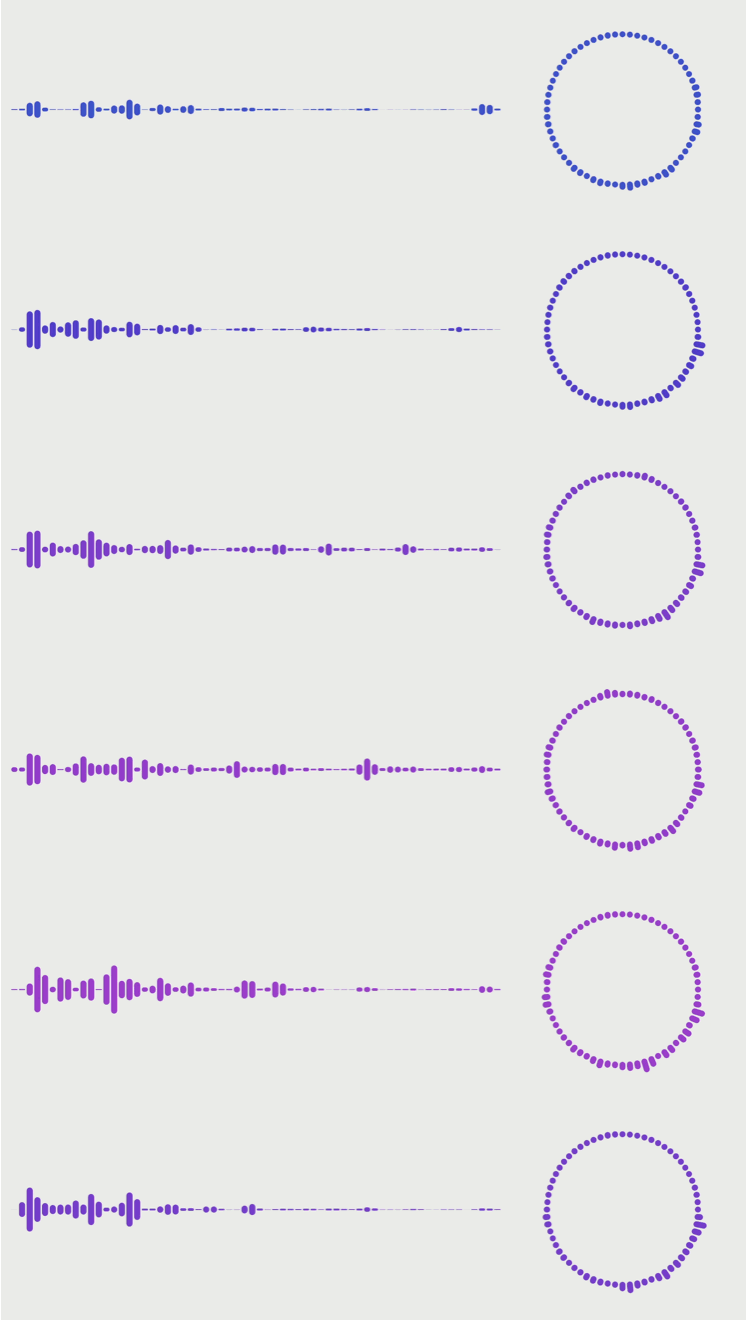
Provides the computational assistance for drawing the audio visualizer.
Swift
31
18 commits
updated Aug 24, 2024
README
AudioVisualizerKit
Provides the computational assistance for drawing the audio visualizer.
Requirements
- Development with Xcode 15.4+
- Written in Swift 5.10
- Compatible with iOS 17.0+, macOS 14.0+
Privacy Manifest
This library does not collect or track user information, so it does not include a PrivacyInfo.xcprivacy file.
Installation
AudioVisualizerKit is available through Swift Package Manager.
Xcode
- File > Add Package Dependencies…
- Search
https://github.com/Kyome22/AudioVisualizerKit.git. - Add package and link
AudioVisualizerKitto your application target.
CLI
-
Create
Package.swiftthat describes dependencies.// swift-tools-version: 5.10 import PackageDescription let package = Package( name: "SomeProduct", products: [ .library(name: "SomeProduct", targets: ["SomeProduct"]) ], dependencies: [ .package(url: "https://github.com/Kyome22/AudioVisualizerKit.git", exact: "1.0.0") ], targets: [ .target( name: "SomeProduct", dependencies: [ .product(name: "AudioVisualizerKit", package: "AudioVisualizerKit") ] ) ] ) -
Run the following command in Terminal.
Usage
- Get the URL of the music file.
- Use
AudioAnalyzerto play music and get magnitudes and RMS.- You can specify the FFT size.
- You can specify a window function (hann or hamming or blackman).
- Use
AmplitudeSpectrumViewto draw the audio visualizer.- You can select the shape type (straight or ring).
- You can specify the drawing range.
- Pass RMS to enable color linked to sound intensity.
import AudioVisualizerKit
import SwiftUI

struct ContentView: View {
    let audioAnalyzer = AudioAnalyzer(fftSize: 2048, windowType: .hannWindow)

    var body: some View {
        AmplitudeSpectrumView(
            shapeType: .straight,
            magnitudes: audioAnalyzer.magnitudes,
            range: 0 ..< 128,
            rms: audioAnalyzer.rms
        )
        .padding()
        .onAppear {
            let url = Bundle.main.url(forResource: "example", withExtension: "mp3")!
            try? audioAnalyzer.prepare(url: url)
            try? audioAnalyzer.play()
        }
        .onDisappear {
            audioAnalyzer.stop()
        }
    }
}
Similar repos


Provides the computational assistance for drawing the audio visualizer.
Swift
31
18 commits
updated Aug 24, 2024
README
AudioVisualizerKit
Provides the computational assistance for drawing the audio visualizer.
Requirements
- Development with Xcode 15.4+
- Written in Swift 5.10
- Compatible with iOS 17.0+, macOS 14.0+
Privacy Manifest
This library does not collect or track user information, so it does not include a PrivacyInfo.xcprivacy file.
Installation
AudioVisualizerKit is available through Swift Package Manager.
Xcode
- File > Add Package Dependencies…
- Search
https://github.com/Kyome22/AudioVisualizerKit.git. - Add package and link
AudioVisualizerKitto your application target.
CLI
-
Create
Package.swiftthat describes dependencies.// swift-tools-version: 5.10 import PackageDescription let package = Package( name: "SomeProduct", products: [ .library(name: "SomeProduct", targets: ["SomeProduct"]) ], dependencies: [ .package(url: "https://github.com/Kyome22/AudioVisualizerKit.git", exact: "1.0.0") ], targets: [ .target( name: "SomeProduct", dependencies: [ .product(name: "AudioVisualizerKit", package: "AudioVisualizerKit") ] ) ] ) -
Run the following command in Terminal.
Usage
- Get the URL of the music file.
- Use
AudioAnalyzerto play music and get magnitudes and RMS.- You can specify the FFT size.
- You can specify a window function (hann or hamming or blackman).
- Use
AmplitudeSpectrumViewto draw the audio visualizer.- You can select the shape type (straight or ring).
- You can specify the drawing range.
- Pass RMS to enable color linked to sound intensity.
import AudioVisualizerKit
import SwiftUI

struct ContentView: View {
    let audioAnalyzer = AudioAnalyzer(fftSize: 2048, windowType: .hannWindow)

    var body: some View {
        AmplitudeSpectrumView(
            shapeType: .straight,
            magnitudes: audioAnalyzer.magnitudes,
            range: 0 ..< 128,
            rms: audioAnalyzer.rms
        )
        .padding()
        .onAppear {
            let url = Bundle.main.url(forResource: "example", withExtension: "mp3")!
            try? audioAnalyzer.prepare(url: url)
            try? audioAnalyzer.play()
        }
        .onDisappear {
            audioAnalyzer.stop()
        }
    }
}