Red Ink - A one-stop Xiaohongshu image-and-text generator based on the 🍌Nano Banana Pro🍌, "One Sentence, One Image: Generate Xiaohongshu Text and Images."
See the code中文 | English




Various social media covers generated with RedInk - AI-powered, consistent style, accurate text
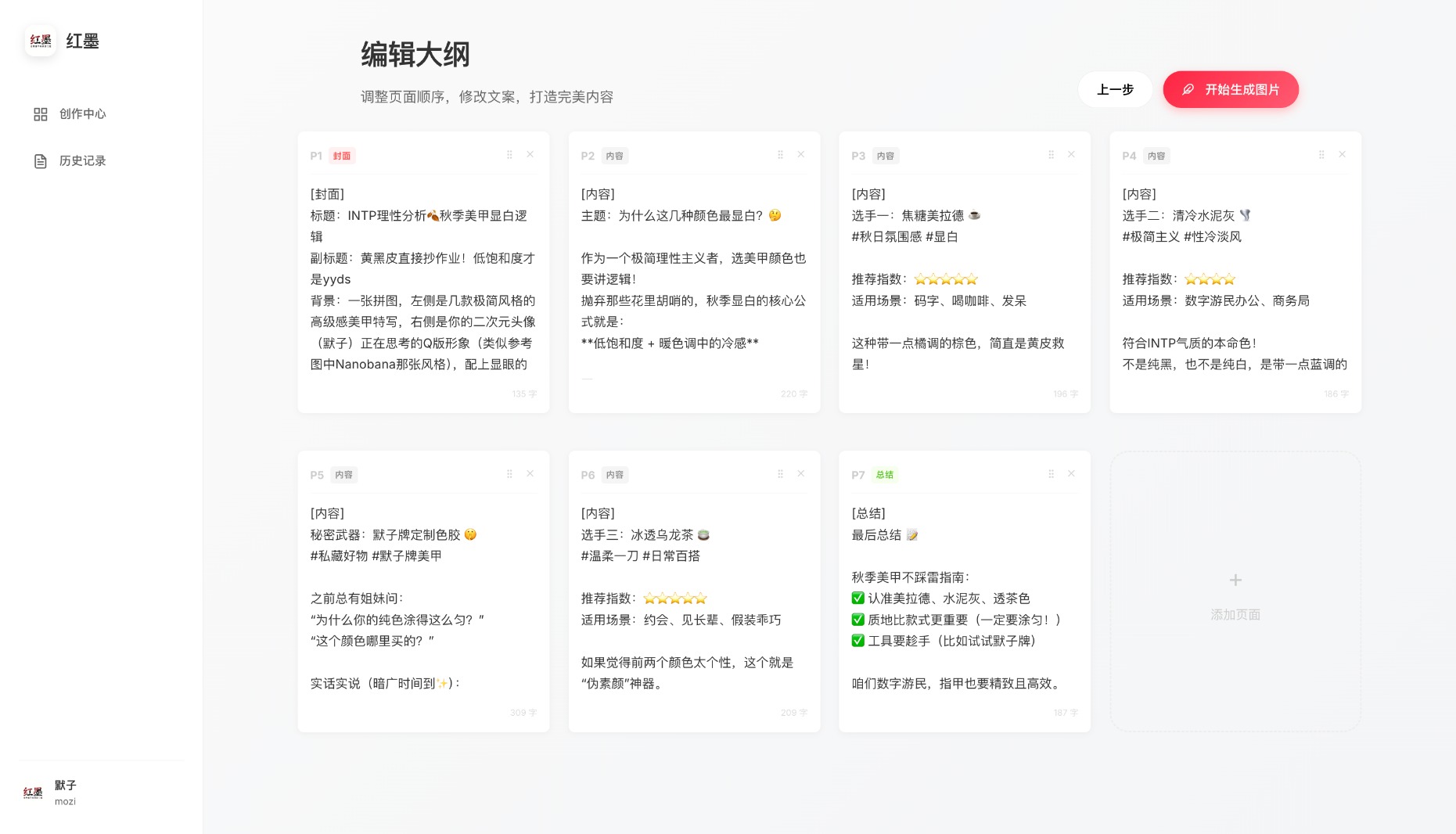
Features:
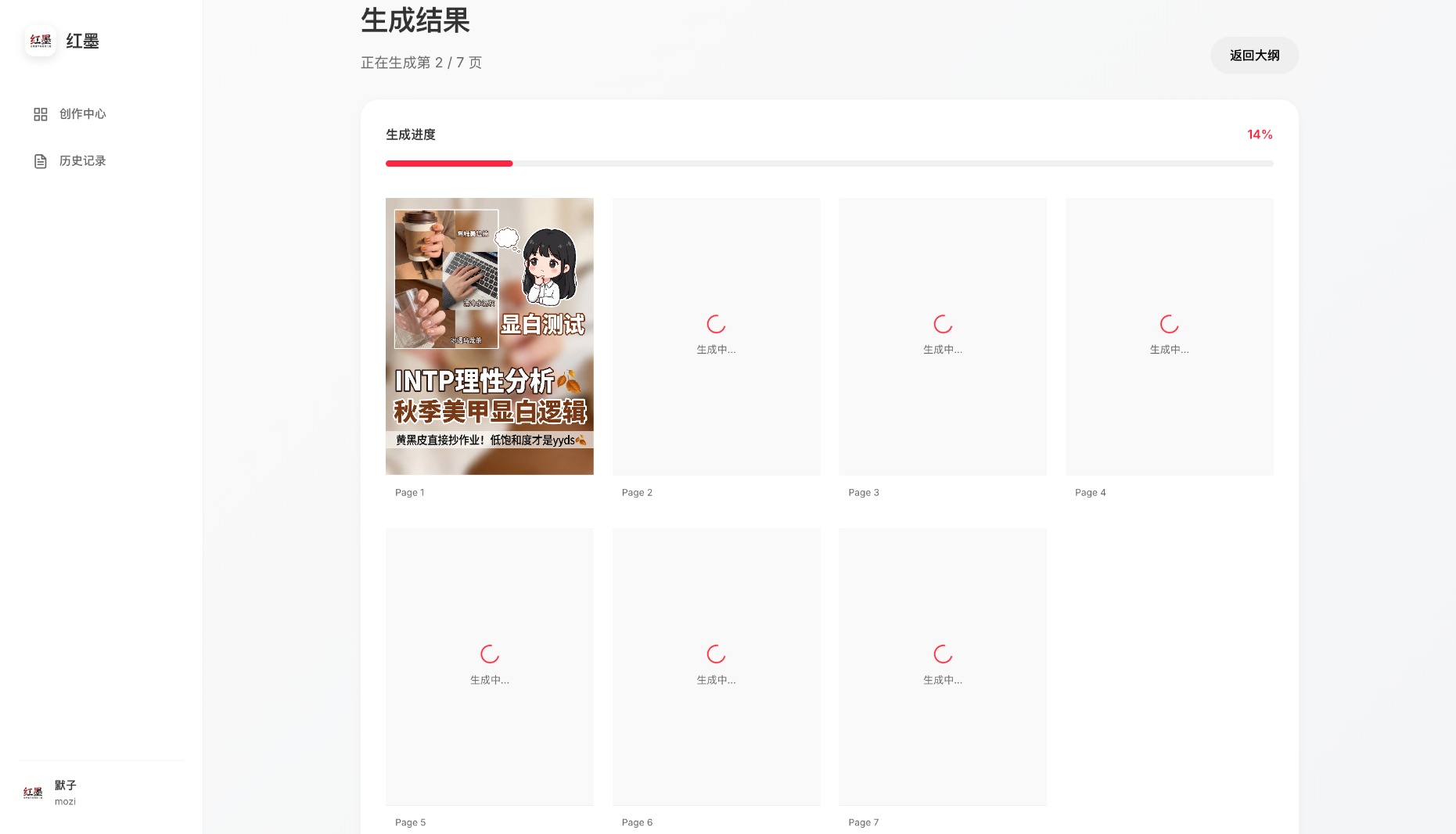
Cover Highlights:
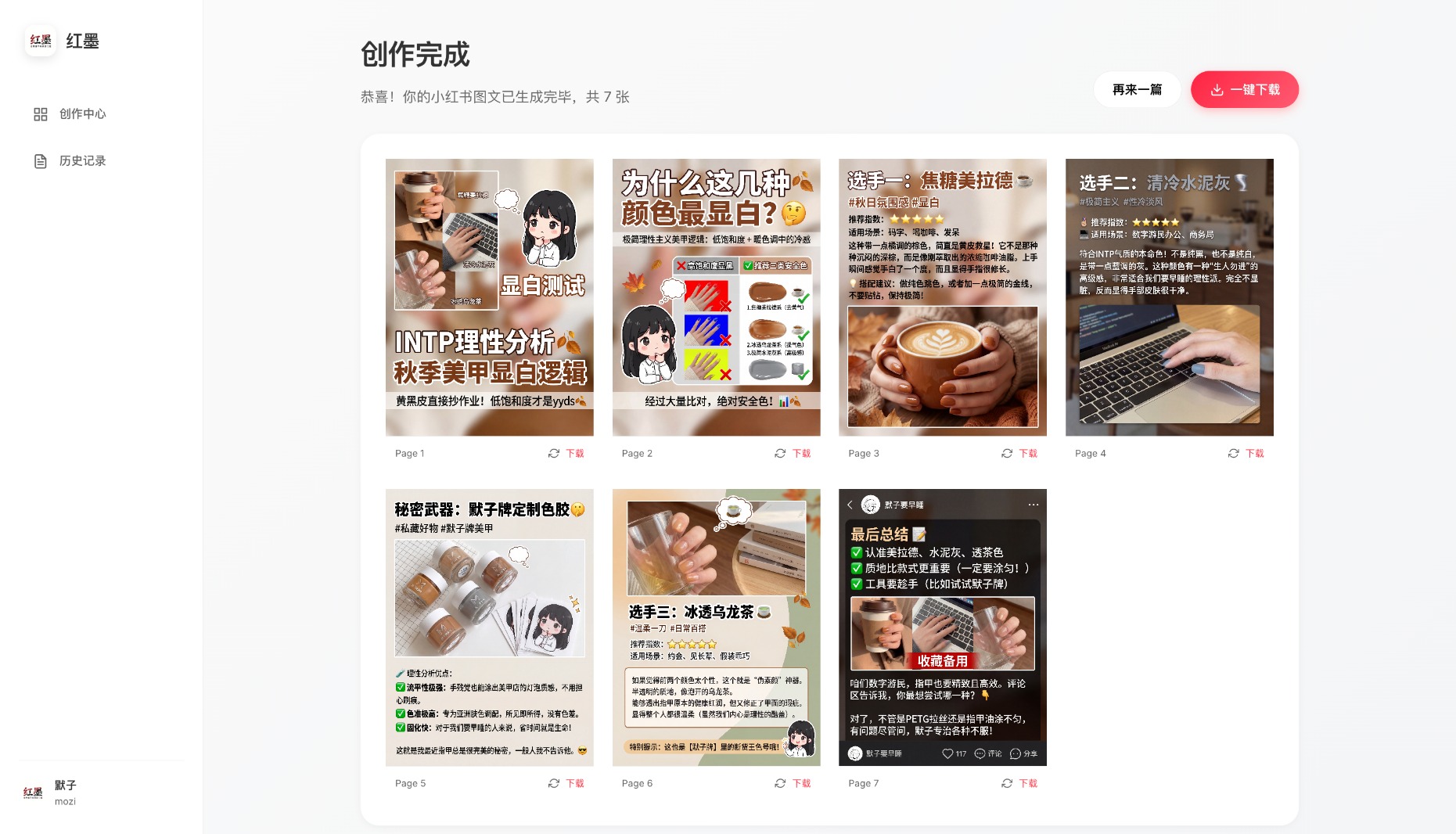
Generation Notes:
🔧 Backend
|
🎨 Frontend
|
The simplest way — one command to start:
docker run -d -p 12398:12398 -v ./history:/app/history -v ./output:/app/output histonemax/redink:latest
Visit http://localhost:12398 and configure your API Key in the Settings page.
Using docker-compose (optional):
Download docker-compose.yml, then:
docker-compose up -d
Docker Notes:
-v ./history:/app/history to persist history-v ./output:/app/output to persist generated images-v ./text_providers.yaml:/app/text_providers.yamlPrerequisites:
git clone https://github.com/HisMax/RedInk.git
cd RedInk
Copy the config templates:
cp text_providers.yaml.example text_providers.yaml
cp image_providers.yaml.example image_providers.yaml
Edit the config files with your API Key and service settings, or configure them later via the Settings page in the web UI.
uv sync
cd frontend
pnpm install
Run the start script to automatically install dependencies and launch both frontend and backend:
start.sh or double-click scripts/start-macos.command./start.shstart.batThe browser will automatically open at http://localhost:5173
Start Backend:
uv run python -m backend.app
Visit: http://localhost:12398
Start Frontend:
cd frontend
pnpm dev
Visit: http://localhost:5173
The project supports two configuration methods:
Config file: text_providers.yaml
# Active provider
active_provider: openai

providers:
  # OpenAI or compatible API
  openai:
    type: openai_compatible
    api_key: sk-xxxxxxxxxxxxxxxxxxxx
    base_url: https://api.openai.com/v1
    model: gpt-4o

  # Google Gemini (native API)
  gemini:
    type: google_gemini
    api_key: AIzaxxxxxxxxxxxxxxxxxxxxxxxxx
    model: gemini-2.0-flash
Config file: image_providers.yaml
# Active provider
active_provider: gemini

providers:
  # Google Gemini image generation
  gemini:
    type: google_genai
    api_key: AIzaxxxxxxxxxxxxxxxxxxxxxxxxx
    model: gemini-3-pro-image-preview
    high_concurrency: false

  # OpenAI compatible API
  openai_image:
    type: image_api
    api_key: sk-xxxxxxxxxxxxxxxxxxxx
    base_url: https://your-api-endpoint.com
    model: dall-e-3
    high_concurrency: false
⚠️ Not recommended for GCP $300 trial accounts — may trigger rate limits and cause generation failures.
API Quota Limits:
Generation Time:
Issues and Pull Requests are welcome!
If this project helps you, please give it a Star ⭐
response_format by default and supporting b64_json, data URLs, and temporary image URLsreasoning_content or reasoning tokens without final contentrstrip('/v1') incorrectly stripping URL characters (e.g. api.openai.com → api.openai.co) — 5 occurrences across backend/v1/modelsexcept: clause replaced with except Exception: in history servicesetTimeout calls in ContentDisplay component (memory leak)histonemax/redinkstore.updateImage method causing regeneration failure
This project is licensed under CC BY-NC-SA 4.0
You are free to:
Under the following terms:
If you wish to use this project for commercial purposes (including but not limited to):
Please contact the author for a commercial license:
The author will provide flexible commercial licensing options based on your specific use case.
This software is provided "as is", without warranty of any kind, express or implied, including but not limited to the warranties of merchantability, fitness for a particular purpose, and noninfringement. In no event shall the authors or copyright holders be liable for any claim, damages, or other liability.
Mozi (Histone) - AI Entrepreneur
"Let AI do the creative work for us"
If this project helped you, share it with others! ⭐
Questions or suggestions? Feel free to open an Issue!
Red Ink - A one-stop Xiaohongshu image-and-text generator based on the 🍌Nano Banana Pro🍌, "One Sentence, One Image: Generate Xiaohongshu Text and Images."
See the code中文 | English
Various social media covers generated with RedInk - AI-powered, consistent style, accurate text
Features:
Cover Highlights:
Generation Notes:
🔧 Backend
|
🎨 Frontend
|
The simplest way — one command to start:
docker run -d -p 12398:12398 -v ./history:/app/history -v ./output:/app/output histonemax/redink:latest
Visit http://localhost:12398 and configure your API Key in the Settings page.
Using docker-compose (optional):
Download docker-compose.yml, then:
docker-compose up -d
Docker Notes:
-v ./history:/app/history to persist history-v ./output:/app/output to persist generated images-v ./text_providers.yaml:/app/text_providers.yamlPrerequisites:
git clone https://github.com/HisMax/RedInk.git
cd RedInk
Copy the config templates:
cp text_providers.yaml.example text_providers.yaml
cp image_providers.yaml.example image_providers.yaml
Edit the config files with your API Key and service settings, or configure them later via the Settings page in the web UI.
uv sync
cd frontend
pnpm install
Run the start script to automatically install dependencies and launch both frontend and backend:
start.sh or double-click scripts/start-macos.command./start.shstart.batThe browser will automatically open at http://localhost:5173
Start Backend:
uv run python -m backend.app
Visit: http://localhost:12398
Start Frontend:
cd frontend
pnpm dev
Visit: http://localhost:5173
The project supports two configuration methods:
Config file: text_providers.yaml
# Active provider
active_provider: openai

providers:
  # OpenAI or compatible API
  openai:
    type: openai_compatible
    api_key: sk-xxxxxxxxxxxxxxxxxxxx
    base_url: https://api.openai.com/v1
    model: gpt-4o

  # Google Gemini (native API)
  gemini:
    type: google_gemini
    api_key: AIzaxxxxxxxxxxxxxxxxxxxxxxxxx
    model: gemini-2.0-flash
Config file: image_providers.yaml
# Active provider
active_provider: gemini

providers:
  # Google Gemini image generation
  gemini:
    type: google_genai
    api_key: AIzaxxxxxxxxxxxxxxxxxxxxxxxxx
    model: gemini-3-pro-image-preview
    high_concurrency: false

  # OpenAI compatible API
  openai_image:
    type: image_api
    api_key: sk-xxxxxxxxxxxxxxxxxxxx
    base_url: https://your-api-endpoint.com
    model: dall-e-3
    high_concurrency: false
⚠️ Not recommended for GCP $300 trial accounts — may trigger rate limits and cause generation failures.
API Quota Limits:
Generation Time:
Issues and Pull Requests are welcome!
If this project helps you, please give it a Star ⭐
response_format by default and supporting b64_json, data URLs, and temporary image URLsreasoning_content or reasoning tokens without final contentrstrip('/v1') incorrectly stripping URL characters (e.g. api.openai.com → api.openai.co) — 5 occurrences across backend/v1/modelsexcept: clause replaced with except Exception: in history servicesetTimeout calls in ContentDisplay component (memory leak)histonemax/redinkstore.updateImage method causing regeneration failure
This project is licensed under CC BY-NC-SA 4.0
You are free to:
Under the following terms:
If you wish to use this project for commercial purposes (including but not limited to):
Please contact the author for a commercial license:
The author will provide flexible commercial licensing options based on your specific use case.
This software is provided "as is", without warranty of any kind, express or implied, including but not limited to the warranties of merchantability, fitness for a particular purpose, and noninfringement. In no event shall the authors or copyright holders be liable for any claim, damages, or other liability.
Mozi (Histone) - AI Entrepreneur
"Let AI do the creative work for us"
If this project helped you, share it with others! ⭐
Questions or suggestions? Feel free to open an Issue!



