A Codex-powered Chrome side-panel assistant for page context, tabs, voice, and image workflows.
TypeScript
1,153
78 commits
updated Jun 15, 2026






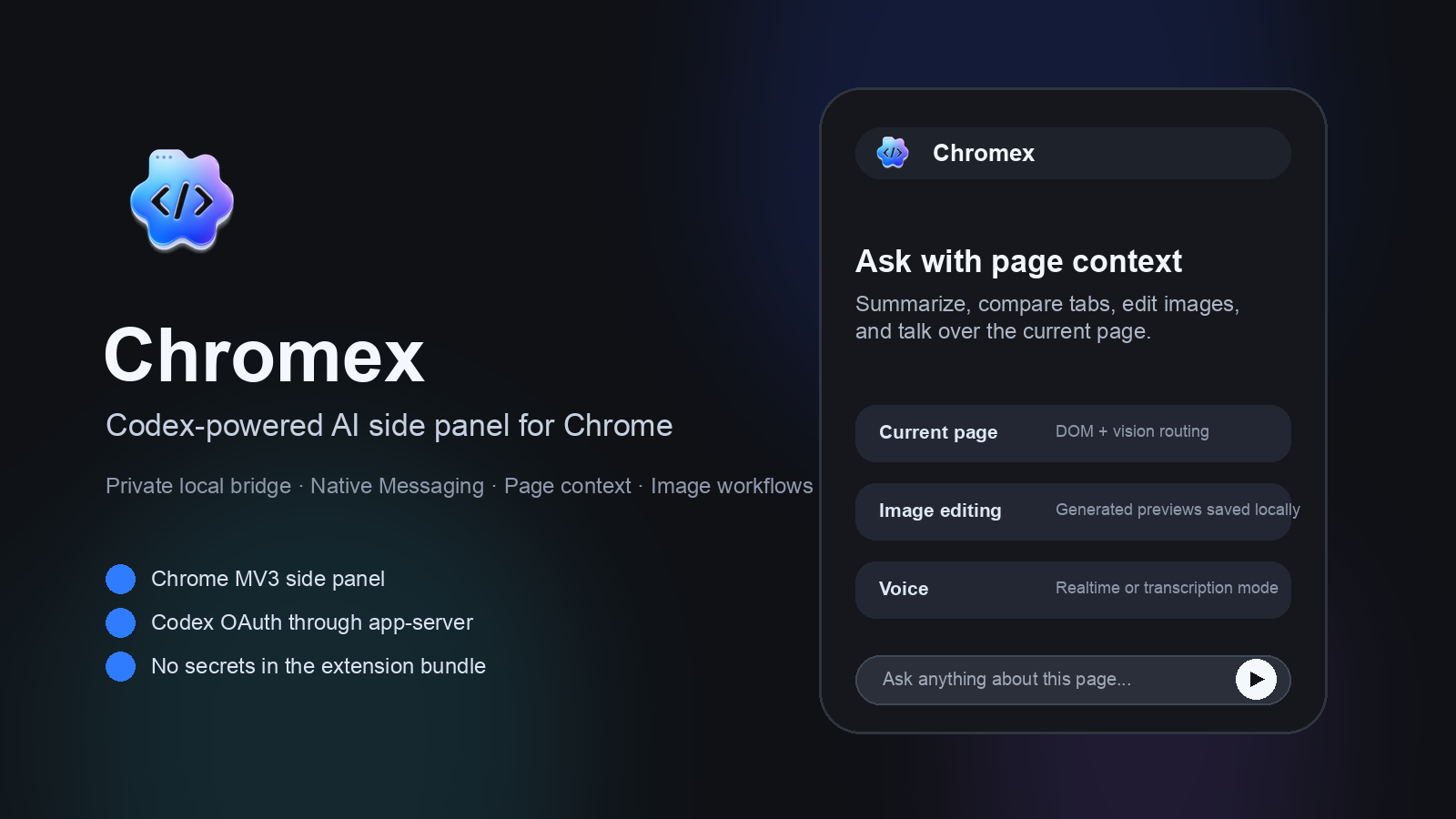
Chromex is a Chrome MV3 side-panel assistant that connects Chrome to Codex through a local native bridge. It helps users work with the current page, selected tabs, uploaded files, voice input, images, and browser workflows while keeping credentials out of extension storage.
Published by GenexisAI CHOI.
Chrome Web Store users do not need to build Chromex from source.
For a step-by-step guide with copy buttons in English, Korean, Japanese, and Simplified Chinese, use the public setup page: https://genexis-ai.github.io/chromex/install/
npm install -g @openai/codex
codex --version
Chromex requires @openai/codex 0.130.0 or newer. Older releases (for example 0.124.x and 0.125.x) refuse some bootstrap feature flags and surface as codex app-server exited with code 1 immediately after a successful codex login.
chromex-local-bridge.zip from the latest GitHub Release, unzip it, and run:node scripts/install-native-host.mjs --browser=chrome
The Store extension can run only after this one-time local bridge registration. The bridge lets Chrome start the local Codex app-server safely through Chrome Native Messaging; the extension itself cannot install that local host automatically.
Use the source checkout or chromex-public-source.zip:
git clone https://github.com/GENEXIS-AI/chromex.git
cd chromex
npm install
npm run build
node scripts/install-native-host.mjs
Then close every Chrome window, reopen Chrome, open chrome://extensions, enable Developer mode, select Load unpacked, and choose:
packages/extension/dist
Important: run npm install, npm run build, and install-native-host.mjs from the chromex source folder that contains package.json. If Windows reports ENOENT Could not read package.json, you are in the wrong folder.
On Windows, install Node.js 20 LTS or newer, then install and verify the Codex CLI first:
npm install -g @openai/codex
codex --version
Use the npm install path above even if winget install Codex -s msstore fails. 0x8a15005e: The server certificate did not match any of the expected values is a Windows Store / TLS certificate-chain problem outside Chromex, not a Chromex install step.
Then use PowerShell from the chromex source folder:
npm install
npm run build
node scripts/install-native-host.mjs --browser=chrome
Then open chrome://extensions, click Reload on Chromex, and press Check connection in the Chromex side panel.
If the side panel still says the local bridge is waiting:
packages/extension/dist.chrome://extensions.node scripts/install-native-host.mjs <extension-id> --browser=chrome
The expected public release ID is menmlhahmendmkiicbjihgjhppkgaeom. If Chrome shows a different ID, use the ID shown in Chrome.
If login fails with Failed to start codex app-server, Chromex can reach the local bridge but cannot start the Codex CLI. Re-run codex --version. If Windows cannot find it, set the optional Codex binary path to %APPDATA%\npm\codex.cmd, or set the folder to %APPDATA%\npm. Do not put your workspace folder in the Codex binary field; the workspace folder and Codex executable path are separate settings.
To force executable detection on Windows:
npm install -g @openai/codex
where codex
codex --version
If where codex prints C:\Users\<you>\AppData\Roaming\npm\codex.cmd, open Chromex settings and set the optional Codex binary path to %APPDATA%\npm\codex.cmd, save, close every Chrome window, reopen Chrome, and press Check connection.
Chromex uses this boundary:
Chrome Extension -> Native Messaging Host -> Local Bridge -> codex app-server
The source tree is organized as:
packages/extension: Chrome MV3 side-panel extensionpackages/bridge: local bridge daemon for Codex app-server and multimodal workflowspackages/native-host: Chrome Native Messaging relaypackages/shared: shared types, policies, profiles, and helpersChromex follows the browser language automatically by default. Users can also choose a language in Settings > General > App UI language.
The extension ships Chrome _locales entries for English, Korean, Japanese, Chinese, Arabic, French, German, Spanish, Portuguese, Hindi, Vietnamese, Thai, Turkish, Ukrainian, and many other Chrome-compatible locales. Model responses are instructed to follow the selected UI language unless the user asks for another language.
history, tabs, screen capture, microphone, and site access are requested only when a feature needs them.Read SECURITY.md and PRIVACY.md before publishing or deploying a modified build.
@ picker for selecting one or more open tabs./ picker for profile selection..codex/skills/*/SKILL.md only when enabled.npm install
npm run typecheck
npm run test
npm run build
npm run release:audit
Optional browser smoke test:
npm run smoke
If no compatible browser exists, install the Playwright Chromium runtime:
npm run smoke:install-browser
The built extension is emitted to:
packages/extension/dist
Chromex uses normal open-source release history from 0.1.1 onward. Versioning, pull request flow, and release checklist are documented in RELEASE.md.
npm run build, then node scripts/install-native-host.mjs --browser=chrome, reload the extension in chrome://extensions, and check Chromex onboarding/system status. If Chrome shows a different extension ID, run node scripts/install-native-host.mjs <extension-id> --browser=chrome.npm install -g @openai/codex, where codex, and codex --version. If needed, set the optional Codex binary path in Chromex to %APPDATA%\npm\codex.cmd, save, fully restart Chrome, and press Check connection.npm run build, reload the extension card, and confirm Chrome is loading packages/extension/dist.npm run smoke:install-browser, then npm run smoke.MIT. See LICENSE.
416 followers · starred Apr 2026
789 followers · starred May 2026
1,125 followers · starred May 2026
91 followers · starred May 2026
A Codex-powered Chrome side-panel assistant for page context, tabs, voice, and image workflows.
TypeScript
1,153
78 commits
updated Jun 15, 2026
Chromex is a Chrome MV3 side-panel assistant that connects Chrome to Codex through a local native bridge. It helps users work with the current page, selected tabs, uploaded files, voice input, images, and browser workflows while keeping credentials out of extension storage.
Published by GenexisAI CHOI.
Chrome Web Store users do not need to build Chromex from source.
For a step-by-step guide with copy buttons in English, Korean, Japanese, and Simplified Chinese, use the public setup page: https://genexis-ai.github.io/chromex/install/
npm install -g @openai/codex
codex --version
Chromex requires @openai/codex 0.130.0 or newer. Older releases (for example 0.124.x and 0.125.x) refuse some bootstrap feature flags and surface as codex app-server exited with code 1 immediately after a successful codex login.
chromex-local-bridge.zip from the latest GitHub Release, unzip it, and run:node scripts/install-native-host.mjs --browser=chrome
The Store extension can run only after this one-time local bridge registration. The bridge lets Chrome start the local Codex app-server safely through Chrome Native Messaging; the extension itself cannot install that local host automatically.
Use the source checkout or chromex-public-source.zip:
git clone https://github.com/GENEXIS-AI/chromex.git
cd chromex
npm install
npm run build
node scripts/install-native-host.mjs
Then close every Chrome window, reopen Chrome, open chrome://extensions, enable Developer mode, select Load unpacked, and choose:
packages/extension/dist
Important: run npm install, npm run build, and install-native-host.mjs from the chromex source folder that contains package.json. If Windows reports ENOENT Could not read package.json, you are in the wrong folder.
On Windows, install Node.js 20 LTS or newer, then install and verify the Codex CLI first:
npm install -g @openai/codex
codex --version
Use the npm install path above even if winget install Codex -s msstore fails. 0x8a15005e: The server certificate did not match any of the expected values is a Windows Store / TLS certificate-chain problem outside Chromex, not a Chromex install step.
Then use PowerShell from the chromex source folder:
npm install
npm run build
node scripts/install-native-host.mjs --browser=chrome
Then open chrome://extensions, click Reload on Chromex, and press Check connection in the Chromex side panel.
If the side panel still says the local bridge is waiting:
packages/extension/dist.chrome://extensions.node scripts/install-native-host.mjs <extension-id> --browser=chrome
The expected public release ID is menmlhahmendmkiicbjihgjhppkgaeom. If Chrome shows a different ID, use the ID shown in Chrome.
If login fails with Failed to start codex app-server, Chromex can reach the local bridge but cannot start the Codex CLI. Re-run codex --version. If Windows cannot find it, set the optional Codex binary path to %APPDATA%\npm\codex.cmd, or set the folder to %APPDATA%\npm. Do not put your workspace folder in the Codex binary field; the workspace folder and Codex executable path are separate settings.
To force executable detection on Windows:
npm install -g @openai/codex
where codex
codex --version
If where codex prints C:\Users\<you>\AppData\Roaming\npm\codex.cmd, open Chromex settings and set the optional Codex binary path to %APPDATA%\npm\codex.cmd, save, close every Chrome window, reopen Chrome, and press Check connection.
Chromex uses this boundary:
Chrome Extension -> Native Messaging Host -> Local Bridge -> codex app-server
The source tree is organized as:
packages/extension: Chrome MV3 side-panel extensionpackages/bridge: local bridge daemon for Codex app-server and multimodal workflowspackages/native-host: Chrome Native Messaging relaypackages/shared: shared types, policies, profiles, and helpersChromex follows the browser language automatically by default. Users can also choose a language in Settings > General > App UI language.
The extension ships Chrome _locales entries for English, Korean, Japanese, Chinese, Arabic, French, German, Spanish, Portuguese, Hindi, Vietnamese, Thai, Turkish, Ukrainian, and many other Chrome-compatible locales. Model responses are instructed to follow the selected UI language unless the user asks for another language.
history, tabs, screen capture, microphone, and site access are requested only when a feature needs them.Read SECURITY.md and PRIVACY.md before publishing or deploying a modified build.
@ picker for selecting one or more open tabs./ picker for profile selection..codex/skills/*/SKILL.md only when enabled.npm install
npm run typecheck
npm run test
npm run build
npm run release:audit
Optional browser smoke test:
npm run smoke
If no compatible browser exists, install the Playwright Chromium runtime:
npm run smoke:install-browser
The built extension is emitted to:
packages/extension/dist
Chromex uses normal open-source release history from 0.1.1 onward. Versioning, pull request flow, and release checklist are documented in RELEASE.md.
npm run build, then node scripts/install-native-host.mjs --browser=chrome, reload the extension in chrome://extensions, and check Chromex onboarding/system status. If Chrome shows a different extension ID, run node scripts/install-native-host.mjs <extension-id> --browser=chrome.npm install -g @openai/codex, where codex, and codex --version. If needed, set the optional Codex binary path in Chromex to %APPDATA%\npm\codex.cmd, save, fully restart Chrome, and press Check connection.npm run build, reload the extension card, and confirm Chrome is loading packages/extension/dist.npm run smoke:install-browser, then npm run smoke.MIT. See LICENSE.
416 followers · starred Apr 2026
789 followers · starred May 2026
1,125 followers · starred May 2026
91 followers · starred May 2026