
Local DXF viewer for Windows and Linux: inspect drawings, measure distances, and browse folders with Viewer Plus.
JavaScript
0
13 commits
updated Oct 6, 2026
See what people are saying
README
DXF Viewer
Open your drawing. Inspect the details. Check the distances.
A desktop DXF viewer for quick checks at your desk or in the workshop. Pan and zoom around a drawing, use millimetre rulers and draggable measurement guides, and choose a light or dark workspace. Drawing files are opened locally, without uploading them to a service.
Download for Windows or Linux · Standard or Plus? · Try a sample · Get help
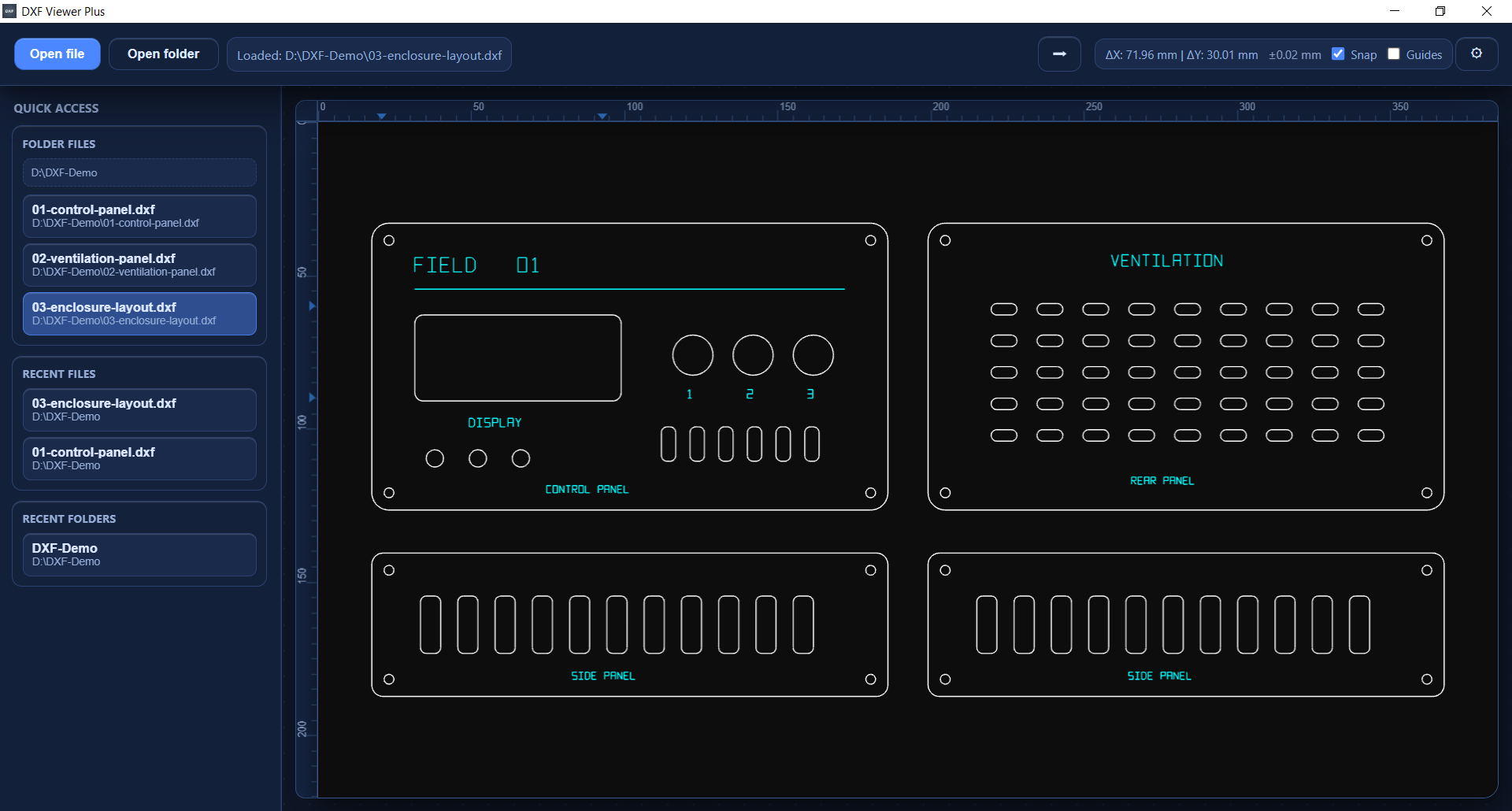
A real enclosure drawing in Viewer Plus on Windows. Try the same file.
Download
Ready-to-use version 1.2.0 packages are available for 64-bit Windows and Debian/Ubuntu Linux. No development tools are needed.
| Edition | Windows installer | Ubuntu / Debian package |
|---|---|---|
| DXF Viewer | Download .exe | Download .deb |
| DXF Viewer Plus | Download .exe | Download .deb |
Run the Windows installer and follow its steps, or open the Linux package with your system's software installer. For newer versions and release notes, visit the releases page.
Choose your edition
Both editions have the same drawing viewer and measurement tools. Choose Standard for opening individual drawings, or Plus for browsing a folder of parts.
| Feature | Standard | Plus |
|---|---|---|
| Open DXF from a file dialog, drag-and-drop or recent files | ✓ | ✓ |
| Pan, zoom and fit the drawing to the window | ✓ | ✓ |
| Millimetre rulers and draggable ΔX / ΔY measurement guides | ✓ | ✓ |
| Optional guide snapping to geometry | ✓ | ✓ |
| Light / dark theme and adjustable line thickness | ✓ | ✓ |
| Open a folder of DXF files | — | ✓ |
| File sidebar, recent folders and quick switching between parts | — | ✓ |
Your first drawing
- Install your preferred edition and open it.
- Download the control panel sample, then use Open file or drag the DXF into the window.
- Press Ctrl+F to fit the drawing. Zoom in to inspect openings and small details.
- Use the ruler guides to compare horizontal and vertical distances; enable snapping when you want a guide to follow geometry.
In Plus, choose Open folder to browse a set of parts from the sidebar. The sample folder contains a control panel, a ventilation panel and a complete enclosure layout, all in millimetres and free to reuse.
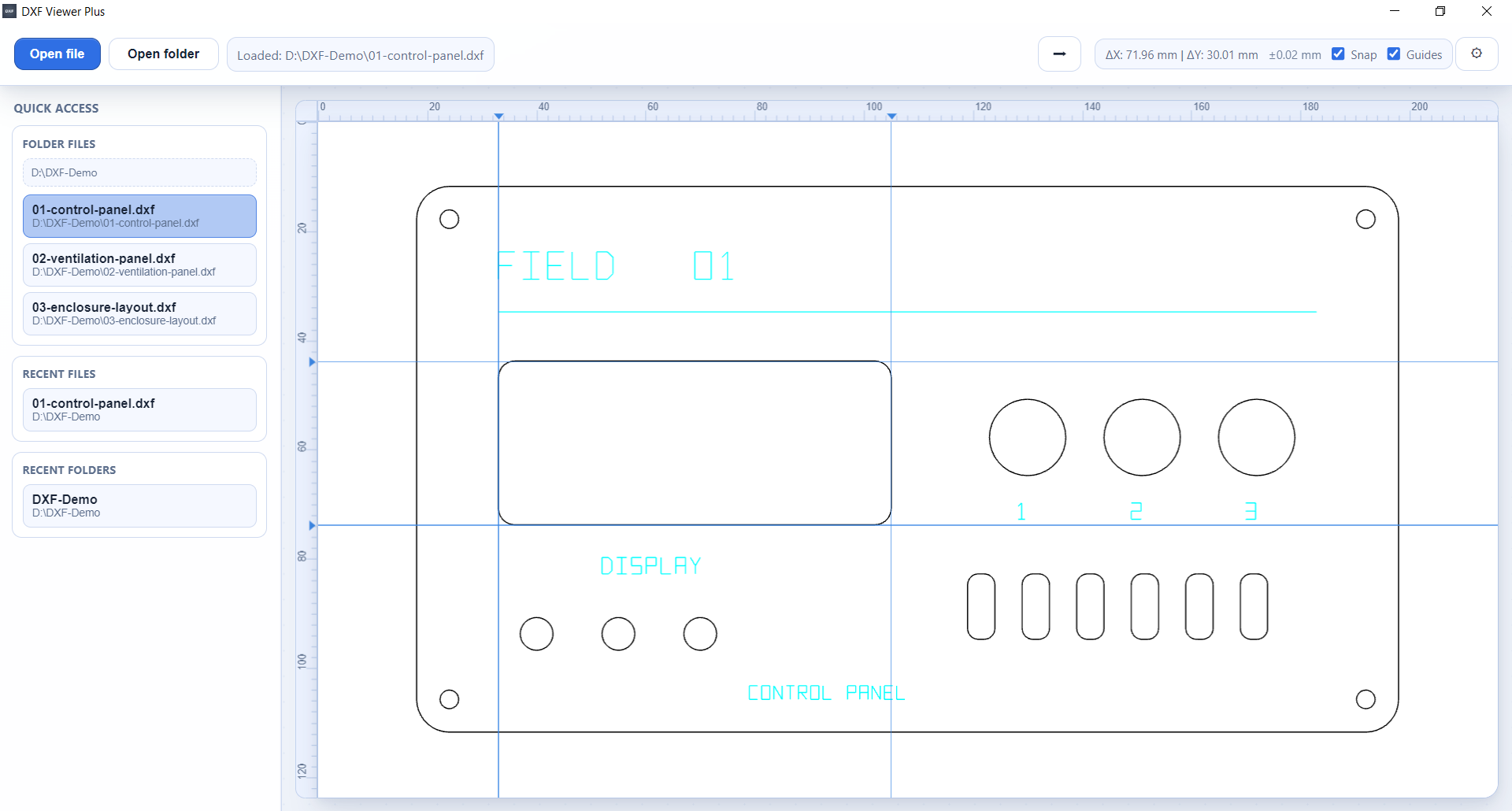
Both screenshots show Plus. Standard has the same canvas and measuring tools; folder browsing is exclusive to Plus. Capture details.
Useful shortcuts
| Action | Shortcut |
|---|---|
| Open a drawing | Ctrl+O |
| Open a folder (Plus) | Ctrl+Shift+O |
| Fit drawing to the window | Ctrl+F |
| Show / hide rulers | Ctrl+R |
| Switch light / dark theme | Ctrl+T |
| Adjust line thickness | Ctrl+= / Ctrl+- |
| Open settings | Ctrl+, |
| Open help | F1 |
Need to edit the drawing?
Viewer is for viewing and measuring. To draw new parts, edit geometry, add joints or export DXF/SVG, use DXF Sketcher.
Help and feedback
Press F1 for built-in help, or report a bug / suggest an improvement. Include your operating system, edition and app version; a small DXF you can share publicly helps reproduce rendering issues.
For developers
Run from source and build Standard or Plus packages · Contribute · Development guide · Report a security concern.
Acknowledgements and license
Special thanks to Artyom Lebedev, creator of dxf-viewer, which powers the app's DXF rendering.
DXF Viewer's own application code is licensed under MIT. Dependencies retain their own licenses, including MPL-2.0 for the dxf-viewer rendering library. See third-party notices.
Similar repos


Local DXF viewer for Windows and Linux: inspect drawings, measure distances, and browse folders with Viewer Plus.
JavaScript
0
13 commits
updated Oct 6, 2026
See what people are saying
README
DXF Viewer
Open your drawing. Inspect the details. Check the distances.
A desktop DXF viewer for quick checks at your desk or in the workshop. Pan and zoom around a drawing, use millimetre rulers and draggable measurement guides, and choose a light or dark workspace. Drawing files are opened locally, without uploading them to a service.
Download for Windows or Linux · Standard or Plus? · Try a sample · Get help
A real enclosure drawing in Viewer Plus on Windows. Try the same file.
Download
Ready-to-use version 1.2.0 packages are available for 64-bit Windows and Debian/Ubuntu Linux. No development tools are needed.
| Edition | Windows installer | Ubuntu / Debian package |
|---|---|---|
| DXF Viewer | Download .exe | Download .deb |
| DXF Viewer Plus | Download .exe | Download .deb |
Run the Windows installer and follow its steps, or open the Linux package with your system's software installer. For newer versions and release notes, visit the releases page.
Choose your edition
Both editions have the same drawing viewer and measurement tools. Choose Standard for opening individual drawings, or Plus for browsing a folder of parts.
| Feature | Standard | Plus |
|---|---|---|
| Open DXF from a file dialog, drag-and-drop or recent files | ✓ | ✓ |
| Pan, zoom and fit the drawing to the window | ✓ | ✓ |
| Millimetre rulers and draggable ΔX / ΔY measurement guides | ✓ | ✓ |
| Optional guide snapping to geometry | ✓ | ✓ |
| Light / dark theme and adjustable line thickness | ✓ | ✓ |
| Open a folder of DXF files | — | ✓ |
| File sidebar, recent folders and quick switching between parts | — | ✓ |
Your first drawing
- Install your preferred edition and open it.
- Download the control panel sample, then use Open file or drag the DXF into the window.
- Press Ctrl+F to fit the drawing. Zoom in to inspect openings and small details.
- Use the ruler guides to compare horizontal and vertical distances; enable snapping when you want a guide to follow geometry.
In Plus, choose Open folder to browse a set of parts from the sidebar. The sample folder contains a control panel, a ventilation panel and a complete enclosure layout, all in millimetres and free to reuse.
Both screenshots show Plus. Standard has the same canvas and measuring tools; folder browsing is exclusive to Plus. Capture details.
Useful shortcuts
| Action | Shortcut |
|---|---|
| Open a drawing | Ctrl+O |
| Open a folder (Plus) | Ctrl+Shift+O |
| Fit drawing to the window | Ctrl+F |
| Show / hide rulers | Ctrl+R |
| Switch light / dark theme | Ctrl+T |
| Adjust line thickness | Ctrl+= / Ctrl+- |
| Open settings | Ctrl+, |
| Open help | F1 |
Need to edit the drawing?
Viewer is for viewing and measuring. To draw new parts, edit geometry, add joints or export DXF/SVG, use DXF Sketcher.
Help and feedback
Press F1 for built-in help, or report a bug / suggest an improvement. Include your operating system, edition and app version; a small DXF you can share publicly helps reproduce rendering issues.
For developers
Run from source and build Standard or Plus packages · Contribute · Development guide · Report a security concern.
Acknowledgements and license
Special thanks to Artyom Lebedev, creator of dxf-viewer, which powers the app's DXF rendering.
DXF Viewer's own application code is licensed under MIT. Dependencies retain their own licenses, including MPL-2.0 for the dxf-viewer rendering library. See third-party notices.