
An open-source alternative to Cursor. AI code editor on CodeOSS, with OpenCode as its agentic harness.
TypeScript
2
10 commits
updated Oct 3, 2026
See what people are saying
README
Dragon IDE
An open-source AI code editor that runs on your terms.
Dragon IDE is built on Code - OSS, the open-source core of VS Code, with OpenCode built in as its AI agent. Use a local model through Ollama and nothing leaves your machine, or bring your own key for Anthropic, OpenAI, Google, OpenRouter and more. No account, no subscription, no telemetry.
Download
Get the latest build from Releases.
| Platform | File |
|---|---|
| macOS (Apple silicon or Intel) | .zip — unzip and drag Dragon IDE to Applications |
| Linux x64 | .tar.gz, .rpm or .deb |
| Windows x64 | .zip |
Each release lists which platforms it includes. The Mac apps are signed and notarized by Apple, so they open like any other app. The Windows app is not code-signed yet, so SmartScreen may stop the first launch: click More info, then Run anyway.
Getting started
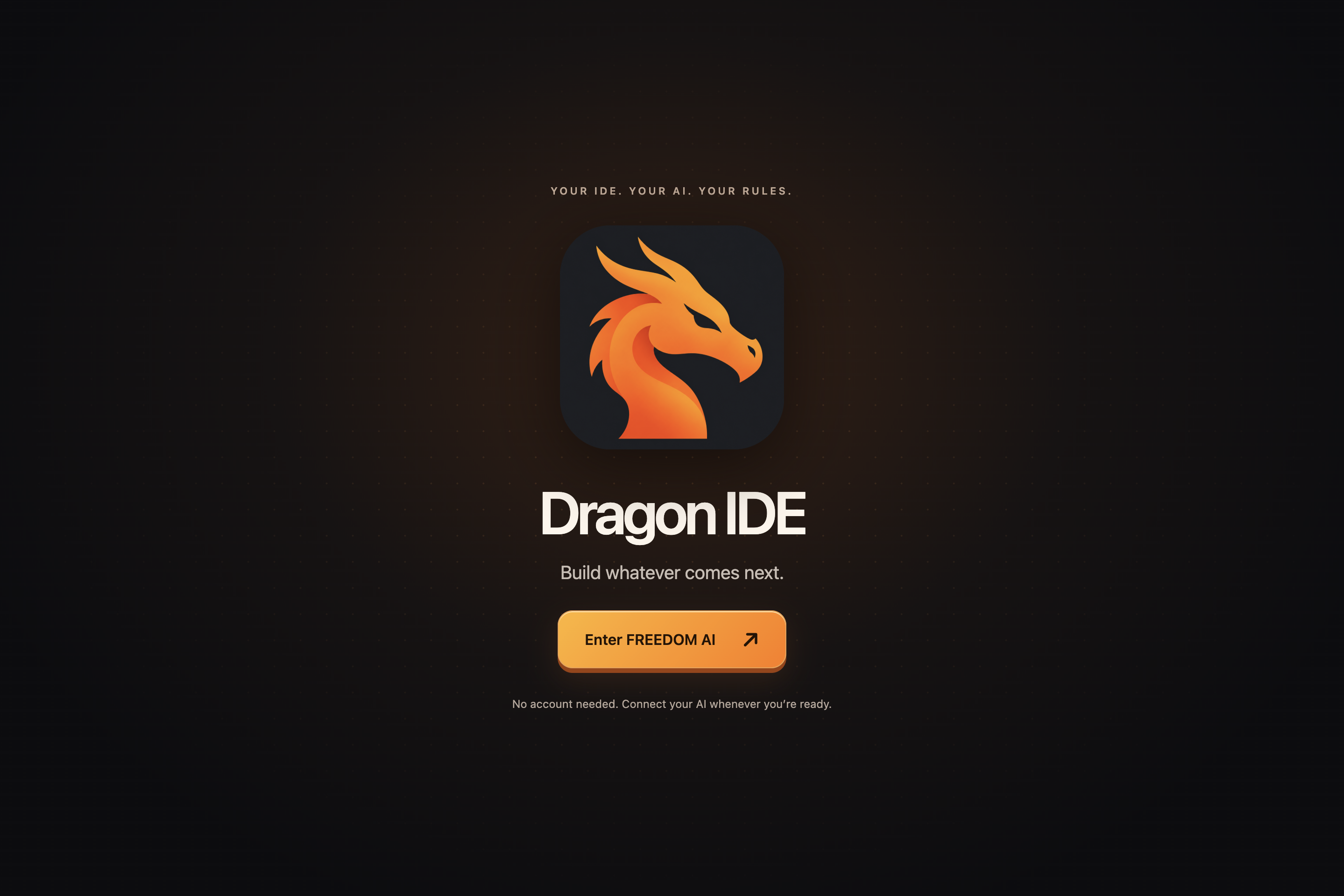
- Open Dragon IDE and click Enter FREEDOM AI. You are in the editor right away.
- Click Connect AI (home screen or status bar). Pick a local Ollama model, paste an API key, or sign in to a provider.
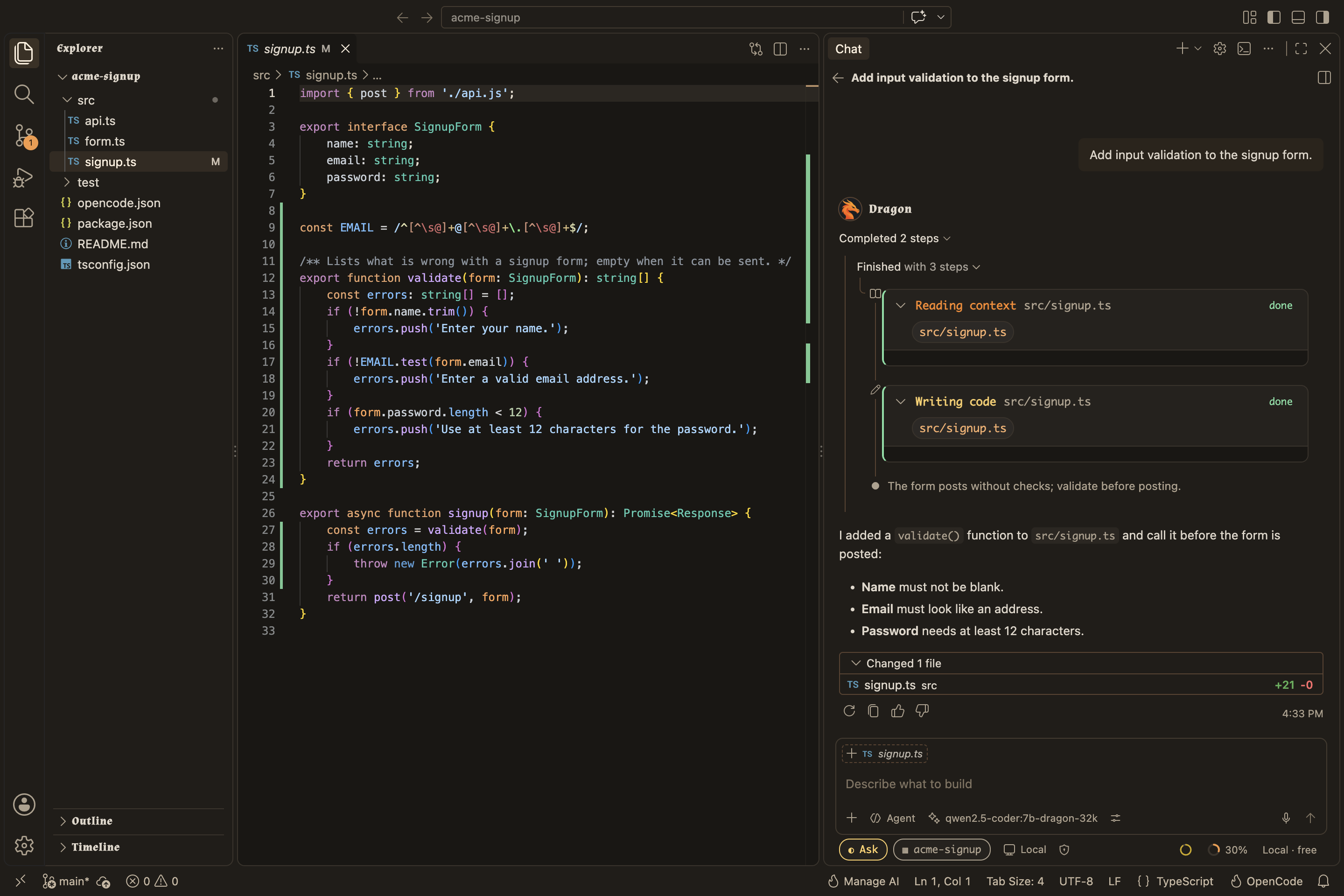
- Open the chat and ask for something: "add input validation to the signup form", "why is this test flaky?". The agent reads your code and, by default, asks before it edits a file or runs a command.
For a short tour, run Welcome: Open Walkthrough and pick Get Started with Dragon IDE.
What you get
- An agent that does the work. Chat with OpenCode right in the editor. It reads files, searches, edits and runs commands, and every change shows up as a diff you can keep or undo. Choose how much it may do on its own: read-only, ask first, or full access.
- Inline edits. Select code, press Ctrl+I (Cmd+I on macOS) and say what to change.
- Tab completions. Ghost-text suggestions from a small local model. Run Dragon: Set Up Tab Completions once.
- Fast code search for the agent. Instant Grep answers searches from a local index in milliseconds, and semantic search finds code by meaning. Both stay on your machine.
- Know what each turn costs. Next to the chat box: how full the context window is, how much of your prompt the provider served from cache, and the model's price per million tokens. Local models show as free.
- Local AI that fits your machine. Dragon: Set Up Local AI checks your memory and disk and only offers models that will run well. Weights download only when you choose one.
- Terminal fans welcome. The OpenCode TUI is a built-in terminal profile sharing sessions with the chat, so you can move a conversation between them.
Privacy
- No telemetry.
- Your code, search indexes and embeddings stay on your machine.
- Model requests go only to the provider you pick. With a local model, nothing leaves your computer.
- Dragon checks once a day for a new release (turn off with
dragon.updates.check), and OpenCode refreshes its public model list. That is all the background traffic.
Build from source
You need Node 24 (see .nvmrc), Python 3, a C/C++ toolchain and Bun 1.4.2 or newer.
npm ci
npm run compile
npm run dragon:build-opencode   # builds the bundled OpenCode binary
./scripts/code.sh               # macOS and Linux (scripts\code.bat on Windows)
Run the checks with npm run dragon:check. CONTRIBUTING.md covers the rest, including running CI on your own machine.
How it is built
| Path | What it is |
|---|---|
src/ | The VS Code workbench; Dragon's own UI is in src/vs/workbench/contrib/dragon* |
extensions/dragon-agent/ | Runs OpenCode and connects it to the chat, models, Ollama, the terminal, search and updates |
opencode/ | A pinned, unmodified copy of OpenCode |
scripts/dragon/ | Build, release and test scripts |
VS Code draws the editor and the chat; OpenCode runs the agent, tools and providers. The details live in SPEC.md and the specs listed in specs/INDEX.md. DESIGN.md lists every design element, and UPSTREAM.md explains how we track VS Code and OpenCode.
What's next
Planned work is in todo.md. The big one is running several agents side by side, each in its own chat.
License
MIT. VS Code and OpenCode are MIT-licensed too; their notices, and those of DeepSeek Harness (MIT, used for the usage readout), are in ThirdPartyNotices.txt.
Dragon IDE is an independent project, not affiliated with or endorsed by Microsoft, the OpenCode authors, Ollama or DeepSeek. The Dragon IDE name and logo are not free to reuse. The heading font is Almendra (SIL Open Font License 1.1); all other artwork is original to this repository.
Disclaimer
Dragon IDE is provided "as is", without warranty of any kind, as the MIT License says. You use it at your own risk.
- The agent can read, edit and delete files and run commands on your computer. What it does depends on the model and on what you allow, so review its changes, keep backups, and use Read-Only or Ask first when it matters.
- Models make mistakes. Check what they write before you rely on it.
- A cloud provider receives your prompts and code and may charge for them. Its terms and bills are between you and that provider.
- You are responsible for how you use Dragon IDE and for what you do with it. To the fullest extent the law allows, the authors and contributors are not liable for any claim, loss or damage arising from Dragon IDE or from anything anyone does with it, including lost data or work, provider charges and harm to systems.
Similar repos


Languages
TypeScript
92.2%
MDX
4.0%
CSS
2.0%
An open-source alternative to Cursor. AI code editor on CodeOSS, with OpenCode as its agentic harness.
TypeScript
2
10 commits
updated Oct 3, 2026
See what people are saying
README
Dragon IDE
An open-source AI code editor that runs on your terms.
Dragon IDE is built on Code - OSS, the open-source core of VS Code, with OpenCode built in as its AI agent. Use a local model through Ollama and nothing leaves your machine, or bring your own key for Anthropic, OpenAI, Google, OpenRouter and more. No account, no subscription, no telemetry.
Download
Get the latest build from Releases.
| Platform | File |
|---|---|
| macOS (Apple silicon or Intel) | .zip — unzip and drag Dragon IDE to Applications |
| Linux x64 | .tar.gz, .rpm or .deb |
| Windows x64 | .zip |
Each release lists which platforms it includes. The Mac apps are signed and notarized by Apple, so they open like any other app. The Windows app is not code-signed yet, so SmartScreen may stop the first launch: click More info, then Run anyway.
Getting started
- Open Dragon IDE and click Enter FREEDOM AI. You are in the editor right away.
- Click Connect AI (home screen or status bar). Pick a local Ollama model, paste an API key, or sign in to a provider.
- Open the chat and ask for something: "add input validation to the signup form", "why is this test flaky?". The agent reads your code and, by default, asks before it edits a file or runs a command.
For a short tour, run Welcome: Open Walkthrough and pick Get Started with Dragon IDE.
What you get
- An agent that does the work. Chat with OpenCode right in the editor. It reads files, searches, edits and runs commands, and every change shows up as a diff you can keep or undo. Choose how much it may do on its own: read-only, ask first, or full access.
- Inline edits. Select code, press Ctrl+I (Cmd+I on macOS) and say what to change.
- Tab completions. Ghost-text suggestions from a small local model. Run Dragon: Set Up Tab Completions once.
- Fast code search for the agent. Instant Grep answers searches from a local index in milliseconds, and semantic search finds code by meaning. Both stay on your machine.
- Know what each turn costs. Next to the chat box: how full the context window is, how much of your prompt the provider served from cache, and the model's price per million tokens. Local models show as free.
- Local AI that fits your machine. Dragon: Set Up Local AI checks your memory and disk and only offers models that will run well. Weights download only when you choose one.
- Terminal fans welcome. The OpenCode TUI is a built-in terminal profile sharing sessions with the chat, so you can move a conversation between them.
Privacy
- No telemetry.
- Your code, search indexes and embeddings stay on your machine.
- Model requests go only to the provider you pick. With a local model, nothing leaves your computer.
- Dragon checks once a day for a new release (turn off with
dragon.updates.check), and OpenCode refreshes its public model list. That is all the background traffic.
Build from source
You need Node 24 (see .nvmrc), Python 3, a C/C++ toolchain and Bun 1.4.2 or newer.
npm ci
npm run compile
npm run dragon:build-opencode   # builds the bundled OpenCode binary
./scripts/code.sh               # macOS and Linux (scripts\code.bat on Windows)
Run the checks with npm run dragon:check. CONTRIBUTING.md covers the rest, including running CI on your own machine.
How it is built
| Path | What it is |
|---|---|
src/ | The VS Code workbench; Dragon's own UI is in src/vs/workbench/contrib/dragon* |
extensions/dragon-agent/ | Runs OpenCode and connects it to the chat, models, Ollama, the terminal, search and updates |
opencode/ | A pinned, unmodified copy of OpenCode |
scripts/dragon/ | Build, release and test scripts |
VS Code draws the editor and the chat; OpenCode runs the agent, tools and providers. The details live in SPEC.md and the specs listed in specs/INDEX.md. DESIGN.md lists every design element, and UPSTREAM.md explains how we track VS Code and OpenCode.
What's next
Planned work is in todo.md. The big one is running several agents side by side, each in its own chat.
License
MIT. VS Code and OpenCode are MIT-licensed too; their notices, and those of DeepSeek Harness (MIT, used for the usage readout), are in ThirdPartyNotices.txt.
Dragon IDE is an independent project, not affiliated with or endorsed by Microsoft, the OpenCode authors, Ollama or DeepSeek. The Dragon IDE name and logo are not free to reuse. The heading font is Almendra (SIL Open Font License 1.1); all other artwork is original to this repository.
Disclaimer
Dragon IDE is provided "as is", without warranty of any kind, as the MIT License says. You use it at your own risk.
- The agent can read, edit and delete files and run commands on your computer. What it does depends on the model and on what you allow, so review its changes, keep backups, and use Read-Only or Ask first when it matters.
- Models make mistakes. Check what they write before you rely on it.
- A cloud provider receives your prompts and code and may charge for them. Its terms and bills are between you and that provider.
- You are responsible for how you use Dragon IDE and for what you do with it. To the fullest extent the law allows, the authors and contributors are not liable for any claim, loss or damage arising from Dragon IDE or from anything anyone does with it, including lost data or work, provider charges and harm to systems.
Similar repos
Languages
TypeScript
92.2%
MDX
4.0%
CSS
2.0%