All-in-one Windows manager: CPU, network & RAM optimization, disk analyzer, app launcher, built-in installer, system monitoring and local AI assistant.
C#
1
12 commits
updated Oct 11, 2026




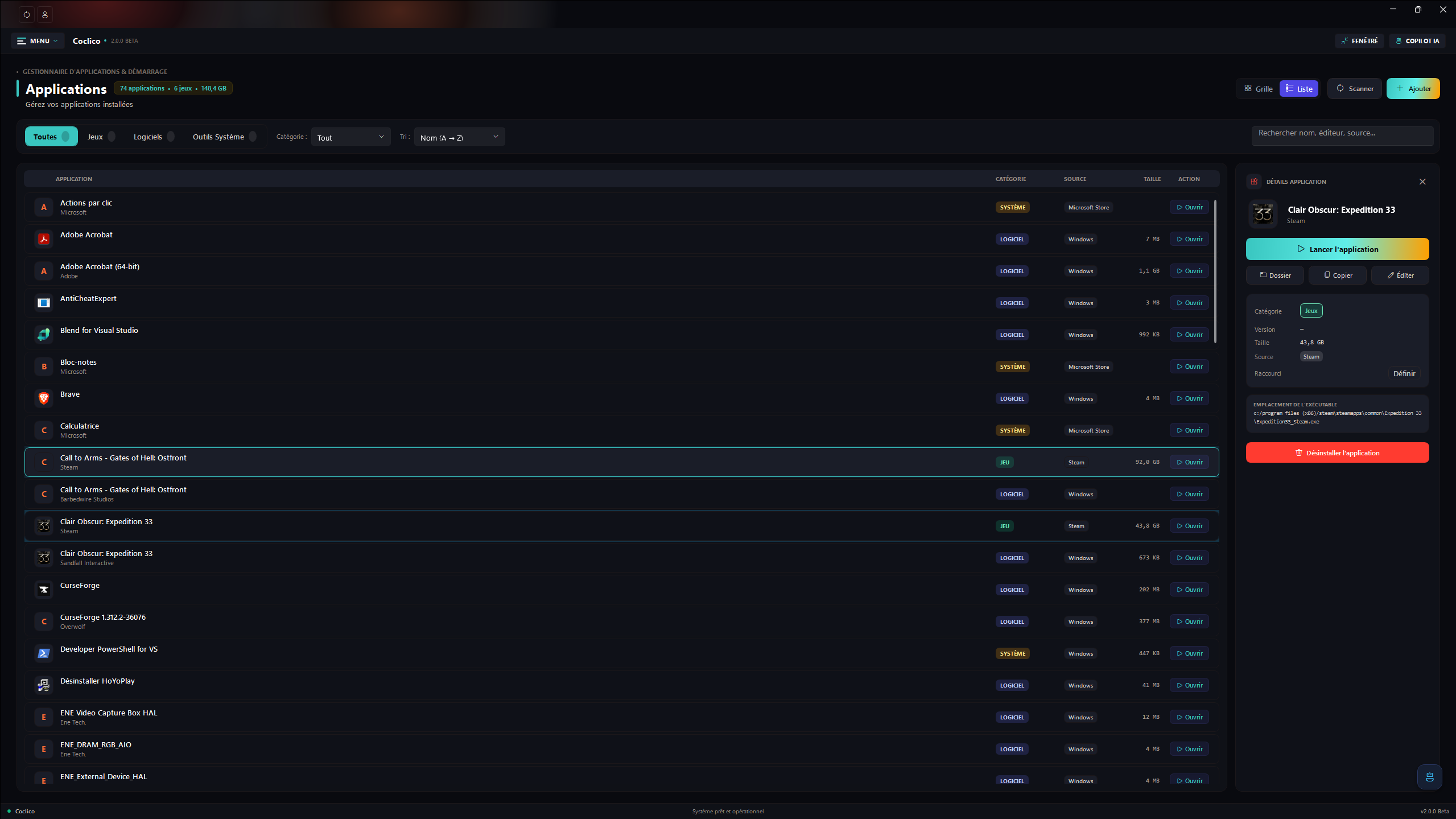
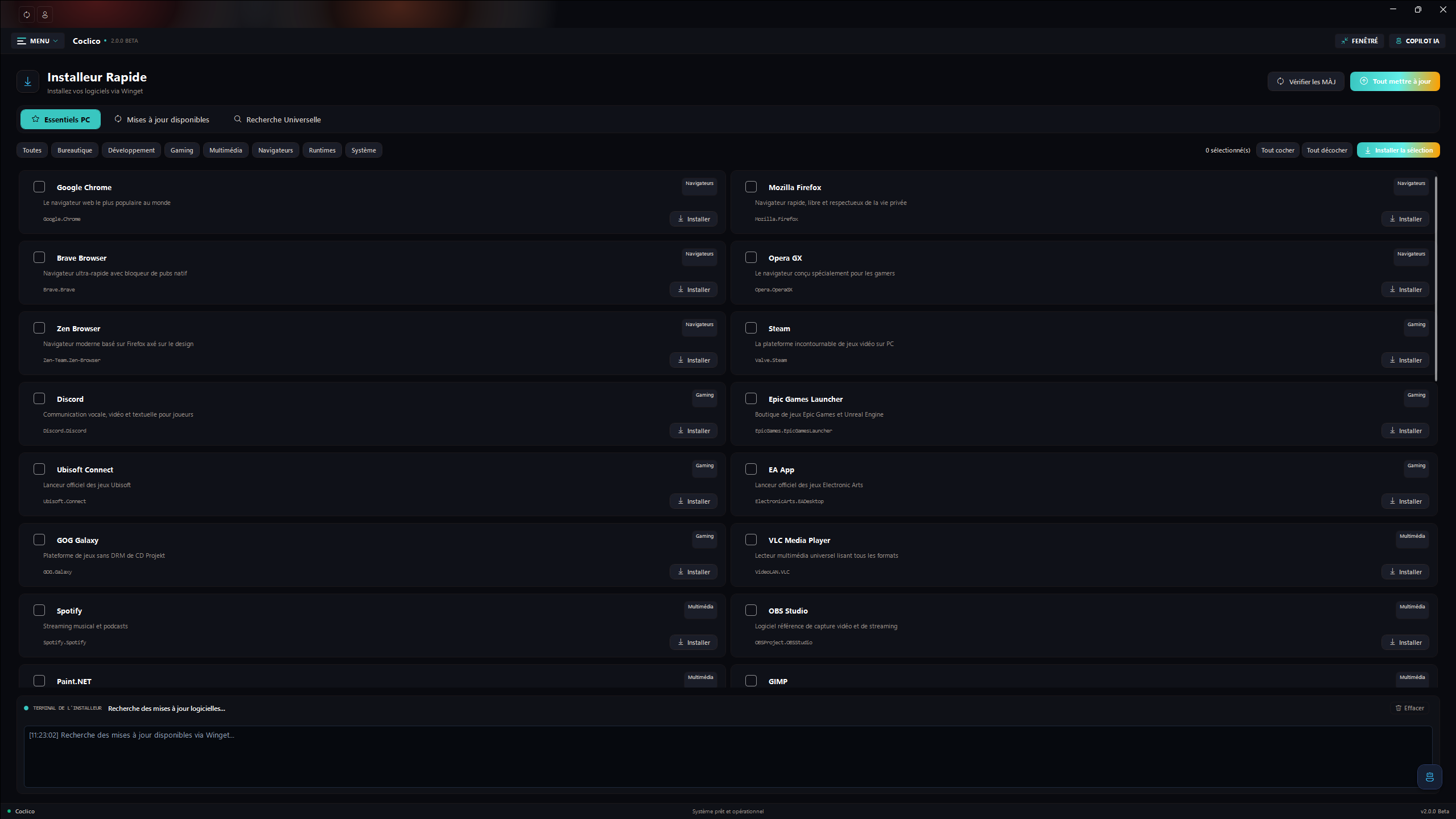
Coclico is a Windows desktop application that brings system information and maintenance tools together in one modern WPF interface. Its goal is to make common tasks easier to find, understand, and review before they change the computer.
A solo project, and a living one. Coclico is developed by a single person, in their free time. The project keeps moving forward, but updates may be spaced out depending on available time: don't worry, it is very much alive and will keep evolving.
I created and maintain Coclico on my own; the product direction and implementation decisions are mine. I use AI transparently as a helper: to correct and structure my texts in both French and English (I live with dyslexia and dysorthographia, a spelling disorder that makes some mistakes hard to catch), to investigate bugs and persistent errors, to work through problems I do not fully understand yet, and to better grasp technical topics such as .NET 10. AI suggestions may have informed code changes; I review and take responsibility for the work integrated into the project. I therefore do not present Coclico as a project created without AI assistance, and I prefer to state it clearly.
A welcome message introduces the application on first launch:
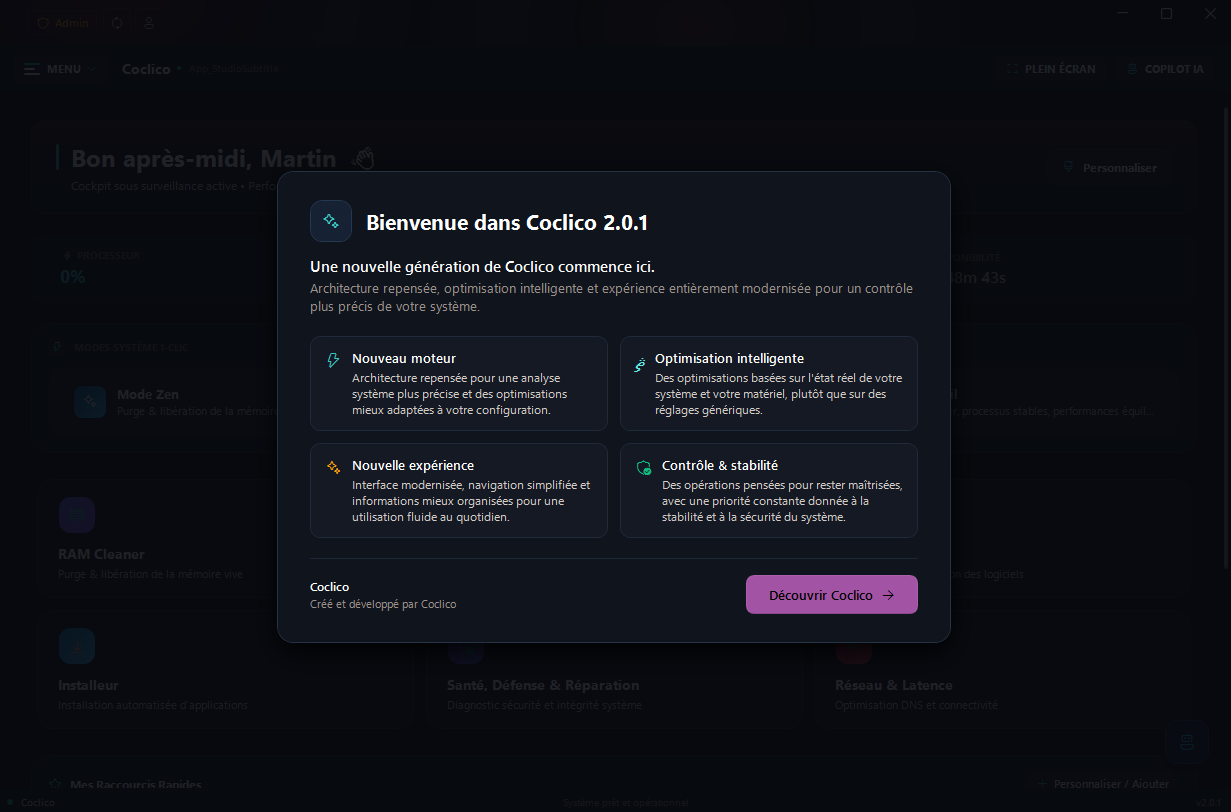
The application starts as a standard user: tools that need administrator rights ask for them exactly when needed, never at launch.
The main menu is a grouped accordion, inspired by Windows Settings: modules are organized into three collapsible sections (Maintenance, Performance, and Applications) that remember what you unfolded. Dashboard, Settings, and Help stay always visible.
| Safety first | Every destructive action asks for confirmation, deleted files go to the Recycle Bin, and network changes are protected by snapshots with one-click rollback. |
| Hardware aware | Power plans are created only through powercfg, with every setting validated against your actual PC before it is applied. |
| Local AI | A local GGUF model or a local Ollama server: no cloud keys, loopback addresses only. |
The project is actively being finished. Some tools require administrator rights, hardware-specific validation, or additional software. Read each action's description and confirmation before applying it.
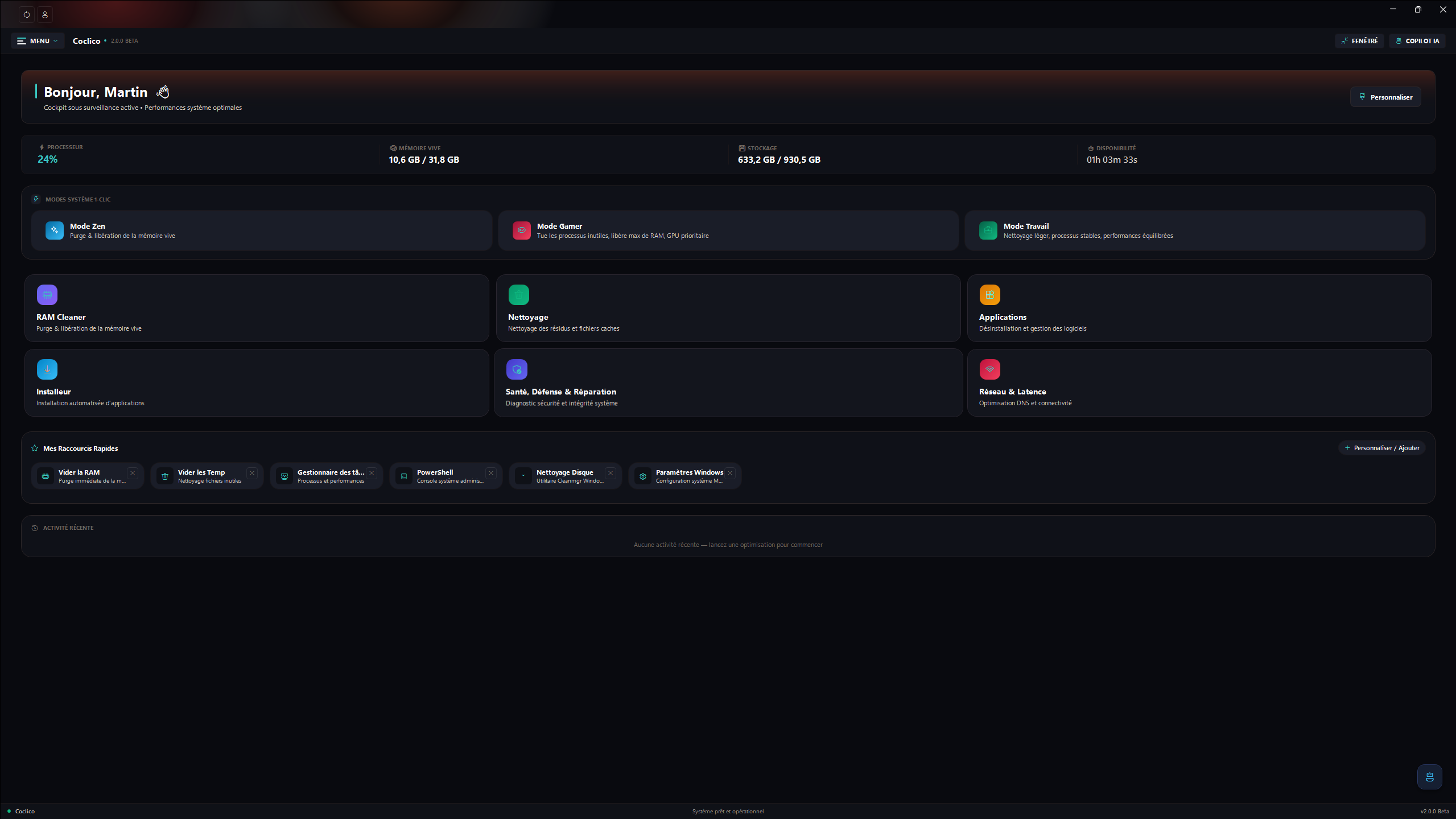
The home screen shows your system at a glance (CPU, memory, and disks), with shortcut tiles to every module. Three one-click modes combine memory cleaning and temp file cleanup:
The visible tiles are customizable: you choose which shortcuts appear on your home screen.
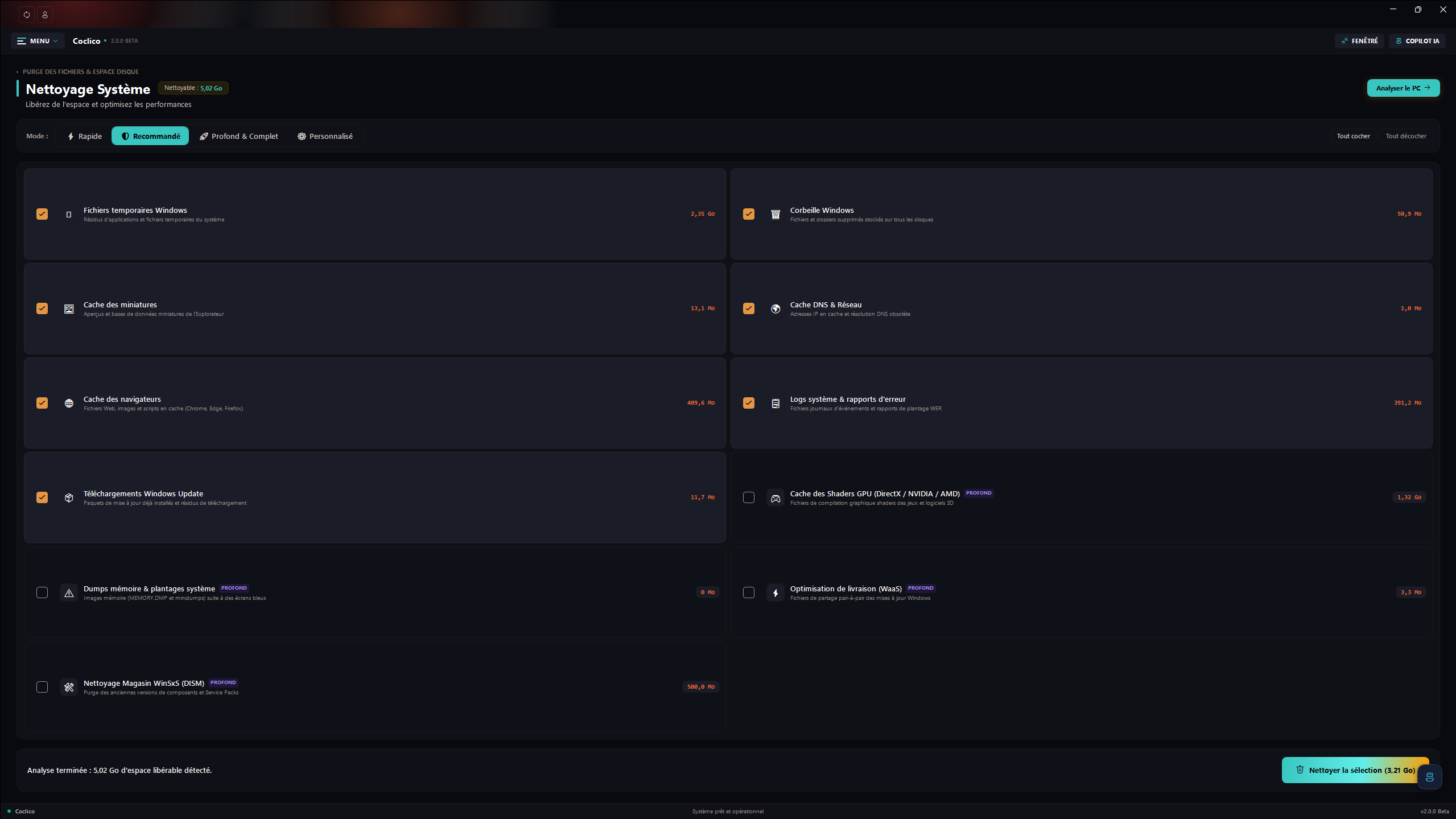
The module scans first, deletes second, and always with your confirmation. Covered categories:
Presets select a whole set of categories in one click (quick or full cleanup). After each run, a summary reports the space freed and the number of files removed.
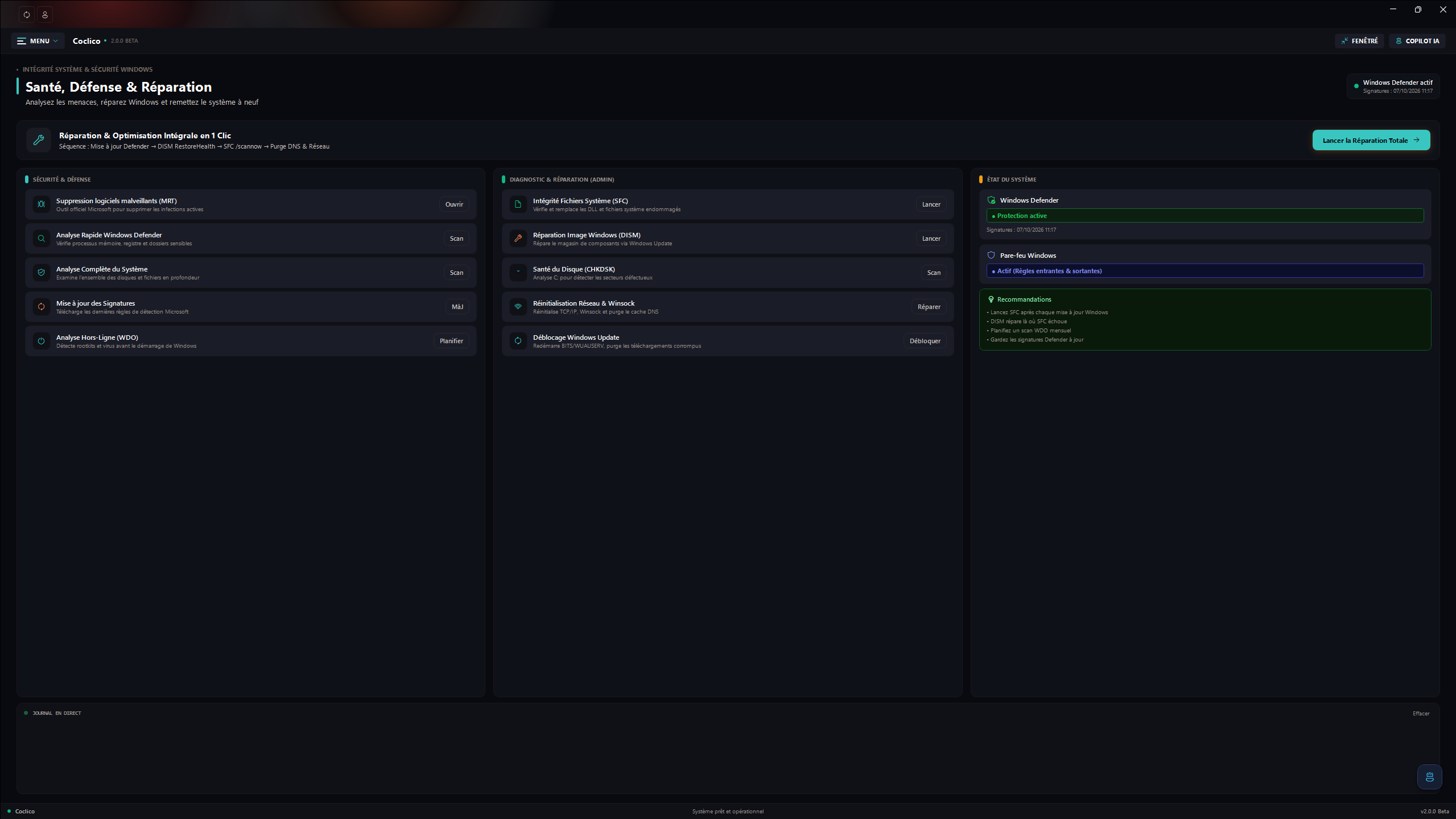
One central place for the security state of Windows:
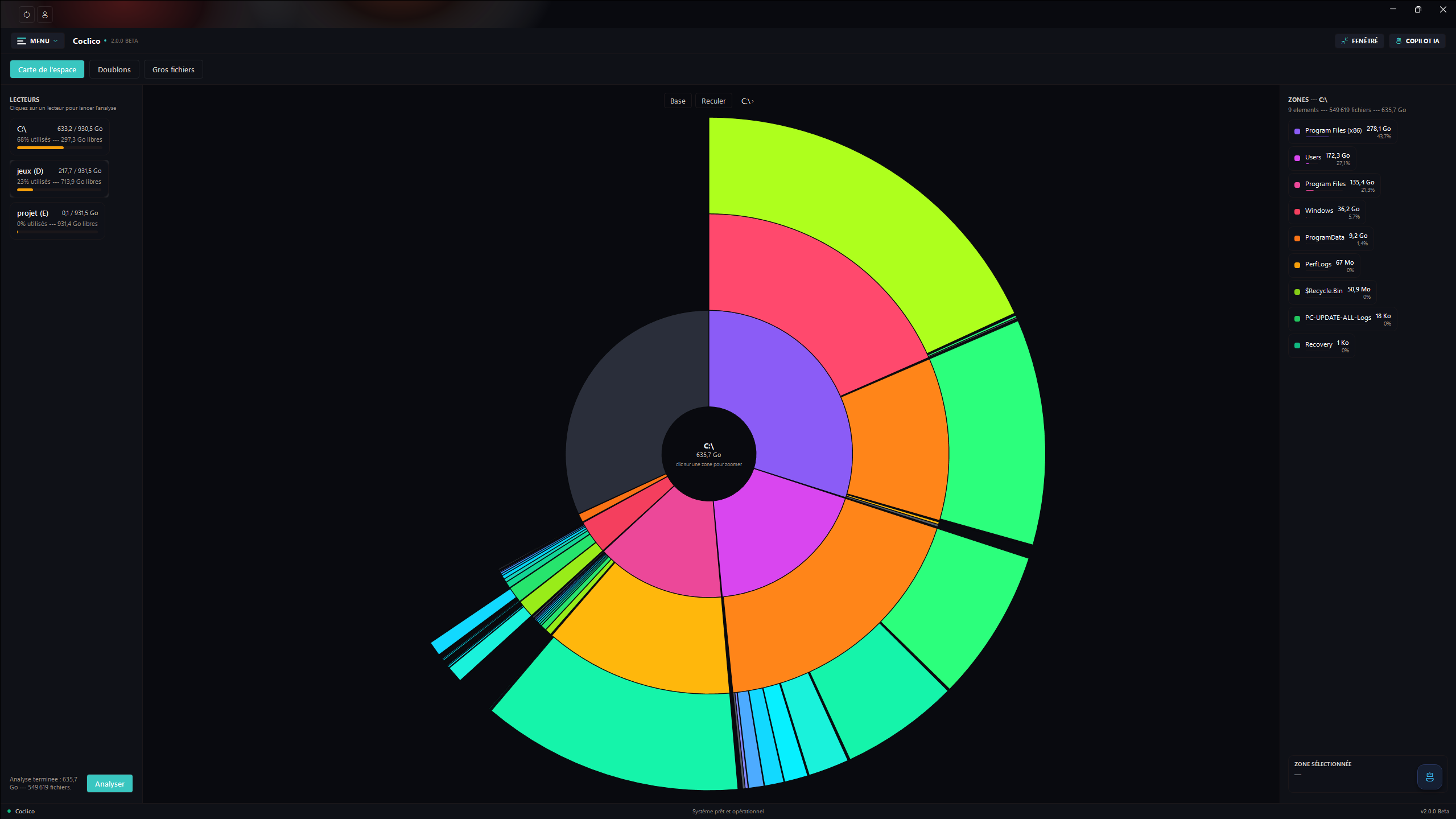
Three complementary modes to understand where your space goes:
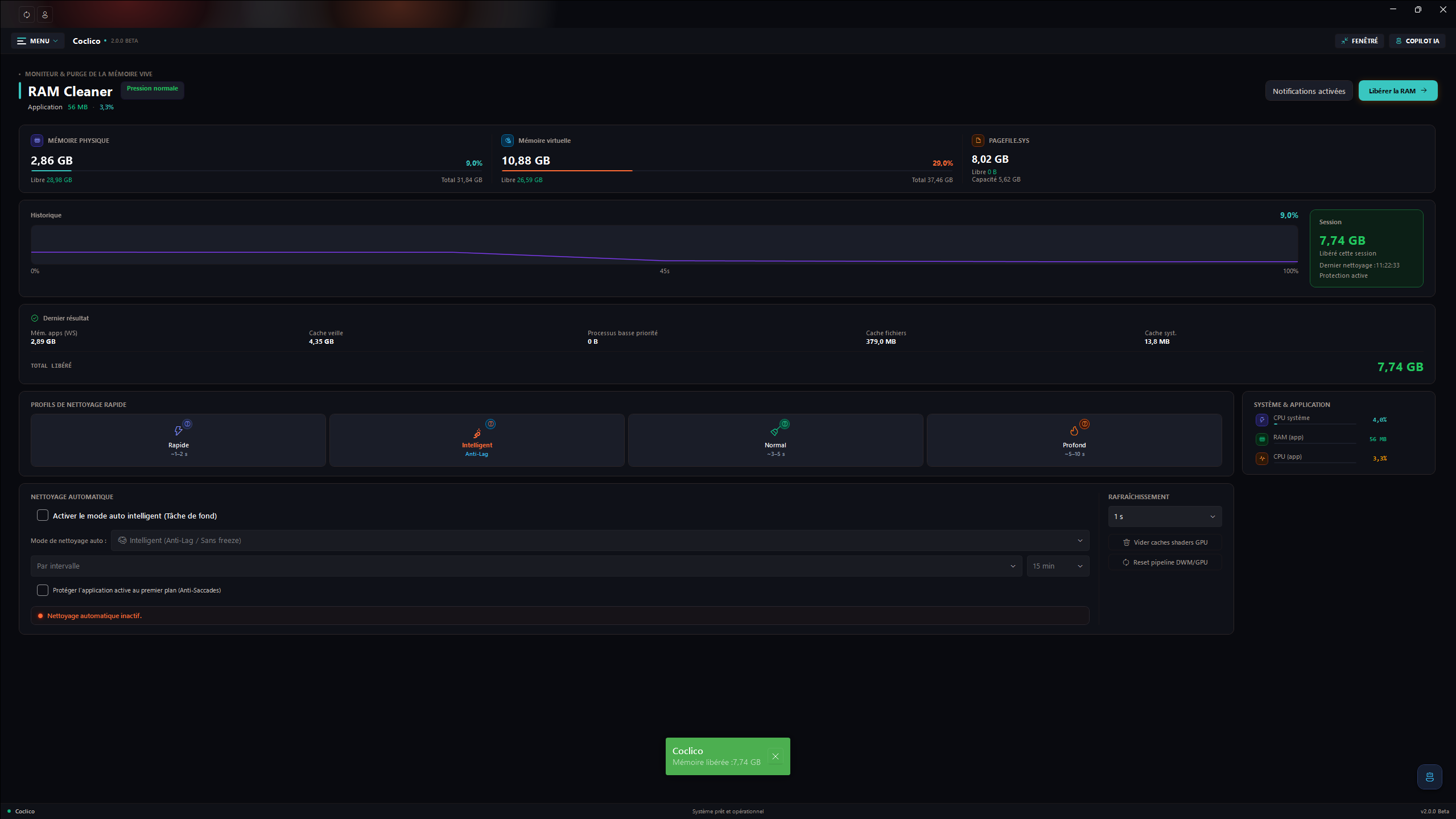
Monitor and purge your memory:
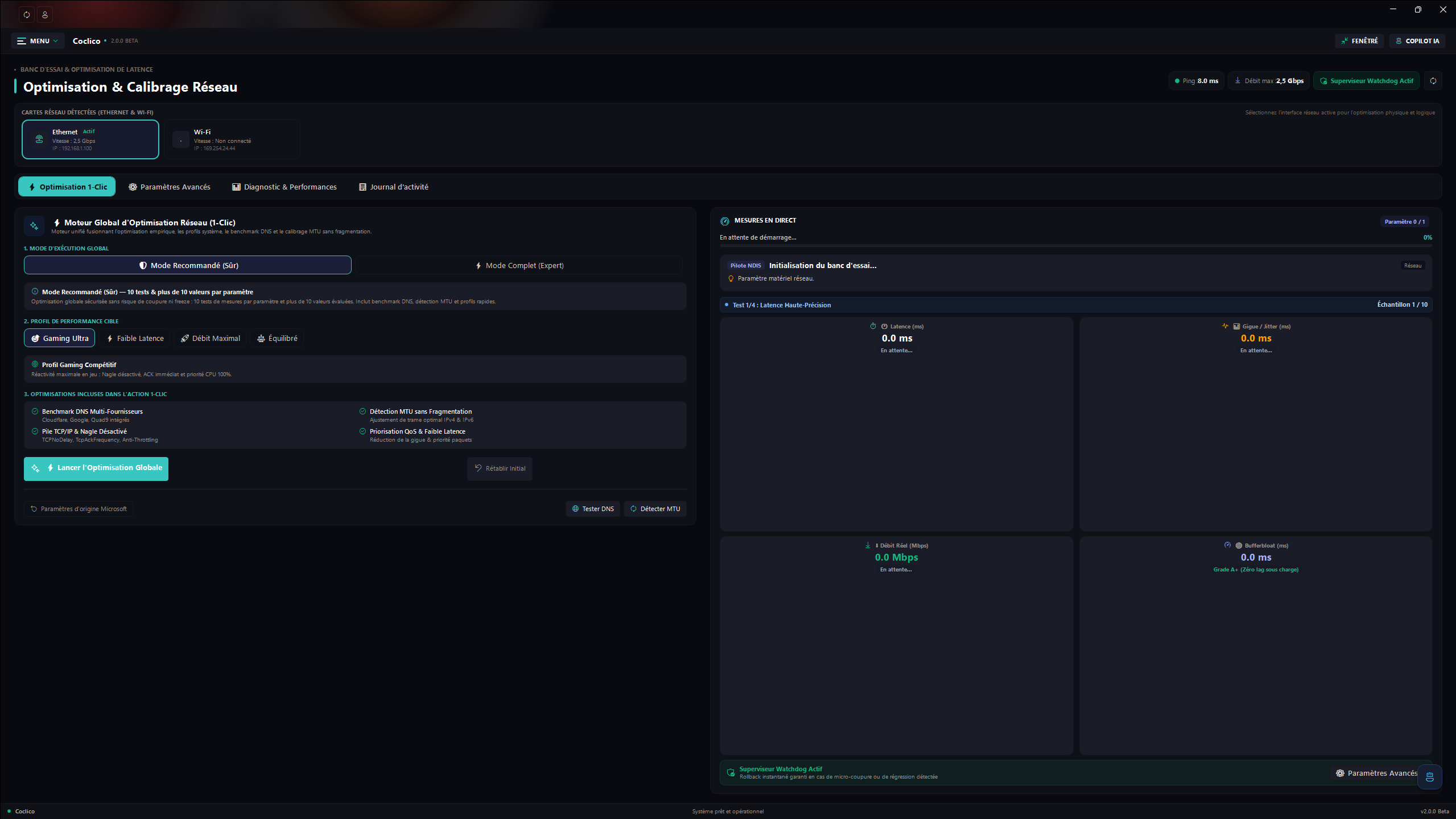
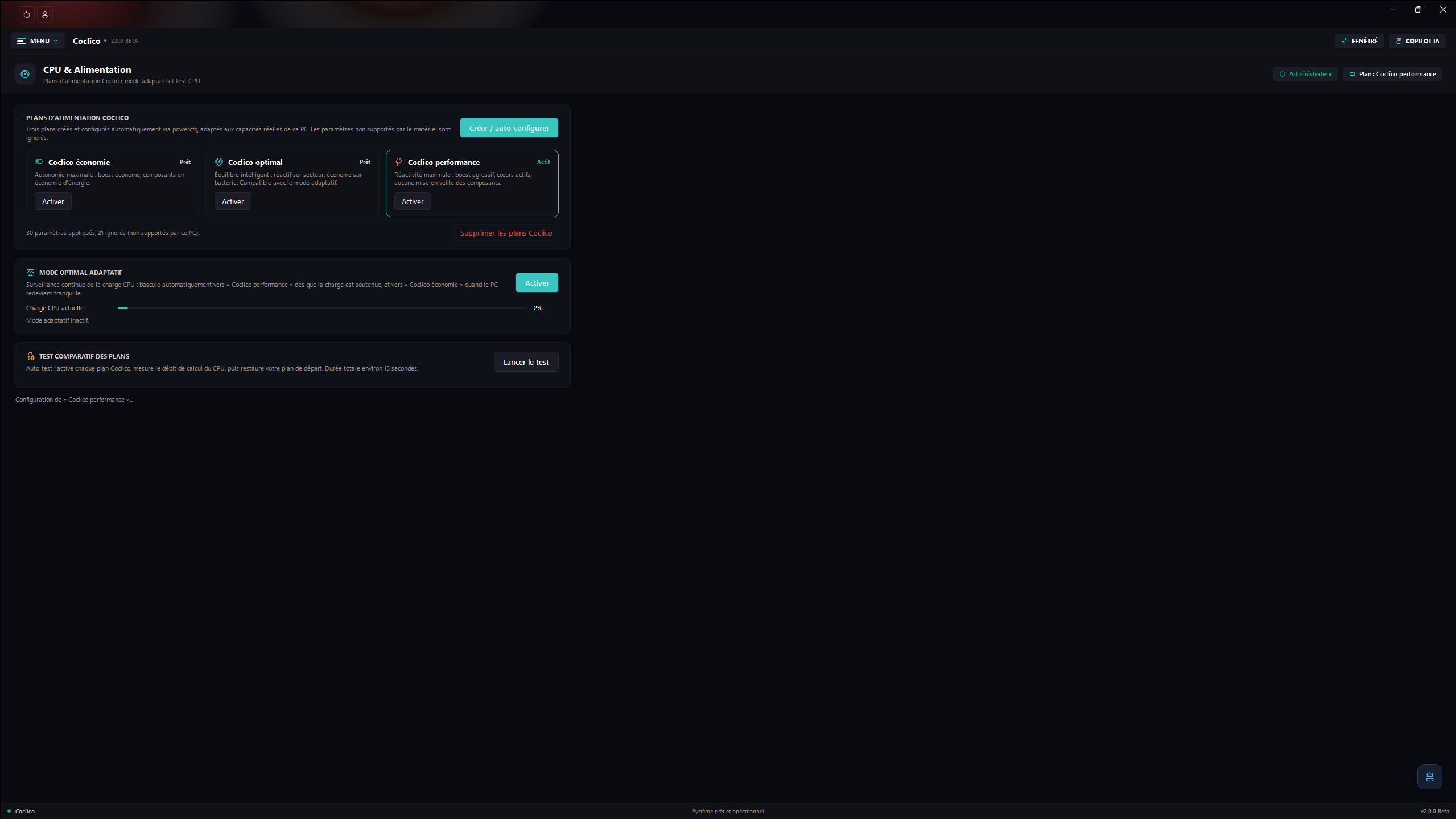
Three Coclico power plans, created and driven only through powercfg (no direct registry writes):
Key points of the module:
powercfg /q before being applied; the ones your hardware does not support are skipped and counted.
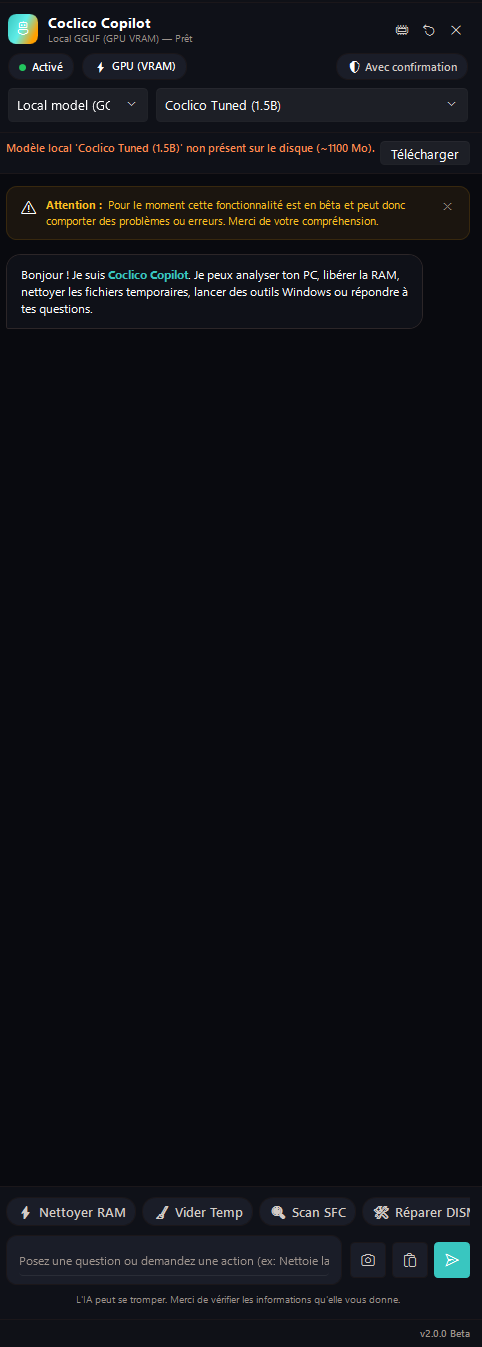
A built-in assistant, 100% local, available from any module through the floating button or Ctrl + Space:
localhost addresses only, remote servers rejected);The exact tools available depend on the Windows version, permissions, drivers, and installed components.
Coclico does not ask for, store, or use third-party AI API keys. On the first launch of this version, Coclico also removes the legacy encrypted API-key vault from the current Windows user profile, if it exists.
Downloading a GGUF model requires internet access once; inference runs locally afterward. Prompts and attached images are sent to the selected local inference engine. Coclico also makes network requests for functions such as checking GitHub releases and downloading model files.
Review the assistant's proposals before allowing it to change system settings. AI output can be incorrect; it does not replace your judgment or Windows documentation.
The current Windows x64 publish folder is about 1.6 GB before ZIP compression because it includes the optional CUDA runtime. The downloaded GGUF model is separate.
Open the GitHub Releases page and download Coclico-<version>.exe for the guided installer, or the Windows x64 ZIP for a portable folder install. Setup installs for the current Windows account, offers an optional desktop shortcut, and preserves Coclico settings and personal data when uninstalled. The standard setup omits the large optional CUDA runtime; choose the CUDA component only on a compatible NVIDIA system. The installer is not code-signed, so Windows may show a publisher warning.
The installer and portable ZIP include the .NET 10 Desktop Runtime, so no separate .NET installation is required. Releases include SHA256SUMS.txt checksums for both downloads.
To build the installer locally, simply run ./installer/build-installer.ps1. The script publishes Coclico as a self-contained Windows x64 app when needed, compresses the payload, and produces the modern standalone installer in artifacts/installer.
| Shortcut | Action |
|---|---|
F11 | Toggle full screen / windowed |
Ctrl + Space | Open or close the AI assistant panel |
Coclico can also minimize to the notification area (enable it in Settings). Right-clicking the tray icon restores the window.
Install the .NET 10 SDK and use a Windows development environment with the Windows Desktop SDK:
dotnet restore Coclico.slnx
dotnet build Coclico.slnx --configuration Release --no-restore
dotnet test Coclico.slnx --configuration Release --no-build --no-restore
dotnet format Coclico.slnx --verify-no-changes --no-restore
Open Coclico.slnx in Visual Studio or build it from PowerShell. To publish a self-contained Windows x64 folder:
dotnet publish Coclico/Coclico.csproj `
  --configuration Release `
  --runtime win-x64 `
  --self-contained true `
  --output ./publish `
  -p:PublishSingleFile=false `
  -p:DebugSymbols=false `
  -p:DebugType=None
Details about the architecture, module anatomy, installer pipeline, and CI live in the developer documentation.
powercfg command line (no direct registry writes), validates each setting against your hardware, and can delete the Coclico plans at any time.Coclico/ WPF application
Common/ Shared application services (core, UI, diagnostics, execution)
Modules/ Dashboard, AI, cleaning, network, power, disk, settings, etc.
Resources/ Themes, language dictionaries, and icons
Coclico.Installer/ Modern standalone WPF installer (SingleFile, animated)
Coclico.Tests/ Unit and XAML validation tests
installer/ Installer packaging and publishing scripts
docs/ Screenshots used by the README files
.github/workflows/ Build, test, and release automation
README.md English project documentation
README_FR.md Documentation française
READMEDEV.md Developer documentation (English)
READMEDEV_FR.md Developer documentation (French)
The project is licensed under the MIT License. You may use, copy, modify, merge, publish, distribute, sublicense, and sell copies of the project, provided you include the copyright and license notice. The license is in LICENSE.txt. Third-party dependencies and assets may have separate licenses; review their notices before redistributing them.
All-in-one Windows manager: CPU, network & RAM optimization, disk analyzer, app launcher, built-in installer, system monitoring and local AI assistant.
C#
1
12 commits
updated Oct 11, 2026
Coclico is a Windows desktop application that brings system information and maintenance tools together in one modern WPF interface. Its goal is to make common tasks easier to find, understand, and review before they change the computer.
A solo project, and a living one. Coclico is developed by a single person, in their free time. The project keeps moving forward, but updates may be spaced out depending on available time: don't worry, it is very much alive and will keep evolving.
I created and maintain Coclico on my own; the product direction and implementation decisions are mine. I use AI transparently as a helper: to correct and structure my texts in both French and English (I live with dyslexia and dysorthographia, a spelling disorder that makes some mistakes hard to catch), to investigate bugs and persistent errors, to work through problems I do not fully understand yet, and to better grasp technical topics such as .NET 10. AI suggestions may have informed code changes; I review and take responsibility for the work integrated into the project. I therefore do not present Coclico as a project created without AI assistance, and I prefer to state it clearly.
A welcome message introduces the application on first launch:
The application starts as a standard user: tools that need administrator rights ask for them exactly when needed, never at launch.
The main menu is a grouped accordion, inspired by Windows Settings: modules are organized into three collapsible sections (Maintenance, Performance, and Applications) that remember what you unfolded. Dashboard, Settings, and Help stay always visible.
| Safety first | Every destructive action asks for confirmation, deleted files go to the Recycle Bin, and network changes are protected by snapshots with one-click rollback. |
| Hardware aware | Power plans are created only through powercfg, with every setting validated against your actual PC before it is applied. |
| Local AI | A local GGUF model or a local Ollama server: no cloud keys, loopback addresses only. |
The project is actively being finished. Some tools require administrator rights, hardware-specific validation, or additional software. Read each action's description and confirmation before applying it.
The home screen shows your system at a glance (CPU, memory, and disks), with shortcut tiles to every module. Three one-click modes combine memory cleaning and temp file cleanup:
The visible tiles are customizable: you choose which shortcuts appear on your home screen.
The module scans first, deletes second, and always with your confirmation. Covered categories:
Presets select a whole set of categories in one click (quick or full cleanup). After each run, a summary reports the space freed and the number of files removed.
One central place for the security state of Windows:
Three complementary modes to understand where your space goes:
Monitor and purge your memory:
Three Coclico power plans, created and driven only through powercfg (no direct registry writes):
Key points of the module:
powercfg /q before being applied; the ones your hardware does not support are skipped and counted.
A built-in assistant, 100% local, available from any module through the floating button or Ctrl + Space:
localhost addresses only, remote servers rejected);The exact tools available depend on the Windows version, permissions, drivers, and installed components.
Coclico does not ask for, store, or use third-party AI API keys. On the first launch of this version, Coclico also removes the legacy encrypted API-key vault from the current Windows user profile, if it exists.
Downloading a GGUF model requires internet access once; inference runs locally afterward. Prompts and attached images are sent to the selected local inference engine. Coclico also makes network requests for functions such as checking GitHub releases and downloading model files.
Review the assistant's proposals before allowing it to change system settings. AI output can be incorrect; it does not replace your judgment or Windows documentation.
The current Windows x64 publish folder is about 1.6 GB before ZIP compression because it includes the optional CUDA runtime. The downloaded GGUF model is separate.
Open the GitHub Releases page and download Coclico-<version>.exe for the guided installer, or the Windows x64 ZIP for a portable folder install. Setup installs for the current Windows account, offers an optional desktop shortcut, and preserves Coclico settings and personal data when uninstalled. The standard setup omits the large optional CUDA runtime; choose the CUDA component only on a compatible NVIDIA system. The installer is not code-signed, so Windows may show a publisher warning.
The installer and portable ZIP include the .NET 10 Desktop Runtime, so no separate .NET installation is required. Releases include SHA256SUMS.txt checksums for both downloads.
To build the installer locally, simply run ./installer/build-installer.ps1. The script publishes Coclico as a self-contained Windows x64 app when needed, compresses the payload, and produces the modern standalone installer in artifacts/installer.
| Shortcut | Action |
|---|---|
F11 | Toggle full screen / windowed |
Ctrl + Space | Open or close the AI assistant panel |
Coclico can also minimize to the notification area (enable it in Settings). Right-clicking the tray icon restores the window.
Install the .NET 10 SDK and use a Windows development environment with the Windows Desktop SDK:
dotnet restore Coclico.slnx
dotnet build Coclico.slnx --configuration Release --no-restore
dotnet test Coclico.slnx --configuration Release --no-build --no-restore
dotnet format Coclico.slnx --verify-no-changes --no-restore
Open Coclico.slnx in Visual Studio or build it from PowerShell. To publish a self-contained Windows x64 folder:
dotnet publish Coclico/Coclico.csproj `
  --configuration Release `
  --runtime win-x64 `
  --self-contained true `
  --output ./publish `
  -p:PublishSingleFile=false `
  -p:DebugSymbols=false `
  -p:DebugType=None
Details about the architecture, module anatomy, installer pipeline, and CI live in the developer documentation.
powercfg command line (no direct registry writes), validates each setting against your hardware, and can delete the Coclico plans at any time.Coclico/ WPF application
Common/ Shared application services (core, UI, diagnostics, execution)
Modules/ Dashboard, AI, cleaning, network, power, disk, settings, etc.
Resources/ Themes, language dictionaries, and icons
Coclico.Installer/ Modern standalone WPF installer (SingleFile, animated)
Coclico.Tests/ Unit and XAML validation tests
installer/ Installer packaging and publishing scripts
docs/ Screenshots used by the README files
.github/workflows/ Build, test, and release automation
README.md English project documentation
README_FR.md Documentation française
READMEDEV.md Developer documentation (English)
READMEDEV_FR.md Developer documentation (French)
The project is licensed under the MIT License. You may use, copy, modify, merge, publish, distribute, sublicense, and sell copies of the project, provided you include the copyright and license notice. The license is in LICENSE.txt. Third-party dependencies and assets may have separate licenses; review their notices before redistributing them.



