A home for your reading life. Read your books, capture what stays with you, and turn your reading into thought and writing in one self-hosted study.
See the code
A home for reading, thinking, and writing.
Bring books, notes, ideas, and drafts together in one connected place.
About • Features • Getting Started • Tech Stack • Docs • License
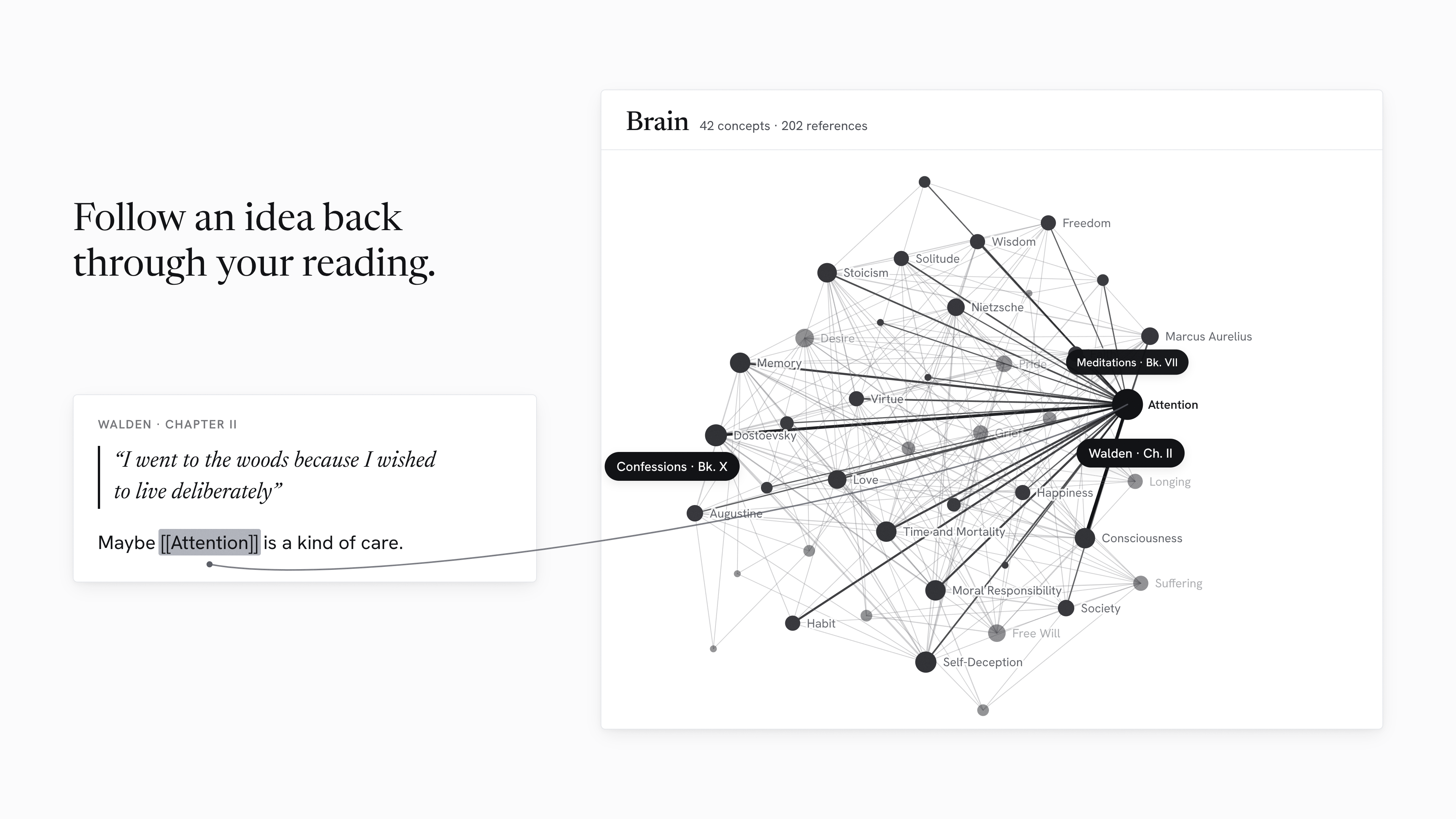
Watch the launch film on nostos.page
Nostos is a personal reading and writing environment built around a simple idea: what you read should be able to stay connected to what you think and what you eventually write.
Instead of splitting that process across a library app, an e-book reader, a notes system, and a writing tool, Nostos keeps the whole path together. You can collect physical books, EPUBs, PDFs, and audiobooks; read or listen inside the app; capture notes and highlights; connect ideas through topics; and bring that material into the Writing Studio when it is time to turn reading into your own work.
The interface is deliberately restrained. There are no social feeds, reading streaks, engagement mechanics, or productivity scores competing for attention. The emphasis stays on the library and the work you are doing with it.
This repository contains the canonical Nostos product and the complete public SelfHosted application. The official hosted Nostos Cloud service uses the same product model and Angular frontend through a separate private hosting composition.
Keep different kinds of books in one collection without flattening them into the same experience.
Book Overview & Progress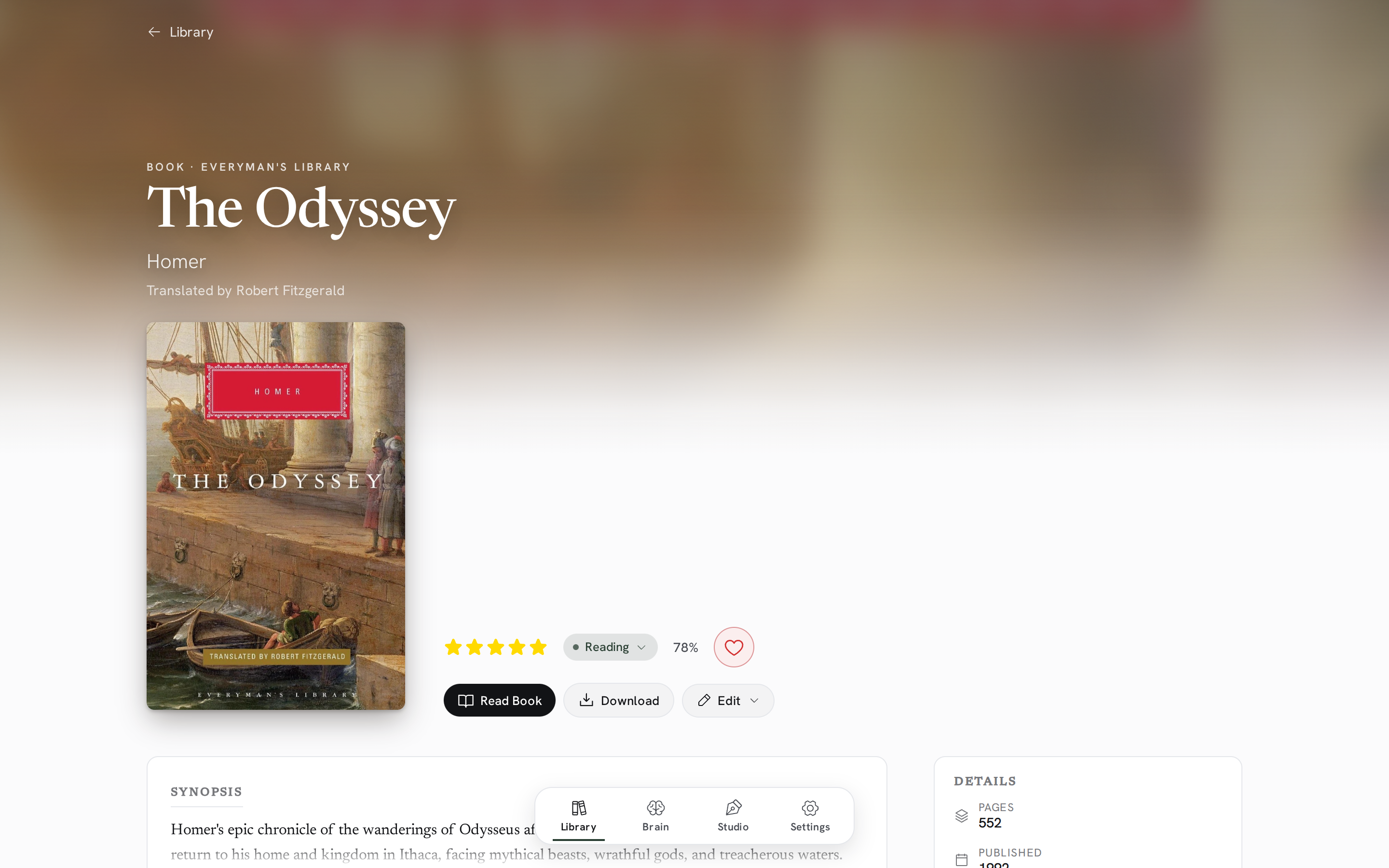
|
Cataloging & Import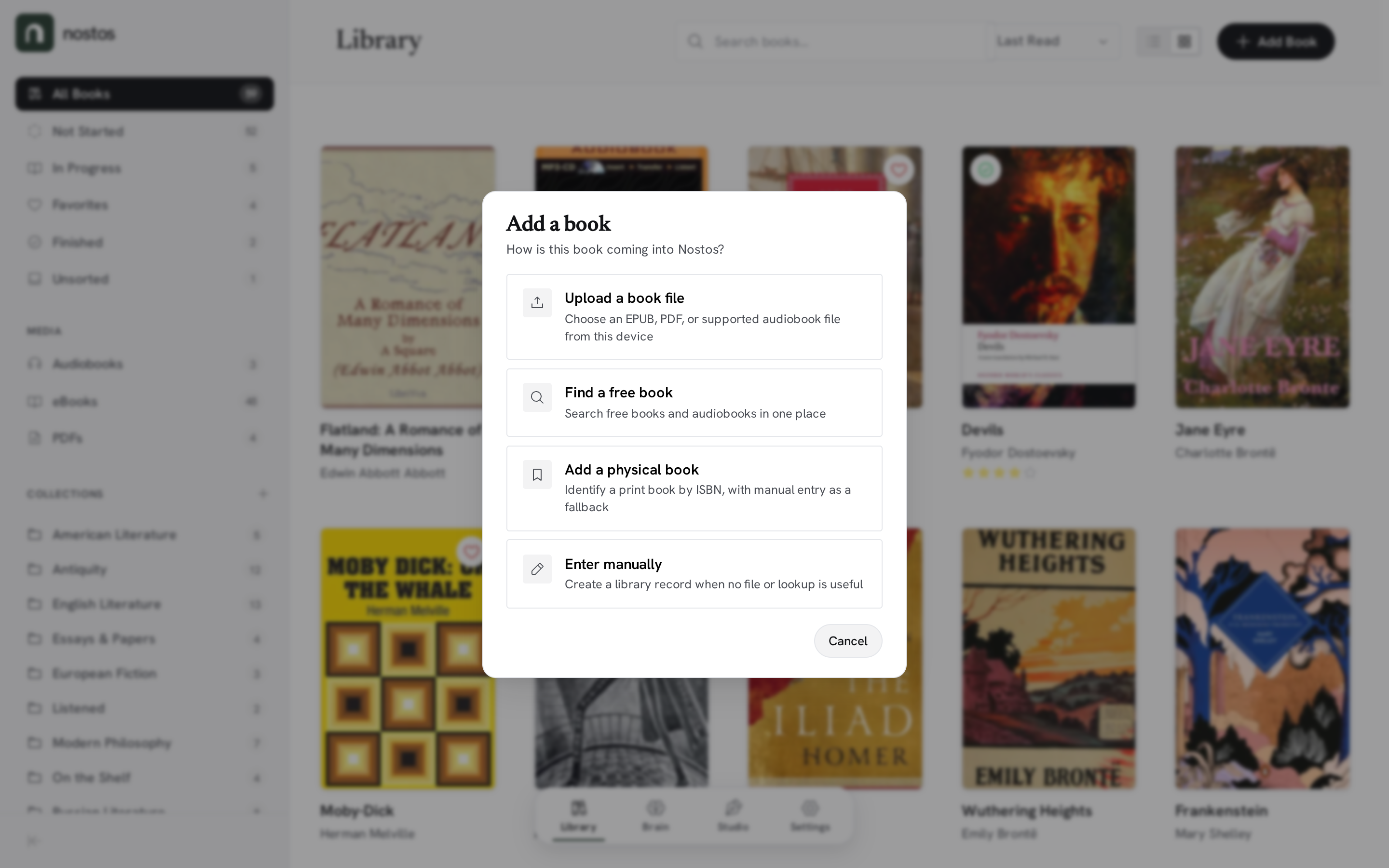
|
Nostos includes readers for the formats it stores, so notes and progress can stay close to the source.
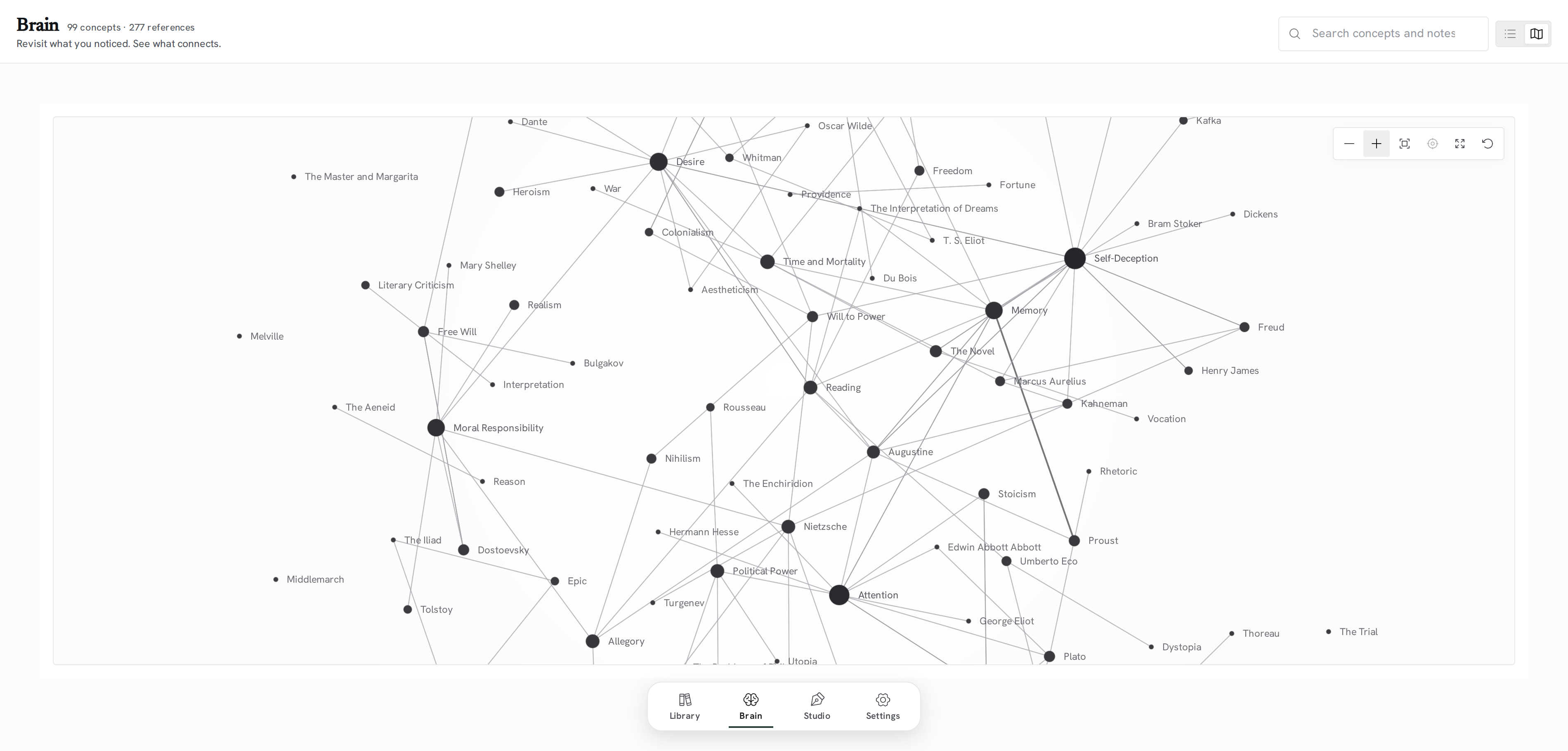
The Brain is where notes from individual books start to connect.
[[Topic]] links in notes to connect recurring ideas.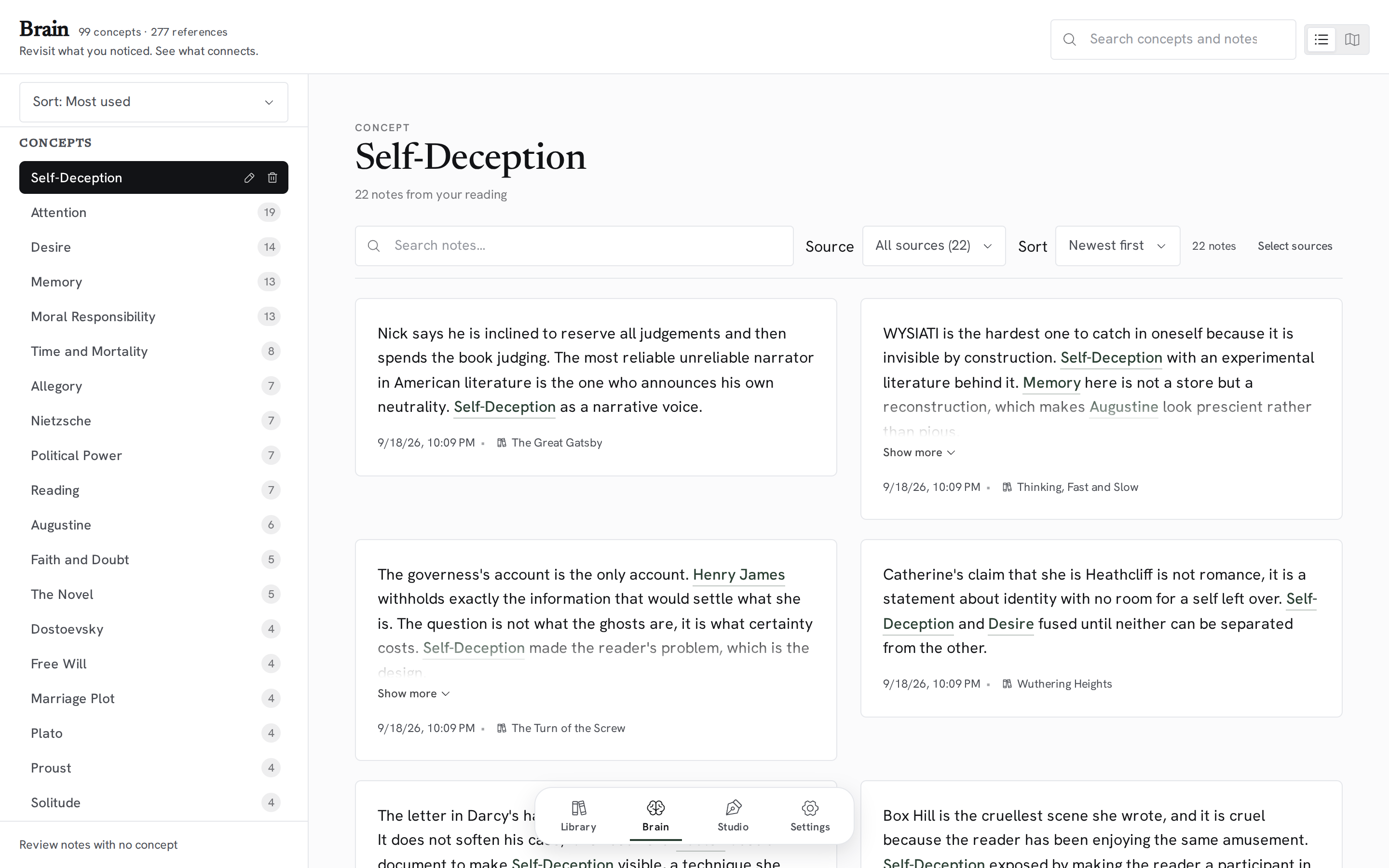
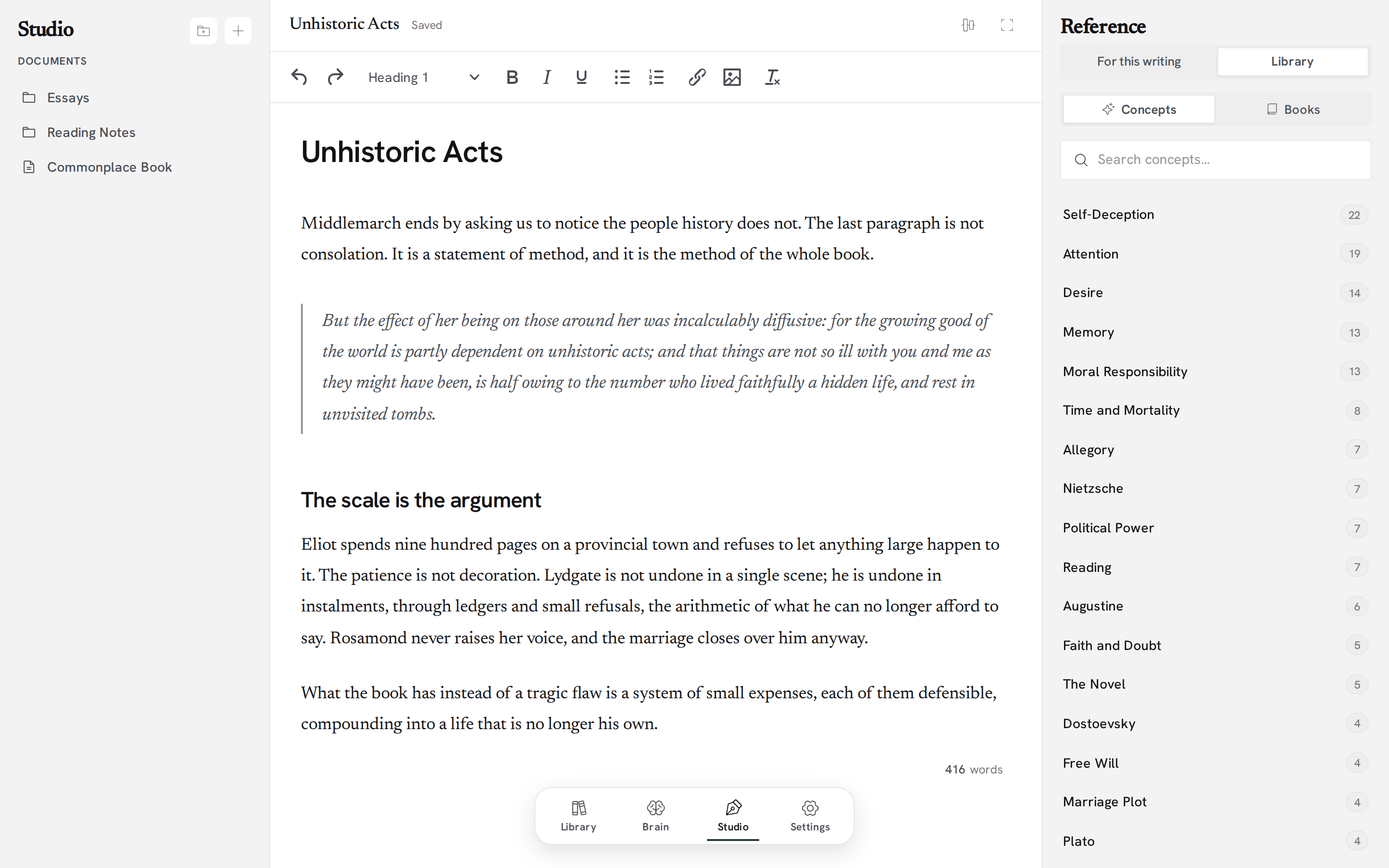
The Writing Studio brings drafting and source material into the same workspace.
Nostos can use configured AI services for features such as Ask Nostos and speech-to-text, but AI is not required for the core product.
In the public SelfHosted application, AI provider configuration remains under the operator's control. The hosted service can provide managed AI through its own private infrastructure. The product-level interfaces stay provider-neutral in this repository.
.nostos files to move library data between Nostos installations. See Library portability and migration for the exact steps, contents, limits, recovery behavior, and verification status.When a host advertises migration, open Settings → Library & data → Move your library.
.nostos file.An empty destination activates after verification. A populated destination asks you to confirm Replace library and keeps a recovery copy for seven days.
One real SelfHosted → Cloud import is recorded for the hosted alpha. Cloud export, restoring a replaced library, and Cloud → SelfHosted import have not been verified there. The shared Settings UI in this repository has no Restore previous button; the recovery operation is currently exposed by the SelfHosted API. See the portability guide for details.
Nostos is one product with two deployment modes.
The public executable in this repository is complete on its own. It uses:
Your library database and stored media stay on the machine or server where you run Nostos. Features that contact external services, such as public catalogue imports, metadata lookup, or optional AI, naturally require network access when you use them.
The official hosted service composes the public Nostos product with private hosting infrastructure for authentication, tenant provisioning, managed storage, billing, managed AI, and operations.
Reusable product behavior, the domain model, capability contracts, and the customer-facing Angular application live here first. Hosted provider and operator implementations remain private.
See the public/private boundary ADR and deployment capabilities for the architectural contract.
Nostos is designed as a single product with a reusable product layer, a public SelfHosted host, and one shared frontend.
Nostos/
├── Nostos.Product/       # canonical product, domain, application and API behavior
├── Nostos.Backend/       # public SelfHosted host: SQLite, local files, backup, BYOK
├── Nostos.Shared/        # shared DTOs and product contracts
├── Nostos.Frontend/      # Angular application shared by SelfHosted and Cloud
└── docs/                 # product, architecture and operational documentation
epub.jsngx-extended-pdf-viewerHowler.jsd3-forceffmpeg and ffprobe for LibriVox audiobook imports, which are assembled into chaptered .m4b filesClone the repository, install the root tooling and frontend dependencies, then start the backend and frontend together.
git clone https://github.com/Christian-Gennari/Nostos.git
cd Nostos

npm install
npm --prefix Nostos.Frontend install
npm start
The Angular development server runs at http://localhost:4200 and proxies API requests to the backend on port 5099.
npm run prod
This builds the Angular frontend and serves the application through the .NET host. Open http://localhost:5099 in your browser.
The official SelfHosted image is ghcr.io/christian-gennari/nostos. The latest tag is published only after the complete public product CI passes on main. Each release also gets an immutable selfhosted-sha-<commit> tag.
The container keeps application binaries under /app and all durable SelfHosted data under /data. Do not relocate ASP.NET's content root to persist data: the frontend is served from the application's wwwroot, while the SQLite database and library storage have their own configurable paths.
Run the official image directly:
docker pull ghcr.io/christian-gennari/nostos:latest
docker volume create nostos-data
docker run -d \
  --name nostos \
  -p 5099:8080 \
  -v nostos-data:/data \
  --restart unless-stopped \
  ghcr.io/christian-gennari/nostos:latest
Or use the included Compose file:
docker compose up -d
Then open http://localhost:5099. The named nostos-data volume contains nostos.db, stored books, and local backup archives, so replacing the container does not replace your library data.
To update to the newest verified SelfHosted image:
docker compose pull
docker compose up -d
To pin a specific immutable SelfHosted build, set its release tag when running Compose:
NOSTOS_IMAGE_TAG=selfhosted-sha-<full-public-commit-sha> docker compose up -d
The selfhosted-sha-* prefix is intentional. Historical sha-* tags in the same GHCR package predate the hosted/SelfHosted package split and may identify old Cloud artifacts; do not use those as SelfHosted pins.
Compose keeps the existing named volume across image replacement. Use Nostos' portable .nostos export/backup features as your user-owned backup and migration path; a Docker volume is persistent storage, not a substitute for backups.
If you prefer to build from the source you cloned instead of pulling GHCR:
docker build --pull -t nostos:selfhosted .
For a non-container install, the historical database location remains <content root>/nostos.db unless Persistence__DatabasePath is configured explicitly. Storage__BooksRoot and Storage__BackupsRoot can likewise override their local paths.
For provider-specific behavior and requirements, see Content Providers & Acquisition.
Nostos uses an editorial visual language built around warm paper-like surfaces, restrained forest green, literary typography, and low-chrome controls. The goal is to make the application feel closer to a considered reading environment than a conventional SaaS dashboard.
The Nostos mark is a doorway and a subtle lowercase n: a Forest Green (#293E32) rounded tile with a White (#FFFFFF) arch cut from it. The mark remains the same in light and dark themes.
Read the Design Manifesto for the product's visual and interaction principles, or browse the brand assets.
.nostos archives and library transfer.Current development work is tracked in GitHub Issues.
Nostos is licensed under the GNU General Public License v3.0 or later. You may run, study, modify, and redistribute the software under those terms.
The Nostos name, related word marks, and official visual identity are not granted by the GPL. Distributed forks and derivative builds must use independent naming and branding. See TRADEMARK.md for the full policy.
The EPUB reader bundles the Libron typeface (© Nico Verbruggen, derived from Readerly and Newsreader), licensed separately under the SIL Open Font License 1.1.
A home for your reading life. Read your books, capture what stays with you, and turn your reading into thought and writing in one self-hosted study.
See the code
A home for reading, thinking, and writing.
Bring books, notes, ideas, and drafts together in one connected place.
About • Features • Getting Started • Tech Stack • Docs • License
Watch the launch film on nostos.page
Nostos is a personal reading and writing environment built around a simple idea: what you read should be able to stay connected to what you think and what you eventually write.
Instead of splitting that process across a library app, an e-book reader, a notes system, and a writing tool, Nostos keeps the whole path together. You can collect physical books, EPUBs, PDFs, and audiobooks; read or listen inside the app; capture notes and highlights; connect ideas through topics; and bring that material into the Writing Studio when it is time to turn reading into your own work.
The interface is deliberately restrained. There are no social feeds, reading streaks, engagement mechanics, or productivity scores competing for attention. The emphasis stays on the library and the work you are doing with it.
This repository contains the canonical Nostos product and the complete public SelfHosted application. The official hosted Nostos Cloud service uses the same product model and Angular frontend through a separate private hosting composition.
Keep different kinds of books in one collection without flattening them into the same experience.
|
Book Overview & Progress
|
Cataloging & Import
|
Nostos includes readers for the formats it stores, so notes and progress can stay close to the source.
The Brain is where notes from individual books start to connect.
[[Topic]] links in notes to connect recurring ideas.
The Writing Studio brings drafting and source material into the same workspace.
Nostos can use configured AI services for features such as Ask Nostos and speech-to-text, but AI is not required for the core product.
In the public SelfHosted application, AI provider configuration remains under the operator's control. The hosted service can provide managed AI through its own private infrastructure. The product-level interfaces stay provider-neutral in this repository.
.nostos files to move library data between Nostos installations. See Library portability and migration for the exact steps, contents, limits, recovery behavior, and verification status.When a host advertises migration, open Settings → Library & data → Move your library.
.nostos file.An empty destination activates after verification. A populated destination asks you to confirm Replace library and keeps a recovery copy for seven days.
One real SelfHosted → Cloud import is recorded for the hosted alpha. Cloud export, restoring a replaced library, and Cloud → SelfHosted import have not been verified there. The shared Settings UI in this repository has no Restore previous button; the recovery operation is currently exposed by the SelfHosted API. See the portability guide for details.
Nostos is one product with two deployment modes.
The public executable in this repository is complete on its own. It uses:
Your library database and stored media stay on the machine or server where you run Nostos. Features that contact external services, such as public catalogue imports, metadata lookup, or optional AI, naturally require network access when you use them.
The official hosted service composes the public Nostos product with private hosting infrastructure for authentication, tenant provisioning, managed storage, billing, managed AI, and operations.
Reusable product behavior, the domain model, capability contracts, and the customer-facing Angular application live here first. Hosted provider and operator implementations remain private.
See the public/private boundary ADR and deployment capabilities for the architectural contract.
Nostos is designed as a single product with a reusable product layer, a public SelfHosted host, and one shared frontend.
Nostos/
├── Nostos.Product/       # canonical product, domain, application and API behavior
├── Nostos.Backend/       # public SelfHosted host: SQLite, local files, backup, BYOK
├── Nostos.Shared/        # shared DTOs and product contracts
├── Nostos.Frontend/      # Angular application shared by SelfHosted and Cloud
└── docs/                 # product, architecture and operational documentation
epub.jsngx-extended-pdf-viewerHowler.jsd3-forceffmpeg and ffprobe for LibriVox audiobook imports, which are assembled into chaptered .m4b filesClone the repository, install the root tooling and frontend dependencies, then start the backend and frontend together.
git clone https://github.com/Christian-Gennari/Nostos.git
cd Nostos

npm install
npm --prefix Nostos.Frontend install
npm start
The Angular development server runs at http://localhost:4200 and proxies API requests to the backend on port 5099.
npm run prod
This builds the Angular frontend and serves the application through the .NET host. Open http://localhost:5099 in your browser.
The official SelfHosted image is ghcr.io/christian-gennari/nostos. The latest tag is published only after the complete public product CI passes on main. Each release also gets an immutable selfhosted-sha-<commit> tag.
The container keeps application binaries under /app and all durable SelfHosted data under /data. Do not relocate ASP.NET's content root to persist data: the frontend is served from the application's wwwroot, while the SQLite database and library storage have their own configurable paths.
Run the official image directly:
docker pull ghcr.io/christian-gennari/nostos:latest
docker volume create nostos-data
docker run -d \
  --name nostos \
  -p 5099:8080 \
  -v nostos-data:/data \
  --restart unless-stopped \
  ghcr.io/christian-gennari/nostos:latest
Or use the included Compose file:
docker compose up -d
Then open http://localhost:5099. The named nostos-data volume contains nostos.db, stored books, and local backup archives, so replacing the container does not replace your library data.
To update to the newest verified SelfHosted image:
docker compose pull
docker compose up -d
To pin a specific immutable SelfHosted build, set its release tag when running Compose:
NOSTOS_IMAGE_TAG=selfhosted-sha-<full-public-commit-sha> docker compose up -d
The selfhosted-sha-* prefix is intentional. Historical sha-* tags in the same GHCR package predate the hosted/SelfHosted package split and may identify old Cloud artifacts; do not use those as SelfHosted pins.
Compose keeps the existing named volume across image replacement. Use Nostos' portable .nostos export/backup features as your user-owned backup and migration path; a Docker volume is persistent storage, not a substitute for backups.
If you prefer to build from the source you cloned instead of pulling GHCR:
docker build --pull -t nostos:selfhosted .
For a non-container install, the historical database location remains <content root>/nostos.db unless Persistence__DatabasePath is configured explicitly. Storage__BooksRoot and Storage__BackupsRoot can likewise override their local paths.
For provider-specific behavior and requirements, see Content Providers & Acquisition.
Nostos uses an editorial visual language built around warm paper-like surfaces, restrained forest green, literary typography, and low-chrome controls. The goal is to make the application feel closer to a considered reading environment than a conventional SaaS dashboard.
The Nostos mark is a doorway and a subtle lowercase n: a Forest Green (#293E32) rounded tile with a White (#FFFFFF) arch cut from it. The mark remains the same in light and dark themes.
Read the Design Manifesto for the product's visual and interaction principles, or browse the brand assets.
.nostos archives and library transfer.Current development work is tracked in GitHub Issues.
Nostos is licensed under the GNU General Public License v3.0 or later. You may run, study, modify, and redistribute the software under those terms.
The Nostos name, related word marks, and official visual identity are not granted by the GPL. Distributed forks and derivative builds must use independent naming and branding. See TRADEMARK.md for the full policy.
The EPUB reader bundles the Libron typeface (© Nico Verbruggen, derived from Readerly and Newsreader), licensed separately under the SIL Open Font License 1.1.



