Click-to-run debian 13 with desktop environment on android!
Kotlin
4,280
22 commits
updated Sep 13, 2026
[!NOTE] Linux is powerful. Linux can also be easy to use.
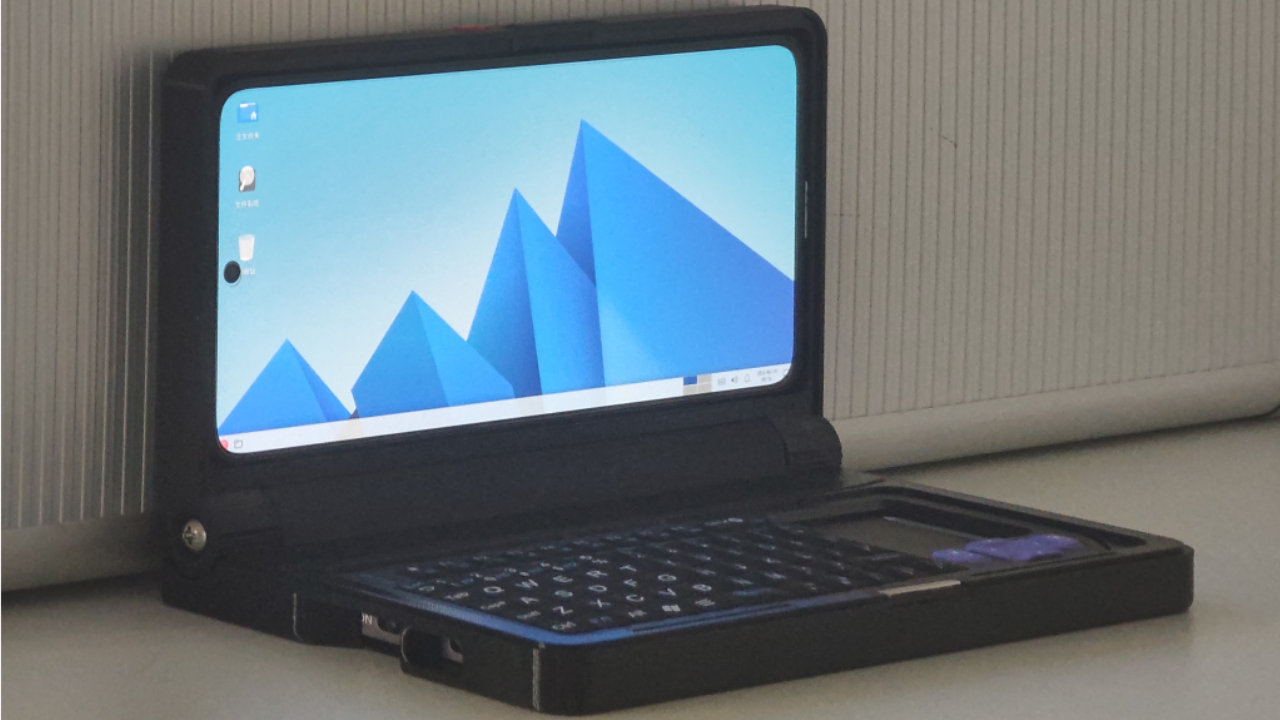
The goal of this project is to let ordinary users enjoy Linux as effortlessly as possible.
Termux is widely known as a treasure trove for developers, massively expanding what your device can do.
Yet few people outside the developer community realize the potential sitting in their devices, so I hope this project lowers the barrier to entry.
[!CAUTION]
This project makes heavy use of AI. Given the level of completion, it's kind of unavoidable... isn't it? ^_^
This includes code logic, layouts, translations, and more. There may be unexpected bugs in some places. Please be aware.
What I won't do:
APKs are available on the releases page.
After cloning the repository, download the prebuilt library jniLibs.zip from the releases page and extract it to app/src/main/jniLibs/arm64-v8a. Then you can open and build the project normally in Android Studio.
For automatic container installation on first launch, rename your container to rootfs.tar.zst and place it in app/src/main/assets.
For container information, including how to make your own containers and some pre-built containers I've already prepared, check out this repository.
The jniLibs.zip prebuilt libraries come from my fork of termux-packages.
My main modifications there are:
Other files may have minor modifications too, but those are usually just to get things compiling cleanly or to remove some Termux hard-coded paths.
Not ready yet — please wait just a little bit longer...
The Tiny Computer code is preserved on the v1_tiny_computer branch. Tiny Container is a complete rewrite of Tiny Computer, and I likely won't maintain Tiny Computer going forward. So, use Tiny Container!
Thanks to the termux community for porting so many excellent programs to Android and providing countless solutions for container configuration scenarios.
Thanks to the tmoe project for making container configuration easier. Although Tiny Container doesn't directly use tmoe this time, some scripts still bear its influence. tmoe was my introduction to Linux.
Thanks to the avnc and termux-x11 projects — the Linux graphical interfaces used by Tiny Container.
Thanks to vinceliuice's Fluent project — the default theme used by the Xfce container.
Thanks to lxgw's Xiaolai Font project — the default font used by containers.
Thanks to the debian project and all the open-source maintainers who form the foundation of the containers! All containers currently used in this project are based on Debian.
Thanks to all Tiny Computer (and Tiny Container) contributors, users, and everyone who believes in this project.
Click-to-run debian 13 with desktop environment on android!
Kotlin
4,280
22 commits
updated Sep 13, 2026
[!NOTE] Linux is powerful. Linux can also be easy to use.
The goal of this project is to let ordinary users enjoy Linux as effortlessly as possible.
Termux is widely known as a treasure trove for developers, massively expanding what your device can do.
Yet few people outside the developer community realize the potential sitting in their devices, so I hope this project lowers the barrier to entry.
[!CAUTION]
This project makes heavy use of AI. Given the level of completion, it's kind of unavoidable... isn't it? ^_^
This includes code logic, layouts, translations, and more. There may be unexpected bugs in some places. Please be aware.
What I won't do:
APKs are available on the releases page.
After cloning the repository, download the prebuilt library jniLibs.zip from the releases page and extract it to app/src/main/jniLibs/arm64-v8a. Then you can open and build the project normally in Android Studio.
For automatic container installation on first launch, rename your container to rootfs.tar.zst and place it in app/src/main/assets.
For container information, including how to make your own containers and some pre-built containers I've already prepared, check out this repository.
The jniLibs.zip prebuilt libraries come from my fork of termux-packages.
My main modifications there are:
Other files may have minor modifications too, but those are usually just to get things compiling cleanly or to remove some Termux hard-coded paths.
Not ready yet — please wait just a little bit longer...
The Tiny Computer code is preserved on the v1_tiny_computer branch. Tiny Container is a complete rewrite of Tiny Computer, and I likely won't maintain Tiny Computer going forward. So, use Tiny Container!
Thanks to the termux community for porting so many excellent programs to Android and providing countless solutions for container configuration scenarios.
Thanks to the tmoe project for making container configuration easier. Although Tiny Container doesn't directly use tmoe this time, some scripts still bear its influence. tmoe was my introduction to Linux.
Thanks to the avnc and termux-x11 projects — the Linux graphical interfaces used by Tiny Container.
Thanks to vinceliuice's Fluent project — the default theme used by the Xfce container.
Thanks to lxgw's Xiaolai Font project — the default font used by containers.
Thanks to the debian project and all the open-source maintainers who form the foundation of the containers! All containers currently used in this project are based on Debian.
Thanks to all Tiny Computer (and Tiny Container) contributors, users, and everyone who believes in this project.