
Video hover previews for Windows 11 File Explorer: hover a video file to see inside it. Free.
1
8 commits
updated Oct 2, 2026
See what people are saying
README
ExplorerVideoPreview
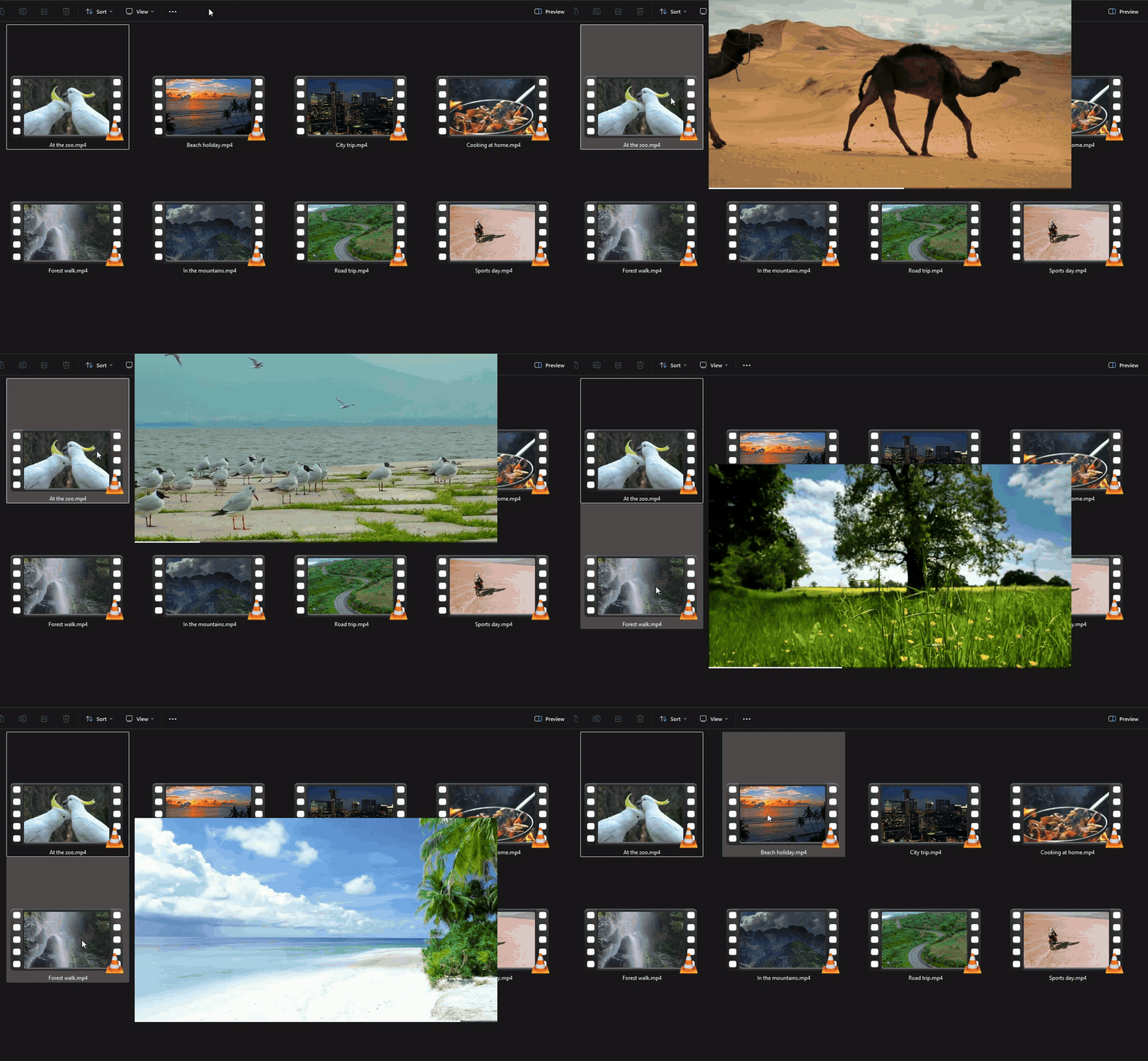
See inside your videos without opening them. Hover a video in Windows File Explorer and a preview appears beside it. A free video hover preview for Windows 11: bigger than a thumbnail, and it moves through the whole video.

Free, with no ads and no limits. If it saves you time, you can support it:

See it in action
Hover a video and the preview steps through it by itself.
How to get it
- Click the green Download button above. One file is saved to your Downloads folder.
- Open that file. Windows may show a blue box saying "Windows protected your PC". Click More info, then Run anyway. (Windows shows this for new apps it has not seen often yet.) Then click through the short setup.
- Hover any video in File Explorer. That is all.
A small icon with a white triangle sits near the clock while the app is running. Right-click it for settings or to quit.
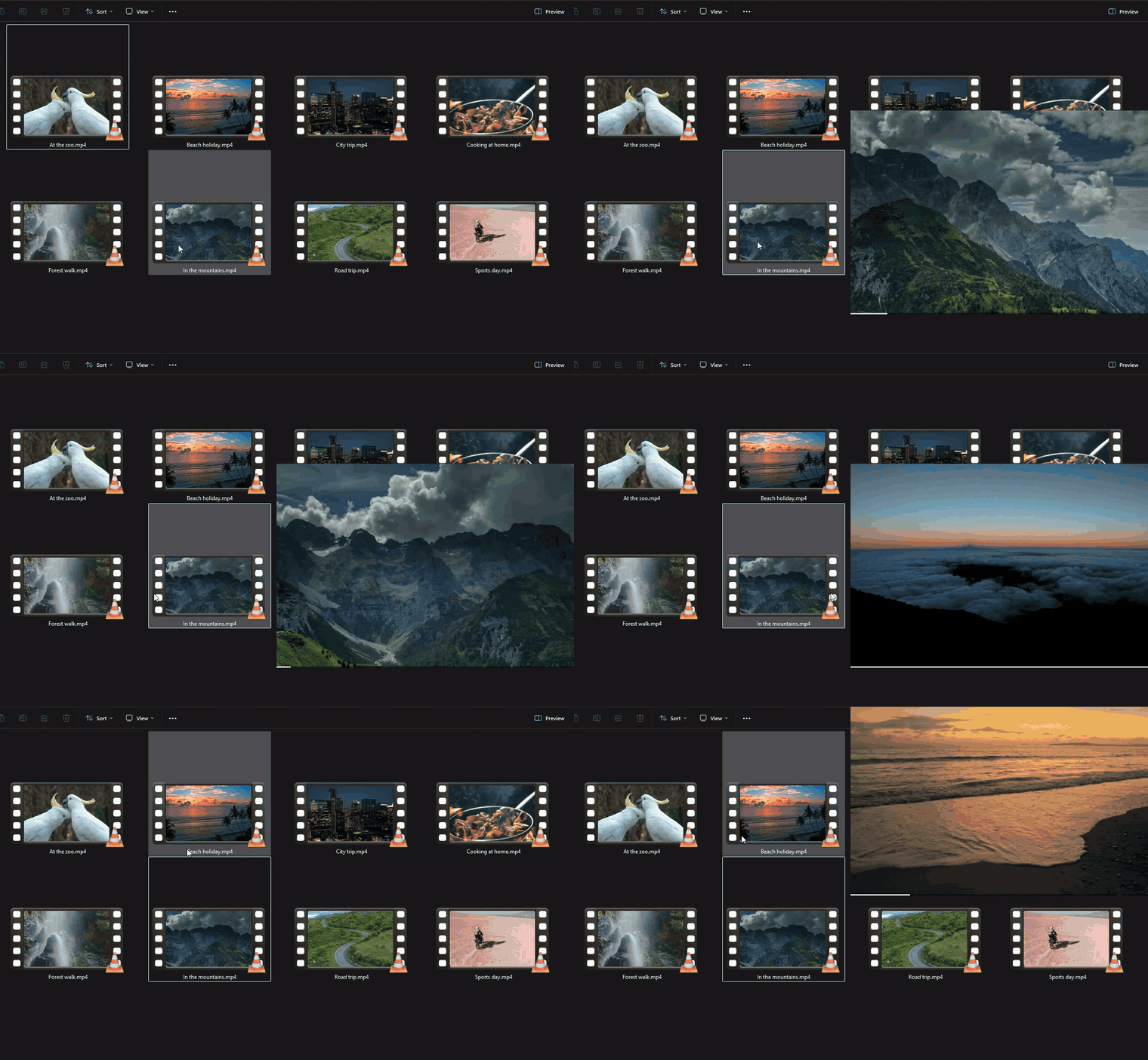
Look through a whole video
Move the mouse sideways along a file: the left edge is the start of the video, the right edge is the end.
What you can change
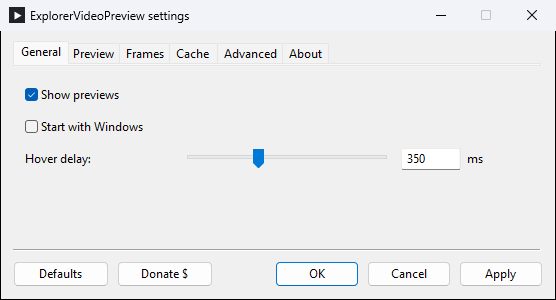
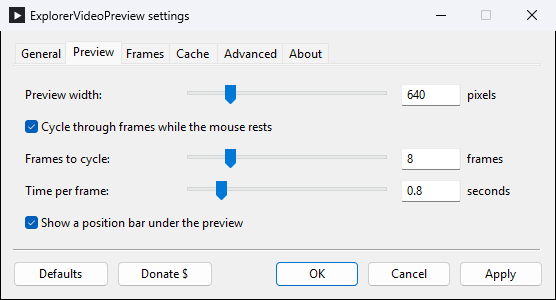
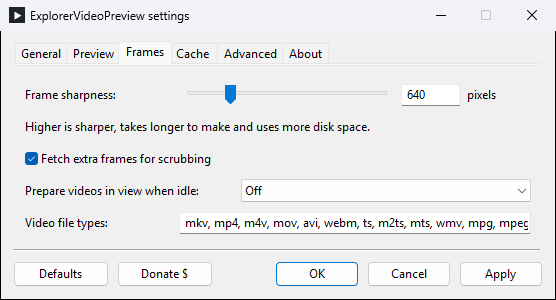
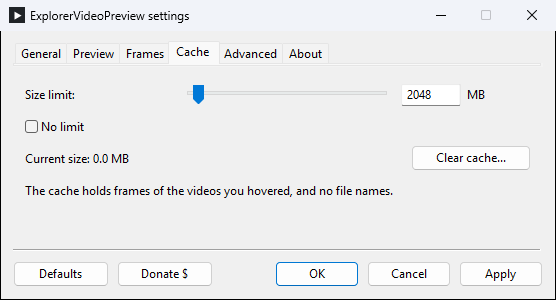
Preview size, sharpness, how many pictures it steps through and how fast, and whether it starts with Windows. Right-click the icon near the clock and choose Settings.
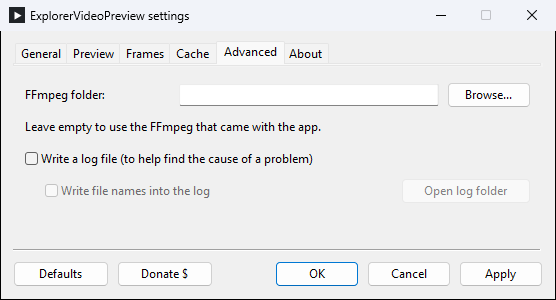
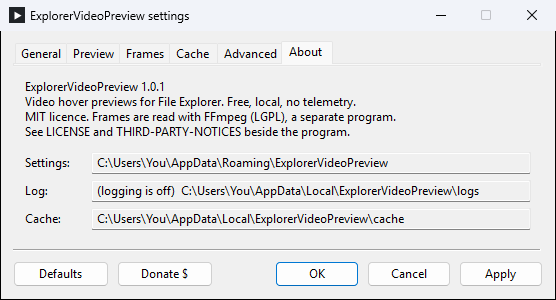
Show the settings window
Questions
Is it free? Yes. No trial, no limits, no ads, no account.
Does it send my files or anything else to the internet? No. Everything happens on your computer. The app does not connect to the internet at all.
Which Windows do I need? Windows 11.
Which videos does it work with? The usual ones: MP4, MKV, MOV, AVI, WMV, WebM and more. It also works on network drives.
How do I turn it off for a while? Right-click the icon near the clock and untick Enabled.
How do I remove it? Open Windows Settings, go to Apps, then Installed apps, find ExplorerVideoPreview and choose Uninstall.
Nothing happens when I hover a video. Look for the icon with the white triangle near the clock (it may be behind the small ^ arrow). If it is not there, start ExplorerVideoPreview from the Start menu. If it still does not work, open Settings from that icon, go to Advanced, tick Write a log file, try again, then click Open log folder and attach the newest file to a report here.
I would rather not use an installer.
There is a zip version: unzip it anywhere and start evp.exe.
Support
ExplorerVideoPreview is free and stays free. It is made by one person in their spare time; if it is useful to you, a donation keeps it and my other free tools going.
Free to use under the MIT licence (see LICENSE). Video frames are read with FFmpeg, which is included; details in THIRD-PARTY-NOTICES.md. Demo clips from Mixkit.
Similar repos


Video hover previews for Windows 11 File Explorer: hover a video file to see inside it. Free.
1
8 commits
updated Oct 2, 2026
See what people are saying
README
ExplorerVideoPreview
See inside your videos without opening them. Hover a video in Windows File Explorer and a preview appears beside it. A free video hover preview for Windows 11: bigger than a thumbnail, and it moves through the whole video.
Free, with no ads and no limits. If it saves you time, you can support it:
See it in action
Hover a video and the preview steps through it by itself.
How to get it
- Click the green Download button above. One file is saved to your Downloads folder.
- Open that file. Windows may show a blue box saying "Windows protected your PC". Click More info, then Run anyway. (Windows shows this for new apps it has not seen often yet.) Then click through the short setup.
- Hover any video in File Explorer. That is all.
A small icon with a white triangle sits near the clock while the app is running. Right-click it for settings or to quit.
Look through a whole video
Move the mouse sideways along a file: the left edge is the start of the video, the right edge is the end.
What you can change
Preview size, sharpness, how many pictures it steps through and how fast, and whether it starts with Windows. Right-click the icon near the clock and choose Settings.
Show the settings window
Questions
Is it free? Yes. No trial, no limits, no ads, no account.
Does it send my files or anything else to the internet? No. Everything happens on your computer. The app does not connect to the internet at all.
Which Windows do I need? Windows 11.
Which videos does it work with? The usual ones: MP4, MKV, MOV, AVI, WMV, WebM and more. It also works on network drives.
How do I turn it off for a while? Right-click the icon near the clock and untick Enabled.
How do I remove it? Open Windows Settings, go to Apps, then Installed apps, find ExplorerVideoPreview and choose Uninstall.
Nothing happens when I hover a video. Look for the icon with the white triangle near the clock (it may be behind the small ^ arrow). If it is not there, start ExplorerVideoPreview from the Start menu. If it still does not work, open Settings from that icon, go to Advanced, tick Write a log file, try again, then click Open log folder and attach the newest file to a report here.
I would rather not use an installer.
There is a zip version: unzip it anywhere and start evp.exe.
Support
ExplorerVideoPreview is free and stays free. It is made by one person in their spare time; if it is useful to you, a donation keeps it and my other free tools going.
Free to use under the MIT licence (see LICENSE). Video frames are read with FFmpeg, which is included; details in THIRD-PARTY-NOTICES.md. Demo clips from Mixkit.