
Frame your wallpaper per monitor: drag, zoom, mirror, rotate. For awww/swww on Wayland.
Python
5
33 commits
updated Oct 3, 2026
See what people are saying
README
wallframe
Drag, zoom, mirror and rotate your wallpaper inside each monitor's frame, and save layouts for all your monitors. A GTK4 editor for awww and swww on Wayland.
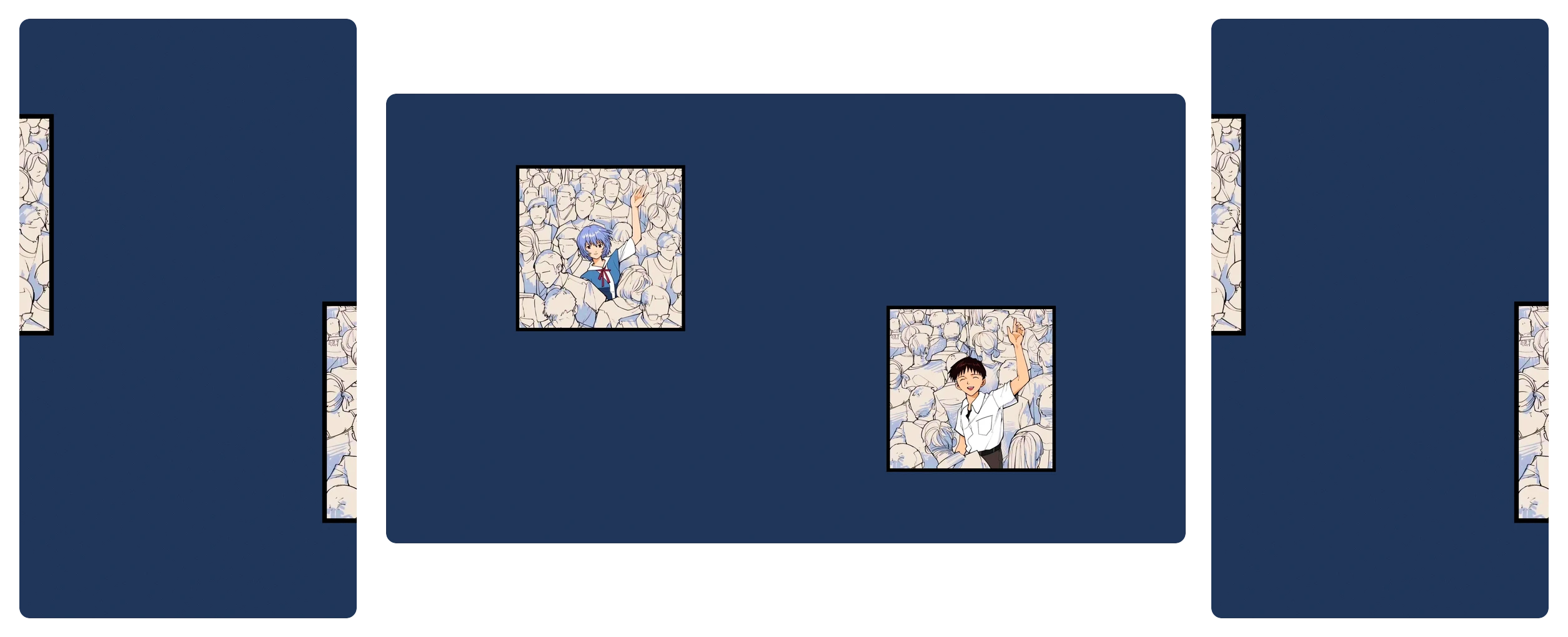
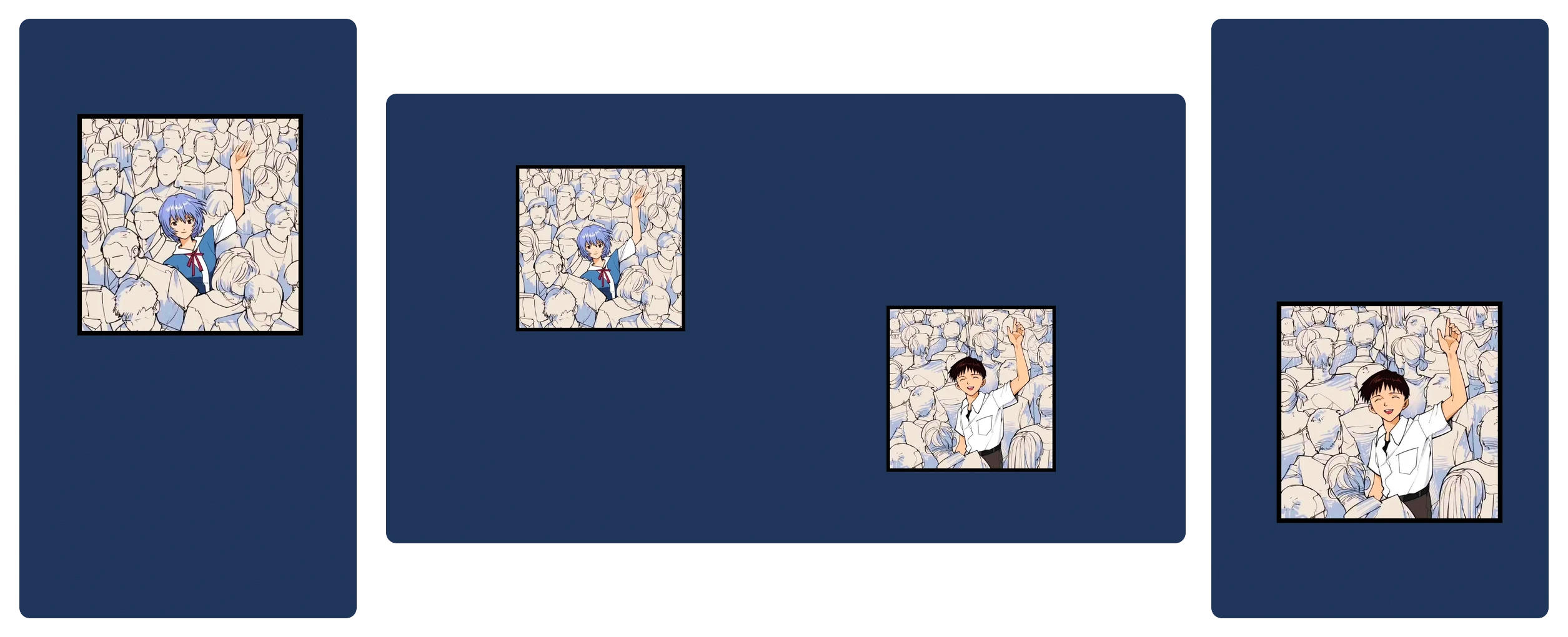
Wallpaper daemons scale the image to fill the screen and cut off the parts that do not fit. They always keep the center. On a portrait monitor, a landscape image can lose more than half of its width, and often the part you wanted to see. wallframe shows the frame of each monitor over the image, so you can choose which part to keep.
Before: the daemon keeps the center, so the portrait monitors cut off the characters.
After: each monitor framed by hand with wallframe.
Requirements
gtk4 (4.10 or newer), python-gobject, python-cairo, python-pillow, and awww or swww. On Arch Linux:
sudo pacman -S gtk4 python-gobject python-cairo python-pillow awww
Optional:
- Hyprland or sway: wallframe opens on the focused monitor and shows the model of each monitor.
- Upscayl: the Upscale panel enlarges low-resolution images ×2, ×3 or ×4 before cropping, on one monitor or all of them at once. You can compare the result with the original at real size, and go back to the original at any time. It needs a Vulkan GPU, and the native package: on Arch,
upscayl-binfrom the AUR; elsewhere, the official .deb or .rpm. The Flatpak and AppImage do not work. libnotify: errors appear as notifications, which helps when you start wallframe without a terminal. On Hyprland, errors appear as Hyprland notifications even without it.
Install
Clone the repository and run it. There is nothing to build:
git clone https://github.com/AlejandroMinor/wallframe.git
cd wallframe
./wallframe
To run it from anywhere as wallframe, link it into a folder in your PATH:
ln -s "$PWD/wallframe" ~/.local/bin/wallframe
Open as a floating window
wallframe works best as a floating window, centered on the screen. Add a rule for its app ID, io.github.AlejandroMinor.wallframe.
Hyprland:
hl.window_rule({
    name   = "wallframe",
    match  = { class = "^(io.github.AlejandroMinor.wallframe)$" },
    float  = true,
    center = true,
})
sway:
for_window [app_id="io.github.AlejandroMinor.wallframe"] floating enable
Usage
| Action | Mouse / button | Key |
|---|---|---|
| Move | Drag | Arrows (Shift for bigger steps) |
| Zoom | Scroll, slider or − / + buttons | + / - |
| Center, keeping the zoom | C | |
| Move the background instead of the image | Fill panel | B |
| Mirror / flip / rotate 90° | Toolbar | H / V / R |
| Reset to the original image, centered | Toolbar | 0 |
| Open another image for this monitor | Toolbar, or drop a file on the canvas | O |
| Discard changes since the last Apply | Toolbar | D |
| Copy from another monitor: everything, or just the fill | Toolbar | |
| Rule-of-thirds grid | Toolbar | G |
| Save or switch layouts | Layouts button | |
| Next monitor | Monitor buttons | Tab |
| Apply to the marked monitors | Apply | Enter |
| Show all keyboard shortcuts | Keyboard button, bottom left | ? / F1 |
| Close | Esc |
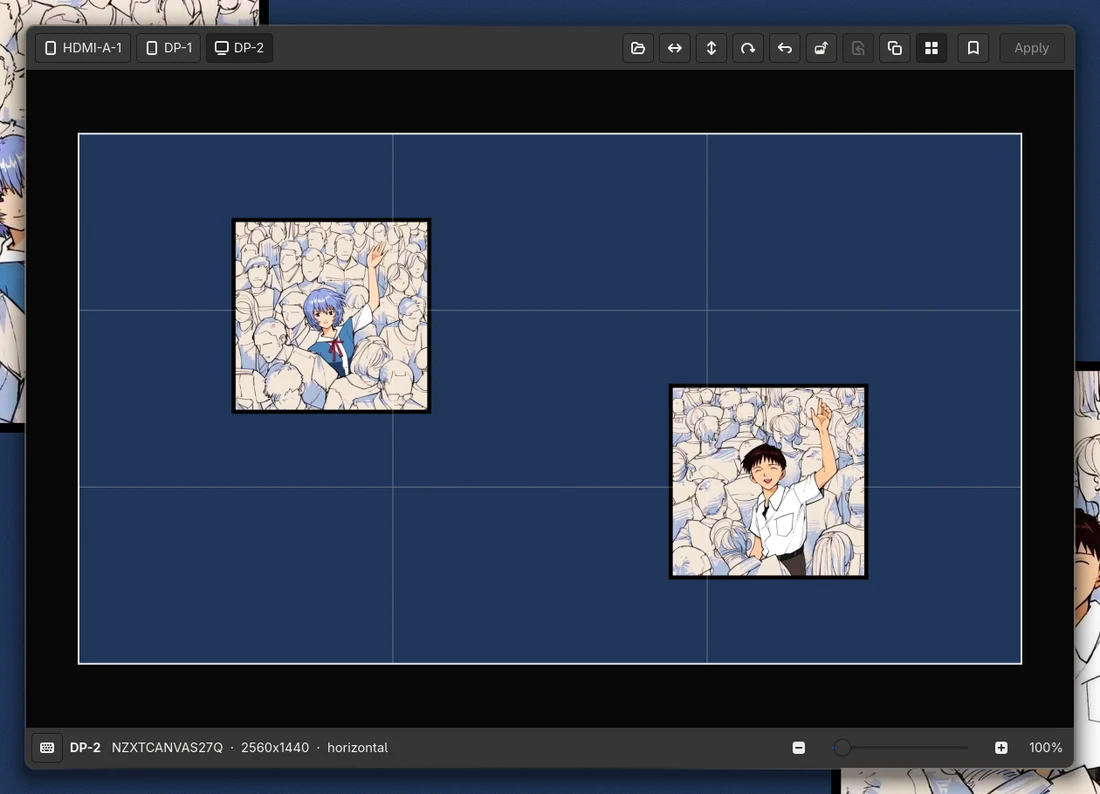
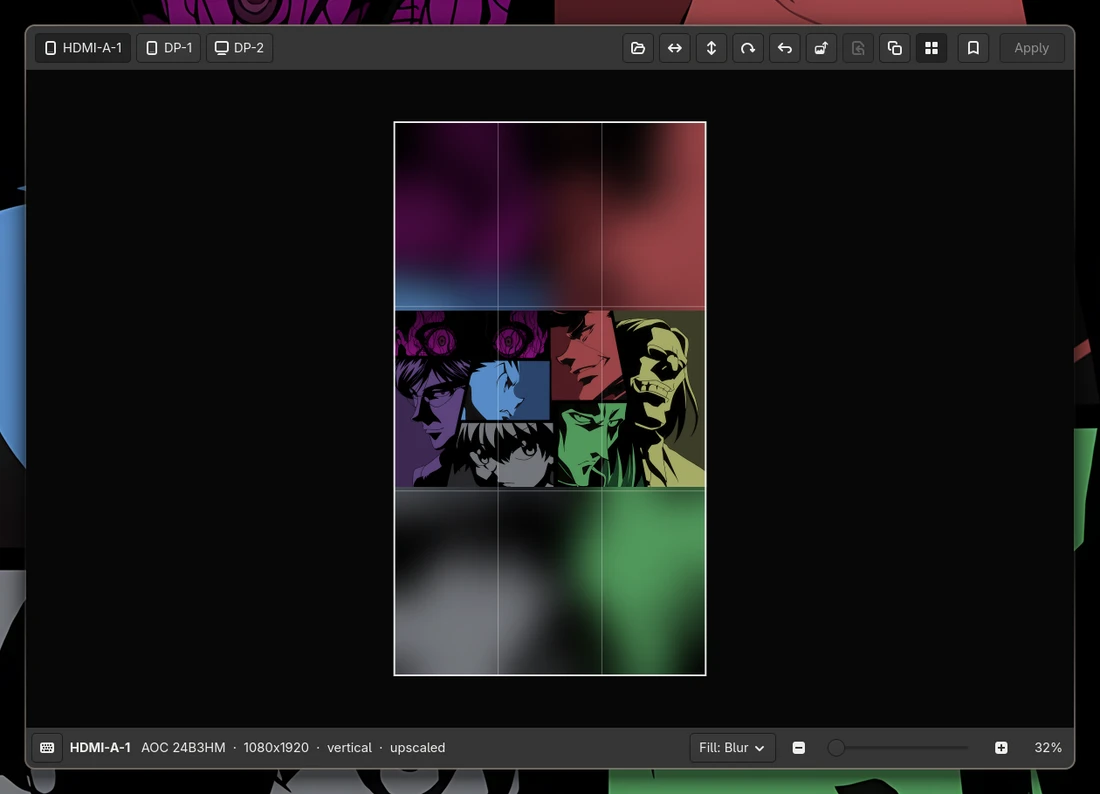
Zoom below 100% to see more of the image, or to make it smaller than the monitor. The empty space around it is filled with a copy of the image, blurred as much as you like, or with a color. Both are in the Fill panel of the bottom bar. Check Move background there (or press B) to drag and zoom that copy instead of the image.
A dot on a monitor button means that the monitor does not show your changes yet. Apply crops the image to the exact size of the monitor and sets it with awww (or swww) on that monitor only. The window stays open.
wallframe saves the crops in ~/.local/share/wallframe/. It does not use the cache folder, because the daemon loads the crops from there again at login. When you open wallframe again, each monitor starts from the original image with your last framing, so the image does not lose quality. Animated and video wallpapers are not supported.
The Layouts panel saves what every monitor shows: the picture and its framing. Each layout has a preview of your monitors as they stand on the desk (on Hyprland and sway; elsewhere side by side). Click a layout to show it on the monitors at once; the one they show is marked. Its menu renames it, saves the current wallpapers into it, duplicates it or deletes it. Layouts point at your pictures: if one was moved or deleted, that monitor stays as it was and wallframe says why, with the path where the picture was.
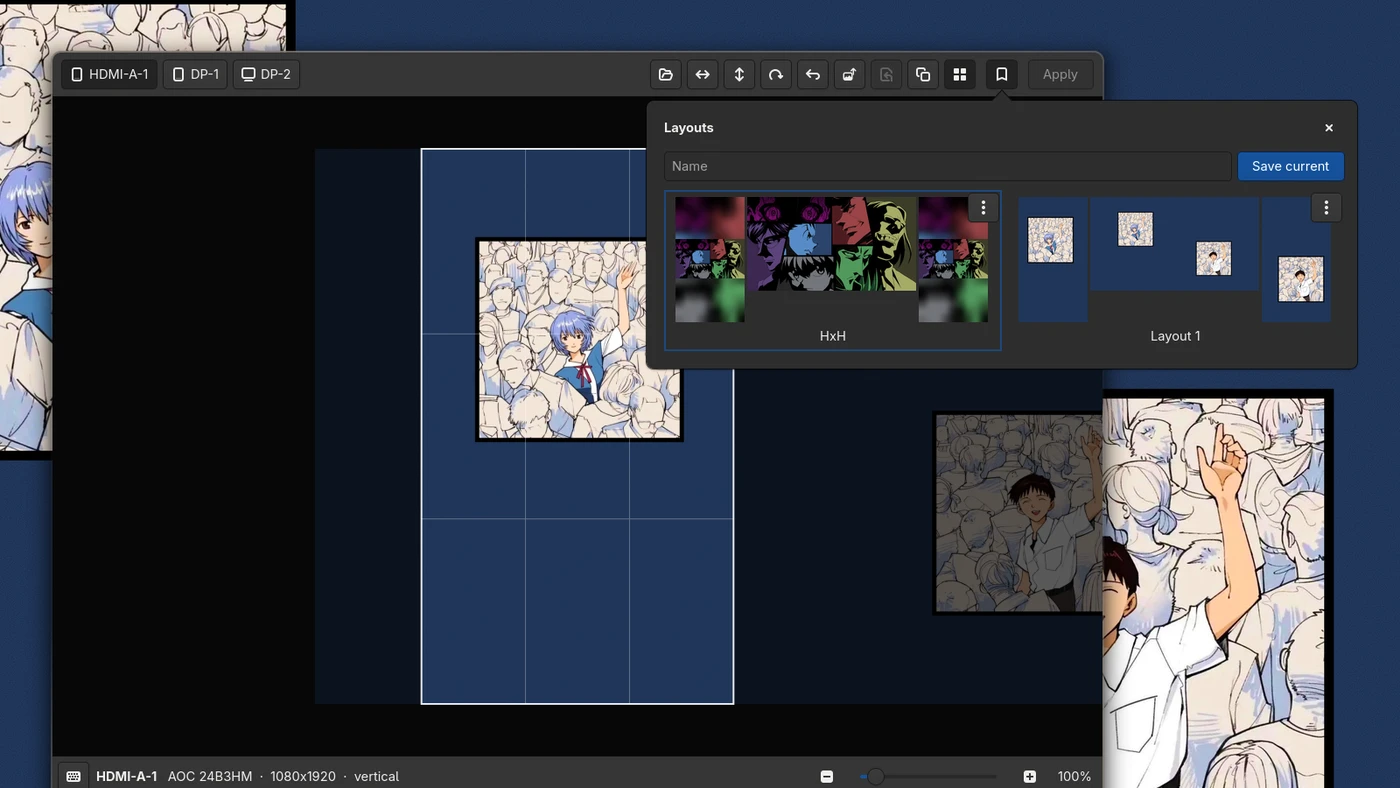
wallframe opens on the focused monitor. To start on a different monitor, give its output name: wallframe DP-1.
Development
The tests cover everything except the window: framing, cropping, saved state and reading the daemon and compositor output. They do not need a display or a wallpaper daemon:
python -m venv --system-site-packages .venv
.venv/bin/pip install pytest
PYTHONPATH=src .venv/bin/pytest
License
GPL-3.0-or-later. See LICENSE.
Similar repos


Languages
Python
100.0%
Frame your wallpaper per monitor: drag, zoom, mirror, rotate. For awww/swww on Wayland.
Python
5
33 commits
updated Oct 3, 2026
See what people are saying
README
wallframe
Drag, zoom, mirror and rotate your wallpaper inside each monitor's frame, and save layouts for all your monitors. A GTK4 editor for awww and swww on Wayland.
Wallpaper daemons scale the image to fill the screen and cut off the parts that do not fit. They always keep the center. On a portrait monitor, a landscape image can lose more than half of its width, and often the part you wanted to see. wallframe shows the frame of each monitor over the image, so you can choose which part to keep.
Before: the daemon keeps the center, so the portrait monitors cut off the characters.
After: each monitor framed by hand with wallframe.
Requirements
gtk4 (4.10 or newer), python-gobject, python-cairo, python-pillow, and awww or swww. On Arch Linux:
sudo pacman -S gtk4 python-gobject python-cairo python-pillow awww
Optional:
- Hyprland or sway: wallframe opens on the focused monitor and shows the model of each monitor.
- Upscayl: the Upscale panel enlarges low-resolution images ×2, ×3 or ×4 before cropping, on one monitor or all of them at once. You can compare the result with the original at real size, and go back to the original at any time. It needs a Vulkan GPU, and the native package: on Arch,
upscayl-binfrom the AUR; elsewhere, the official .deb or .rpm. The Flatpak and AppImage do not work. libnotify: errors appear as notifications, which helps when you start wallframe without a terminal. On Hyprland, errors appear as Hyprland notifications even without it.
Install
Clone the repository and run it. There is nothing to build:
git clone https://github.com/AlejandroMinor/wallframe.git
cd wallframe
./wallframe
To run it from anywhere as wallframe, link it into a folder in your PATH:
ln -s "$PWD/wallframe" ~/.local/bin/wallframe
Open as a floating window
wallframe works best as a floating window, centered on the screen. Add a rule for its app ID, io.github.AlejandroMinor.wallframe.
Hyprland:
hl.window_rule({
    name   = "wallframe",
    match  = { class = "^(io.github.AlejandroMinor.wallframe)$" },
    float  = true,
    center = true,
})
sway:
for_window [app_id="io.github.AlejandroMinor.wallframe"] floating enable
Usage
| Action | Mouse / button | Key |
|---|---|---|
| Move | Drag | Arrows (Shift for bigger steps) |
| Zoom | Scroll, slider or − / + buttons | + / - |
| Center, keeping the zoom | C | |
| Move the background instead of the image | Fill panel | B |
| Mirror / flip / rotate 90° | Toolbar | H / V / R |
| Reset to the original image, centered | Toolbar | 0 |
| Open another image for this monitor | Toolbar, or drop a file on the canvas | O |
| Discard changes since the last Apply | Toolbar | D |
| Copy from another monitor: everything, or just the fill | Toolbar | |
| Rule-of-thirds grid | Toolbar | G |
| Save or switch layouts | Layouts button | |
| Next monitor | Monitor buttons | Tab |
| Apply to the marked monitors | Apply | Enter |
| Show all keyboard shortcuts | Keyboard button, bottom left | ? / F1 |
| Close | Esc |
Zoom below 100% to see more of the image, or to make it smaller than the monitor. The empty space around it is filled with a copy of the image, blurred as much as you like, or with a color. Both are in the Fill panel of the bottom bar. Check Move background there (or press B) to drag and zoom that copy instead of the image.
A dot on a monitor button means that the monitor does not show your changes yet. Apply crops the image to the exact size of the monitor and sets it with awww (or swww) on that monitor only. The window stays open.
wallframe saves the crops in ~/.local/share/wallframe/. It does not use the cache folder, because the daemon loads the crops from there again at login. When you open wallframe again, each monitor starts from the original image with your last framing, so the image does not lose quality. Animated and video wallpapers are not supported.
The Layouts panel saves what every monitor shows: the picture and its framing. Each layout has a preview of your monitors as they stand on the desk (on Hyprland and sway; elsewhere side by side). Click a layout to show it on the monitors at once; the one they show is marked. Its menu renames it, saves the current wallpapers into it, duplicates it or deletes it. Layouts point at your pictures: if one was moved or deleted, that monitor stays as it was and wallframe says why, with the path where the picture was.
wallframe opens on the focused monitor. To start on a different monitor, give its output name: wallframe DP-1.
Development
The tests cover everything except the window: framing, cropping, saved state and reading the daemon and compositor output. They do not need a display or a wallpaper daemon:
python -m venv --system-site-packages .venv
.venv/bin/pip install pytest
PYTHONPATH=src .venv/bin/pytest
License
GPL-3.0-or-later. See LICENSE.
Similar repos
Languages
Python
100.0%