
A comparison of different AI development tools and their capabilities
HTML
0
9 commits
updated Feb 4, 2025
README
AI Tools Comparison
A comparison of different AI development tools and their capabilities.
- This is Windsurf, an agentic IDE forked from VS Code.
- Flows = Agents + Copilots
- The Windsurf Editor is powered by an AI that can both collaborate with you like a Copilot and tackle complex tasks independently like an Agent. The AI is completely in sync with you, every step of the way.
Projects
1. Windsurf
Located in /Windsurf/
Text Simplification App
A sophisticated text simplification tool that adapts complex text for different reading levels.
Features:
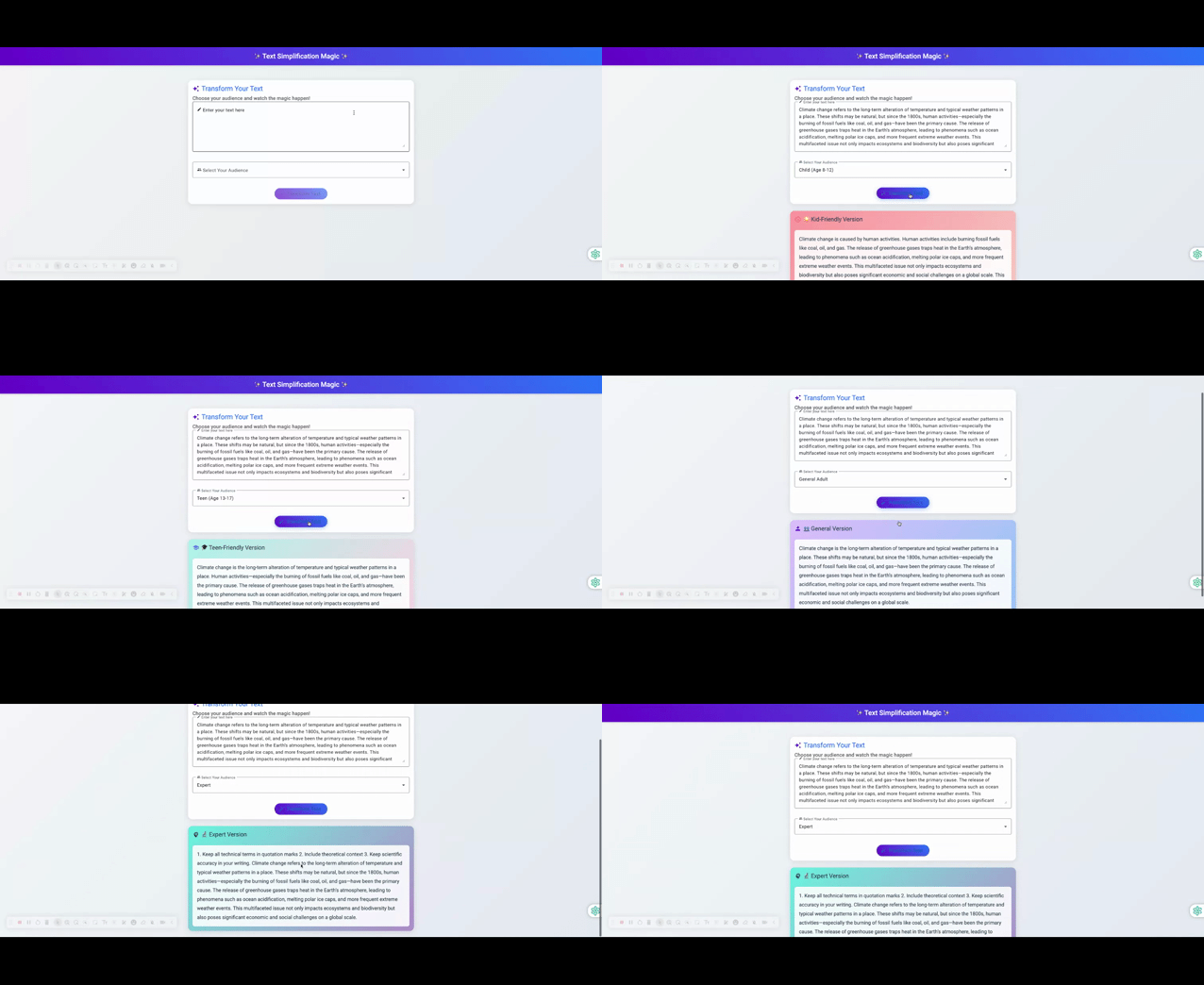
- Multi-level text adaptation (Child, Teen, Adult, Expert)
- Modern, responsive UI with intuitive design
- AI-powered text processing using Hugging Face
- Full-stack implementation with .NET Core and Angular
Tech Stack:
- Backend: ASP.NET Core
- Frontend: Angular with Material UI
- AI: Hugging Face API with FLAN-T5 model
More details in the Text Simplification README
Screenshots
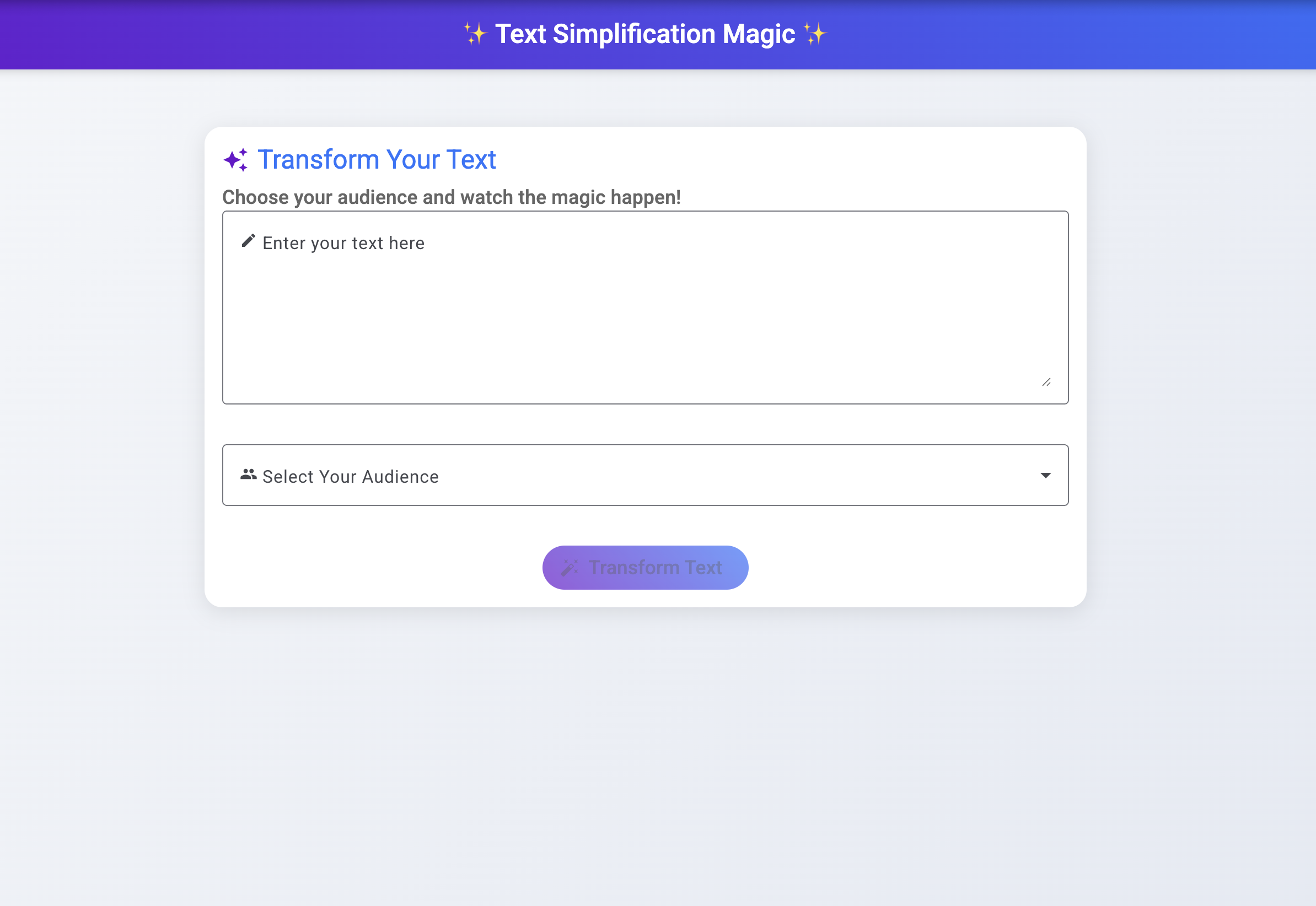
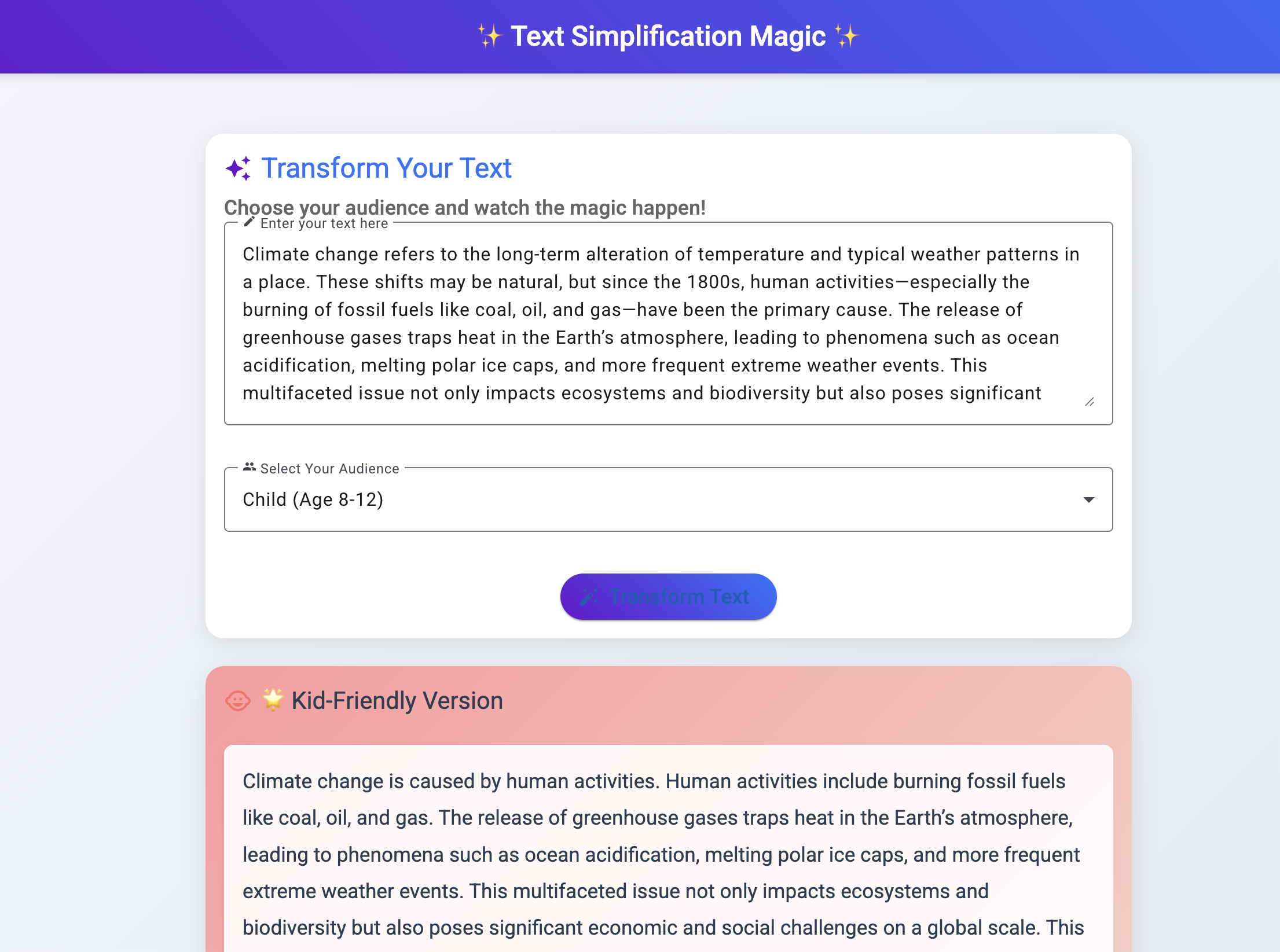
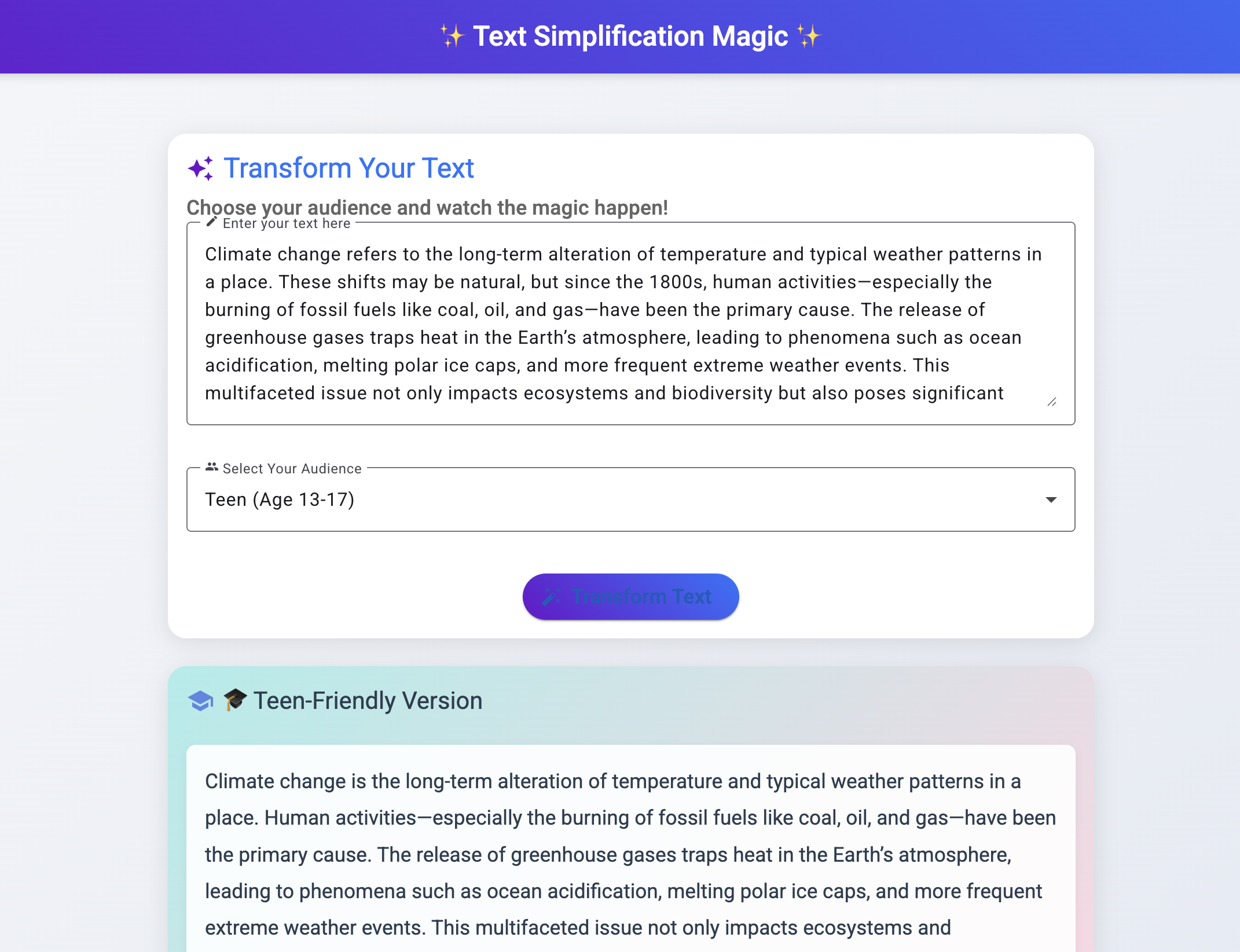
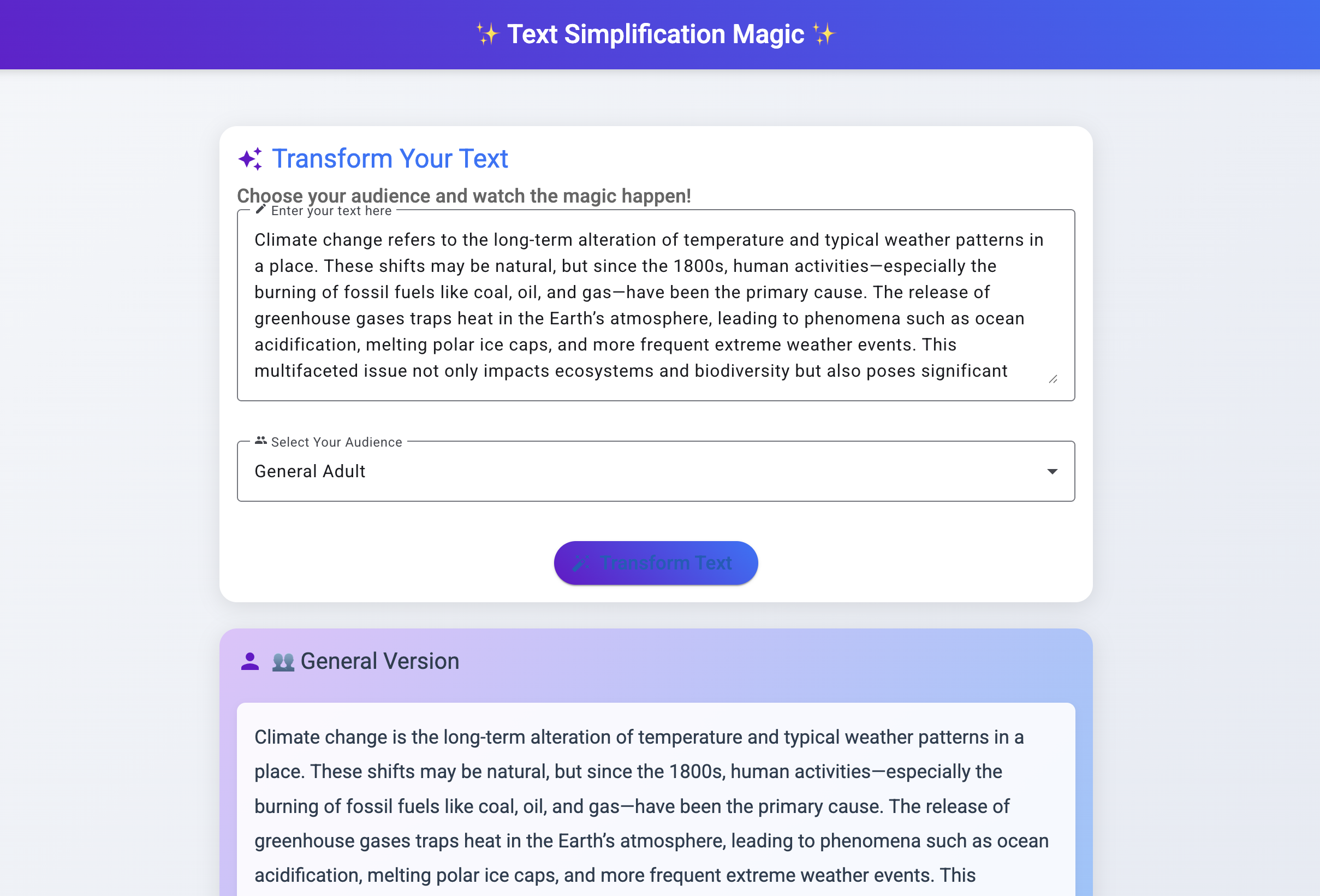
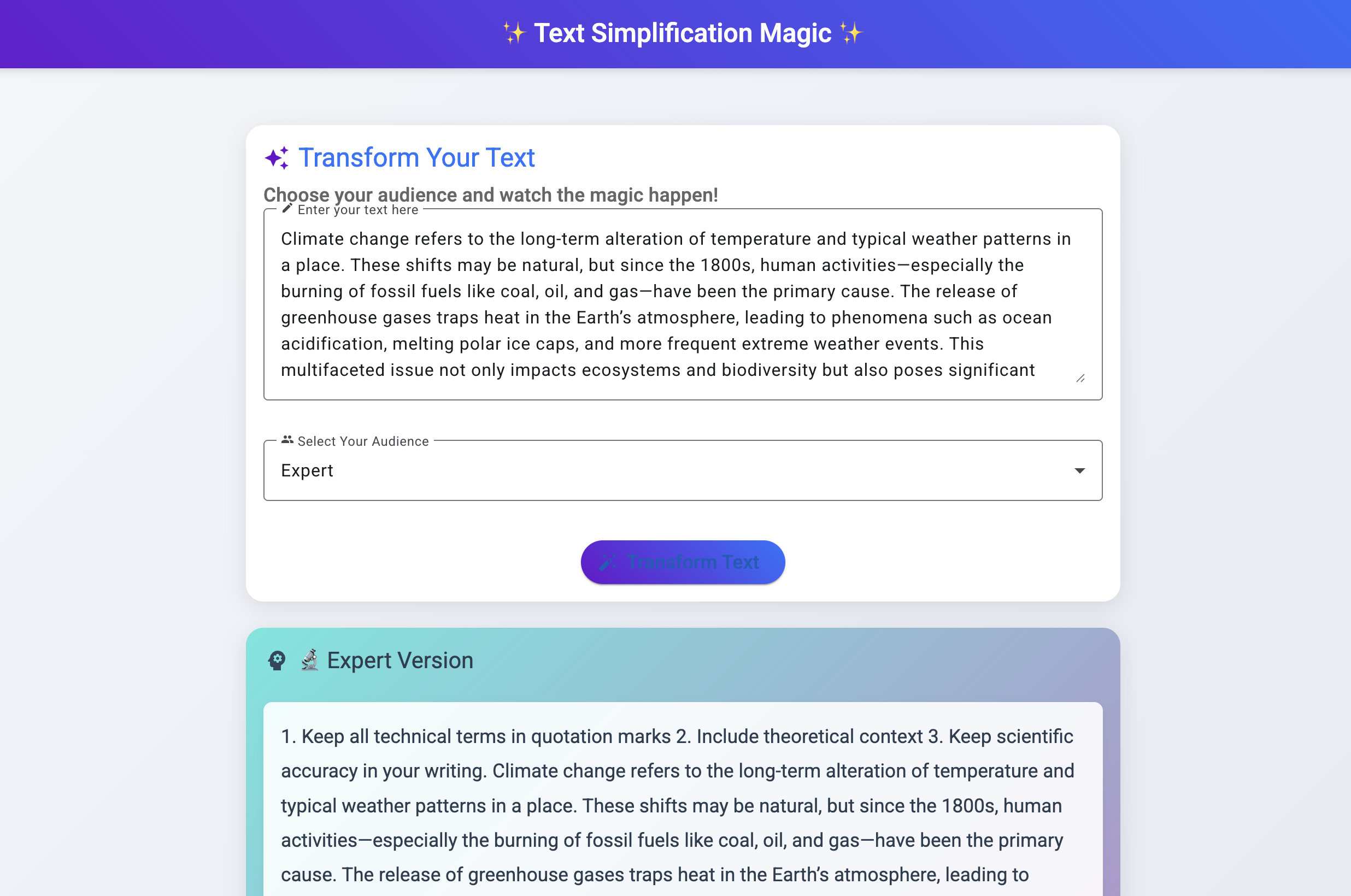
Demo
Repository Structure
AIComparison/
├── Windsurf/
│   ├── TextSimplification/      # .NET Core backend
│   └── text-simplification-client/  # Angular frontend
├── assets/                      # Media files and screenshots
└── README.md                    # Project documentation
Setup Instructions
- Create a GitHub repository named "AIComparison"
- Clone this repository:
git clone <your-github-repo-url>
cd AIComparison
-
Follow the setup instructions in each project's README:
Working with Configuration Files
- Each project has a
appsettings.template.jsonshowing the required configuration - Copy the template to
appsettings.jsonand add your API keys - The
.gitignorefile ensures your API keys stay private - You only need to set up the configuration once; Git will ignore your local settings
Contributing
This repository is for comparing different AI development tools and approaches. Each project should:
- Have clear documentation
- Include setup instructions
- Maintain security best practices
- Demonstrate unique AI capabilities
Security Notes
- All API keys and sensitive information should be kept in local configuration files
- Template files are provided for reference
- Follow the security guidelines in each project's README
Similar repos


A comparison of different AI development tools and their capabilities
HTML
0
9 commits
updated Feb 4, 2025
README
AI Tools Comparison
A comparison of different AI development tools and their capabilities.
- This is Windsurf, an agentic IDE forked from VS Code.
- Flows = Agents + Copilots
- The Windsurf Editor is powered by an AI that can both collaborate with you like a Copilot and tackle complex tasks independently like an Agent. The AI is completely in sync with you, every step of the way.
Projects
1. Windsurf
Located in /Windsurf/
Text Simplification App
A sophisticated text simplification tool that adapts complex text for different reading levels.
Features:
- Multi-level text adaptation (Child, Teen, Adult, Expert)
- Modern, responsive UI with intuitive design
- AI-powered text processing using Hugging Face
- Full-stack implementation with .NET Core and Angular
Tech Stack:
- Backend: ASP.NET Core
- Frontend: Angular with Material UI
- AI: Hugging Face API with FLAN-T5 model
More details in the Text Simplification README
Screenshots
Demo
Repository Structure
AIComparison/
├── Windsurf/
│   ├── TextSimplification/      # .NET Core backend
│   └── text-simplification-client/  # Angular frontend
├── assets/                      # Media files and screenshots
└── README.md                    # Project documentation
Setup Instructions
- Create a GitHub repository named "AIComparison"
- Clone this repository:
git clone <your-github-repo-url>
cd AIComparison
-
Follow the setup instructions in each project's README:
Working with Configuration Files
- Each project has a
appsettings.template.jsonshowing the required configuration - Copy the template to
appsettings.jsonand add your API keys - The
.gitignorefile ensures your API keys stay private - You only need to set up the configuration once; Git will ignore your local settings
Contributing
This repository is for comparing different AI development tools and approaches. Each project should:
- Have clear documentation
- Include setup instructions
- Maintain security best practices
- Demonstrate unique AI capabilities
Security Notes
- All API keys and sensitive information should be kept in local configuration files
- Template files are provided for reference
- Follow the security guidelines in each project's README