Just draw a bounding box and you can remove the object you want to remove.
Python
2,713
12 commits
updated Sep 27, 2019
Just draw a bounding box and you can remove the object you want to remove.
All the code has been tested on Ubuntu 16.04, Python 3.5, Pytorch 0.4.0, CUDA 8.0, GTX1080Ti GPU.
git clone https://github.com/zllrunning/video-object-removal.git
cd video-object-removal
cd get_mask
bash make.sh
cd ../inpainting
bash install.sh
cd ..
cp/ folderpython demo.py --data data/Human6
python demo.py --data data/bag.avi
--mask-dilationpython demo.py --data data/Human6 --mask-dilation 24
This parameter controls the size of the dilation kernel used for the mask. The role is to expand the range of the mask to avoid edge problems. Please see inpainting/davis.py for more details.
1. Just draw a bounding box like this:
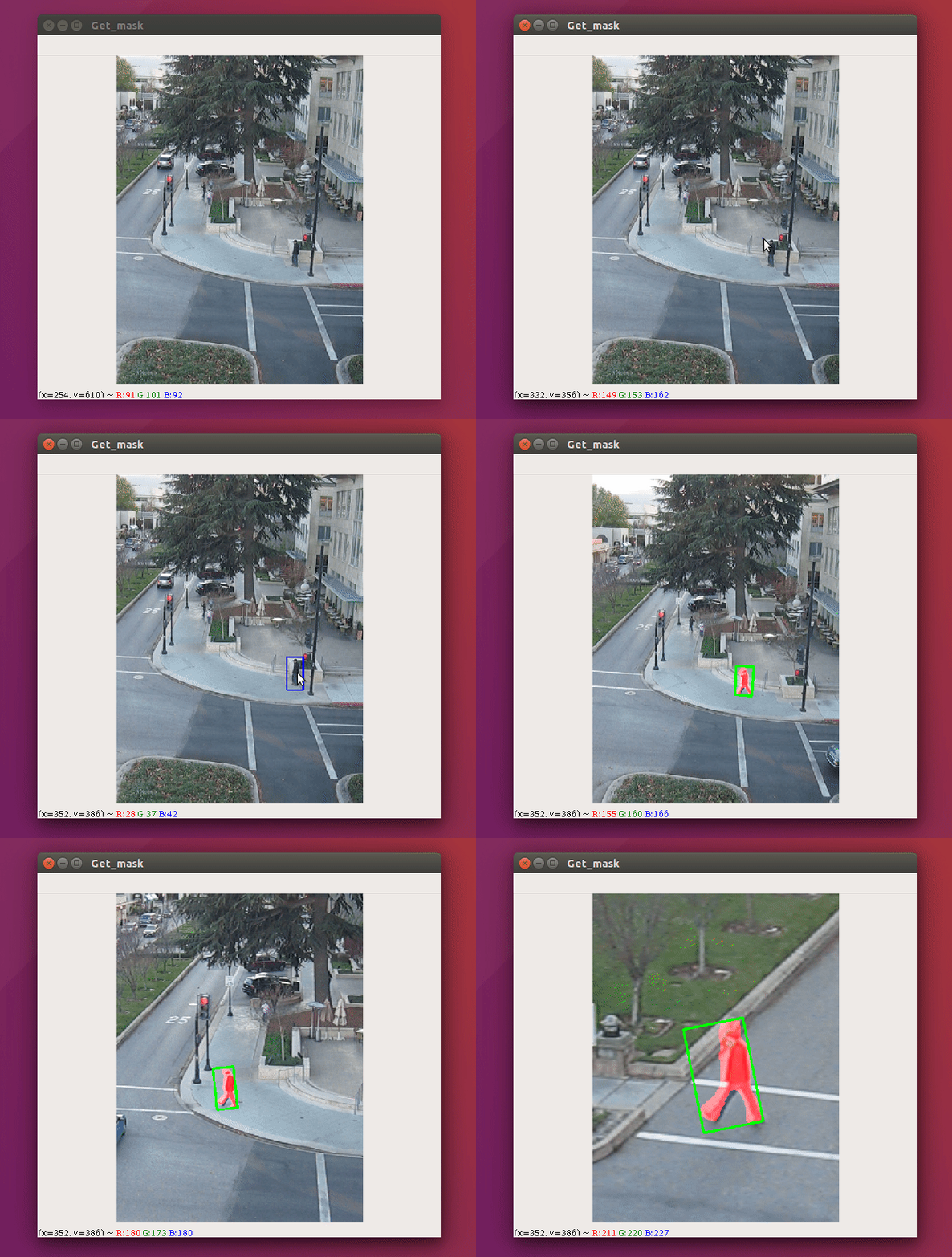
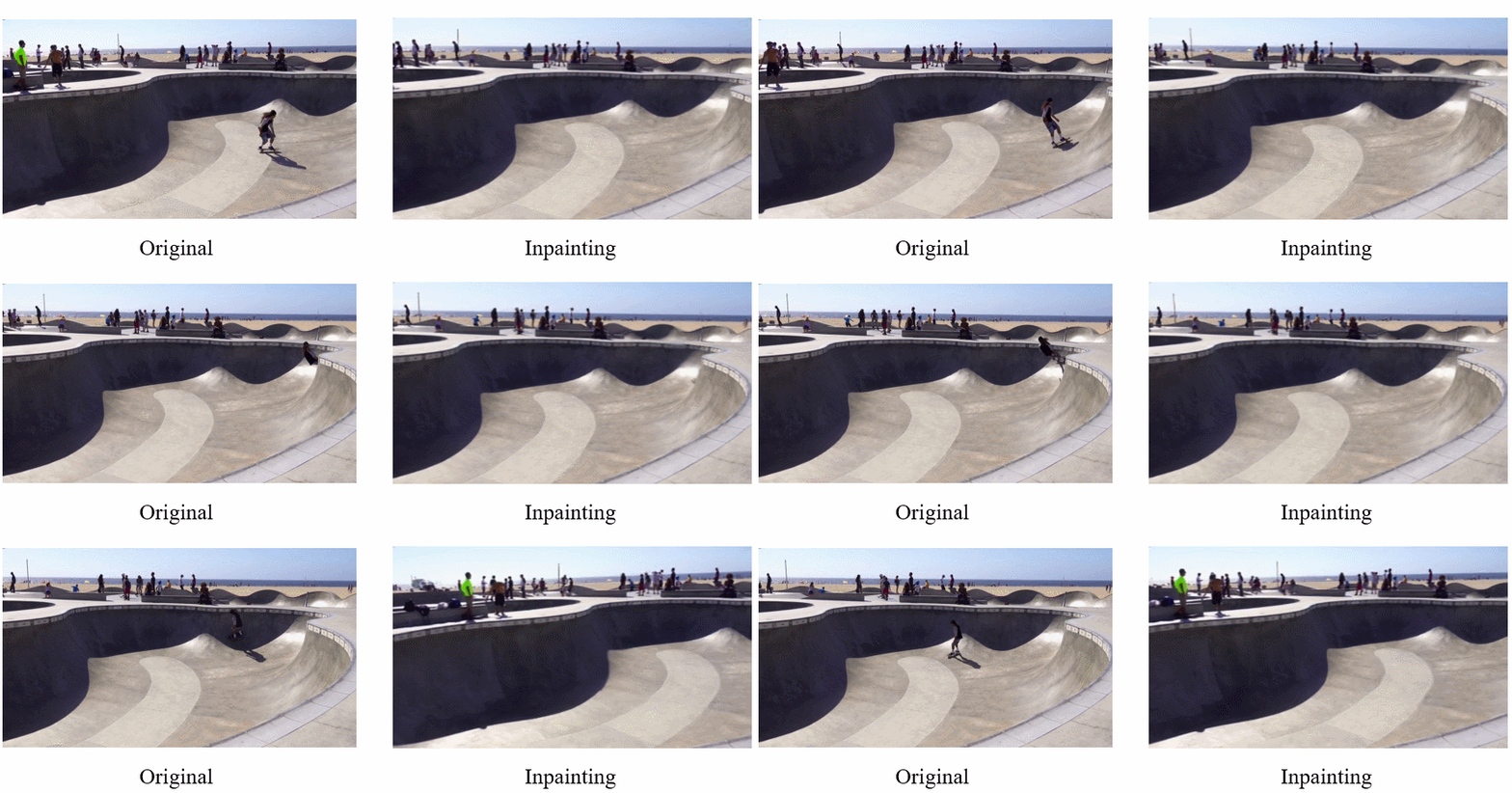
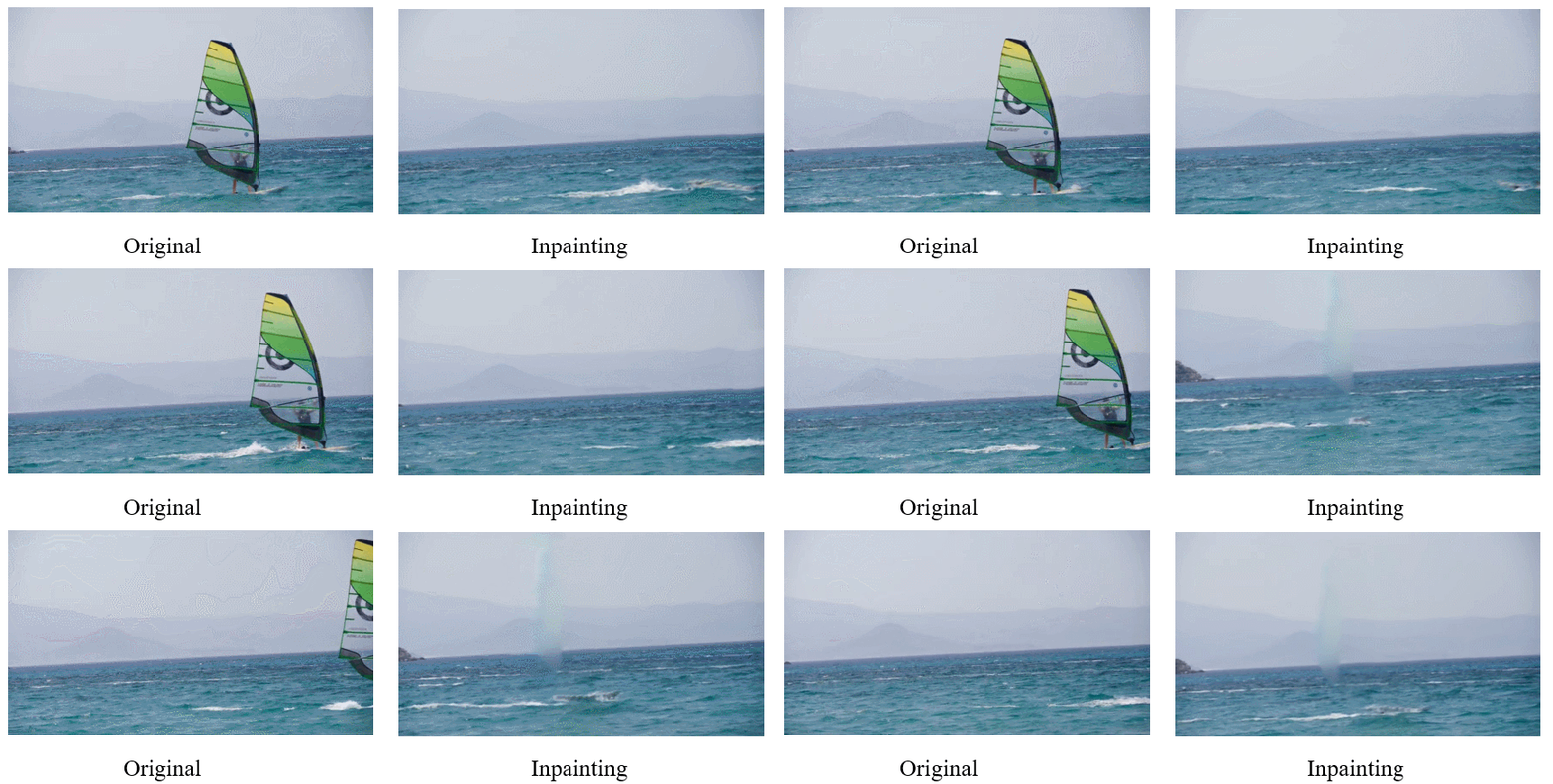
2. The objected will be removed and the inpainted video will be saved in results/inpainting folder. (The Gif image loading takes some time, please wait a moment.)
@article{Wang2019SiamMask,
    title={Fast Online Object Tracking and Segmentation: A Unifying Approach},
    author={Wang, Qiang and Zhang, Li and Bertinetto, Luca and Hu, Weiming and Torr, Philip HS},
    journal={The IEEE Conference on Computer Vision and Pattern Recognition (CVPR)},
    year={2019}
}
@inproceedings{kim2019deep,
  title={Deep Video Inpainting},
  author={Kim, Dahun and Woo, Sanghyun and Lee, Joon-Young and So Kweon, In},
  booktitle={Proceedings of the IEEE Conference on Computer Vision and Pattern Recognition},
  pages={5792--5801},
  year={2019}
247 followers · starred Oct 2022
124 followers · starred Aug 2023
4 followers · starred Jul 2019
2 followers · starred Apr 2021
Just draw a bounding box and you can remove the object you want to remove.
Python
2,713
12 commits
updated Sep 27, 2019
Just draw a bounding box and you can remove the object you want to remove.
All the code has been tested on Ubuntu 16.04, Python 3.5, Pytorch 0.4.0, CUDA 8.0, GTX1080Ti GPU.
git clone https://github.com/zllrunning/video-object-removal.git
cd video-object-removal
cd get_mask
bash make.sh
cd ../inpainting
bash install.sh
cd ..
cp/ folderpython demo.py --data data/Human6
python demo.py --data data/bag.avi
--mask-dilationpython demo.py --data data/Human6 --mask-dilation 24
This parameter controls the size of the dilation kernel used for the mask. The role is to expand the range of the mask to avoid edge problems. Please see inpainting/davis.py for more details.
1. Just draw a bounding box like this:
2. The objected will be removed and the inpainted video will be saved in results/inpainting folder. (The Gif image loading takes some time, please wait a moment.)
@article{Wang2019SiamMask,
    title={Fast Online Object Tracking and Segmentation: A Unifying Approach},
    author={Wang, Qiang and Zhang, Li and Bertinetto, Luca and Hu, Weiming and Torr, Philip HS},
    journal={The IEEE Conference on Computer Vision and Pattern Recognition (CVPR)},
    year={2019}
}
@inproceedings{kim2019deep,
  title={Deep Video Inpainting},
  author={Kim, Dahun and Woo, Sanghyun and Lee, Joon-Young and So Kweon, In},
  booktitle={Proceedings of the IEEE Conference on Computer Vision and Pattern Recognition},
  pages={5792--5801},
  year={2019}
247 followers · starred Oct 2022
124 followers · starred Aug 2023
4 followers · starred Jul 2019
2 followers · starred Apr 2021



