Open-source Flutter client for MeshCore LoRa mesh networking devices
Dart
637
919 commits
updated Oct 12, 2026
Open-source Flutter client for MeshCore LoRa mesh networking devices.
MeshCore Open is a cross-platform application for communicating with MeshCore LoRa mesh radios over Bluetooth Low Energy (BLE), USB serial, or TCP. The app enables long-range, off-grid communication through peer-to-peer messaging, public channels, and mesh networking capabilities.
Website: meshcoreopen.org · Network map: map.meshcoreopen.org
The web client runs in Chrome (and Chromium browsers that identify as Chrome, such as Edge or Brave) and connects over USB via Web Serial. BLE and TCP are not available in the browser. Firefox and Safari do not support Web Serial.
Use the installation website for available downloads, Obtainium, and the web client. Building from source is covered below.
See the user documentation, connection guide, and troubleshooting.
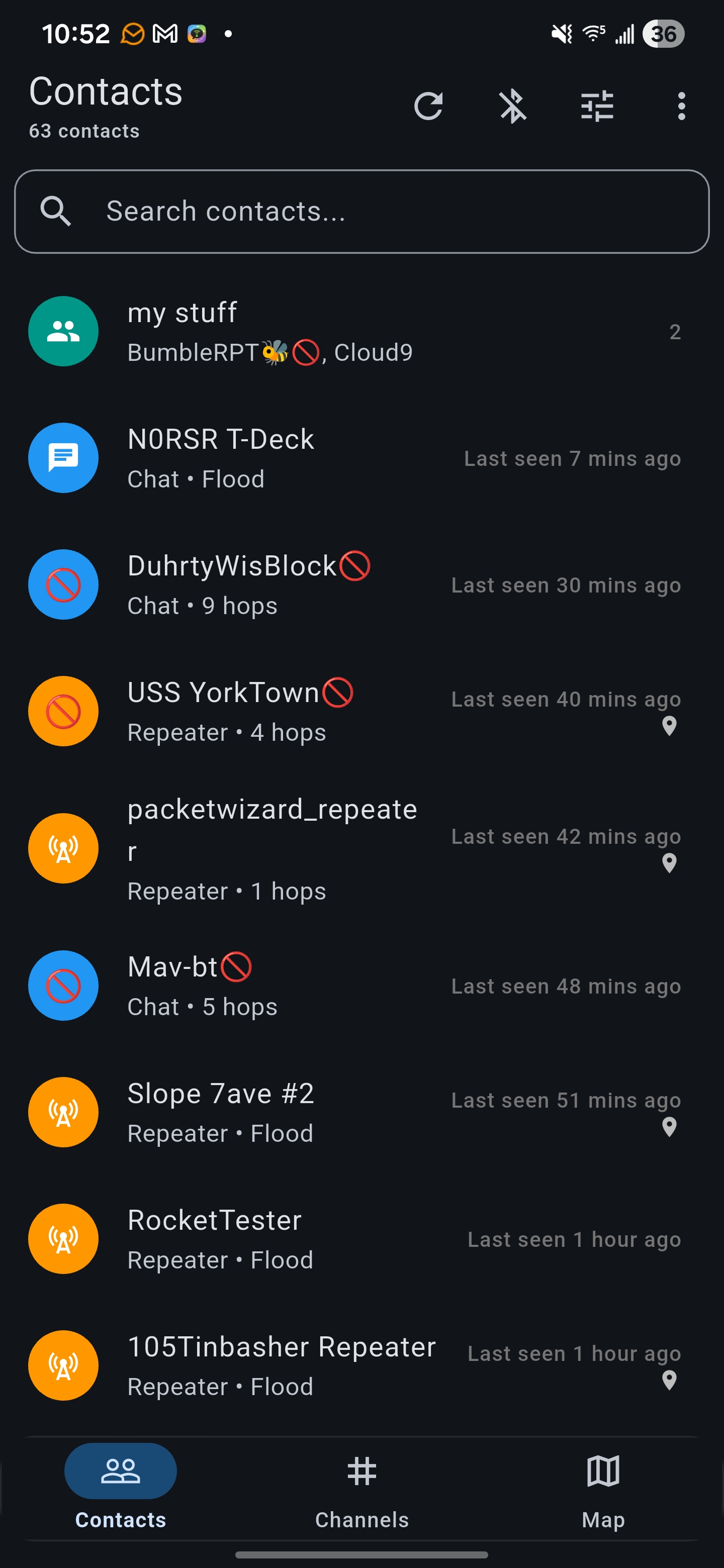 Contacts | 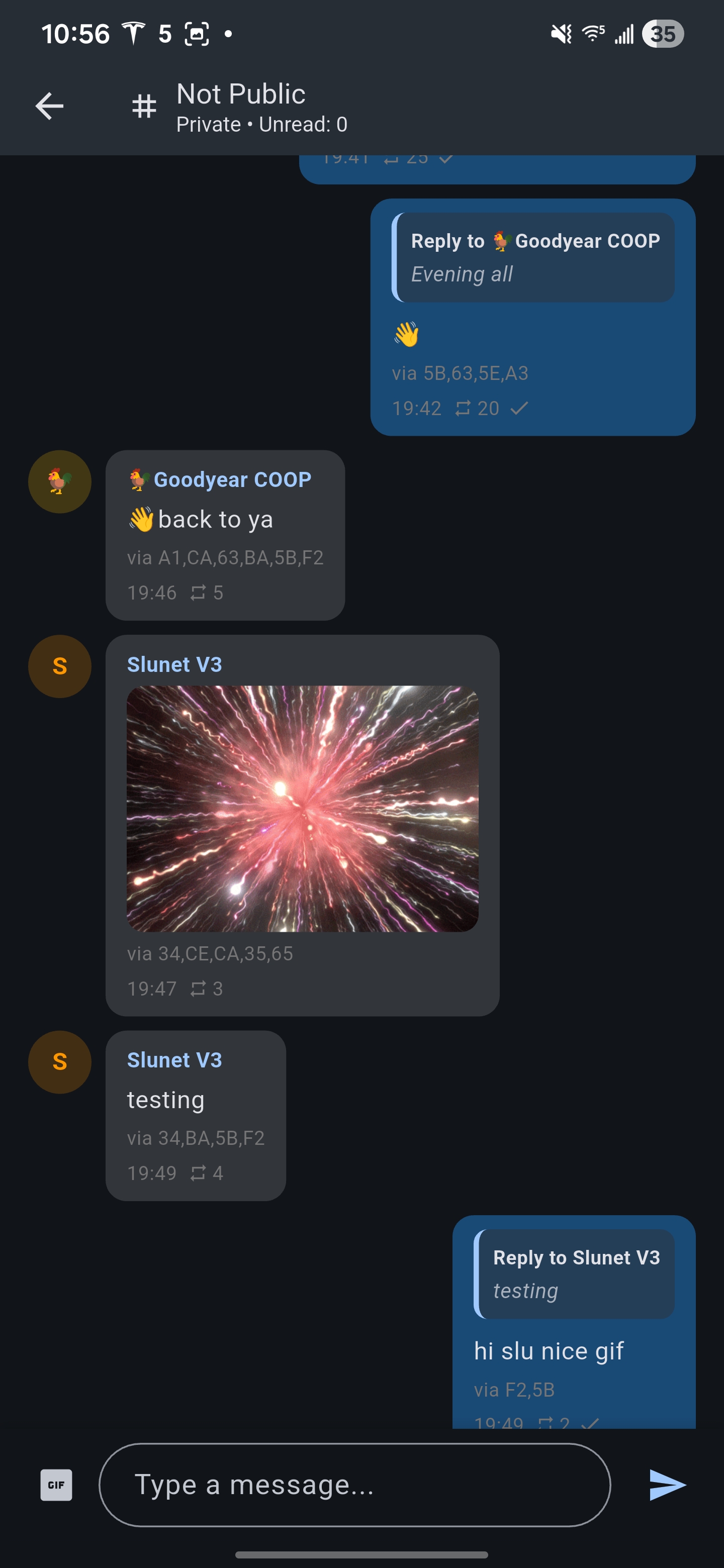 Chat | 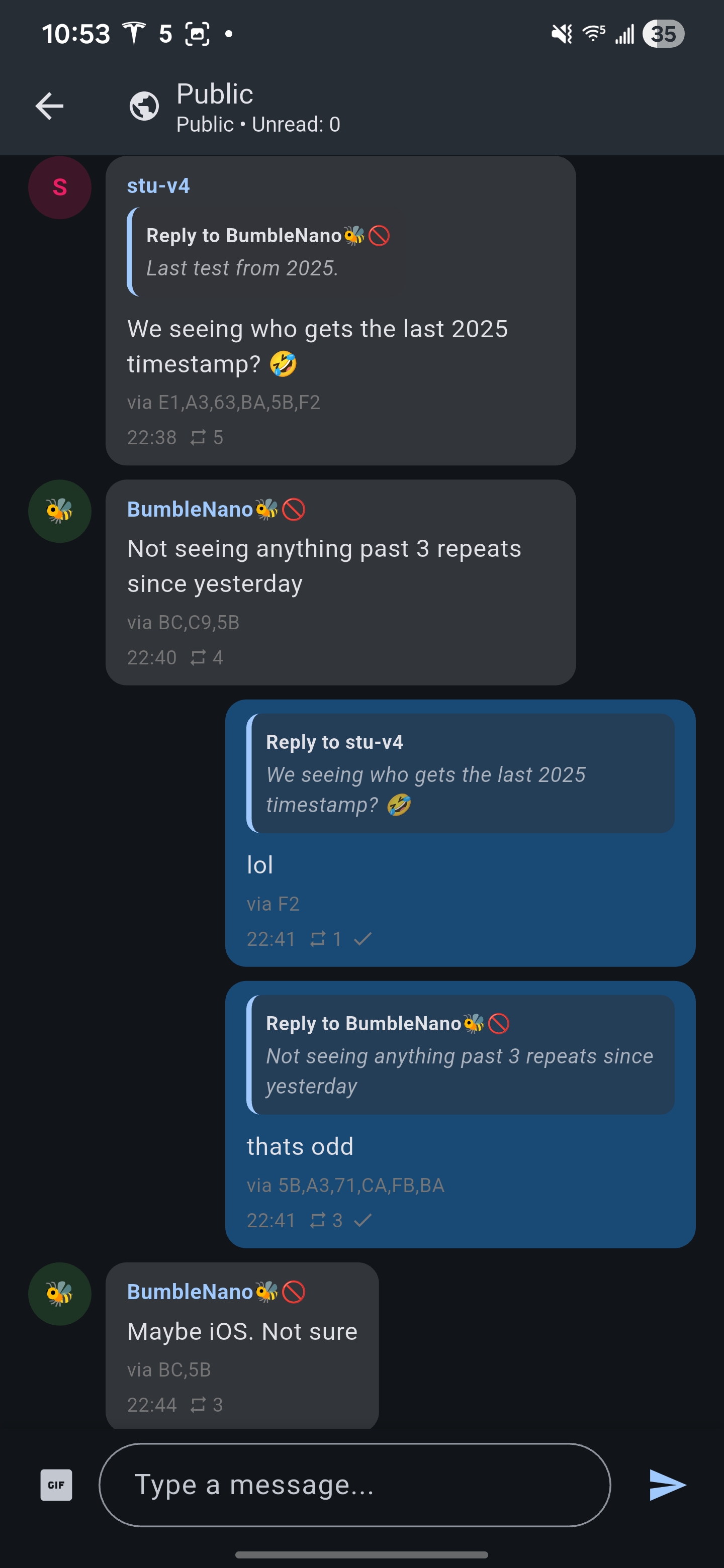 Reactions | 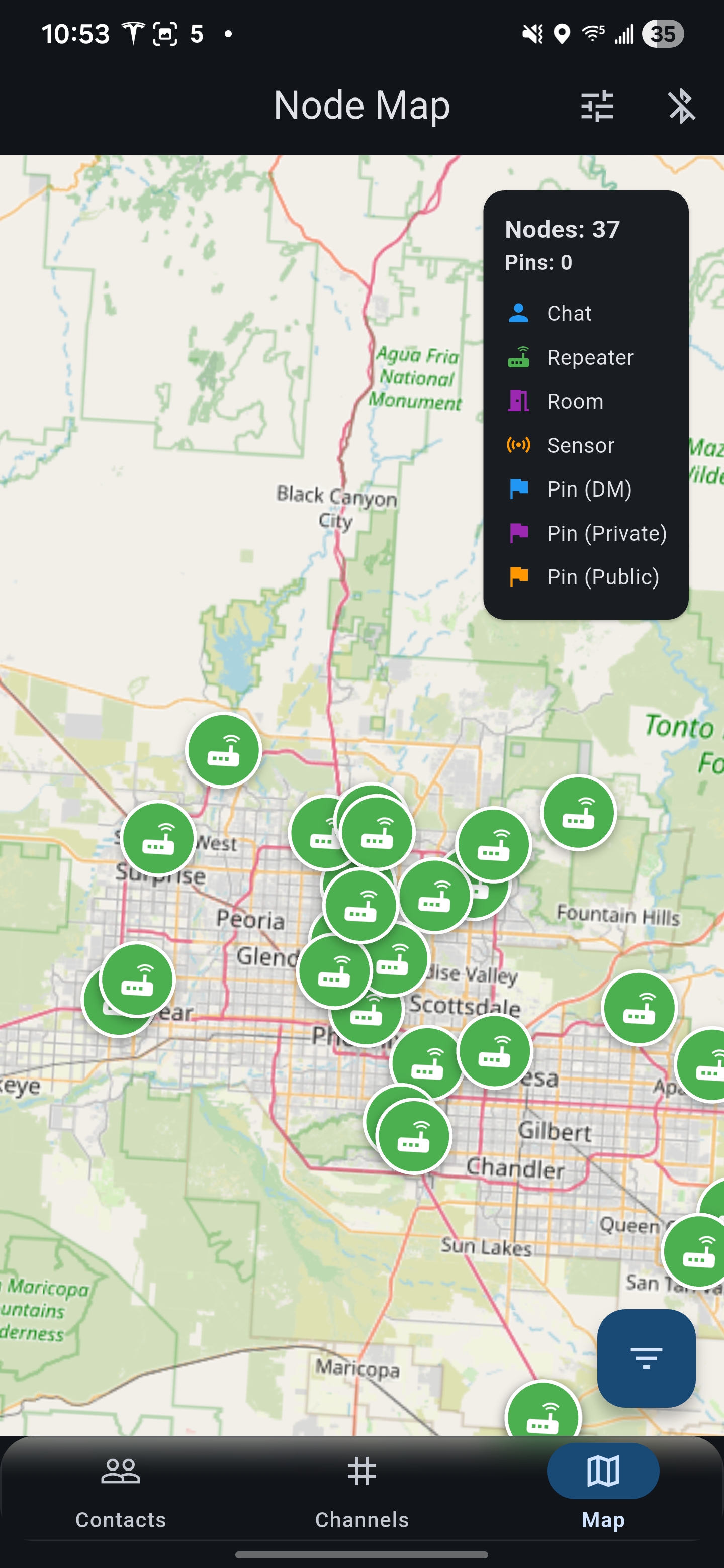 Map | 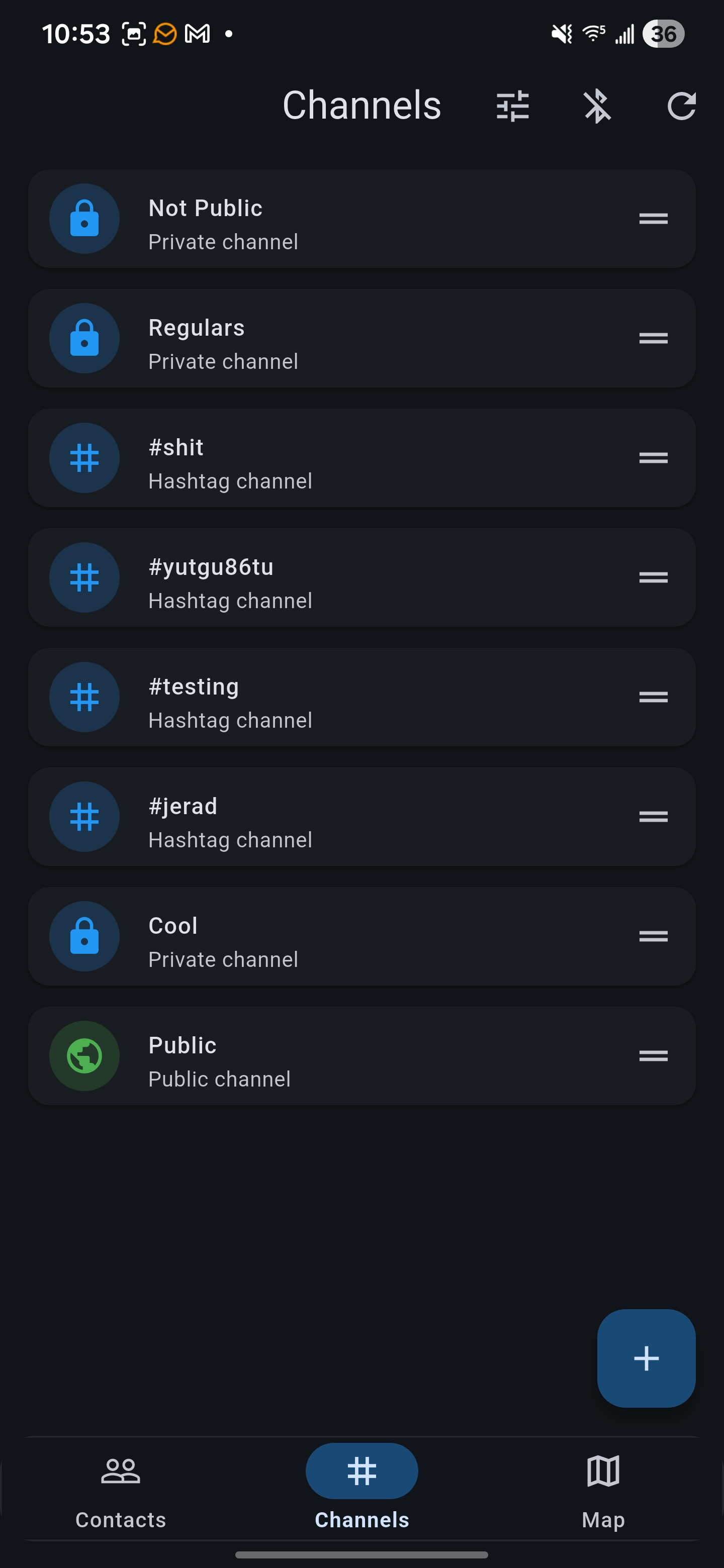 Channels |
^3.9.2| Feature | Android (ARM64) | iOS (16.4+) | Linux | Windows | macOS | Web |
|---|---|---|---|---|---|---|
| BLE companion | ✅ | ✅ | ✅ | ✅ | ✅ | ❌ |
| USB companion | ✅ | ❌ | ✅ | ✅ | ✅ | ✅ (Web Serial, Chrome) |
| TCP companion | ✅ | ✅ | ✅ | ✅ | ✅ | ❌ |
| Core Functionality | ✅ | ✅ | ✅ | ✅ | ✅ | ✅ |
| Mesh Network | ✅ | ✅ | ✅ | ✅ | ✅ | ✅ |
| Map & Location | ✅ | ✅ | ✅ | ✅ | ✅ | ✅ |
| Device Management | ✅ | ✅ | ✅ | ✅ | ✅ | ✅ |
| Repeater Hub | ✅ | ✅ | ✅ | ✅ | ✅ | ✅ |
| Notification replies | ✅ (incl. Android Auto, watches) | ❌ | ❌ | ❌ | ❌ | ❌ |
The matrix describes implemented functionality, not a guarantee that every feature has been tested on every device. Web device connections use Web Serial and require Chrome and a secure origin. Image inference and translation require native runtimes and are unavailable on web. Android APKs currently include only arm64-v8a; the minimum Android API follows the Flutter SDK used to build.
| Package | Purpose |
|---|---|
| flutter_blue_plus | Bluetooth Low Energy communication |
| provider | State management |
| shared_preferences | Local key-value storage (scoped per device) |
| flutter_map | Interactive map display |
| latlong2 | Geographic coordinate handling |
| flutter_local_notifications | Background notification support |
| pointycastle | Cryptographic operations |
| llamadart | On-device LLM message translation |
| intl | Internationalization and date formatting |
^3.9.2 (see pubspec.yaml).Clone the repository
git clone https://github.com/zjs81/meshcore-open.git
cd meshcore-open
Install dependencies
flutter pub get
Run the app
flutter run
Use a Chromium browser. Device APIs are origin-gated, so serve the build over HTTPS.
flutter build web --release
Then serve build/web/ from your own host. See install/web for browser support and caveats.
Android APK:
flutter build apk --release
iOS:
flutter build ios --release
lib/
├── main.dart                    # App entry point
├── connector/
│   ├── meshcore_connector.dart  # BLE communication & state management
│   ├── meshcore_protocol.dart   # Protocol definitions & frame parsing
│   └── meshcore_uuids.dart      # NUS UUIDs; reference name prefixes (not filters)
├── screens/
│   ├── scanner_screen.dart      # Device scanning (home screen)
│   ├── contacts_screen.dart     # Contact list
│   ├── chat_screen.dart         # Direct messaging
│   ├── channels_screen.dart     # Public channels
│   ├── map_screen.dart          # Network visualization map
│   ├── settings_screen.dart     # Device settings
│   └── repeater_hub_screen.dart # Repeater management
├── models/
│   ├── contact.dart             # Contact data model
│   ├── message.dart             # Message data structure
│   └── channel.dart             # Channel definitions
├── services/
│   ├── notification_service.dart      # Local OS notifications
│   ├── message_retry_service.dart     # Automatic message retry
│   ├── background_service.dart        # Background BLE connection
│   └── map_tile_cache_service.dart    # Offline map storage
└── storage/
    ├── message_store.dart       # Message persistence
    ├── contact_store.dart       # Contact persistence
    └── unread_store.dart        # Unread message tracking
6e400001-b5a3-f393-e0a9-e50e24dcca9e6e400002-b5a3-f393-e0a9-e50e24dcca9e (Write to device)6e400003-b5a3-f393-e0a9-e50e24dcca9e (Notify from device)BLE scanning filters on the Nordic UART Service UUID, so devices with custom names can be found. Known name prefixes in lib/connector/meshcore_uuids.dart are reference values, not discovery filters.
Messages are transmitted as binary frames using a custom protocol optimized for LoRa transmission. See the protocol reference for frame definitions.
Read CONTRIBUTING.md before starting a contribution. Discuss changes in an issue first and base PRs on dev.
Run the checks used by CI:
dart format --output=none --set-exit-if-changed .
flutter analyze --fatal-infos --fatal-warnings
flutter test
StatelessWidget with Consumer for reactive UIconst constructors where possibleFor issues, questions, or feature requests, please open an issue on GitHub: https://github.com/zjs81/meshcore-open/issues
If you find MeshCore Open useful and would like to support development, you can donate Solana or other Solana tokens:
Solana Address: F15YanjZj96YTBtKJYgNa8RLQLCZkx5CEwogPWkqXeoQ
Monero Address: 453TxnpUqjkJtXxzdjMsrgERNkBRXEGamPbpC45ENrvKAk9tH7kZbxWF82Hz66etgDZyXFPEBU2JUEqhLeJyWt9kBvTVy5m
Bitcoin Address: bc1qh45x28v8dslcg4v4upmqd9g0mvc3lnyffmyzr5
Your support helps maintain and improve this open-source project!
MeshCore Open is available under the MIT License.
1,584 followers · starred Jan 2026
63 followers · starred Apr 2026
84 followers · starred Apr 2026
4,285 followers · starred Feb 2026
Open-source Flutter client for MeshCore LoRa mesh networking devices
Dart
637
919 commits
updated Oct 12, 2026
Open-source Flutter client for MeshCore LoRa mesh networking devices.
MeshCore Open is a cross-platform application for communicating with MeshCore LoRa mesh radios over Bluetooth Low Energy (BLE), USB serial, or TCP. The app enables long-range, off-grid communication through peer-to-peer messaging, public channels, and mesh networking capabilities.
Website: meshcoreopen.org · Network map: map.meshcoreopen.org
The web client runs in Chrome (and Chromium browsers that identify as Chrome, such as Edge or Brave) and connects over USB via Web Serial. BLE and TCP are not available in the browser. Firefox and Safari do not support Web Serial.
Use the installation website for available downloads, Obtainium, and the web client. Building from source is covered below.
See the user documentation, connection guide, and troubleshooting.
Contacts | Chat | Reactions | Map | Channels |
^3.9.2| Feature | Android (ARM64) | iOS (16.4+) | Linux | Windows | macOS | Web |
|---|---|---|---|---|---|---|
| BLE companion | ✅ | ✅ | ✅ | ✅ | ✅ | ❌ |
| USB companion | ✅ | ❌ | ✅ | ✅ | ✅ | ✅ (Web Serial, Chrome) |
| TCP companion | ✅ | ✅ | ✅ | ✅ | ✅ | ❌ |
| Core Functionality | ✅ | ✅ | ✅ | ✅ | ✅ | ✅ |
| Mesh Network | ✅ | ✅ | ✅ | ✅ | ✅ | ✅ |
| Map & Location | ✅ | ✅ | ✅ | ✅ | ✅ | ✅ |
| Device Management | ✅ | ✅ | ✅ | ✅ | ✅ | ✅ |
| Repeater Hub | ✅ | ✅ | ✅ | ✅ | ✅ | ✅ |
| Notification replies | ✅ (incl. Android Auto, watches) | ❌ | ❌ | ❌ | ❌ | ❌ |
The matrix describes implemented functionality, not a guarantee that every feature has been tested on every device. Web device connections use Web Serial and require Chrome and a secure origin. Image inference and translation require native runtimes and are unavailable on web. Android APKs currently include only arm64-v8a; the minimum Android API follows the Flutter SDK used to build.
| Package | Purpose |
|---|---|
| flutter_blue_plus | Bluetooth Low Energy communication |
| provider | State management |
| shared_preferences | Local key-value storage (scoped per device) |
| flutter_map | Interactive map display |
| latlong2 | Geographic coordinate handling |
| flutter_local_notifications | Background notification support |
| pointycastle | Cryptographic operations |
| llamadart | On-device LLM message translation |
| intl | Internationalization and date formatting |
^3.9.2 (see pubspec.yaml).Clone the repository
git clone https://github.com/zjs81/meshcore-open.git
cd meshcore-open
Install dependencies
flutter pub get
Run the app
flutter run
Use a Chromium browser. Device APIs are origin-gated, so serve the build over HTTPS.
flutter build web --release
Then serve build/web/ from your own host. See install/web for browser support and caveats.
Android APK:
flutter build apk --release
iOS:
flutter build ios --release
lib/
├── main.dart                    # App entry point
├── connector/
│   ├── meshcore_connector.dart  # BLE communication & state management
│   ├── meshcore_protocol.dart   # Protocol definitions & frame parsing
│   └── meshcore_uuids.dart      # NUS UUIDs; reference name prefixes (not filters)
├── screens/
│   ├── scanner_screen.dart      # Device scanning (home screen)
│   ├── contacts_screen.dart     # Contact list
│   ├── chat_screen.dart         # Direct messaging
│   ├── channels_screen.dart     # Public channels
│   ├── map_screen.dart          # Network visualization map
│   ├── settings_screen.dart     # Device settings
│   └── repeater_hub_screen.dart # Repeater management
├── models/
│   ├── contact.dart             # Contact data model
│   ├── message.dart             # Message data structure
│   └── channel.dart             # Channel definitions
├── services/
│   ├── notification_service.dart      # Local OS notifications
│   ├── message_retry_service.dart     # Automatic message retry
│   ├── background_service.dart        # Background BLE connection
│   └── map_tile_cache_service.dart    # Offline map storage
└── storage/
    ├── message_store.dart       # Message persistence
    ├── contact_store.dart       # Contact persistence
    └── unread_store.dart        # Unread message tracking
6e400001-b5a3-f393-e0a9-e50e24dcca9e6e400002-b5a3-f393-e0a9-e50e24dcca9e (Write to device)6e400003-b5a3-f393-e0a9-e50e24dcca9e (Notify from device)BLE scanning filters on the Nordic UART Service UUID, so devices with custom names can be found. Known name prefixes in lib/connector/meshcore_uuids.dart are reference values, not discovery filters.
Messages are transmitted as binary frames using a custom protocol optimized for LoRa transmission. See the protocol reference for frame definitions.
Read CONTRIBUTING.md before starting a contribution. Discuss changes in an issue first and base PRs on dev.
Run the checks used by CI:
dart format --output=none --set-exit-if-changed .
flutter analyze --fatal-infos --fatal-warnings
flutter test
StatelessWidget with Consumer for reactive UIconst constructors where possibleFor issues, questions, or feature requests, please open an issue on GitHub: https://github.com/zjs81/meshcore-open/issues
If you find MeshCore Open useful and would like to support development, you can donate Solana or other Solana tokens:
Solana Address: F15YanjZj96YTBtKJYgNa8RLQLCZkx5CEwogPWkqXeoQ
Monero Address: 453TxnpUqjkJtXxzdjMsrgERNkBRXEGamPbpC45ENrvKAk9tH7kZbxWF82Hz66etgDZyXFPEBU2JUEqhLeJyWt9kBvTVy5m
Bitcoin Address: bc1qh45x28v8dslcg4v4upmqd9g0mvc3lnyffmyzr5
Your support helps maintain and improve this open-source project!
MeshCore Open is available under the MIT License.
1,584 followers · starred Jan 2026
63 followers · starred Apr 2026
84 followers · starred Apr 2026
4,285 followers · starred Feb 2026