
A native .NET LLM inference engine and agent runtime for GGUF models. TensorSharp provides a console application, a web-based chatbot interface, iPhone App, and Ollama/OpenAI-compatible HTTP APIs for programmatic access. It supports Windows/MacOS/iOS/Linux with full GPU capability
See the codeSee what people are saying
README
TensorSharp
TensorSharp is a .NET 10 inference engine for local GGUF models. Run it on Windows, macOS or Linux through the CLI, browser chat, or Ollama/OpenAI-compatible APIs, or embed it in your own .NET application. Use managed C# CPU kernels or native CUDA, Metal and Vulkan backends, with support that varies by model.
Current source covers text and reasoning, multimodal input, embeddings, image generation/editing, video with audio, and Agent Skills with code tools. TensorSharp also powers TensorAgent, the local app for iPhone, iPad, Mac and Windows. Start below, or check the project status for capabilities and validation limits; source changes may be ahead of published packages.
Highlights
- Local models, several interfaces. One engine for CLI use, browser chat and Ollama/OpenAI-compatible APIs, across managed CPU and native accelerator backends.
- Text and multimodal models. Dense and MoE GGUF models, reasoning, image/audio input and document questions. See Supported models for each family's capabilities.
- Embeddings and media generation. Text/code embeddings, Qwen-Image-2.1 generation and masked editing, and video models including MiniMax-H3 with audio.
- Efficient serving. Continuous batching and a paged, Radix prefix-shared KV cache are on by default. Speculative decoding and multi-GPU placement are available for supported models. See Features.
- Agent Skills and code tools.
TensorSharp.AgentHostadds file, shell and document workflows. Server and TensorAgent chats also support bounded sub-agent delegation with private workspaces and read-only defaults. - Recorded comparisons. Benchmarks against
llama.cppuse identical GGUF files and hardware; results apply to the measured model, backend and workload. See Benchmarks. - TensorAgent apps. Local chat, attachments, skills and saved work on phones and desktops. See the Mac/Windows installation guide and app coverage notes.
Quick Start
TensorSharp CLI and server
The Releases page provides self-contained CLI and Server archives for Windows x64 (CPU/CUDA), Linux x64 (CPU/CUDA), and macOS arm64.
To build from source you need the full .NET 10 SDK (how to install it), git, curl, CMake 3.20+, and the toolchain for your GPU. Then run the verified Gemma 4 E4B model (7.48 GiB). On Windows with an NVIDIA GPU (PowerShell):
git clone https://github.com/zhongkaifu/TensorSharp.git; Set-Location TensorSharp
New-Item -ItemType Directory -Force models | Out-Null
curl.exe -L --fail "https://huggingface.co/ggml-org/gemma-4-E4B-it-GGUF/resolve/main/gemma-4-E4B-it-Q8_0.gguf?download=true" -o models\gemma-4-E4B-it-Q8_0.gguf
'Answer in one short sentence: what is TensorSharp?' | Set-Content prompt.txt
$env:TENSORSHARP_GGML_NATIVE_ENABLE_CUDA = 'ON'
dotnet run --project TensorSharp.Cli -c Release -p:TensorSharpSkipMlxNative=true -- --model models\gemma-4-E4B-it-Q8_0.gguf --input prompt.txt --max-tokens 128 --backend ggml_cuda
On other machines, change the backend (see Pick a backend):
- macOS (Apple Silicon): drop the CUDA environment variable and use
--backend ggml_metal. - Linux + NVIDIA: prefix the
dotnet runwithTENSORSHARP_GGML_NATIVE_ENABLE_CUDA=ONand use--backend ggml_cuda. - AMD / Intel / NVIDIA Vulkan: set
TENSORSHARP_GGML_NATIVE_ENABLE_VULKAN=ONand use--backend ggml_vulkan.
Host the same model as a server: a browser chat at http://localhost:5000 plus Ollama- and OpenAI-compatible APIs.
dotnet run --project TensorSharp.Server.Host -c Release -p:TensorSharpSkipMlxNative=true -- --model models/gemma-4-E4B-it-Q8_0.gguf --backend ggml_cuda --max-tokens 512
The server listens on
0.0.0.0:5000with no built-in authentication or TLS; keep it behind a firewall or an authenticated HTTPS reverse proxy.
Pick a backend
| Your hardware | Backend |
|---|---|
| Apple Silicon (Mac) | --backend ggml_metal |
| Windows / Linux + NVIDIA GPU | --backend ggml_cuda |
| Windows / Linux + AMD / Intel / NVIDIA GPU | --backend ggml_vulkan |
| No GPU | --backend ggml_cpu (native kernels), or --backend cpu (pure C#, no native dependencies) |
The Getting started guide has the rest: installing the SDK on each platform, multi-GPU and multi-node runs, NVIDIA DGX Spark, multimodal input, embeddings, and making it fast. Every option is in the CLI and Server references, and both programs print them with --help.
dotnet build TensorSharp.slnx also builds TensorAgent's available desktop heads and the iOS simulator head on Apple Silicon when the selected SDK has the required MAUI workloads and staged native/Python files. Missing prerequisites skip the affected app head with a warning; see TensorAgent build instructions.
TensorAgent Desktop: download, install, chat
Download the latest release and expand Assets. Choose a file beginning with tensoragent-desktop-:
| Platform | Download and install |
|---|---|
| macOS 14+ on Apple Silicon | tensoragent-desktop-<version>-osx-arm64.dmg: open and drag TensorAgent to Applications. A PKG installer and ZIP are also available. |
| Windows x64 | tensoragent-desktop-<version>-win-x64-cpu.msi, or win-x64-cuda.msi for a compatible NVIDIA GPU/driver: install and open TensorAgent from Start. ZIPs are also available. |
The app includes its .NET runtime and native engine. Windows needs WebView2 Evergreen Runtime if missing; Python/Node are optional tools for skills. The current built-in catalog needs at least 12 GB system RAM, and model weights download separately. Open ☰ → Models → Download → Use, then type a message. The Desktop user guide covers package verification, unsigned-app prompts, first-run setup, attachments, skills, updates and troubleshooting. Historical releases may have no Desktop assets until a release runs the updated workflow; iPhone/iPad remain source builds.
Supported model families at a glance
- Text, reasoning, and multimodal LLMs: DeepSeek V4 Flash / V4.1 Flash, GLM 5.x, Gemma 4, Qwen 3.5 / 3.6 / 3.8 27B, Qwen 3.8 Flash Next, Bonsai2 (Qwen family), GPT OSS, Nemotron-H, Mistral 3, Hunyuan Dense, and Muse-Glimmer.
- Text diffusion: DiffusionGemma, including Jev typed decision inference at
/v1/systemone, over text, images, uploaded documents, sampled video frames and audio transcripts (configured ASR companion). - Image generation/editing and video generation: Qwen-Image-2.1, MiniMax-H3 (video + stereo audio), and Wan 2.1 / 2.2.
- Text and code embeddings: BERT / XLM-R encoders — Snowflake Arctic Embed L v2.0 and all-MiniLM-L6-v2.
Backend, modality, feature support, and validation coverage vary by model. See the supported models tables, the model cards, and the embedding guide for details.
Recent source additions include Qwen-Image-2.1 masked edits with exact protected pixels and optional processing of the selected region, twelve TensorAgent LoRA plug-ins for speed, style and editing, and Qwen3.8 Flash Next on a 48 GB Mac using SSD-backed weights. Multi-GPU --layer-split and --tp are separate controls; support and performance depend on the architecture and quantization. These source features may be ahead of published packages; Desktop installers appear in releases built with the updated Release Binaries workflow, while older releases may lack them.
See it in action
One engine, four ways to use it, each an unedited capture of a real run.
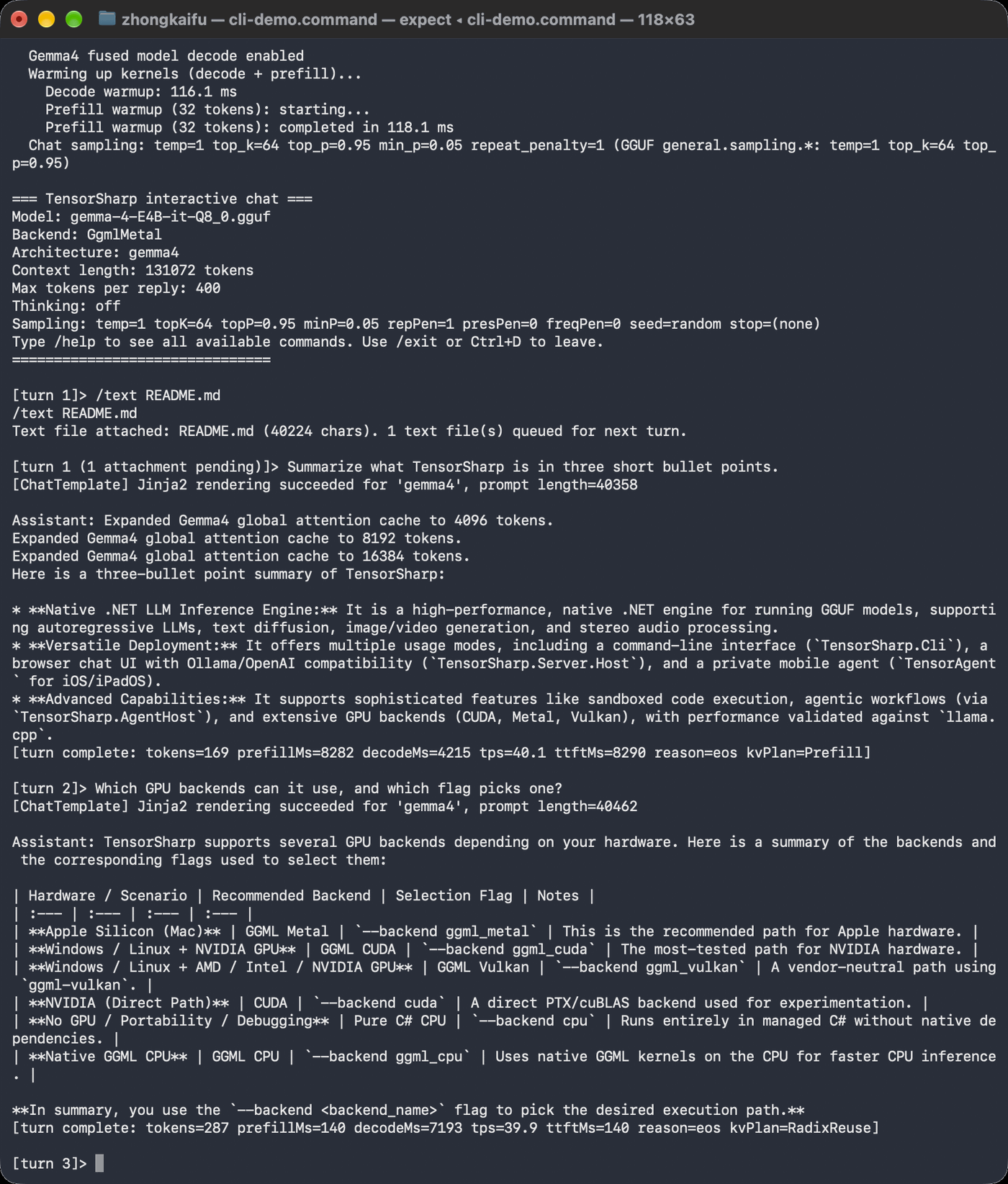 TensorSharp.Cli Models in your terminal | 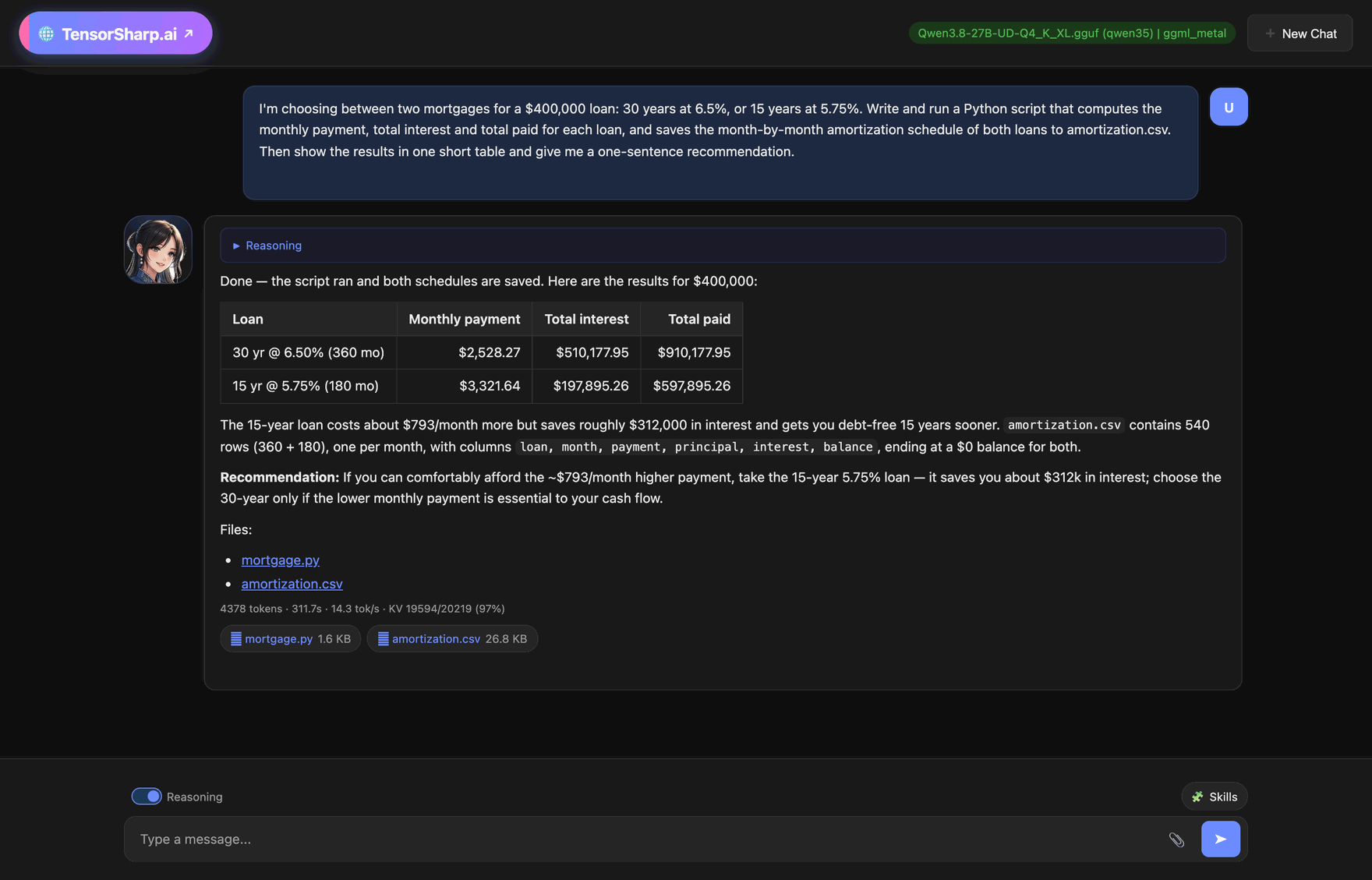 TensorSharp.Server.Host Web UI chat and Ollama/OpenAI-compatible APIs |
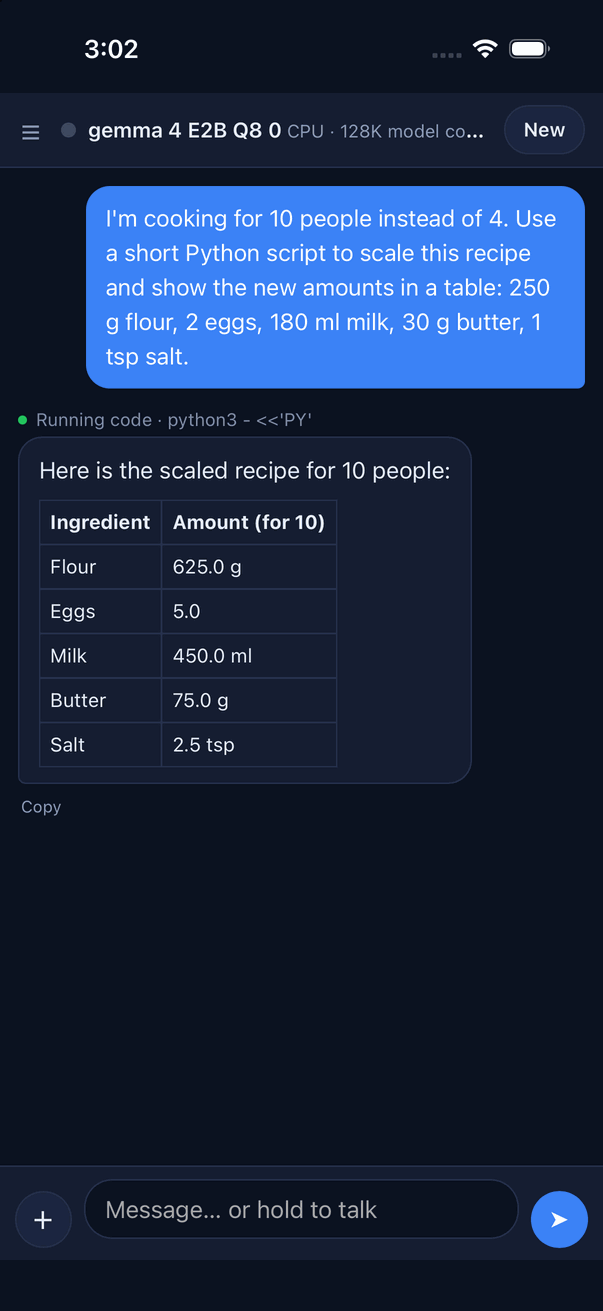 TensorAgent · iPhone simulator CPU inference and in-app Python; this is a simulator capture | 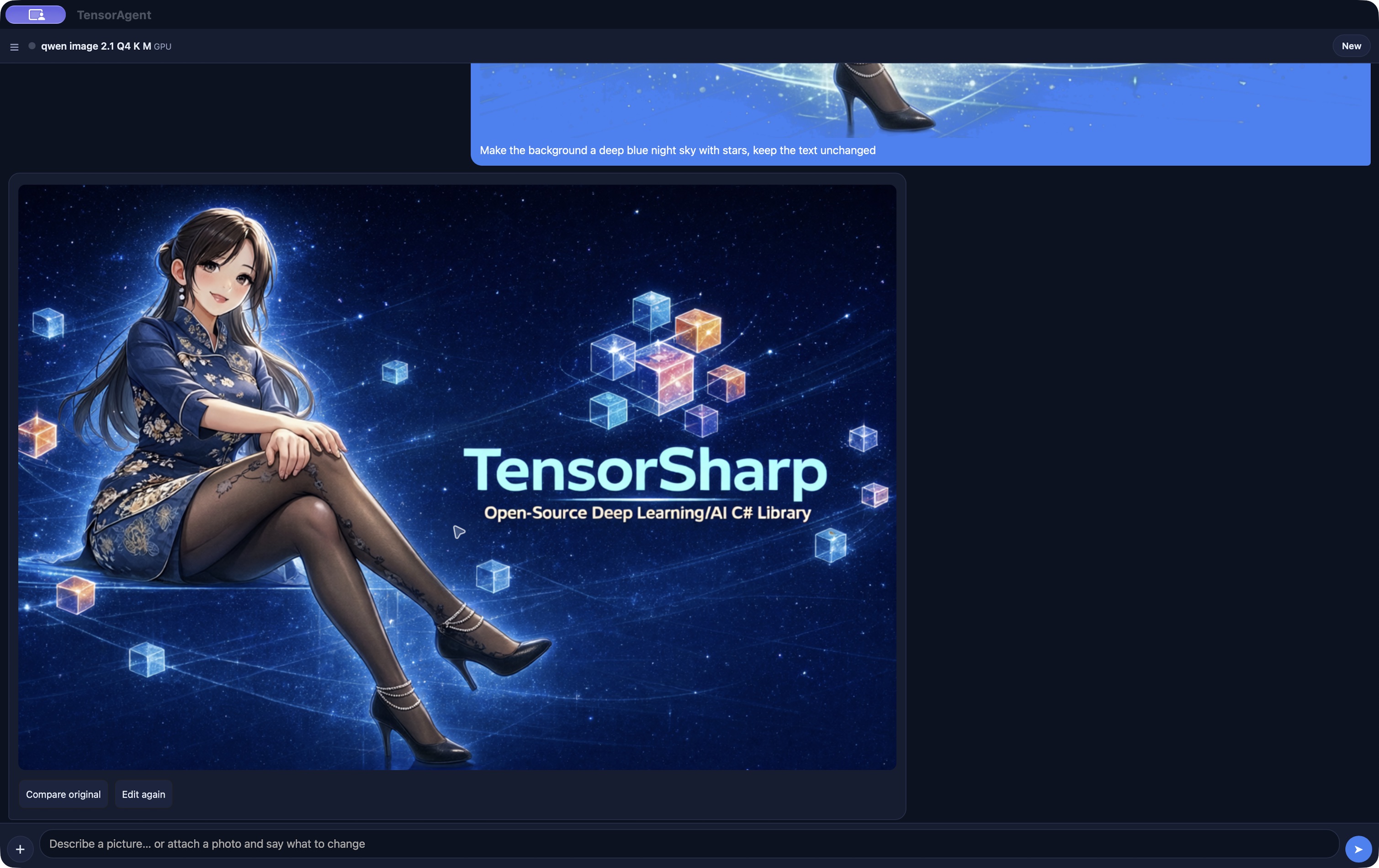 TensorAgent on Mac A saved Qwen-Image 2.1 edit in the Mac app |
What each run shows, step by step: Screenshots.
Benchmarks
TensorSharp and llama.cpp run identical GGUF files on the same NVIDIA RTX 3080 Laptop GPU (16 GB), each on its GGML CUDA and Vulkan builds. Each number is TensorSharp's speedup over llama.cpp on the same backend (geomean, single-stream, greedy, MTP off); above 1.0× means TensorSharp is faster.
| Model | Backend | decode | prefill | TTFT |
|---|---|---|---|---|
| Gemma 4 E4B it (Q8_0, dense multimodal) | CUDA | 1.02× | 1.28× | 1.27× |
| Gemma 4 E4B it (Q8_0, dense multimodal) | Vulkan | 1.00× | 1.05× | 1.03× |
| Gemma 4 12B it (QAT UD-Q4_K_XL, dense) | CUDA | 1.04× | 1.17× | 1.16× |
| Gemma 4 12B it (QAT UD-Q4_K_XL, dense) | Vulkan | 1.21× | 1.04× | 1.03× |
| Qwen 3.6 35B-A3B (UD-IQ2_XXS, MoE) | CUDA | 0.98× | 1.28× | 1.27× |
| Qwen 3.6 35B-A3B (UD-IQ2_XXS, MoE) | Vulkan | 0.87× | 1.04× | 1.03× |
| Qwen 3.6 27B (UD-IQ2_XXS, dense) | CUDA | 1.07× | 0.96× | 0.95× |
| Qwen 3.6 27B (UD-IQ2_XXS, dense) | Vulkan | 1.02× | 0.85× | 0.84× |
What these numbers mean, how to rerun them, and the head-to-heads of models too large for this GPU: Benchmarks.
Documentation
New here? The sections above are all you need to get running. Everything else is detailed reference:
| Doc | What's inside |
|---|---|
| TensorAgent Desktop user guide | Mac/Windows downloads, DMG/PKG/MSI/ZIP installation, model setup, first chat, attachments, skills, updates and troubleshooting |
| TensorSharp and TensorAgent book guide | Building LLM Inference Engines and Agentic Runtimes from Scratch, plus From Tensors to Tokens: introductions, Amazon links, and repository reading paths |
| Getting started | The full first-run guide: the .NET SDK on each platform, every backend, multi-GPU and multi-node runs, NVIDIA DGX Spark, embeddings, choosing a backend, and making it fast |
| Supported models | Implemented model families and their validation scope: example GGUFs, modalities, thinking, tools, and speculative decoding |
| Benchmarks | TensorSharp against llama.cpp on the same GPU and files, and the head-to-heads of larger models |
| Screenshots | The CLI, the Web UI, and TensorAgent on iPhone and Mac at work, with what each run did |
| Model Downloads | Per-model huggingface-cli download + run quick reference (quant tiers, projectors, companions) |
| Usage | Full CLI reference (options, interactive REPL, JSONL batch), server hosting, logging, HTTP API examples, backends, and the env-var matrix |
| Features | Deep dives on continuous batching, speculative decoding, tool calling, thinking mode, multimodal, MoE, KV codecs, and more |
| Configuration files | Put options in a reusable JSON file with ${variables} and auto-downloading models |
| Development | Prerequisites, building the native GGML/MLX libraries, repository layout, package boundaries, internal architecture, and the test harness |
| Per-model architecture cards | End-to-end docs of each architecture (forward graph, components, parameters, prefill/decode optimizations) |
| Paged attention & continuous batching | The vLLM-style paged KV cache, prefix sharing, and iteration-level scheduler |
| Agent Skills & agentic work | The SKILL.md format, progressive disclosure and its budget, the in-process tool loop, sandboxed code execution, workspaces and artifacts, the path/ZIP/exec security model, and the HTTP + C# surfaces |
| Multiple agents | Automatic task delegation, private child workspaces, dependency scheduling, permission limits, server controls, and reproducible evaluation |
| Browser automation skill (Playwright) | Running the bundled playwright skill, which drives a browser through @playwright/cli via skills_run: the flags it needs, the macOS Chromium-sandbox config, account handoff, and TensorAgent desktop hosting (not iOS) |
| Speculative decoding | The three-layer design (model adapter / algorithm / speculator weights), the shipped auto / draft-head / block / ngram algorithms, and what to write to add a new one |
| Environment variable feature matrix | Which high-impact runtime flags affect which models, backends, and prompt types |
| Engine comparison report | Full per-scenario TensorSharp vs llama.cpp tables |
| ggml_metal vs llama.cpp | Head-to-head prefill/decode on Apple Silicon, the four graph-construction gaps it found, and what each was worth |
| Test/benchmark matrix runner | Sweep model × backend × feature × env-var cells and generate regression reports |
| Server API examples | Complete curl and Python examples for the server surface |
Current Status
Actively developed, and the source tree runs ahead of the published packages.
| Area | Where it stands |
|---|---|
| Models | A dozen autoregressive families plus text diffusion, image generation and editing, and video with audio. See Supported models. |
| Inference hosts | CLI, Web UI, Ollama- and OpenAI-compatible APIs, and TensorAgent for iPhone, iPad, Mac and Windows. The release workflow packages Mac/Windows Desktop; historical releases may lack those assets. iPhone/iPad use source builds. |
| Backends | Pure C# CPU, direct CUDA/cuBLAS, MLX Metal, and GGML CPU/Metal/CUDA/Vulkan, with per-architecture exceptions. |
| Serving features | Continuous batching with a shared prefix cache, speculative decoding, tensor parallelism, structured output, and tool calling. |
| Agentic work | Agent Skills, sandboxed file and shell tools, and bounded sub-agents. See Agent Skills and Multiple agents. |
| TensorAgent | Twelve catalog entries, saved chats and artifacts, masked image edits and LoRA choices, eight interface languages, and persisted text-turn statistics. Media generation has been measured on a Mac; iOS media generation and Windows image/audio/video generation remain unverified. |
Per-area detail (which architecture runs on which backend, which features each family supports, and the known limits) is in the status matrix.
Author
Zhongkai Fu
License
See LICENSE for details.
Learn with the books
| Qwen inference and agentic runtimes | Gemma 4 and multimodal inference |
|---|---|
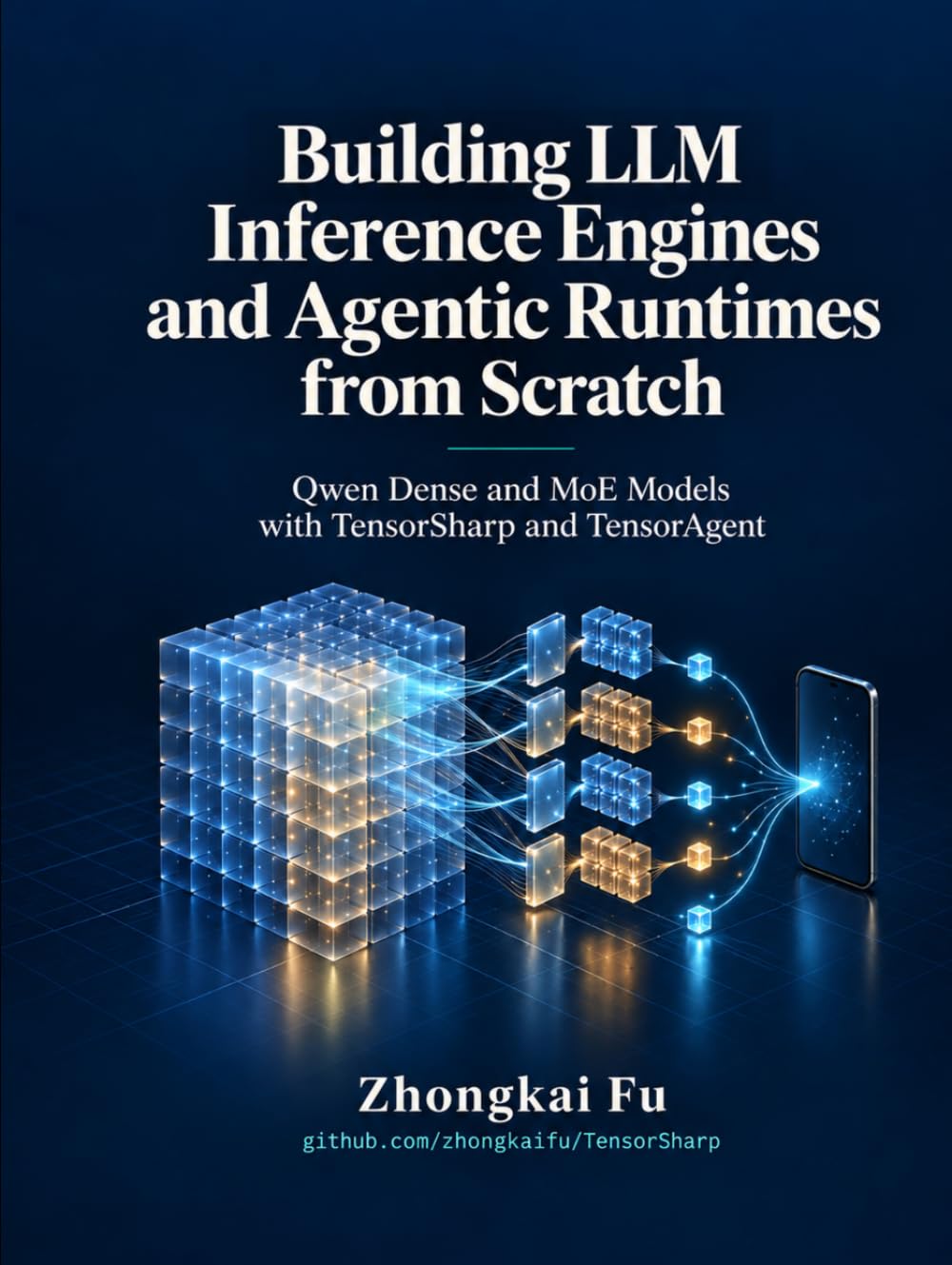 | 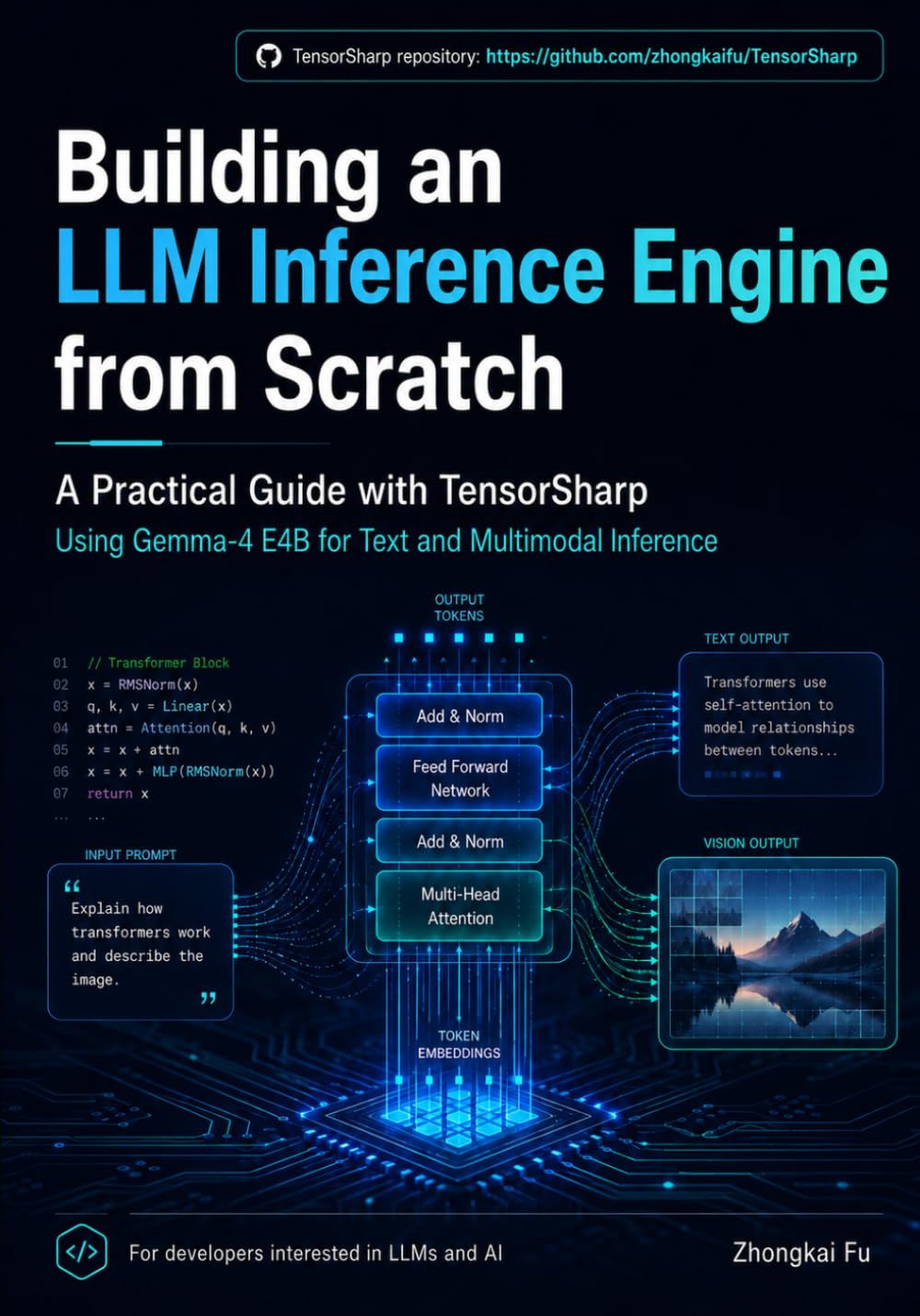 |
| Building LLM Inference Engines and Agentic Runtimes from Scratch: Qwen Dense and MoE Models with TensorSharp and TensorAgent | From Tensors to Tokens: Building a Multimodal LLM Inference Engine from Scratch with TensorSharp and Gemma 4 E4B |
| Build Qwen dense/MoE inference and controlled agent workflows in C#. Follow tensors, tokenization, attention, expert routing, quantization, and caching through GPU acceleration, multimodal execution, tools, skills, sandboxed code, and desktop/mobile deployment with TensorSharp and TensorAgent. | Build a multimodal inference engine in C#/.NET with Gemma 4 E4B, from tensors, GGUF model loading, quantization, and tokenization to text, image, video, and audio execution. Connect correctness checks and serving optimizations to the running TensorSharp code. |
| Buy on Amazon | Buy on Amazon |
Explore both books and their repository reading paths

TensorSharp/TensorAgent is free. If you like it, a coffee keeps the work on it going.
Significant stargazers

117 followers · starred May 2026

43 followers · starred Sep 2026

155 followers · starred Jun 2026

169 followers · starred Jul 2026
Similar repos


Languages
C#
70.7%
C++
12.5%
Python
8.2%
HTML
4.5%
Cuda
2.0%
A native .NET LLM inference engine and agent runtime for GGUF models. TensorSharp provides a console application, a web-based chatbot interface, iPhone App, and Ollama/OpenAI-compatible HTTP APIs for programmatic access. It supports Windows/MacOS/iOS/Linux with full GPU capability
See the codeSee what people are saying
README
TensorSharp
TensorSharp is a .NET 10 inference engine for local GGUF models. Run it on Windows, macOS or Linux through the CLI, browser chat, or Ollama/OpenAI-compatible APIs, or embed it in your own .NET application. Use managed C# CPU kernels or native CUDA, Metal and Vulkan backends, with support that varies by model.
Current source covers text and reasoning, multimodal input, embeddings, image generation/editing, video with audio, and Agent Skills with code tools. TensorSharp also powers TensorAgent, the local app for iPhone, iPad, Mac and Windows. Start below, or check the project status for capabilities and validation limits; source changes may be ahead of published packages.
Highlights
- Local models, several interfaces. One engine for CLI use, browser chat and Ollama/OpenAI-compatible APIs, across managed CPU and native accelerator backends.
- Text and multimodal models. Dense and MoE GGUF models, reasoning, image/audio input and document questions. See Supported models for each family's capabilities.
- Embeddings and media generation. Text/code embeddings, Qwen-Image-2.1 generation and masked editing, and video models including MiniMax-H3 with audio.
- Efficient serving. Continuous batching and a paged, Radix prefix-shared KV cache are on by default. Speculative decoding and multi-GPU placement are available for supported models. See Features.
- Agent Skills and code tools.
TensorSharp.AgentHostadds file, shell and document workflows. Server and TensorAgent chats also support bounded sub-agent delegation with private workspaces and read-only defaults. - Recorded comparisons. Benchmarks against
llama.cppuse identical GGUF files and hardware; results apply to the measured model, backend and workload. See Benchmarks. - TensorAgent apps. Local chat, attachments, skills and saved work on phones and desktops. See the Mac/Windows installation guide and app coverage notes.
Quick Start
TensorSharp CLI and server
The Releases page provides self-contained CLI and Server archives for Windows x64 (CPU/CUDA), Linux x64 (CPU/CUDA), and macOS arm64.
To build from source you need the full .NET 10 SDK (how to install it), git, curl, CMake 3.20+, and the toolchain for your GPU. Then run the verified Gemma 4 E4B model (7.48 GiB). On Windows with an NVIDIA GPU (PowerShell):
git clone https://github.com/zhongkaifu/TensorSharp.git; Set-Location TensorSharp
New-Item -ItemType Directory -Force models | Out-Null
curl.exe -L --fail "https://huggingface.co/ggml-org/gemma-4-E4B-it-GGUF/resolve/main/gemma-4-E4B-it-Q8_0.gguf?download=true" -o models\gemma-4-E4B-it-Q8_0.gguf
'Answer in one short sentence: what is TensorSharp?' | Set-Content prompt.txt
$env:TENSORSHARP_GGML_NATIVE_ENABLE_CUDA = 'ON'
dotnet run --project TensorSharp.Cli -c Release -p:TensorSharpSkipMlxNative=true -- --model models\gemma-4-E4B-it-Q8_0.gguf --input prompt.txt --max-tokens 128 --backend ggml_cuda
On other machines, change the backend (see Pick a backend):
- macOS (Apple Silicon): drop the CUDA environment variable and use
--backend ggml_metal. - Linux + NVIDIA: prefix the
dotnet runwithTENSORSHARP_GGML_NATIVE_ENABLE_CUDA=ONand use--backend ggml_cuda. - AMD / Intel / NVIDIA Vulkan: set
TENSORSHARP_GGML_NATIVE_ENABLE_VULKAN=ONand use--backend ggml_vulkan.
Host the same model as a server: a browser chat at http://localhost:5000 plus Ollama- and OpenAI-compatible APIs.
dotnet run --project TensorSharp.Server.Host -c Release -p:TensorSharpSkipMlxNative=true -- --model models/gemma-4-E4B-it-Q8_0.gguf --backend ggml_cuda --max-tokens 512
The server listens on
0.0.0.0:5000with no built-in authentication or TLS; keep it behind a firewall or an authenticated HTTPS reverse proxy.
Pick a backend
| Your hardware | Backend |
|---|---|
| Apple Silicon (Mac) | --backend ggml_metal |
| Windows / Linux + NVIDIA GPU | --backend ggml_cuda |
| Windows / Linux + AMD / Intel / NVIDIA GPU | --backend ggml_vulkan |
| No GPU | --backend ggml_cpu (native kernels), or --backend cpu (pure C#, no native dependencies) |
The Getting started guide has the rest: installing the SDK on each platform, multi-GPU and multi-node runs, NVIDIA DGX Spark, multimodal input, embeddings, and making it fast. Every option is in the CLI and Server references, and both programs print them with --help.
dotnet build TensorSharp.slnx also builds TensorAgent's available desktop heads and the iOS simulator head on Apple Silicon when the selected SDK has the required MAUI workloads and staged native/Python files. Missing prerequisites skip the affected app head with a warning; see TensorAgent build instructions.
TensorAgent Desktop: download, install, chat
Download the latest release and expand Assets. Choose a file beginning with tensoragent-desktop-:
| Platform | Download and install |
|---|---|
| macOS 14+ on Apple Silicon | tensoragent-desktop-<version>-osx-arm64.dmg: open and drag TensorAgent to Applications. A PKG installer and ZIP are also available. |
| Windows x64 | tensoragent-desktop-<version>-win-x64-cpu.msi, or win-x64-cuda.msi for a compatible NVIDIA GPU/driver: install and open TensorAgent from Start. ZIPs are also available. |
The app includes its .NET runtime and native engine. Windows needs WebView2 Evergreen Runtime if missing; Python/Node are optional tools for skills. The current built-in catalog needs at least 12 GB system RAM, and model weights download separately. Open ☰ → Models → Download → Use, then type a message. The Desktop user guide covers package verification, unsigned-app prompts, first-run setup, attachments, skills, updates and troubleshooting. Historical releases may have no Desktop assets until a release runs the updated workflow; iPhone/iPad remain source builds.
Supported model families at a glance
- Text, reasoning, and multimodal LLMs: DeepSeek V4 Flash / V4.1 Flash, GLM 5.x, Gemma 4, Qwen 3.5 / 3.6 / 3.8 27B, Qwen 3.8 Flash Next, Bonsai2 (Qwen family), GPT OSS, Nemotron-H, Mistral 3, Hunyuan Dense, and Muse-Glimmer.
- Text diffusion: DiffusionGemma, including Jev typed decision inference at
/v1/systemone, over text, images, uploaded documents, sampled video frames and audio transcripts (configured ASR companion). - Image generation/editing and video generation: Qwen-Image-2.1, MiniMax-H3 (video + stereo audio), and Wan 2.1 / 2.2.
- Text and code embeddings: BERT / XLM-R encoders — Snowflake Arctic Embed L v2.0 and all-MiniLM-L6-v2.
Backend, modality, feature support, and validation coverage vary by model. See the supported models tables, the model cards, and the embedding guide for details.
Recent source additions include Qwen-Image-2.1 masked edits with exact protected pixels and optional processing of the selected region, twelve TensorAgent LoRA plug-ins for speed, style and editing, and Qwen3.8 Flash Next on a 48 GB Mac using SSD-backed weights. Multi-GPU --layer-split and --tp are separate controls; support and performance depend on the architecture and quantization. These source features may be ahead of published packages; Desktop installers appear in releases built with the updated Release Binaries workflow, while older releases may lack them.
See it in action
One engine, four ways to use it, each an unedited capture of a real run.
TensorSharp.Cli Models in your terminal | TensorSharp.Server.Host Web UI chat and Ollama/OpenAI-compatible APIs |
TensorAgent · iPhone simulator CPU inference and in-app Python; this is a simulator capture | TensorAgent on Mac A saved Qwen-Image 2.1 edit in the Mac app |
What each run shows, step by step: Screenshots.
Benchmarks
TensorSharp and llama.cpp run identical GGUF files on the same NVIDIA RTX 3080 Laptop GPU (16 GB), each on its GGML CUDA and Vulkan builds. Each number is TensorSharp's speedup over llama.cpp on the same backend (geomean, single-stream, greedy, MTP off); above 1.0× means TensorSharp is faster.
| Model | Backend | decode | prefill | TTFT |
|---|---|---|---|---|
| Gemma 4 E4B it (Q8_0, dense multimodal) | CUDA | 1.02× | 1.28× | 1.27× |
| Gemma 4 E4B it (Q8_0, dense multimodal) | Vulkan | 1.00× | 1.05× | 1.03× |
| Gemma 4 12B it (QAT UD-Q4_K_XL, dense) | CUDA | 1.04× | 1.17× | 1.16× |
| Gemma 4 12B it (QAT UD-Q4_K_XL, dense) | Vulkan | 1.21× | 1.04× | 1.03× |
| Qwen 3.6 35B-A3B (UD-IQ2_XXS, MoE) | CUDA | 0.98× | 1.28× | 1.27× |
| Qwen 3.6 35B-A3B (UD-IQ2_XXS, MoE) | Vulkan | 0.87× | 1.04× | 1.03× |
| Qwen 3.6 27B (UD-IQ2_XXS, dense) | CUDA | 1.07× | 0.96× | 0.95× |
| Qwen 3.6 27B (UD-IQ2_XXS, dense) | Vulkan | 1.02× | 0.85× | 0.84× |
What these numbers mean, how to rerun them, and the head-to-heads of models too large for this GPU: Benchmarks.
Documentation
New here? The sections above are all you need to get running. Everything else is detailed reference:
| Doc | What's inside |
|---|---|
| TensorAgent Desktop user guide | Mac/Windows downloads, DMG/PKG/MSI/ZIP installation, model setup, first chat, attachments, skills, updates and troubleshooting |
| TensorSharp and TensorAgent book guide | Building LLM Inference Engines and Agentic Runtimes from Scratch, plus From Tensors to Tokens: introductions, Amazon links, and repository reading paths |
| Getting started | The full first-run guide: the .NET SDK on each platform, every backend, multi-GPU and multi-node runs, NVIDIA DGX Spark, embeddings, choosing a backend, and making it fast |
| Supported models | Implemented model families and their validation scope: example GGUFs, modalities, thinking, tools, and speculative decoding |
| Benchmarks | TensorSharp against llama.cpp on the same GPU and files, and the head-to-heads of larger models |
| Screenshots | The CLI, the Web UI, and TensorAgent on iPhone and Mac at work, with what each run did |
| Model Downloads | Per-model huggingface-cli download + run quick reference (quant tiers, projectors, companions) |
| Usage | Full CLI reference (options, interactive REPL, JSONL batch), server hosting, logging, HTTP API examples, backends, and the env-var matrix |
| Features | Deep dives on continuous batching, speculative decoding, tool calling, thinking mode, multimodal, MoE, KV codecs, and more |
| Configuration files | Put options in a reusable JSON file with ${variables} and auto-downloading models |
| Development | Prerequisites, building the native GGML/MLX libraries, repository layout, package boundaries, internal architecture, and the test harness |
| Per-model architecture cards | End-to-end docs of each architecture (forward graph, components, parameters, prefill/decode optimizations) |
| Paged attention & continuous batching | The vLLM-style paged KV cache, prefix sharing, and iteration-level scheduler |
| Agent Skills & agentic work | The SKILL.md format, progressive disclosure and its budget, the in-process tool loop, sandboxed code execution, workspaces and artifacts, the path/ZIP/exec security model, and the HTTP + C# surfaces |
| Multiple agents | Automatic task delegation, private child workspaces, dependency scheduling, permission limits, server controls, and reproducible evaluation |
| Browser automation skill (Playwright) | Running the bundled playwright skill, which drives a browser through @playwright/cli via skills_run: the flags it needs, the macOS Chromium-sandbox config, account handoff, and TensorAgent desktop hosting (not iOS) |
| Speculative decoding | The three-layer design (model adapter / algorithm / speculator weights), the shipped auto / draft-head / block / ngram algorithms, and what to write to add a new one |
| Environment variable feature matrix | Which high-impact runtime flags affect which models, backends, and prompt types |
| Engine comparison report | Full per-scenario TensorSharp vs llama.cpp tables |
| ggml_metal vs llama.cpp | Head-to-head prefill/decode on Apple Silicon, the four graph-construction gaps it found, and what each was worth |
| Test/benchmark matrix runner | Sweep model × backend × feature × env-var cells and generate regression reports |
| Server API examples | Complete curl and Python examples for the server surface |
Current Status
Actively developed, and the source tree runs ahead of the published packages.
| Area | Where it stands |
|---|---|
| Models | A dozen autoregressive families plus text diffusion, image generation and editing, and video with audio. See Supported models. |
| Inference hosts | CLI, Web UI, Ollama- and OpenAI-compatible APIs, and TensorAgent for iPhone, iPad, Mac and Windows. The release workflow packages Mac/Windows Desktop; historical releases may lack those assets. iPhone/iPad use source builds. |
| Backends | Pure C# CPU, direct CUDA/cuBLAS, MLX Metal, and GGML CPU/Metal/CUDA/Vulkan, with per-architecture exceptions. |
| Serving features | Continuous batching with a shared prefix cache, speculative decoding, tensor parallelism, structured output, and tool calling. |
| Agentic work | Agent Skills, sandboxed file and shell tools, and bounded sub-agents. See Agent Skills and Multiple agents. |
| TensorAgent | Twelve catalog entries, saved chats and artifacts, masked image edits and LoRA choices, eight interface languages, and persisted text-turn statistics. Media generation has been measured on a Mac; iOS media generation and Windows image/audio/video generation remain unverified. |
Per-area detail (which architecture runs on which backend, which features each family supports, and the known limits) is in the status matrix.
Author
Zhongkai Fu
License
See LICENSE for details.
Learn with the books
| Qwen inference and agentic runtimes | Gemma 4 and multimodal inference |
|---|---|
| |
| Building LLM Inference Engines and Agentic Runtimes from Scratch: Qwen Dense and MoE Models with TensorSharp and TensorAgent | From Tensors to Tokens: Building a Multimodal LLM Inference Engine from Scratch with TensorSharp and Gemma 4 E4B |
| Build Qwen dense/MoE inference and controlled agent workflows in C#. Follow tensors, tokenization, attention, expert routing, quantization, and caching through GPU acceleration, multimodal execution, tools, skills, sandboxed code, and desktop/mobile deployment with TensorSharp and TensorAgent. | Build a multimodal inference engine in C#/.NET with Gemma 4 E4B, from tensors, GGUF model loading, quantization, and tokenization to text, image, video, and audio execution. Connect correctness checks and serving optimizations to the running TensorSharp code. |
| Buy on Amazon | Buy on Amazon |
Explore both books and their repository reading paths
TensorSharp/TensorAgent is free. If you like it, a coffee keeps the work on it going.
Similar repos
Significant stargazers
117 followers · starred May 2026
43 followers · starred Sep 2026
155 followers · starred Jun 2026
169 followers · starred Jul 2026
Languages
C#
70.7%
C++
12.5%
Python
8.2%
HTML
4.5%
Cuda
2.0%