🎆 A well-designed local image and video selector for Android
Java
12,501
210 commits
updated May 15, 2023


Matisse is a well-designed local image and video selector for Android. You can
| Zhihu Style | Dracula Style | Preview |
|---|---|---|
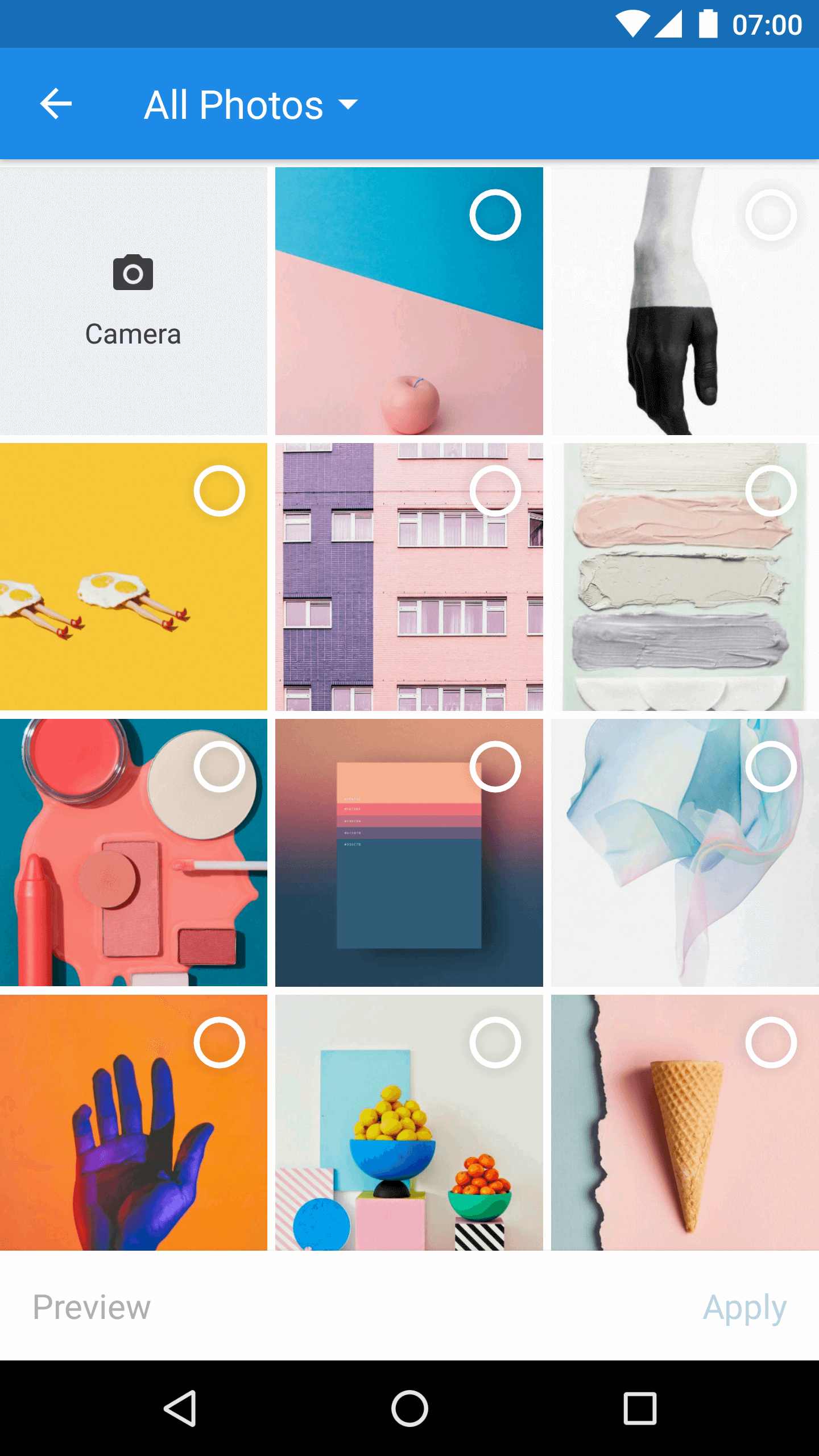 | 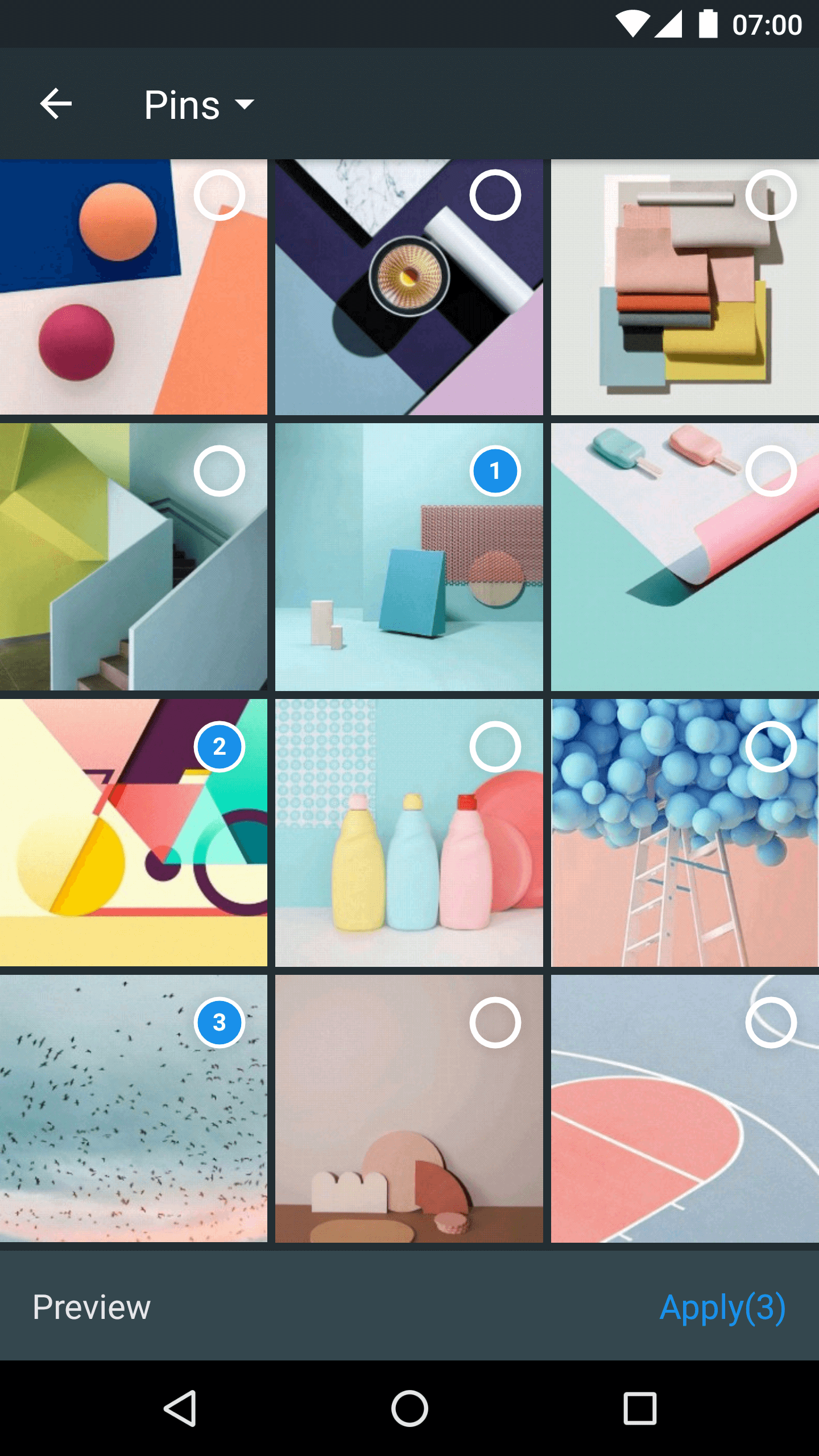 | 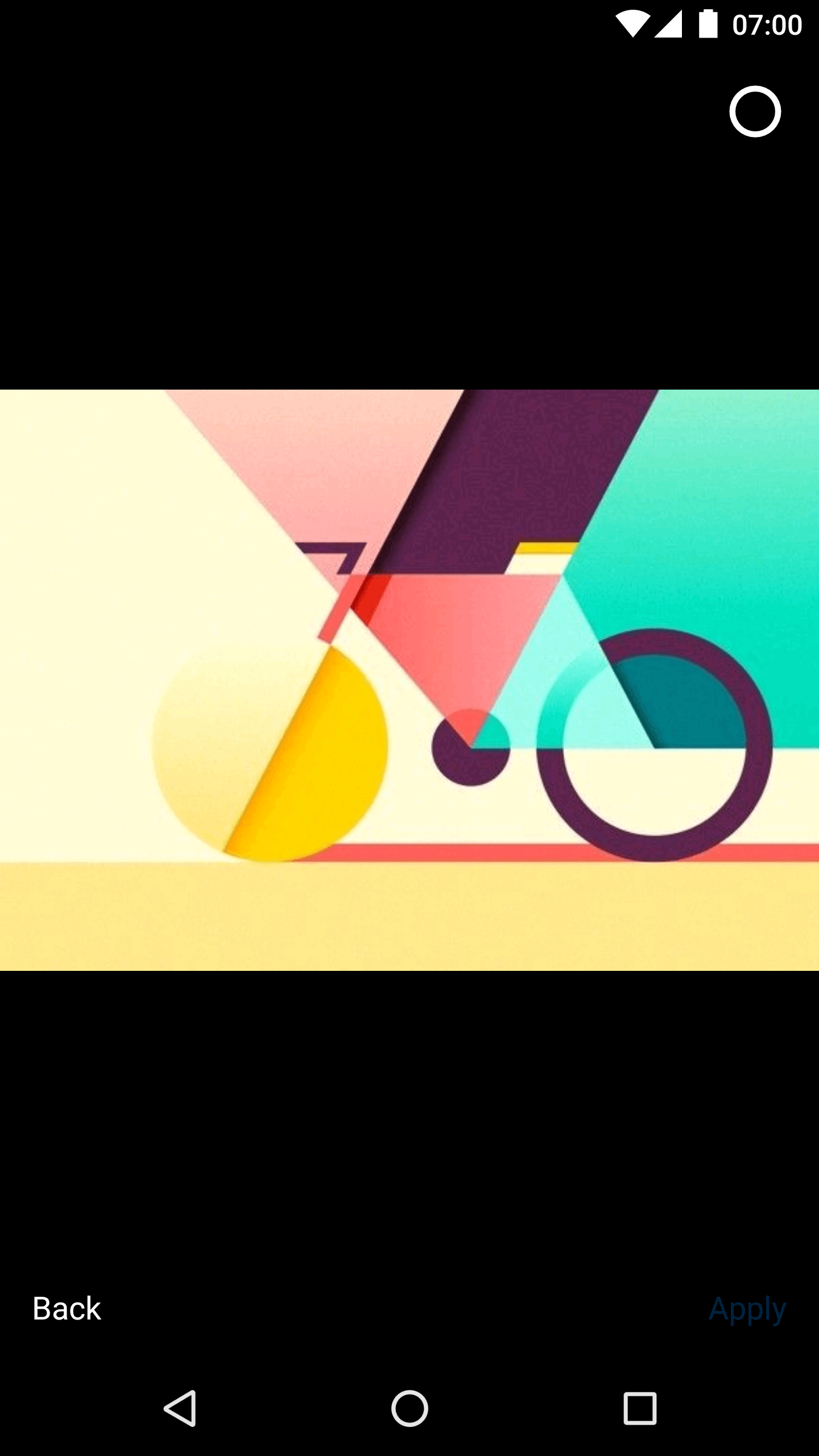 |
Gradle:
repositories {
    jcenter()
}

dependencies {
    implementation 'com.zhihu.android:matisse:$latest_version'
}
Check out Matisse releases to see more unstable versions.
If you use Glide as your image engine, add rules as Glide's README says.
And add extra rule:
-dontwarn com.squareup.picasso.**
If you use Picasso as your image engine, add rules as Picasso's README says.
And add extra rule:
-dontwarn com.bumptech.glide.**
Attention: The above progurad rules are correct.
The library requires two permissions:
android.permission.READ_EXTERNAL_STORAGEandroid.permission.WRITE_EXTERNAL_STORAGESo if you are targeting Android 6.0+, you need to handle runtime permission request before next step.
Start MatisseActivity from current Activity or Fragment:
Matisse.from(MainActivity.this)
        .choose(MimeType.allOf())
        .countable(true)
        .maxSelectable(9)
        .addFilter(new GifSizeFilter(320, 320, 5 * Filter.K * Filter.K))
        .gridExpectedSize(getResources().getDimensionPixelSize(R.dimen.grid_expected_size))
        .restrictOrientation(ActivityInfo.SCREEN_ORIENTATION_UNSPECIFIED)
        .thumbnailScale(0.85f)
        .imageEngine(new GlideEngine())
        .showPreview(false) // Default is `true`
        .forResult(REQUEST_CODE_CHOOSE);
There are two built-in themes you can use to start MatisseActivity:
R.style.Matisse_Zhihu (light mode)R.style.Matisse_Dracula (dark mode)And Also you can define your own theme as you wish.
In onActivityResult() callback of the starting Activity or Fragment:
List<Uri> mSelected;

@Override
protected void onActivityResult(int requestCode, int resultCode, Intent data) {
    super.onActivityResult(requestCode, resultCode, data);
    if (requestCode == REQUEST_CODE_CHOOSE && resultCode == RESULT_OK) {
        mSelected = Matisse.obtainResult(data);
        Log.d("Matisse", "mSelected: " + mSelected);
    }
}
Find more details about Matisse in wiki.
Matisse is an Open Source Project
This library is inspired by Laevatein and uses some of its source code.
Copyright 2017 Zhihu Inc.

Licensed under the Apache License, Version 2.0 (the "License");
you may not use this file except in compliance with the License.
You may obtain a copy of the License at

   http://www.apache.org/licenses/LICENSE-2.0

Unless required by applicable law or agreed to in writing, software
distributed under the License is distributed on an "AS IS" BASIS,
WITHOUT WARRANTIES OR CONDITIONS OF ANY KIND, either express or implied.
See the License for the specific language governing permissions and
limitations under the License.
102 followers · starred Dec 2018
8,063 followers · starred Jun 2017
26 followers · starred Dec 2018
399 followers · starred Jan 2019
🎆 A well-designed local image and video selector for Android
Java
12,501
210 commits
updated May 15, 2023
Matisse is a well-designed local image and video selector for Android. You can
| Zhihu Style | Dracula Style | Preview |
|---|---|---|
| | |
Gradle:
repositories {
    jcenter()
}

dependencies {
    implementation 'com.zhihu.android:matisse:$latest_version'
}
Check out Matisse releases to see more unstable versions.
If you use Glide as your image engine, add rules as Glide's README says.
And add extra rule:
-dontwarn com.squareup.picasso.**
If you use Picasso as your image engine, add rules as Picasso's README says.
And add extra rule:
-dontwarn com.bumptech.glide.**
Attention: The above progurad rules are correct.
The library requires two permissions:
android.permission.READ_EXTERNAL_STORAGEandroid.permission.WRITE_EXTERNAL_STORAGESo if you are targeting Android 6.0+, you need to handle runtime permission request before next step.
Start MatisseActivity from current Activity or Fragment:
Matisse.from(MainActivity.this)
        .choose(MimeType.allOf())
        .countable(true)
        .maxSelectable(9)
        .addFilter(new GifSizeFilter(320, 320, 5 * Filter.K * Filter.K))
        .gridExpectedSize(getResources().getDimensionPixelSize(R.dimen.grid_expected_size))
        .restrictOrientation(ActivityInfo.SCREEN_ORIENTATION_UNSPECIFIED)
        .thumbnailScale(0.85f)
        .imageEngine(new GlideEngine())
        .showPreview(false) // Default is `true`
        .forResult(REQUEST_CODE_CHOOSE);
There are two built-in themes you can use to start MatisseActivity:
R.style.Matisse_Zhihu (light mode)R.style.Matisse_Dracula (dark mode)And Also you can define your own theme as you wish.
In onActivityResult() callback of the starting Activity or Fragment:
List<Uri> mSelected;

@Override
protected void onActivityResult(int requestCode, int resultCode, Intent data) {
    super.onActivityResult(requestCode, resultCode, data);
    if (requestCode == REQUEST_CODE_CHOOSE && resultCode == RESULT_OK) {
        mSelected = Matisse.obtainResult(data);
        Log.d("Matisse", "mSelected: " + mSelected);
    }
}
Find more details about Matisse in wiki.
Matisse is an Open Source Project
This library is inspired by Laevatein and uses some of its source code.
Copyright 2017 Zhihu Inc.

Licensed under the Apache License, Version 2.0 (the "License");
you may not use this file except in compliance with the License.
You may obtain a copy of the License at

   http://www.apache.org/licenses/LICENSE-2.0

Unless required by applicable law or agreed to in writing, software
distributed under the License is distributed on an "AS IS" BASIS,
WITHOUT WARRANTIES OR CONDITIONS OF ANY KIND, either express or implied.
See the License for the specific language governing permissions and
limitations under the License.
102 followers · starred Dec 2018
8,063 followers · starred Jun 2017
26 followers · starred Dec 2018
399 followers · starred Jan 2019