High-performance reverse proxy and container orchestrator for self-hosters
See the code


A lightweight, simple, and performant reverse proxy with WebUI.
Configure Wildcard DNS Record(s) to point to machine running GoDoxy, e.g.
*.domain.com -> 10.0.10.1*.domain.com -> ::ffff:a00:a01[!NOTE] GoDoxy is designed to be running in
hostnetwork mode, do not change it.To change listening ports, modify
.env.
Prepare a new directory for Docker Compose and config files.
Run setup script inside the directory, or set up manually
/bin/sh -c "$(curl -fsSL https://raw.githubusercontent.com/yusing/godoxy/main/scripts/setup.sh)"
Start the docker compose service from generated compose.yml:
docker compose up -d
You may now do some extra configuration on WebUI https://godoxy.yourdomain.com
[!NOTE] GoDoxy uses the label
proxy.aliasesas the subdomain(s), if unset it defaults to thecontainer_namefield in docker compose.For example, with the label
proxy.aliases: qbtyou can access your app viaqbt.domain.com.
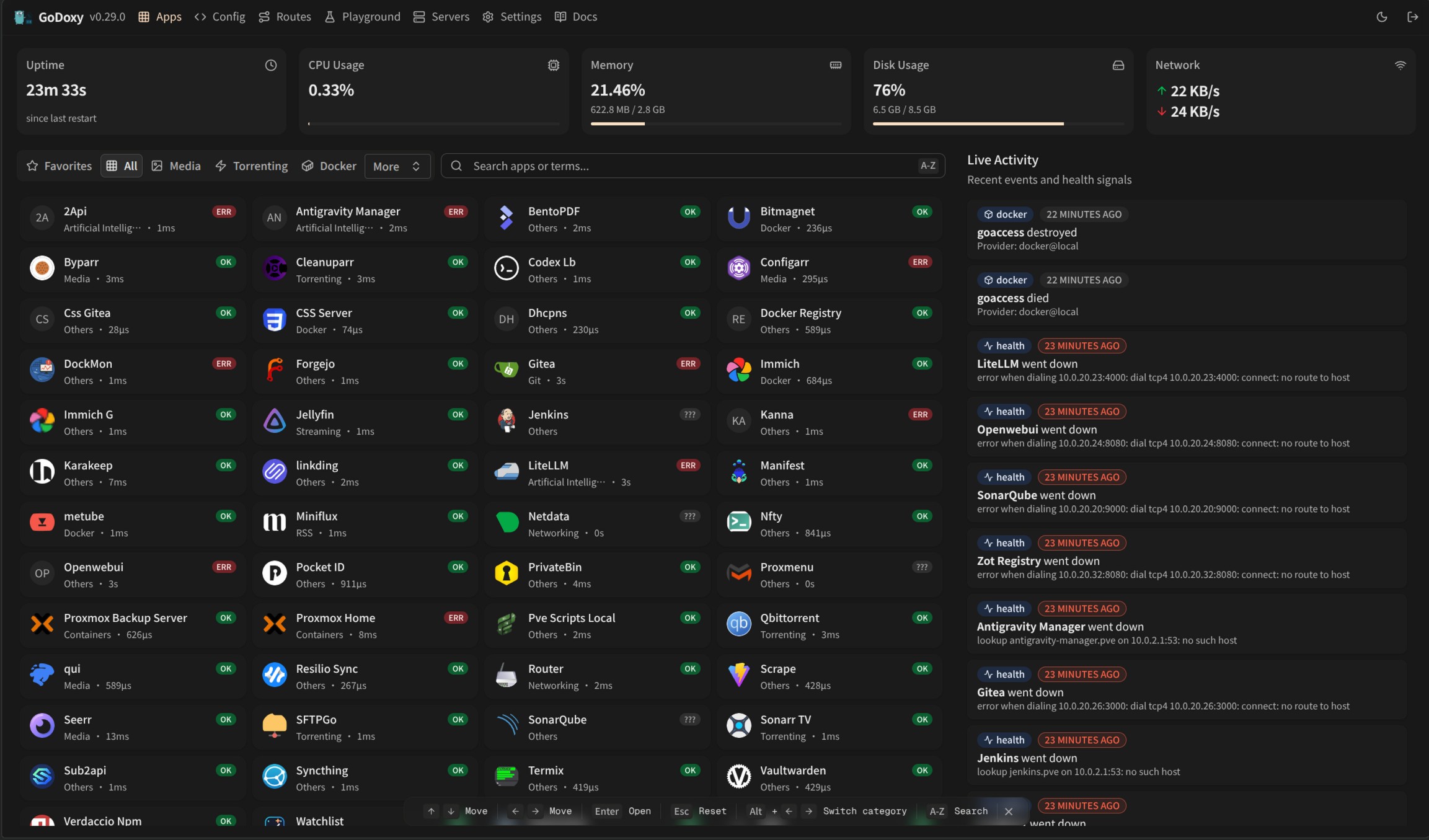
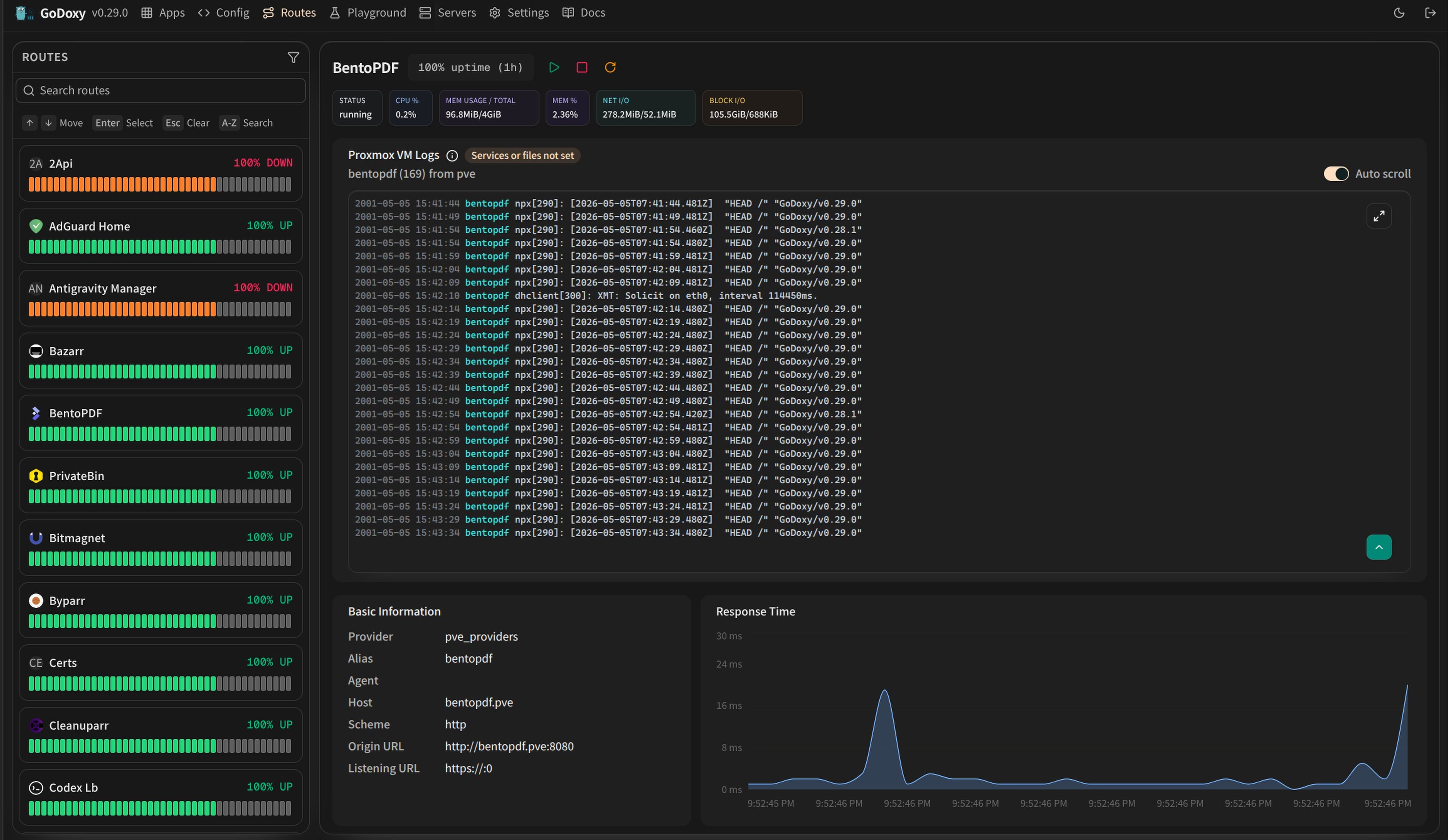 | 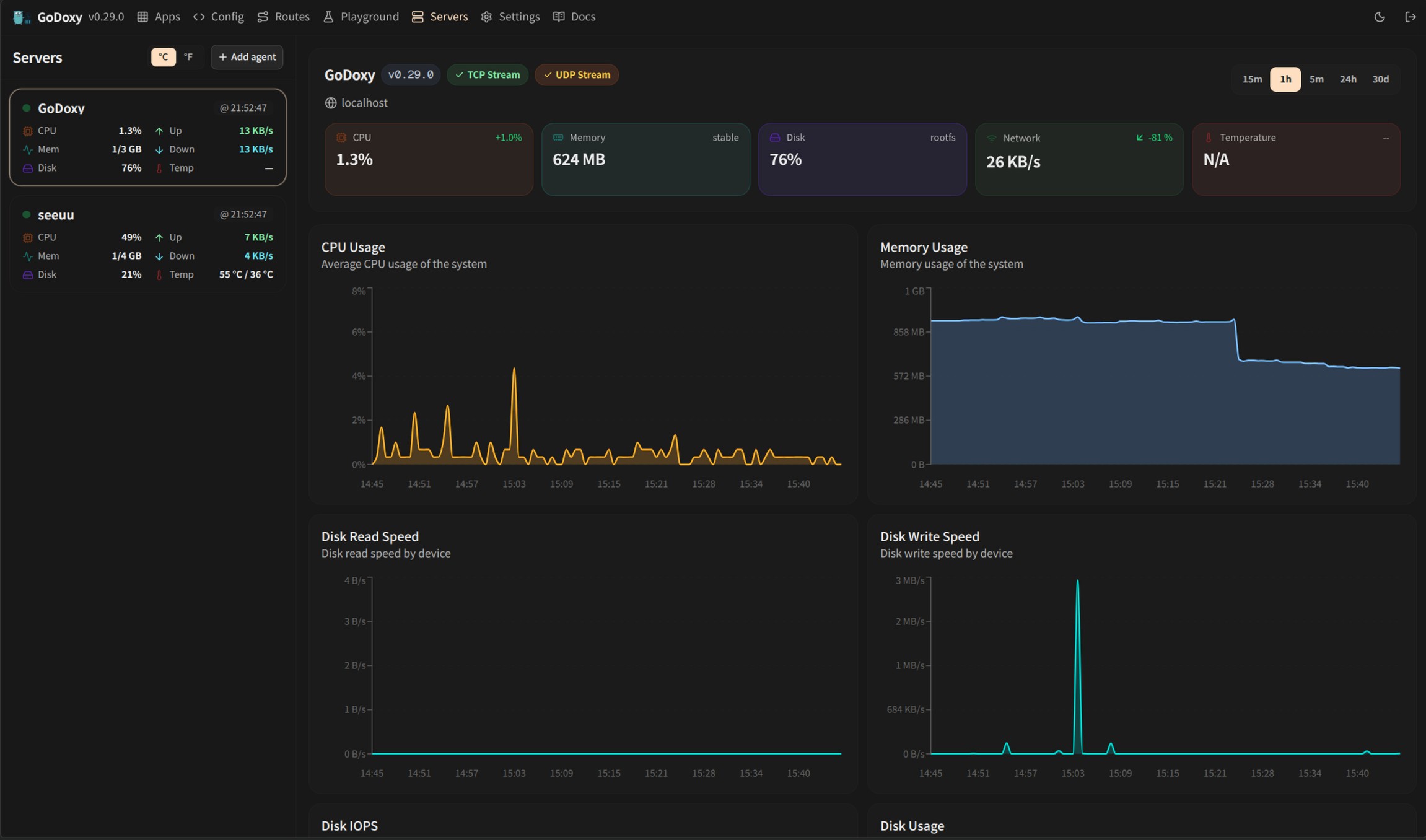 |
| Routes | Servers |
GoDoxy can automatically discover and manage Proxmox nodes and LXC containers through configured providers.
Routes are automatically linked to Proxmox resources through reverse lookup:
This enables seamless proxy configuration without manual binding:
routes:
  pve-node-01:
    host: pve-node-01.internal
    port: 8006
    # Automatically links to Proxmox node pve-node-01
From the WebUI, you can:
Installer supports both systemd and Alpine/OpenRC (rc-service) hosts.
Update:
sh -c "$(curl -fsSL https://github.com/yusing/godoxy/raw/refs/heads/main/scripts/install-agent.sh)" -- update
Uninstall:
sh -c "$(curl -fsSL https://github.com/yusing/godoxy/raw/refs/heads/main/scripts/install-agent.sh)" -- uninstall
Make config directory then grab config.example.yml into config/config.yml
mkdir -p config && wget https://raw.githubusercontent.com/yusing/godoxy/main/config.example.yml -O config/config.yml
Grab .env.example into .env
wget https://raw.githubusercontent.com/yusing/godoxy/main/.env.example -O .env
Grab compose.example.yml into compose.yml
wget https://raw.githubusercontent.com/yusing/godoxy/main/compose.example.yml -O compose.yml
├── certs
│   ├── cert.crt
│   └── priv.key
├── compose.yml
├── config
│   ├── config.yml
│   ├── middlewares
│   │   ├── middleware1.yml
│   │   ├── middleware2.yml
│   ├── provider1.yml
│   └── provider2.yml
├── data
│   ├── metrics # metrics data
│   │   ├── uptime.json
│   │   └── system_info.json
└── .env
Clone the repository git clone https://github.com/yusing/godoxy --depth=1
Install / Upgrade go (>=1.22) and shadowtree if not already
Clear cache if you have built this before (go < 1.22) with go clean -cache
Get dependencies with shadowtree mod-tidy
Build binary with shadowtree build
288 followers · starred Aug 2026
352 followers · starred Jun 2026
516 followers · starred Aug 2026
38 followers · starred Jul 2026
High-performance reverse proxy and container orchestrator for self-hosters
See the code
A lightweight, simple, and performant reverse proxy with WebUI.
Configure Wildcard DNS Record(s) to point to machine running GoDoxy, e.g.
*.domain.com -> 10.0.10.1*.domain.com -> ::ffff:a00:a01[!NOTE] GoDoxy is designed to be running in
hostnetwork mode, do not change it.To change listening ports, modify
.env.
Prepare a new directory for Docker Compose and config files.
Run setup script inside the directory, or set up manually
/bin/sh -c "$(curl -fsSL https://raw.githubusercontent.com/yusing/godoxy/main/scripts/setup.sh)"
Start the docker compose service from generated compose.yml:
docker compose up -d
You may now do some extra configuration on WebUI https://godoxy.yourdomain.com
[!NOTE] GoDoxy uses the label
proxy.aliasesas the subdomain(s), if unset it defaults to thecontainer_namefield in docker compose.For example, with the label
proxy.aliases: qbtyou can access your app viaqbt.domain.com.
| |
| Routes | Servers |
GoDoxy can automatically discover and manage Proxmox nodes and LXC containers through configured providers.
Routes are automatically linked to Proxmox resources through reverse lookup:
This enables seamless proxy configuration without manual binding:
routes:
  pve-node-01:
    host: pve-node-01.internal
    port: 8006
    # Automatically links to Proxmox node pve-node-01
From the WebUI, you can:
Installer supports both systemd and Alpine/OpenRC (rc-service) hosts.
Update:
sh -c "$(curl -fsSL https://github.com/yusing/godoxy/raw/refs/heads/main/scripts/install-agent.sh)" -- update
Uninstall:
sh -c "$(curl -fsSL https://github.com/yusing/godoxy/raw/refs/heads/main/scripts/install-agent.sh)" -- uninstall
Make config directory then grab config.example.yml into config/config.yml
mkdir -p config && wget https://raw.githubusercontent.com/yusing/godoxy/main/config.example.yml -O config/config.yml
Grab .env.example into .env
wget https://raw.githubusercontent.com/yusing/godoxy/main/.env.example -O .env
Grab compose.example.yml into compose.yml
wget https://raw.githubusercontent.com/yusing/godoxy/main/compose.example.yml -O compose.yml
├── certs
│   ├── cert.crt
│   └── priv.key
├── compose.yml
├── config
│   ├── config.yml
│   ├── middlewares
│   │   ├── middleware1.yml
│   │   ├── middleware2.yml
│   ├── provider1.yml
│   └── provider2.yml
├── data
│   ├── metrics # metrics data
│   │   ├── uptime.json
│   │   └── system_info.json
└── .env
Clone the repository git clone https://github.com/yusing/godoxy --depth=1
Install / Upgrade go (>=1.22) and shadowtree if not already
Clear cache if you have built this before (go < 1.22) with go clean -cache
Get dependencies with shadowtree mod-tidy
Build binary with shadowtree build
288 followers · starred Aug 2026
352 followers · starred Jun 2026
516 followers · starred Aug 2026
38 followers · starred Jul 2026