A fast, low-memory SSH terminal built with Rust and GPUI
See the code

A native SSH client for macOS, written in Rust on GPUI.
Saved hosts, SFTP, splits and snippets, with passwords from your own password manager.
Website: https://tern.carrot-soft.tech
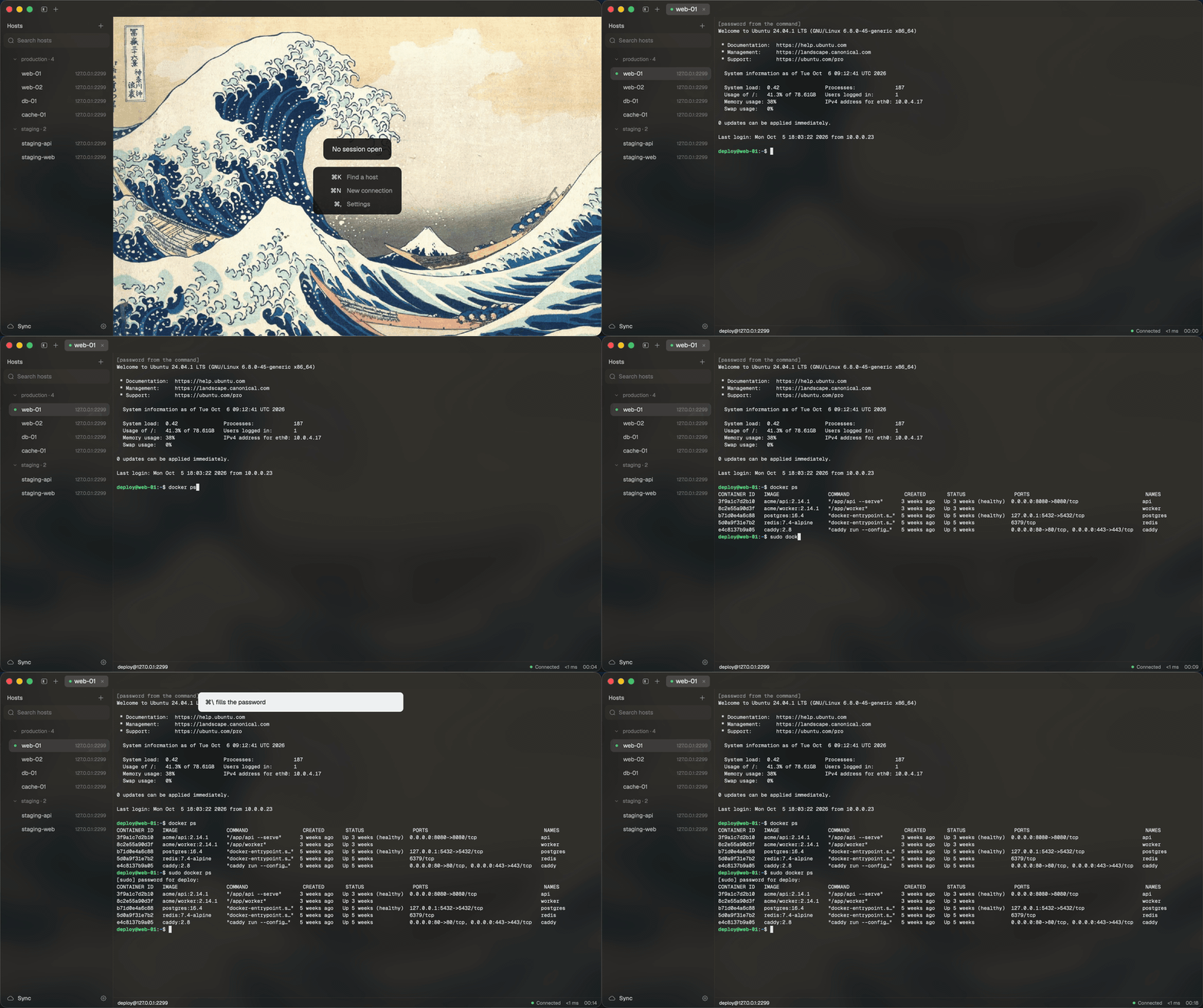
tern does what Termius and Tabby do for a list of servers: saved hosts, ⌘K to any of them, SFTP, splits, snippets and port forwards. It runs as one native process, and one connected tab takes 76 MB where Tabby takes 580 MB (Memory).
Passwords come from your SSH key, from a password-manager command such as gopass show -o work/ssh/web-01, or from tern's age-encrypted vault. At a sudo prompt, ⌘\ types the password. It never types one on its own.
Hosts, snippets and settings sync to a private Git repository you own. They are encrypted on your Mac first, so the repository only holds .age files.
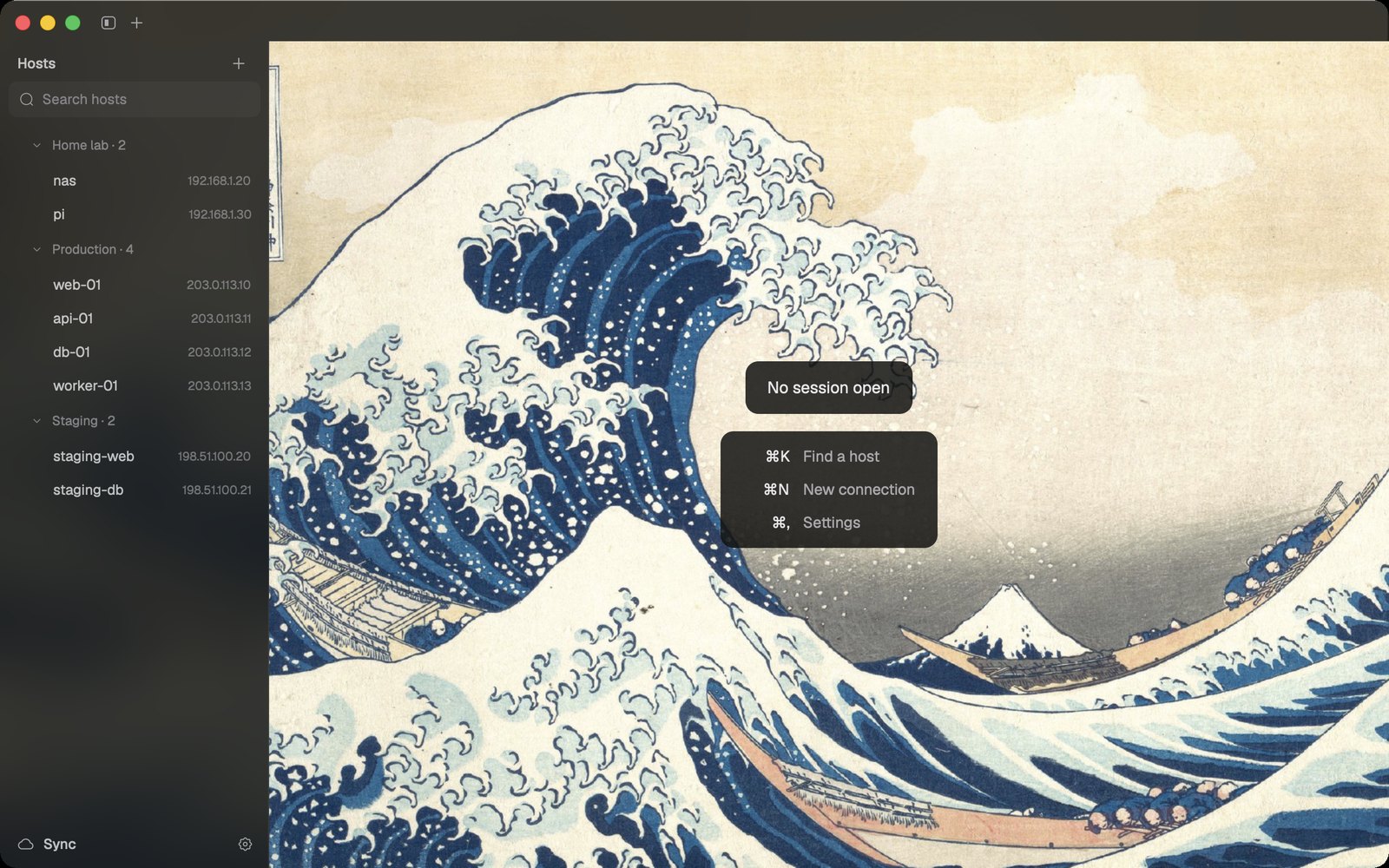
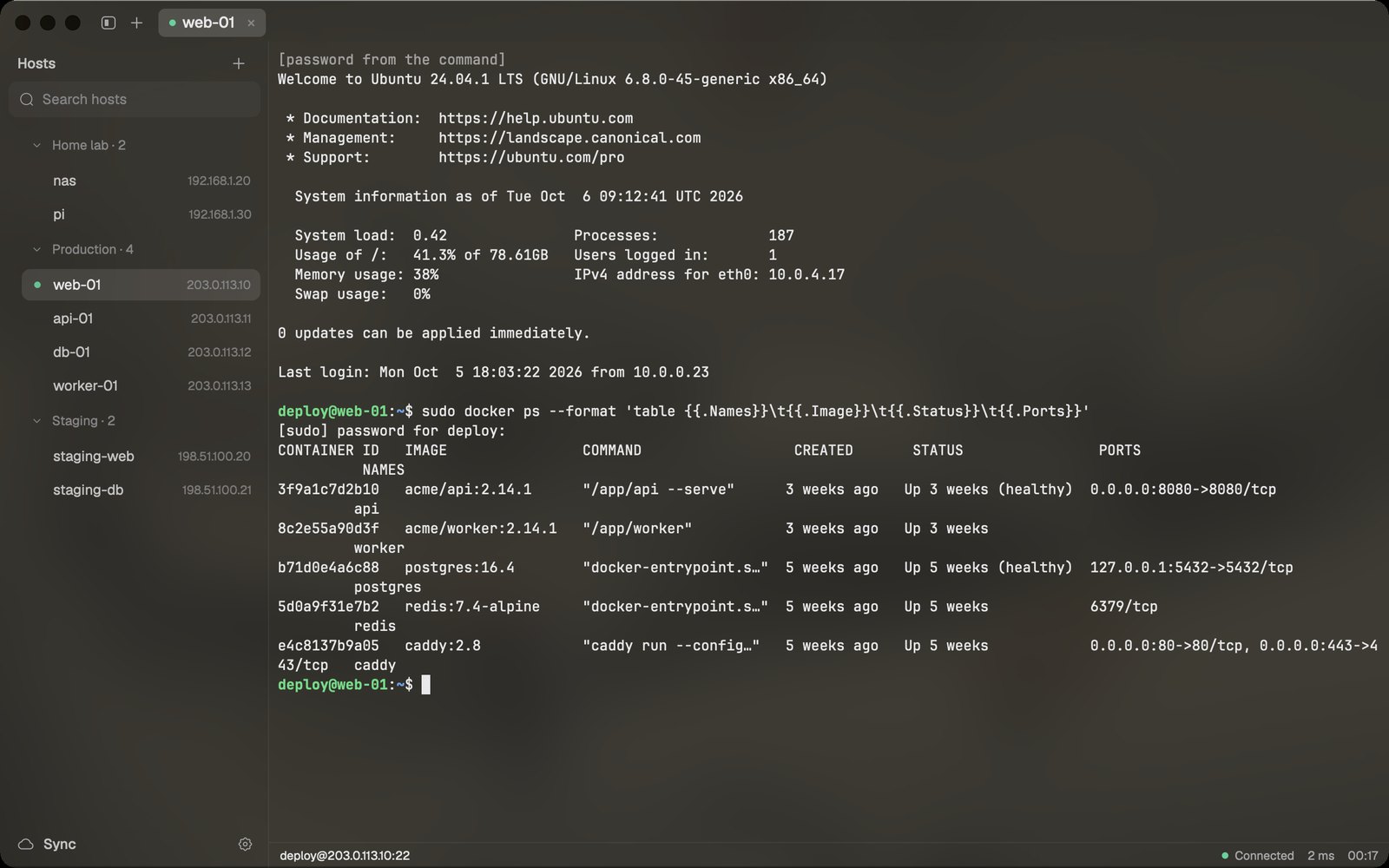 ⌘\ fills sudo: the password comes from your password manager, typed only when you ask and only at a password prompt. | 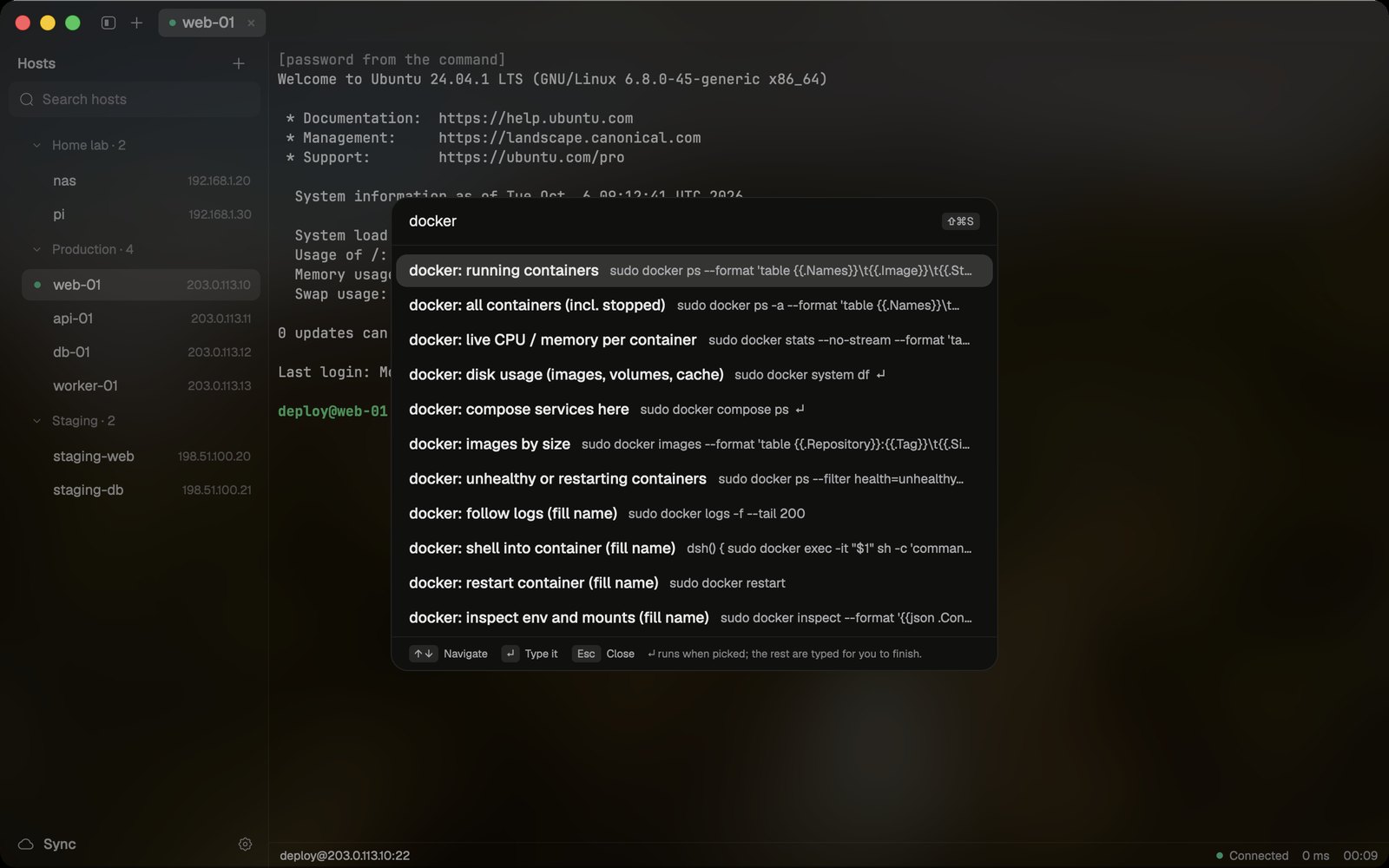 Snippets (⇧⌘S): saved commands. ↵ marks the ones that run when picked; the rest are typed for you to finish. |
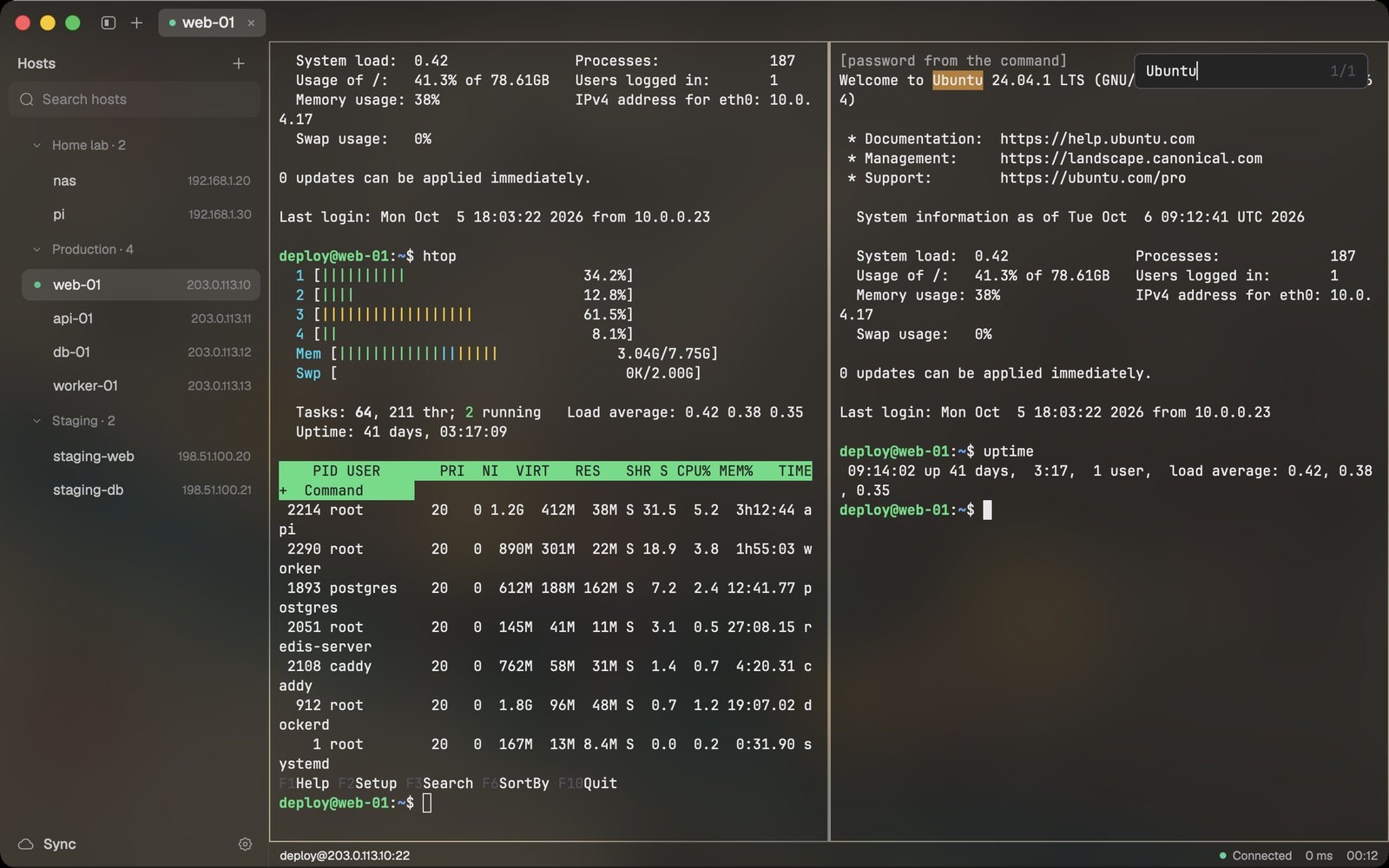 Splits and find: ⌘D and ⌘⇧D split a tab; ⌘F searches the scrollback. | 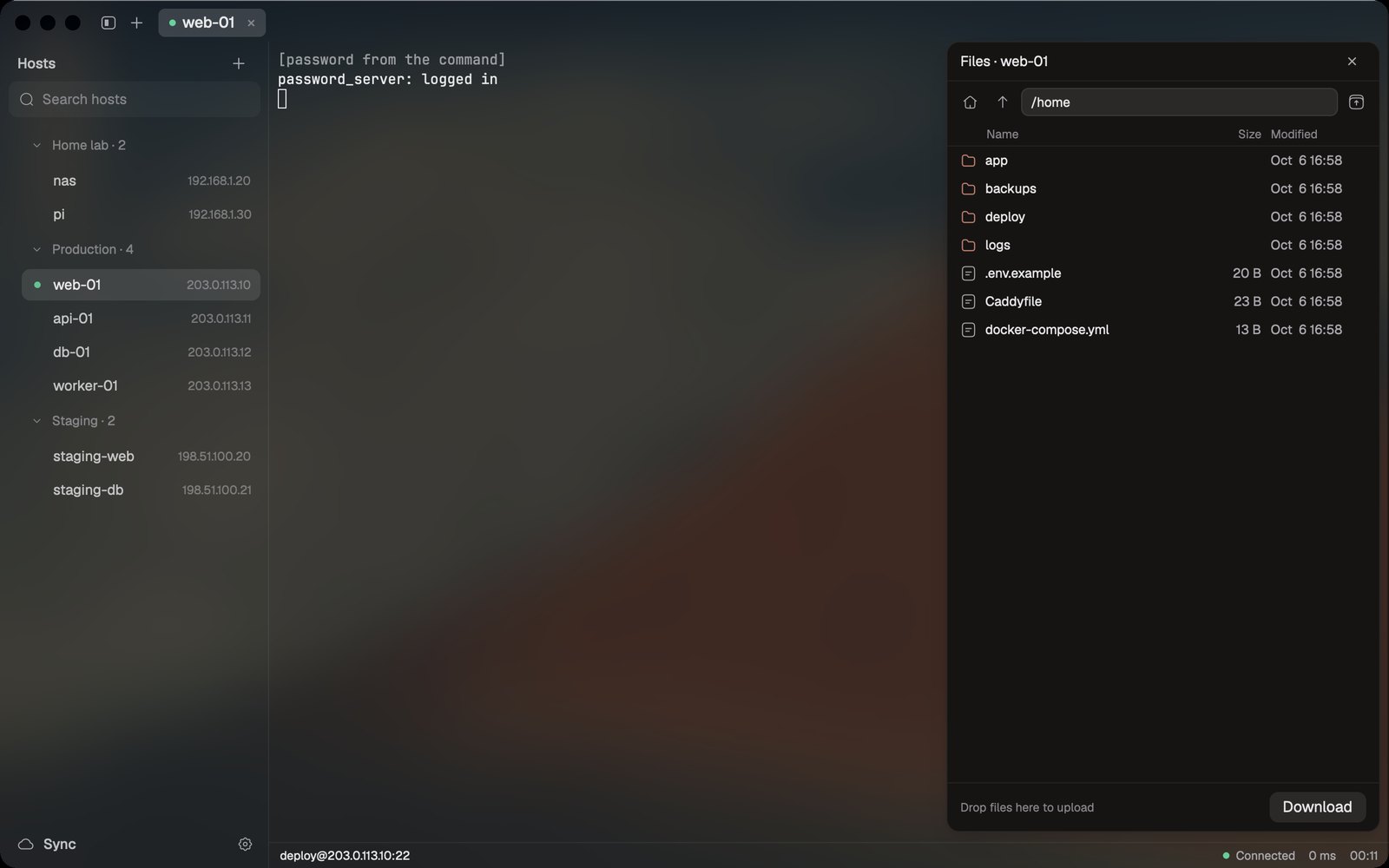 Files (⇧⌘O): browse the remote side over SFTP; download, or drop files to upload. |
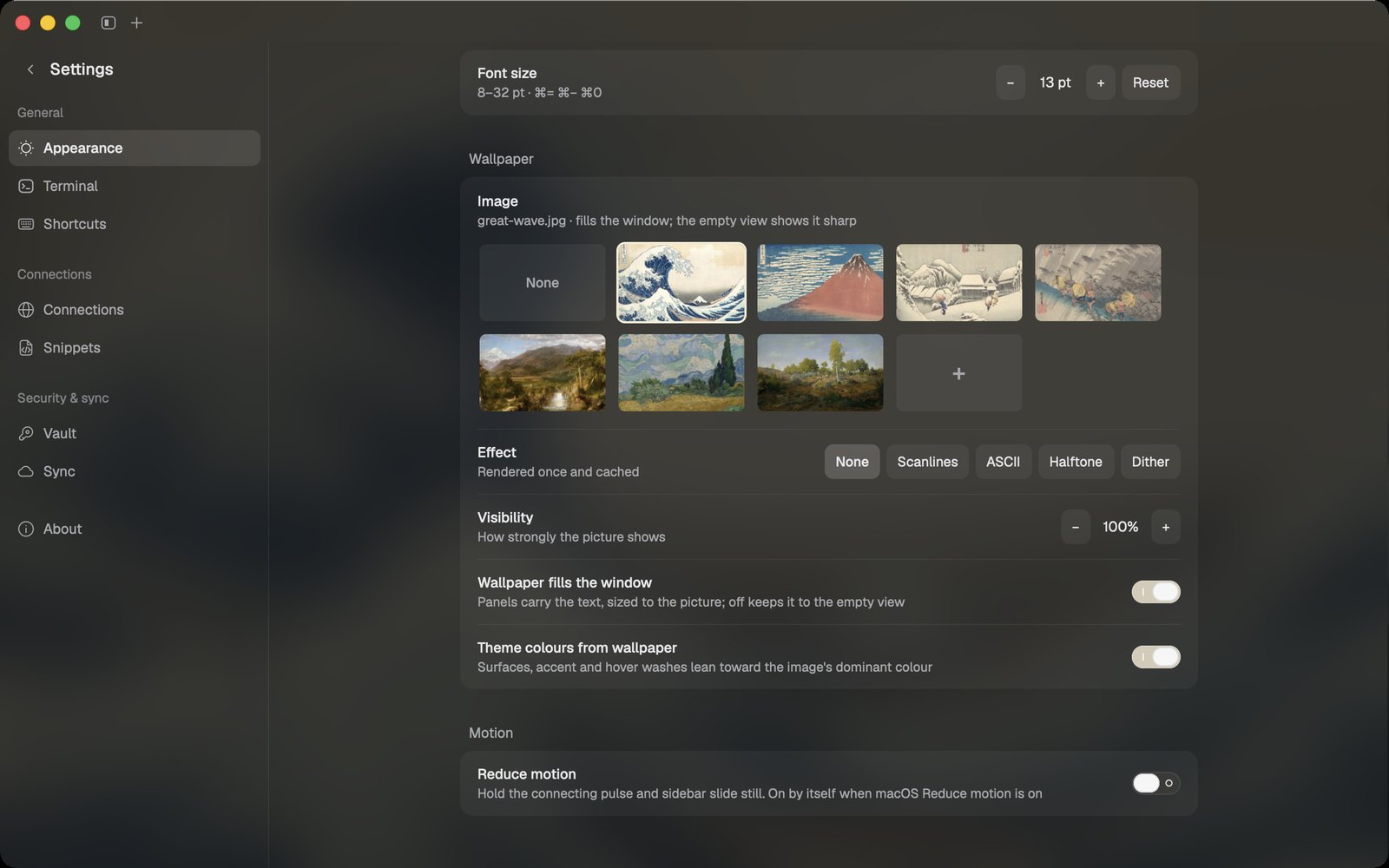 Wallpapers and fonts: seven public-domain artworks built in, or any image; light, dark or follow macOS; any monospace font. | 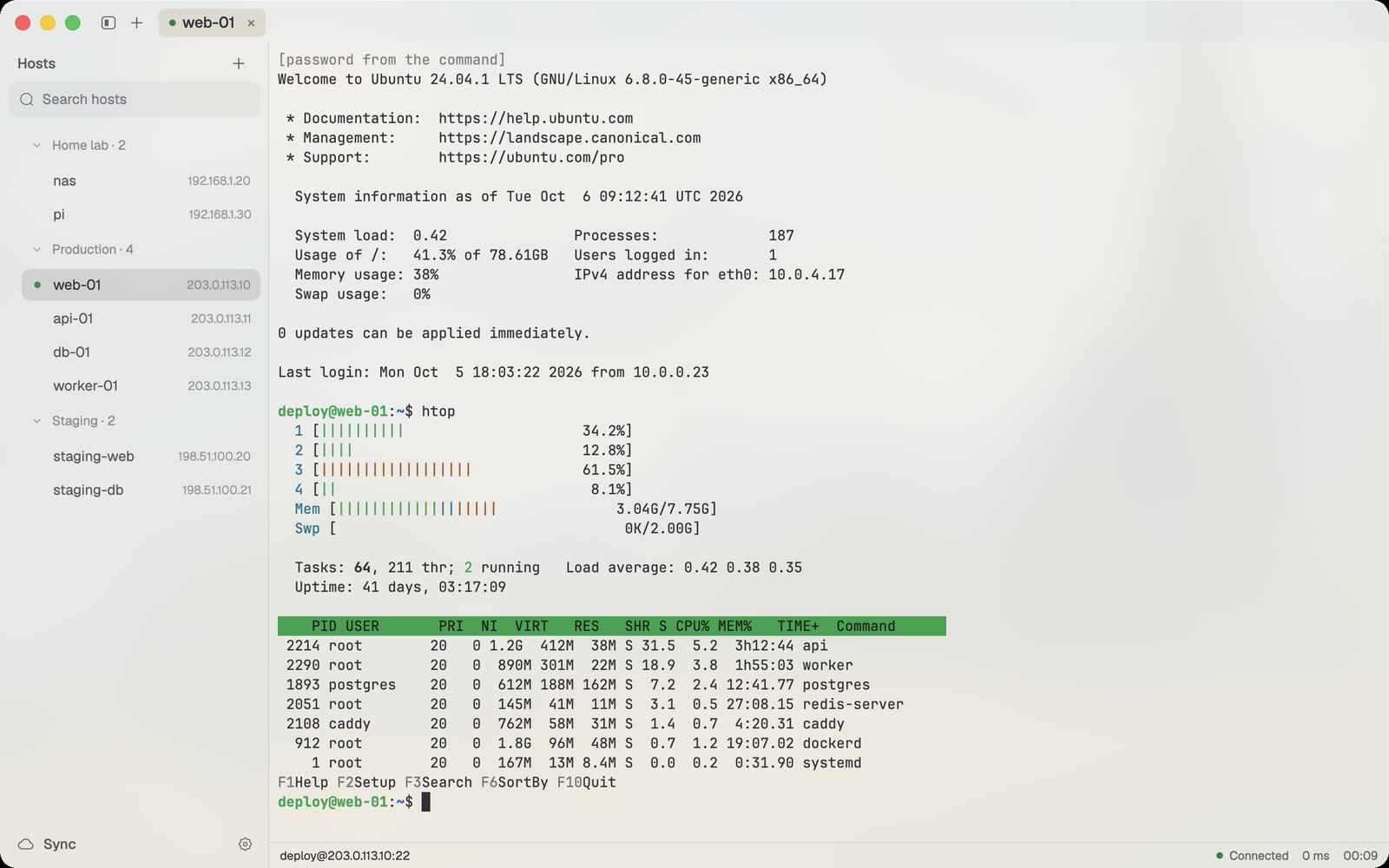 Light and dark: the window takes its colours from the wallpaper, and every text colour stays at least 4.5:1. |
Connections
~/.ssh/config as a one-time copy; tern keeps its own list.exit.ssh-keygen -R line to fix one you trust.Terminal
Passwords and keys
gopass show -o work/ssh/web-01. tern runs it when the server asks and never stores the result. A command that arrives through sync must be approved once on each Mac.sudo and other password prompts. It never types on its own.Sync
git and SSH key (or a GitHub gist). Everything is encrypted with your vault passphrase before it leaves the Mac.Look
tern against the other two SSH clients, on the same Mac, the same day (2026-10-06), the same way. Each app was launched fresh and measured every 15 s for two minutes with macOS footprint (the number Activity Monitor shows), summed over all of its processes. The table gives the settled value at two minutes. "Connected" means one tab logged in to the same server.
| App | Idle | Connected | Processes |
|---|---|---|---|
| tern | 86 MB (108 MB with a wallpaper) | 76 MB (125 MB with a wallpaper) | 1 |
| Tabby | 471 MB | 580 MB | 5 (Electron) |
| Termius | 583 MB | not measured | 7 (Electron) |
Connected, tern uses 76 MB against Tabby's 580 MB, or 125 MB with a wallpaper. The lead is over Electron apps: OxideTerm, another GPUI SSH client, reports 81 MB idle for itself (not measured here). The method, raw samples and the plain terminals (Terminal, iTerm2, Ghostty) are in docs/perf.md.
| Action | Keys | Action | Keys |
|---|---|---|---|
| Host picker | ⌘K | Split right / down | ⌘D / ⌘⇧D |
| Search hosts | ⇧⌘F | Move between panes | ⌥⌘ + arrows |
| New connection | ⌘N | Find in scrollback | ⌘F |
| Snippets | ⇧⌘S | Fill password | ⌘\ |
| Browse files | ⇧⌘O | Close pane / tab | ⌘W |
| Settings | ⌘, | Next / previous tab | ⇧⌘] / ⇧⌘[ |
| Toggle sidebar | ⌘B | Text size | ⌘= / ⌘− / ⌘0 |
Every shortcut can be rebound in Settings → Shortcuts.
Download: get tern-<version>-macos-arm64.dmg from Releases, open it, and drag tern to Applications. Releases are signed with a Developer ID and notarised by Apple, so it opens without a warning.
Windows and Linux (preview): tern-<version>-windows-x86_64.zip and tern-<version>-linux-<arch>.tar.gz are on the same Releases page. They build and pass the tests in CI but have not been run on a real Windows or Linux desktop yet; reports are welcome. Shortcuts there use Ctrl+Shift / Ctrl+Alt in place of ⌘ (table in crates/tern/src/keymap.rs).
Build from source (Rust 1.99+, macOS on Apple silicon):
git clone https://github.com/your-moon/tern && cd tern
scripts/make-local-identity.sh   # once: a stable local signature, so Keychain access survives updates
scripts/bundle-app.sh            # builds target/release/bundle/tern.app
cp -R target/release/bundle/tern.app /Applications/
cargo install --locked --path crates/tern   # the `tern` command (tern <host>, tern vault init)
~/.ssh/known_hosts. A changed key refuses the connection..age files.Losing a Mac doesn't lose your setup: see docs/recovery.md.

Editable source: docs/architecture.excalidraw (open it at excalidraw.com).
cargo test --workspace runs the suite, including SSH tests against an in-process server. cargo run -p tern-ssh --example password_server -- --demo starts the demo server used for these screenshots.tern copies and adapts code from well-maintained projects rather than reinventing it, and each copied file names its origin. The full list is in NOTICE.md.
A fast, low-memory SSH terminal built with Rust and GPUI
See the code
A native SSH client for macOS, written in Rust on GPUI.
Saved hosts, SFTP, splits and snippets, with passwords from your own password manager.
Website: https://tern.carrot-soft.tech
tern does what Termius and Tabby do for a list of servers: saved hosts, ⌘K to any of them, SFTP, splits, snippets and port forwards. It runs as one native process, and one connected tab takes 76 MB where Tabby takes 580 MB (Memory).
Passwords come from your SSH key, from a password-manager command such as gopass show -o work/ssh/web-01, or from tern's age-encrypted vault. At a sudo prompt, ⌘\ types the password. It never types one on its own.
Hosts, snippets and settings sync to a private Git repository you own. They are encrypted on your Mac first, so the repository only holds .age files.
⌘\ fills sudo: the password comes from your password manager, typed only when you ask and only at a password prompt. | Snippets (⇧⌘S): saved commands. ↵ marks the ones that run when picked; the rest are typed for you to finish. |
Splits and find: ⌘D and ⌘⇧D split a tab; ⌘F searches the scrollback. | Files (⇧⌘O): browse the remote side over SFTP; download, or drop files to upload. |
Wallpapers and fonts: seven public-domain artworks built in, or any image; light, dark or follow macOS; any monospace font. | Light and dark: the window takes its colours from the wallpaper, and every text colour stays at least 4.5:1. |
Connections
~/.ssh/config as a one-time copy; tern keeps its own list.exit.ssh-keygen -R line to fix one you trust.Terminal
Passwords and keys
gopass show -o work/ssh/web-01. tern runs it when the server asks and never stores the result. A command that arrives through sync must be approved once on each Mac.sudo and other password prompts. It never types on its own.Sync
git and SSH key (or a GitHub gist). Everything is encrypted with your vault passphrase before it leaves the Mac.Look
tern against the other two SSH clients, on the same Mac, the same day (2026-10-06), the same way. Each app was launched fresh and measured every 15 s for two minutes with macOS footprint (the number Activity Monitor shows), summed over all of its processes. The table gives the settled value at two minutes. "Connected" means one tab logged in to the same server.
| App | Idle | Connected | Processes |
|---|---|---|---|
| tern | 86 MB (108 MB with a wallpaper) | 76 MB (125 MB with a wallpaper) | 1 |
| Tabby | 471 MB | 580 MB | 5 (Electron) |
| Termius | 583 MB | not measured | 7 (Electron) |
Connected, tern uses 76 MB against Tabby's 580 MB, or 125 MB with a wallpaper. The lead is over Electron apps: OxideTerm, another GPUI SSH client, reports 81 MB idle for itself (not measured here). The method, raw samples and the plain terminals (Terminal, iTerm2, Ghostty) are in docs/perf.md.
| Action | Keys | Action | Keys |
|---|---|---|---|
| Host picker | ⌘K | Split right / down | ⌘D / ⌘⇧D |
| Search hosts | ⇧⌘F | Move between panes | ⌥⌘ + arrows |
| New connection | ⌘N | Find in scrollback | ⌘F |
| Snippets | ⇧⌘S | Fill password | ⌘\ |
| Browse files | ⇧⌘O | Close pane / tab | ⌘W |
| Settings | ⌘, | Next / previous tab | ⇧⌘] / ⇧⌘[ |
| Toggle sidebar | ⌘B | Text size | ⌘= / ⌘− / ⌘0 |
Every shortcut can be rebound in Settings → Shortcuts.
Download: get tern-<version>-macos-arm64.dmg from Releases, open it, and drag tern to Applications. Releases are signed with a Developer ID and notarised by Apple, so it opens without a warning.
Windows and Linux (preview): tern-<version>-windows-x86_64.zip and tern-<version>-linux-<arch>.tar.gz are on the same Releases page. They build and pass the tests in CI but have not been run on a real Windows or Linux desktop yet; reports are welcome. Shortcuts there use Ctrl+Shift / Ctrl+Alt in place of ⌘ (table in crates/tern/src/keymap.rs).
Build from source (Rust 1.99+, macOS on Apple silicon):
git clone https://github.com/your-moon/tern && cd tern
scripts/make-local-identity.sh   # once: a stable local signature, so Keychain access survives updates
scripts/bundle-app.sh            # builds target/release/bundle/tern.app
cp -R target/release/bundle/tern.app /Applications/
cargo install --locked --path crates/tern   # the `tern` command (tern <host>, tern vault init)
~/.ssh/known_hosts. A changed key refuses the connection..age files.Losing a Mac doesn't lose your setup: see docs/recovery.md.
Editable source: docs/architecture.excalidraw (open it at excalidraw.com).
cargo test --workspace runs the suite, including SSH tests against an in-process server. cargo run -p tern-ssh --example password_server -- --demo starts the demo server used for these screenshots.tern copies and adapts code from well-maintained projects rather than reinventing it, and each copied file names its origin. The full list is in NOTICE.md.



