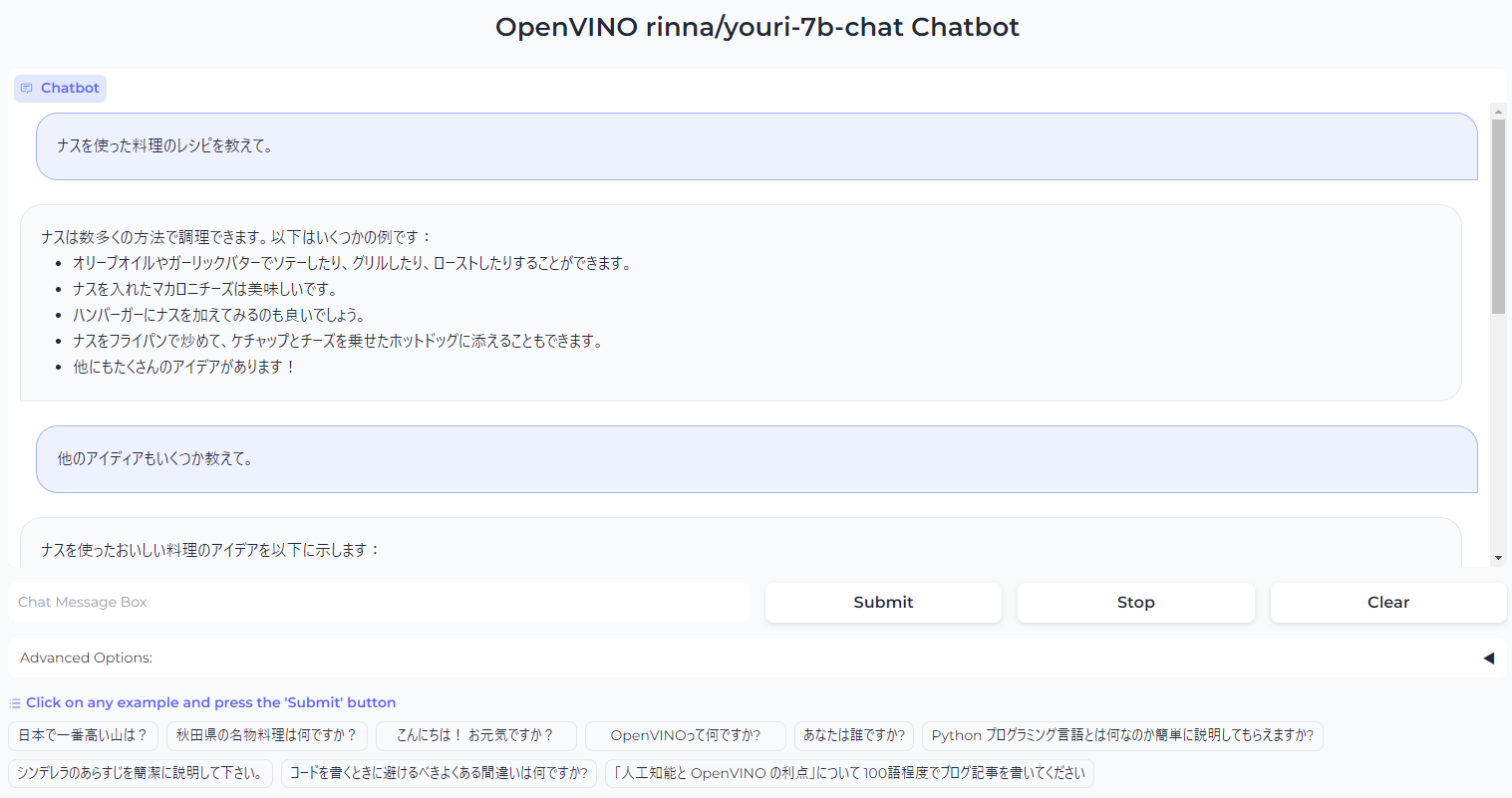
WebUI LLM Japanese chatbot demo using Intel OpenVINO toolkit. This program uses rinna/youri-7b-chat model developed by Rinna Co.,Ltd..
Jupyter Notebook
3
16 commits
updated Jul 25, 2024
This is an LLM Japanese chatbot demo program using Intel OpenVINO toolkit. The demo uses rinna/youri-7b-chat model developed by Rinna Co.,Ltd.
This program can use either one of 'CPU', 'GPU.0' (integrated GPU), and 'GPU.1' Intel discrete GPU for inferencing.
Recommend to use Python virtual env.
You need to have Python installed.
# (optional) create a python venv and enable it.
python -m venv venv
(win) venv/Scripts/activate
(Lnx) source venv/bin/activate

pip install -r requirements0-uninstall.txt
pip install -r requirements1-install.txt
| file | description |
|---|---|
config.yml | The system setting file. You can specify huggingface model cache directory and device for inferencing |
youri-7b-chat-openvino.py | WebUI chatbot demo using rinna/youri-7b-chat model. This program uses OpenVINO as inference engine.You need to run model_download.py to download and convert the model into OpenVINO IR before you run this demo. |
model_download.py | This program downloads rinna/youri-7b-chat model from huggingface and convert it into FP16 OpenVINO IR model.The converted model will be stored in ./youri-7b-chat/FP16/ directory. Also, the original model downloaded from hugging face will be stored in ./cache/huggingface/hub/ directory. |
benchmark_pyt.py | Simple benchmark program using PyTorch. |
benchmark_ov.py | Simple benchmark program using OpenVINO. |
Rinna Co.,Ltd - Original developer of rinna/youri-7b-chat model.
WebUI LLM Japanese chatbot demo using Intel OpenVINO toolkit. This program uses rinna/youri-7b-chat model developed by Rinna Co.,Ltd..
Jupyter Notebook
3
16 commits
updated Jul 25, 2024
This is an LLM Japanese chatbot demo program using Intel OpenVINO toolkit. The demo uses rinna/youri-7b-chat model developed by Rinna Co.,Ltd.
This program can use either one of 'CPU', 'GPU.0' (integrated GPU), and 'GPU.1' Intel discrete GPU for inferencing.
Recommend to use Python virtual env.
You need to have Python installed.
# (optional) create a python venv and enable it.
python -m venv venv
(win) venv/Scripts/activate
(Lnx) source venv/bin/activate

pip install -r requirements0-uninstall.txt
pip install -r requirements1-install.txt
| file | description |
|---|---|
config.yml | The system setting file. You can specify huggingface model cache directory and device for inferencing |
youri-7b-chat-openvino.py | WebUI chatbot demo using rinna/youri-7b-chat model. This program uses OpenVINO as inference engine.You need to run model_download.py to download and convert the model into OpenVINO IR before you run this demo. |
model_download.py | This program downloads rinna/youri-7b-chat model from huggingface and convert it into FP16 OpenVINO IR model.The converted model will be stored in ./youri-7b-chat/FP16/ directory. Also, the original model downloaded from hugging face will be stored in ./cache/huggingface/hub/ directory. |
benchmark_pyt.py | Simple benchmark program using PyTorch. |
benchmark_ov.py | Simple benchmark program using OpenVINO. |
Rinna Co.,Ltd - Original developer of rinna/youri-7b-chat model.



