Open-source alternative to Notion and AppFlowy – documents, databases, whiteboards and a daily journal.
See the code
Documents, databases, whiteboards and a daily journal for teams.
Open source, self-hosted in one container – or hosted in Germany.
English · Deutsch
Website · Documentation · Self-hosting · Hosted version · Changelog




Flowplan is a workspace for knowledge and projects in the spirit of Notion and AppFlowy: pages in a tree, a block editor, databases with many views, whiteboards and a journal – with real-time collaboration, fine-grained permissions and single sign-on. It runs as one container with SQLite: no Postgres, no Redis, no external search service. No AI, no tracking. The interface and the documentation are available in English and German.

A block editor that stays out of the way: headings, lists, tasks with due dates and assignees, tables, code, callouts, toggles, columns, embeds, synced blocks and voice notes. Type / for the block menu or use Markdown shortcuts, and keep long pages in reach with the table of contents beside the text.
Calculate right in your notes – type a calculation and =, press Tab for the result. Select a term to expand, factor or solve it, draw function graphs, and calculate with vectors in the plane and in space – drawn in 3D and turned with the mouse. Answers pasted from ChatGPT keep their formulas, lists and tables.

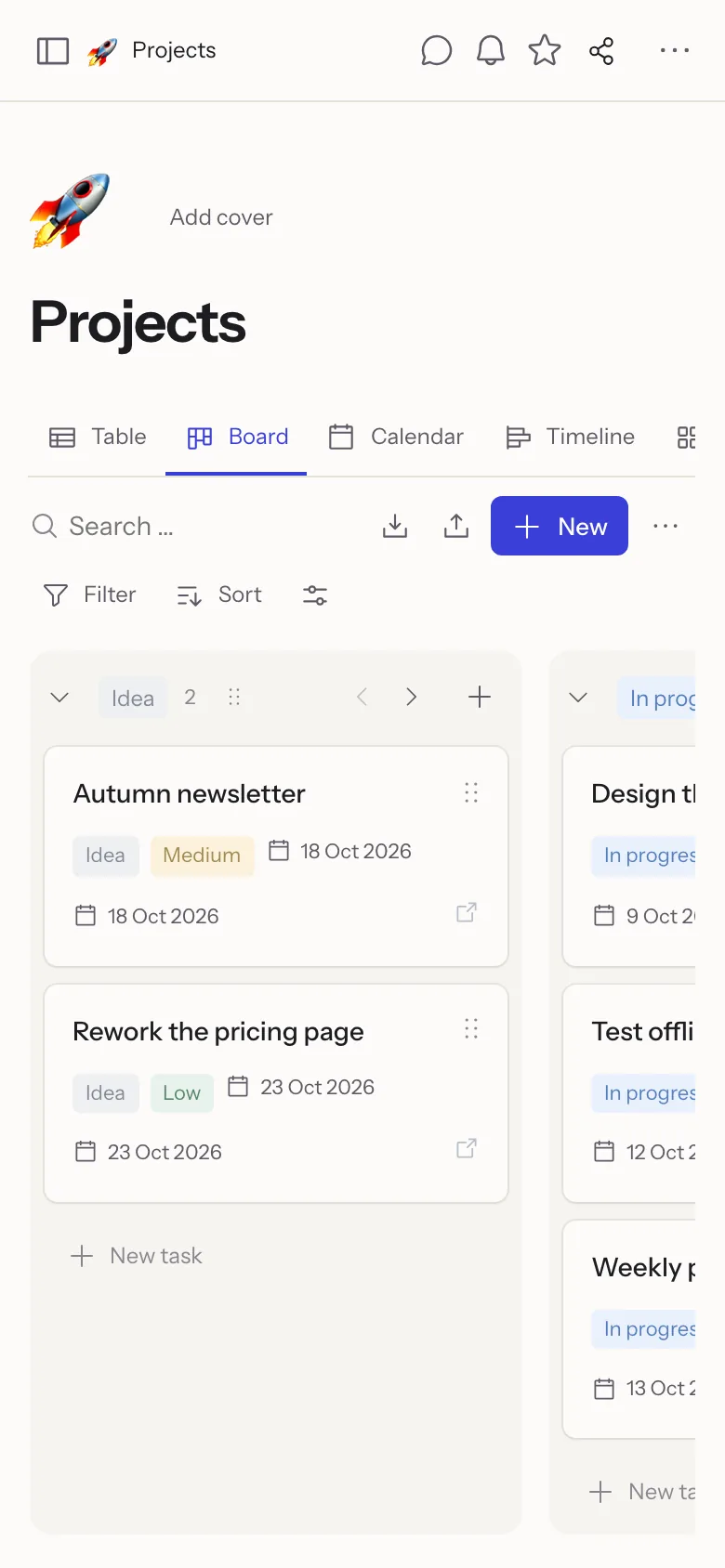
Table, board, calendar, timeline, gallery, list, feed, chart, form and sprint views on the same records – with relations, rollups, formulas, recurring dates, reminders, record templates and per-record permissions. Records move by drag and drop, between groups and between databases.
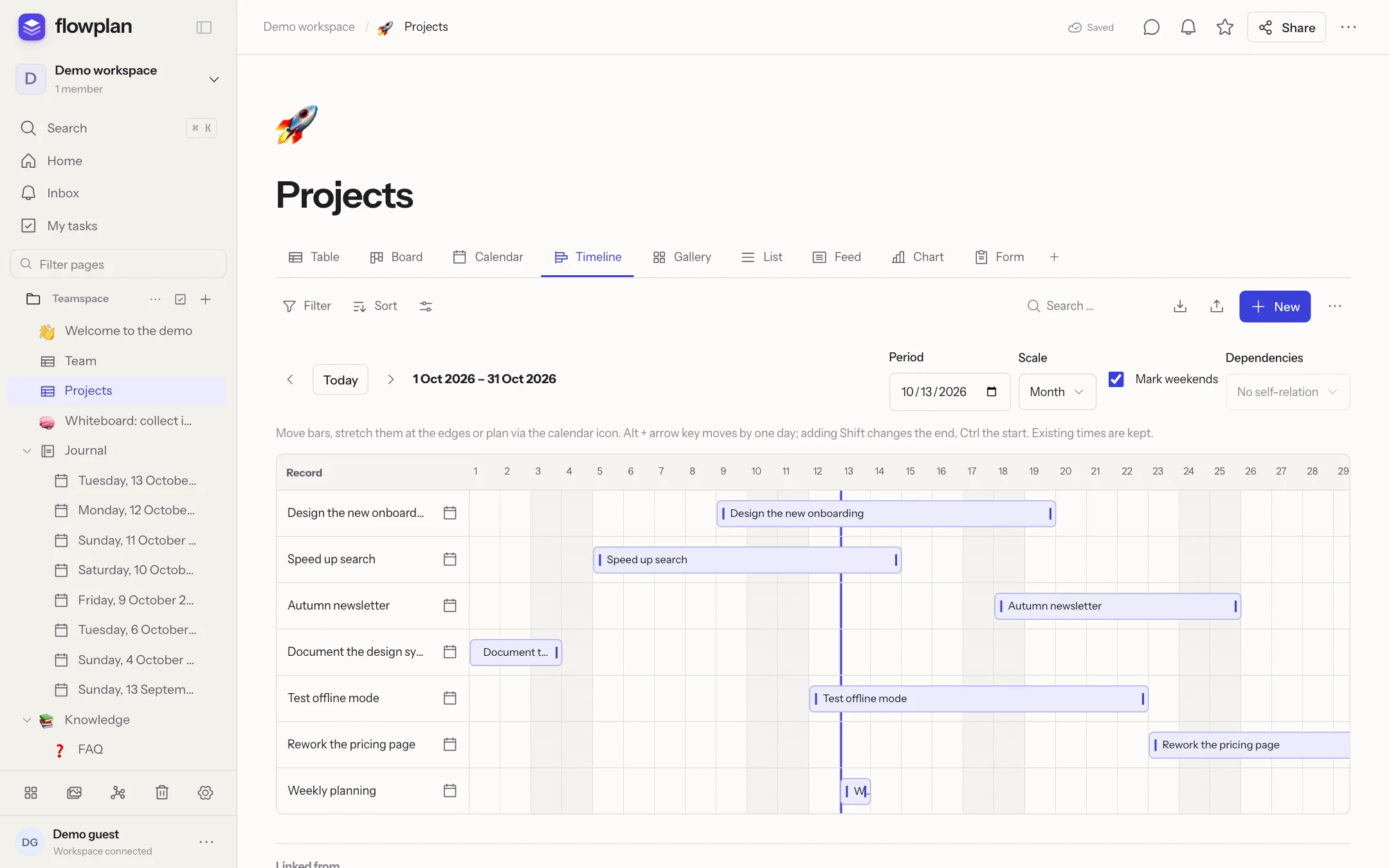 | 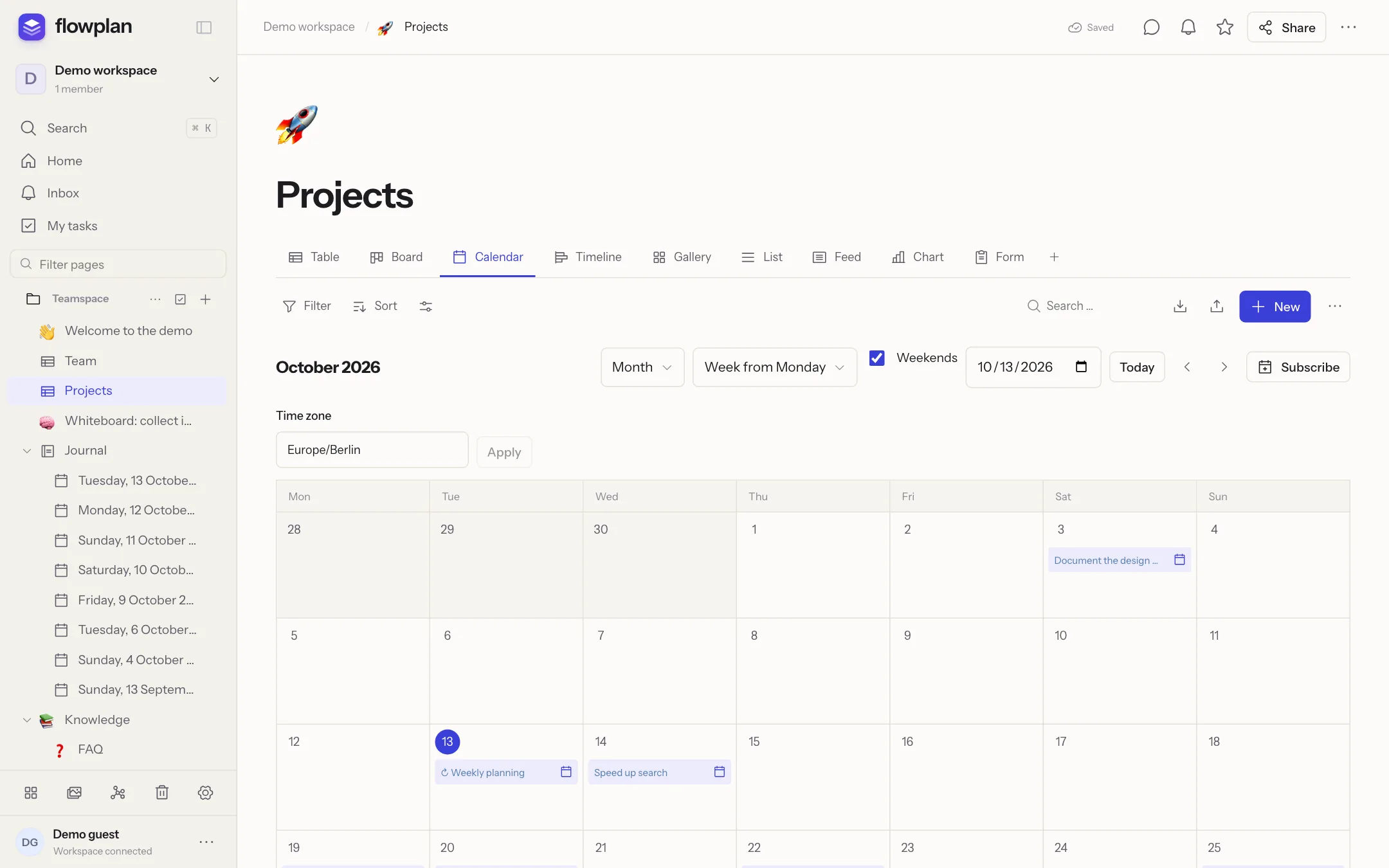 |
| Timeline – plan with bars, dependencies and weekends. | Calendar – subscribe from Apple, Google or Outlook, or sync both ways via CalDAV. |
Projects and tickets (optional, per database): ticket numbers like WEB-123 linked in text, subtasks and epics with rolled-up progress, sprints with backlog, burndown and velocity, automations, status workflows, WIP limits, time tracking, a Git connection for GitHub, GitLab and Gitea, dashboards and an import from Jira and Trello. Surveys with 19 question types, conditions and results – every answer is a record.
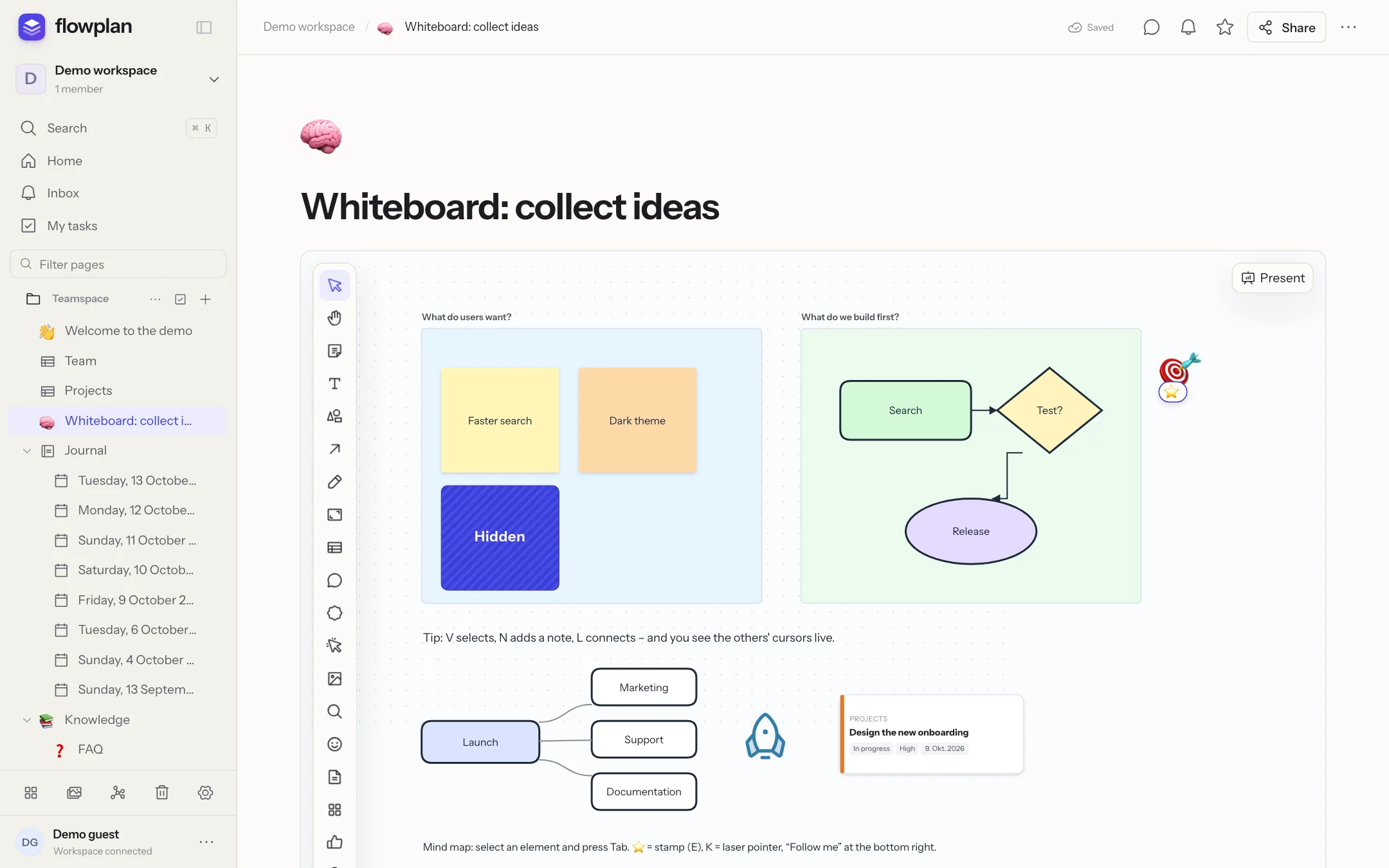 | 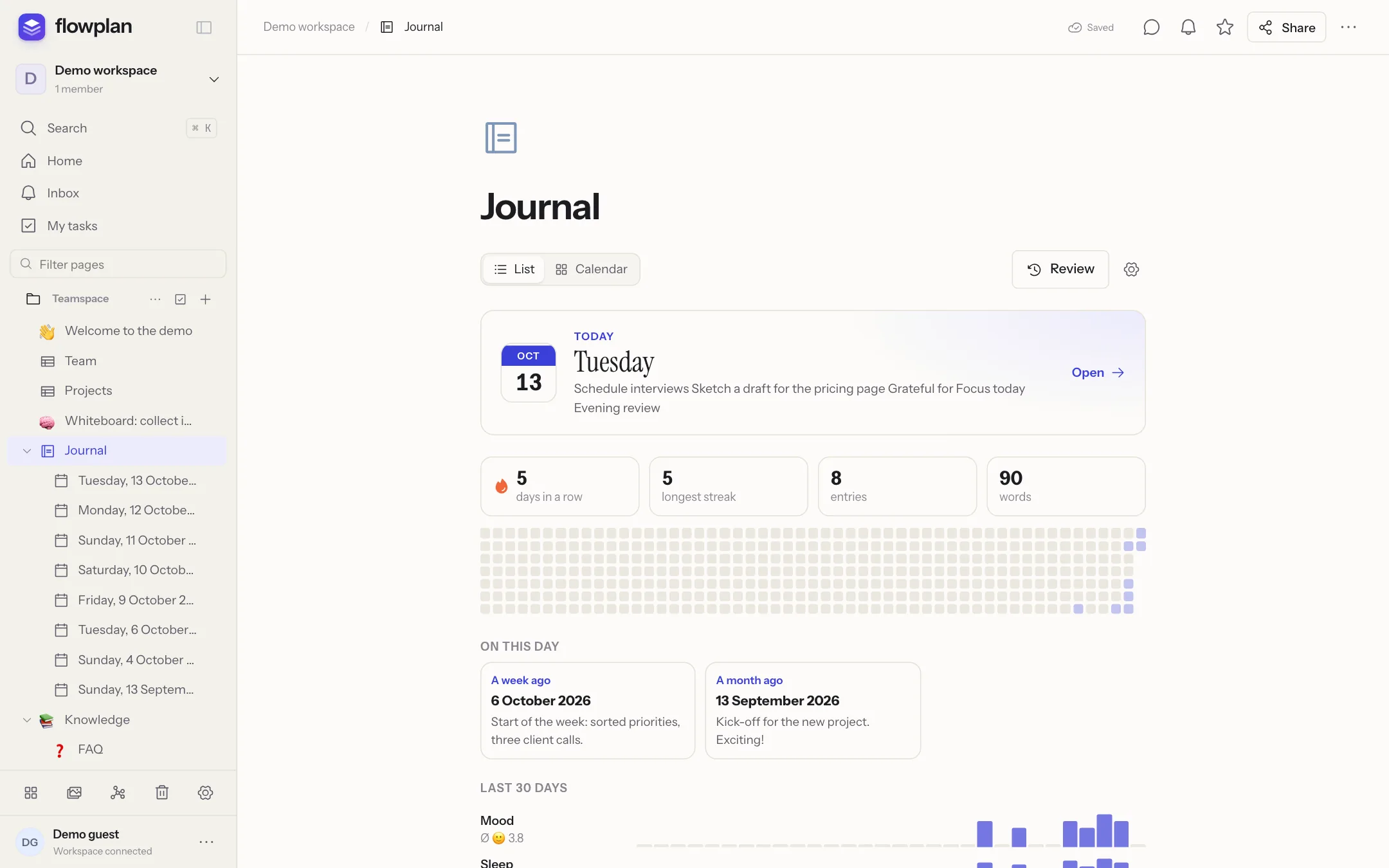 |
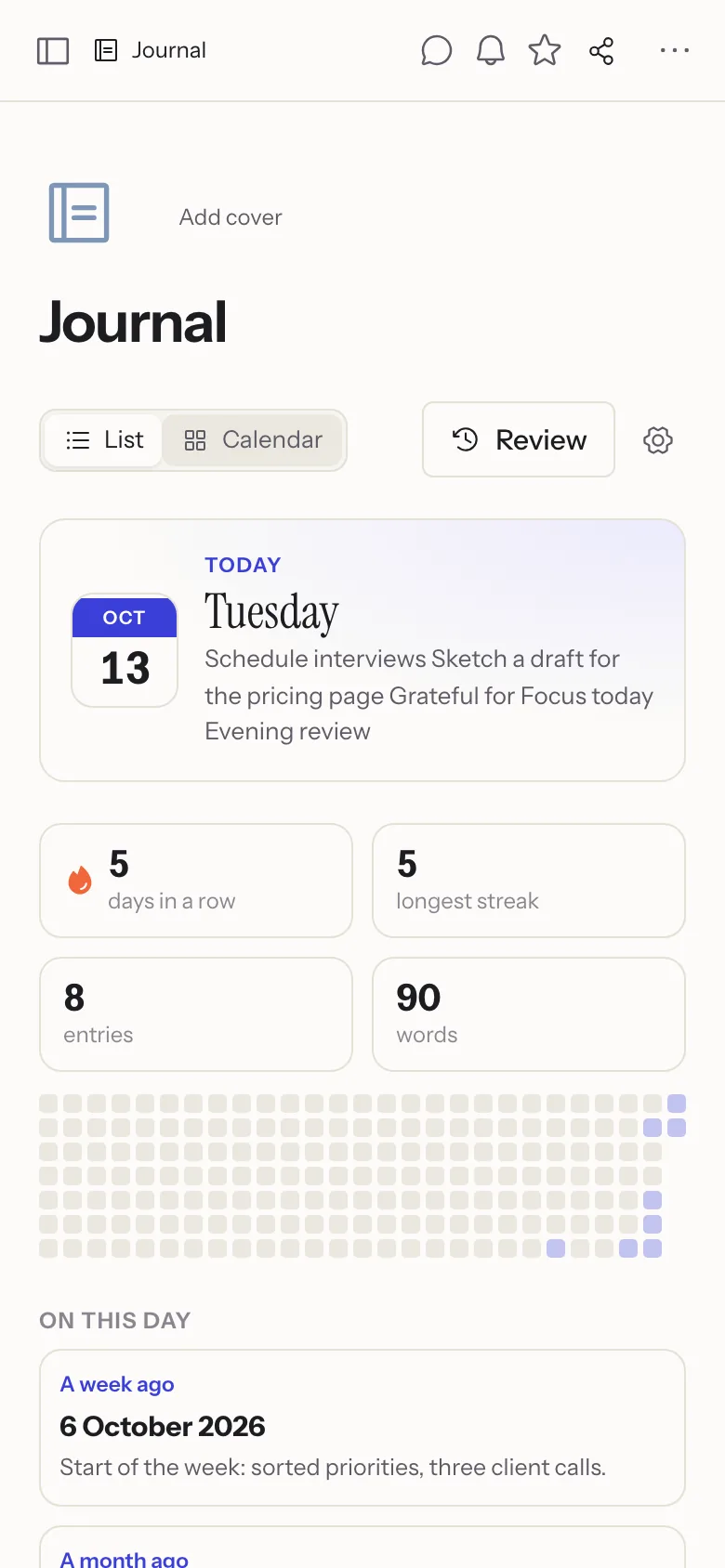
| Whiteboards – sticky notes, shapes, connectors, frames, mind maps, voting, timer and presentation mode. | Journal – one page per day with templates, trackers, review, memories and an optional PIN lock. |
Live editing with cursors (Yjs/CRDT), comments and inline threads, mentions, reactions, suggested changes, an inbox, e-mail digests and Web Push. Pages can be published, shared with guests for reading, commenting or editing, or turned into forms for anonymous answers. Flowplan installs as an app and works offline; desktop apps for macOS, Windows and Linux are at flowplan.org/download (flowplan-desktop, with automatic updates).
E-mail and password, passkeys (WebAuthn) and single sign-on with OpenID Connect and groups. Limits per workspace and per person (storage, own workspaces, upload size), an audit log, session management, backups to S3 with Litestream, Prometheus metrics, API tokens and webhooks – and the running version and commit at a glance. Full-text search including OCR for scanned PDFs, Markdown/HTML/CSV/Notion import, Markdown and ZIP export, and a version history with comparisons and single-paragraph restore.
You need Docker and a domain with HTTPS in front (Caddy, Traefik, nginx, Coolify …). Single sign-on with an OpenID Connect provider (Keycloak, Authentik, Zitadel, Microsoft Entra ID, Google …) is optional.
curl -O https://raw.githubusercontent.com/yannicschuller/flowplan/main/compose.yaml
curl -o .env https://raw.githubusercontent.com/yannicschuller/flowplan/main/.env.example
# edit .env: at least APP_URL (optionally OIDC_* and SMTP_*)
docker compose up -d
Open your domain: a new instance offers Create account – the first account administers the instance. Others sign up when you allow it, or when you invite them. Passkeys are added in the profile settings.
For single sign-on, register a confidential web client at your OIDC provider with the redirect URI https://<your-domain>/api/auth/callback; members of the group in OIDC_ADMIN_GROUP administer the instance.
The image is published to the GitHub Container Registry for linux/amd64 and linux/arm64:
ghcr.io/yannicschuller/flowplan:latest     # the latest release
ghcr.io/yannicschuller/flowplan:1.2.3      # a fixed release (also :1.2 and :1)
ghcr.io/yannicschuller/flowplan:beta       # the latest development state, not for production
All data lives in the volume on /app/data. Run exactly one container per data directory (SQLite). Optional S3 storage mirrors uploads and backs up the database continuously.
More in the documentation:
Node.js 22.13 or newer (the Docker image and CI use Node 26).
npm ci
cp .env.example .env.local
npm run dev        # http://127.0.0.1:3000
Development mode also offers Open local workspace, a shared local example account. Production mode has no such access.
| Command | What it does |
|---|---|
npm run dev | Development server |
npm run build / npm start | Production build and server |
npm run typecheck | TypeScript |
npm test | Core tests (Node test runner, temporary data directories) |
npm run test:e2e | Browser tests (Playwright, desktop and mobile); start a server with its own FLOWPLAN_DATA_DIR and set TEST_BASE_URL |
npm run check:standalone | Runs the standalone build like the container and checks health, persistence and restore |
Stack: Next.js 16 (App Router), React 19, TypeScript, SQLite (node:sqlite), TipTap/ProseMirror with Yjs, Zod and Playwright. The documentation lives in flowplan-docs (docs.flowplan.org), the website in flowplan-website (flowplan.org), the desktop apps in flowplan-desktop; this repository contains only the app.
app.flowplan.org runs Flowplan in a data centre in Germany. Every instance, hosted or self-hosted, opens with its sign-in page.
Contributions are welcome – see CONTRIBUTING.md. Please report security issues privately as described in SECURITY.md.
Flowplan is free software under the GNU Affero General Public License v3.0. If you run a modified version as a network service, you must make its source code available to its users.
Open-source alternative to Notion and AppFlowy – documents, databases, whiteboards and a daily journal.
See the code
Documents, databases, whiteboards and a daily journal for teams.
Open source, self-hosted in one container – or hosted in Germany.
English · Deutsch
Website · Documentation · Self-hosting · Hosted version · Changelog
Flowplan is a workspace for knowledge and projects in the spirit of Notion and AppFlowy: pages in a tree, a block editor, databases with many views, whiteboards and a journal – with real-time collaboration, fine-grained permissions and single sign-on. It runs as one container with SQLite: no Postgres, no Redis, no external search service. No AI, no tracking. The interface and the documentation are available in English and German.
A block editor that stays out of the way: headings, lists, tasks with due dates and assignees, tables, code, callouts, toggles, columns, embeds, synced blocks and voice notes. Type / for the block menu or use Markdown shortcuts, and keep long pages in reach with the table of contents beside the text.
Calculate right in your notes – type a calculation and =, press Tab for the result. Select a term to expand, factor or solve it, draw function graphs, and calculate with vectors in the plane and in space – drawn in 3D and turned with the mouse. Answers pasted from ChatGPT keep their formulas, lists and tables.
Table, board, calendar, timeline, gallery, list, feed, chart, form and sprint views on the same records – with relations, rollups, formulas, recurring dates, reminders, record templates and per-record permissions. Records move by drag and drop, between groups and between databases.
| |
| Timeline – plan with bars, dependencies and weekends. | Calendar – subscribe from Apple, Google or Outlook, or sync both ways via CalDAV. |
Projects and tickets (optional, per database): ticket numbers like WEB-123 linked in text, subtasks and epics with rolled-up progress, sprints with backlog, burndown and velocity, automations, status workflows, WIP limits, time tracking, a Git connection for GitHub, GitLab and Gitea, dashboards and an import from Jira and Trello. Surveys with 19 question types, conditions and results – every answer is a record.
| |
| Whiteboards – sticky notes, shapes, connectors, frames, mind maps, voting, timer and presentation mode. | Journal – one page per day with templates, trackers, review, memories and an optional PIN lock. |
Live editing with cursors (Yjs/CRDT), comments and inline threads, mentions, reactions, suggested changes, an inbox, e-mail digests and Web Push. Pages can be published, shared with guests for reading, commenting or editing, or turned into forms for anonymous answers. Flowplan installs as an app and works offline; desktop apps for macOS, Windows and Linux are at flowplan.org/download (flowplan-desktop, with automatic updates).
E-mail and password, passkeys (WebAuthn) and single sign-on with OpenID Connect and groups. Limits per workspace and per person (storage, own workspaces, upload size), an audit log, session management, backups to S3 with Litestream, Prometheus metrics, API tokens and webhooks – and the running version and commit at a glance. Full-text search including OCR for scanned PDFs, Markdown/HTML/CSV/Notion import, Markdown and ZIP export, and a version history with comparisons and single-paragraph restore.
You need Docker and a domain with HTTPS in front (Caddy, Traefik, nginx, Coolify …). Single sign-on with an OpenID Connect provider (Keycloak, Authentik, Zitadel, Microsoft Entra ID, Google …) is optional.
curl -O https://raw.githubusercontent.com/yannicschuller/flowplan/main/compose.yaml
curl -o .env https://raw.githubusercontent.com/yannicschuller/flowplan/main/.env.example
# edit .env: at least APP_URL (optionally OIDC_* and SMTP_*)
docker compose up -d
Open your domain: a new instance offers Create account – the first account administers the instance. Others sign up when you allow it, or when you invite them. Passkeys are added in the profile settings.
For single sign-on, register a confidential web client at your OIDC provider with the redirect URI https://<your-domain>/api/auth/callback; members of the group in OIDC_ADMIN_GROUP administer the instance.
The image is published to the GitHub Container Registry for linux/amd64 and linux/arm64:
ghcr.io/yannicschuller/flowplan:latest     # the latest release
ghcr.io/yannicschuller/flowplan:1.2.3      # a fixed release (also :1.2 and :1)
ghcr.io/yannicschuller/flowplan:beta       # the latest development state, not for production
All data lives in the volume on /app/data. Run exactly one container per data directory (SQLite). Optional S3 storage mirrors uploads and backs up the database continuously.
More in the documentation:
Node.js 22.13 or newer (the Docker image and CI use Node 26).
npm ci
cp .env.example .env.local
npm run dev        # http://127.0.0.1:3000
Development mode also offers Open local workspace, a shared local example account. Production mode has no such access.
| Command | What it does |
|---|---|
npm run dev | Development server |
npm run build / npm start | Production build and server |
npm run typecheck | TypeScript |
npm test | Core tests (Node test runner, temporary data directories) |
npm run test:e2e | Browser tests (Playwright, desktop and mobile); start a server with its own FLOWPLAN_DATA_DIR and set TEST_BASE_URL |
npm run check:standalone | Runs the standalone build like the container and checks health, persistence and restore |
Stack: Next.js 16 (App Router), React 19, TypeScript, SQLite (node:sqlite), TipTap/ProseMirror with Yjs, Zod and Playwright. The documentation lives in flowplan-docs (docs.flowplan.org), the website in flowplan-website (flowplan.org), the desktop apps in flowplan-desktop; this repository contains only the app.
app.flowplan.org runs Flowplan in a data centre in Germany. Every instance, hosted or self-hosted, opens with its sign-in page.
Contributions are welcome – see CONTRIBUTING.md. Please report security issues privately as described in SECURITY.md.
Flowplan is free software under the GNU Affero General Public License v3.0. If you run a modified version as a network service, you must make its source code available to its users.



