
🍨 A XMake integration in IntelliJ IDEA
See the codeREADME

xmake-idea








A XMake integration in IntelliJ IDEA
Introduction
A Xmake integration in IntelliJ IDEA/Clion.
It is deeply integrated with xmake and Intellij-IDEA to provide a convenient and fast cross-platform c/c++ development and building.
And It also support other Intellij-based platform, like Clion, Android Studio and etc.
You need install xmake first and a project with xmake.lua.
Please see xmake-github and website if you want to known more about xmake.
Features
- Quickstart
- Create project
- Project configuration
- Run configuration
- Menu tools
- Tool windows
- Build and run
- Parse errors and goto file
- C/C++ intellisense
- Debug
Quickstart
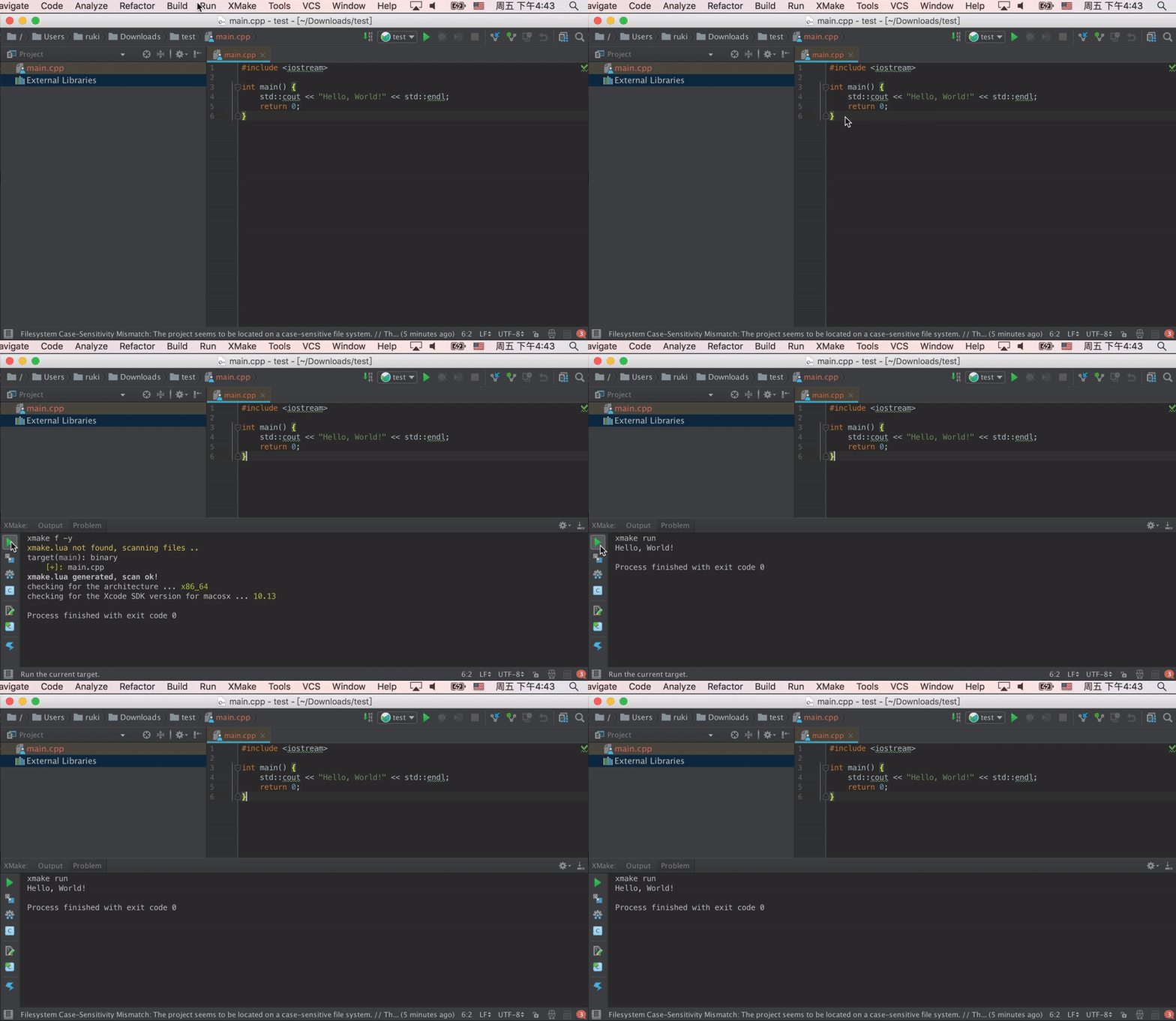
Parse errors and goto file
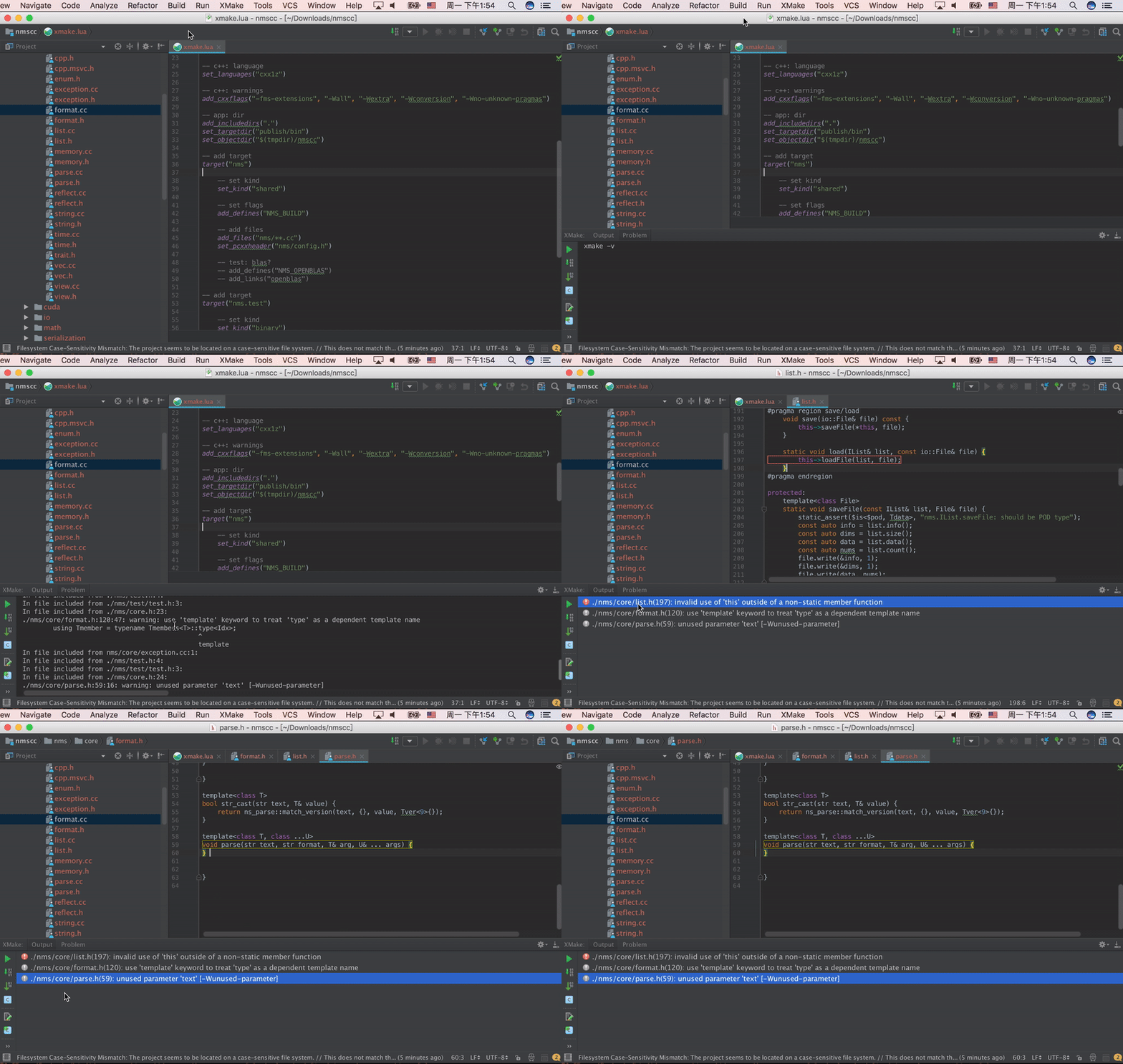
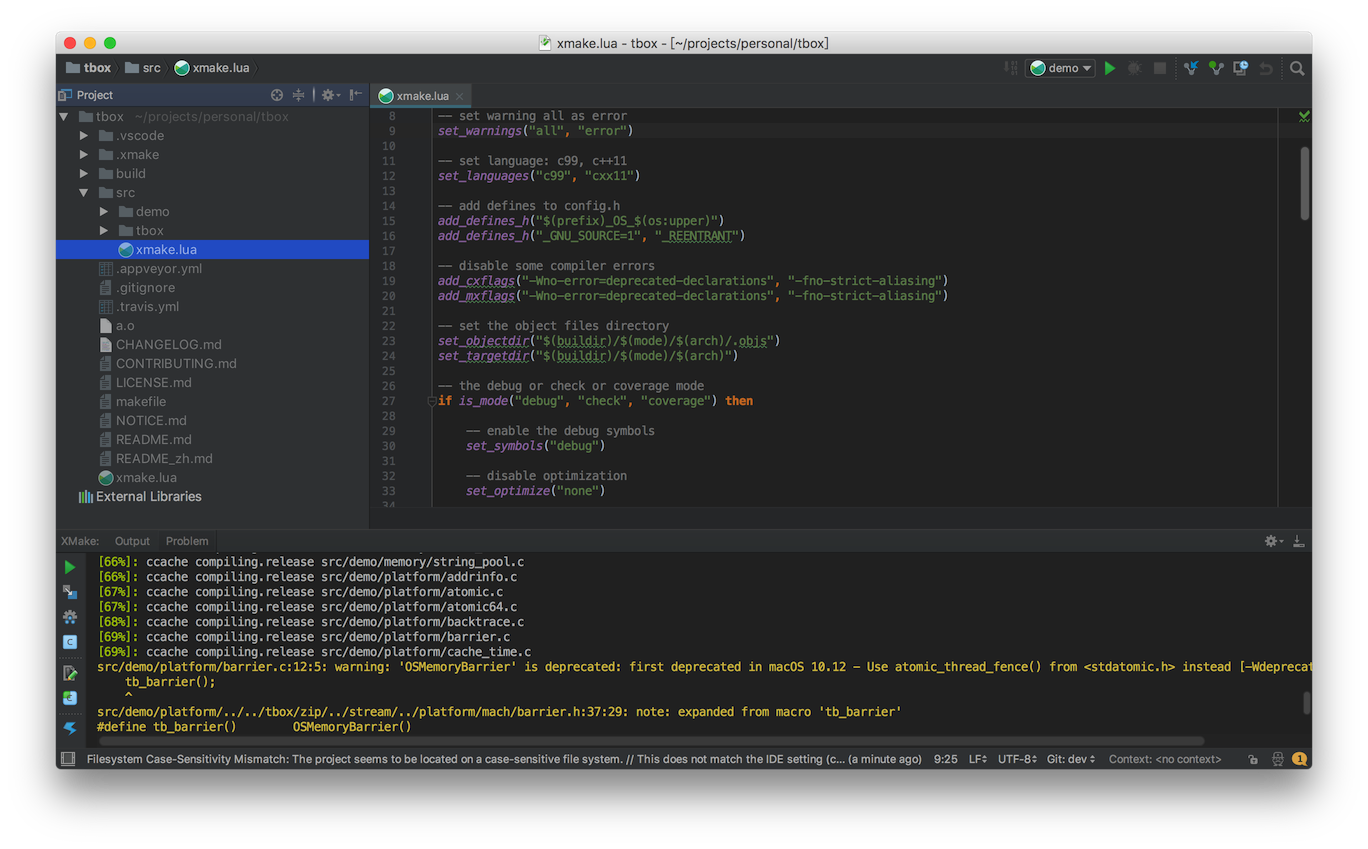
Output panel
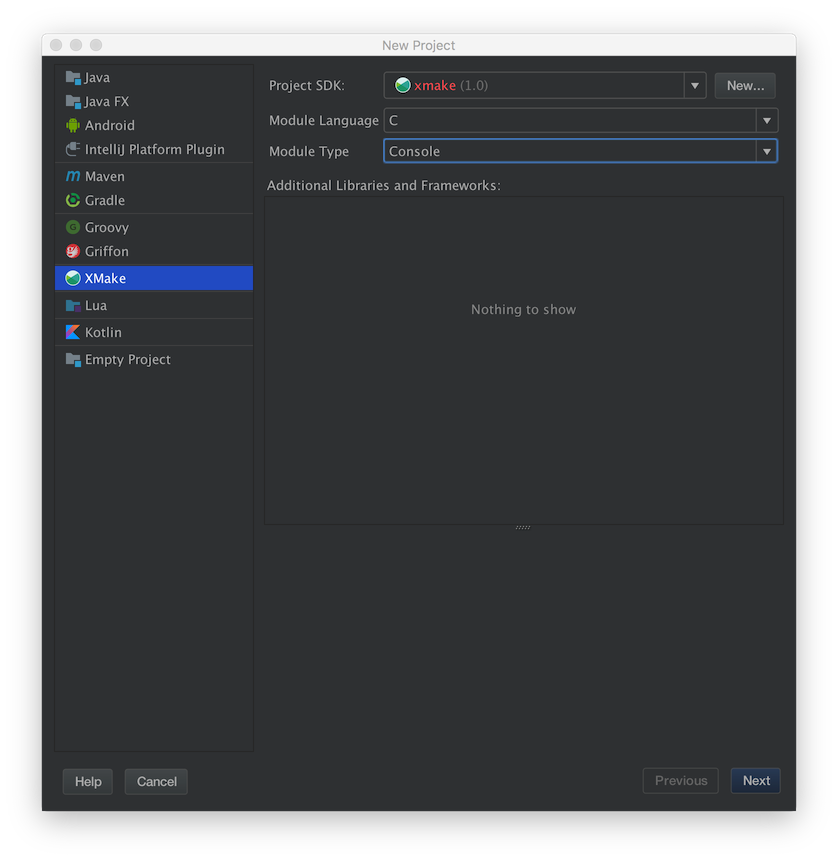
Create project
Project configuration
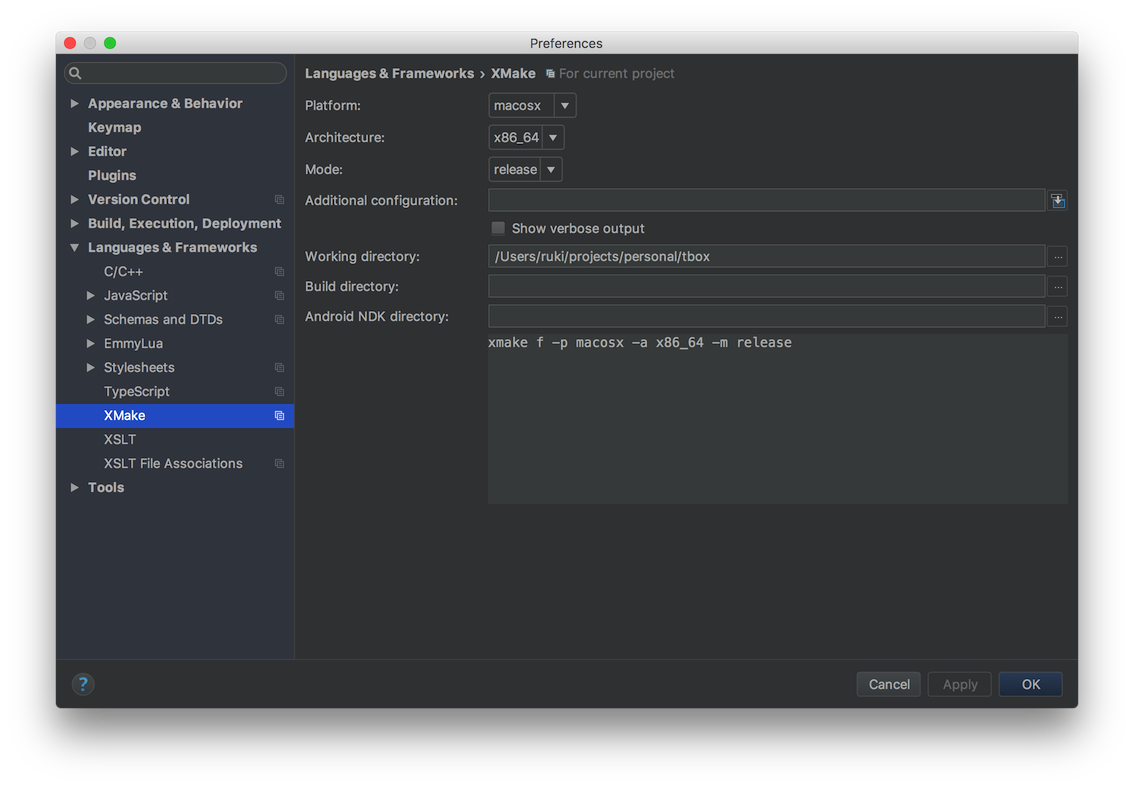
You can configure Xmake path, build settings, and Intellisense options in Settings > Build, Execution, Deployment > Xmake.
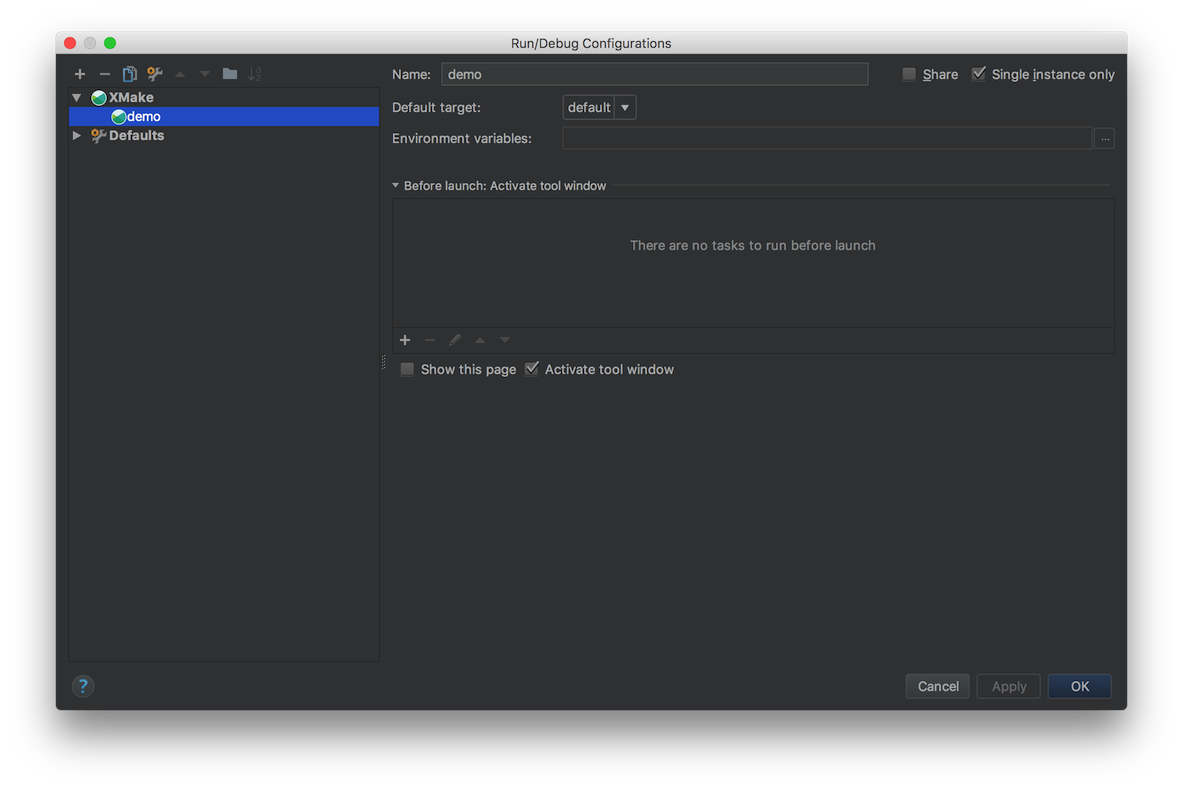
Run configuration
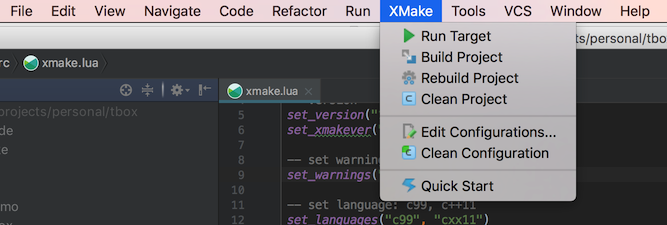
Menu tools
C/C++ intellisense
Only support CLion (>= 2020.1)
- The plugin generates
compile_commands.jsonfor project code completion and navigation. - You can configure the output path and auto-update behavior in
Settings > Build, Execution, Deployment > Xmake. - To manually generate it, click
Update compile commandsin the main menu or context menu. - CLion should automatically detect
compile_commands.json. If not, you can open it viaFile > Open....
Debug
DAP Debugging (Recommended)
Only support CLion (>= 2026.1)
XMake now supports native debugging via the Debug Adapter Protocol (DAP). This allows you to debug your XMake targets directly without generating CMakeLists.txt.
- Install
lldb-dap(recommended) orgdb-dapon your system. - Open the "Run Configuration" for your XMake target.
- In the "Debug Configuration" section, you can:
- Enable "Auto-detect DAP driver" to let the plugin find the driver automatically.
- Or manually select/input the path to your DAP driver executable (e.g.,
/usr/bin/lldb-dap).
- Click the Debug button to start debugging.
Legacy Debugging (CMake)
Support CLion (>= 2020.1)
- Click "Update CmakeLists" to create or update "CmakeLists.txt" file.
- Click "File > open..." to choose this file.
- Choose "Run > Debug..." or "Run > Debug 'project name'" into debug mode.
How to contribute?
Due to limited personal time, I cannot maintain this plug-in all the time. If you encounter problems, you are welcome to download the plug-in source code to debug it yourself and open pr to contribute.
Build this project
Use IDEA Intellji open this project source code, and click Build button.
Run and debug this project
Open and edit Run configuration, and add a gradle run configuration, then write run arguments: runIde --stacktrace and save it.
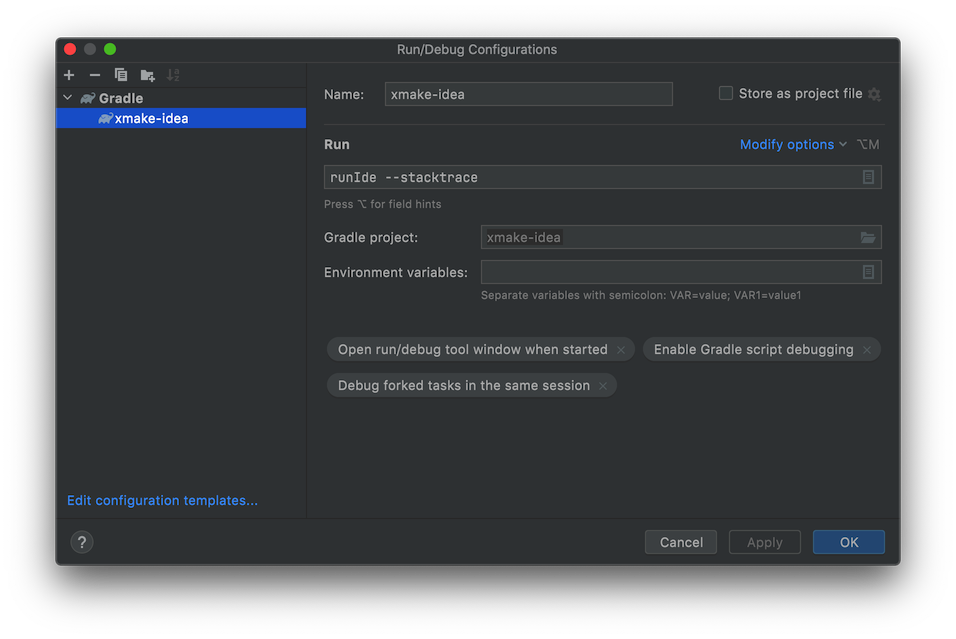
Select this run configuration and click run button to load it.

For more details, please visit: CONTRIBUTING
Powered by

Similar repos


Languages
Kotlin
97.2%
HTML
2.1%
🍨 A XMake integration in IntelliJ IDEA
See the codeREADME
xmake-idea
A XMake integration in IntelliJ IDEA
Introduction
A Xmake integration in IntelliJ IDEA/Clion.
It is deeply integrated with xmake and Intellij-IDEA to provide a convenient and fast cross-platform c/c++ development and building.
And It also support other Intellij-based platform, like Clion, Android Studio and etc.
You need install xmake first and a project with xmake.lua.
Please see xmake-github and website if you want to known more about xmake.
Features
- Quickstart
- Create project
- Project configuration
- Run configuration
- Menu tools
- Tool windows
- Build and run
- Parse errors and goto file
- C/C++ intellisense
- Debug
Quickstart
Parse errors and goto file
Output panel
Create project
Project configuration
You can configure Xmake path, build settings, and Intellisense options in Settings > Build, Execution, Deployment > Xmake.
Run configuration
Menu tools
C/C++ intellisense
Only support CLion (>= 2020.1)
- The plugin generates
compile_commands.jsonfor project code completion and navigation. - You can configure the output path and auto-update behavior in
Settings > Build, Execution, Deployment > Xmake. - To manually generate it, click
Update compile commandsin the main menu or context menu. - CLion should automatically detect
compile_commands.json. If not, you can open it viaFile > Open....
Debug
DAP Debugging (Recommended)
Only support CLion (>= 2026.1)
XMake now supports native debugging via the Debug Adapter Protocol (DAP). This allows you to debug your XMake targets directly without generating CMakeLists.txt.
- Install
lldb-dap(recommended) orgdb-dapon your system. - Open the "Run Configuration" for your XMake target.
- In the "Debug Configuration" section, you can:
- Enable "Auto-detect DAP driver" to let the plugin find the driver automatically.
- Or manually select/input the path to your DAP driver executable (e.g.,
/usr/bin/lldb-dap).
- Click the Debug button to start debugging.
Legacy Debugging (CMake)
Support CLion (>= 2020.1)
- Click "Update CmakeLists" to create or update "CmakeLists.txt" file.
- Click "File > open..." to choose this file.
- Choose "Run > Debug..." or "Run > Debug 'project name'" into debug mode.
How to contribute?
Due to limited personal time, I cannot maintain this plug-in all the time. If you encounter problems, you are welcome to download the plug-in source code to debug it yourself and open pr to contribute.
Build this project
Use IDEA Intellji open this project source code, and click Build button.
Run and debug this project
Open and edit Run configuration, and add a gradle run configuration, then write run arguments: runIde --stacktrace and save it.
Select this run configuration and click run button to load it.
For more details, please visit: CONTRIBUTING
Powered by
Similar repos
Languages
Kotlin
97.2%
HTML
2.1%