
Handy image viewer based on PyQt5. Convenient for viewing and comparing :-)
672
stars
79
commits
Python
primary language
Sep 3, 2024
updated
README







🔻Executable files | 🔧Installation | 📕使用说明
HandyView is a handy image viewer for convenient viewing and comparing. It is developed with PyQt5.
Handy Series:
 HandyView
  HandyFigure
  HandyCrawler
 HandyWriting
🔧 Installation

- Download the pre-compiled executable zip file from the release page.
- Unzip the file
- Set HandyView as the default image viewer, so that you can double-click the image to open HandyView.

- Download the handyviewer.dmg from the release page and install.
- If you fail to install the app, you may first need to disable gatekeeper first. You should be aware of the risk of disabling gatekeeper.
- Set HandyView as the default image viewer (use
cmd+i), so that you can double-click the image to open HandyView.

I used the early version of HandyView on Ubuntu. The current version is not tested on Ubuntu and may be out-of-date.
- Clone this repo
git clone https://github.com/xinntao/HandyView.git - How to double click to open an image
- Modify the HandyView.desktop file - Exec & Icon
- Copy the .desktop file to
/usr/share/applications
- How to change the default image viewer
- Right click an image
- Go to
Properties->Open With - Choose HandyView

For python user, you can also launch HandyView from the command line:
-
Clone repo and install dependent packages
git clone https://github.com/xinntao/HandyView.git cd HandyView pip install -r requirements.txt -
Run
python -m handyview.handyviewer [image_path]
:sparkles: Features
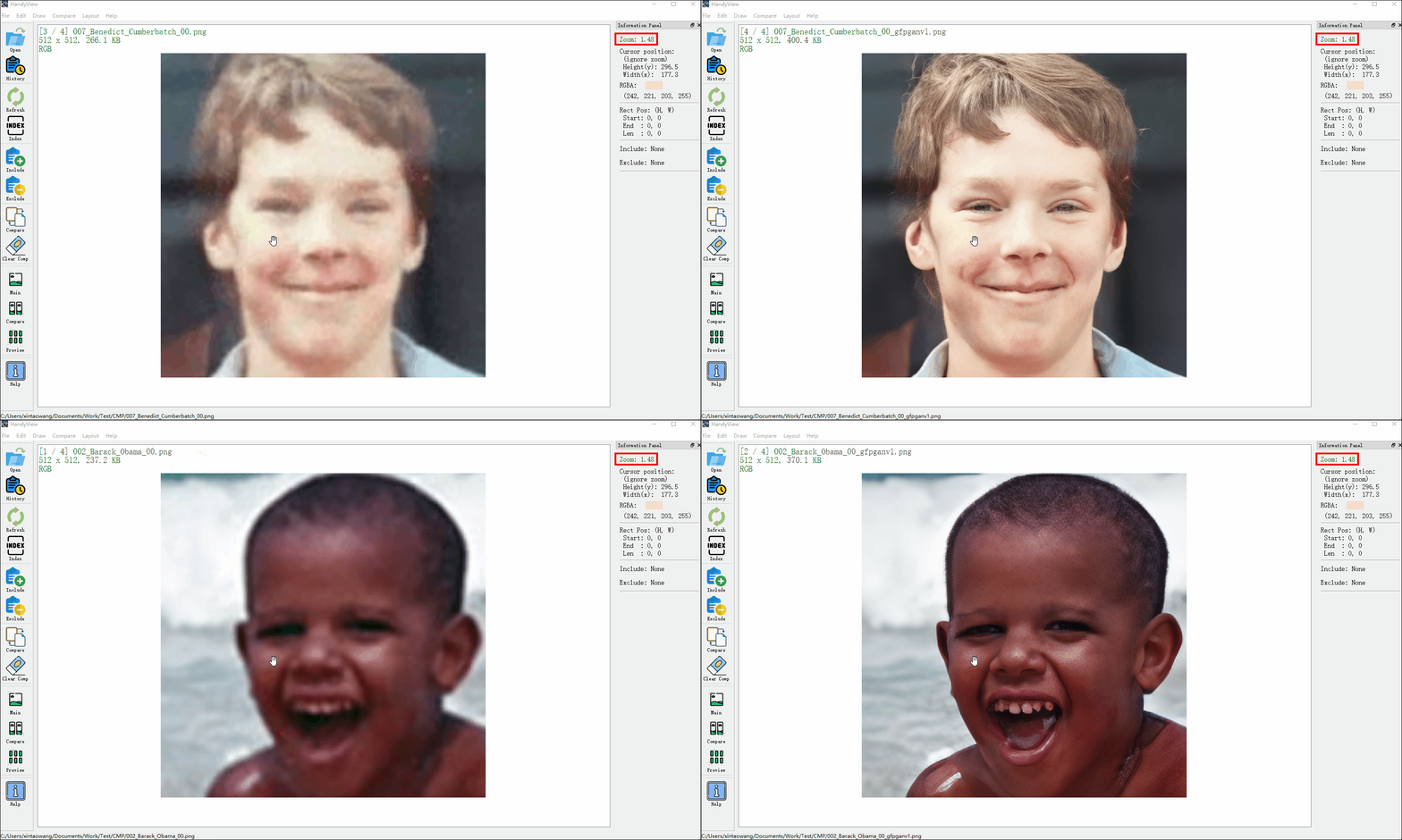
- Switch among images with fixed zoom ration, which is useful when comparing image details. (Unfortunately, I cannot find such a image viewer and this is the initial motivation to develop HandyView).
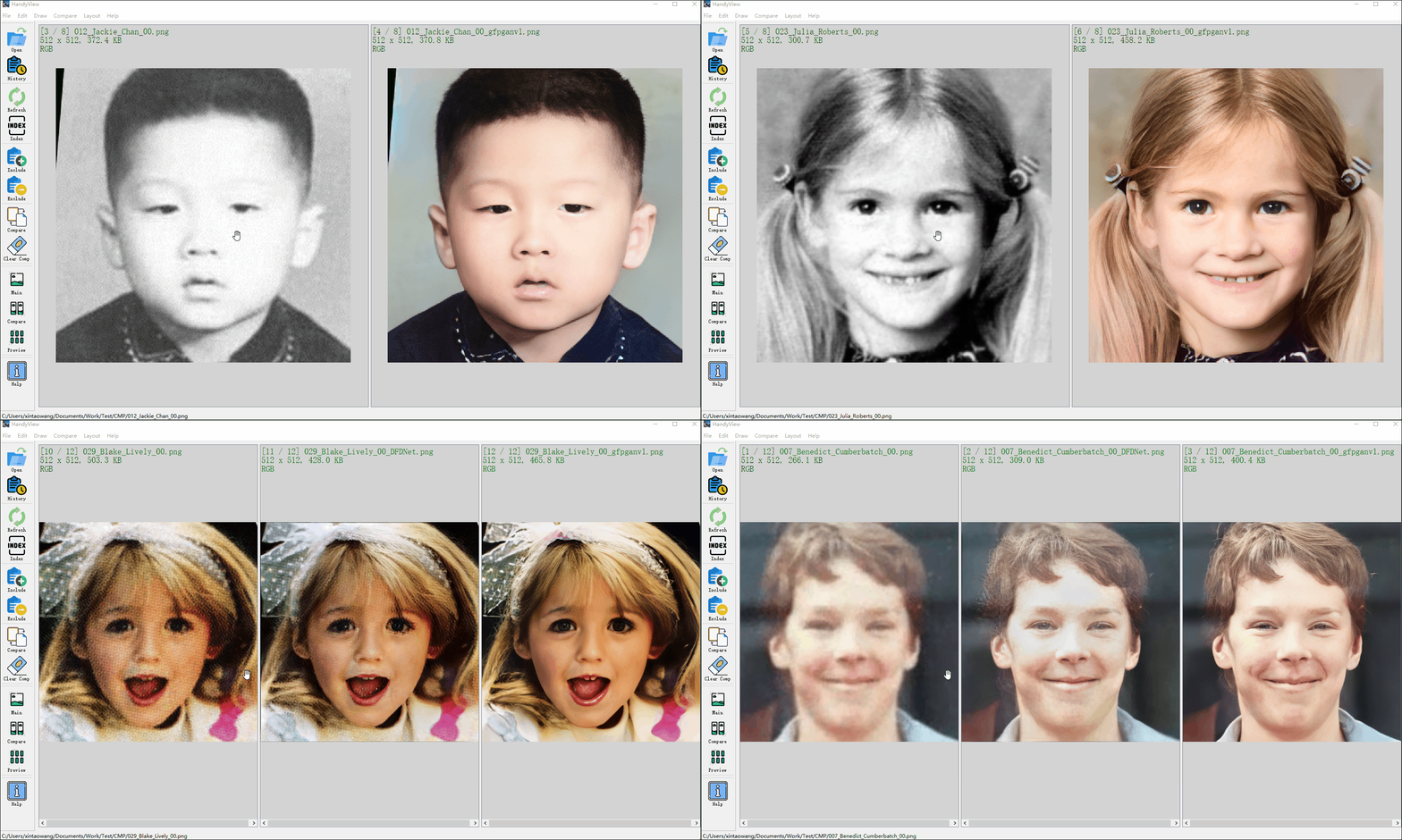
- Various comparison modes.

- Show basic image information, e.g., image path, shape, size, color type, zoom ration, etc.
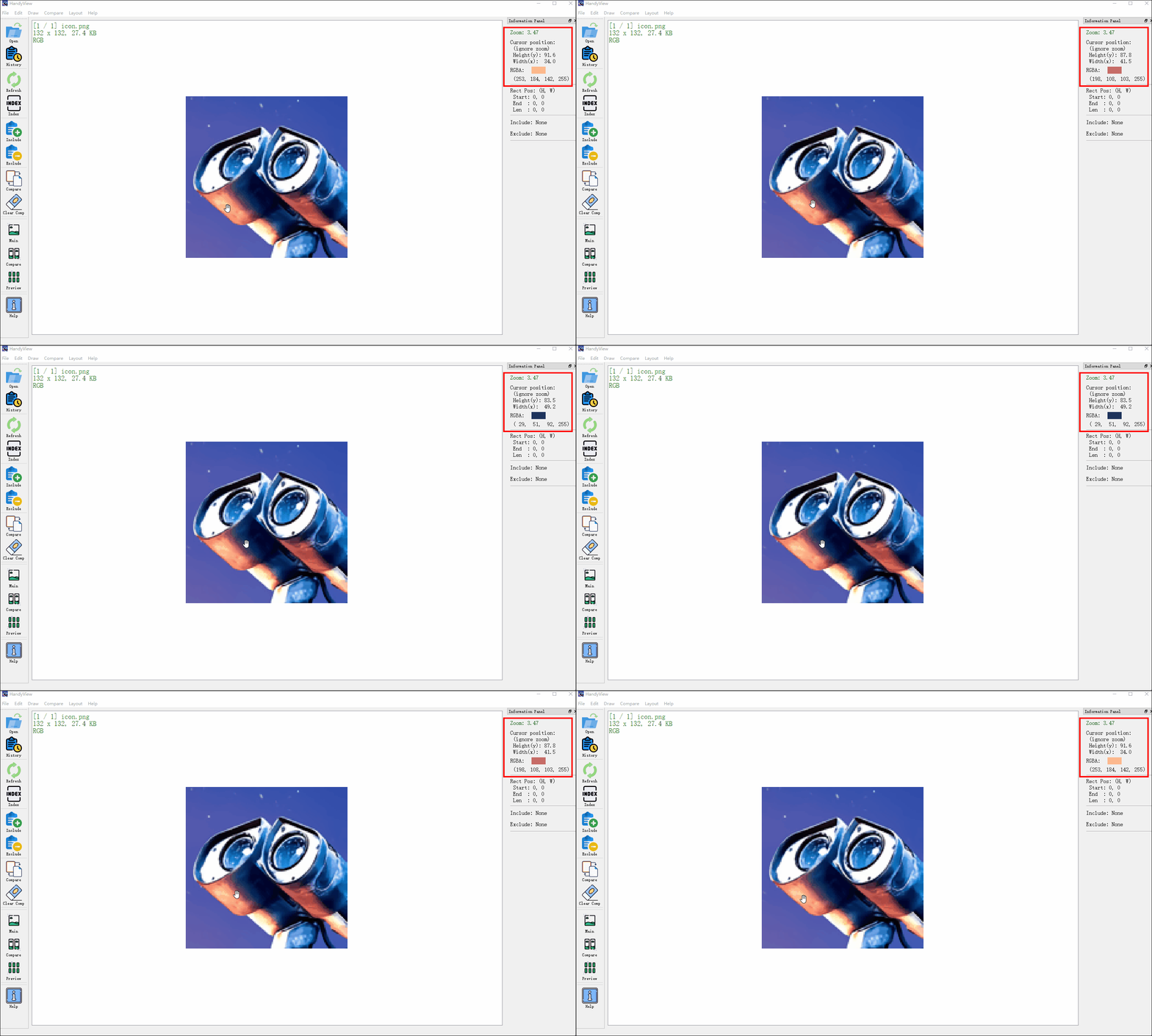
- Show the position and color in the current mouse cursor.
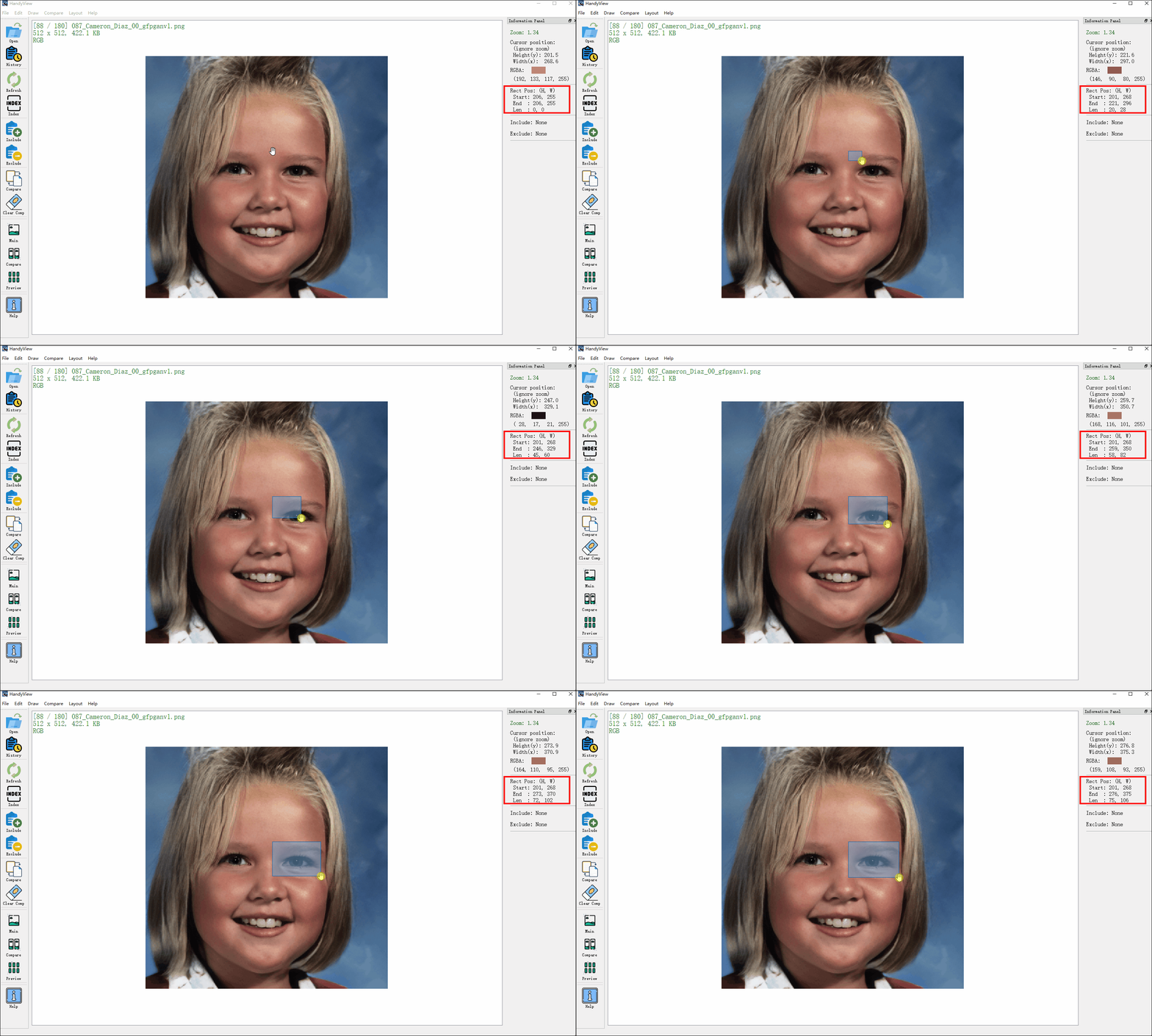
- Draw rectangles on images and show the start and end position.
:eyes: Screenshot
- Current screenshot
- Switch among images with fixed zoom ratio
- Compare images in two-column or three-column modes
- Show the position and color of the current mouse cursor
- Draw rectangles and show the start and end positions
Compile to executable program
For Windows and MacOS users, you can find the instructions of compiling the executable program from how-to-build.
:book: Document (On the way)
The basic operation (such as shortcut keys) could be found in the Help button in the toolbar.
:hourglass_flowing_sand: TODO list
- preview mode
- show zoom info for each folder (store in database)
- drag together in the multi-view comparison mode
Editing operation
- Simple image edit: crop, resize, color conversion, etc
- Draw rectangular and enlarged the area
- Make GIF easily
:books: References
:scroll: License and Acknowledgement
This project is released under the MIT license.
Icons
I have used the icons from flaticon. The following are the source links.
| Icon | Link | Icon | Link | Icon | Link |
|---|---|---|---|---|---|
 | Open |  | History |  | Refresh |
 | Index |  | Include |  | Exclude |
 | Compare |  | Clear comparison |  | Help |
 | Main canvas |  | Compare canvas |  | Preview canvas |
 | Fingerprint |  | Auto Zoom | ||
 | Image |  | Crop |  | Video |
(pip install pyqt5 -i http://mirrors.xxx.com/pypi/simple/ --trusted-host mirrors.xxx.com)
:e-mail: Contact
If you have any question, please open an issue or email xintao.wang@outlook.com.
Contributors


Similar repos


Languages
Python
98.6%
Shell
1.4%
Handy image viewer based on PyQt5. Convenient for viewing and comparing :-)
672
stars
79
commits
Python
primary language
Sep 3, 2024
updated
README
🔻Executable files | 🔧Installation | 📕使用说明
HandyView is a handy image viewer for convenient viewing and comparing. It is developed with PyQt5.
Handy Series:
HandyView HandyFigure HandyCrawler
HandyWriting
🔧 Installation
- Download the pre-compiled executable zip file from the release page.
- Unzip the file
- Set HandyView as the default image viewer, so that you can double-click the image to open HandyView.
- Download the handyviewer.dmg from the release page and install.
- If you fail to install the app, you may first need to disable gatekeeper first. You should be aware of the risk of disabling gatekeeper.
- Set HandyView as the default image viewer (use
cmd+i), so that you can double-click the image to open HandyView.
I used the early version of HandyView on Ubuntu. The current version is not tested on Ubuntu and may be out-of-date.
- Clone this repo
git clone https://github.com/xinntao/HandyView.git - How to double click to open an image
- Modify the HandyView.desktop file - Exec & Icon
- Copy the .desktop file to
/usr/share/applications
- How to change the default image viewer
- Right click an image
- Go to
Properties->Open With - Choose HandyView
For python user, you can also launch HandyView from the command line:
-
Clone repo and install dependent packages
git clone https://github.com/xinntao/HandyView.git cd HandyView pip install -r requirements.txt -
Run
python -m handyview.handyviewer [image_path]
:sparkles: Features
- Switch among images with fixed zoom ration, which is useful when comparing image details. (Unfortunately, I cannot find such a image viewer and this is the initial motivation to develop HandyView).
- Various comparison modes.
- Show basic image information, e.g., image path, shape, size, color type, zoom ration, etc.
- Show the position and color in the current mouse cursor.
- Draw rectangles on images and show the start and end position.
:eyes: Screenshot
- Current screenshot
- Switch among images with fixed zoom ratio
- Compare images in two-column or three-column modes
- Show the position and color of the current mouse cursor
- Draw rectangles and show the start and end positions
Compile to executable program
For Windows and MacOS users, you can find the instructions of compiling the executable program from how-to-build.
:book: Document (On the way)
The basic operation (such as shortcut keys) could be found in the Help button in the toolbar.
:hourglass_flowing_sand: TODO list
- preview mode
- show zoom info for each folder (store in database)
- drag together in the multi-view comparison mode
Editing operation
- Simple image edit: crop, resize, color conversion, etc
- Draw rectangular and enlarged the area
- Make GIF easily
:books: References
:scroll: License and Acknowledgement
This project is released under the MIT license.
Icons
I have used the icons from flaticon. The following are the source links.
| Icon | Link | Icon | Link | Icon | Link |
|---|---|---|---|---|---|
| Open | | History | | Refresh |
| Index | | Include | | Exclude |
| Compare | | Clear comparison | | Help |
| Main canvas | | Compare canvas | | Preview canvas |
| Fingerprint | | Auto Zoom | ||
| Image | | Crop | | Video |
(pip install pyqt5 -i http://mirrors.xxx.com/pypi/simple/ --trusted-host mirrors.xxx.com)
:e-mail: Contact
If you have any question, please open an issue or email xintao.wang@outlook.com.
Similar repos
Contributors
Languages
Python
98.6%
Shell
1.4%