浸入式学语言助手 (Immersive Language Learning Assistant)
TypeScript
2,911
92 commits
updated Jul 2, 2026



A browser extension based on the "comprehensible input" theory to help you learn languages naturally while browsing the web.
English | 简体中文


🎯 Complete Demo: One-stop immersive experience from smart translation to pronunciation learning
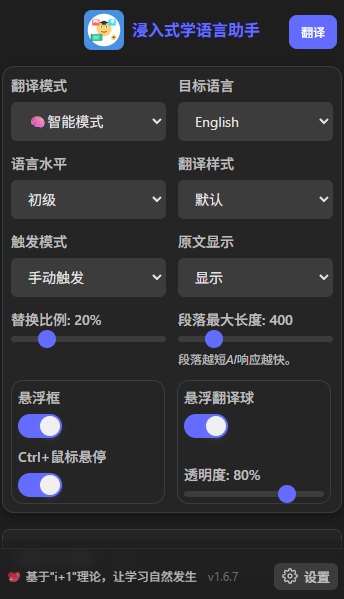
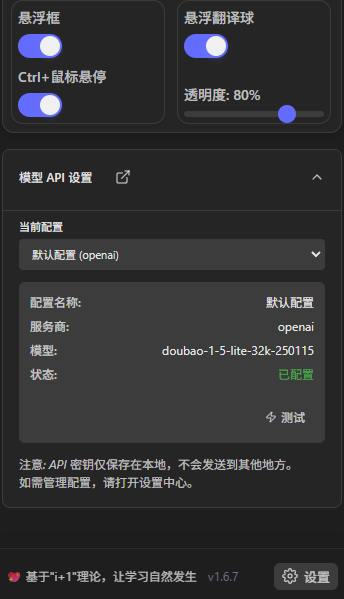
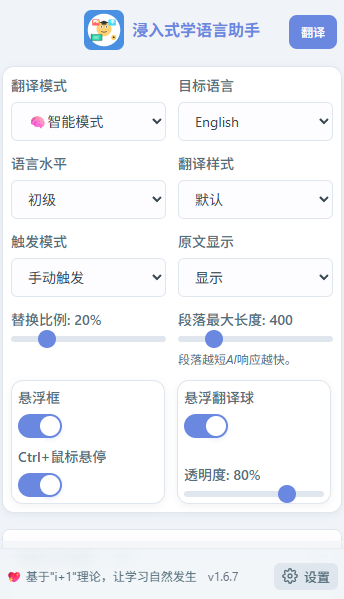
🌗 Theme Adaptation: Smart dark/light theme switching with modern visual experience
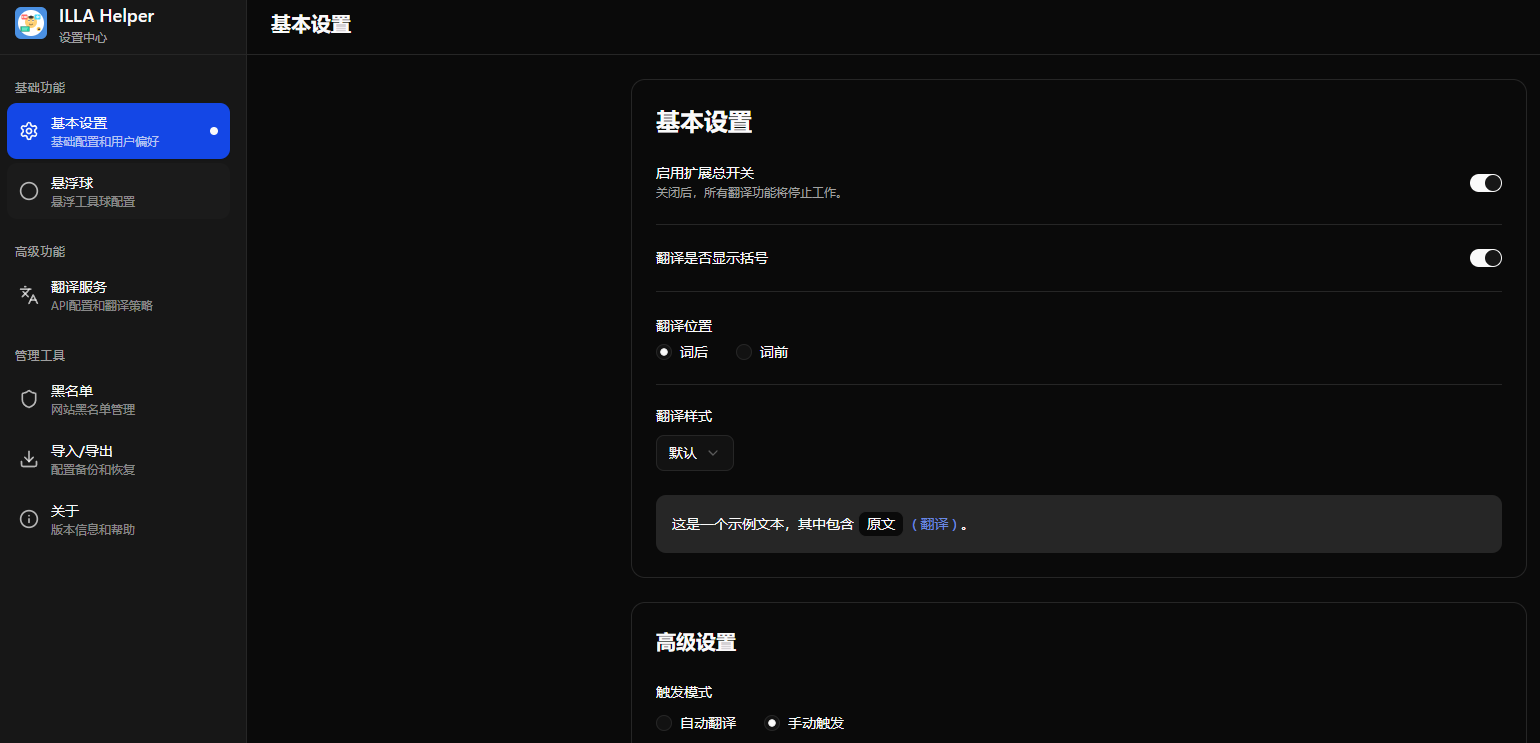
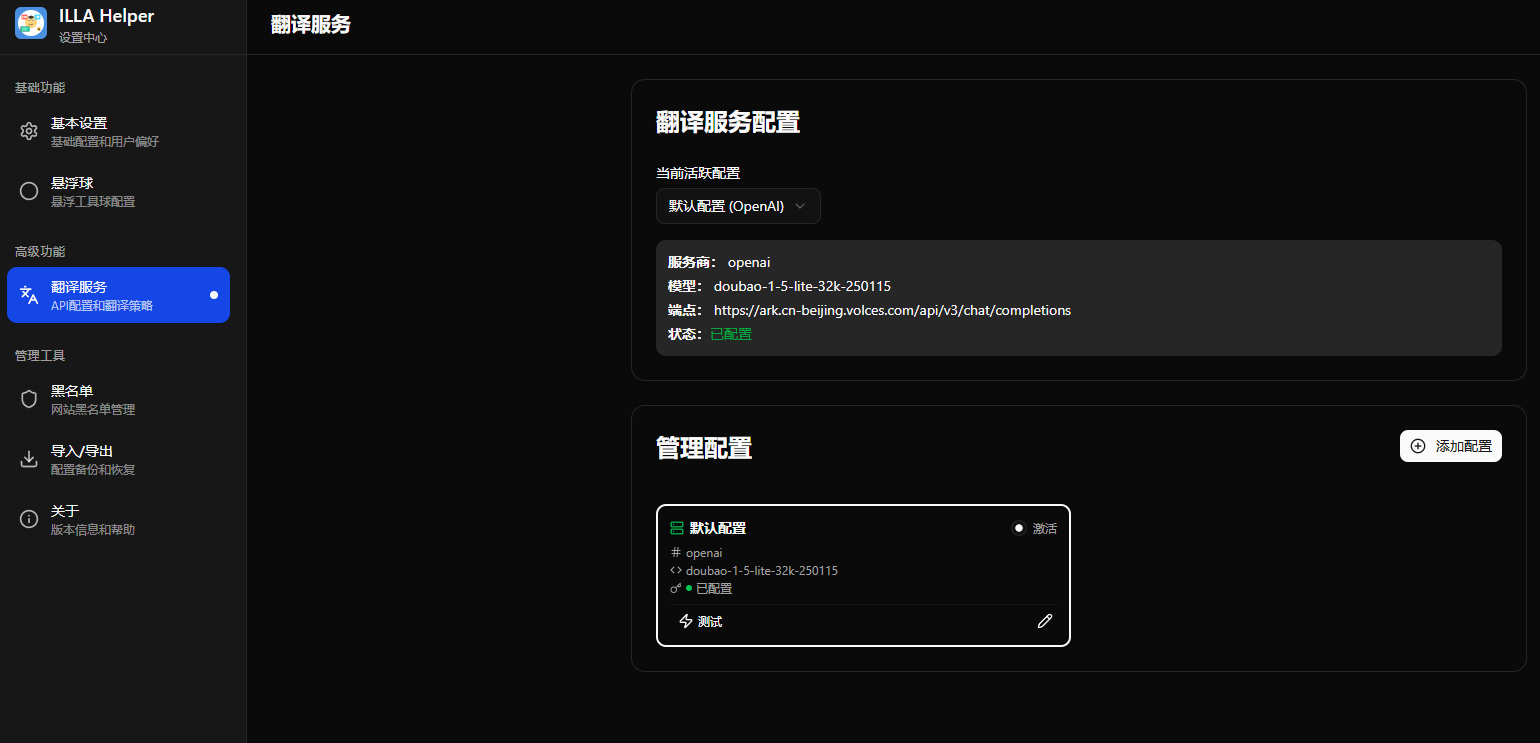
👍 Settings page supports multiple configurations

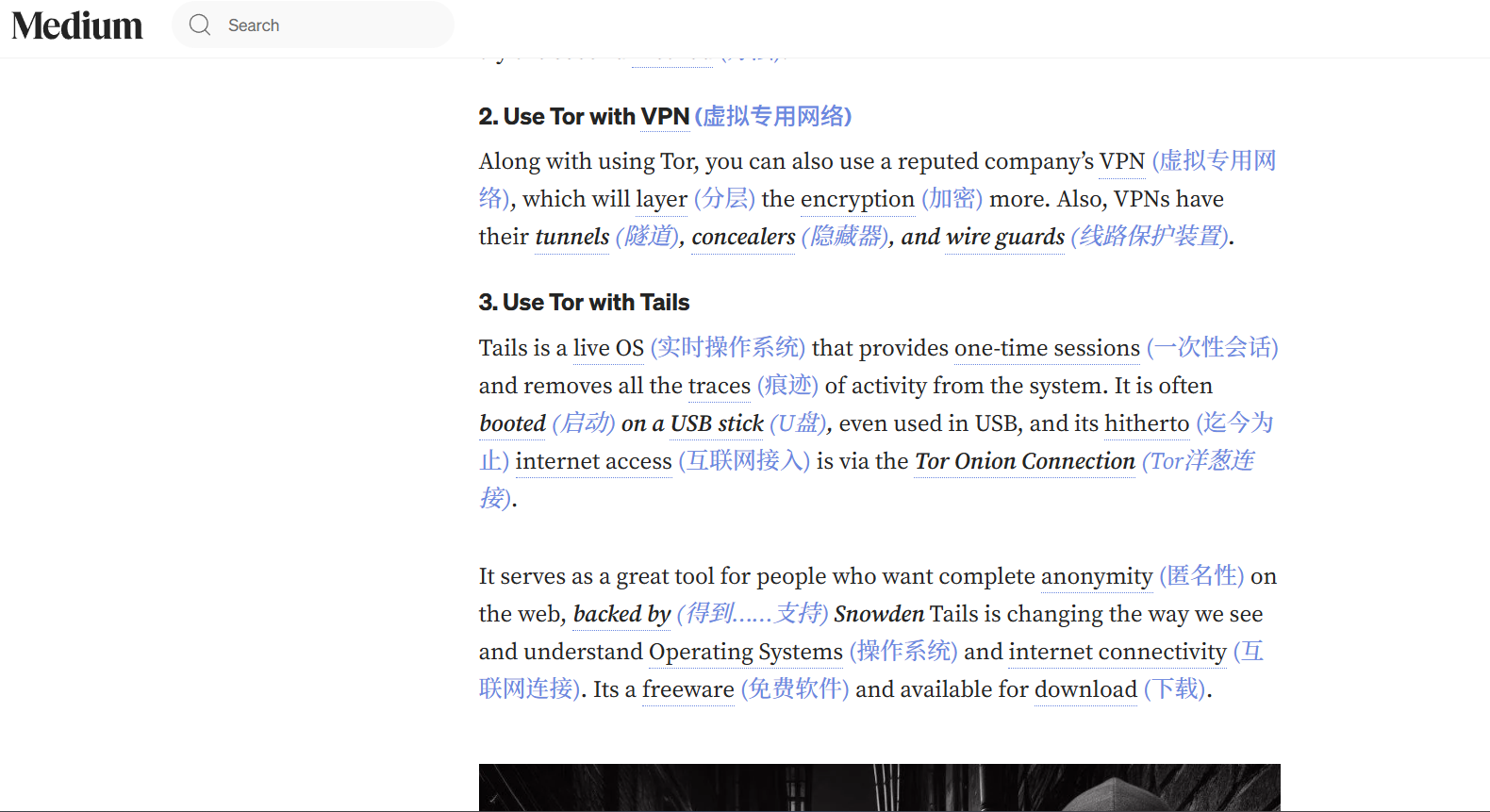


🧠 Smart Multi-language: AI automatic detection and translation for 20+ languages, covering mainstream learning languages including Chinese, English, Japanese, Korean, etc.
📥 Install from Chrome Web Store
📥 Install from Firefox Add-ons
💡 Recommended: Official store installation is the easiest way - one-click install with automatic updates!
We firmly believe that the best way to learn a language is through extensive exposure to "comprehensible input," the famous "i+1" theory. This means content should be slightly above your current level—challenging but not incomprehensible. This extension aims to turn the entire internet into your personalized language learning material by intelligently replacing selected words with their translations in your target language, allowing you to naturally improve your vocabulary and language intuition while immersed in reading.
🎯 Project Highlights: Features a complete pronunciation learning ecosystem with intelligent multi-language translation, including automatic language detection, phonetic notation, AI definitions, dual TTS support, and interactive tooltips for a comprehensive one-stop immersive experience from smart translation to pronunciation learning.
📚 Complete Documentation: See Architecture & Features Guide for technical architecture, API reference, development guide, and troubleshooting.
This extension is built with Web Extension API and WXT, supporting the following browsers:
| Browser | Support Status | Notes |
|---|---|---|
| Chrome | ✅ Fully Supported | Recommended environment, all features available |
| Edge | ✅ Fully Supported | Chromium-based, full compatibility |
| Firefox | ✅ Supported | Requires addon ID configuration, see Firefox Installation Guide |
| Safari | ⚠️ Partially Supported | Requires additional configuration |
If you want to participate in development or need to build from source:
Clone the repository:
git clone https://github.com/xiao-zaiyi/illa-helper.git
cd illa-helper
Install dependencies:
npm install
Tip: If you just want to use this extension without participating in development, please go directly to the Releases page to download the latest packaged version.
The project manages local development environment configuration through .env files.
Create .env file:
Copy the .env.example file to create your own local configuration file.
cp .env.example .env
Edit configuration:
Open the newly created .env file. At minimum, you need to provide a valid API Key for the translation function to work properly.
VITE_WXT_DEFAULT_API_KEY="sk-your-real-api-key"
# You can also override other default settings here
VITE_WXT_DEFAULT_API_ENDPOINT="https://xxxxx/api/v1/chat/completions"
VITE_WXT_DEFAULT_MODEL="gpt-4"
VITE_WXT_DEFAULT_TEMPERATURE="0.2"
Note: The
.envfile has been added to.gitignore, so your keys won't be accidentally committed.
Execute the appropriate build commands based on your target browser:
npm run build
npm run zip
npm run build:firefox
npm run zip:firefox
chrome://extensions or edge://extensions).output/chrome-mv3 folder in the project root directoryFirefox requires special installation steps due to security restrictions:
The official release version currently cannot be installed through this method, only through the store.
Method 1: Temporary Installation (Recommended for Development)
about:debugging#/runtime/this-firefox in Firefox address bar.output/firefox-mv2/manifest.json fileMethod 2: Modify Security Configuration (Permanent Installation)
about:config in Firefox address barxpinstall.signatures.requiredfalseabout:addonsFirefox Storage API Configuration
The storage API in Firefox requires an explicit addon ID to work properly. This project has configured Firefox-specific settings in wxt.config.ts:
browser_specific_settings: {
  gecko: {
    id: 'illa-helper@[email protected]',
    strict_min_version: '88.0'
  }
}
This ensures proper storage functionality for saving user settings in Firefox.
📖 See Detailed Documentation: Architecture & Features Guide - Contains the complete technical architecture, API reference, and development guidelines.
This extension uses AI technology for intelligent text translation, which requires an API service. You can use OpenAI's API key or any third-party service that's compatible with OpenAI's API format, including the newly supported Google Gemini API.
Our pronunciation system is a core feature providing a complete learning experience:
Smart multi-language mode is our new feature, easy to use:
No. This extension processes all webpage content locally and only sends text fragments that need translation to your configured API service. Pronunciation function's phonetic and definition data are also cached locally to protect your privacy.
Yes. The extension provides precise translation control:
Safari requires additional steps to package Web Extensions as Safari extensions. Please refer to Apple's developer documentation.
According to Add-on signing in Firefox, only Extended Support Release (ESR), Developer Edition, and Nightly versions will read the
xpinstall.signatures.requiredsetting when set tofalse; regular versions can only use temporary installation even if set tofalse.
This is a known limitation in Firefox. Solutions:
npm run build:firefox && npm run zip:firefoxabout:debugging page instead of directly installing .xpi fileabout:debugging#/runtime/this-firefox in address bar, select Load Temporary Add-on... to install Firefox extension from fileabout:config in address bar, search for xpinstall.signatures.required, double-click to change to false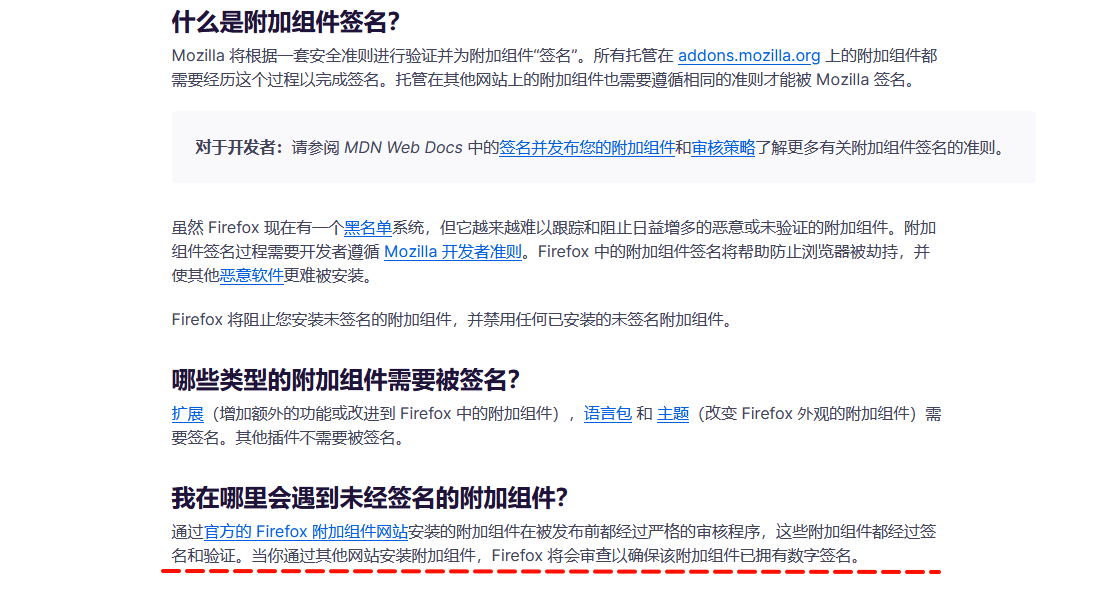
Check the following configurations:
sk-)You can try:
npm installWe warmly welcome contributions of all kinds! Whether it's submitting a bug, proposing a new feature, or contributing code directly.
Submit Issues
Contribute Code
git checkout -b feature/your-amazing-feature)git commit -m 'Add some amazing feature')git push origin feature/your-amazing-feature)Improve Documentation
📖 Detailed Development Guide: Check out the Architecture & Features Guide for complete development environment setup, code structure explanations, and best practices.
This project is open-sourced under the MIT License. You are free to use, modify, and distribute this code, including for commercial purposes.
⭐ If this project helps you, please give us a Star!
🔄 Welcome to Fork and contribute your improvements!
浸入式学语言助手 (Immersive Language Learning Assistant)
TypeScript
2,911
92 commits
updated Jul 2, 2026
A browser extension based on the "comprehensible input" theory to help you learn languages naturally while browsing the web.
English | 简体中文
🎯 Complete Demo: One-stop immersive experience from smart translation to pronunciation learning
🌗 Theme Adaptation: Smart dark/light theme switching with modern visual experience
👍 Settings page supports multiple configurations
🧠 Smart Multi-language: AI automatic detection and translation for 20+ languages, covering mainstream learning languages including Chinese, English, Japanese, Korean, etc.
📥 Install from Chrome Web Store
📥 Install from Firefox Add-ons
💡 Recommended: Official store installation is the easiest way - one-click install with automatic updates!
We firmly believe that the best way to learn a language is through extensive exposure to "comprehensible input," the famous "i+1" theory. This means content should be slightly above your current level—challenging but not incomprehensible. This extension aims to turn the entire internet into your personalized language learning material by intelligently replacing selected words with their translations in your target language, allowing you to naturally improve your vocabulary and language intuition while immersed in reading.
🎯 Project Highlights: Features a complete pronunciation learning ecosystem with intelligent multi-language translation, including automatic language detection, phonetic notation, AI definitions, dual TTS support, and interactive tooltips for a comprehensive one-stop immersive experience from smart translation to pronunciation learning.
📚 Complete Documentation: See Architecture & Features Guide for technical architecture, API reference, development guide, and troubleshooting.
This extension is built with Web Extension API and WXT, supporting the following browsers:
| Browser | Support Status | Notes |
|---|---|---|
| Chrome | ✅ Fully Supported | Recommended environment, all features available |
| Edge | ✅ Fully Supported | Chromium-based, full compatibility |
| Firefox | ✅ Supported | Requires addon ID configuration, see Firefox Installation Guide |
| Safari | ⚠️ Partially Supported | Requires additional configuration |
If you want to participate in development or need to build from source:
Clone the repository:
git clone https://github.com/xiao-zaiyi/illa-helper.git
cd illa-helper
Install dependencies:
npm install
Tip: If you just want to use this extension without participating in development, please go directly to the Releases page to download the latest packaged version.
The project manages local development environment configuration through .env files.
Create .env file:
Copy the .env.example file to create your own local configuration file.
cp .env.example .env
Edit configuration:
Open the newly created .env file. At minimum, you need to provide a valid API Key for the translation function to work properly.
VITE_WXT_DEFAULT_API_KEY="sk-your-real-api-key"
# You can also override other default settings here
VITE_WXT_DEFAULT_API_ENDPOINT="https://xxxxx/api/v1/chat/completions"
VITE_WXT_DEFAULT_MODEL="gpt-4"
VITE_WXT_DEFAULT_TEMPERATURE="0.2"
Note: The
.envfile has been added to.gitignore, so your keys won't be accidentally committed.
Execute the appropriate build commands based on your target browser:
npm run build
npm run zip
npm run build:firefox
npm run zip:firefox
chrome://extensions or edge://extensions).output/chrome-mv3 folder in the project root directoryFirefox requires special installation steps due to security restrictions:
The official release version currently cannot be installed through this method, only through the store.
Method 1: Temporary Installation (Recommended for Development)
about:debugging#/runtime/this-firefox in Firefox address bar.output/firefox-mv2/manifest.json fileMethod 2: Modify Security Configuration (Permanent Installation)
about:config in Firefox address barxpinstall.signatures.requiredfalseabout:addonsFirefox Storage API Configuration
The storage API in Firefox requires an explicit addon ID to work properly. This project has configured Firefox-specific settings in wxt.config.ts:
browser_specific_settings: {
  gecko: {
    id: 'illa-helper@[email protected]',
    strict_min_version: '88.0'
  }
}
This ensures proper storage functionality for saving user settings in Firefox.
📖 See Detailed Documentation: Architecture & Features Guide - Contains the complete technical architecture, API reference, and development guidelines.
This extension uses AI technology for intelligent text translation, which requires an API service. You can use OpenAI's API key or any third-party service that's compatible with OpenAI's API format, including the newly supported Google Gemini API.
Our pronunciation system is a core feature providing a complete learning experience:
Smart multi-language mode is our new feature, easy to use:
No. This extension processes all webpage content locally and only sends text fragments that need translation to your configured API service. Pronunciation function's phonetic and definition data are also cached locally to protect your privacy.
Yes. The extension provides precise translation control:
Safari requires additional steps to package Web Extensions as Safari extensions. Please refer to Apple's developer documentation.
According to Add-on signing in Firefox, only Extended Support Release (ESR), Developer Edition, and Nightly versions will read the
xpinstall.signatures.requiredsetting when set tofalse; regular versions can only use temporary installation even if set tofalse.
This is a known limitation in Firefox. Solutions:
npm run build:firefox && npm run zip:firefoxabout:debugging page instead of directly installing .xpi fileabout:debugging#/runtime/this-firefox in address bar, select Load Temporary Add-on... to install Firefox extension from fileabout:config in address bar, search for xpinstall.signatures.required, double-click to change to false
Check the following configurations:
sk-)You can try:
npm installWe warmly welcome contributions of all kinds! Whether it's submitting a bug, proposing a new feature, or contributing code directly.
Submit Issues
Contribute Code
git checkout -b feature/your-amazing-feature)git commit -m 'Add some amazing feature')git push origin feature/your-amazing-feature)Improve Documentation
📖 Detailed Development Guide: Check out the Architecture & Features Guide for complete development environment setup, code structure explanations, and best practices.
This project is open-sourced under the MIT License. You are free to use, modify, and distribute this code, including for commercial purposes.
⭐ If this project helps you, please give us a Star!
🔄 Welcome to Fork and contribute your improvements!







