Benchmarking Embodied Reasoning for Vision Language Models in Multi-Stage Visual Grounding



TL;DR: We move embodied reasoning evaluation from multiple-choice answers (A/B/C/D) to visual grounding, testing whether VLMs truly know where to point in realistic embodied scenarios.
Haotian Xue1,2*,
Yunhao Ge2,
Yu Zeng2,
Zhaoshuo Li2,
Ming-Yu Liu2,
Yongxin Chen1,2,
Jiaojiao Fan2
1Georgia Tech · 2NVIDIA
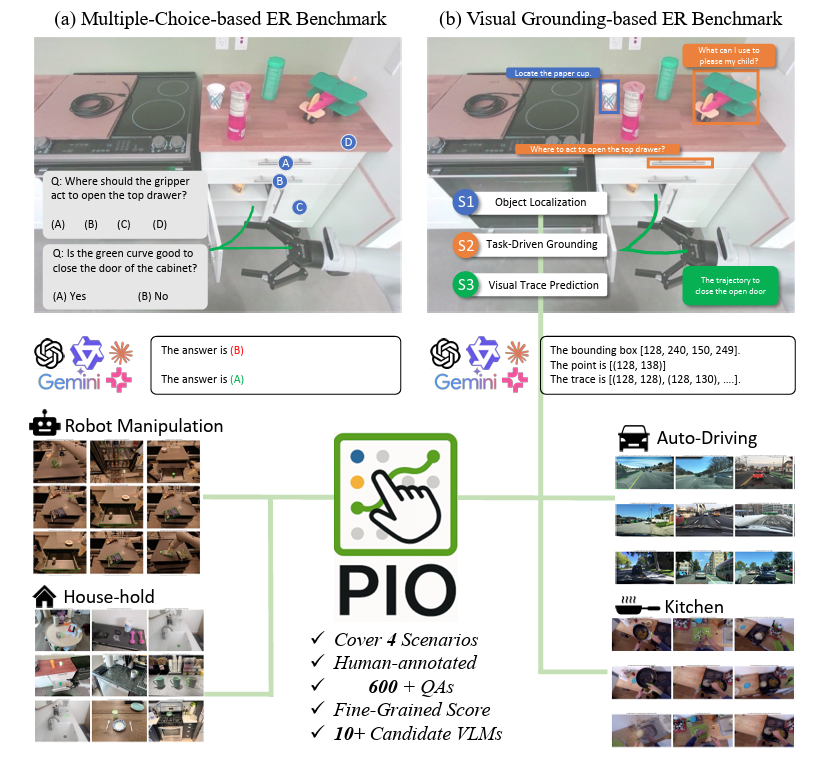
Most embodied reasoning benchmarks evaluate models via multiple-choice QA (MCQ): the model picks from options like A/B/C/D.
However, real-world agents need to do more than choose an answer — they must ground their reasoning in the scene:
“Where exactly should I act?”
“Which object or location is the right one?”
Point-It-Out (PIO) reframes embodied reasoning as visual grounding in realistic scenarios.
Instead of asking “Which option is correct?”, PIO asks:
We argue this is a crucial step toward connecting multi-modal language models to the physical world.
PIO consists of three stages, each targeting a different aspect of embodied reasoning:
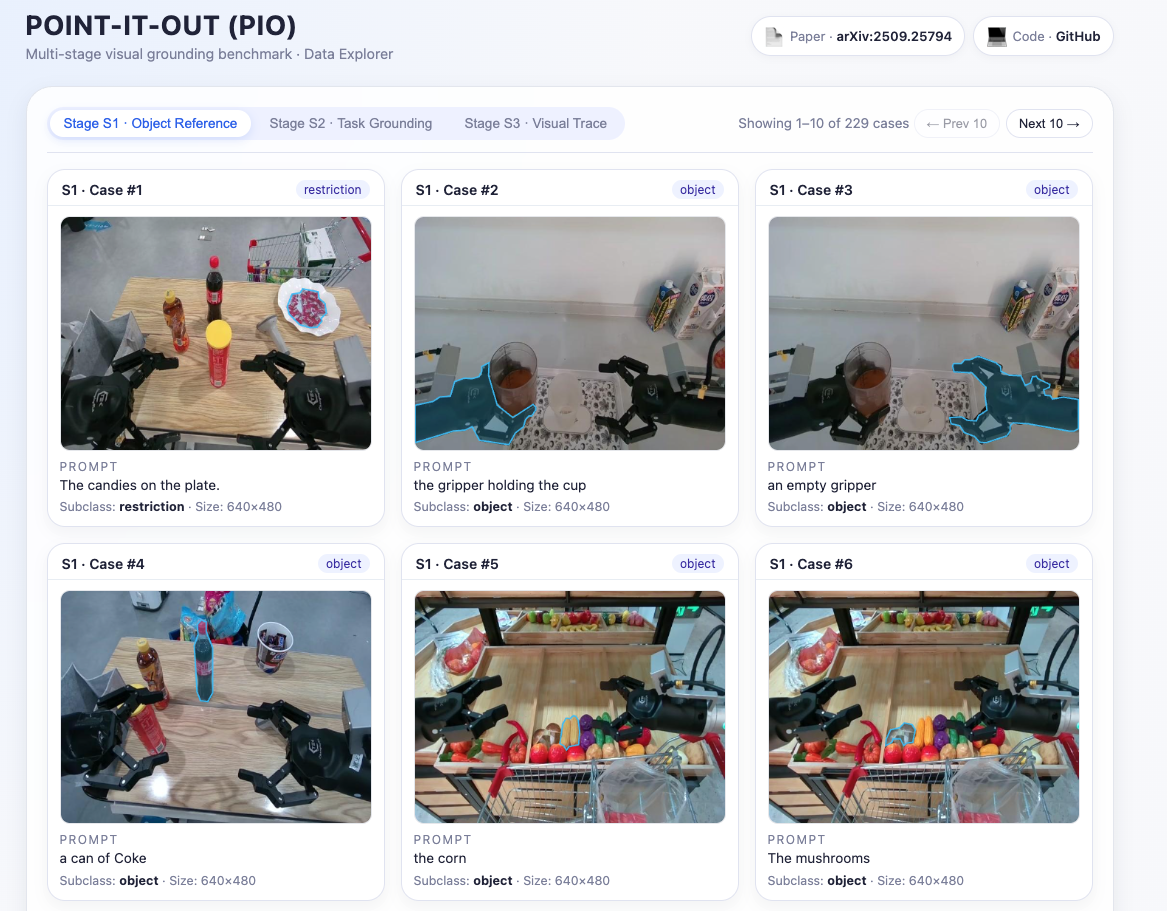
(S1) Object Reference
Refer to a specific object under different constraints:
(S2) Task-Centric Grounding
Refer to where to act based on a downstream goal:
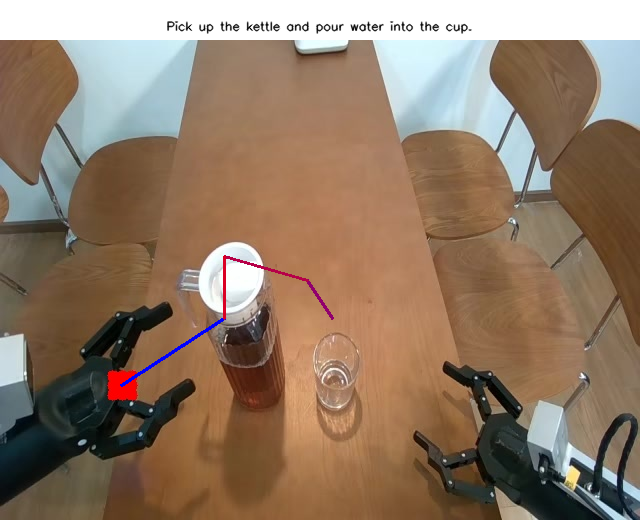
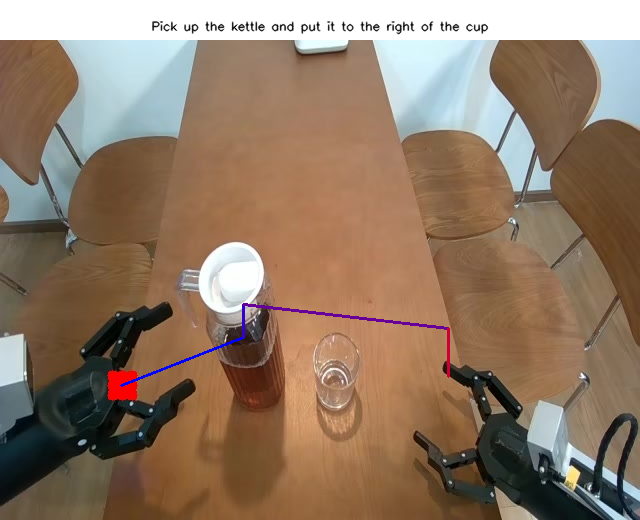
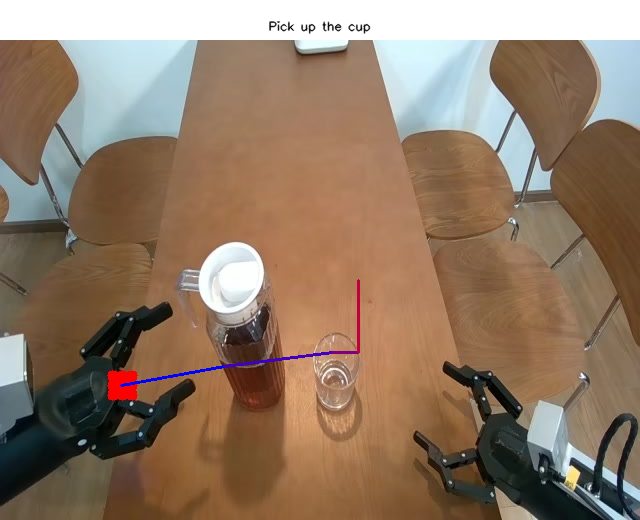
(S3) Visual Trace Prediction
Predict a continuous trajectory in the image to accomplish a task:
PIO currently contains ~600 human-curated questions:
For S1 / S2:
For S3:
import json

s1s2_data = json.load(open('data/s1s2.json', 'rb'))
for sample in s1s2_data:
    polygon = sample['polygon']        # ground-truth seg mask (COCO-style polygon)
    image_path = sample['image_path']  # relative image path
    height, width = sample['height'], sample['width']
    prompt = sample['lang']            # task prompt
    s1_or_s2 = sample['s1_or_s2']      # 's1' or 's2'
    subclass = sample['subclasses']    # subclass label, e.g. "recommendation"
image_path is:data/images_s1s2/
import json

s3_data = json.load(open('data/s3.json', 'rb'))
for sample in s3_data:
    image_path = sample['image_path']
    prompt = sample['lang']
image_path is:data/images_s3/
We provide ready-to-run demo scripts to perform inference on all three stages (S1/S2/S3) using Gemini-2.5-flash (or any other VLM defined in code/vlms/).
Simply run:
EXP_NAME="demo"
MAX_CASES=5  # set to -1 to run on all cases

python code/test_s1s2.py \
  --test_models gemini-2.5-flash \
  --max_cases ${MAX_CASES} \
  --exp_name ${EXP_NAME} \
  --which_s both \
  --save_path results \
  --s1s2_path data/s1s2.json
EXP_NAME="demo"
MAX_CASES=5  # set to -1 to run on all cases

python code/test_s3.py \
  --test_model gemini-2.5-flash \
  --max_cases ${MAX_CASES} \
  --exp_name ${EXP_NAME} \
  --json_path data/s3.json \
  --image_root data/images_s3 \
  --save_path results
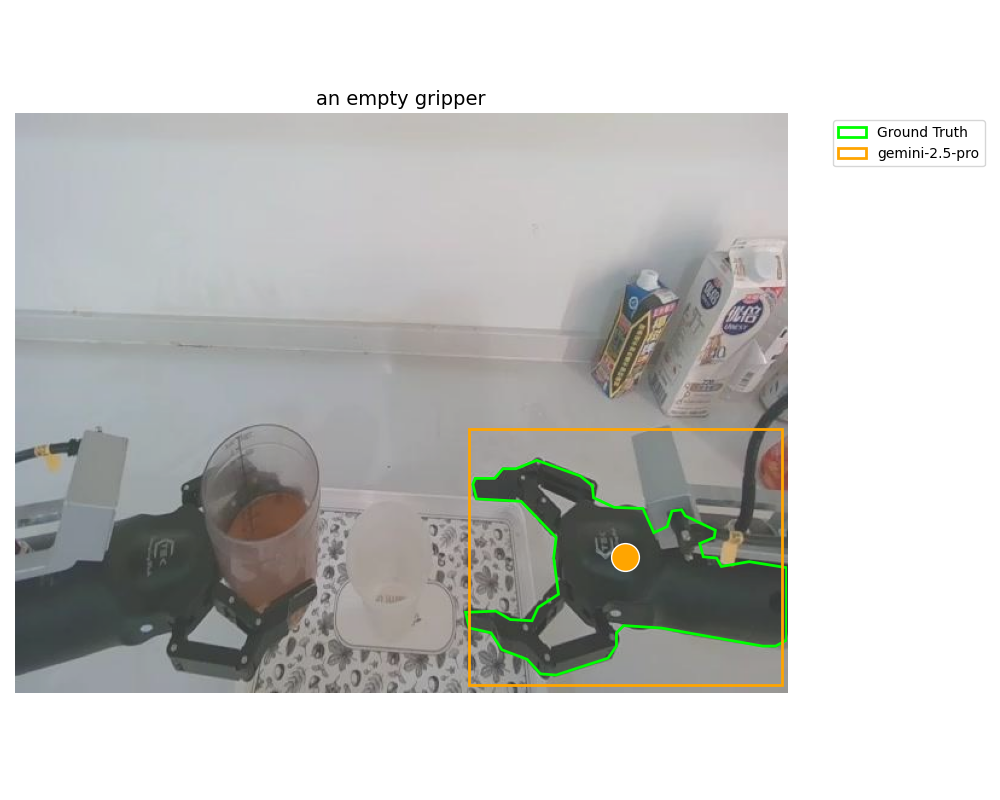
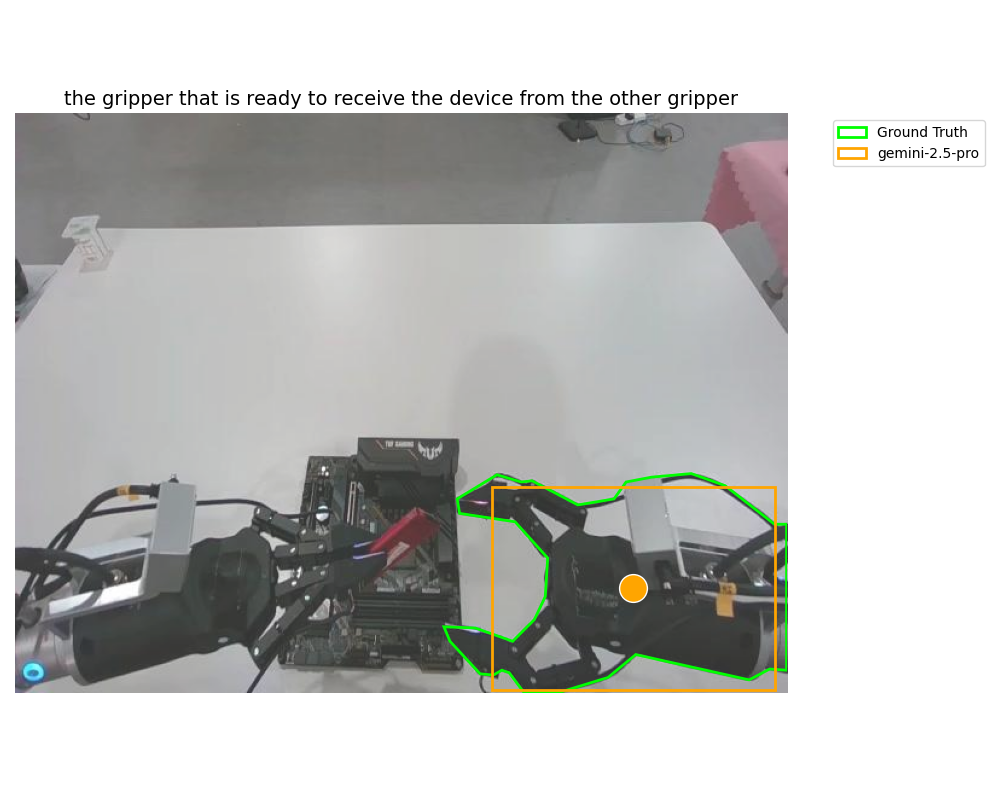
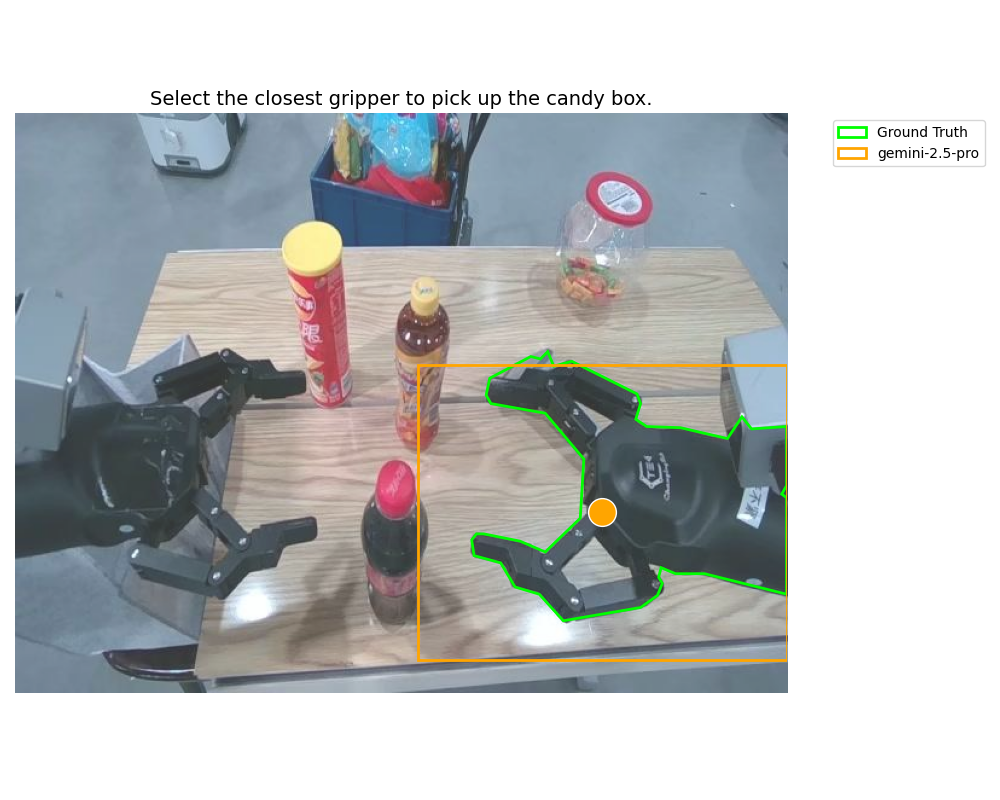
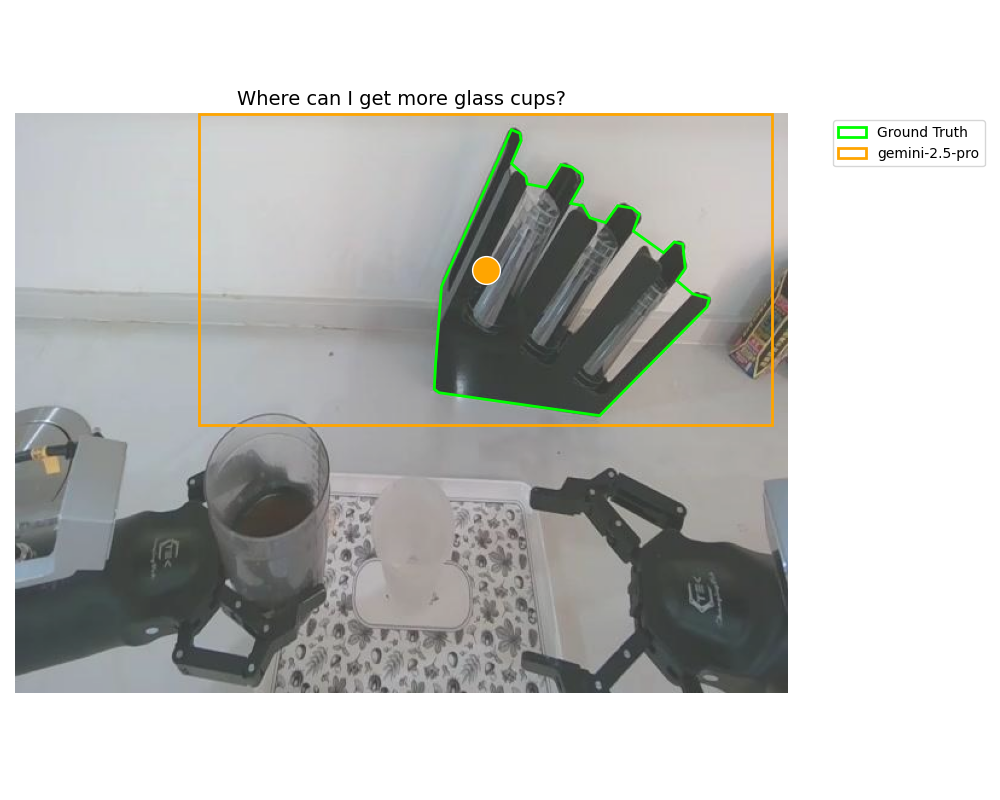
After running these scripts, you will find:
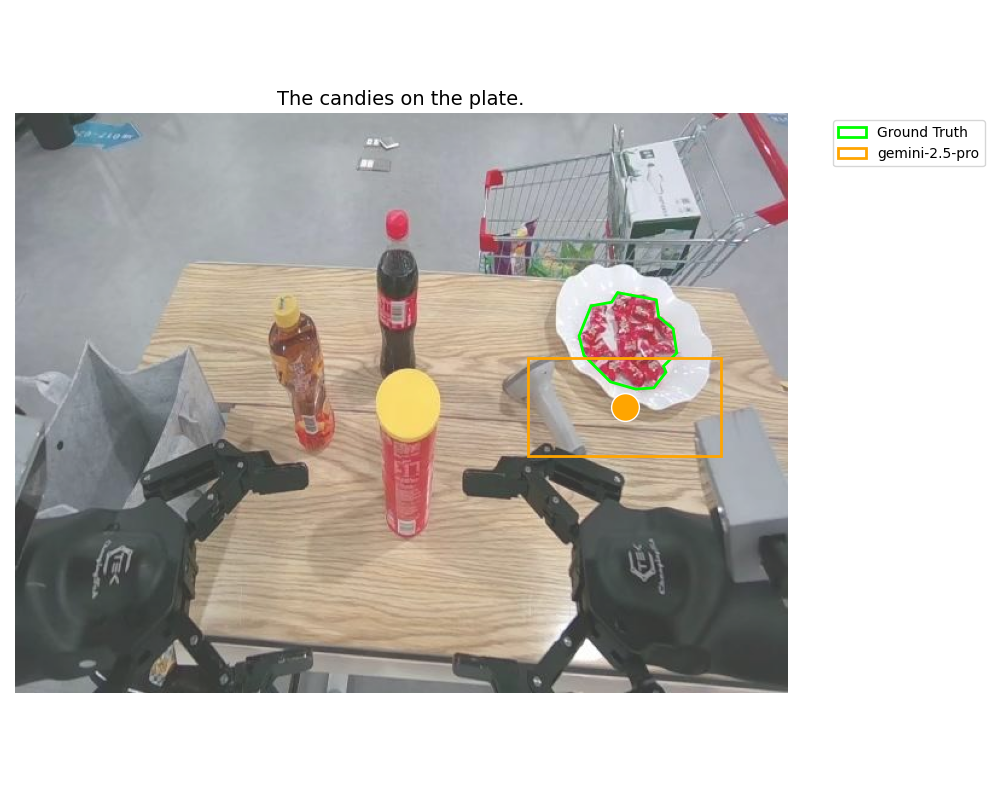
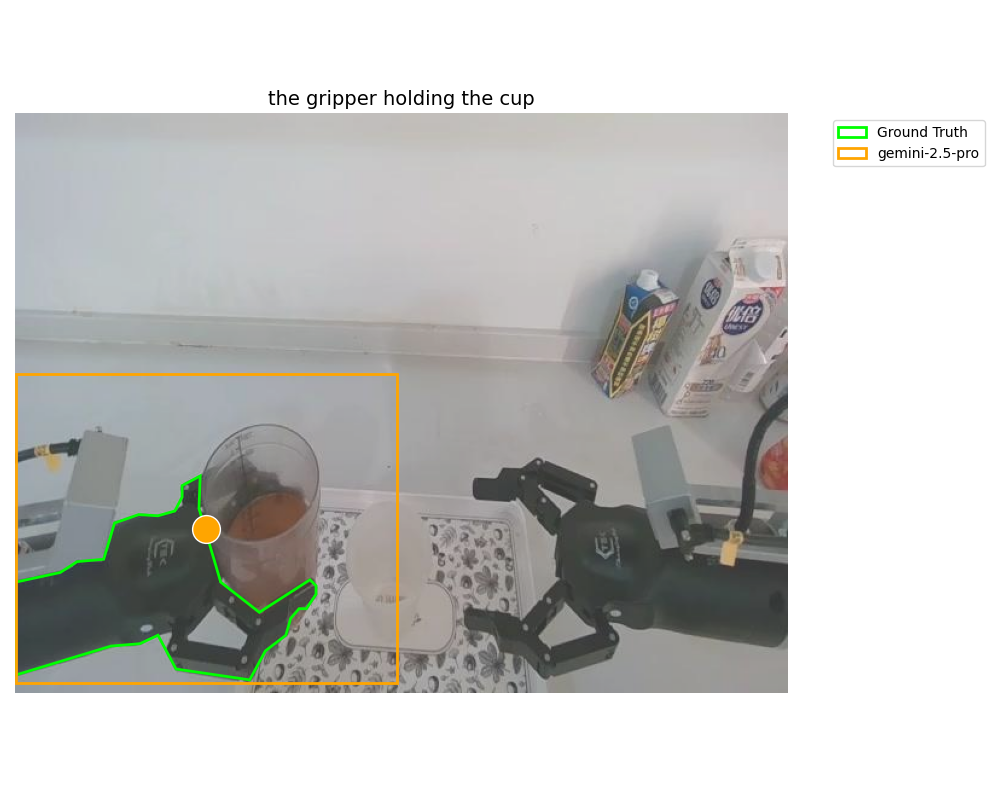
Visualization:
vis.png (or similar) containing:
Raw predictions:
info.npy files containing model outputs and metadata.
Example visualizations (top row: S1, middle row: S2, bottom row: S3):
The VLM zoo is defined in:
code/vlms/__init__.py
To plug in a new VLM:
Register the model in get_vlm():
<model_name> and corresponding <ModelClass>.Implement your model class under code/vlms/:
Create new_model.py with a class implementing:
__call__(...) – used by default for S1/S2.preprocess_image(...) – optional helper for image processing.s3(...) – used for S3 trajectory prediction.Add prompts:
Define your model’s prompt template and set the path via:
self.question_template = "prompts/your_model_prompt.txt"
We include demo implementations for:
along with their prompts in the prompts/ directory.
For S3 (visual trace prediction), we provide an automatic VLM-based evaluation prompt in:
prompts/s3_auto.txt
However, we strongly recommend human evaluation for rigorous assessment, especially for safety- and planning-critical tasks.
For S1 / S2, we provide an evaluation script:
code/eval_s1s2.py
This script:
results/ (output by test_s1s2.py)You can use it to compare different models on the exact same benchmark.
Cite our paper if needed:
If you find PIO useful, please consider starring the repo and citing the paper 💫
@article{xue2025point,
  title={Point-It-Out: Benchmarking Embodied Reasoning for Vision Language Models in Multi-Stage Visual Grounding},
  author={Xue, Haotian and Ge, Yunhao and Zeng, Yu and Li, Zhaoshuo and Liu, Ming-Yu and Chen, Yongxin and Fan, Jiaojiao},
  journal={arXiv preprint arXiv:2509.25794},
  year={2025}
}
Benchmarking Embodied Reasoning for Vision Language Models in Multi-Stage Visual Grounding
TL;DR: We move embodied reasoning evaluation from multiple-choice answers (A/B/C/D) to visual grounding, testing whether VLMs truly know where to point in realistic embodied scenarios.
Haotian Xue1,2*,
Yunhao Ge2,
Yu Zeng2,
Zhaoshuo Li2,
Ming-Yu Liu2,
Yongxin Chen1,2,
Jiaojiao Fan2
1Georgia Tech · 2NVIDIA
Most embodied reasoning benchmarks evaluate models via multiple-choice QA (MCQ): the model picks from options like A/B/C/D.
However, real-world agents need to do more than choose an answer — they must ground their reasoning in the scene:
“Where exactly should I act?”
“Which object or location is the right one?”
Point-It-Out (PIO) reframes embodied reasoning as visual grounding in realistic scenarios.
Instead of asking “Which option is correct?”, PIO asks:
We argue this is a crucial step toward connecting multi-modal language models to the physical world.
PIO consists of three stages, each targeting a different aspect of embodied reasoning:
(S1) Object Reference
Refer to a specific object under different constraints:
(S2) Task-Centric Grounding
Refer to where to act based on a downstream goal:
(S3) Visual Trace Prediction
Predict a continuous trajectory in the image to accomplish a task:
PIO currently contains ~600 human-curated questions:
For S1 / S2:
For S3:
import json

s1s2_data = json.load(open('data/s1s2.json', 'rb'))
for sample in s1s2_data:
    polygon = sample['polygon']        # ground-truth seg mask (COCO-style polygon)
    image_path = sample['image_path']  # relative image path
    height, width = sample['height'], sample['width']
    prompt = sample['lang']            # task prompt
    s1_or_s2 = sample['s1_or_s2']      # 's1' or 's2'
    subclass = sample['subclasses']    # subclass label, e.g. "recommendation"
image_path is:data/images_s1s2/
import json

s3_data = json.load(open('data/s3.json', 'rb'))
for sample in s3_data:
    image_path = sample['image_path']
    prompt = sample['lang']
image_path is:data/images_s3/
We provide ready-to-run demo scripts to perform inference on all three stages (S1/S2/S3) using Gemini-2.5-flash (or any other VLM defined in code/vlms/).
Simply run:
EXP_NAME="demo"
MAX_CASES=5  # set to -1 to run on all cases

python code/test_s1s2.py \
  --test_models gemini-2.5-flash \
  --max_cases ${MAX_CASES} \
  --exp_name ${EXP_NAME} \
  --which_s both \
  --save_path results \
  --s1s2_path data/s1s2.json
EXP_NAME="demo"
MAX_CASES=5  # set to -1 to run on all cases

python code/test_s3.py \
  --test_model gemini-2.5-flash \
  --max_cases ${MAX_CASES} \
  --exp_name ${EXP_NAME} \
  --json_path data/s3.json \
  --image_root data/images_s3 \
  --save_path results
After running these scripts, you will find:
Visualization:
vis.png (or similar) containing:
Raw predictions:
info.npy files containing model outputs and metadata.
Example visualizations (top row: S1, middle row: S2, bottom row: S3):
The VLM zoo is defined in:
code/vlms/__init__.py
To plug in a new VLM:
Register the model in get_vlm():
<model_name> and corresponding <ModelClass>.Implement your model class under code/vlms/:
Create new_model.py with a class implementing:
__call__(...) – used by default for S1/S2.preprocess_image(...) – optional helper for image processing.s3(...) – used for S3 trajectory prediction.Add prompts:
Define your model’s prompt template and set the path via:
self.question_template = "prompts/your_model_prompt.txt"
We include demo implementations for:
along with their prompts in the prompts/ directory.
For S3 (visual trace prediction), we provide an automatic VLM-based evaluation prompt in:
prompts/s3_auto.txt
However, we strongly recommend human evaluation for rigorous assessment, especially for safety- and planning-critical tasks.
For S1 / S2, we provide an evaluation script:
code/eval_s1s2.py
This script:
results/ (output by test_s1s2.py)You can use it to compare different models on the exact same benchmark.
Cite our paper if needed:
If you find PIO useful, please consider starring the repo and citing the paper 💫
@article{xue2025point,
  title={Point-It-Out: Benchmarking Embodied Reasoning for Vision Language Models in Multi-Stage Visual Grounding},
  author={Xue, Haotian and Ge, Yunhao and Zeng, Yu and Li, Zhaoshuo and Liu, Ming-Yu and Chen, Yongxin and Fan, Jiaojiao},
  journal={arXiv preprint arXiv:2509.25794},
  year={2025}
}



