该项目可以让GL-iNet路由器在不刷机情况下,一键变成iStoreOS风格。
See the code


该项目可以让GL-iNet旗下ARM64平台的路由器在不刷机情况下,一键变成iStoreOS最新风格。



下载并运行主脚本,会自动检测路由器型号:
sh -c "$(curl -fsSL https://cafe.cpolar.cn/wkdaily/gl/raw/branch/main/main.sh)"
主脚本支持自动检测以下机型:
如需单独运行某机型脚本,可使用以下命令:
sh -c "$(curl -fsSL https://cafe.cpolar.cn/wkdaily/gl/raw/branch/main/gl-inet.sh)"
sh -c "$(curl -fsSL https://cafe.cpolar.cn/wkdaily/gl/raw/branch/main/gl-inet-op24.sh)"
sh -c "$(curl -fsSL https://cafe.cpolar.cn/wkdaily/gl/raw/branch/main/gl-inet-op25.sh)"
sh -c "$(curl -fsSL https://cafe.cpolar.cn/wkdaily/gl/raw/branch/main/be6500.sh)"
sh -c "$(curl -fsSL https://cafe.cpolar.cn/wkdaily/gl/raw/branch/main/be3600.sh)"
sh -c "$(curl -fsSL https://cafe.cpolar.cn/wkdaily/gl/raw/branch/main/mt3600.sh)"
sh -c "$(curl -fsSL https://cafe.cpolar.cn/wkdaily/gl/raw/branch/main/mt5000.sh)"
sh -c "$(curl -fsSL https://cafe.cpolar.cn/wkdaily/gl/raw/branch/main/mt3600.sh)"
sh be3600.sh -q
gl-inet.sh
be3600.sh
mt3600.sh
be6500.sh
be9300.sh
gl-inet-op24.sh
https://github.com/wukongdaily/HowToUseSSH
https://www.bilibili.com/video/BV1312bYZEjE
本项目的开发参照了以下项目,感谢这些开源项目的作者:
https://github.com/linkease/istore
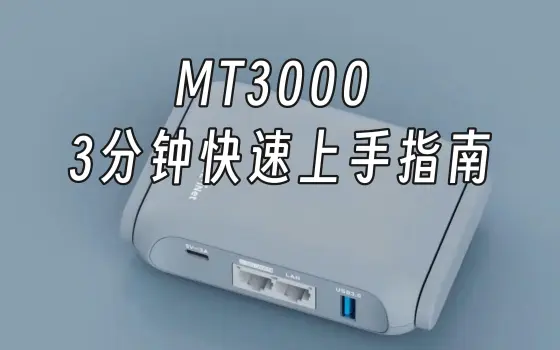
https://www.youtube.com/watch?v=YlhIdizH0hM
支持x86-64 和 arm64 两种平台来搭建,glibox 是基于dufs 制作的内网文件服务器 用于托管本项目的脚本。免得因为网络问题下载失败。看到许多人 不断复用我的脚本 干脆搭建一个内网版本 。
视频教学:https://www.bilibili.com/video/BV1eWt3zCE2y 视频教学: https://youtu.be/ee4fANDk_CM
docker run -d \
  --restart unless-stopped \
  --name glibox \
  -p 15050:15050 \
  wukongdaily/glibox
read -p "请输入glibox局域网 IP: " ip && wget -O /tmp/gl.sh http://$ip:15050/glinet/gl-inet.sh && sh /tmp/gl.sh $ip
read -p "请输入glibox局域网 IP: " ip && wget -O /tmp/gl.sh http://$ip:15050/glinet/be3600.sh && sh /tmp/gl.sh $ip
https://github.com/parentalclash/gl-inet-mt3000-openclash-switch
1,059 followers · starred May 2024
269 followers · starred Jul 2026
88 followers · starred Dec 2023
169 followers · starred Feb 2026
该项目可以让GL-iNet路由器在不刷机情况下,一键变成iStoreOS风格。
See the code
该项目可以让GL-iNet旗下ARM64平台的路由器在不刷机情况下,一键变成iStoreOS最新风格。
下载并运行主脚本,会自动检测路由器型号:
sh -c "$(curl -fsSL https://cafe.cpolar.cn/wkdaily/gl/raw/branch/main/main.sh)"
主脚本支持自动检测以下机型:
如需单独运行某机型脚本,可使用以下命令:
sh -c "$(curl -fsSL https://cafe.cpolar.cn/wkdaily/gl/raw/branch/main/gl-inet.sh)"
sh -c "$(curl -fsSL https://cafe.cpolar.cn/wkdaily/gl/raw/branch/main/gl-inet-op24.sh)"
sh -c "$(curl -fsSL https://cafe.cpolar.cn/wkdaily/gl/raw/branch/main/gl-inet-op25.sh)"
sh -c "$(curl -fsSL https://cafe.cpolar.cn/wkdaily/gl/raw/branch/main/be6500.sh)"
sh -c "$(curl -fsSL https://cafe.cpolar.cn/wkdaily/gl/raw/branch/main/be3600.sh)"
sh -c "$(curl -fsSL https://cafe.cpolar.cn/wkdaily/gl/raw/branch/main/mt3600.sh)"
sh -c "$(curl -fsSL https://cafe.cpolar.cn/wkdaily/gl/raw/branch/main/mt5000.sh)"
sh -c "$(curl -fsSL https://cafe.cpolar.cn/wkdaily/gl/raw/branch/main/mt3600.sh)"
sh be3600.sh -q
gl-inet.sh
be3600.sh
mt3600.sh
be6500.sh
be9300.sh
gl-inet-op24.sh
https://github.com/wukongdaily/HowToUseSSH
https://www.bilibili.com/video/BV1312bYZEjE
本项目的开发参照了以下项目,感谢这些开源项目的作者:
https://github.com/linkease/istore
https://www.youtube.com/watch?v=YlhIdizH0hM
支持x86-64 和 arm64 两种平台来搭建,glibox 是基于dufs 制作的内网文件服务器 用于托管本项目的脚本。免得因为网络问题下载失败。看到许多人 不断复用我的脚本 干脆搭建一个内网版本 。
视频教学:https://www.bilibili.com/video/BV1eWt3zCE2y 视频教学: https://youtu.be/ee4fANDk_CM
docker run -d \
  --restart unless-stopped \
  --name glibox \
  -p 15050:15050 \
  wukongdaily/glibox
read -p "请输入glibox局域网 IP: " ip && wget -O /tmp/gl.sh http://$ip:15050/glinet/gl-inet.sh && sh /tmp/gl.sh $ip
read -p "请输入glibox局域网 IP: " ip && wget -O /tmp/gl.sh http://$ip:15050/glinet/be3600.sh && sh /tmp/gl.sh $ip
https://github.com/parentalclash/gl-inet-mt3000-openclash-switch
1,059 followers · starred May 2024
269 followers · starred Jul 2026
88 followers · starred Dec 2023
169 followers · starred Feb 2026