Learn JavaScript by adventuring around in the terminal.
See the codeLearn JavaScript by adventuring around in the terminal.
Looking for more interactive tutorials like this? Go to nodeschool.io.
Having issues with javascripting? Get help troubleshooting in the nodeschool discussions repo, on gitter or in repository issues
Also, take a look into our troubleshooting documentation
Make sure Node.js is installed on your computer.
Install it from nodejs.org
javascripting with npmOpen your terminal and run this command:
npm install -g javascripting
The -g option installs this module globally so that you can run it as a command in your terminal.
Open your terminal and run the following command:
javascripting
You'll see the menu:
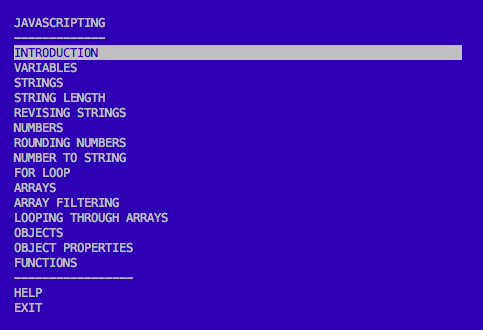
Navigate the menu with the up & down arrow keys.
Choose a challenge by hitting enter.
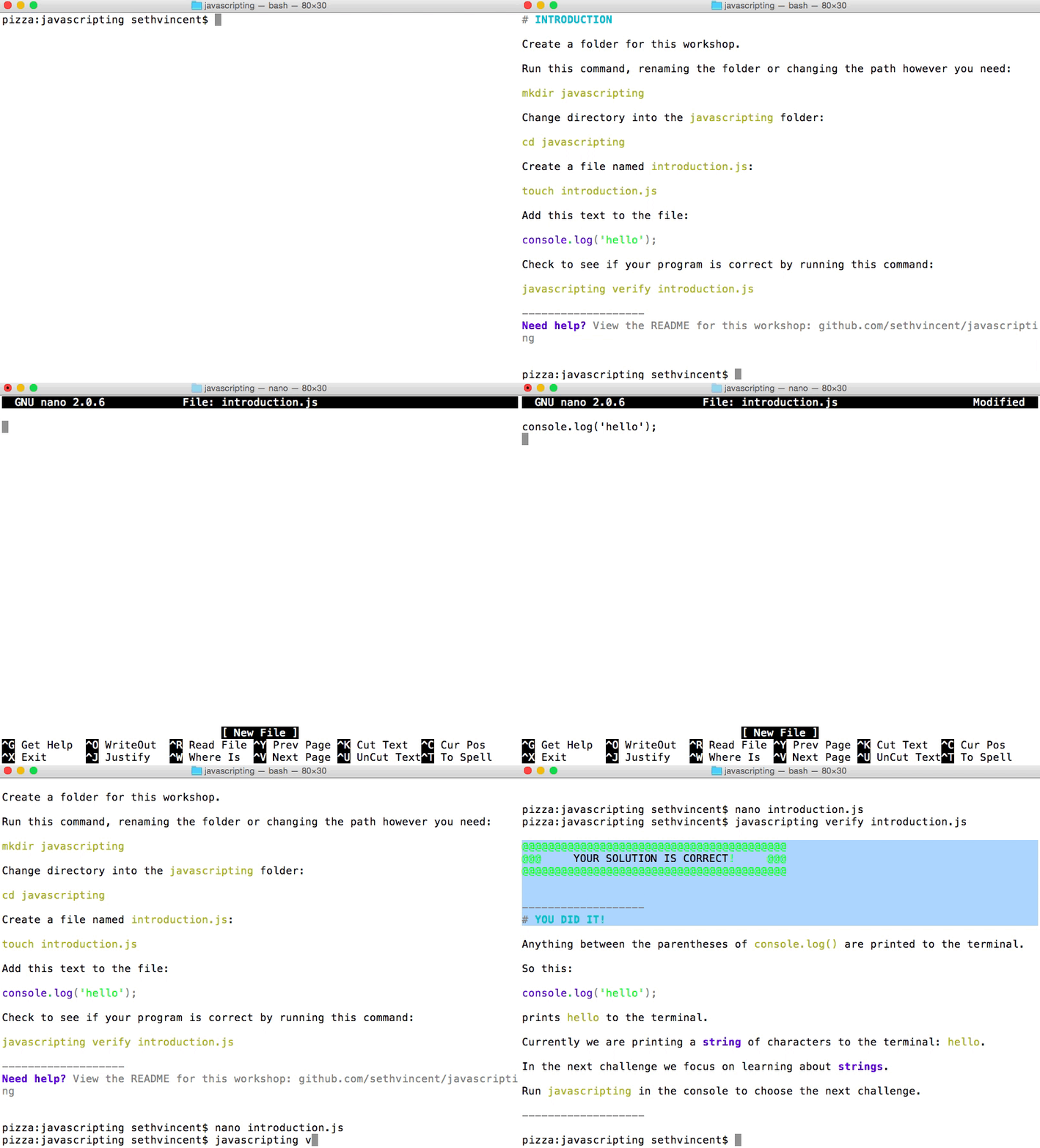
In the gif I'm using the command line editor nano (here are some basic usage tips for nano).
You can use any editor you like.
atom or brackets are both good options.
Open an issue in the nodeschool/discussions repo
Include the name javascripting and the name of the challenge you're working on in the title of the issue.
Code contributions welcome! Please check our documentation on contributing to get started.
MIT
Overall
Maintained
Code review
Latest release
Releases this year
572 followers · starred Oct 2016
85 followers · starred Sep 2021
254 followers · starred Jun 2017
151 followers · starred Feb 2017
Learn JavaScript by adventuring around in the terminal.
See the codeLearn JavaScript by adventuring around in the terminal.
Looking for more interactive tutorials like this? Go to nodeschool.io.
Having issues with javascripting? Get help troubleshooting in the nodeschool discussions repo, on gitter or in repository issues
Also, take a look into our troubleshooting documentation
Make sure Node.js is installed on your computer.
Install it from nodejs.org
javascripting with npmOpen your terminal and run this command:
npm install -g javascripting
The -g option installs this module globally so that you can run it as a command in your terminal.
Open your terminal and run the following command:
javascripting
You'll see the menu:
Navigate the menu with the up & down arrow keys.
Choose a challenge by hitting enter.
In the gif I'm using the command line editor nano (here are some basic usage tips for nano).
You can use any editor you like.
atom or brackets are both good options.
Open an issue in the nodeschool/discussions repo
Include the name javascripting and the name of the challenge you're working on in the title of the issue.
Code contributions welcome! Please check our documentation on contributing to get started.
MIT
Overall
Maintained
Code review
Latest release
Releases this year
572 followers · starred Oct 2016
85 followers · starred Sep 2021
254 followers · starred Jun 2017
151 followers · starred Feb 2017