Automatically tracks which apps you used, which websites you visited, and how much time you spent in each app throughout the day.
See the code

A local-first personal work review tool that records context, helps you review your day, and generates daily reports.
Automatically organizes the apps you used, websites you visited, window titles, usage time, and optional screenshots into a timeline you can review, analyze, and ask questions about.
All data is stored locally by default and never uploaded to any server. AI features are entirely optional; the app works fine with them turned off.
🔒 For personal use only — all data stays on your device.




Work Review is designed for personal work review and helps answer questions like these:
The focus is not "monitoring". It is helping you recall, organize, and review your own work process.
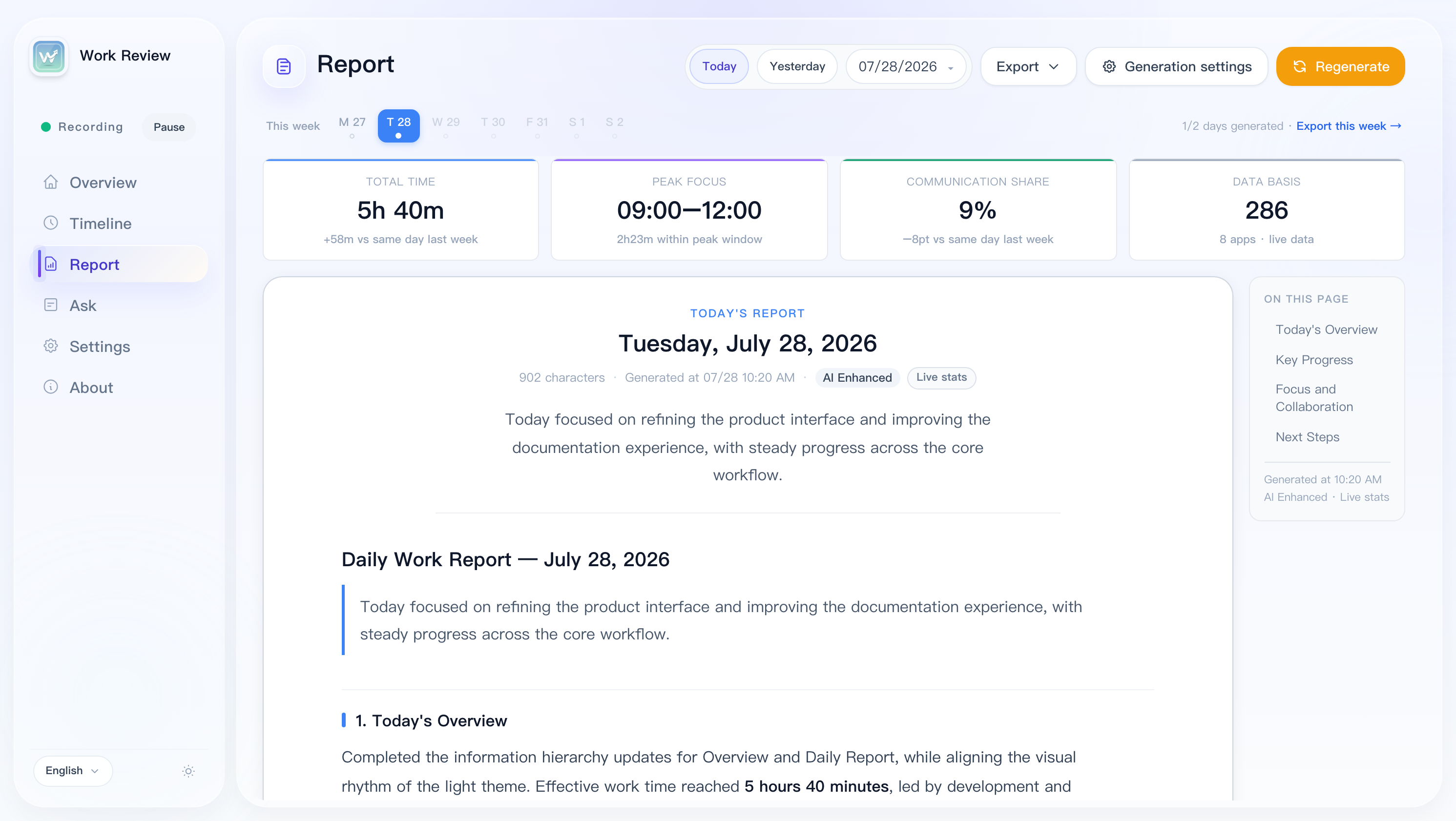
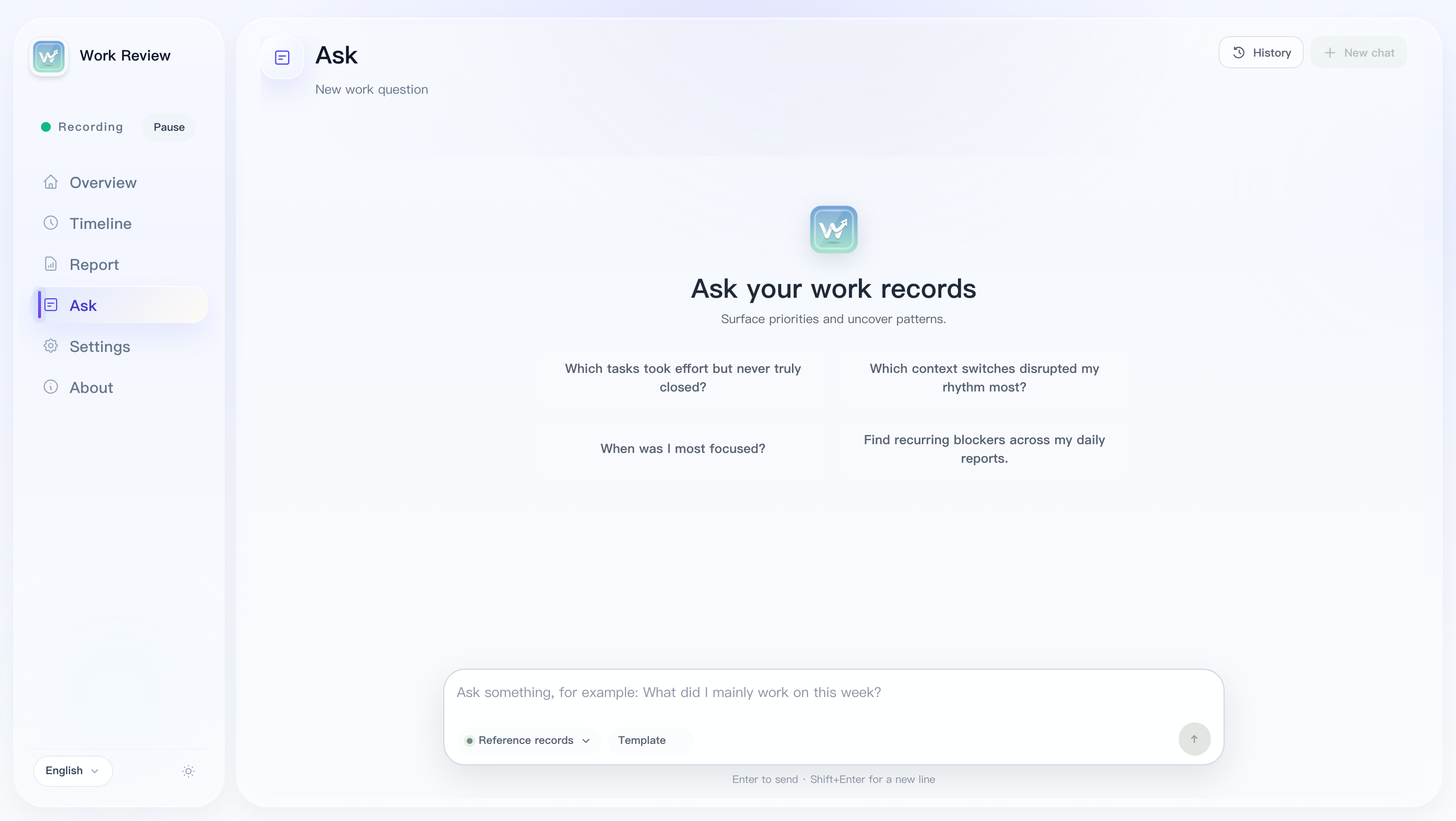
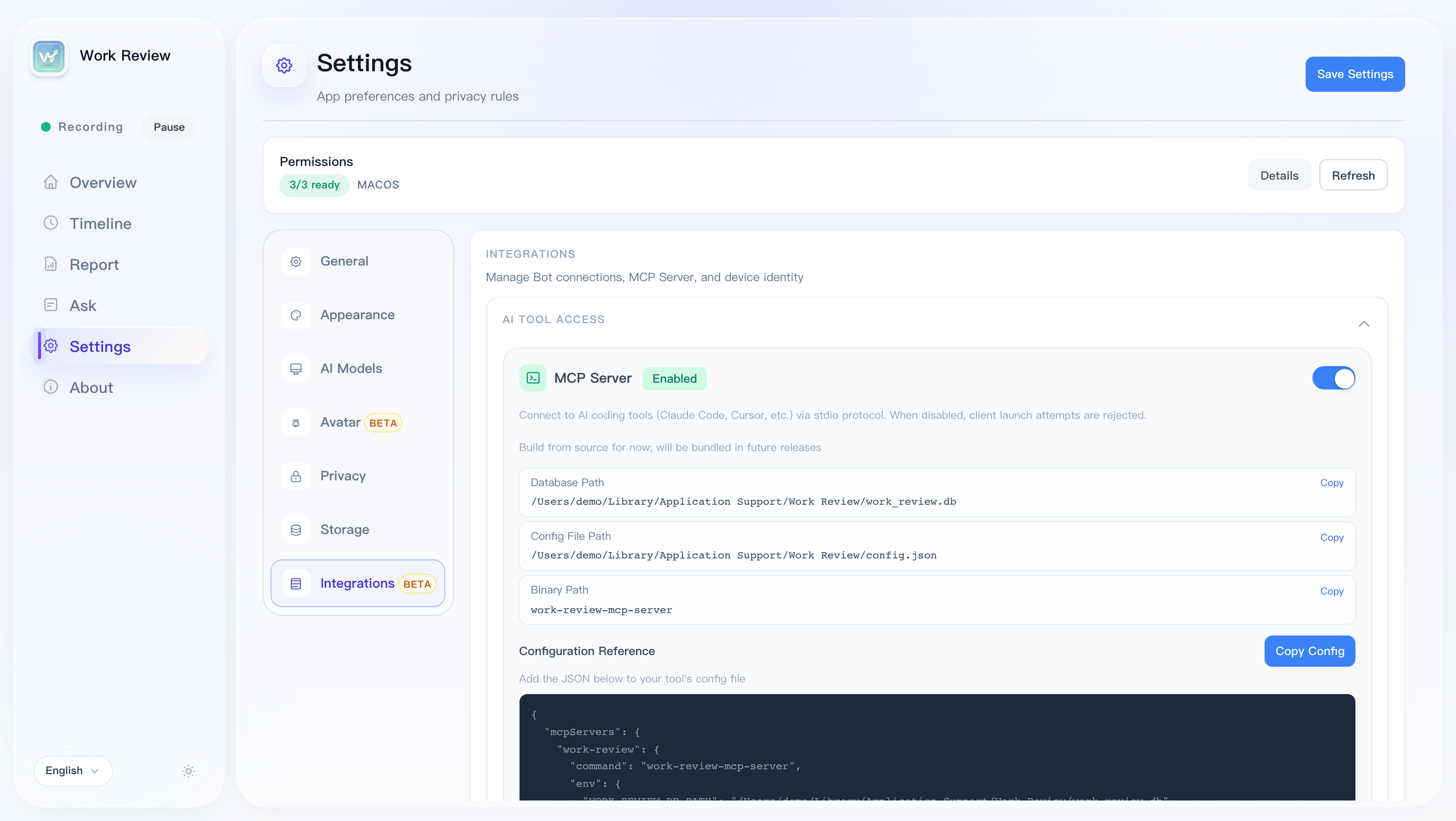
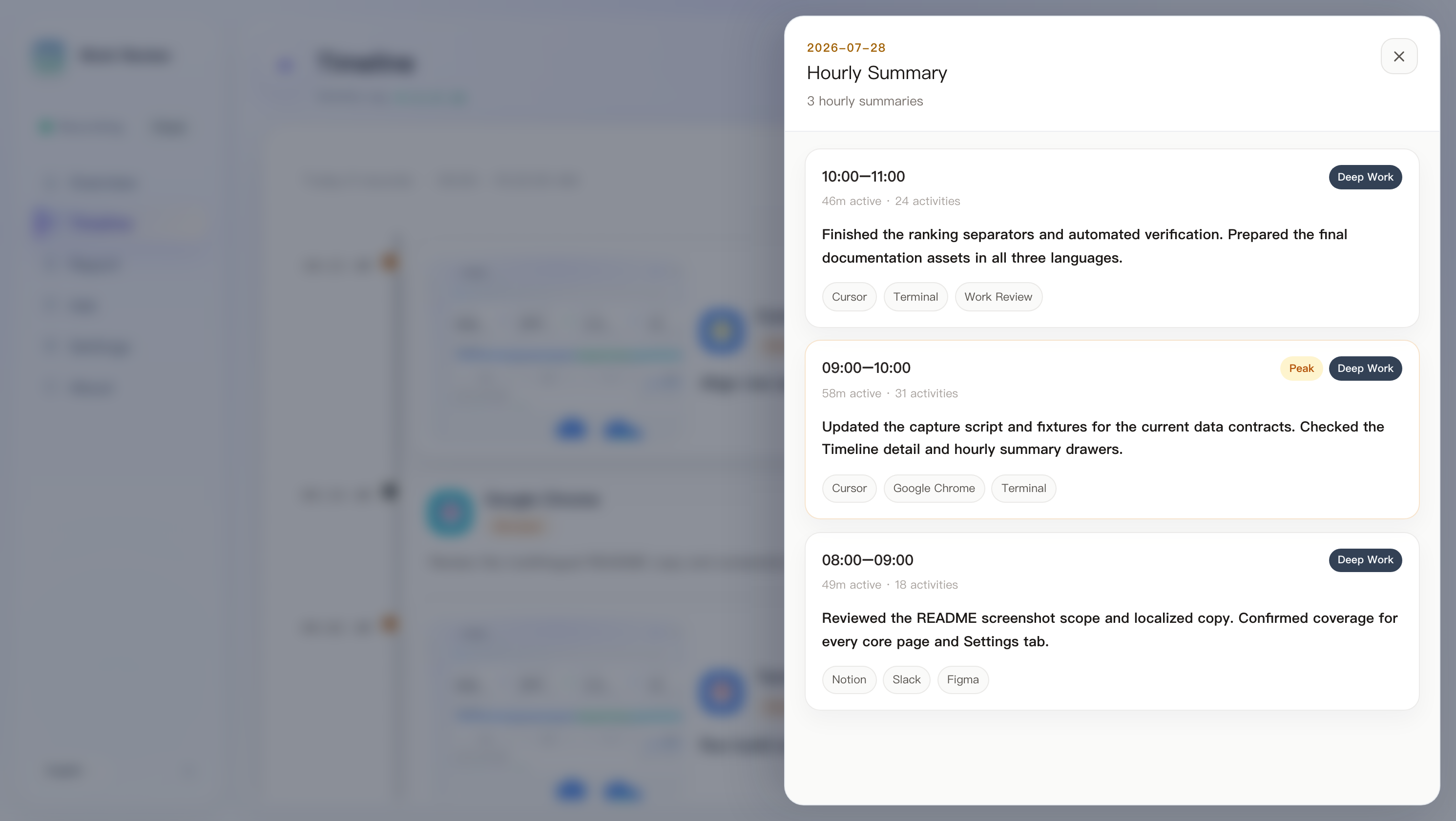
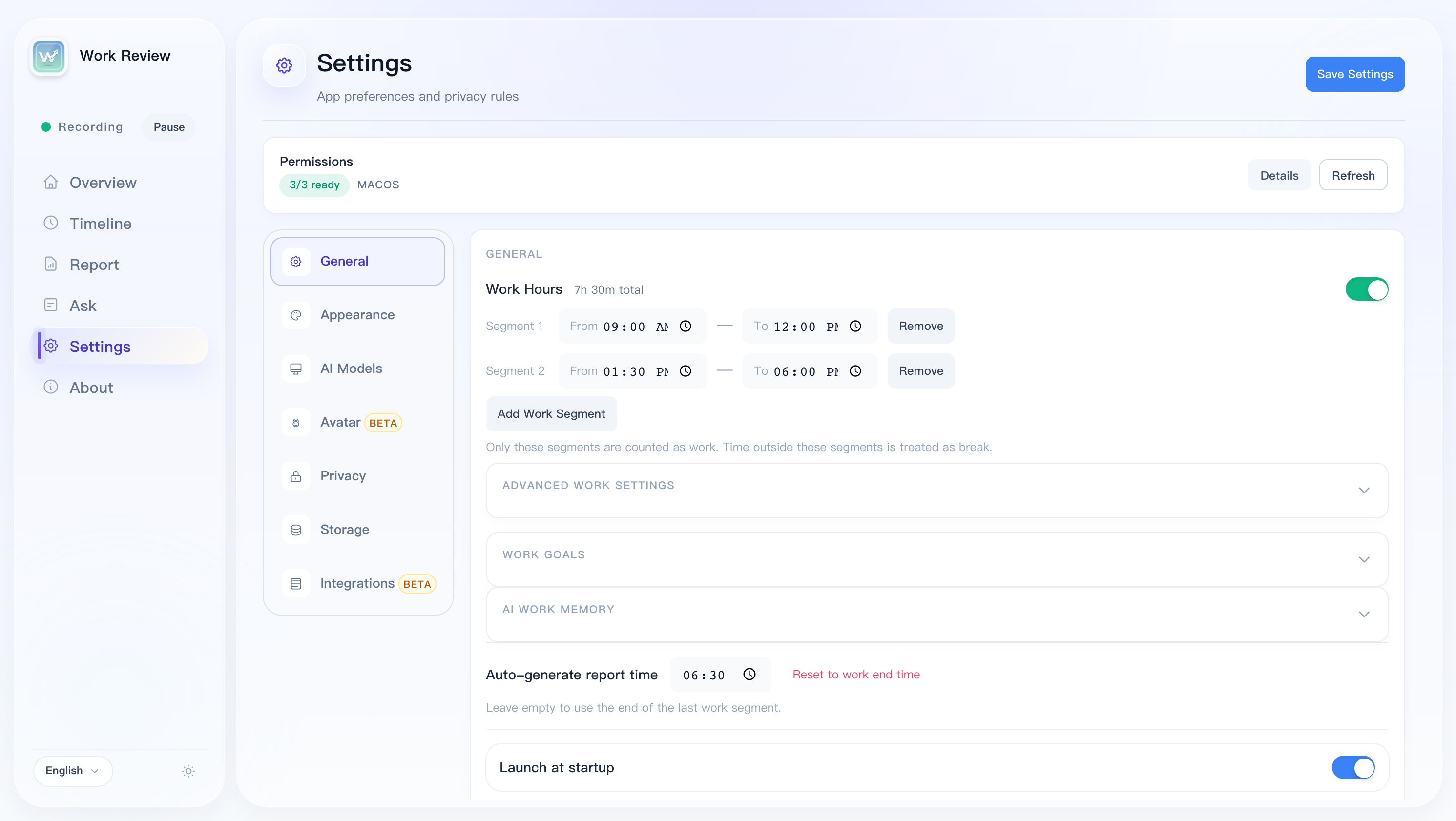
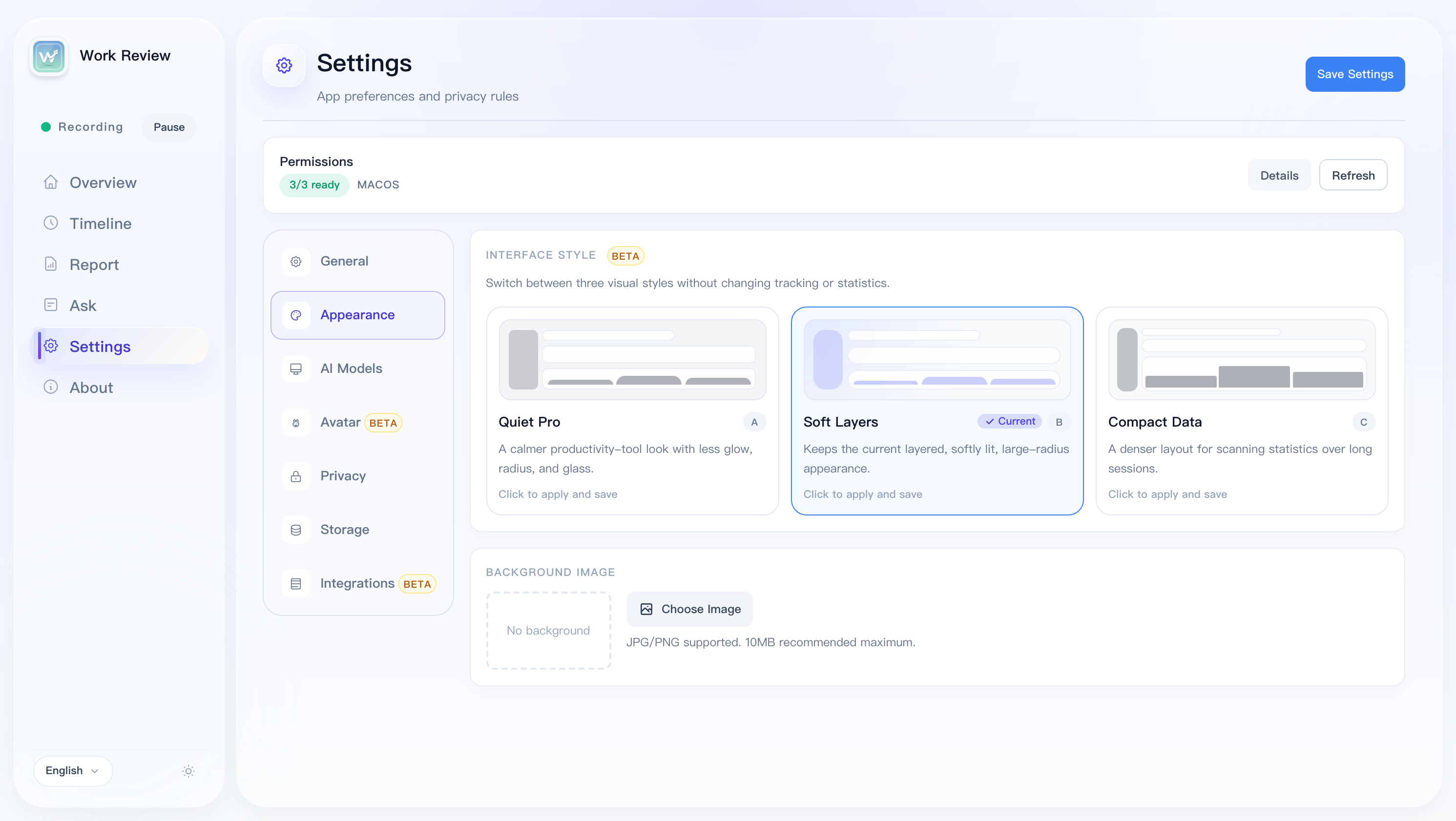
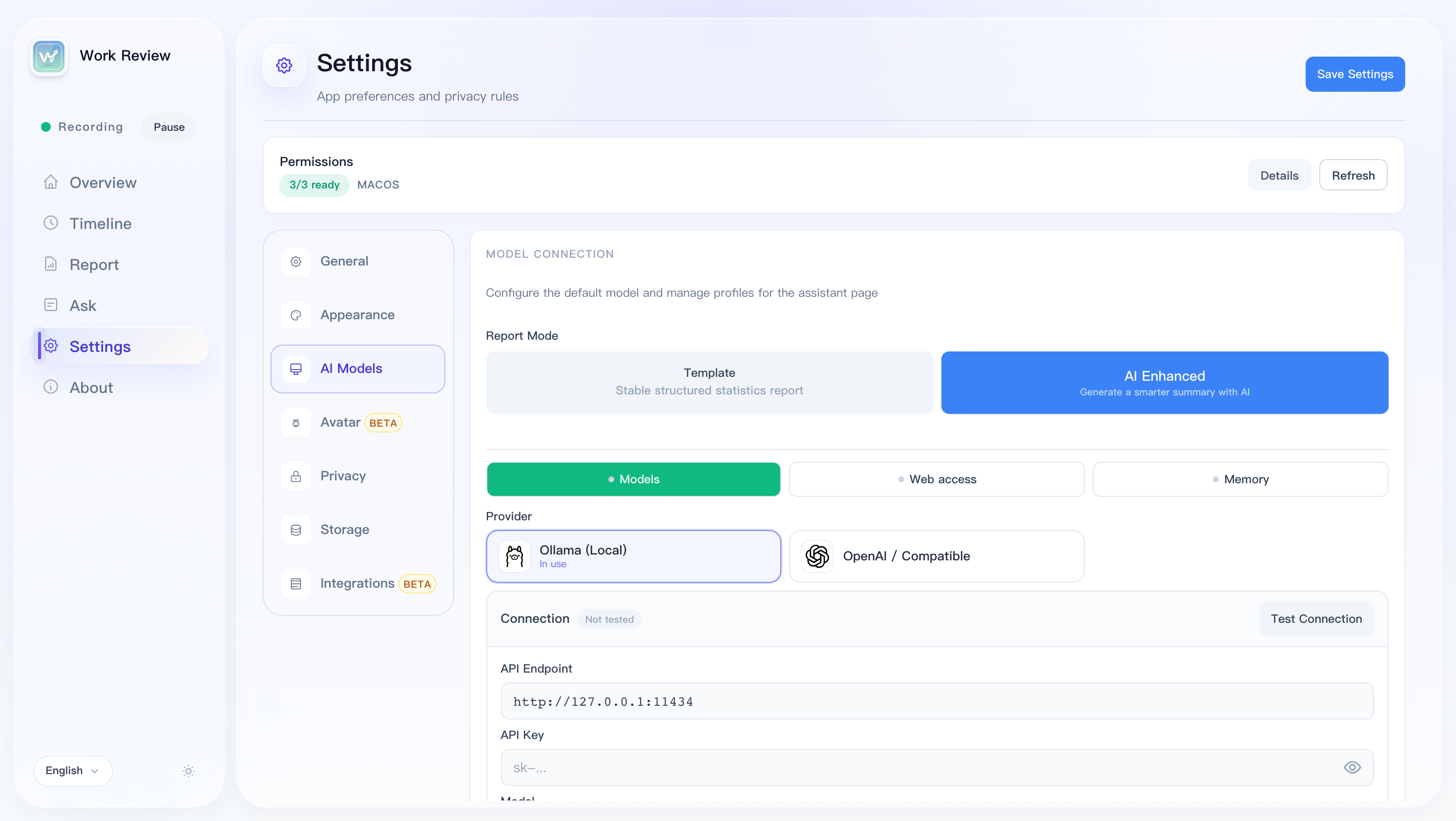
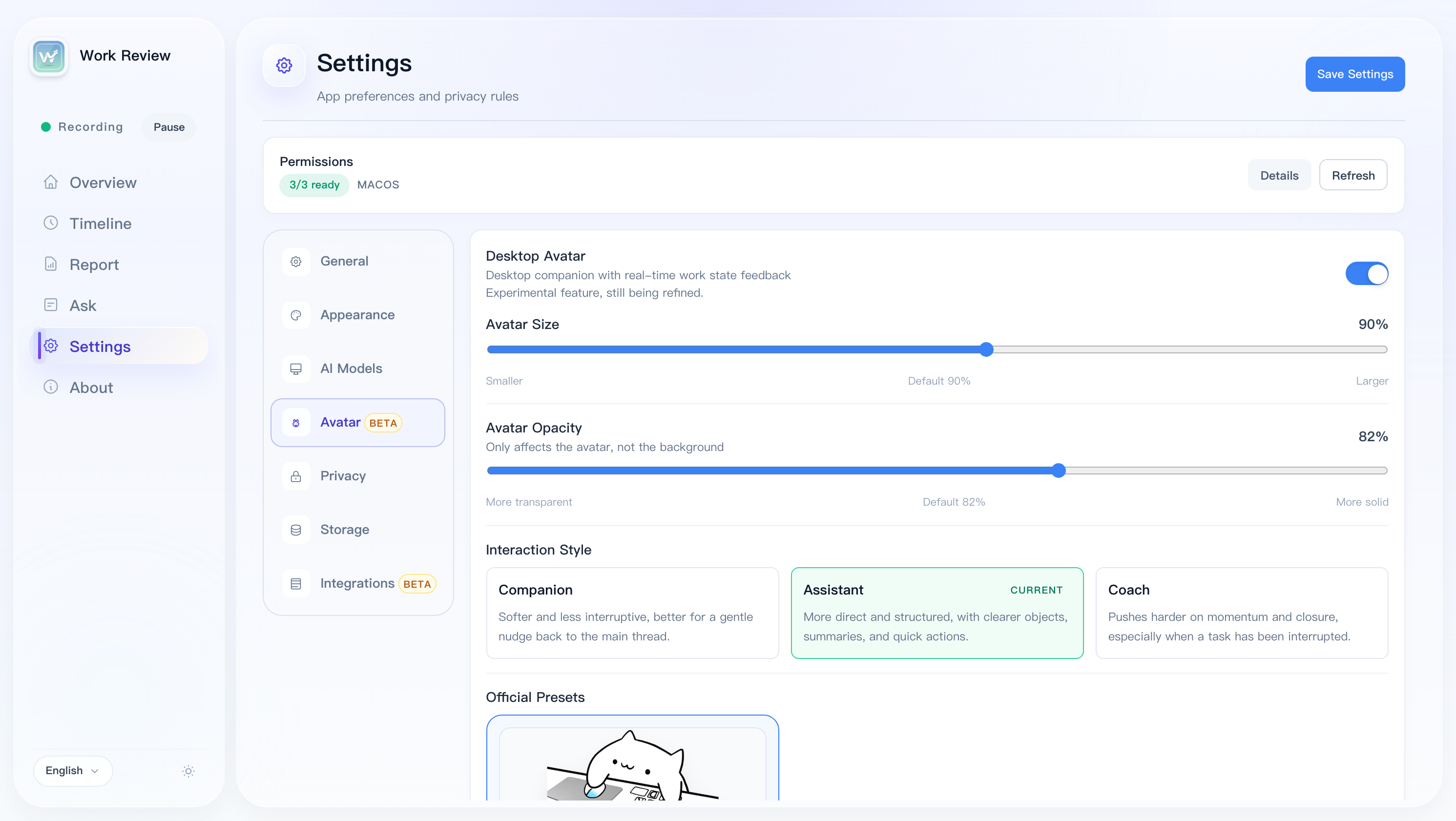
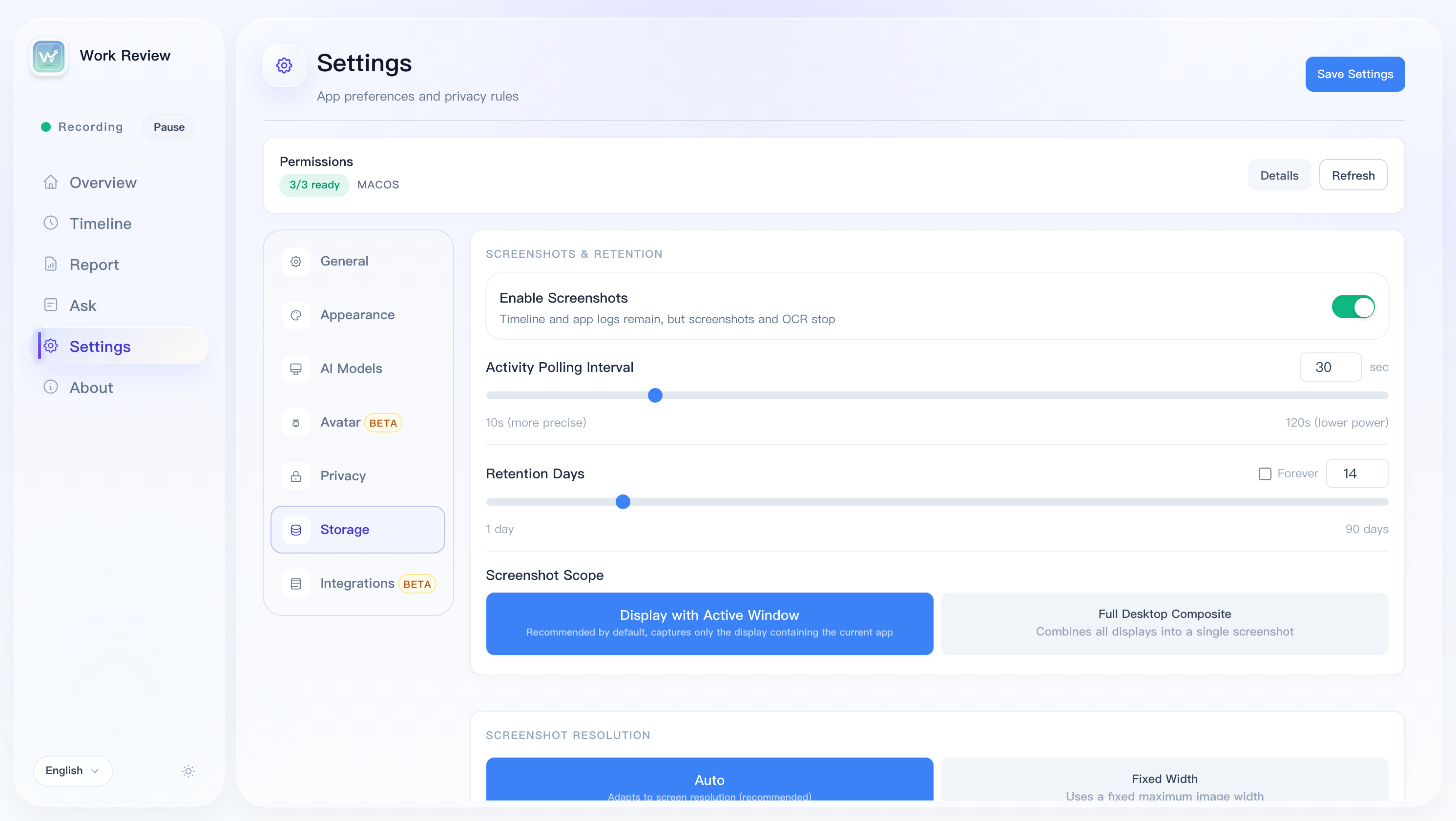
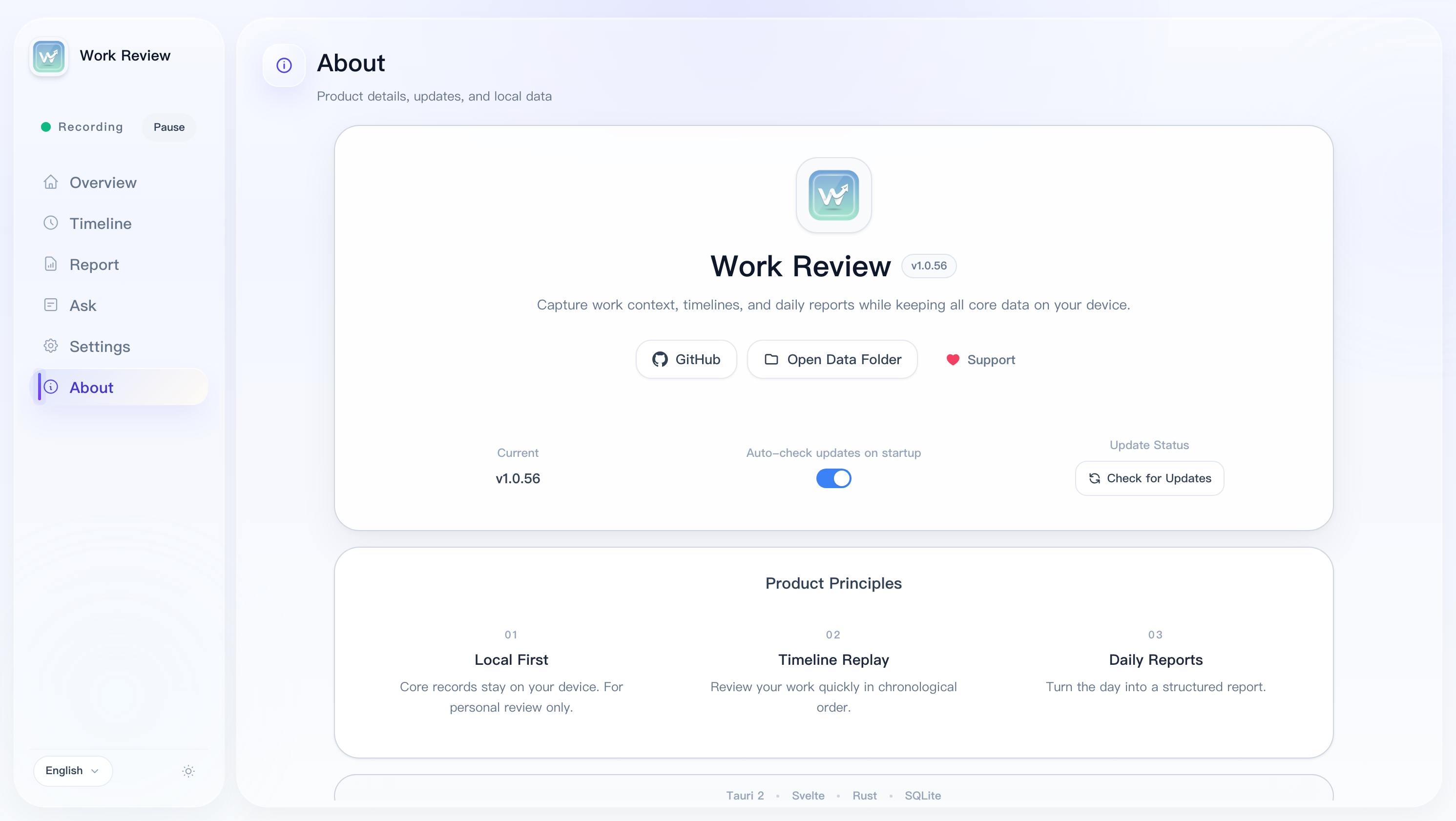
The screenshots below are captured from the running desktop app with localized UI and representative local data, covering the main workflow and configuration surfaces.
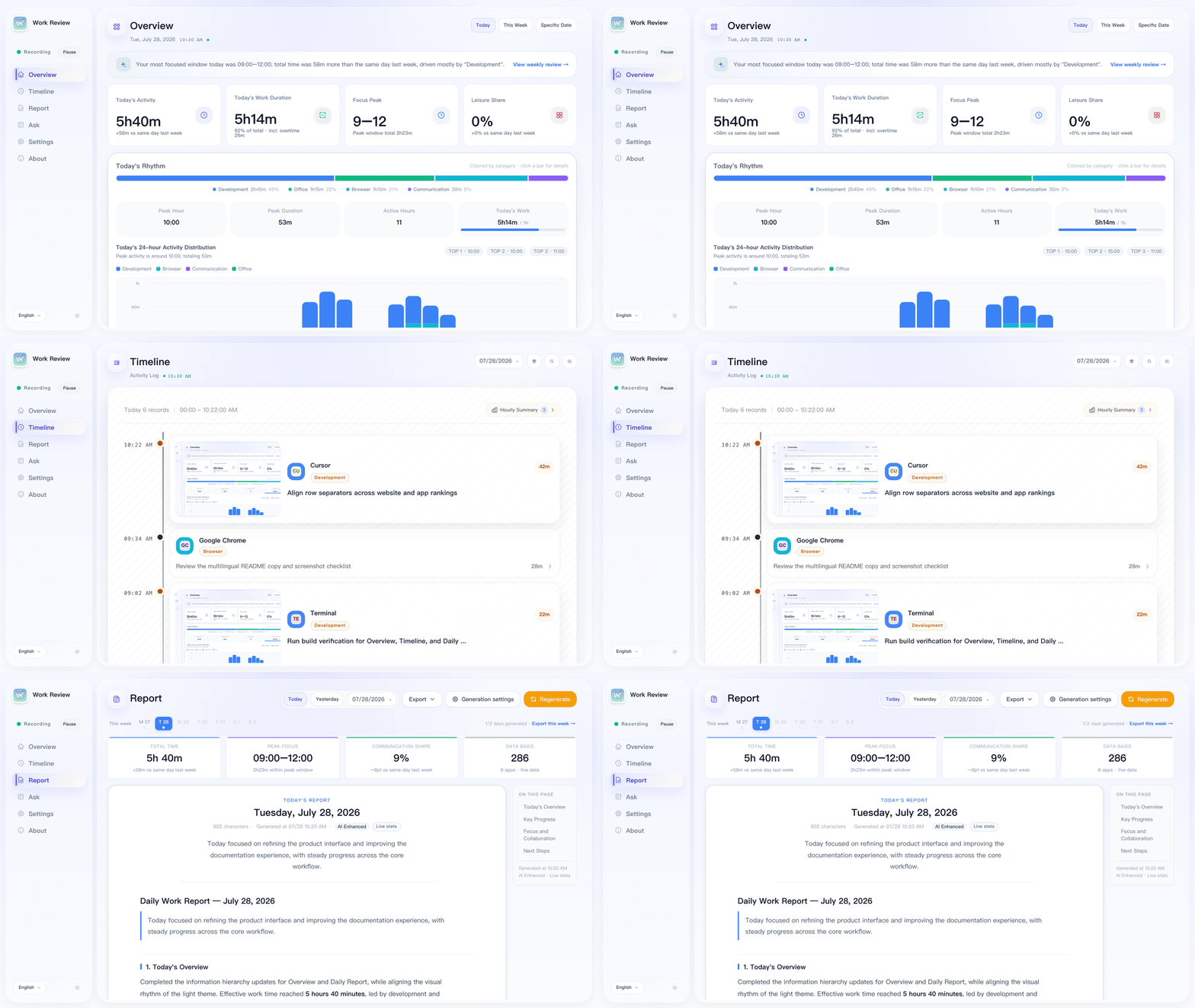
Overview
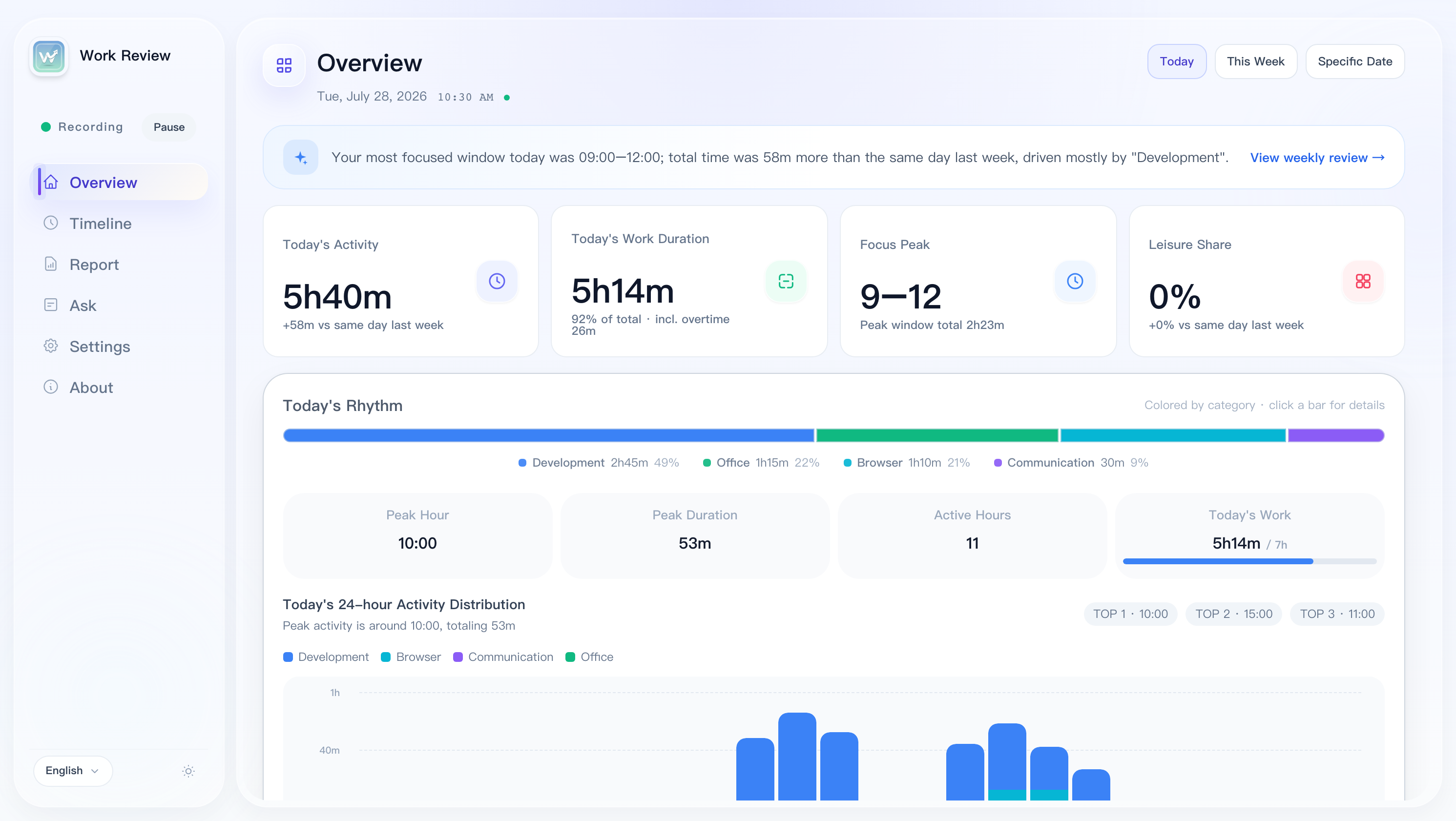
Timeline
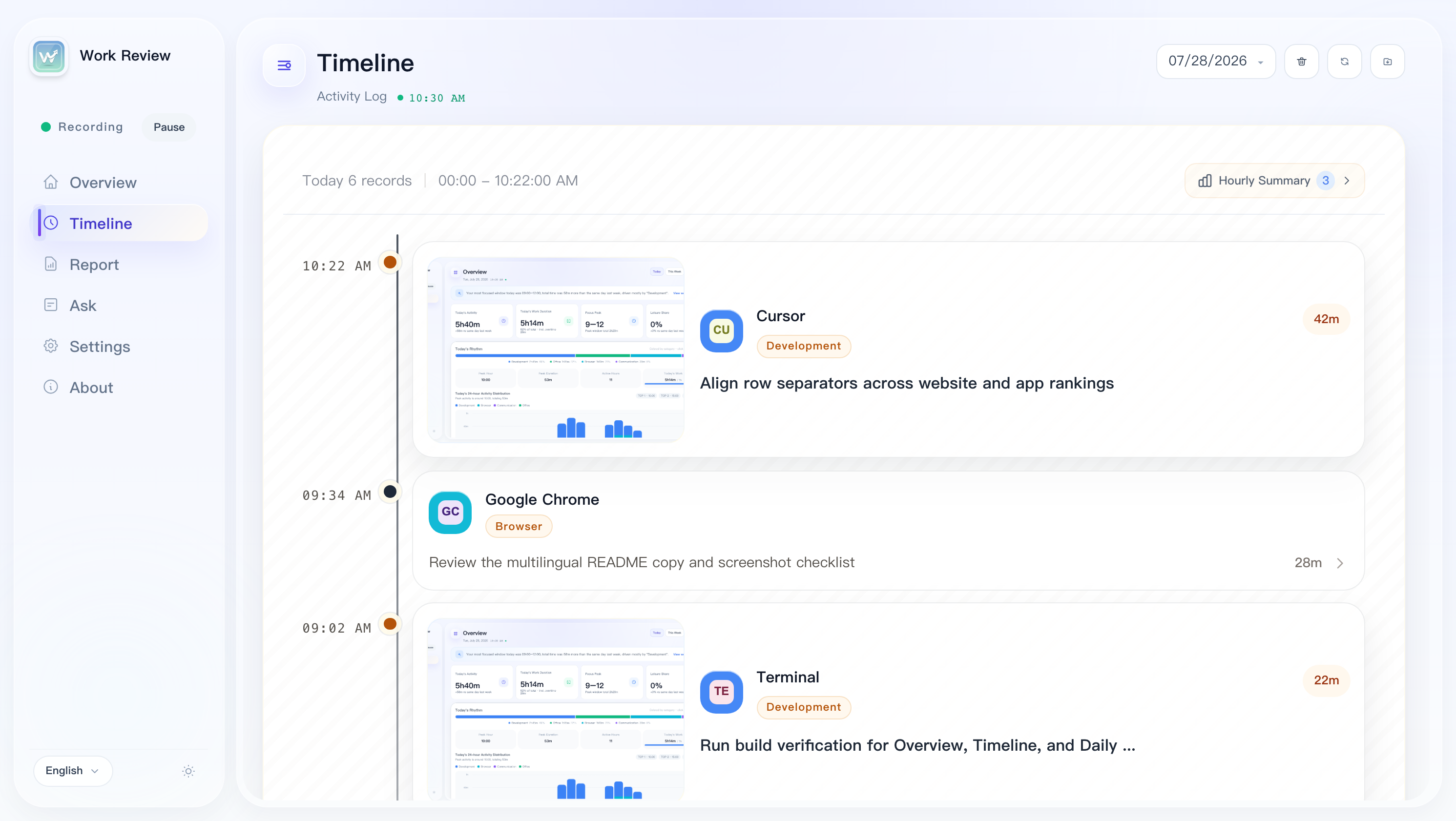
Timeline Detail
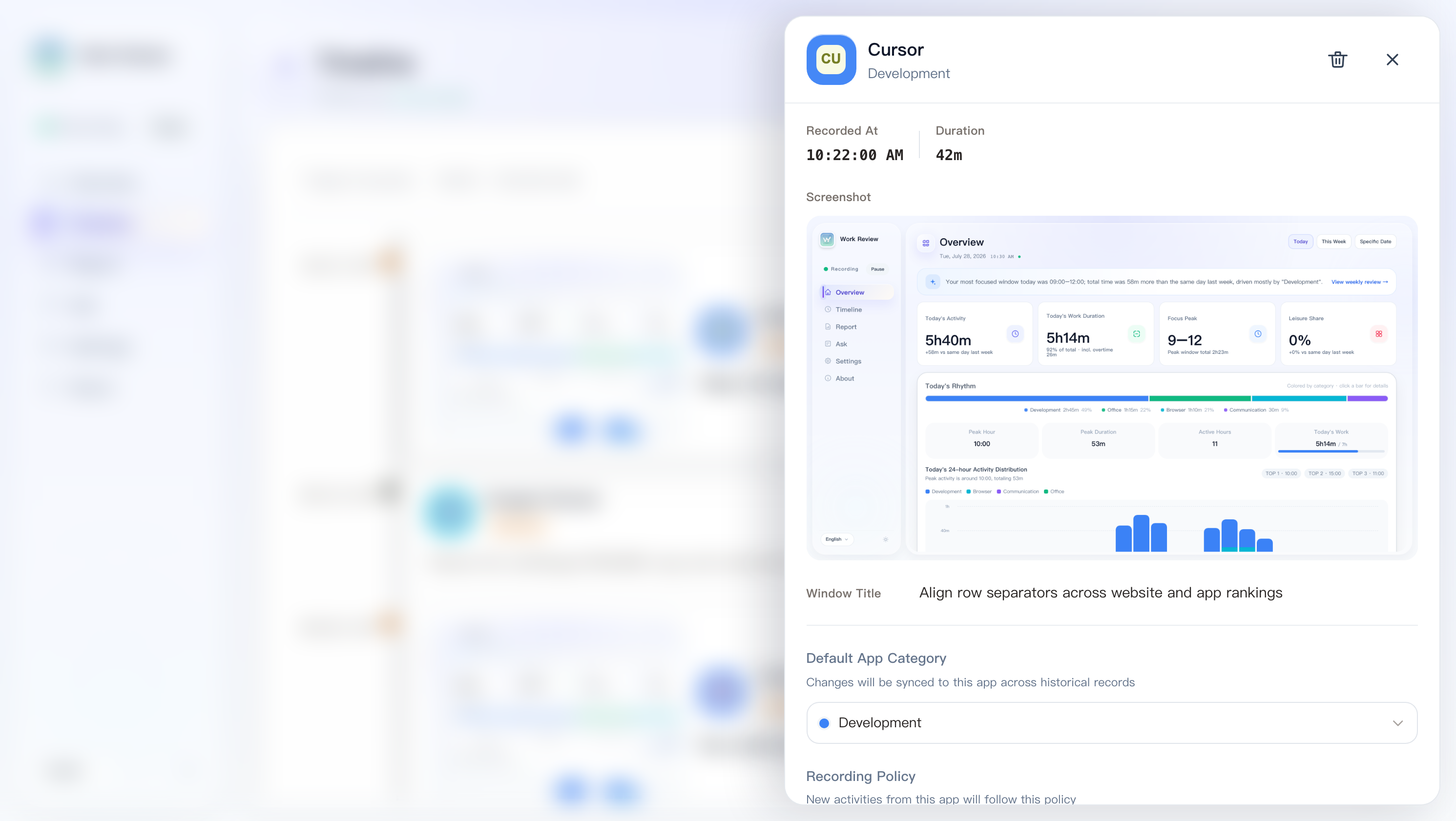
Daily Report
Work Assistant
Integrations
Hourly Summary
General Settings
Appearance
AI Models
Desktop Avatar
Privacy
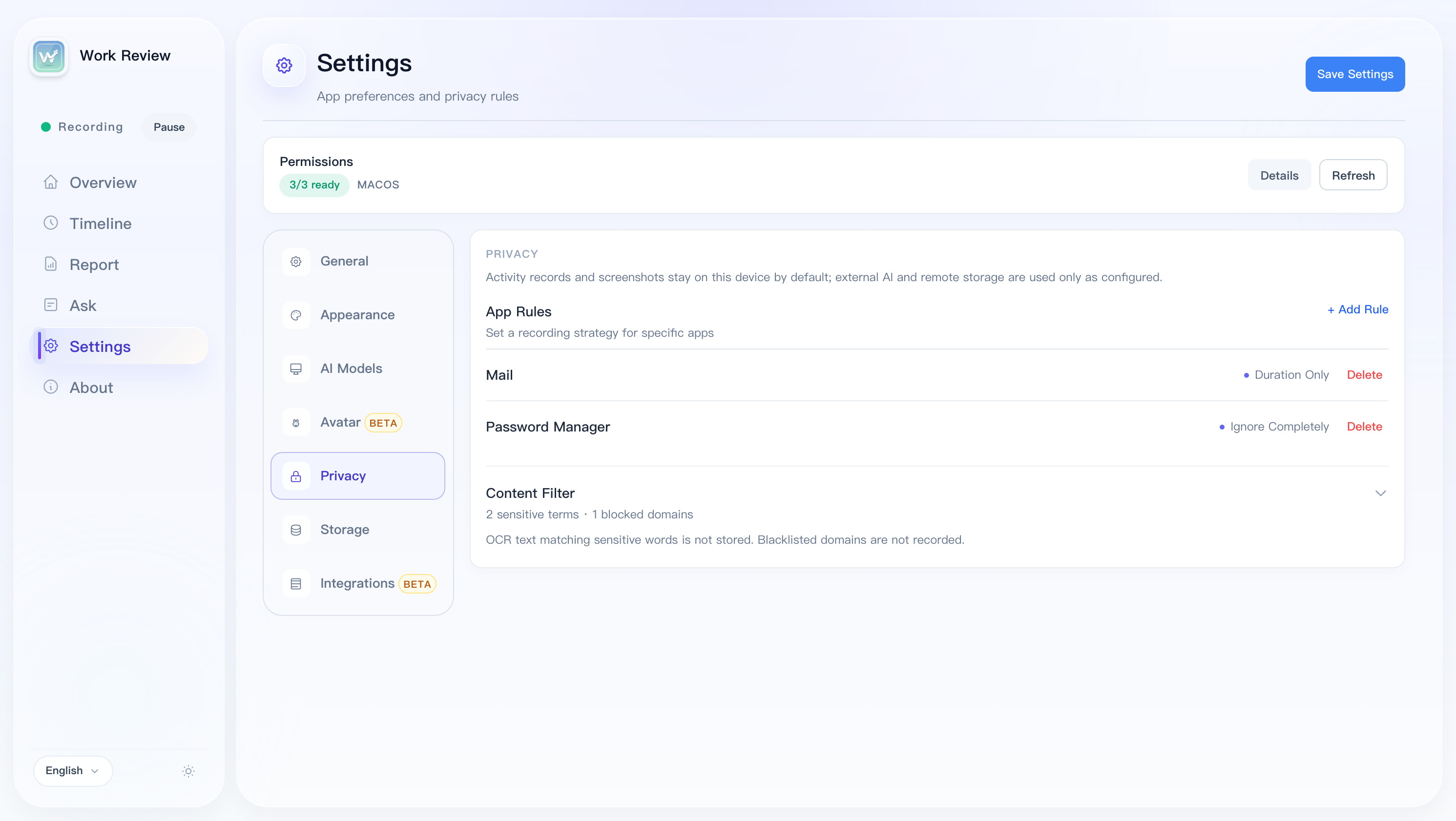
Storage
About
Work Review is designed for personal use from the ground up. It is not intended for: employee monitoring · team attendance · performance evaluation · covert tracking
You can control the recording scope as needed:
The core of Work Review is always local recording. AI's role is to make records easier to read and review, not a prerequisite for usage.
| Mode | Description |
|---|---|
| Basic Template | Zero configuration, outputs stable structured results |
| AI Enhanced | Calls your self-configured model service for more natural Q&A and summaries |
Supported providers: Ollama (local) / LM Studio (local) / OpenAI compatible / DeepSeek / Qwen / Zhipu / Kimi / Doubao / MiniMax / SiliconFlow / Gemini / Claude / OpenRouter / Groq / xAI Grok / Mistral / Custom endpoint
| Platform | Installer |
|---|---|
| macOS (Apple Silicon / Intel) | .dmg |
| Windows | .exe / portable .zip |
| Linux x86_64 (X11 / Wayland) | .deb / .rpm / .AppImage |
| Linux ARM64 (aarch64) | .deb / .rpm / .AppImage |
macOS: Screenshots require the "Screen Recording" permission, and avatar linkage requires "Accessibility + Input Monitoring". If you see a "damaged" warning on first launch: sudo xattr -rd com.apple.quarantine "/Applications/Work Review.app"
Windows: Depends on Microsoft Edge WebView2 Runtime.
Windows 11 Smart App Control: If Windows shows "Smart App Control blocked this app from running", it's because Work Review is signed with a self-signed certificate (not a commercial EV certificate). You can turn off Smart App Control in "Windows Security → App & browser control → Smart App Control". See #139.
Linux: Screenshots and window tracking depend on the current session type and toolchain.
# Base
sudo apt install xprintidle tesseract-ocr
# X11
sudo apt install xdotool x11-utils scrot
# Wayland: gdbus (GNOME) / kdotool (KDE) / swaymsg (Sway) / hyprctl (Hyprland)
# Screenshots: grim / gnome-screenshot / spectacle

# RPM-based distributions
sudo dnf install xprintidle tesseract xdotool xorg-x11-utils gnome-screenshot procps-ng
sudo zypper install xprintidle tesseract-ocr xdotool xorg-x11-tools gnome-screenshot procps
AppImage is not a universal package for every Linux distribution. The GLIBC compatibility gate checks only the main program ELF inside each Linux release package; it does not scan every bundled library or plugin. The current maximum allowed GLIBC version is 2.35. The actual requirement of each build is shown in the release workflow's GLIBC check output.
Ubuntu 24.04 / 24.10 Wayland (GNOME 46–47) users experiencing screenshot flash or shutter sound can use the one-click install script to fix it automatically:
bash scripts/deb/reinstall.sh           # deb method (recommended)
bash scripts/deb/reinstall.sh --dry-run # preview operations
See scripts/ubuntu-wayland-README.md for details.
KDE Plasma / Wayland startup crash (Fedora, Arch, openSUSE, …): If the app quits immediately with Gdk-Message: Error 71 (Protocol error) dispatching to Wayland display., it is an upstream webkit2gtk/GTK bug on Wayland (see tauri#10702), most common on KDE Plasma + NVIDIA. Recent builds already inject WEBKIT_DISABLE_DMABUF_RENDERER=1 at startup. If you still hit it on an older build, launch it with the same workaround manually:
WEBKIT_DISABLE_DMABUF_RENDERER=1 ./Work_Review
If that still fails, force the X11 backend as a last-resort fallback. This may render worse on some Wayland desktops:
GDK_BACKEND=x11 ./Work_Review
Uses a standalone desktop pet window to reflect idle / working / reading / meeting / music / video states.
Still being actively refined — interaction linkage, state expression, and preset details will continue to improve.
Query records and generate daily reports remotely from Telegram / Feishu / DingTalk / WeCom via local API + multi-device registration. Supported commands: /devices, /report, /generate, etc. WeCom prefers the intelligent-bot long connection (Bot ID + Secret, no public URL); only one live connection is allowed per bot. Restricted to personal and own multi-device use only.
After Localhost API is enabled, the app exposes a local HTTP API (default 127.0.0.1:47831), authenticated with a Bearer Token (auto-generated on first launch, saved in localhost_api_token.txt in the data directory).
All requests (except /health and Feishu callbacks) must carry the token:
Authorization: Bearer <token>
Or via query parameter: ?token=<token>
| Method | Path | Description |
|---|---|---|
| GET | /health | Health check (no auth) |
| GET | /v1/device | Device info |
| GET | /v1/timeline/{date} | Timeline (date format YYYY-MM-DD, supports ?limit=&offset=) |
| GET | /v1/activities/{date} | Activity list (supports ?limit=&offset=&category=) |
| GET | /v1/stats/today | Today's stats |
| GET | /v1/stats/overview | Overview stats (`?mode=today |
| GET | /v1/stats/daily/{date} | Stats for a given date |
| GET | /v1/reports | Report list (?limit=) |
| GET | /v1/reports/{date} | Report for a given date (?locale=) |
| GET | /v1/reports/generate | Generate report (?date=&locale=&force=true) |
| POST | /v1/reports/export-markdown | Export report as Markdown (body: { date, locale }) |
| GET | /v1/apps/recent | Recently used apps |
| GET | /v1/apps/category-overview | App category overview |
| GET | /v1/categories | App category list |
| GET | /v1/categories/semantic | Semantic category list |
| GET | /v1/hourly-summaries/{date} | Hourly summary |
| GET | /v1/hourly-app-breakdown/{date} | Hourly app breakdown |
| GET | /v1/weekly-review | Weekly review (?date_from=&date_to=&limit=) |
| GET | /v1/storage/stats | Storage stats |
| POST | /v1/screenshots/capture | Capture the active screen immediately and return JPEG Base64 (requires screenshots enabled) |
The capture response contains capturedAt, width, height, mimeType, imageBase64, and a data-directory-relative relativePath. It bypasses the scheduled capture interval but never bypasses the screenshot privacy switch, and it does not upload the image.
# Get today's timeline
curl -H "Authorization: Bearer $(cat ~/work-review/localhost_api_token.txt)" \
  http://127.0.0.1:47831/v1/timeline/2026-05-20

# Generate a report
curl -H "Authorization: Bearer $(cat ~/work-review/localhost_api_token.txt)" \
  "http://127.0.0.1:47831/v1/reports/generate?date=2026-05-20"
Connects work records to AI coding tools (Claude Code / Cursor / VS Code Copilot, etc.) via the stdio protocol.
cargo build --release -p work-review-mcp-server
{
  "mcpServers": {
    "work-review": {
      "command": "/path/to/work-review-mcp-server",
      "env": {
        "WORK_REVIEW_DB_PATH": "/path/to/work_review.db",
        "WORK_REVIEW_CONFIG_PATH": "/path/to/config.json"
      }
    }
  }
}
npm install
npm run tauri:dev    # Development
npm run tauri:build  # Build
Requires: Node.js 22+ / Rust stable / Tauri 2 CLI · Tech stack: Tauri 2 + Rust + Svelte 4 + SQLite
WeChat Group
If the QR code has expired, follow the official account below for the latest group invitation, or join the TG group
WeChat Official Account

MIT © 2026 wm94i

521 followers · starred Sep 2026
5 followers · starred Jun 2026
8 followers · starred Jul 2026
31 followers · starred Mar 2026
Automatically tracks which apps you used, which websites you visited, and how much time you spent in each app throughout the day.
See the code
A local-first personal work review tool that records context, helps you review your day, and generates daily reports.
Automatically organizes the apps you used, websites you visited, window titles, usage time, and optional screenshots into a timeline you can review, analyze, and ask questions about.
All data is stored locally by default and never uploaded to any server. AI features are entirely optional; the app works fine with them turned off.
🔒 For personal use only — all data stays on your device.
Work Review is designed for personal work review and helps answer questions like these:
The focus is not "monitoring". It is helping you recall, organize, and review your own work process.
The screenshots below are captured from the running desktop app with localized UI and representative local data, covering the main workflow and configuration surfaces.
Overview
Timeline
Timeline Detail
Daily Report
Work Assistant
Integrations
Hourly Summary
General Settings
Appearance
AI Models
Desktop Avatar
Privacy
Storage
About
Work Review is designed for personal use from the ground up. It is not intended for: employee monitoring · team attendance · performance evaluation · covert tracking
You can control the recording scope as needed:
The core of Work Review is always local recording. AI's role is to make records easier to read and review, not a prerequisite for usage.
| Mode | Description |
|---|---|
| Basic Template | Zero configuration, outputs stable structured results |
| AI Enhanced | Calls your self-configured model service for more natural Q&A and summaries |
Supported providers: Ollama (local) / LM Studio (local) / OpenAI compatible / DeepSeek / Qwen / Zhipu / Kimi / Doubao / MiniMax / SiliconFlow / Gemini / Claude / OpenRouter / Groq / xAI Grok / Mistral / Custom endpoint
| Platform | Installer |
|---|---|
| macOS (Apple Silicon / Intel) | .dmg |
| Windows | .exe / portable .zip |
| Linux x86_64 (X11 / Wayland) | .deb / .rpm / .AppImage |
| Linux ARM64 (aarch64) | .deb / .rpm / .AppImage |
macOS: Screenshots require the "Screen Recording" permission, and avatar linkage requires "Accessibility + Input Monitoring". If you see a "damaged" warning on first launch: sudo xattr -rd com.apple.quarantine "/Applications/Work Review.app"
Windows: Depends on Microsoft Edge WebView2 Runtime.
Windows 11 Smart App Control: If Windows shows "Smart App Control blocked this app from running", it's because Work Review is signed with a self-signed certificate (not a commercial EV certificate). You can turn off Smart App Control in "Windows Security → App & browser control → Smart App Control". See #139.
Linux: Screenshots and window tracking depend on the current session type and toolchain.
# Base
sudo apt install xprintidle tesseract-ocr
# X11
sudo apt install xdotool x11-utils scrot
# Wayland: gdbus (GNOME) / kdotool (KDE) / swaymsg (Sway) / hyprctl (Hyprland)
# Screenshots: grim / gnome-screenshot / spectacle

# RPM-based distributions
sudo dnf install xprintidle tesseract xdotool xorg-x11-utils gnome-screenshot procps-ng
sudo zypper install xprintidle tesseract-ocr xdotool xorg-x11-tools gnome-screenshot procps
AppImage is not a universal package for every Linux distribution. The GLIBC compatibility gate checks only the main program ELF inside each Linux release package; it does not scan every bundled library or plugin. The current maximum allowed GLIBC version is 2.35. The actual requirement of each build is shown in the release workflow's GLIBC check output.
Ubuntu 24.04 / 24.10 Wayland (GNOME 46–47) users experiencing screenshot flash or shutter sound can use the one-click install script to fix it automatically:
bash scripts/deb/reinstall.sh           # deb method (recommended)
bash scripts/deb/reinstall.sh --dry-run # preview operations
See scripts/ubuntu-wayland-README.md for details.
KDE Plasma / Wayland startup crash (Fedora, Arch, openSUSE, …): If the app quits immediately with Gdk-Message: Error 71 (Protocol error) dispatching to Wayland display., it is an upstream webkit2gtk/GTK bug on Wayland (see tauri#10702), most common on KDE Plasma + NVIDIA. Recent builds already inject WEBKIT_DISABLE_DMABUF_RENDERER=1 at startup. If you still hit it on an older build, launch it with the same workaround manually:
WEBKIT_DISABLE_DMABUF_RENDERER=1 ./Work_Review
If that still fails, force the X11 backend as a last-resort fallback. This may render worse on some Wayland desktops:
GDK_BACKEND=x11 ./Work_Review
Uses a standalone desktop pet window to reflect idle / working / reading / meeting / music / video states.
Still being actively refined — interaction linkage, state expression, and preset details will continue to improve.
Query records and generate daily reports remotely from Telegram / Feishu / DingTalk / WeCom via local API + multi-device registration. Supported commands: /devices, /report, /generate, etc. WeCom prefers the intelligent-bot long connection (Bot ID + Secret, no public URL); only one live connection is allowed per bot. Restricted to personal and own multi-device use only.
After Localhost API is enabled, the app exposes a local HTTP API (default 127.0.0.1:47831), authenticated with a Bearer Token (auto-generated on first launch, saved in localhost_api_token.txt in the data directory).
All requests (except /health and Feishu callbacks) must carry the token:
Authorization: Bearer <token>
Or via query parameter: ?token=<token>
| Method | Path | Description |
|---|---|---|
| GET | /health | Health check (no auth) |
| GET | /v1/device | Device info |
| GET | /v1/timeline/{date} | Timeline (date format YYYY-MM-DD, supports ?limit=&offset=) |
| GET | /v1/activities/{date} | Activity list (supports ?limit=&offset=&category=) |
| GET | /v1/stats/today | Today's stats |
| GET | /v1/stats/overview | Overview stats (`?mode=today |
| GET | /v1/stats/daily/{date} | Stats for a given date |
| GET | /v1/reports | Report list (?limit=) |
| GET | /v1/reports/{date} | Report for a given date (?locale=) |
| GET | /v1/reports/generate | Generate report (?date=&locale=&force=true) |
| POST | /v1/reports/export-markdown | Export report as Markdown (body: { date, locale }) |
| GET | /v1/apps/recent | Recently used apps |
| GET | /v1/apps/category-overview | App category overview |
| GET | /v1/categories | App category list |
| GET | /v1/categories/semantic | Semantic category list |
| GET | /v1/hourly-summaries/{date} | Hourly summary |
| GET | /v1/hourly-app-breakdown/{date} | Hourly app breakdown |
| GET | /v1/weekly-review | Weekly review (?date_from=&date_to=&limit=) |
| GET | /v1/storage/stats | Storage stats |
| POST | /v1/screenshots/capture | Capture the active screen immediately and return JPEG Base64 (requires screenshots enabled) |
The capture response contains capturedAt, width, height, mimeType, imageBase64, and a data-directory-relative relativePath. It bypasses the scheduled capture interval but never bypasses the screenshot privacy switch, and it does not upload the image.
# Get today's timeline
curl -H "Authorization: Bearer $(cat ~/work-review/localhost_api_token.txt)" \
  http://127.0.0.1:47831/v1/timeline/2026-05-20

# Generate a report
curl -H "Authorization: Bearer $(cat ~/work-review/localhost_api_token.txt)" \
  "http://127.0.0.1:47831/v1/reports/generate?date=2026-05-20"
Connects work records to AI coding tools (Claude Code / Cursor / VS Code Copilot, etc.) via the stdio protocol.
cargo build --release -p work-review-mcp-server
{
  "mcpServers": {
    "work-review": {
      "command": "/path/to/work-review-mcp-server",
      "env": {
        "WORK_REVIEW_DB_PATH": "/path/to/work_review.db",
        "WORK_REVIEW_CONFIG_PATH": "/path/to/config.json"
      }
    }
  }
}
npm install
npm run tauri:dev    # Development
npm run tauri:build  # Build
Requires: Node.js 22+ / Rust stable / Tauri 2 CLI · Tech stack: Tauri 2 + Rust + Svelte 4 + SQLite
WeChat Group
If the QR code has expired, follow the official account below for the latest group invitation, or join the TG group
WeChat Official Account
MIT © 2026 wm94i
521 followers · starred Sep 2026
5 followers · starred Jun 2026
8 followers · starred Jul 2026
31 followers · starred Mar 2026



