Data transceiver(monitor)/realtime plotter/shortcut/file transceiver over serial port/Bluetooth/network on Windows/Linux/Android/macOS | 跨平台串口/蓝牙/网络调试助手,带数据收发/实时绘图/快捷发送/文件收发面板,可在PC和Android设备上使用
C++
1,668
297 commits
updated Jun 17, 2024







A versatile test tool running on Windows/Linux/macOS/Android.
Works as data transceiver/realtime plotter/shortcut/file transceiver.
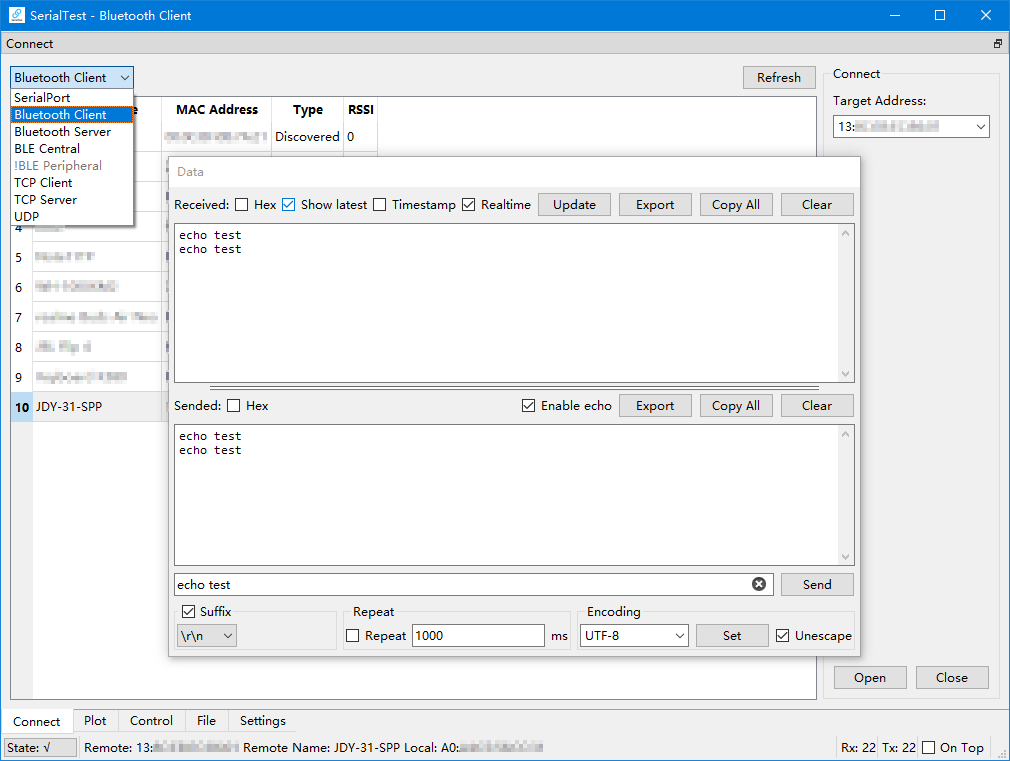
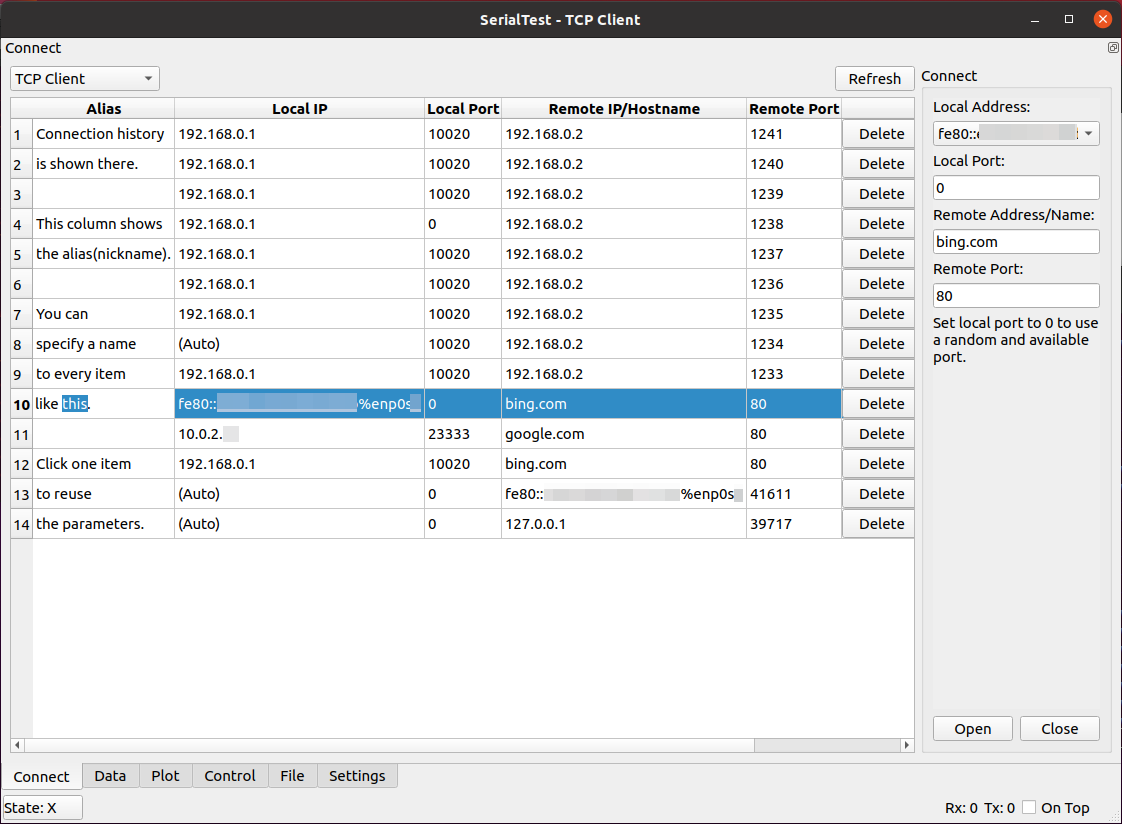
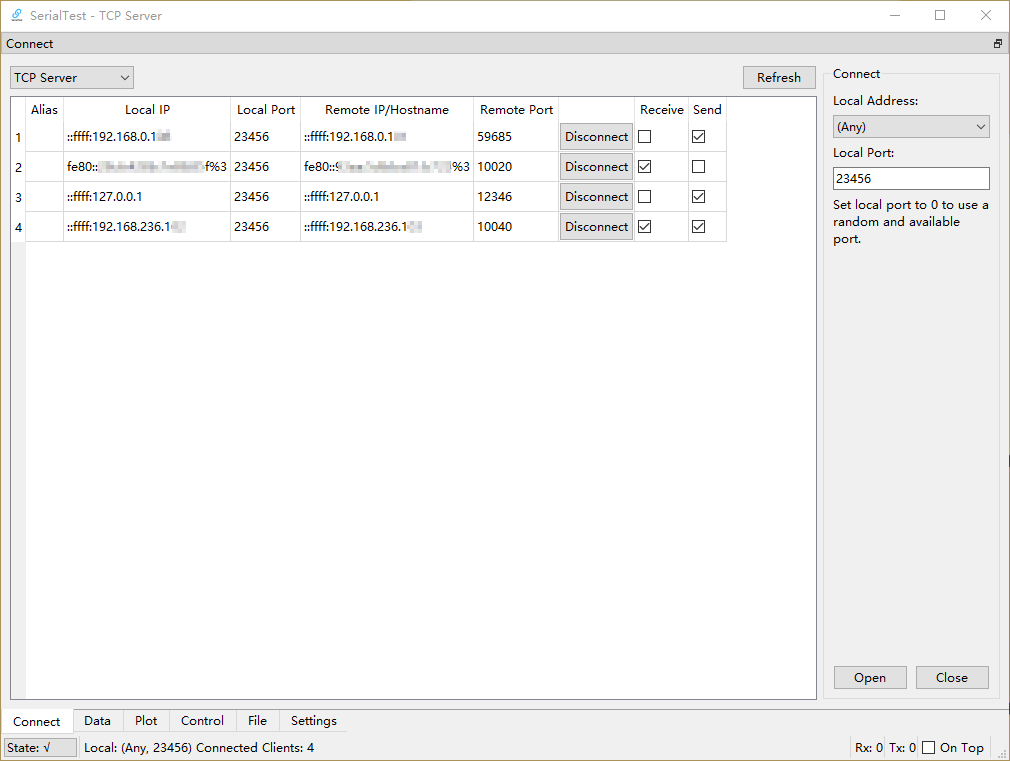
Supports serial port, Bluetooth SPP client/server, Bluetooth LE client, TCP client/server, UDP.


/dev/ttyXXX)| Data Panel | Plotter&Data(GIF) | Control Panel(GIF) | Serial Port, Dark Theme |
|---|---|---|---|
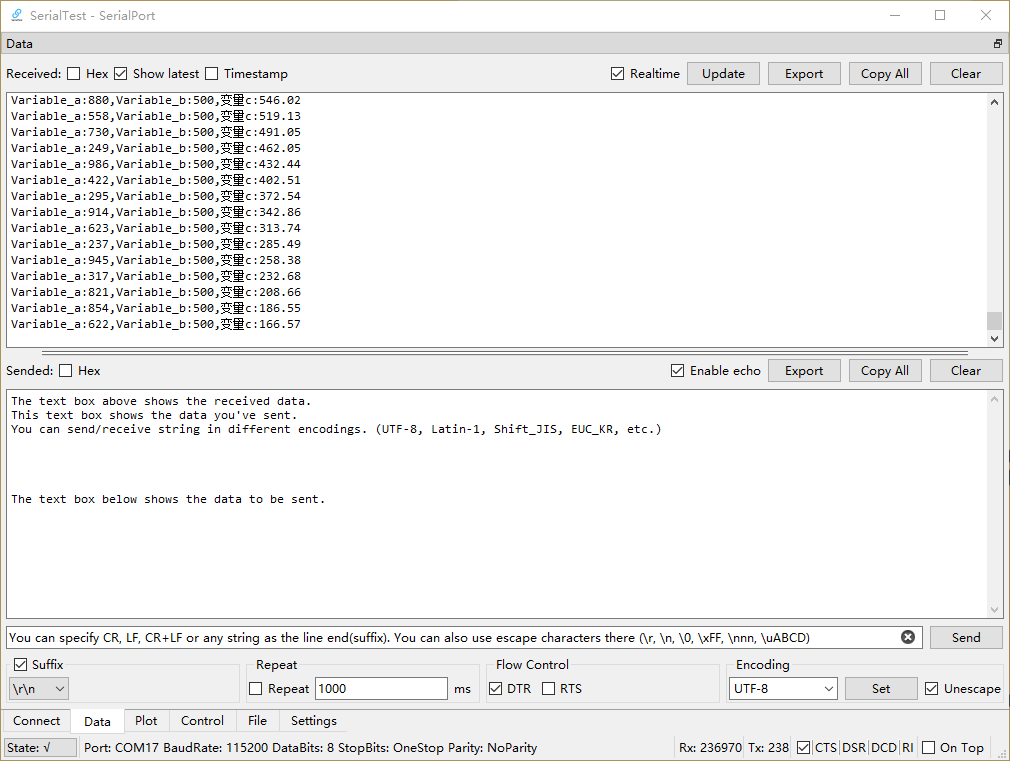 | 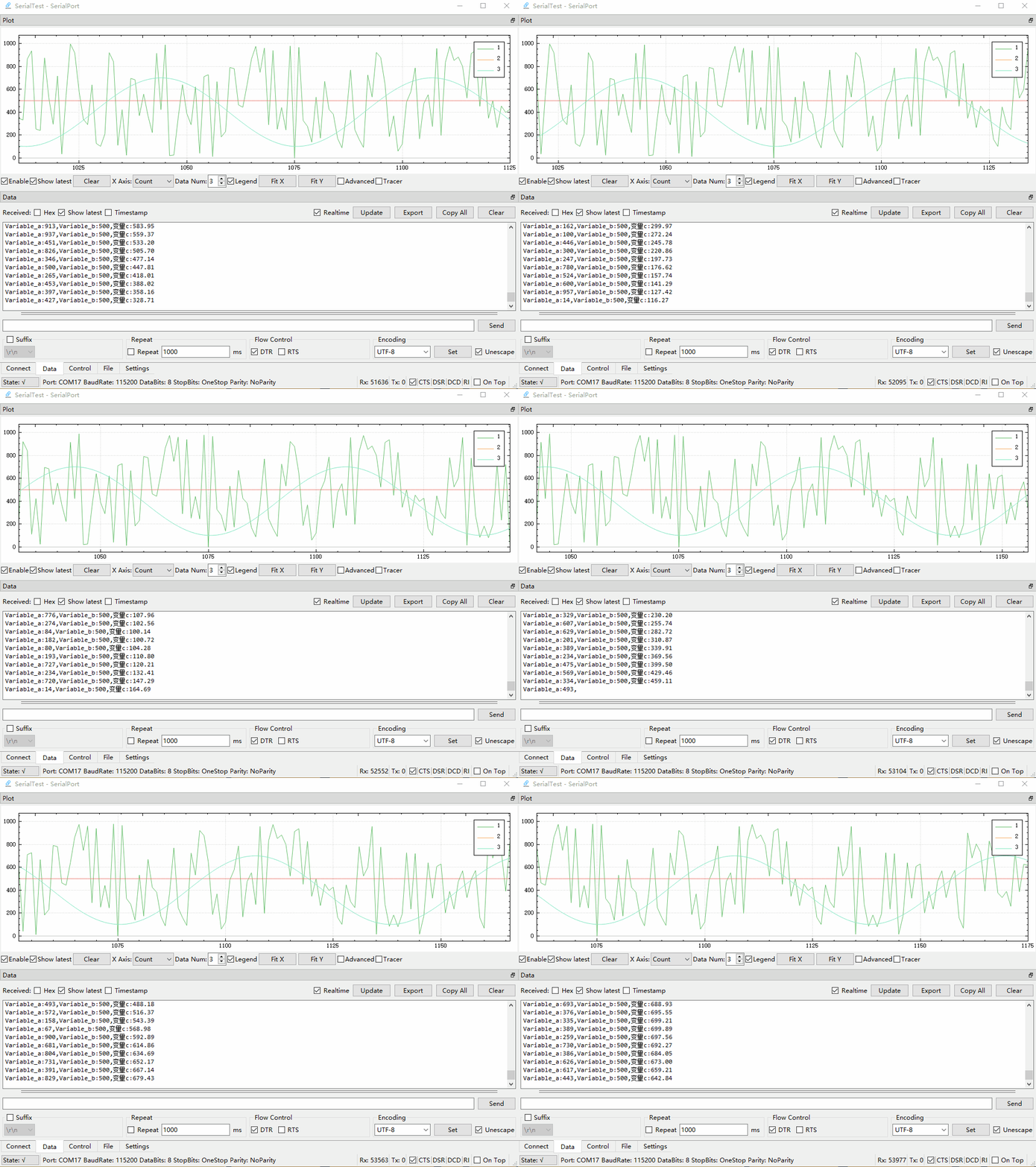 | 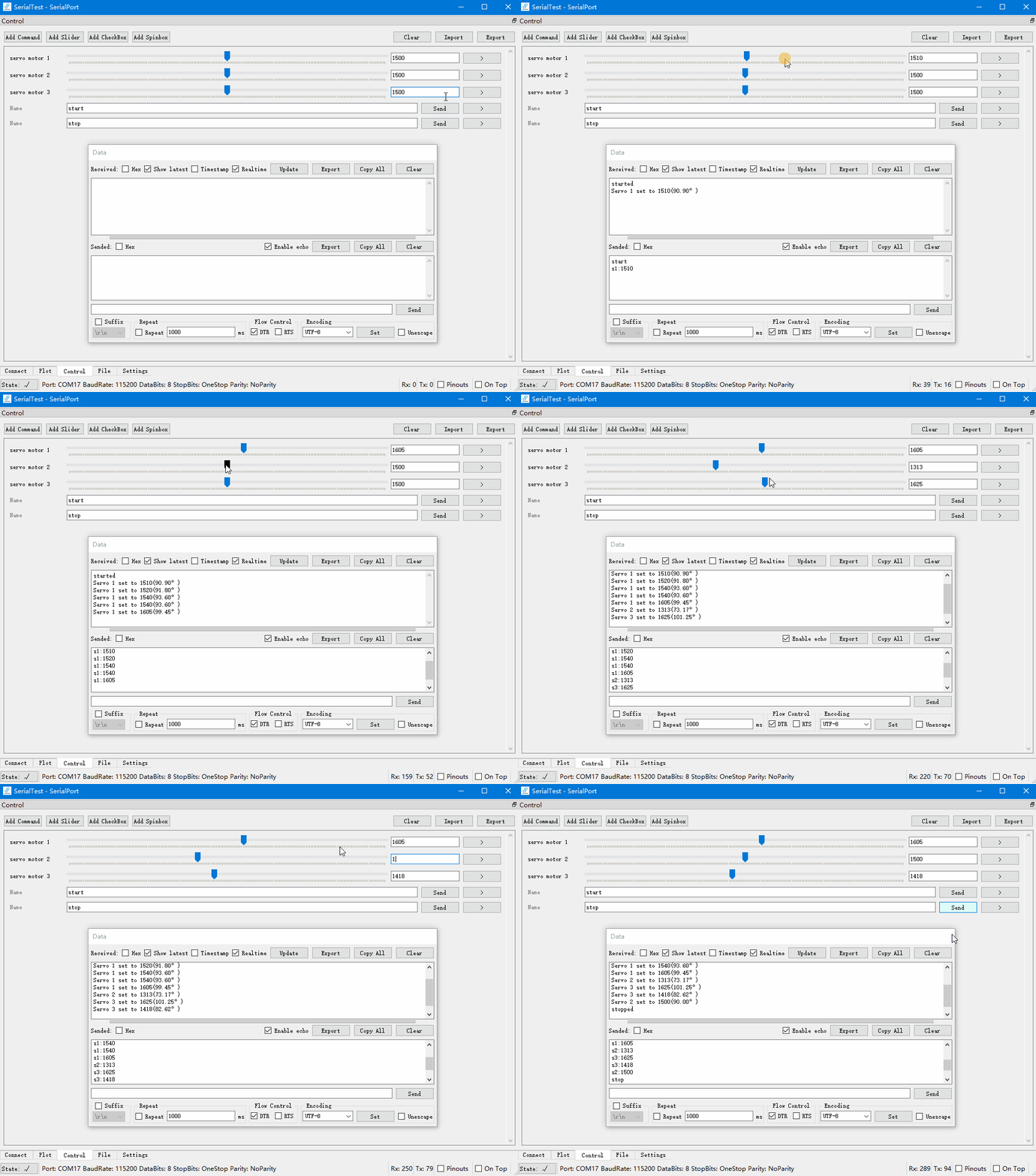 | 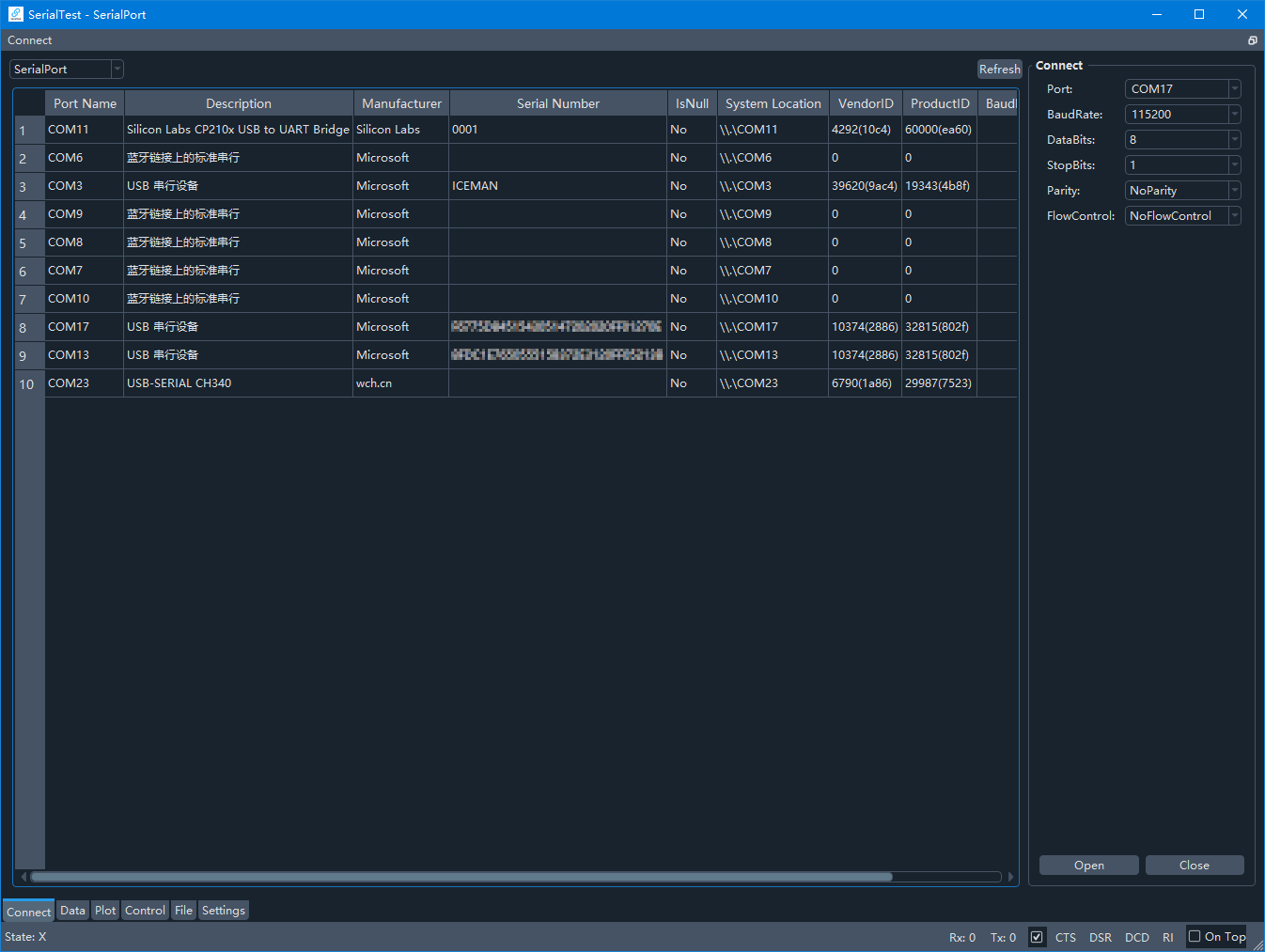 |
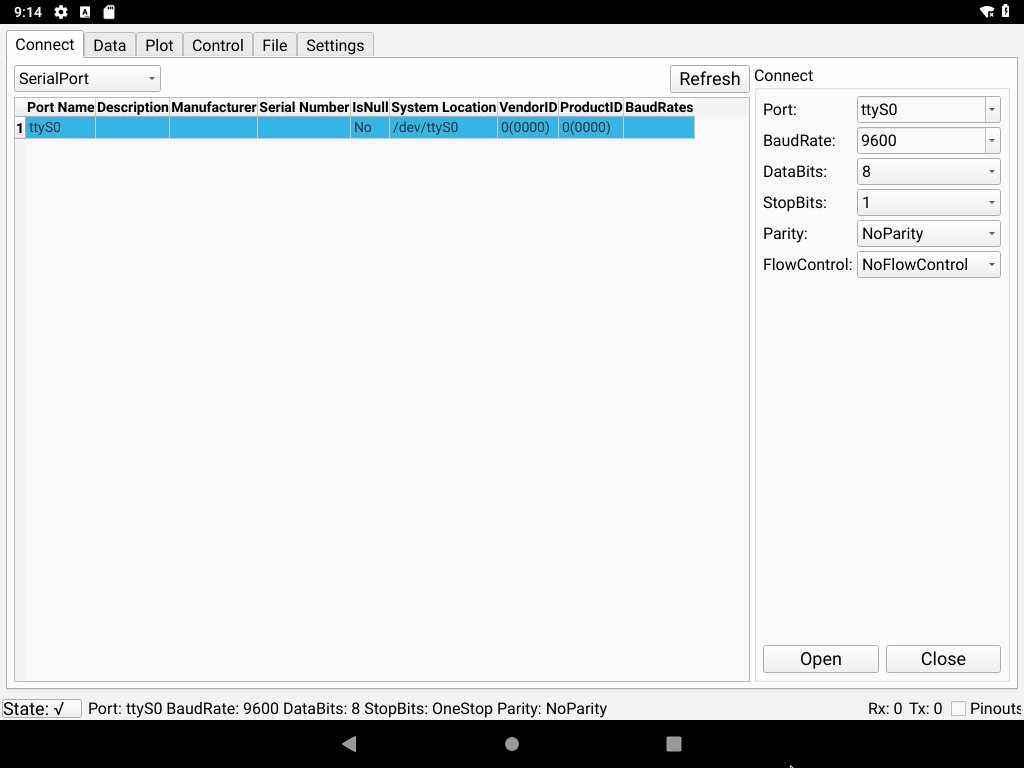
| Bluetooth, Windows | Serial Port, Android | TCP Client, Linux | TCP Server |
|---|---|---|---|
 |  |  |  |
1.Connect
2.Send&Receive Data
3.Plot
You can write programs on MCU according to the demos in the demo/ folder
Demo README
You can download pre-built binaries and Android APK in release page.
You can also download them in SourceForge
The Android app is available on F-Droid as well.
# sudo add-apt-repository universe
sudo apt-get update
# sudo apt-get install git build-essential
sudo apt-get install qtbase5-dev qt5-qmake libqt5serialport5-dev qtconnectivity5-dev
cd ~
git clone https://github.com/wh201906/SerialTest.git --depth=1
cd SerialTest
mkdir build && cd build
You need to download QCustomPlot archive, extract the qcustomplot.cpp and qcustomplot.h in the /src folder(replace the existing qcustomplot.h), then build.
wget https://www.qcustomplot.com/release/2.1.1/QCustomPlot-source.tar.gz
tar -xzf QCustomPlot-source.tar.gz
cp qcustomplot-source/qcustomplot.* ../src
If the qcustomplot.cpp doesn't exist in the src/ folder, the qmake will try to find the library file(xxx.so/xxx.dll) in the building directory(where you call the qmake command) and the default library directory.
export QT_SELECT=qt5
qmake ../src
make -j4 && make clean
./SerialTest
flatpak install flathub io.github.wh201906.serialtest
# run this app
flatpak run io.github.wh201906.serialtest
# Install the release
yay -S serialtest

# Install the development version
yay -S serialtest-git
The project uses Weblate to manage translation.
If you'd like to help with the translation, please visit the Weblate translation page or create a PR to the weblate branch.

The src/qcustomplot.h and the files in src/qdarkstyle/ are licensed under the same licenses as their respective projects.
The source code in src/ is licensed under GPL 3.0.
The source code in demo/(excluding dependencies), translations, documents and other parts of this project are licensed under MIT.
75 followers · starred Oct 2025
77 followers · starred Nov 2022
114 followers · starred Apr 2025
Data transceiver(monitor)/realtime plotter/shortcut/file transceiver over serial port/Bluetooth/network on Windows/Linux/Android/macOS | 跨平台串口/蓝牙/网络调试助手,带数据收发/实时绘图/快捷发送/文件收发面板,可在PC和Android设备上使用
C++
1,668
297 commits
updated Jun 17, 2024
A versatile test tool running on Windows/Linux/macOS/Android.
Works as data transceiver/realtime plotter/shortcut/file transceiver.
Supports serial port, Bluetooth SPP client/server, Bluetooth LE client, TCP client/server, UDP.
/dev/ttyXXX)| Data Panel | Plotter&Data(GIF) | Control Panel(GIF) | Serial Port, Dark Theme |
|---|---|---|---|
| | | |
| Bluetooth, Windows | Serial Port, Android | TCP Client, Linux | TCP Server |
|---|---|---|---|
| | | |
1.Connect
2.Send&Receive Data
3.Plot
You can write programs on MCU according to the demos in the demo/ folder
Demo README
You can download pre-built binaries and Android APK in release page.
You can also download them in SourceForge
The Android app is available on F-Droid as well.
# sudo add-apt-repository universe
sudo apt-get update
# sudo apt-get install git build-essential
sudo apt-get install qtbase5-dev qt5-qmake libqt5serialport5-dev qtconnectivity5-dev
cd ~
git clone https://github.com/wh201906/SerialTest.git --depth=1
cd SerialTest
mkdir build && cd build
You need to download QCustomPlot archive, extract the qcustomplot.cpp and qcustomplot.h in the /src folder(replace the existing qcustomplot.h), then build.
wget https://www.qcustomplot.com/release/2.1.1/QCustomPlot-source.tar.gz
tar -xzf QCustomPlot-source.tar.gz
cp qcustomplot-source/qcustomplot.* ../src
If the qcustomplot.cpp doesn't exist in the src/ folder, the qmake will try to find the library file(xxx.so/xxx.dll) in the building directory(where you call the qmake command) and the default library directory.
export QT_SELECT=qt5
qmake ../src
make -j4 && make clean
./SerialTest
flatpak install flathub io.github.wh201906.serialtest
# run this app
flatpak run io.github.wh201906.serialtest
# Install the release
yay -S serialtest

# Install the development version
yay -S serialtest-git
The project uses Weblate to manage translation.
If you'd like to help with the translation, please visit the Weblate translation page or create a PR to the weblate branch.
The src/qcustomplot.h and the files in src/qdarkstyle/ are licensed under the same licenses as their respective projects.
The source code in src/ is licensed under GPL 3.0.
The source code in demo/(excluding dependencies), translations, documents and other parts of this project are licensed under MIT.
75 followers · starred Oct 2025
77 followers · starred Nov 2022
114 followers · starred Apr 2025



