AI-powered tool for working with Postgres, MySQL, MSSQL and Clickhouse.
See the code Tamery.app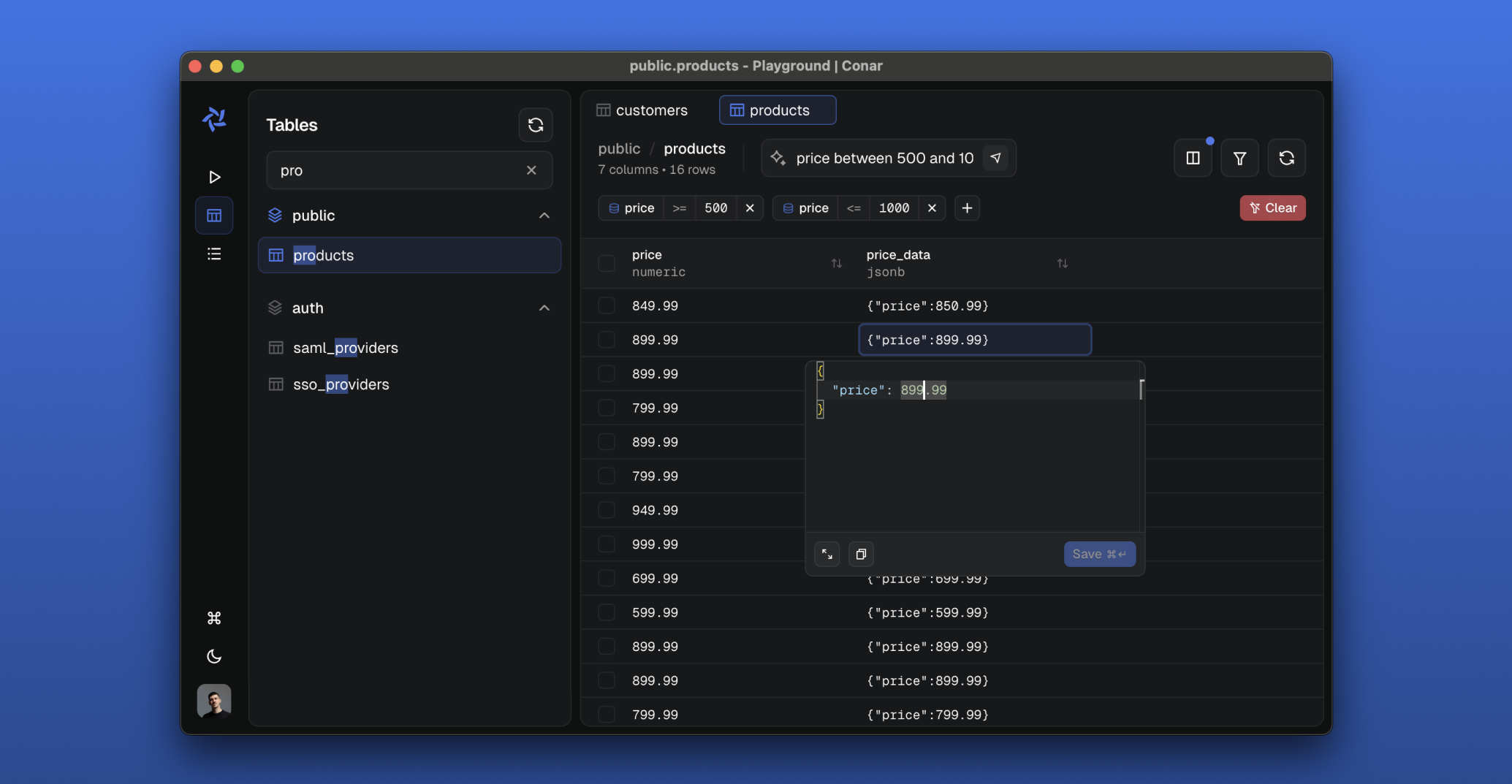
Tamery is an AI-powered open-source project that simplifies database interactions. Built for PostgreSQL, MySQL, MSSQL, Clickhouse with support for other databases coming in the near future. Store your connections securely in our cloud and ask AI to help you write and optimize SQL queries.

🔐 Secure & Open
💾 Multi-Database Support
🤖 AI-Powered Features
📦 Package Installation
pnpm install
🌐 Browser Automation (recommended)
Either CLI drives the running app for agents and manual debugging; they share one command vocabulary, so pick whichever fits the session:
npm install -g agent-browser && agent-browser install   # its own Chrome window
brew install --cask terminal-browser                    # renders in a terminal pane
Neither is a project dependency — agents call the CLI directly (agent-browser open <url>, snapshot, click, console, or the same commands through terminal-browser action --). Without them, any other browser automation works instead.
🐳 Start Backing Services
Postgres and Redis must be reachable from apps/api/.env (copy .env.example). Either point it at hosted instances, or start local ones with Docker (https://docs.docker.com/get-docker/):
pnpm run docker:start
🗄️ Prepare Database
This will run database migrations to set up the required tables and schema.
pnpm run drizzle:migrate
🚀 Run the Project
This opens a package picker (all packages pre-selected — press Enter to accept) and starts the selected development servers through portless (HTTPS on .local.tamery.app domains):
| Service | URL |
|---|---|
| API | https://api.local.tamery.app |
| App | https://app.local.tamery.app |
| Main | https://main.local.tamery.app |
| Proxy | https://proxy.local.tamery.app |
pnpm run dev
Pass -a to skip the prompt and start everything. To run a subset, deselect the rest in the picker, or cd into a single app's directory (e.g. apps/api) and run pnpm run dev.
pnpm run test
Before running E2E tests, make sure to start the test server:
pnpm run test:start
pnpm run test:e2e
13,582 followers · starred Sep 2025
6,374 followers · starred Oct 2025
973 followers · starred Aug 2025
1,284 followers · starred Sep 2025
AI-powered tool for working with Postgres, MySQL, MSSQL and Clickhouse.
See the code Tamery.app
Tamery is an AI-powered open-source project that simplifies database interactions. Built for PostgreSQL, MySQL, MSSQL, Clickhouse with support for other databases coming in the near future. Store your connections securely in our cloud and ask AI to help you write and optimize SQL queries.
🔐 Secure & Open
💾 Multi-Database Support
🤖 AI-Powered Features
📦 Package Installation
pnpm install
🌐 Browser Automation (recommended)
Either CLI drives the running app for agents and manual debugging; they share one command vocabulary, so pick whichever fits the session:
npm install -g agent-browser && agent-browser install   # its own Chrome window
brew install --cask terminal-browser                    # renders in a terminal pane
Neither is a project dependency — agents call the CLI directly (agent-browser open <url>, snapshot, click, console, or the same commands through terminal-browser action --). Without them, any other browser automation works instead.
🐳 Start Backing Services
Postgres and Redis must be reachable from apps/api/.env (copy .env.example). Either point it at hosted instances, or start local ones with Docker (https://docs.docker.com/get-docker/):
pnpm run docker:start
🗄️ Prepare Database
This will run database migrations to set up the required tables and schema.
pnpm run drizzle:migrate
🚀 Run the Project
This opens a package picker (all packages pre-selected — press Enter to accept) and starts the selected development servers through portless (HTTPS on .local.tamery.app domains):
| Service | URL |
|---|---|
| API | https://api.local.tamery.app |
| App | https://app.local.tamery.app |
| Main | https://main.local.tamery.app |
| Proxy | https://proxy.local.tamery.app |
pnpm run dev
Pass -a to skip the prompt and start everything. To run a subset, deselect the rest in the picker, or cd into a single app's directory (e.g. apps/api) and run pnpm run dev.
pnpm run test
Before running E2E tests, make sure to start the test server:
pnpm run test:start
pnpm run test:e2e
13,582 followers · starred Sep 2025
6,374 followers · starred Oct 2025
973 followers · starred Aug 2025
1,284 followers · starred Sep 2025



