Make website screenshots and mobile emulations from the command line.
JavaScript
1,669
61 commits
updated Jul 25, 2021
Makes web screenshots and mobile emulations from the command line.
Tool based on puppeteer.
npm i -g screenshoteer
You can use screenshoteer like this:
screenshoteer  --url https://www.example.com

or .html localy copy the url path from the browser

screenshoteer --url file:///Users/../index.html
screenshoteer --url file:///C:/Users/../Random-HTML-file.html
And with the help of puppeteer(Headless Chrome) it will generate screenshot of the entire web page.
Parameters:
-h help
--url web page url
--emulate - emulate web device example: --emulate "iPhone 6"
--fullpage - can be true or false. It will take screenshot of entire web page if is true. True is the default parameter.
--pdf - generate additional pdf
--w - width of the Web Page in px
--h - height of the Web Page in px
--waitfor - wait time for the page load in milliseconds
--waitforselector - wait for the selector to appear in page
--el - css selector document.querySelector
--auth - basic http authentication
--no - exclude "image", "stylesheet", "script", "font"
--click - example: ".selector>a" excellent way to close popups or to click some buttons on the page.
--file - output file name (optional, otherwise based on page title and timestamp)
--theme - switch to dark or light color theme
--vd - Emulate vision deficiency 'achromatopsia', 'deuteranopia', 'protanopia', 'tritanopia', 'blurredVision', and 'none'
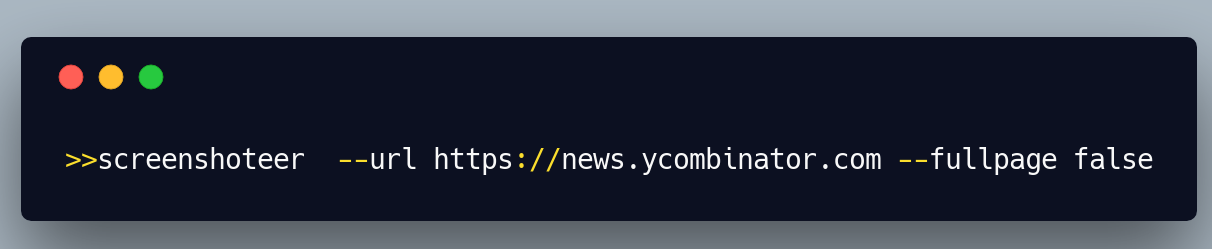
screenshoteer  --url https://news.ycombinator.com --fullpage false

screenshoteer  --url https://www.reddit.com/r/nodejs --emulate "iPhone 7"

screenshoteer  --url https://www.nytimes.com  --emulate "Nexus 4"

screenshoteer --url https://www.reddit.com/r/javascript/ --w 600 --h 800 --fullpage false

screenshoteer --url https://www.reddit.com/r/javascript/ --w 600 --h 0 --fullpage false

screenshoteer --url https://lobste.rs --pdf

screenshoteer --url https://lobste.rs --w 500

screenshoteer --url  https://news.ycombinator.com/item?id=18598672 --el ".fatitem"

screenshoteer --url  https://site.com --auth "username;password"

screenshoteer --url https://www.nytimes.com --no "image"

screenshoteer --url https://www.nytimes.com --no "script"

screenshoteer --url https://www.economist.com/ --click ".ribbon__close-button"

screenshoteer --url file:///Users/../index.html

screenshoteer --url https://www.slashdot.org --file /tmp/slashdot.png

screenshoteer --url https://mxb.dev/blog/color-theme-switcher/ --theme dark

screenshoteer --url https://news.ycombinator.com --vd blurredVision
List of of supported mobile devices: https://github.com/GoogleChrome/puppeteer/blob/master/DeviceDescriptors.js
This project is licensed under the MIT License
Overall
Maintained
Code review
Latest release
Releases this year
411 followers · starred Dec 2018
47 followers · starred Mar 2022
Make website screenshots and mobile emulations from the command line.
JavaScript
1,669
61 commits
updated Jul 25, 2021
Makes web screenshots and mobile emulations from the command line.
Tool based on puppeteer.
npm i -g screenshoteer
You can use screenshoteer like this:
screenshoteer  --url https://www.example.com

or .html localy copy the url path from the browser

screenshoteer --url file:///Users/../index.html
screenshoteer --url file:///C:/Users/../Random-HTML-file.html
And with the help of puppeteer(Headless Chrome) it will generate screenshot of the entire web page.
Parameters:
-h help
--url web page url
--emulate - emulate web device example: --emulate "iPhone 6"
--fullpage - can be true or false. It will take screenshot of entire web page if is true. True is the default parameter.
--pdf - generate additional pdf
--w - width of the Web Page in px
--h - height of the Web Page in px
--waitfor - wait time for the page load in milliseconds
--waitforselector - wait for the selector to appear in page
--el - css selector document.querySelector
--auth - basic http authentication
--no - exclude "image", "stylesheet", "script", "font"
--click - example: ".selector>a" excellent way to close popups or to click some buttons on the page.
--file - output file name (optional, otherwise based on page title and timestamp)
--theme - switch to dark or light color theme
--vd - Emulate vision deficiency 'achromatopsia', 'deuteranopia', 'protanopia', 'tritanopia', 'blurredVision', and 'none'
screenshoteer  --url https://news.ycombinator.com --fullpage false

screenshoteer  --url https://www.reddit.com/r/nodejs --emulate "iPhone 7"

screenshoteer  --url https://www.nytimes.com  --emulate "Nexus 4"

screenshoteer --url https://www.reddit.com/r/javascript/ --w 600 --h 800 --fullpage false

screenshoteer --url https://www.reddit.com/r/javascript/ --w 600 --h 0 --fullpage false

screenshoteer --url https://lobste.rs --pdf

screenshoteer --url https://lobste.rs --w 500

screenshoteer --url  https://news.ycombinator.com/item?id=18598672 --el ".fatitem"

screenshoteer --url  https://site.com --auth "username;password"

screenshoteer --url https://www.nytimes.com --no "image"

screenshoteer --url https://www.nytimes.com --no "script"

screenshoteer --url https://www.economist.com/ --click ".ribbon__close-button"

screenshoteer --url file:///Users/../index.html

screenshoteer --url https://www.slashdot.org --file /tmp/slashdot.png

screenshoteer --url https://mxb.dev/blog/color-theme-switcher/ --theme dark

screenshoteer --url https://news.ycombinator.com --vd blurredVision
List of of supported mobile devices: https://github.com/GoogleChrome/puppeteer/blob/master/DeviceDescriptors.js
This project is licensed under the MIT License
Overall
Maintained
Code review
Latest release
Releases this year
411 followers · starred Dec 2018
47 followers · starred Mar 2022



