
A tiny React-like UI library in one file: virtual DOM, keyed diffing, hooks, context and memo. About 3.5 KB gzipped, no dependencies.
See the codeSee what people are saying
README
mini-react




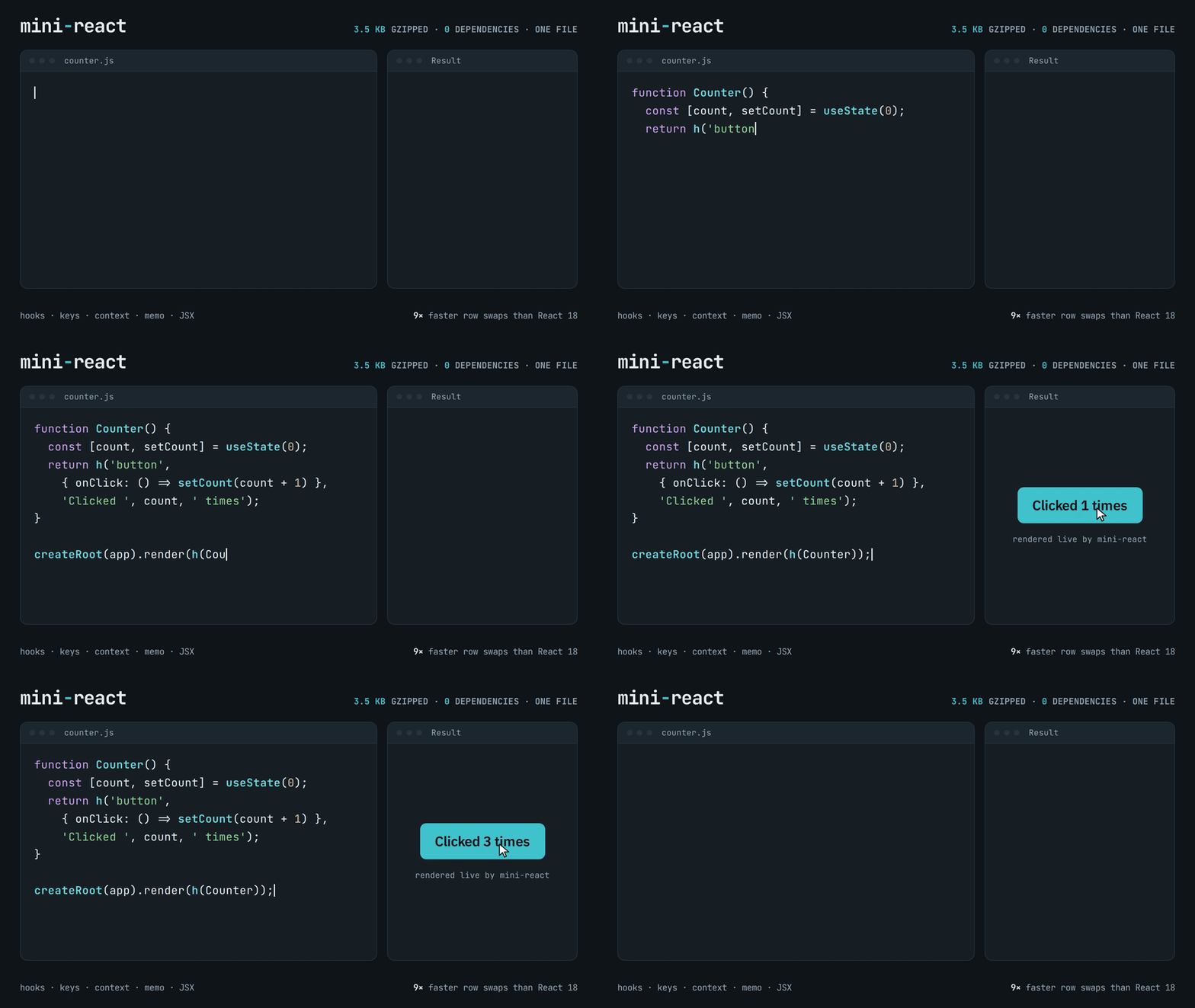
A small React-like UI library in one file. It has a virtual DOM with keyed diffing, function components, hooks,
context and memo, in about 3.5 KB gzipped with no dependencies. The source is written to be read: every part is commented.
Live demos · Tutorial · Benchmark vs. React
const { h, createRoot, useState } = MiniReact;

function Counter() {
  const [count, setCount] = useState(0);
  return h('button', { onClick: () => setCount(count + 1) }, 'Clicked ', count, ' times');
}

createRoot(document.getElementById('app')).render(h(Counter));
Features
- Familiar API.
useState,useEffect,useReducer,useRef,useMemo,useCallback,useContext,memoandcreateRootwork like React's. Components are plain functions. - Fast. Matches or beats React 18 on the js-framework-benchmark operations (see Performance).
- No build step needed. One
<script>tag, and it even works in an HTML file opened from disk. JSX works too if you use a bundler. - Small and readable. One source file of about 700 lines with comments. A good way to learn how React works inside.
Getting started
With a script tag
Download dist/mini-react.min.js (or the readable dist/mini-react.global.js) and put it next to your page:
<div id="app"></div>

<script src="mini-react.min.js"></script>
<script>
  const { h, createRoot, useState } = MiniReact;
  // your components here
</script>
Or load it from jsDelivr, straight from this repository:
<script src="https://cdn.jsdelivr.net/gh/vladocar/mini-react@v0.1.0/dist/mini-react.min.js"></script>
With a bundler (Vite, esbuild) and JSX
npm install github:vladocar/mini-react
import { h, Fragment, createRoot, useState } from 'mini-react';

function App() {
  const [name, setName] = useState('Vlad');
  return (
    <>
      <input value={name} onChange={(e) => setName(e.target.value)} />
      <p>Hello, {name}!</p>
    </>
  );
}

createRoot(document.getElementById('app')).render(<App />);
Tell your build tool to use h and Fragment for JSX:
# esbuild
esbuild app.jsx --bundle --jsx-factory=h --jsx-fragment=Fragment --outfile=app.js
// vite.config.js
export default { esbuild: { jsxFactory: 'h', jsxFragment: 'Fragment' } };
New to it? The tutorial has 15 short lessons, from your first element to a complete app, each with a live example you can edit and run in the page.
API
| Export | What it does |
|---|---|
h(type, props, ...children) / createElement | Creates an element. type is a tag name, a component function or Fragment. |
Fragment | Groups children without adding a DOM node. |
createRoot(container) | Returns { render(element), unmount() }. |
render(element, container) | Shorter way to do the same thing. |
useState(initial) | State value and setter. The setter also takes an updater: set(x => x + 1). |
useReducer(reducer, initialArg, init?) | State through a reducer, like React's. |
useEffect(fn, deps) | Runs after the DOM updates. fn can return a cleanup function. |
useLayoutEffect(fn, deps) | Same as useEffect here (both run before the browser paints). |
useMemo(fn, deps) / useCallback(fn, deps) | Cache a value or a function between renders. |
useRef(initial) | A mutable { current } box. Pass it as ref to get a DOM node. |
createContext(default) / useContext(ctx) | Pass values down the tree without props. <Ctx.Provider value={...}>. |
memo(Component, areEqual?) | Skips re-rendering when props are equal (shallow compare by default). Own state and context changes still re-render it. |
flushSync(fn?) | Runs fn, then applies pending updates right away (handy in tests). |
Props follow React: className, htmlFor, style as an object (numbers get px), onClick and other onXxx events,
onChange fires on every keystroke in text fields, value/checked for form controls, key for lists, ref for DOM nodes.
SVG works automatically inside <svg>.
Performance
Open bench.html to compare mini-react with React 18 on your own computer. It runs the operations from
js-framework-benchmark on a 1,000-row table. React is loaded from cdnjs, so this needs an internet connection.
Results from headless Chrome on a cloud machine, median of 40 interleaved runs:
| Operation | mini-react | mini-react + memo | React 18 | React 18 + memo |
|---|---|---|---|---|
| Update every 10th row | 16.5 ms | 15.1 ms | 20.8 ms | 15.2 ms |
| Select a row | 3.1 ms | 0.7 ms | 5.6 ms | 0.7 ms |
| Swap 2 rows | 8.7 ms | 7.4 ms | 77.6 ms | 94.3 ms |
| Remove a row | 8.8 ms | 5.9 ms | 11.4 ms | 5.7 ms |
Creating, replacing, appending and clearing rows take about the same time in both libraries, because the browser's own layout work takes most of that time. Creating 10,000 rows is about 30% faster in mini-react.
What makes it fast:
memoskips components whose props didn't change. Context still gets through: providers keep a list of the components that read them and update those directly.- Minimal DOM moves. When keyed items are reordered, the library finds the longest group of nodes that are already in the right order (a longest-increasing-subsequence search, as in Vue 3 and Inferno) and moves only the others. Swapping 2 rows of 1,000 moves 2 nodes. React moves 998.
- Fast paths in the diff. Lists are compared position by position until the first difference, so the usual update needs no key lookup. Elements whose children were not added, removed or moved skip the ordering step completely. A list that is cleared or fully replaced is emptied with one DOM operation.
How it works
- Elements.
h()returns a plain object such as{ type: 'div', props: {...}, key }. It only describes the UI. - Mounted tree. The library keeps its own tree of mounted nodes. Each one remembers its DOM node, its children and, for components, its hooks.
- Diff. On each render, new elements are compared with the mounted tree (
diff→reconcileChildren). Same type: update in place. Different type: replace. Children are matched by key when they have one, otherwise by position. ThenplaceChildrenmoves as few DOM nodes as possible, so focus and scroll are kept. - Hooks. Hooks are stored in an array on the component instance. They are read by call order, which is why hooks must not be called inside conditions (the same rule as React).
- Scheduler.
setStatemarks the component dirty and schedules one microtask. All dirty components then re-render together, parents first, so a child that was also dirty is not rendered twice. After that, effects run (children before parents, like React).
Compared with React
Left out on purpose, to keep the library small and readable:
- No concurrent rendering. Each update renders in one go. React can split a large update into small pieces
(
startTransition) so the page stays responsive while it renders. - No class components, portals, Suspense, error boundaries or server rendering.
- No
defaultValue,defaultCheckedordangerouslySetInnerHTML. Use controlled inputs, or a ref. - Native events. Handlers get the browser's own event object, and listeners are attached to each element. React uses its own synthetic event system.
- Controlled inputs aren't forced back. If the state doesn't change, text the user typed stays in the field.
Project structure
src/mini-react.js          The library (ES module). This is the file to read and edit.
dist/mini-react.global.js  Classic-script build that defines window.MiniReact (generated)
dist/mini-react.min.js     The same, minified (generated)
demo.html                  13 live demos
tutorial.html              Step-by-step tutorial with editable examples
bench.html                 Benchmark against React 18
test/mini-react.test.mjs   Tests (jsdom)
scripts/build.mjs          Generates dist/ from src/
The HTML pages load dist/mini-react.global.js, so they work when opened straight from disk.
Development
You need Node.js 22 or newer.
npm install      # install jsdom and terser (development only)
npm test         # run the 25 tests
npm run build    # regenerate dist/ after changing src/mini-react.js
npm start        # serve the folder at http://localhost:3000
dist/ is committed so the pages and the CDN link work without a build. CI checks that it matches src/,
so run npm run build before you commit a change to the library.
See CONTRIBUTING.md for more.
License
Similar repos


Languages
HTML
75.9%
JavaScript
24.1%
A tiny React-like UI library in one file: virtual DOM, keyed diffing, hooks, context and memo. About 3.5 KB gzipped, no dependencies.
See the codeSee what people are saying
README
mini-react
A small React-like UI library in one file. It has a virtual DOM with keyed diffing, function components, hooks,
context and memo, in about 3.5 KB gzipped with no dependencies. The source is written to be read: every part is commented.
Live demos · Tutorial · Benchmark vs. React
const { h, createRoot, useState } = MiniReact;

function Counter() {
  const [count, setCount] = useState(0);
  return h('button', { onClick: () => setCount(count + 1) }, 'Clicked ', count, ' times');
}

createRoot(document.getElementById('app')).render(h(Counter));
Features
- Familiar API.
useState,useEffect,useReducer,useRef,useMemo,useCallback,useContext,memoandcreateRootwork like React's. Components are plain functions. - Fast. Matches or beats React 18 on the js-framework-benchmark operations (see Performance).
- No build step needed. One
<script>tag, and it even works in an HTML file opened from disk. JSX works too if you use a bundler. - Small and readable. One source file of about 700 lines with comments. A good way to learn how React works inside.
Getting started
With a script tag
Download dist/mini-react.min.js (or the readable dist/mini-react.global.js) and put it next to your page:
<div id="app"></div>

<script src="mini-react.min.js"></script>
<script>
  const { h, createRoot, useState } = MiniReact;
  // your components here
</script>
Or load it from jsDelivr, straight from this repository:
<script src="https://cdn.jsdelivr.net/gh/vladocar/mini-react@v0.1.0/dist/mini-react.min.js"></script>
With a bundler (Vite, esbuild) and JSX
npm install github:vladocar/mini-react
import { h, Fragment, createRoot, useState } from 'mini-react';

function App() {
  const [name, setName] = useState('Vlad');
  return (
    <>
      <input value={name} onChange={(e) => setName(e.target.value)} />
      <p>Hello, {name}!</p>
    </>
  );
}

createRoot(document.getElementById('app')).render(<App />);
Tell your build tool to use h and Fragment for JSX:
# esbuild
esbuild app.jsx --bundle --jsx-factory=h --jsx-fragment=Fragment --outfile=app.js
// vite.config.js
export default { esbuild: { jsxFactory: 'h', jsxFragment: 'Fragment' } };
New to it? The tutorial has 15 short lessons, from your first element to a complete app, each with a live example you can edit and run in the page.
API
| Export | What it does |
|---|---|
h(type, props, ...children) / createElement | Creates an element. type is a tag name, a component function or Fragment. |
Fragment | Groups children without adding a DOM node. |
createRoot(container) | Returns { render(element), unmount() }. |
render(element, container) | Shorter way to do the same thing. |
useState(initial) | State value and setter. The setter also takes an updater: set(x => x + 1). |
useReducer(reducer, initialArg, init?) | State through a reducer, like React's. |
useEffect(fn, deps) | Runs after the DOM updates. fn can return a cleanup function. |
useLayoutEffect(fn, deps) | Same as useEffect here (both run before the browser paints). |
useMemo(fn, deps) / useCallback(fn, deps) | Cache a value or a function between renders. |
useRef(initial) | A mutable { current } box. Pass it as ref to get a DOM node. |
createContext(default) / useContext(ctx) | Pass values down the tree without props. <Ctx.Provider value={...}>. |
memo(Component, areEqual?) | Skips re-rendering when props are equal (shallow compare by default). Own state and context changes still re-render it. |
flushSync(fn?) | Runs fn, then applies pending updates right away (handy in tests). |
Props follow React: className, htmlFor, style as an object (numbers get px), onClick and other onXxx events,
onChange fires on every keystroke in text fields, value/checked for form controls, key for lists, ref for DOM nodes.
SVG works automatically inside <svg>.
Performance
Open bench.html to compare mini-react with React 18 on your own computer. It runs the operations from
js-framework-benchmark on a 1,000-row table. React is loaded from cdnjs, so this needs an internet connection.
Results from headless Chrome on a cloud machine, median of 40 interleaved runs:
| Operation | mini-react | mini-react + memo | React 18 | React 18 + memo |
|---|---|---|---|---|
| Update every 10th row | 16.5 ms | 15.1 ms | 20.8 ms | 15.2 ms |
| Select a row | 3.1 ms | 0.7 ms | 5.6 ms | 0.7 ms |
| Swap 2 rows | 8.7 ms | 7.4 ms | 77.6 ms | 94.3 ms |
| Remove a row | 8.8 ms | 5.9 ms | 11.4 ms | 5.7 ms |
Creating, replacing, appending and clearing rows take about the same time in both libraries, because the browser's own layout work takes most of that time. Creating 10,000 rows is about 30% faster in mini-react.
What makes it fast:
memoskips components whose props didn't change. Context still gets through: providers keep a list of the components that read them and update those directly.- Minimal DOM moves. When keyed items are reordered, the library finds the longest group of nodes that are already in the right order (a longest-increasing-subsequence search, as in Vue 3 and Inferno) and moves only the others. Swapping 2 rows of 1,000 moves 2 nodes. React moves 998.
- Fast paths in the diff. Lists are compared position by position until the first difference, so the usual update needs no key lookup. Elements whose children were not added, removed or moved skip the ordering step completely. A list that is cleared or fully replaced is emptied with one DOM operation.
How it works
- Elements.
h()returns a plain object such as{ type: 'div', props: {...}, key }. It only describes the UI. - Mounted tree. The library keeps its own tree of mounted nodes. Each one remembers its DOM node, its children and, for components, its hooks.
- Diff. On each render, new elements are compared with the mounted tree (
diff→reconcileChildren). Same type: update in place. Different type: replace. Children are matched by key when they have one, otherwise by position. ThenplaceChildrenmoves as few DOM nodes as possible, so focus and scroll are kept. - Hooks. Hooks are stored in an array on the component instance. They are read by call order, which is why hooks must not be called inside conditions (the same rule as React).
- Scheduler.
setStatemarks the component dirty and schedules one microtask. All dirty components then re-render together, parents first, so a child that was also dirty is not rendered twice. After that, effects run (children before parents, like React).
Compared with React
Left out on purpose, to keep the library small and readable:
- No concurrent rendering. Each update renders in one go. React can split a large update into small pieces
(
startTransition) so the page stays responsive while it renders. - No class components, portals, Suspense, error boundaries or server rendering.
- No
defaultValue,defaultCheckedordangerouslySetInnerHTML. Use controlled inputs, or a ref. - Native events. Handlers get the browser's own event object, and listeners are attached to each element. React uses its own synthetic event system.
- Controlled inputs aren't forced back. If the state doesn't change, text the user typed stays in the field.
Project structure
src/mini-react.js          The library (ES module). This is the file to read and edit.
dist/mini-react.global.js  Classic-script build that defines window.MiniReact (generated)
dist/mini-react.min.js     The same, minified (generated)
demo.html                  13 live demos
tutorial.html              Step-by-step tutorial with editable examples
bench.html                 Benchmark against React 18
test/mini-react.test.mjs   Tests (jsdom)
scripts/build.mjs          Generates dist/ from src/
The HTML pages load dist/mini-react.global.js, so they work when opened straight from disk.
Development
You need Node.js 22 or newer.
npm install      # install jsdom and terser (development only)
npm test         # run the 25 tests
npm run build    # regenerate dist/ after changing src/mini-react.js
npm start        # serve the folder at http://localhost:3000
dist/ is committed so the pages and the CDN link work without a build. CI checks that it matches src/,
so run npm run build before you commit a change to the library.
See CONTRIBUTING.md for more.
License
Similar repos
Languages
HTML
75.9%
JavaScript
24.1%